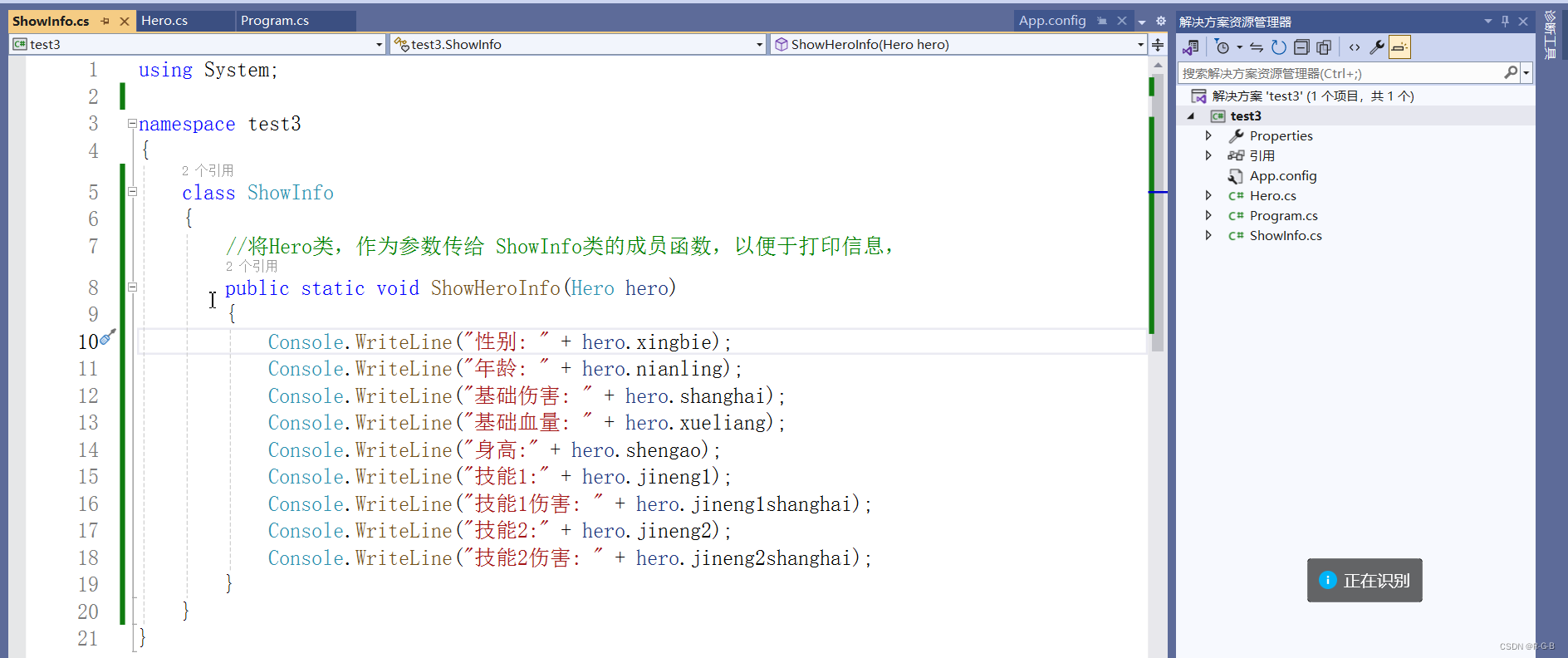
文章目录
- 1 单个 .cs文件
- 2 创建 多个 .cs文件
-
- 2.1 添加Hero类
- 2.1 添加ShowInfo类
- 2.3 关于命名空间的引用
- 2.4 所有.cs文件代码
- 3 test3项目文件下载
1 单个 .cs文件
上一讲中 描述游戏中英雄的角色 所有代码在一个.cs文件中,
如果代码很多,类很多,就显得很长,很乱,不便于管理查看
c
using System;
//类型
//关键字
class Program
{
    static void Main()
    {
        Console.WriteLine("月黑风高杀人夜");
        Console.WriteLine("(请按任意键继续。。。)");
        Console.ReadKey();

        Console.WriteLine("微风吹动着路边的小草");
        Console.WriteLine("(请按任意键继续。。。)");
        Console.ReadKey();

        ////----------英雄一---------------------/////
        Console.WriteLine("隐约在路的尽头有一个人影");
        Console.WriteLine("(请按任意键继续。。。)");
        Console.ReadKey();

        Console.WriteLine("走近一看,这人叫");
        //实例化
        Hero hr1 = new Hero();
        hr1.name = Console.ReadLine();
        Console.WriteLine("原来你就是" + hr1.name);
        Console.WriteLine("(请按任意键继续。。。)");
        Console.ReadKey();

        hr1.xingbie = "男";
        hr1.nianling = 18;
        hr1.shanghai = 100;
        hr1.xueliang = 100;
        hr1.shengao = 175;
        hr1.jineng1 = "飞檐走壁";
        hr1.jineng1shanghai = 20;
        hr1.jineng2 = "飞沙走右";
        hr1.jineng2shanghai = 30;

        //打印英雄信息
        ShowInfo.ShowHeroInfo(hr1);

        Console.ReadKey();


        ////----------英雄二---------------------/////
        Console.WriteLine("此时远处传来一个女人的声音");
        Console.WriteLine("(请按任意键继续。。。)");
        Console.ReadKey();

        Console.WriteLine("走进一看原来是: ");
        Console.WriteLine("(请按任意键继续。。。)");
        Console.ReadKey();

        Console.WriteLine("请输入女侠的名称: ");
        //实例化
        Hero hr2 = new Hero();
        hr2.name = Console.ReadLine();
        Console.WriteLine("原来你就是" + hr2.name);
        Console.WriteLine("(请按任意键继续。。。)");
        Console.ReadKey();

        hr2.xingbie = "女";
        hr2.nianling = 18;
        hr2.shanghai = 100;
        hr2.xueliang = 100;
        hr2.shengao = 165;
        hr2.jineng1 = "飞檐走壁2.0";
        hr2.jineng1shanghai = 40;
        hr2.jineng2 = "飞沙走右2.0";
        hr2.jineng2shanghai = 60;

        //打印英雄信息
        ShowInfo.ShowHeroInfo(hr2);

        Console.ReadKey();
    }
}

class Hero
{
    //成员变量
    public string name;
    public string xingbie;
    public int nianling;
    public int shanghai;
    public int xueliang;
    public int shengao;
    public string jineng1;
    public int jineng1shanghai;
    public string jineng2;
    public int jineng2shanghai;
}
class ShowInfo
{
    //将Hero类,作为参数传给 ShowInfo类的成员函数,以便于打印信息,
    public static void ShowHeroInfo(Hero hero)
    {
        Console.WriteLine("性别: " + hero.xingbie);
        Console.WriteLine("年龄: " + hero.nianling);
        Console.WriteLine("基础伤害: " + hero.shanghai);
        Console.WriteLine("基础血量: " + hero.xueliang);
        Console.WriteLine("身高:" + hero.shengao);
        Console.WriteLine("技能1:" + hero.jineng1);
        Console.WriteLine("技能1伤害: " + hero.jineng1shanghai);
        Console.WriteLine("技能2:" + hero.jineng2);
        Console.WriteLine("技能2伤害: " + hero.jineng2shanghai);
    }
}
2 创建 多个 .cs文件
右键项目名->添加->新建项 /类
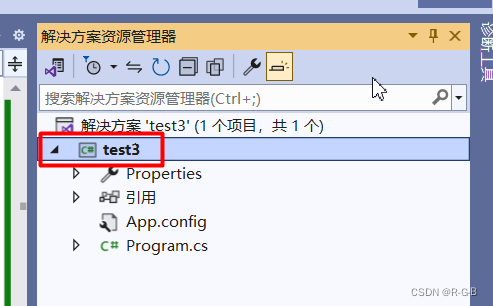
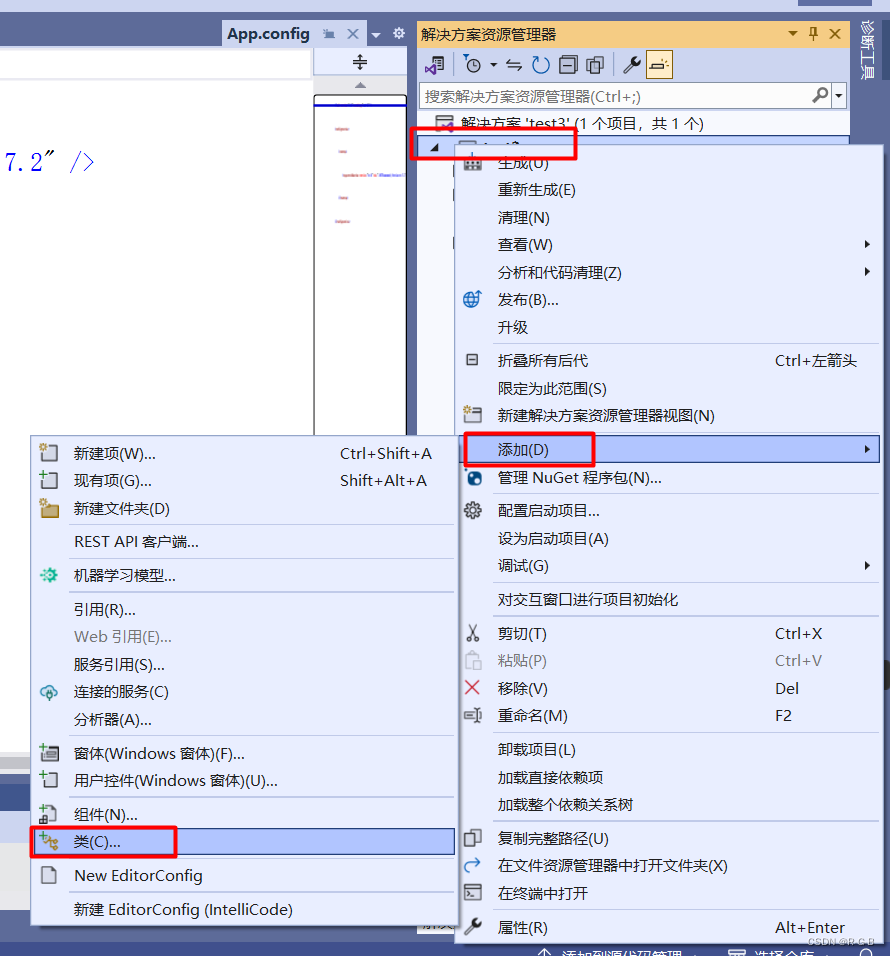
之后弹出 如下页面
2.1 添加Hero类
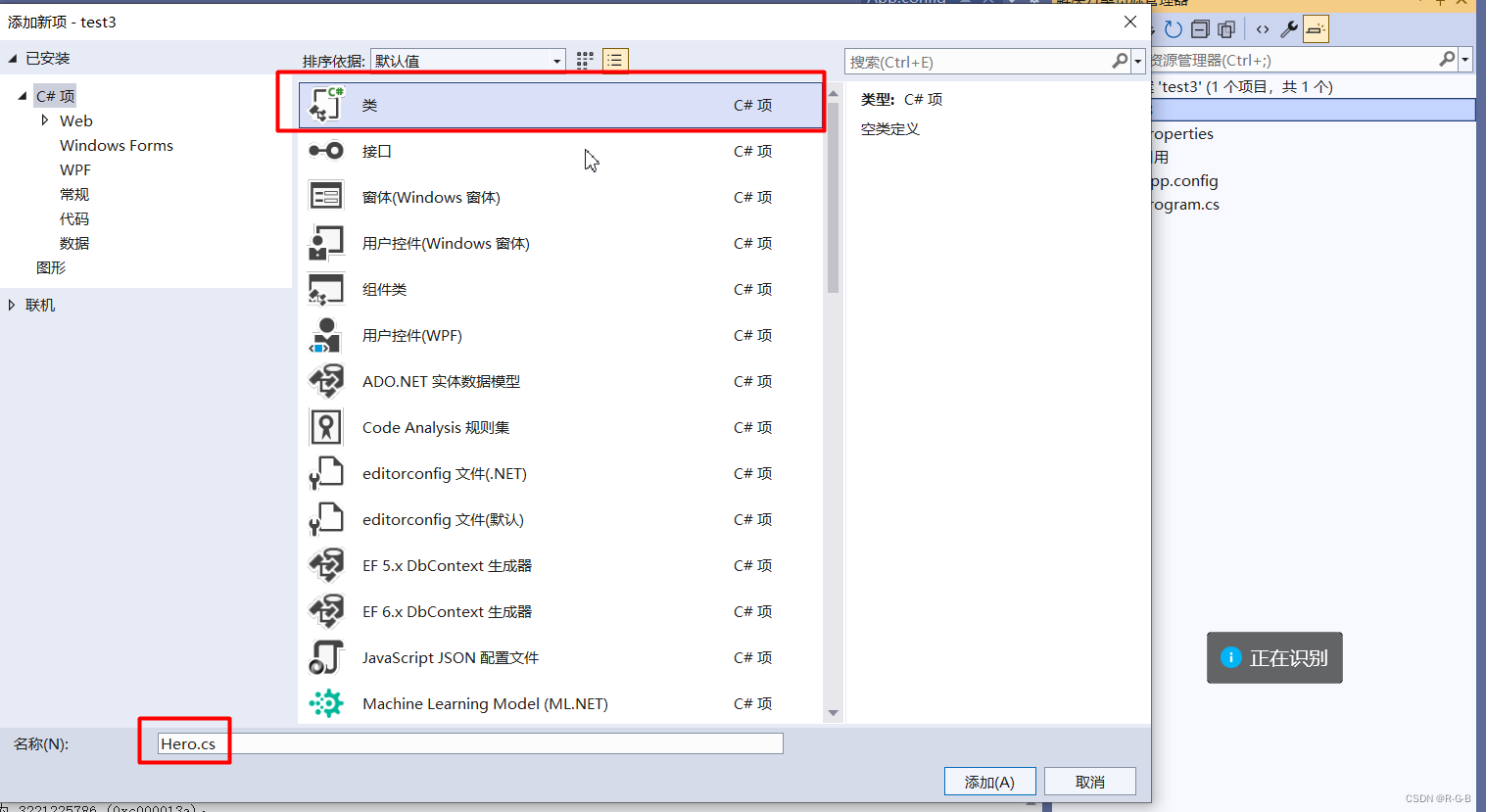
添加完成,命名空间 默认添加为 项目名 "test3"
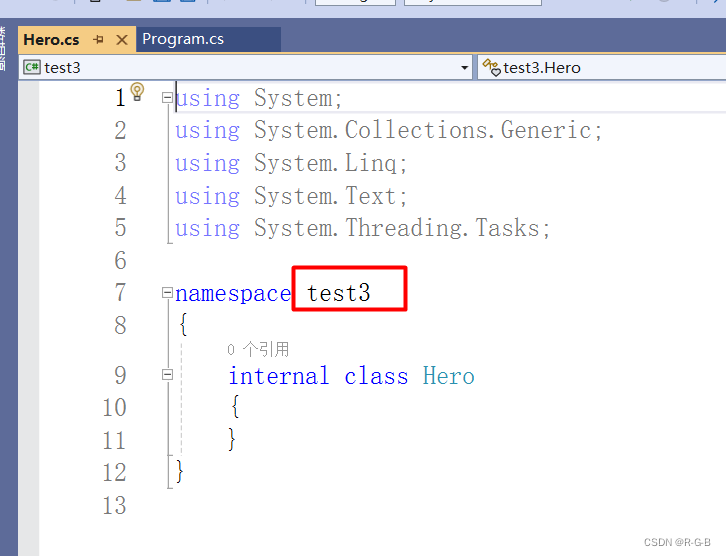
将Program.cs文件中的 Hero类的代码直接剪切到 新建的Hero类中的 namespace test3括号内
c
using System;
using System.Collections.Generic;
using System.Linq;
using System.Text;
using System.Threading.Tasks;

namespace test3
{
    class Hero
    {
        //成员变量
        public string name;
        public string xingbie;
        public int nianling;
        public int shanghai;
        public int xueliang;
        public int shengao;
        public string jineng1;
        public int jineng1shanghai;
        public string jineng2;
        public int jineng2shanghai;
    }
}
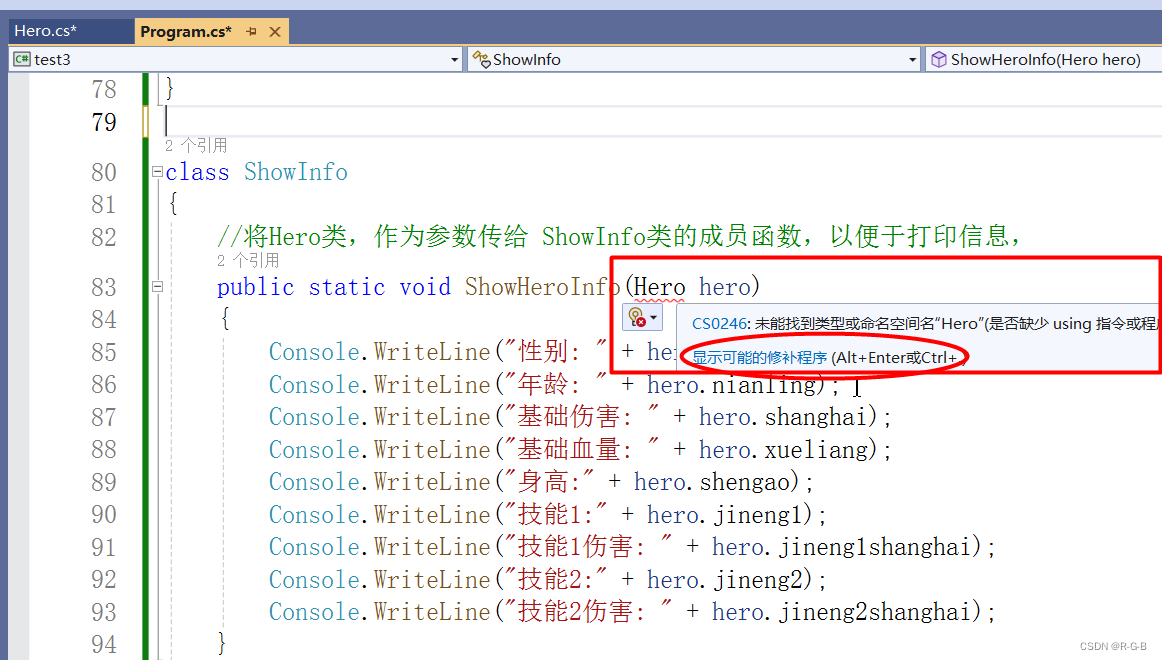
此时Program.cs文件中的 Hero相关的内容,都报错,因为该文件下找不到 Hero相关内容;
点击提示中的"显示可能修补的程序"
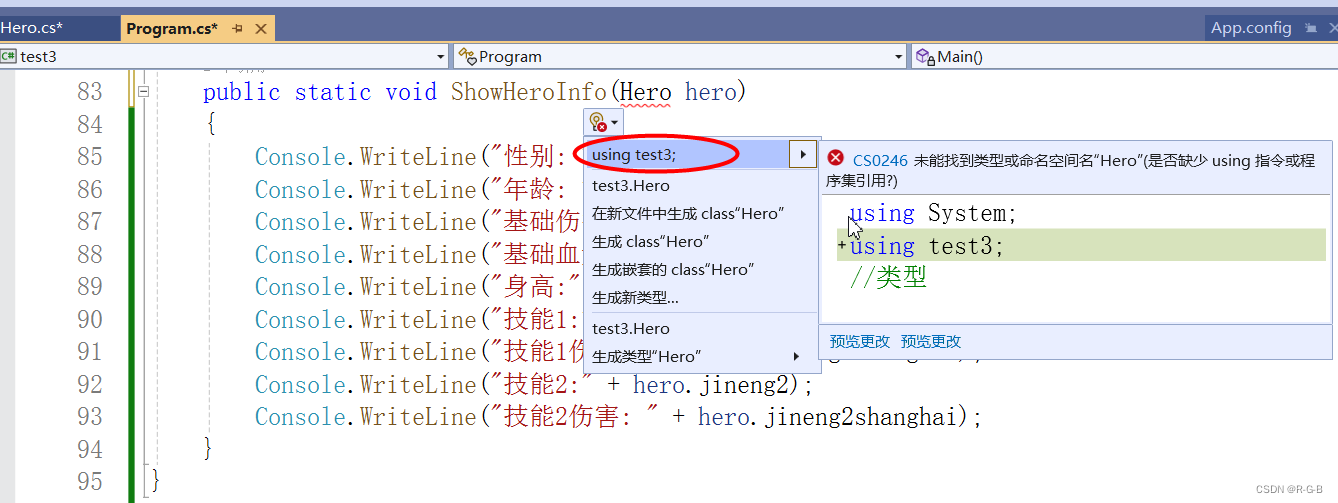
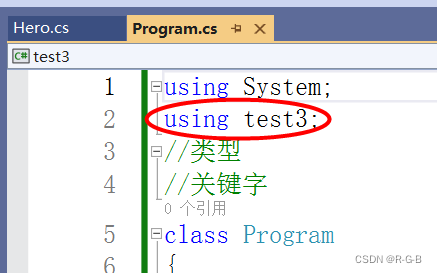
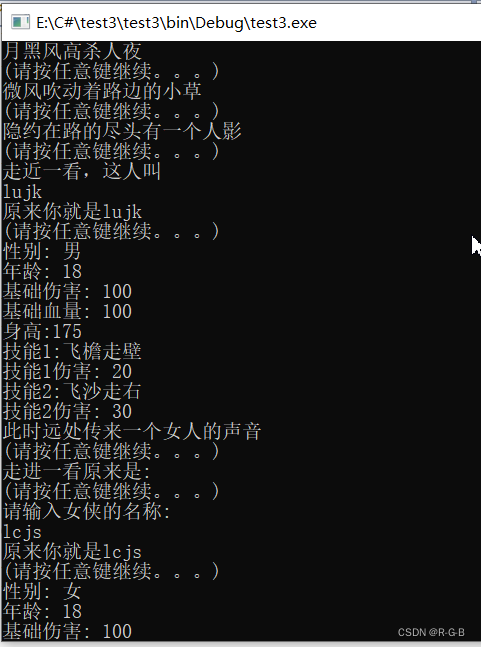
运行测试
2.1 添加ShowInfo类
按照同样的 方法 添加 ShowInfo类
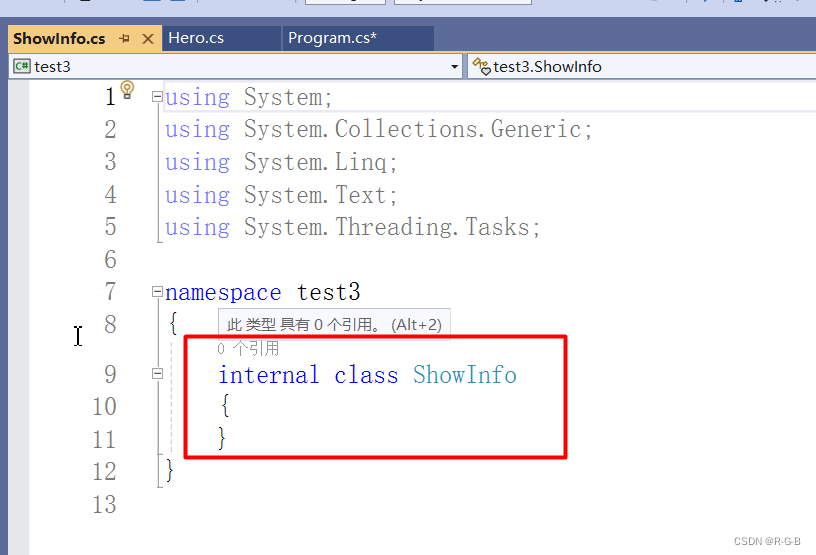
c
using System;
using System.Collections.Generic;
using System.Linq;
using System.Text;
using System.Threading.Tasks;

namespace test3
{
    class ShowInfo
    {
        //将Hero类,作为参数传给 ShowInfo类的成员函数,以便于打印信息,
        public static void ShowHeroInfo(Hero hero)
        {
            Console.WriteLine("性别: " + hero.xingbie);
            Console.WriteLine("年龄: " + hero.nianling);
            Console.WriteLine("基础伤害: " + hero.shanghai);
            Console.WriteLine("基础血量: " + hero.xueliang);
            Console.WriteLine("身高:" + hero.shengao);
            Console.WriteLine("技能1:" + hero.jineng1);
            Console.WriteLine("技能1伤害: " + hero.jineng1shanghai);
            Console.WriteLine("技能2:" + hero.jineng2);
            Console.WriteLine("技能2伤害: " + hero.jineng2shanghai);
        }
    }
}
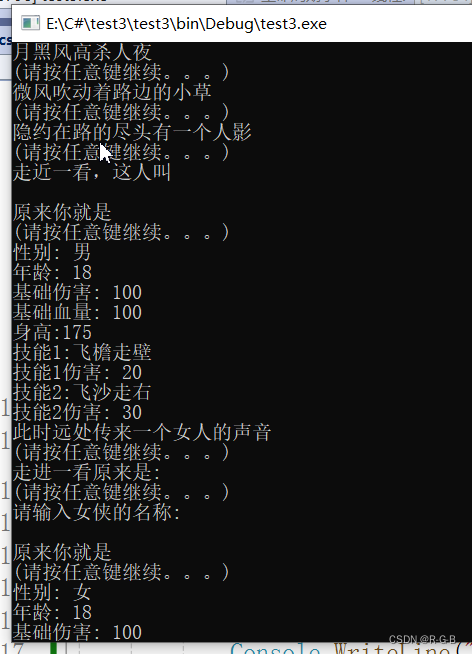
运行测试
2.3 关于命名空间的引用
-
- 为什么要在 Program.cs文件中的添加
using test3呢?
- 为什么要在 Program.cs文件中的添加
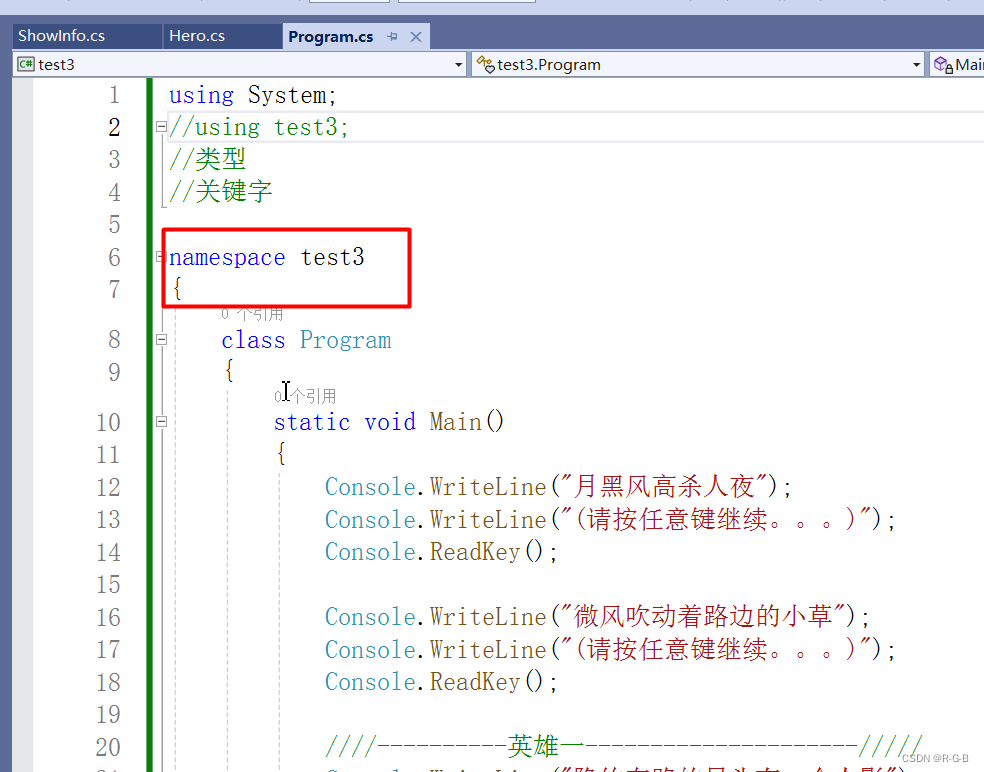
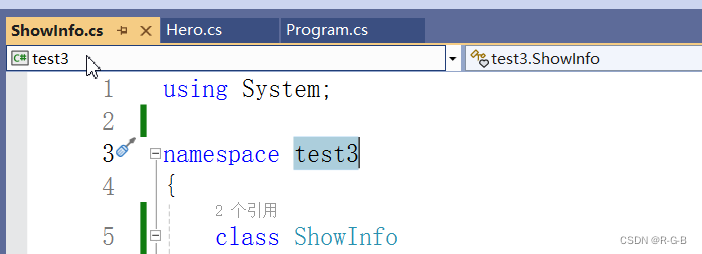
因为,刚开始是 为了简化 代码结构,把命名空间 namespace test3这一层结构给去掉了,直接从 class Program开始的,
当加上 命名空间 namespace test3这一层结构,这时 就不需要 添加 using test3了
-
- 新建的类中的 模板自动添加的命名空间 没有使用的都可以去掉
2.4 所有.cs文件代码
Program.cs文件
c
using System;
//using test3;
//类型
//关键字

namespace test3
{
    class Program
    {
        static void Main()
        {
            Console.WriteLine("月黑风高杀人夜");
            Console.WriteLine("(请按任意键继续。。。)");
            Console.ReadKey();

            Console.WriteLine("微风吹动着路边的小草");
            Console.WriteLine("(请按任意键继续。。。)");
            Console.ReadKey();

            ////----------英雄一---------------------/////
            Console.WriteLine("隐约在路的尽头有一个人影");
            Console.WriteLine("(请按任意键继续。。。)");
            Console.ReadKey();

            Console.WriteLine("走近一看,这人叫");
            //实例化
            Hero hr1 = new Hero();
            hr1.name = Console.ReadLine();
            Console.WriteLine("原来你就是" + hr1.name);
            Console.WriteLine("(请按任意键继续。。。)");
            Console.ReadKey();

            hr1.xingbie = "男";
            hr1.nianling = 18;
            hr1.shanghai = 100;
            hr1.xueliang = 100;

            hr1.shengao = 175;
            hr1.jineng1 = "飞檐走壁";
            hr1.jineng1shanghai = 20;
            hr1.jineng2 = "飞沙走右";
            hr1.jineng2shanghai = 30;

            //打印英雄信息
            ShowInfo.ShowHeroInfo(hr1);

            Console.ReadKey();


            ////----------英雄二---------------------/////
            Console.WriteLine("此时远处传来一个女人的声音");
            Console.WriteLine("(请按任意键继续。。。)");
            Console.ReadKey();

            Console.WriteLine("走进一看原来是: ");
            Console.WriteLine("(请按任意键继续。。。)");
            Console.ReadKey();

            Console.WriteLine("请输入女侠的名称: ");
            //实例化
            Hero hr2 = new Hero();
            hr2.name = Console.ReadLine();
            Console.WriteLine("原来你就是" + hr2.name);
            Console.WriteLine("(请按任意键继续。。。)");
            Console.ReadKey();

            hr2.xingbie = "女";
            hr2.nianling = 18;
            hr2.shanghai = 100;
            hr2.xueliang = 100;
            hr2.shengao = 165;
            hr2.jineng1 = "飞檐走壁2.0";
            hr2.jineng1shanghai = 40;
            hr2.jineng2 = "飞沙走右2.0";
            hr2.jineng2shanghai = 60;

            //打印英雄信息
            ShowInfo.ShowHeroInfo(hr2);

            Console.ReadKey();
        }
    }

}
Hero.cs文件
c
using System;

namespace test3
{
    class Hero
    {
        //成员变量
        public string name;
        public string xingbie;
        public int nianling;
        public int shanghai;
        public int xueliang;
        public int shengao;
        public string jineng1;
        public int jineng1shanghai;
        public string jineng2;
        public int jineng2shanghai;
    }
}
ShowInfo.cs文件
c
using System;

namespace test3
{
    class ShowInfo
    {
        //将Hero类,作为参数传给 ShowInfo类的成员函数,以便于打印信息,
        public static void ShowHeroInfo(Hero hero)
        {
            Console.WriteLine("性别: " + hero.xingbie);
            Console.WriteLine("年龄: " + hero.nianling);
            Console.WriteLine("基础伤害: " + hero.shanghai);
            Console.WriteLine("基础血量: " + hero.xueliang);
            Console.WriteLine("身高:" + hero.shengao);
            Console.WriteLine("技能1:" + hero.jineng1);
            Console.WriteLine("技能1伤害: " + hero.jineng1shanghai);
            Console.WriteLine("技能2:" + hero.jineng2);
            Console.WriteLine("技能2伤害: " + hero.jineng2shanghai);
        }
    }
}