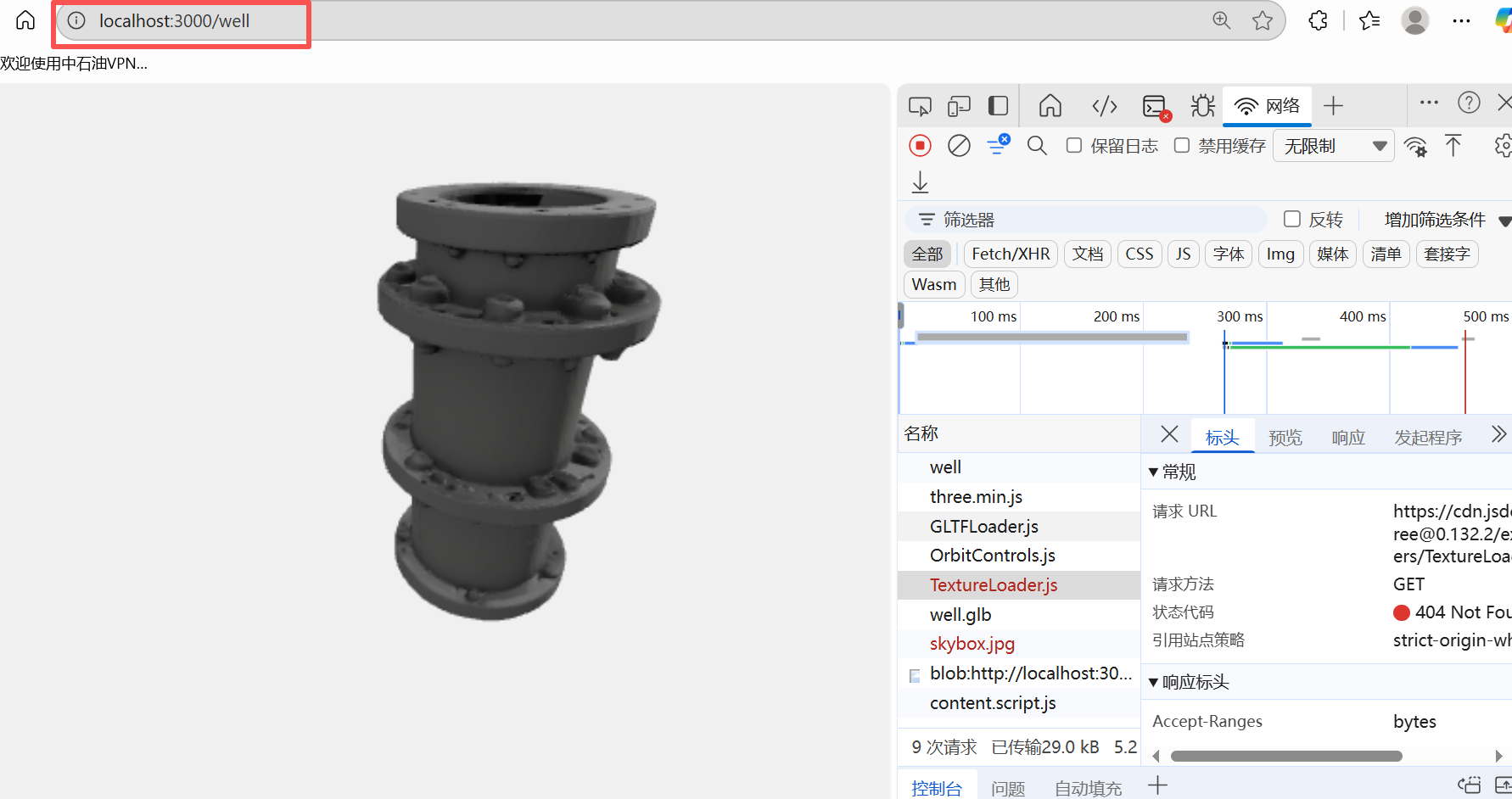
在fast3d生成一个三维模型的GLB文件
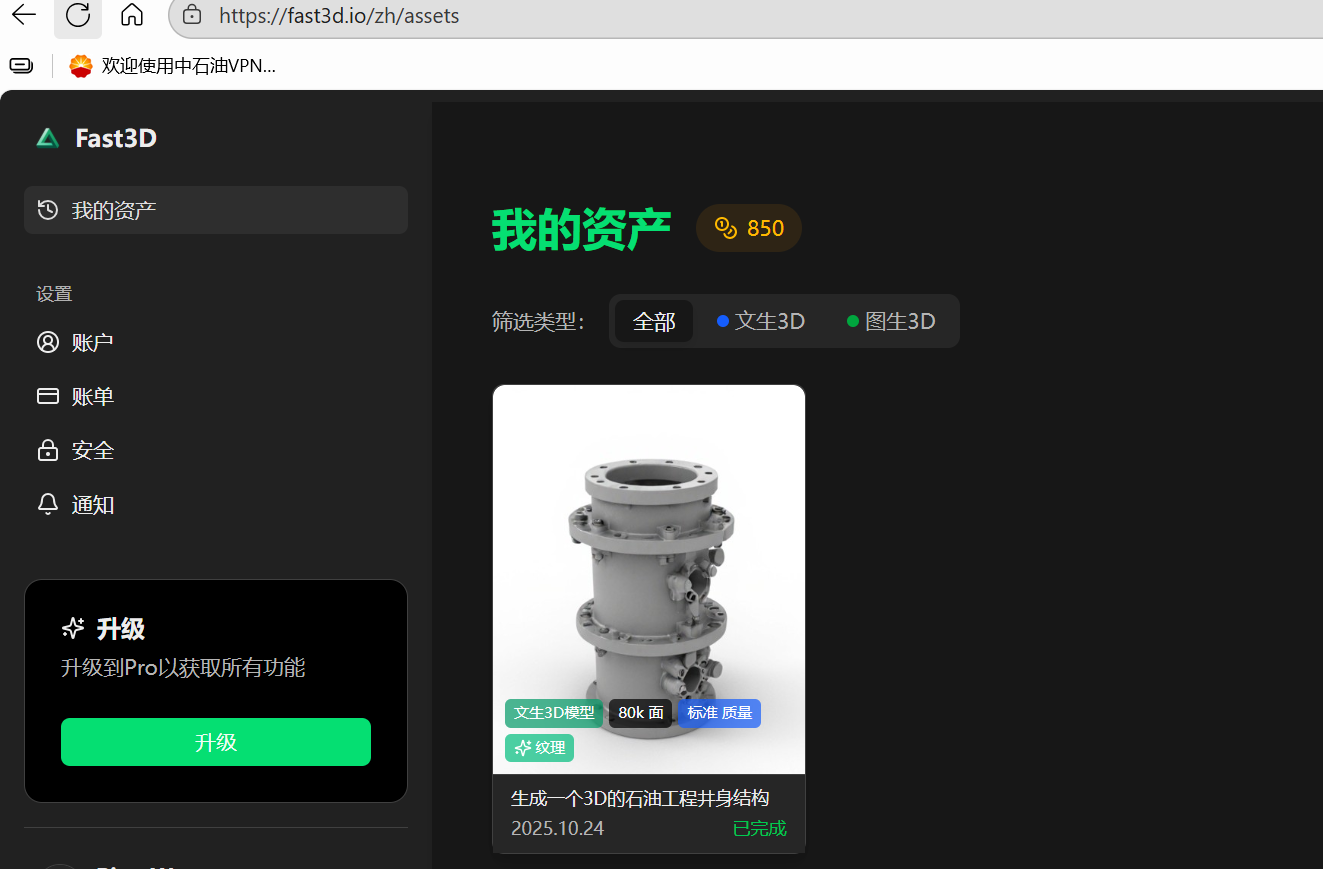
使用HTML + Three.js实现,用于加载和显示GLB格式的3D模型文件:
html
<!DOCTYPE html>
<html lang="zh-CN">
<head>
    <meta charset="UTF-8">
    <title>加载GLB 3D模型</title>
    <style>
        body { margin: 0; overflow: hidden; }
        canvas { display: block; }
        #info {
            position: absolute;
            top: 10px;
            left: 10px;
            color: white;
            background: rgba(0,0,0,0.5);
            padding: 10px;
            font-family: Arial, sans-serif;
            border-radius: 5px;
        }
    </style>
</head>
<body>
    <div id="info">正在加载模型... 请等待</div>
    <script src="https://cdn.jsdelivr.net/npm/three@0.132.2/build/three.min.js"></script>
    <script src="https://cdn.jsdelivr.net/npm/three@0.132.2/examples/js/loaders/GLTFLoader.js"></script>
    <script src="https://cdn.jsdelivr.net/npm/three@0.132.2/examples/js/controls/OrbitControls.js"></script>
    <!-- 新增环境贴图加载器 -->
    <script src="https://cdn.jsdelivr.net/npm/three@0.132.2/examples/js/loaders/TextureLoader.js"></script>

    <script>
        // 初始化场景
        const scene = new THREE.Scene();
        scene.background = new THREE.Color(0xf0f0f0);

        // 创建相机
        const camera = new THREE.PerspectiveCamera(75, window.innerWidth / window.innerHeight, 0.1, 1000);
        camera.position.z = 5;

        // 创建渲染器并启用gamma校正(关键:确保材质颜色正确显示)
        const renderer = new THREE.WebGLRenderer({ antialias: true });
        renderer.setSize(window.innerWidth, window.innerHeight);
        renderer.gammaOutput = true; // 启用gamma输出
        renderer.gammaFactor = 2.2;  // 设置gamma因子
        document.body.appendChild(renderer.domElement);

        // 增强光照系统(关键:确保材质细节可见)
        // 环境光 - 提供基础照明,避免完全黑暗区域
        const ambientLight = new THREE.AmbientLight(0xffffff, 0.8); // 提高强度到0.8
        scene.add(ambientLight);

        // 主方向光 - 提供主要照明和阴影
        const directionalLight1 = new THREE.DirectionalLight(0xffffff, 1.2); // 提高强度
        directionalLight1.position.set(5, 5, 5); // 调整位置,增加角度
        directionalLight1.castShadow = true; // 启用阴影(如果模型需要)
        scene.add(directionalLight1);

        // 辅助方向光 - 减少阴影过暗
        const directionalLight2 = new THREE.DirectionalLight(0xffffff, 0.6);
        directionalLight2.position.set(-5, 3, -2); // 从另一侧照明
        scene.add(directionalLight2);

        // 添加环境贴图(关键:增强材质反射效果)
        const textureLoader = new THREE.TextureLoader();
        // 使用简单的环境贴图(可替换为更复杂的HDR贴图)
        textureLoader.load('https://threejs.org/examples/textures/equirectangular/skybox.jpg', (texture) => {
            texture.mapping = THREE.EquirectangularReflectionMapping;
            scene.environment = texture; // 设置场景环境贴图
            scene.background = texture;  // 可选:用环境贴图作为背景
        });

        // 添加轨道控制
        const controls = new THREE.OrbitControls(camera, renderer.domElement);
        controls.enableDamping = true;
        controls.dampingFactor = 0.05; // 增加阻尼感,操作更平滑

        // 加载GLB模型
        const loader = new THREE.GLTFLoader();
        const modelPath = 'well.glb'; // 请确保模型路径正确

        loader.load(
            modelPath,
            function (gltf) {
                document.getElementById('info').style.display = 'none';
                const model = gltf.scene;
                scene.add(model);

                // 模型处理
                const box = new THREE.Box3().setFromObject(model);
                const size = box.getSize(new THREE.Vector3());
                const center = box.getCenter(new THREE.Vector3());

                // 自动缩放和居中模型
                const maxDim = Math.max(size.x, size.y, size.z);
                const fov = camera.fov * (Math.PI / 180);
                let cameraZ = Math.abs(maxDim / 2 / Math.tan(fov / 2));
                cameraZ *= 1.5; // 增加一点距离
                camera.position.z = cameraZ;

                // 居中模型
                model.position.x = -center.x;
                model.position.y = -center.y;
                model.position.z = -center.z;

                // 确保材质正确应用环境贴图
                model.traverse((child) => {
                    if (child.isMesh) {
                        child.material.envMap = scene.environment; // 应用环境贴图
                        child.material.needsUpdate = true; // 强制材质更新
                        child.castShadow = true; // 启用阴影投射
                        child.receiveShadow = true; // 启用阴影接收
                    }
                });

                // 更新控制器目标
                controls.target.set(center.x, center.y, center.z);
                controls.update();
            },
            function (xhr) {
                const percentage = (xhr.loaded / xhr.total * 100).toFixed(0);
                document.getElementById('info').textContent = `加载中 ${percentage}%`;
            },
            function (error) {
                console.error('加载模型出错:', error);
                document.getElementById('info').textContent = `加载失败: ${error.message}`;
            }
        );

        // 响应窗口大小变化
        window.addEventListener('resize', () => {
            camera.aspect = window.innerWidth / window.innerHeight;
            camera.updateProjectionMatrix();
            renderer.setSize(window.innerWidth, window.innerHeight);
        });

        // 动画循环
        function animate() {
            requestAnimationFrame(animate);
            controls.update();
            renderer.render(scene, camera);
        }
        animate();
    </script>
</body>
</html>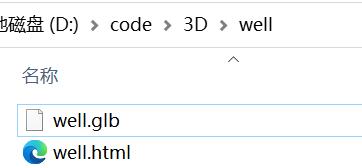
使用说明:
-
准备GLB文件:
- 将你的GLB模型文件(例如
model.glb)放在HTML文件的同一目录下 - 确保模型文件是有效的GLB格式(glTF的二进制格式)
- 将你的GLB模型文件(例如
-
修改模型路径:
- 在代码中找到
const modelPath = 'model.glb'; - 如果模型在子目录中,修改为
models/model.glb等路径
- 在代码中找到
-
关键功能说明:
- 自动缩放模型使其适应视图
- 添加了环境光和方向光使模型可见
- 使用OrbitControls实现鼠标交互(旋转/缩放/平移)
- 显示加载进度和错误提示
- 响应窗口大小变化
-
常见问题解决:
- 模型不显示 :
- 检查文件路径是否正确
- 确保文件扩展名是
.glb(不是.gltf) - 检查浏览器控制台是否有加载错误
- 加载缓慢 :
- 大模型可能需要较长时间加载
- 确保使用压缩的GLB文件(GLB比GLTF小30%)
- 材质问题 :
- 如果模型材质缺失,可能需要使用
GLTFLoader的draco支持(需要额外引入draco解码器)
- 如果模型材质缺失,可能需要使用
- 模型不显示 :
额外建议:
-
优化模型:
- 使用 glTF-Sample-Models 中的模型测试
- 用 glTF-Pipeline 优化模型
-
添加DRACO压缩支持(如果模型很大):
html<script src="https://cdn.jsdelivr.net/npm/three@0.132.2/examples/js/libs/draco/draco_decoder.js"></script> <script src="https://cdn.jsdelivr.net/npm/three@0.132.2/examples/js/libs/draco/draco_decoder_wasm_wrapper.js"></script>然后在加载器中添加:
javascriptloader.setDRACOLoader(new THREE.DRACOLoader()); -
测试模型:
- 使用 glTF Viewer 验证模型是否有效
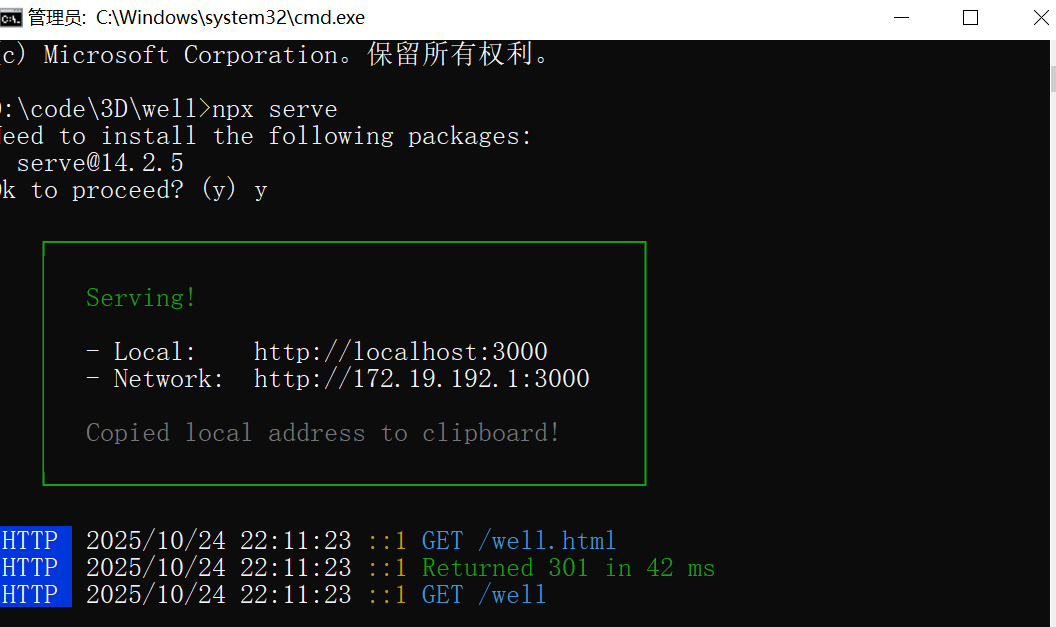
注意:确保在服务器环境下运行(不能直接用
file://协议加载,因为浏览器安全限制)。推荐使用本地服务器:
- Python:
python -m http.server 8000- Node.js:
npx serve
这个实现包含完整的错误处理、自动缩放和交互功能,可直接使用。将你的GLB文件放入同一目录后,打开HTML文件即可看到3D模型。