正文
分析
spiderdemo第四题是一道wasm的题
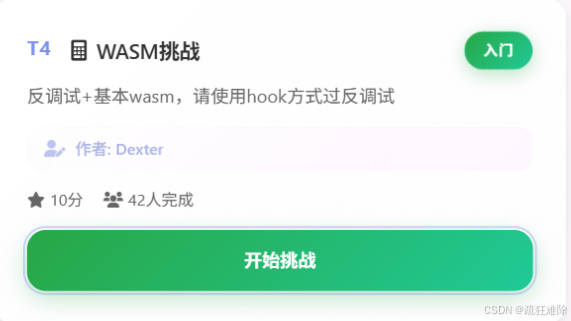
看到wasm,笔者知道这个流程
- 对某个wasm文件发送请求
- 初始化wasm
- 调用wasm里面的函数
必然如此。
题目还需要使用hook反调试,直言的说,笔者不会使用hook方式,爬虫技术不行,0.0
但是并不代表过不了。
首先进入页面,打开开发者工具
T4-WASM挑战 https://www.spiderdemo.cn/sec1/wasm_challenge/?challenge_type=wasm_challenge就会跳转到原神页面
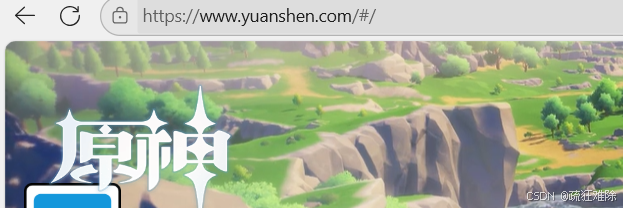
那么使用ctrl+u,查看网页源代码
view-source:https://www.spiderdemo.cn/sec1/wasm_challenge/?challenge_type=wasm_challenge
发现是看得到源代码,那很好
在源代码里面可以看到关键信息
javascript
 <script>
        /**
         * 获取指定页面数据(集成 WASM 加密验证)
         * @param {number} page - 页码
         * @param {string} type - 挑战类型 (card.json中的id)
         * @returns {Object} 页面数据
         */
        async function apiGetPageData(page, type = challengeType) {
            let url = `/sec1/api/wasm_challenge/page/${page}/?challenge_type=${encodeURIComponent(type)}`;
            let headers = { 'Content-Type': 'application/json' };

            // 如果 WASM 已准备好,添加加密验证
            if (window.wasmReady && window.encrypt_simple) {
                try {
                    const timestamp = Math.floor(window.get_timestamp() / 1000).toString();
                    const verifyString = `${type}_page_${page}`;
                    const wasmAuth = window.encrypt_simple(verifyString, timestamp);

                    // 添加 WASM 验证参数到 URL
                    url += `&wasm_auth=${encodeURIComponent(wasmAuth)}`;
                    headers['X-WASM-Timestamp'] = timestamp;
                    headers['X-WASM-Page'] = page.toString();

                } catch (error) {
                    console.warn('⚠️ WASM 加密失败,继续无验证请求:', error);
                }
            }
            try {
                const data = await $.ajax({
                    url: url,
                    method: 'GET',
                    headers: headers,
                    dataType: 'json'
                });
                return data;
            } catch (xhr) {
                const data = xhr.responseJSON || {};
                const errorMessage = data.error || `HTTP ${xhr.status}: ${xhr.statusText}`;
                throw new Error(errorMessage);
            }
        }
    </script>
分析一下,假设对第二页发送请求
首先可以确定暂时的url如下
https:://spiderdemo.cn//sec1/api/wasm_challenge/page/2/?challenge_type=${encodeURIComponent(type)}
其次,可以发现wasm里面的函数是encrypt_simple,
需要传入两个参数**,一个是verifyString,是{type}_page_{page}这个字符串,另一个是**
秒级别的时间戳,说白了10位的时间戳。
加密后的结果,变成wasm_auth对应的值,放到url里面
需要请求头的参数进行加密
javascript
headers['X-WASM-Timestamp'] = timestamp;
headers['X-WASM-Page'] = page.toString();
这两个很好处理。
那么现在只需要获取到encrypt_simple这个算法里面的东西,就可以了。
++后面笔者又经过几个小时的分析,后面笔者又去搞的反调试,虽然成功了,但感觉没必要。++
再次分析
在源代码里面搜索wasm
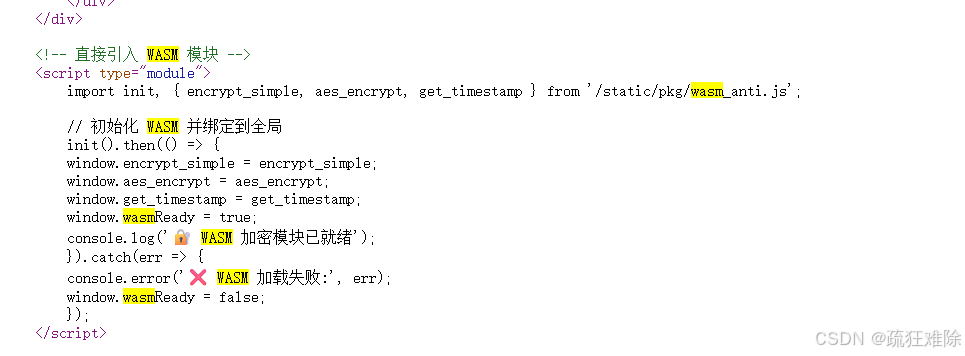
笔者看到了这个东西,那问题不就解决了,后面不就从从容容、游刃有余了
不需要过反调试。
直接下载这个js文件
spiderdemo.cn//static/pkg/wasm_anti.jshttps://www.spiderdemo.cn//static/pkg/wasm_anti.js新建一个a.html,和js文件在同一目录下,如下
html
<!DOCTYPE html>
<html lang="en">
<head>
    <meta charset="UTF-8">
    <title>Title</title>
</head>
                <script type="module">
                    import init, { encrypt_simple, aes_encrypt, get_timestamp } from './wasm_anti.js';
                    init().then(() => {
                    window.encrypt_simple = encrypt_simple;
                    window.aes_encrypt = aes_encrypt;
                    window.get_timestamp = get_timestamp;
                    window.wasmReady = true;
                    console.log('🔐 WASM 加密模块已就绪');
                    }).catch(err => {
                    console.error('❌ WASM 加载失败:', err);
                    window.wasmReady = false;
                    });
                </script>
<body>

</body>
</html>
在webstorm或者pycharm运行,
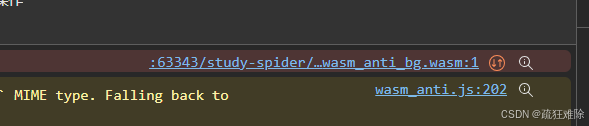
发现这个报错
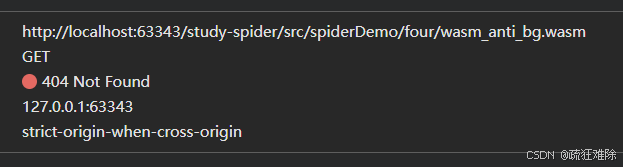
说明,wasm文件的名字叫wasm_anti_bg.wasm。
然后,对访问对应的文件
https://www.spiderdemo.cn//static/pkg/wasm_anti_bg.wasmhttps://www.spiderdemo.cn//static/pkg/wasm_anti_bg.wasm就可以获取wasm文件,放到和wasm_anti.js同一目录下
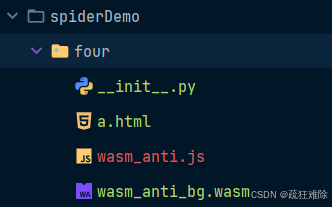
然后,运行a.html
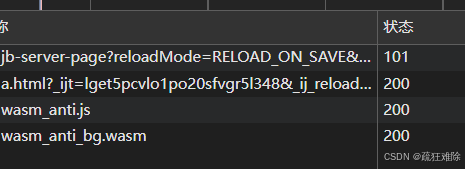
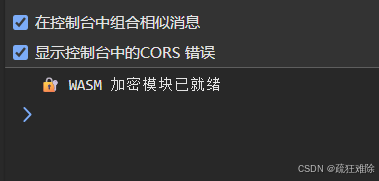
完美。
哈哈哈哈哈哈,不需要反调试。
编写爬虫
写爬虫最麻烦的是逆向,已经完成了逆向,后面不必多言
笔者还是使用和第二题一样的操作
关于spiderdemo第二题的奇思妙想-CSDN博客https://blog.csdn.net/qq_63401240/article/details/153792789?spm=1001.2014.3001.5501修改a.html文件的内容
javascript
<!DOCTYPE html>
<html lang="en">
<head>
    <meta charset="UTF-8">
    <title>Title</title>
</head>
 <script type="module">
      import init, { encrypt_simple, aes_encrypt, get_timestamp } from './wasm_anti.js';
                    init().then(() => {
                    window.encrypt_simple = encrypt_simple;
                    window.aes_encrypt = aes_encrypt;
                    window.get_timestamp = get_timestamp;
                    window.wasmReady = true;
                    console.log('🔐 WASM 加密模块已就绪');
                    }).catch(err => {
                    console.error('❌ WASM 加载失败:', err);
                    window.wasmReady = false;
                    });
 </script>
 <script>
     function get_ok(){
         return window.wasmReady
     }
     function get_auth(page,timestamp){
         let type="wasm_challenge"
         let verifyString=`${type}_page_${page}`
         return window.encrypt_simple(verifyString, timestamp);
     }
 </script>
<body>
</body>
</html>
爬虫如下
javascript
from httpx import Client
import time
from DrissionPage import ChromiumPage

html = ChromiumPage()
html.get("http://localhost:63343/..../a.html")

while True:
    ready = html.run_js('return get_ok();')
    print(ready)
    if ready is True:
        break

cookies = {
    'sessionid':'你的session_id'
}
total=0
for page_number in range(1,101):
    timestamp = str(int(time.time()))
    url=f'https://www.spiderdemo.cn/sec1/api/wasm_challenge/page/{page_number}/'
    wasm_auth = html.run_js(f'return get_auth({page_number},"{timestamp}");')
    headers = {
        'Content-Type': 'application/json',
        'X-Wasm-Page': str(page_number),
        'X-Wasm-Timestamp': str(timestamp),
        'user-agent': 'Mozilla/5.0 (Windows NT 10.0; Win64; x64) AppleWebKit/537.36 (KHTML, like Gecko) Chrome/141.0.0.0 Safari/537.36'
    }
    params={
        'challenge_type':'wasm_challenge',
        'wasm_auth':wasm_auth
    }
    response = Client().get(url=url,params=params,cookies=cookies, headers=headers)
    total+=sum(response.json()['page_data'])
print(total)
结果如下
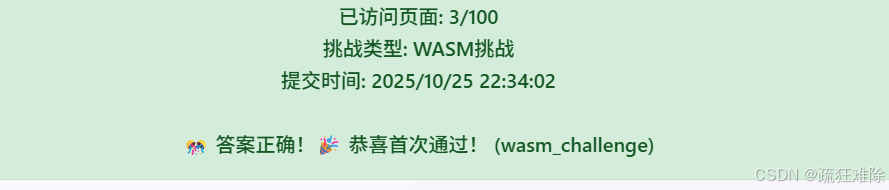
成功,哈哈哈哈哈哈
没有逆向js,没有逆向wasm,没有用hook。
反调试分析
还是从源代码里面入手,可以发现引入的外部js文件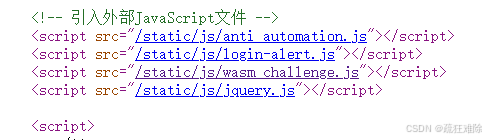
可以查看四个js文件,那么显然最关键的文件就是wasm_challenge.js了。
因此,直接下载这个js文件
spiderdemo.cn/static/js/wasm_challenge.jshttps://www.spiderdemo.cn/static/js/wasm_challenge.js分析一下这个文件,笔者使用webstorm
首先经过格式化这个js文件,可以在文件的末尾,发现一些东西
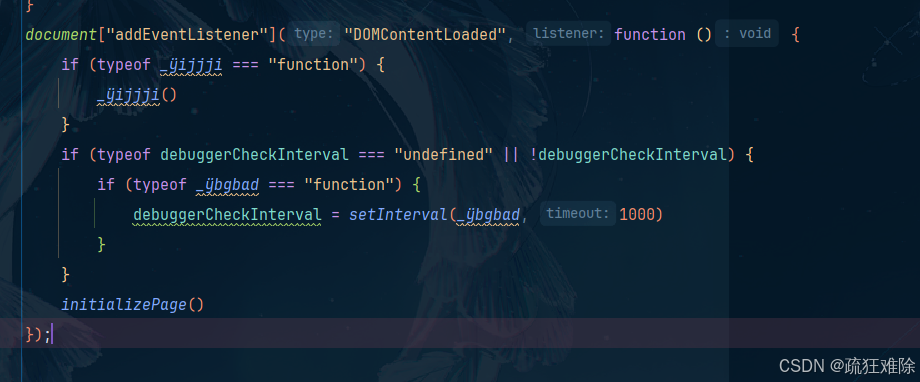
这里面好像有debug的事情 笔者看到setInterveral,还有什么debuggerCheckInterval
解决反调试和混淆
解决方法
直言的说,这里笔者搞了几个小时。。。。。。。。。
笔者使用本地替换的方式解决这个跳转问题,但是,笔者删除一些代码
javascript
if (typeof debuggerCheckInterval === "undefined" || !debuggerCheckInterval) {
}
document["addEventListener"]("DOMContentLoaded", function () {
    initializePage()
});
把那些全部删除了,还是不行,会跳转,后来笔者还去解混淆了,笔者还想看看这里是否对wasm文件发送了请求,最后没在这个wasm_challenge.js里面。
笔者就一直对跳转感到疑问,为什么??为什么?明明已经删除了
直言的说,笔者看到这篇文章
Python爬虫入门:spiderdemo题解及详细思路(入门篇) - 吾爱破解 - 52pojie.cnhttps://www.52pojie.cn/thread-2066443-1-1.html笔者明白了。
首先,在webstrom里面,首先ctrl+shift+"+"快捷键是展开全部函数,ctrl+shift+"-"是折叠全部函数
然后笔者使用全部折叠
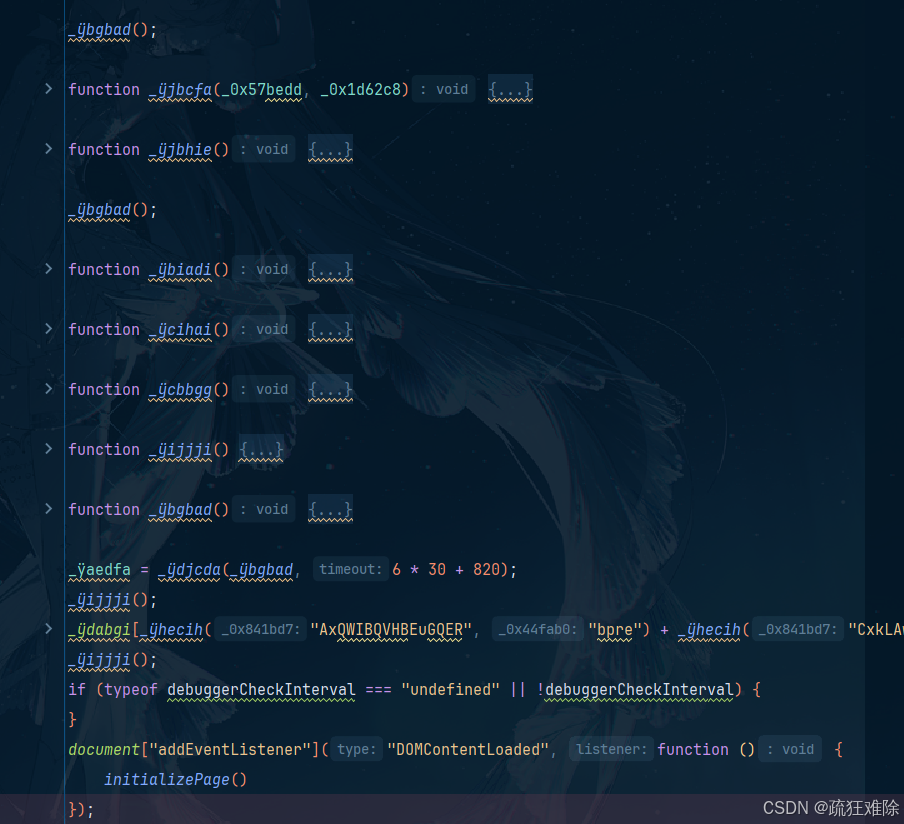
笔者发现这个**_ÿijjji和_ÿbgbad这两个函数是执行了的,因此,把这两个去掉**
实际上笔者是看了前面文章大佬才知道这是反调试的函数,总之,直接把执行函数去掉
如下
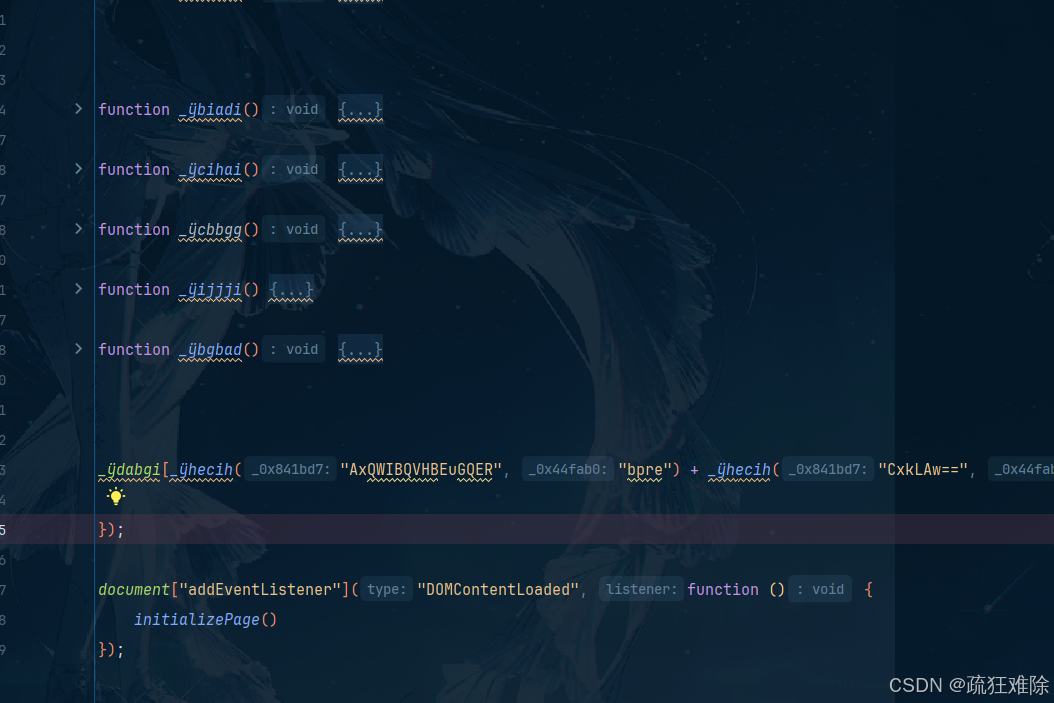
成功
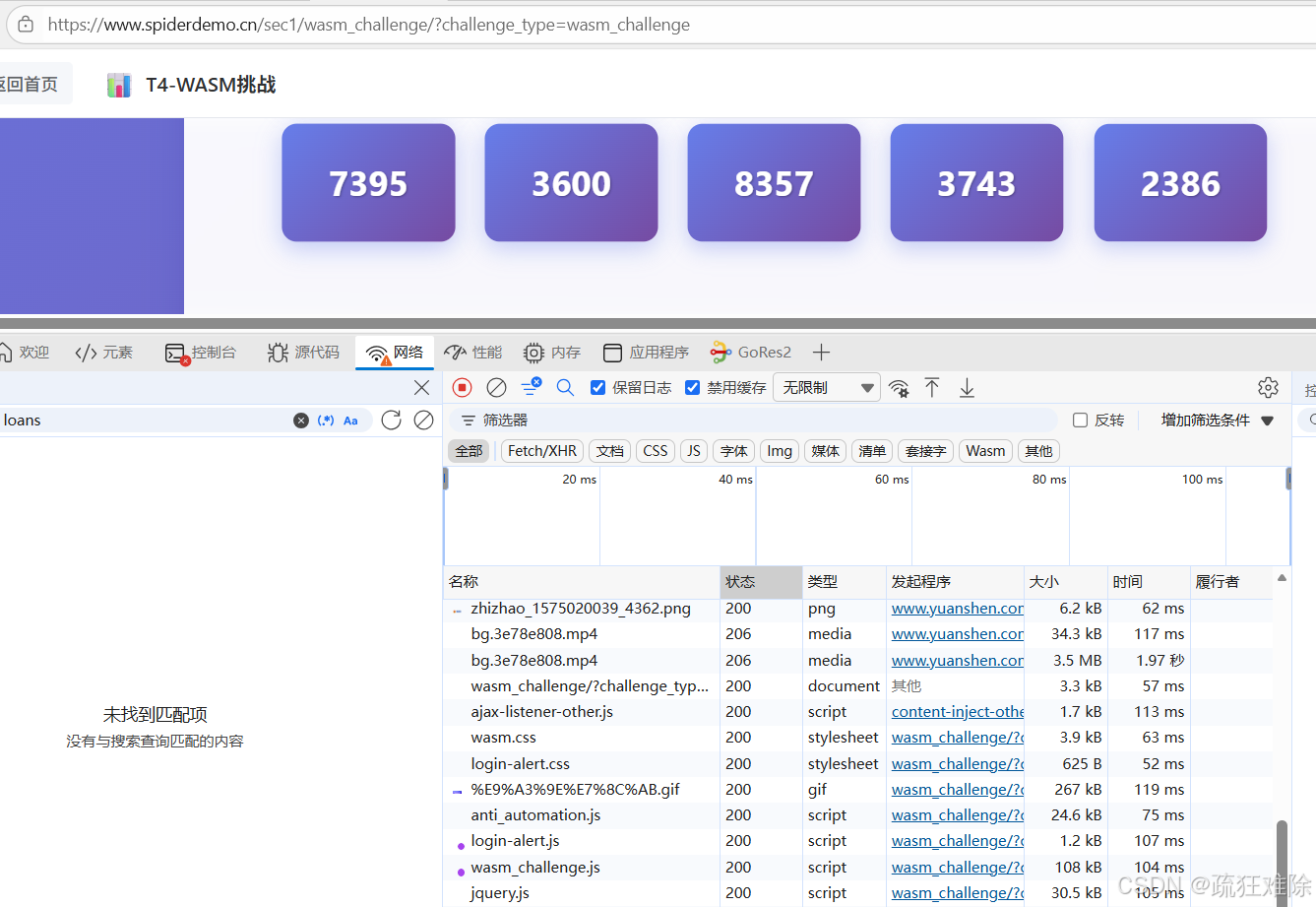
解混淆**_ÿhecih函数**
那个wasm_challenge.js里面又许多函数,其中有个关键的函数**_ÿhecih,**笔者对其解混淆过
应该怎么说?是直接给出答案,还是一步一步来,笔者还是选择一步一步来,慢慢来,不慌
首先,把需要解混淆的代码放到一个新的文件------g.js
javascript
function _ÿhecih(_0x841bd7, _0x44fab0) {
    let _0x1f1cc1 = 3 + 1;
    for (let _0x536a0d = 0 - 0; _0x536a0d < 0 - -5; _0x536a0d++) {
        switch (_0x1f1cc1) {
            case 0 + 2: {
                return _0x3bc79e
            }
            case 1 * 1 + 2: {
                for (var _0x39d32e = 0 * 0 + 0; _0x39d32e < _0x841bd7["le" + "ngth"]; _0x39d32e++) {
                    _0x3bc79e += _ÿdijia["fromCharCod" + "e"](_0x841bd7["cha" + "rCodeAt"](_0x39d32e) ^ _0x44fab0["char" + "CodeAt"](_0x39d32e % _0x44fab0["le" + "ngth"]))
                }
                _0x1f1cc1 += -(1 - 0);
                break
            }
            case 1 - 0: {
                var _0x3bc79e = "";
                _0x1f1cc1 += 0 + 2;
                break
            }
            case 0 * 0 + 4: {
                try {
                    _0x841bd7 = _ÿgdjhd(_ÿdddej(_ÿjhbia(_0x841bd7)))
                } catch (_0x7648cb) {
                    _0x841bd7 = _ÿjhbia(_0x841bd7)
                }
                _0x1f1cc1 += -(0 * 1 + 3);
                break
            }
        }
    }
}
慢慢来
webstrom在windows上的搜索是ctrl+f,webstrom在windows上的替换是ctrl+r
- 在新的文件中,搜索 **_0x1f1cc1,**发现有5个,全局替换为total,或者其他名字。
- 计算total在不同case情况下的结果
- _ÿgdjhd在wasm_challenge.js中搜索,发现是decodeURIComponent,全部替换
- _ÿdddej在wasm_challenge.js中搜索,发现是escape,全部替换
- _ÿjhbia在wasm_challenge.js中搜索,发现是atob,全部替换
- 最外层for循环中的**_0x536a0d** 搜索并全部替换成变量**i,**计算值
- case 4的for循环中的**_0x39d32e** 搜索并全部替换成变量**j,**计算值
- 合并字符串
现在解混淆之后的结果
javascript
function _ÿhecih(_0x841bd7, _0x44fab0) {
    let total = 4;
    for (let i = 0; i < 5; i++) {
        switch (total) {
            case 2: {
                return _0x3bc79e
            }
            case 3: {
                for (var j =  0; j < _0x841bd7["length"]; j++) {
                    _0x3bc79e += String["fromCharCode"](_0x841bd7["charCodeAt"](j) ^ _0x44fab0["charCodeAt"](j % _0x44fab0["length"]))
                }
                total += -1;
                break
            }
            case 1: {
                var _0x3bc79e = "";
                total += 2;
                break
            }
            case 4: {
                try {
                    _0x841bd7 = decodeURIComponent(escape(atob(_0x841bd7)))
                } catch (_0x7648cb) {
                    _0x841bd7 = atob(_0x841bd7)
                }
                total += -3;
                break
            }
        }
    }
}
测试一下
javascript
let a=_ÿhecih("EBcVAQ==", "ccgh")
console.log(a)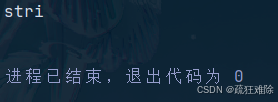
能够解出来,是否正确就不敢确定,没报错,继续
- 修改函数_ÿhecih名为unmaskString
- 第一个参数为cipher,全局替换
- 第二个参数为key,全局替换
- total += -3;就是1,把case 1里面的内容放到case 4中,并修改_0x3bc79e名字为return_value
- total += 2就是3,把case 3里面的内容放到case 4中
- 其他同理,最后整理代码,去掉total,i,之类的中间变量
最后结果如下
javascript
function unmaskString(cipher, key) {
       try {
            cipher = decodeURIComponent(escape(atob(cipher)))
        } catch (_0x7648cb) {
            cipher = atob(cipher)
        }
        var return_value = "";
        for (var j =  0; j < cipher.length; j++) {
            return_value += String.fromCharCode(cipher.charCodeAt(j) ^ key.charCodeAt(j % key.length))
        }
        return return_value
}
行,再次测试
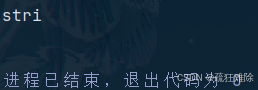
没问题。
其他函数类似的,解混淆。
测试一下
对**_ÿaieic函数解一下混淆**
如下
javascript
function _ÿaieic(_0x2e81e6) {
    var _0x31ab5c = {
        "header_check": _ÿhecih("6K6f5rCh5aWV", "hcab") + _ÿhecih("5qKm5rS45o295om6", "fslb"),
        "number_challenge": _ÿhecih("5Yud5oGl5pSI5ayl", "udxr") + _ÿhecih("5rC25ZOr5o2h5omw", "tgph"),
        "js_challenge": _ÿhecih("Pg==", "thhv") + _ÿhecih("Jea2nOa2vuimm+afpuaNuuaJoA==", "vkxx"),
        "wasm_challenge": _ÿhecih("IDEl", "wpvi") + _ÿhecih("OOaNvuaJqQ==", "uoqn")
    };
    return _0x31ab5c[_0x2e81e6] || _0x2e81e6
}
把**_ÿhecih**变成unmaskString,并执行

结果如下
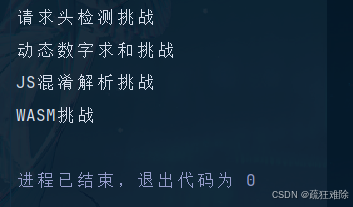
修改一下变量名和函数名,结果如下
javascript
function get_title(index) {
    let  map = {
        "header_check": "请求头检测挑战",
        "number_challenge":  "动态数字求和挑战",
        "js_challenge": "JS混淆解析挑战",
        "wasm_challenge": "WASM挑战"
    };
    return map[index] || index
}
这个**_ÿaieic函数就是笔者自定义的get_title函数。**
哈哈哈哈哈哈
就这样吧!!!!!!