目录
前言
本篇文章作为笔记来记录Linux系统的初步学习成果,如有更好的代码请在评论区留言。欢迎各位中老登对此代码的批判。
项目简介
本项目是基于C语言在Linux环境下的俄罗斯方块,使用模块化设计和ncurses库实现终端图形界面。
技术使用
-
编程语言: C语言
-
图形库: ncurses终端图形库
-
开发环境: Linux + Vim + GCC
-
构建工具: Makefile
项目结构
tetris_game/
├── tetris.h          # 头文件
├── main.c            # 主程序
├── game.c            # 逻辑模块
├── block.c           # 方块模块
|── display.c         # 显示模块
核心模块功能
1. 游戏逻辑模块 (game.c)
-
游戏状态初始化
-
消行检测与处理
-
游戏结束判断
-
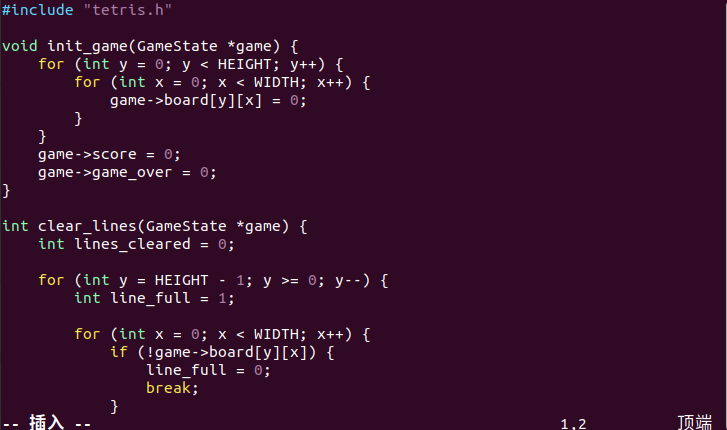
#include "tetris.h"
void init_game(GameState *game) {
for (int y = 0; y < HEIGHT; y++) {
for (int x = 0; x < WIDTH; x++) {
game->board[y][x] = 0;
}
}
game->score = 0;
game->game_over = 0;
}int clear_lines(GameState *game) {
int lines_cleared = 0;for (int y = HEIGHT - 1; y >= 0; y--) { int line_full = 1; for (int x = 0; x < WIDTH; x++) { if (!game->board[y][x]) { line_full = 0; break; } } if (line_full) { lines_cleared++; for (int ny = y; ny > 0; ny--) { for (int x = 0; x < WIDTH; x++) { game->board[ny][x] = game->board[ny-1][x]; } } for (int x = 0; x < WIDTH; x++) { game->board[0][x] = 0; } y++; } } return lines_cleared;}
int is_game_over(const GameState *game, const Block *block) {
return check_collision(game, block) && block->y == 0;
}
2. 方块处理模块 (block.c)
-
方块形状定义
-
方块旋转
-
碰撞检测
-
方块移动控制
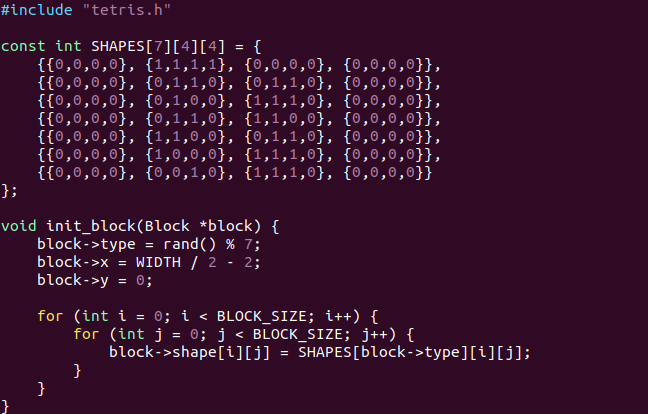
#include "tetris.h"

const int SHAPES[7][4][4] = {
    {{0,0,0,0}, {1,1,1,1}, {0,0,0,0}, {0,0,0,0}},
    {{0,0,0,0}, {0,1,1,0}, {0,1,1,0}, {0,0,0,0}},
    {{0,0,0,0}, {0,1,0,0}, {1,1,1,0}, {0,0,0,0}},
    {{0,0,0,0}, {0,1,1,0}, {1,1,0,0}, {0,0,0,0}},
    {{0,0,0,0}, {1,1,0,0}, {0,1,1,0}, {0,0,0,0}},
    {{0,0,0,0}, {1,0,0,0}, {1,1,1,0}, {0,0,0,0}},
    {{0,0,0,0}, {0,0,1,0}, {1,1,1,0}, {0,0,0,0}}
};

void init_block(Block *block) {
    block->type = rand() % 7;
    block->x = WIDTH / 2 - 2;
    block->y = 0;

    for (int i = 0; i < BLOCK_SIZE; i++) {
        for (int j = 0; j < BLOCK_SIZE; j++) {
            block->shape[i][j] = SHAPES[block->type][i][j];
        }
    }
}

int check_collision(const GameState *game, const Block *block) {
    for (int i = 0; i < BLOCK_SIZE; i++) {
        for (int j = 0; j < BLOCK_SIZE; j++) {
            if (block->shape[i][j]) {
                int board_x = block->x + j;
                int board_y = block->y + i;

                if (board_x < 0 || board_x >= WIDTH || board_y >= HEIGHT) {
                    return 1;
                }

                if (board_y >= 0 && game->board[board_y][board_x]) {
                    return 1;
                }
            }
        }
    }
    return 0;
}

int move_block(GameState *game, Block *block, int dx, int dy) {
    block->x += dx;
    block->y += dy;

    if (check_collision(game, block)) {
        block->x -= dx;
        block->y -= dy;
        return 0;
    }
    return 1;
}

int rotate_block(GameState *game, Block *block) {
    int temp_shape[BLOCK_SIZE][BLOCK_SIZE];

    for (int i = 0; i < BLOCK_SIZE; i++) {
        for (int j = 0; j < BLOCK_SIZE; j++) {
            temp_shape[i][j] = block->shape[i][j];
        }
    }

    for (int i = 0; i < BLOCK_SIZE; i++) {
        for (int j = 0; j < BLOCK_SIZE; j++) {
            block->shape[j][BLOCK_SIZE-1-i] = temp_shape[i][j];
        }
    }

    if (check_collision(game, block)) {
        for (int i = 0; i < BLOCK_SIZE; i++) {
            for (int j = 0; j < BLOCK_SIZE; j++) {
                block->shape[i][j] = temp_shape[i][j];
            }
        }
        return 0;
    }
    return 1;
}

void lock_block(GameState *game, const Block *block) {
    for (int i = 0; i < BLOCK_SIZE; i++) {
        for (int j = 0; j < BLOCK_SIZE; j++) {
            if (block->shape[i][j]) {
                int board_x = block->x + j;
                int board_y = block->y + i;

                if (board_y >= 0 && board_x >= 0 && board_x < WIDTH) {
                    game->board[board_y][board_x] = 1;
                }
            }
        }
    }
}
3. 显示模块 (display.c)
-
图形界面展示
-
游戏板绘制
-
用户界面设计
-
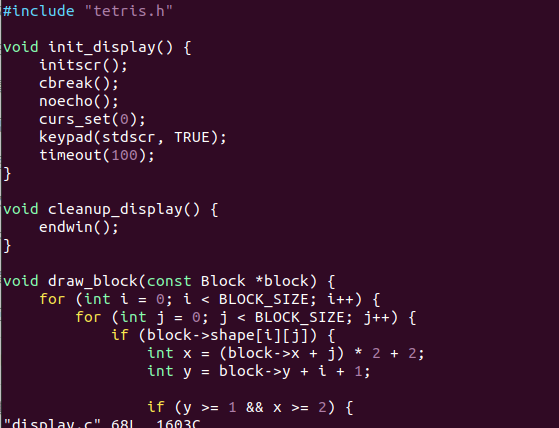
#include "tetris.h"
void init_display() {
initscr();
cbreak();
noecho();
curs_set(0);
keypad(stdscr, TRUE);
timeout(100);
}void cleanup_display() {
endwin();
}void draw_block(const Block *block) {
for (int i = 0; i < BLOCK_SIZE; i++) {
for (int j = 0; j < BLOCK_SIZE; j++) {
if (block->shape[i][j]) {
int x = (block->x + j) * 2 + 2;
int y = block->y + i + 1;if (y >= 1 && x >= 2) { mvprintw(y, x, "[]"); } } } }}
void draw_board(const GameState *game) {
for (int y = 0; y <= HEIGHT; y++) {
mvprintw(y, 0, "#");
mvprintw(y, (WIDTH + 1) * 2, "#");
}
for (int x = 0; x <= WIDTH * 2 + 2; x += 2) {
mvprintw(HEIGHT, x, "#");
}for (int y = 0; y < HEIGHT; y++) { for (int x = 0; x < WIDTH; x++) { if (game->board[y][x]) { mvprintw(y + 1, x * 2 + 2, "[]"); } } }}
void draw_game(const GameState *game, const Block *block) {
clear();draw_board(game); draw_block(block); mvprintw(2, WIDTH * 2 + 6, "Controls:"); mvprintw(3, WIDTH * 2 + 6, "A - Move Left"); mvprintw(4, WIDTH * 2 + 6, "D - Move Right"); mvprintw(5, WIDTH * 2 + 6, "S - Move Down"); mvprintw(6, WIDTH * 2 + 6, "W - Rotate"); mvprintw(7, WIDTH * 2 + 6, "Q - Quit"); mvprintw(9, WIDTH * 2 + 6, "Status: %s", game->game_over ? "game over" : "playing"); refresh();}
4. 主控制模块 (main.c)
-
游戏主循环
-
输入处理
-
游戏流程管理
-
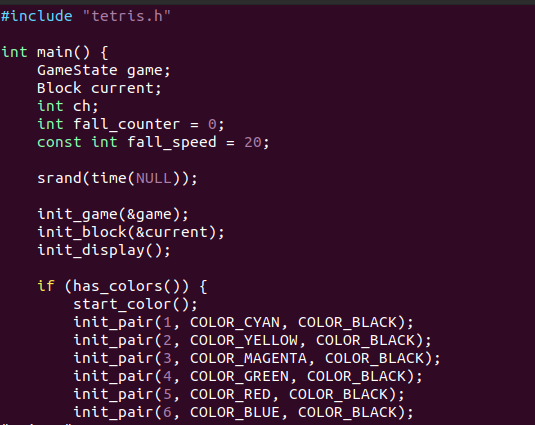
#include "tetris.h"
int main() {
GameState game;
Block current;
int ch;
int fall_counter = 0;
const int fall_speed = 20;srand(time(NULL)); init_game(&game); init_block(¤t); init_display(); if (has_colors()) { start_color(); init_pair(1, COLOR_CYAN, COLOR_BLACK); init_pair(2, COLOR_YELLOW, COLOR_BLACK); init_pair(3, COLOR_MAGENTA, COLOR_BLACK); init_pair(4, COLOR_GREEN, COLOR_BLACK); init_pair(5, COLOR_RED, COLOR_BLACK); init_pair(6, COLOR_BLUE, COLOR_BLACK); init_pair(7, COLOR_WHITE, COLOR_BLACK); } while (!game.game_over) { ch = getch(); switch (ch) { case 'a': case 'A': move_block(&game, ¤t, -1, 0); break; case 'd': case 'D': move_block(&game, ¤t, 1, 0); break; case 's': case 'S': move_block(&game, ¤t, 0, 1); break; case 'w': case 'W': rotate_block(&game, ¤t); break; case 'q': case 'Q': game.game_over = 1; break; } fall_counter++; if (fall_counter >= fall_speed) { fall_counter = 0; if (!move_block(&game, ¤t, 0, 1)) { lock_block(&game, ¤t); clear_lines(&game); init_block(¤t); if (is_game_over(&game, ¤t)) { game.game_over = 1; } } } draw_game(&game, ¤t); usleep(10000); } draw_game(&game, ¤t); mvprintw(HEIGHT + 2, 2, "游戏结束!"); refresh(); timeout(-1); getch(); cleanup_display(); return 0;}
如何使用
编译方法
make claen/make运行游戏
./tetris操作示例:
最初版本
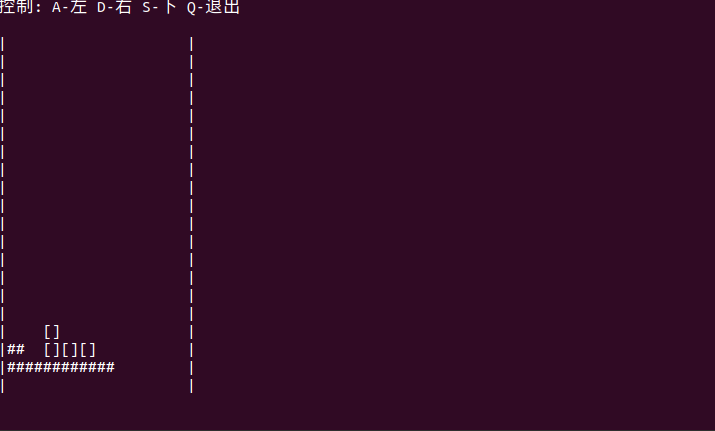
这是项目的第一个可运行版本,只具备了基本的游戏框架,但是尚未实现方块的旋转操作,碰撞检测不够完善,导致方块落下后不能正常消除,让我很难绷,于是我参考了哔哩哔哩教学博主的写法添加了一些模块,使他看起来更像游戏。
现在版本
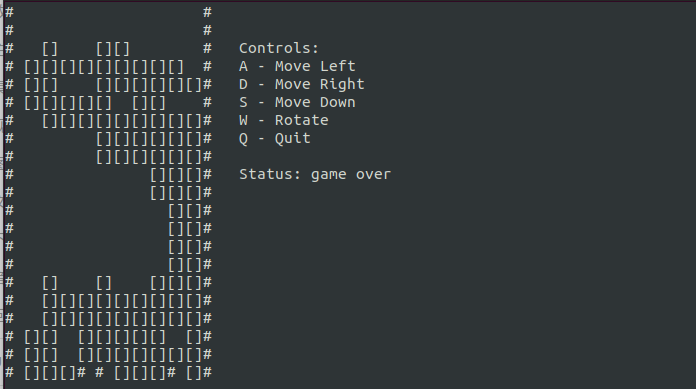
使用ncurses库处理终端图形显示界面和图形,是不是显得更像一个游戏了?而且我参考了其他俄罗斯方块,他们的每一个方块都是随机出现的,于是我便引入了随机变量使其具有随机效果。
不足之处分析
在最初项目中,碰撞检测模块让我很头疼,尤其是边界碰撞(左右墙、底部)与已锁定方块的碰撞,我很难精确判断方块在各种情况下的可移动性,所以这个项目的bug之一就是在下落的一瞬间旋转方块就会卡住,这个问题我还没有解决。除此之外,操作的流畅性和准确性使连续按键的处理,输入响应的即时反馈导致输出的反馈不太理想,经常出现先向左按下D在向右按下A,方块出现抽搐的效果.......最后就是ncurses库,因为第一次使用ncurses库进行页面的渲染,字符没有进行有效的渲染它不识别中文,中文会变成乱码......
总结
本次项目对我来说有点复杂,我的基础知识并不牢固,在进行项目的过程中遇见了很多的困难,有的解决了,有的并没有,让我很郁闷,总之还需要勤加练习。