前情
平时开发很少有接触到有什么需求需要实现跨标签页通信,但最近因为一些变故,不得不重新开始找工作了,其中就有面试官问到一道题,跨标签页怎么实现数据通信,我当时只答出二种,面试完后特意重新查资料,因此有些文章
localStorage / sessionStorage
利用localStorage的存储事件实现通信,当一个标签页修改localStorage时,其他同源标签页会触发storage事件
关键代码如下:
标签页1
html
<!DOCTYPE html>
<html lang="en">
<head>
  <meta charset="UTF-8">
  <meta name="viewport" content="width=device-width, initial-scale=1.0">
  <title>page0-localStorage</title>
</head>
<body>
  <button id="setCacheBtn">设置本地缓存</button>
  <script>
    document.getElementById('setCacheBtn').addEventListener('click', () => {
      localStorage.setItem('message', JSON.stringify({
        type: 'greeting',
        // 这里为了保证通信每次生效,每次都设置不同的值
        content: 'Hello from page0.html' + Date.now()
      }));
    });
  </script>
</body>
</html>
标签页2
html
<!DOCTYPE html>
<html lang="en">
<head>
  <meta charset="UTF-8">
  <meta name="viewport" content="width=device-width, initial-scale=1.0">
  <title>page1-localStorage</title>
</head>
<body>
  <script>
    window.addEventListener('storage', (e) => {
      if (e.key === 'message') {
        const data = JSON.parse(e.newValue);
        console.log('Received:page1.html', data);
      }
    });
  </script>
</body>
</html>
动图演示:

提醒:
- 同源标签才有效
- 设置不同的本地存储值才有效,如果设置的是同一个缓存值是不会生效的
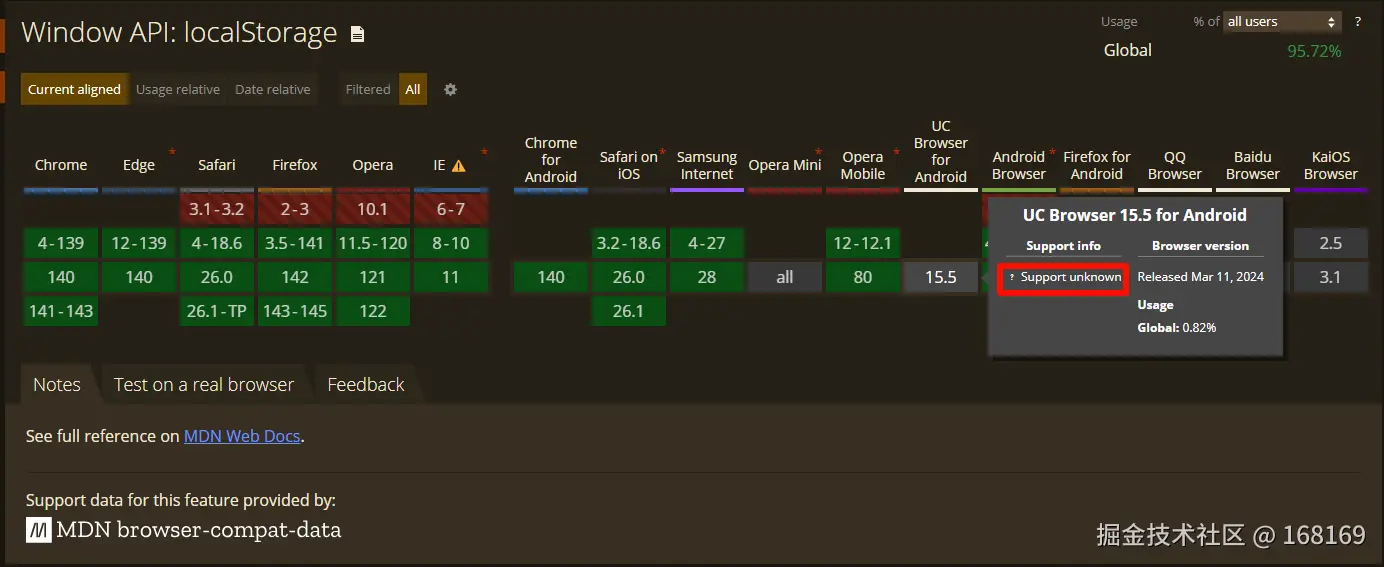
- 兼容性非常nice,可以大胆使用了,国内一些浏览器从can i use查不到,但兼容性是没啥问题的
- sessionStorage仅在同一标签页的不同 iframe 间有效,不适用于不同标签页
BroadcastChannel
专门用于同源标签页通信的 API,创建一个频道后,所有加入该频道的页面都能收到消息
关键代码如下:
标签页1
html
<!DOCTYPE html>
<html lang="en">
<head>
  <meta charset="UTF-8">
  <meta name="viewport" content="width=device-width, initial-scale=1.0">
  <title>BroadcastChannel0</title>
</head>
<body>
  <h1>BroadcastChannel0</h1>
  <button id="communication">BroadcastChannel0.html 发送消息</button>
  <script>
    // 所有页面都创建相同名称的频道
    const channel = new BroadcastChannel('my_channel');

    // 发送消息
    document.getElementById('communication').addEventListener('click', () => {
      channel.postMessage({ type: 'update', data: 'new content from BroadcastChannel0.html' });
    });
  </script>
</body>
</html>
标签页2
html
<!DOCTYPE html>
<html lang="en">
<head>
  <meta charset="UTF-8">
  <meta name="viewport" content="width=device-width, initial-scale=1.0">
  <title>BroadcastChannel1</title>
</head>
<body>
  <h1>BroadcastChannel1</h1>
  <script>
    // 所有页面都创建相同名称的频道
    const channel = new BroadcastChannel('my_channel');

    // 接收消息
    channel.onmessage = (e) => {
      console.log('Received:BroadcastChannel1.html', e.data);
    };
  </script>
</body>
</html>
演示动图如下:

提醒:
- 要通信的标签记得都初始化BroadcastChannel,一定记得使用相同的名称
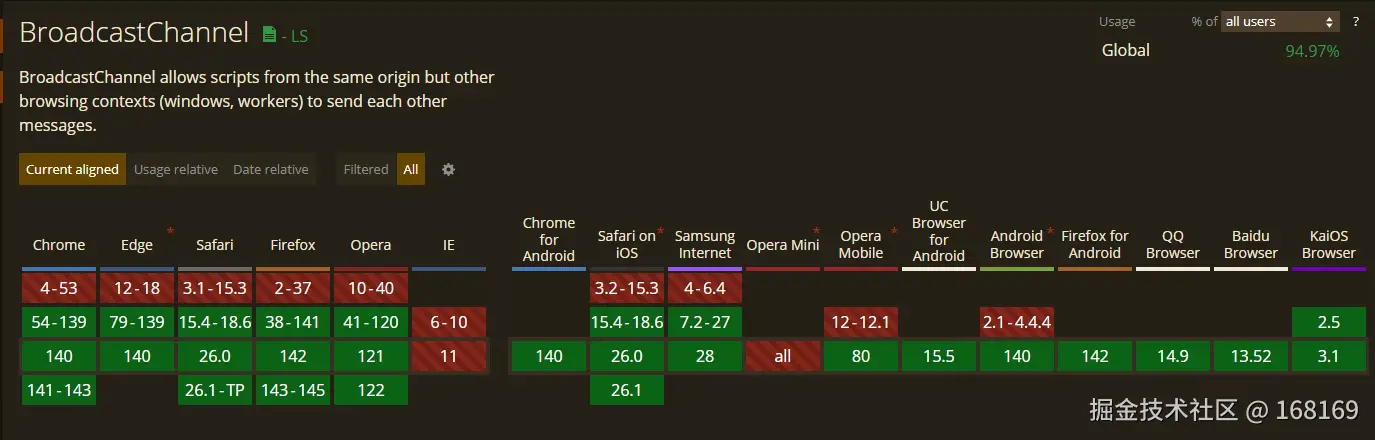
- 查询来看除IE外可以大但使用了
小结
这二种是我面试的时候答出来的,第二种我只是模糊记得跟面试官模棱二可的说了说,面试馆给了正面的回应,呵呵......,此文暂时写这么多,下篇继续探索其它方式......