哈喽,大家好,本次鹏仔项目中需要实现后台管理端用户1小时不操作则退出登录功能,我第一时间想到的也就是本地存储时间判断,那么下面给大家分享一下。
首先,我们在vue项目中新建js文件 authService.js
javascript
let logoutTimer = null;
const EXPIRE_TIME = 3600 * 1000 * 1; // 1小时(2小时乘2)
// const EXPIRE_TIME = 60 * 1000 * 1; // 1分钟(2分钟乘2)

export default {
  // 登录时启动定时器
  startLogoutTimer() {
    // 清除已有定时器,避免重复
    this.clearLogoutTimer();
    // 保存登录时间
    const loginTime = new Date().getTime();
    localStorage.setItem('loginTime', loginTime);
    // 设置1小时后自动退出
    logoutTimer = setTimeout(() => {
      this.logout();
    }, EXPIRE_TIME);
  },
  // 清除定时器
  clearLogoutTimer() {
    if (logoutTimer) {
      clearTimeout(logoutTimer);
      logoutTimer = null;
    }
  },
  // 重置定时器(用户操作时调用)
  resetLogoutTimer() {
    this.startLogoutTimer();
  },
  // 退出登录
  logout() {
    // 清除登录状态
    localStorage.clear();
    sessionStorage.clear();
    this.clearLogoutTimer();

    // 跳转到登录页
    // window.location.href = '/login';

    // 可在此处添加其他清理逻辑
    alert('登录已过期,请重新登录');
    window.location.reload();
  },

  // 检查登录是否过期(页面刷新时调用)
  checkExpired() {
    const loginTime = localStorage.getItem('loginTime');
    if (!loginTime) return true;

    const now = new Date().getTime();
    // 如果当前时间 - 登录时间 > 1小时,视为过期
    if (now - loginTime > EXPIRE_TIME) {
      this.logout();
      return true;
    }

    // 未过期则重新设置定时器
    this.startLogoutTimer();
    return false;
  }
};
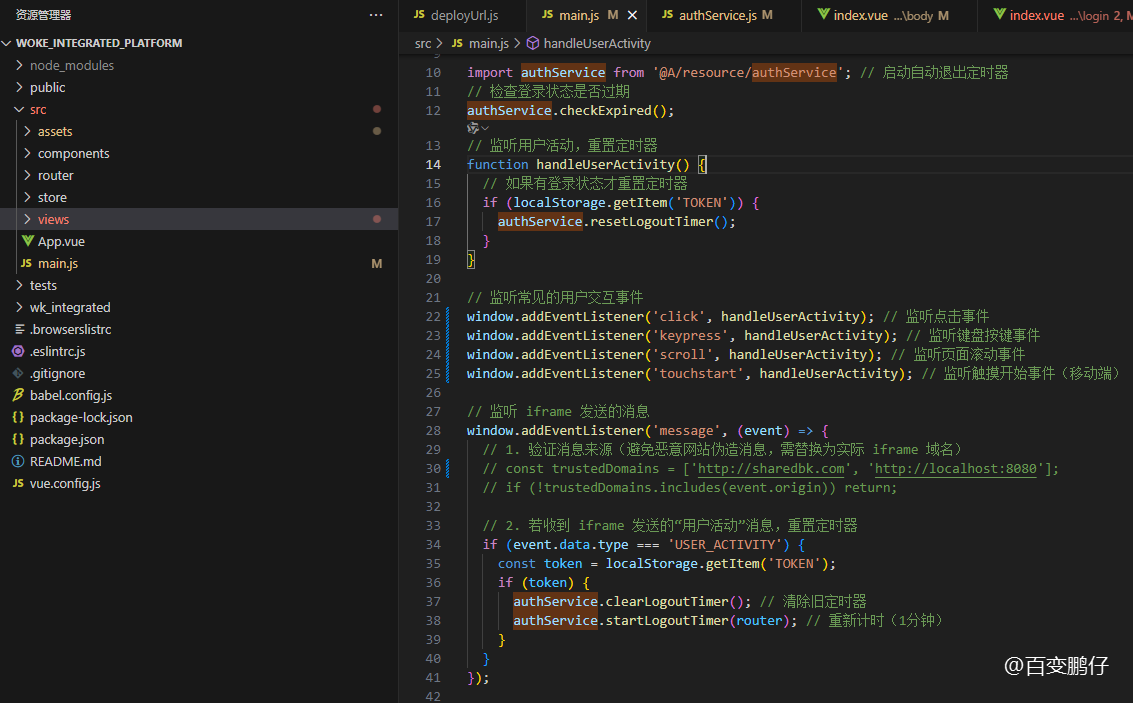
接着,我们在 main.js 中引入,并执行监听用户操作时重启定时器。
javascript
import authService from '@A/resource/authService'; // 自行引入路径
// 检查登录状态是否过期
authService.checkExpired();
// 监听用户活动,重置定时器
function handleUserActivity() {
  // 如果有登录状态才重置定时器
  if (localStorage.getItem('TOKEN')) {
    authService.resetLogoutTimer();
  }
}

// 监听常见的用户交互事件
window.addEventListener('click', handleUserActivity); // 监听点击事件
window.addEventListener('keypress', handleUserActivity); // 监听键盘按键事件
window.addEventListener('scroll', handleUserActivity); // 监听页面滚动事件
window.addEventListener('touchstart', handleUserActivity); // 监听触摸开始事件(移动端)
在后台页面用户输入账号密码登录成功时候,我们需要调用一次启动自动退出定时器。
javascript
import authService from '@A/resource/authService'; // 自行引入路径
loginBtn(){
    localStorage.setItem('TOKEN', '存储TOKEN');
    console.log('登录成功');

    authService.startLogoutTimer(); // 启动自动退出定时器
}
当然,用户手动退出时,也不能放过,一定得清除一下定时器。
javascript
import authService from '@A/resource/authService'; // 自行引入路径
// 退出
loginOut(){
    localStorage.clear();
    authService.clearLogoutTimer(); // 清除自动退出定时器
    this.$router.push({
        path:'/login'
    })
}
原文围观地址
https://www.sharedbk.com/post/290.html https://www.sharedbk.com/post/290.html
【鹏仔小扩展】
写好之后,发现在当前后台管理项目是没问题了,但是项目中有好几个模块是使用 iframe 嵌套的页面,在 iframe 中操作,并不触发当前的一些监听时间,所以导致原本在 iframe 页面操作中就自动退出了。
解决方法,iframe 嵌套的项目给主项目通知监听。
首先,我们在嵌套的子项目中进行监听用户操作,然后通知父级域名
javascript
<script>
  // 监听 iframe 内的用户活动事件
  let { protocol, hostname, port } = window.location;
  let url = port ? `${protocol}//${hostname}:${port}` : `${protocol}//${hostname}`; // 获取当前页面的 url,带协议 域名 端口

  const activityEvents = ['click', 'keydown', 'scroll', 'touchstart']; // 触发事件
  activityEvents.forEach(event => {
    window.addEventListener(event, () => {
      // console.log(url);
      // console.log('用户活动事件');
      // 向父页面发送消息(需替换为父页面域名,* 表示允许所有域名,生产环境不推荐)
      window.parent.postMessage(
        { type: 'USER_ACTIVITY', message: 'iframe 内有用户操作' },
        url // 父页面域名
      );
    });
  });
</script>
接着,在我们的主项目 main.js 中监听 iframe 发送的消息,如下代码
javascript
// 监听 iframe 发送的消息
window.addEventListener('message', (event) => {
  // 1. 验证消息来源(避免恶意网站伪造消息,需替换为实际 iframe 域名)
  // const trustedDomains = ['http://sharedbk.com', 'http://localhost:8080'];
  // if (!trustedDomains.includes(event.origin)) return;

  // 2. 若收到 iframe 发送的"用户活动"消息,重置定时器
  if (event.data.type === 'USER_ACTIVITY') {
    const token = localStorage.getItem('TOKEN');
    if (token) {
      authService.clearLogoutTimer(); // 清除旧定时器
      authService.startLogoutTimer(router); // 重新计时(1分钟)
    }
  }
});