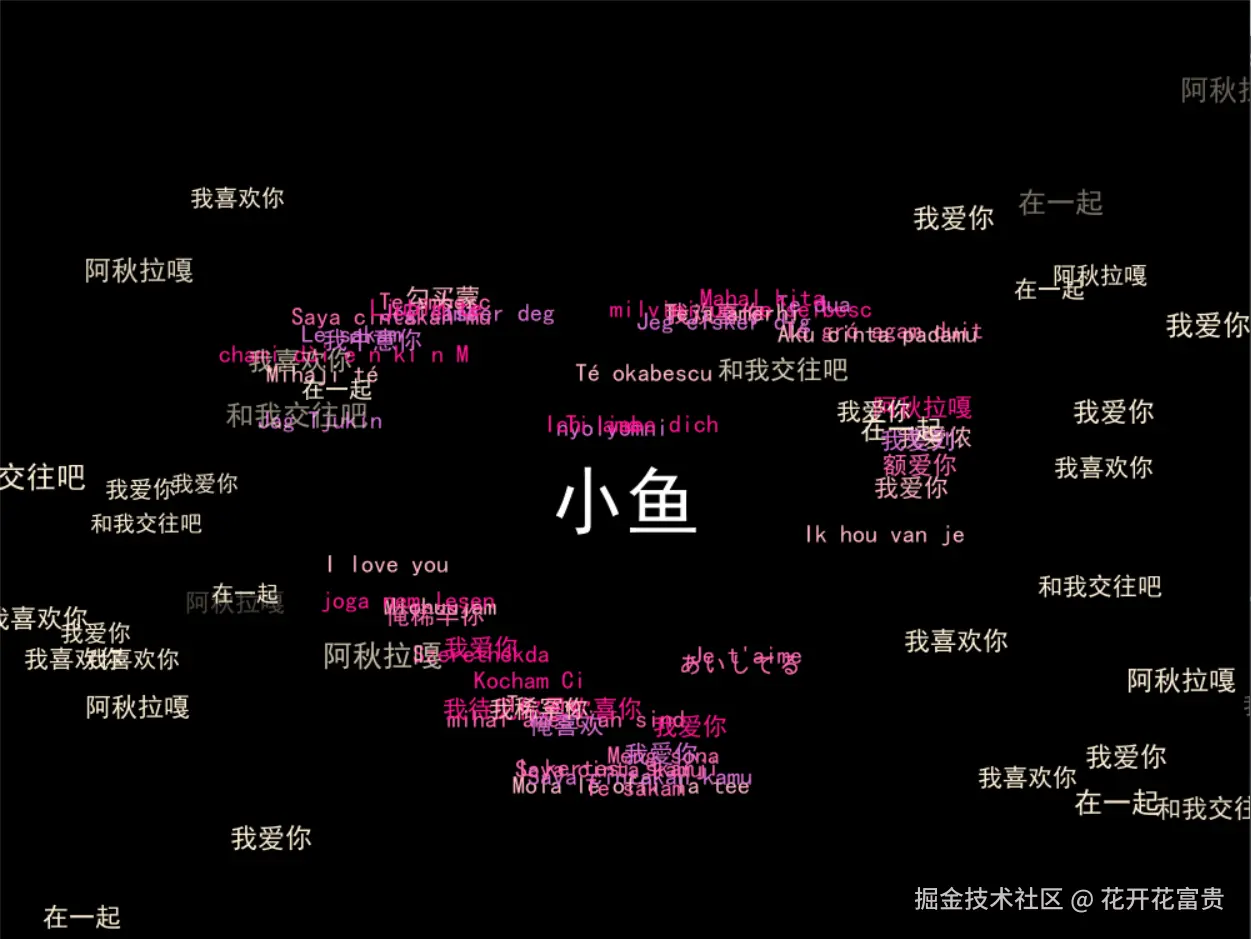
这张图片以黑色为背景,中央突出显示白色的 "小鱼" 字样,周围环绕着多语言的 "我喜欢你""我爱你""和我交往吧""在一起" 等表达爱慕与交往意愿的文字,文字颜色多样,营造出一种充满爱意的视觉氛围。
python
import pygame
import random
import sys
import math
import os

# 初始化pygame
pygame.init()
# 窗口设置
width, height = 1000, 800
screen = pygame.display.set_mode((width, height))

# 改进的字体设置函数
def get_font(size):
    font_paths = [
        "C:/Windows/Fonts/simhei.ttf", "C:/Windows/Fonts/msyh.ttc", "C:/Windows/Fonts/simsun.ttc",
        "/System/Library/Fonts/PingFang.ttc", "/System/Library/Fonts/Arial.ttf",
        "/usr/share/fonts/truetype/droid/DroidSansFallbackFull.ttf", "/usr/share/fonts/truetype/wqy/wqy-microhei.ttc",
    ]
    for font_path in font_paths:
        if os.path.exists(font_path):
            try:
                return pygame.font.Font(font_path, size)
            except:
                continue
    try:
        return pygame.font.SysFont("Arial", size)
    except:
        return pygame.font.Font(None, size)

# 创建字体对象(弹幕字体稍大,保证清晰)
font = get_font(20)
title_font = get_font(36)
danmu_font = get_font(20)  # 弹幕字体大小适中
# 新增名字专用字体(更大更醒目)
name_font = get_font(60)  # 字体大小60,突出显示

# 多语言"我爱你"文本库(原内容完全保留)
love_texts = [
    "Mola le offi la tee", "mihai amestiah sind", "milvini un ne seibesc", "Le sakam", "Mlohuujam",
    "Te sakam", "chami dài e n ki n M", "Te dua", "Té okabescu", "Tá grá agam duit", "Kocham Ci",
    "Saya cintakan kamu", "我爱你", "Te ambesc", "Mahal kita", "Jeg elsker deg", "Mihaji té", "Meng sona",
    "Szerethékda", "Jag Tjukin", "Teja amerhi", "L kertesi skarji", "joga nem lesen", "nyolyomni",
    "I love you", "Je t'aime", "Ich liebe dich", "Ti amo", "Te amo", "あいしてる",
    "我爱你", "我中意你", "我爱侬", "我欢喜你", "我爱你", "我愛你", "勾买蒙", "额爱你","我待见你"
    "恩欢喜你", "我爱列", "Ik hou van je", "Saya cintakan mu", "Ti amo", "Jeg elsker dig",
    "Aku cinta padamu", "Saya cinta kamu", "Ljubim te", "俺喜欢", "我稀罕你", "俺稀罕你","阿秋拉嘎"
]

# 爱心坐标生成(原逻辑完全保留,未做任何修改)
love_points = []
for t in range(1000):
    theta = t / 1000 * 2 * math.pi
    x = 15 * (pow(math.sin(theta), 3))
    y = 10 * math.cos(theta) - 5 * math.cos(2 * theta) - 2 * math.cos(3 * theta) - math.cos(4 * theta)
    x = x * 18 + width // 2
    y = -y * 18 + height // 2
    love_points.append((int(x), int(y)))

# 文字对象列表(原逻辑完全保留,未做任何修改)
text_objects = []
colors = [(255, 182, 193), (255, 105, 180), (255, 20, 147),(218,112,214)]
for i, text in enumerate(love_texts):
    color = colors[i % len(colors)]
    try:
        if not isinstance(text, str):
            text = str(text)
        text_surface = font.render(text, True, color)
    except Exception as e:
        print(f"渲染失败 '{text}': {e}")
        text_surface = font.render("Love", True, color)
    idx = random.randint(0, len(love_points) - 1)
    x, y = love_points[idx]
    speed_x = random.uniform(-0.15, 0.15)
    speed_y = random.uniform(-0.15, 0.15)
    text_objects.append({
        "surface": text_surface, "text": text, "x": x, "y": y,
        "speed_x": speed_x, "speed_y": speed_y, "target_idx": idx, "color": color
    })

# ===================== 弹幕功能(按要求优化)=====================
# 弹幕仅保留3条中文文案
danmu_texts = ["我爱你", "在一起", "我喜欢你","和我交往吧","阿秋拉嘎"]
# 弹幕仅一种粉色(鲜艳且协调)
danmu_color = (255,239,213)  # 热粉色

# 弹幕对象类(速度加快,淡入淡出节奏紧凑)
class Danmu:
    def __init__(self):
        self.text = random.choice(danmu_texts)
        self.font_size = random.randint(18, 24)  # 字体大小随机
        self.font = get_font(self.font_size)
        self.color = danmu_color
        # 随机位置(全屏分布,支持左右/上下双向运动)
        if random.random() > 0.5:
            # 从左向右运动
            self.x = random.randint(-100, -20)
            self.y = random.randint(50, height - 50)
            self.speed_x = random.uniform(3, 4)  # 加快水平速度
            self.speed_y = random.uniform(-0.5, 0.5)  # 轻微垂直偏移
        else:
            # 从右向左运动
            self.x = random.randint(width + 20, width + 100)
            self.y = random.randint(50, height - 50)
            self.speed_x = random.uniform(-5, -3)  # 加快水平速度
            self.speed_y = random.uniform(-0.5, 0.5)  # 轻微垂直偏移
        self.alpha = 0  # 初始透明度为0
        self.life = random.randint(80, 150)  # 生命周期缩短(速度快对应短生命周期)
        self.life_count = 0
        self.surface = self._render_text()

    def _render_text(self):
        surf = self.font.render(self.text, True, self.color)
        surf.set_alpha(self.alpha)
        return surf

    def update(self):
        self.life_count += 1
        # 快速淡入(前20%生命周期完成淡入)
        if self.life_count < self.life * 0.2:
            self.alpha = min(255, self.alpha + 15)  # 加快淡入速度
        # 快速淡出(后30%生命周期完成淡出)
        elif self.life_count > self.life * 0.7:
            self.alpha = max(0, self.alpha - 10)  # 加快淡出速度
        # 更新透明度和位置(速度加快)
        self.surface.set_alpha(self.alpha)
        self.x += self.speed_x
        self.y += self.speed_y
        # 生命周期结束或超出屏幕则重置
        if self.life_count >= self.life or self.x < -200 or self.x > width + 200:
            self.__init__()

    def draw(self, screen):
        rect = self.surface.get_rect(center=(self.x, self.y))
        screen.blit(self.surface, rect)

# 初始化弹幕(初始30条,数量适中不遮挡爱心)
danmu_list = [Danmu() for _ in range(30)]
# 弹幕生成计时器(生成频率加快)
danmu_spawn_timer = 0
danmu_spawn_interval = 20  # 每20帧(约0.3秒)新增1条弹幕

# 原标题与说明文字(保留)
try:
    title_text = title_font.render("", True, (255, 255, 255))
except:
    title_text = title_font.render("I Love You + Pink Danmu", True, (255, 255, 255))
instruction_font = get_font(16)
instruction_text = instruction_font.render("按ESC键退出", True, (150, 150, 150))

# 生成居中显示的名字(白色,屏幕正中间)
name_text = name_font.render("小鱼", True, (255, 255, 255))  # 白色文字
# 计算名字居中坐标(屏幕正中心)
name_x = width // 2 - name_text.get_width() // 2
name_y = height // 2 - name_text.get_height() // 2

# 主循环(仅添加名字绘制,不改动原有内容)
clock = pygame.time.Clock()
running = True
while running:
    # 事件处理(原逻辑保留)
    for event in pygame.event.get():
        if event.type == pygame.QUIT:
            running = False
        elif event.type == pygame.KEYDOWN:
            if event.key == pygame.K_ESCAPE:
                running = False

    # 黑色背景(原逻辑保留)
    screen.fill((0, 0, 0))

    # 绘制标题、说明文字(原逻辑保留)
    screen.blit(title_text, (width // 2 - title_text.get_width() // 2, 20))
    screen.blit(instruction_text, (width - instruction_text.get_width() - 10, height - 30))

    # 绘制爱心轨迹文字(原逻辑完全保留,未做任何修改)
    for obj in text_objects:
        text_rect = obj["surface"].get_rect(center=(obj["x"], obj["y"]))
        screen.blit(obj["surface"], text_rect)
        target_x, target_y = love_points[obj["target_idx"]]
        obj["x"] += (target_x - obj["x"]) * 0.02 + obj["speed_x"]
        obj["y"] += (target_y - obj["y"]) * 0.02 + obj["speed_y"]
        obj["target_idx"] = (obj["target_idx"] + 1) % len(love_points)
        if obj["x"] < 0 or obj["x"] > width:
            obj["speed_x"] *= -1
        if obj["y"] < 50 or obj["y"] > height - 50:
            obj["speed_y"] *= -1

    # ===================== 绘制居中名字(新增代码)=====================
    screen.blit(name_text, (name_x, name_y))  # 在屏幕正中间绘制白色名字

    # ===================== 弹幕更新与绘制(按要求优化)=====================
    # 加快弹幕生成频率
    danmu_spawn_timer += 1
    if danmu_spawn_timer >= danmu_spawn_interval:
        danmu_list.append(Danmu())
        danmu_spawn_timer = 0
        # 限制弹幕总数(最多50条,避免过度拥挤)
        if len(danmu_list) > 50:
            danmu_list.pop(0)

    # 更新并绘制所有弹幕(速度加快,粉色系,仅中文文案)
    for danmu in danmu_list:
        danmu.update()
        danmu.draw(screen)

    # 显示帧率(原逻辑保留)
    fps_text = font.render(f"FPS: {int(clock.get_fps())}", True, (100, 100, 100))
    screen.blit(fps_text, (10, height - 30))

    pygame.display.flip()
    clock.tick(60)

pygame.quit()
sys.exit()