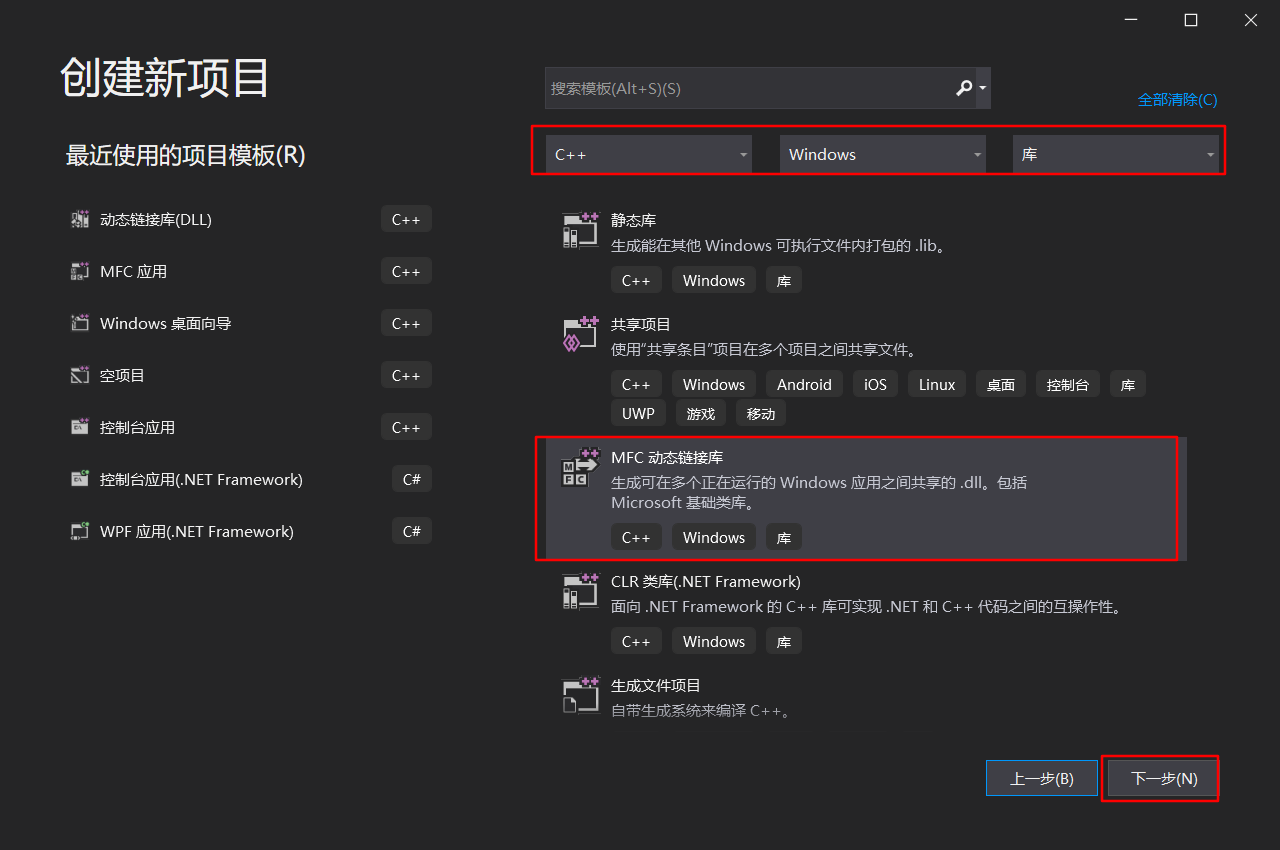
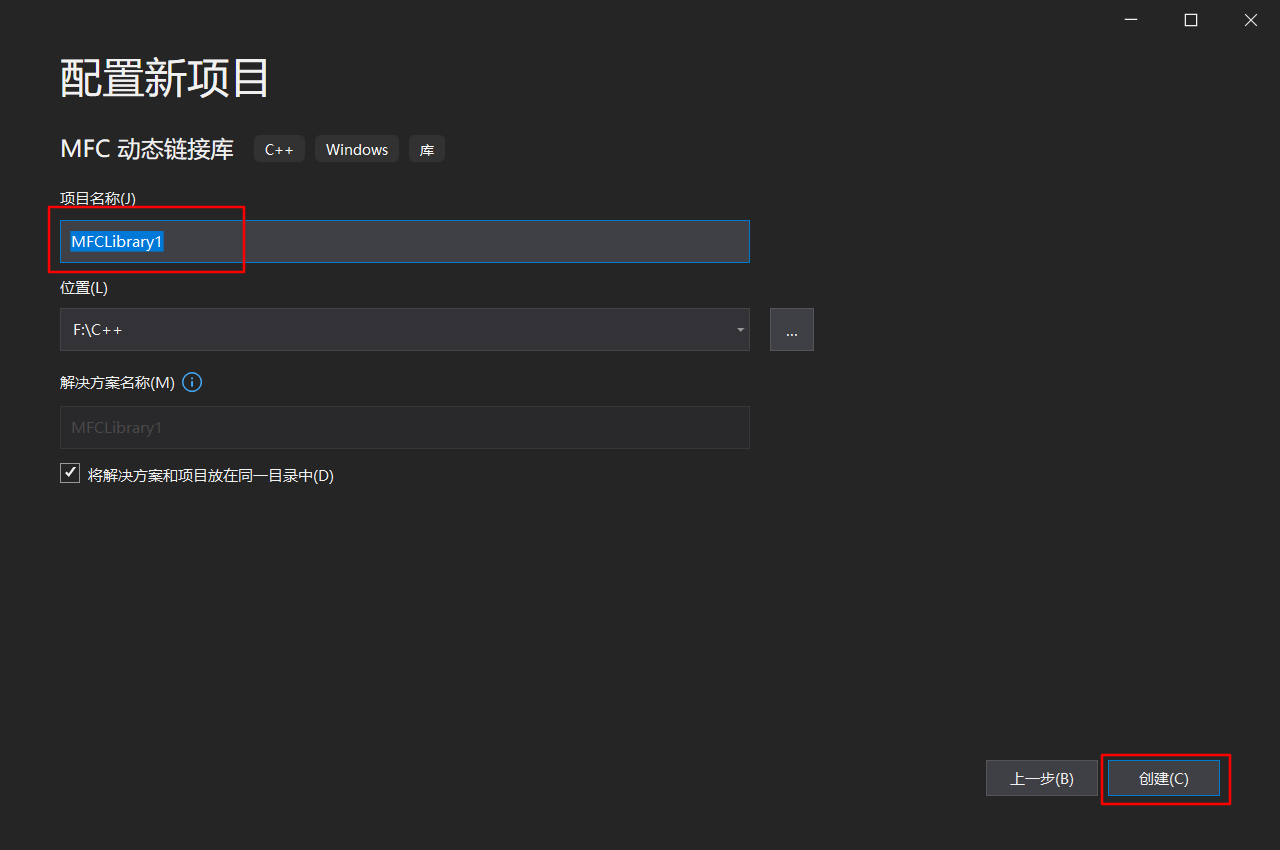
创建动态链接库项目
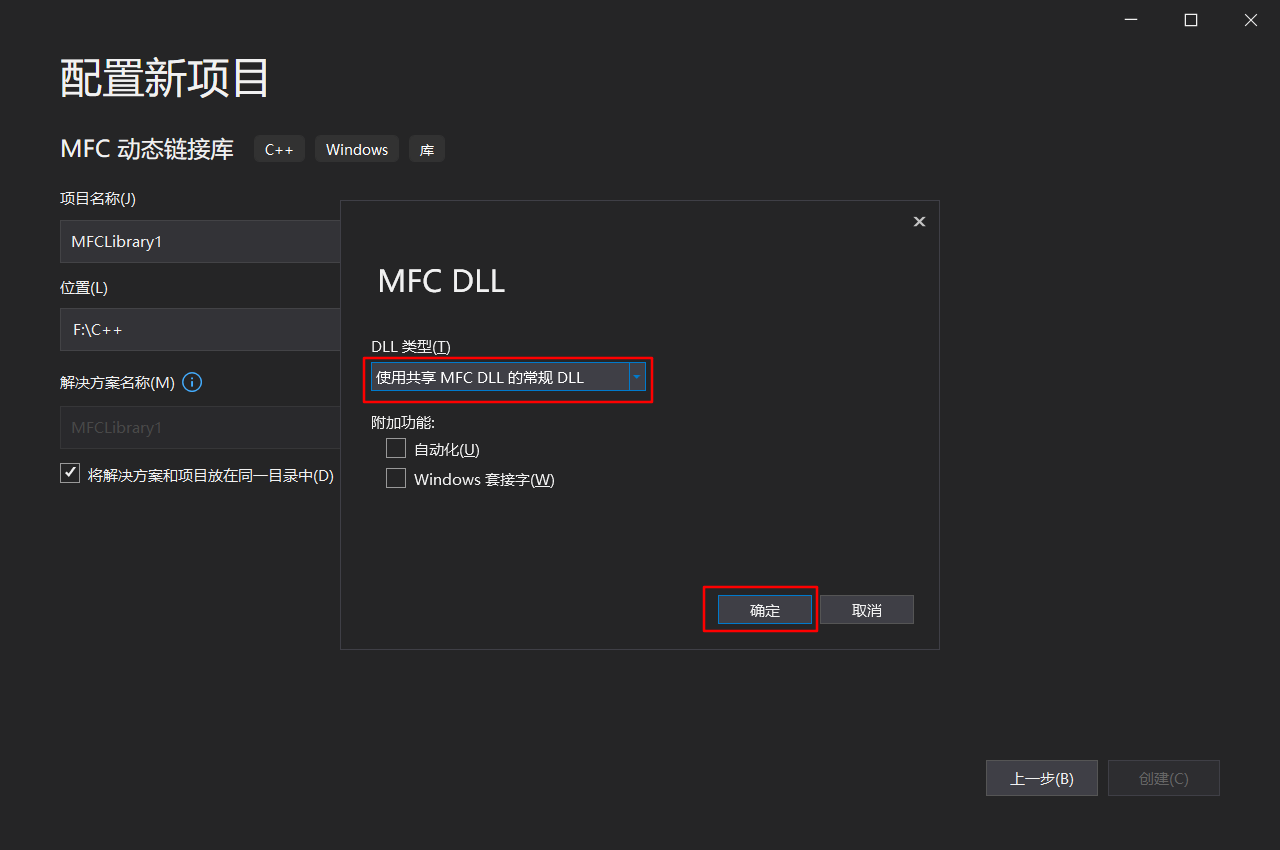

导出
一.使用DEF
在DLL库文件的头文件中使用extern "C" 申明
cpp
//方法一,导出函数,配合def文件
extern "C" void DefTest1();
extern "C" void DefTest2();
在cpp文件中实现
cpp
//方法一,导出函数,配合def文件
extern "C" void DefTest1()
{
	AfxMessageBox(_T("DefTest1 is called"));
}

extern "C" void DefTest2()
{
	AfxMessageBox(_T("DefTest2 is called"));
}
在def文件中声明
cpp
; MFCLibrary1.def: 声明 DLL 的模块参数。

LIBRARY MFCLibrary1
    ; LIBRARY + DLL名字

EXPORTS
DefTest1 @ 1
DefTest2 @ 2
    ; 此处可以是显式导出
二、使用关键字__declspec(dllexport)导出函数
在DLL库文件的头文件中使用extern "C" 申明
cpp
//方法二,使用关键字导出
//__declspec(dllexport)<返回类型><导出函数名>(<函数参数>)
extern "C" __declspec(dllexport) void dllExportTest3();
在cpp文件中实现
cpp
//方法二,使用关键字导出
//__declspec(dllexport)<返回类型><导出函数名>(<函数参数>)
extern "C" __declspec(dllexport) void dllExportTest3()
{
	AfxMessageBox(_T("__declspec(dllexport) void dllExportTest3() called"));
}
三、使用关键字__declspec(dllexport)导出类
在DLL库文件的头文件中使用extern "C" 申明
cpp
//导出类
//class __declspec(dllexport)<导出类名>[:public <基类名>]{...}
extern "C" class __declspec(dllexport) CMFCLibrary1
{
public:
	CMFCLibrary1();
	void show();

};
在cpp文件中实现
cpp
//导出类实现
// CMFCLibrary1App 构造
CMFCLibrary1::CMFCLibrary1()
{
	// TODO:  在此处添加构造代码,
	// 将所有重要的初始化放置在 InitInstance 中
}


void CMFCLibrary1::show()
{
	AfxMessageBox(_T("CMFCLibrary1App::show()"));
}
使用动态链接库项目
新建项目
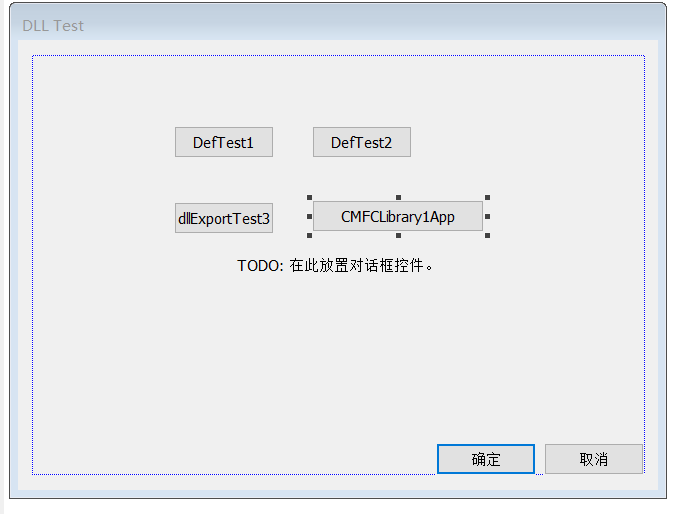
导入
一、使用隐式链接
隐式链接又称静态加载,需要DLL和LIB文件。在程序退出前,DLL一直存在该程序运行的地址空间中。
A.使用.LIB文件和.H文件
1)加载lib文件和h文件
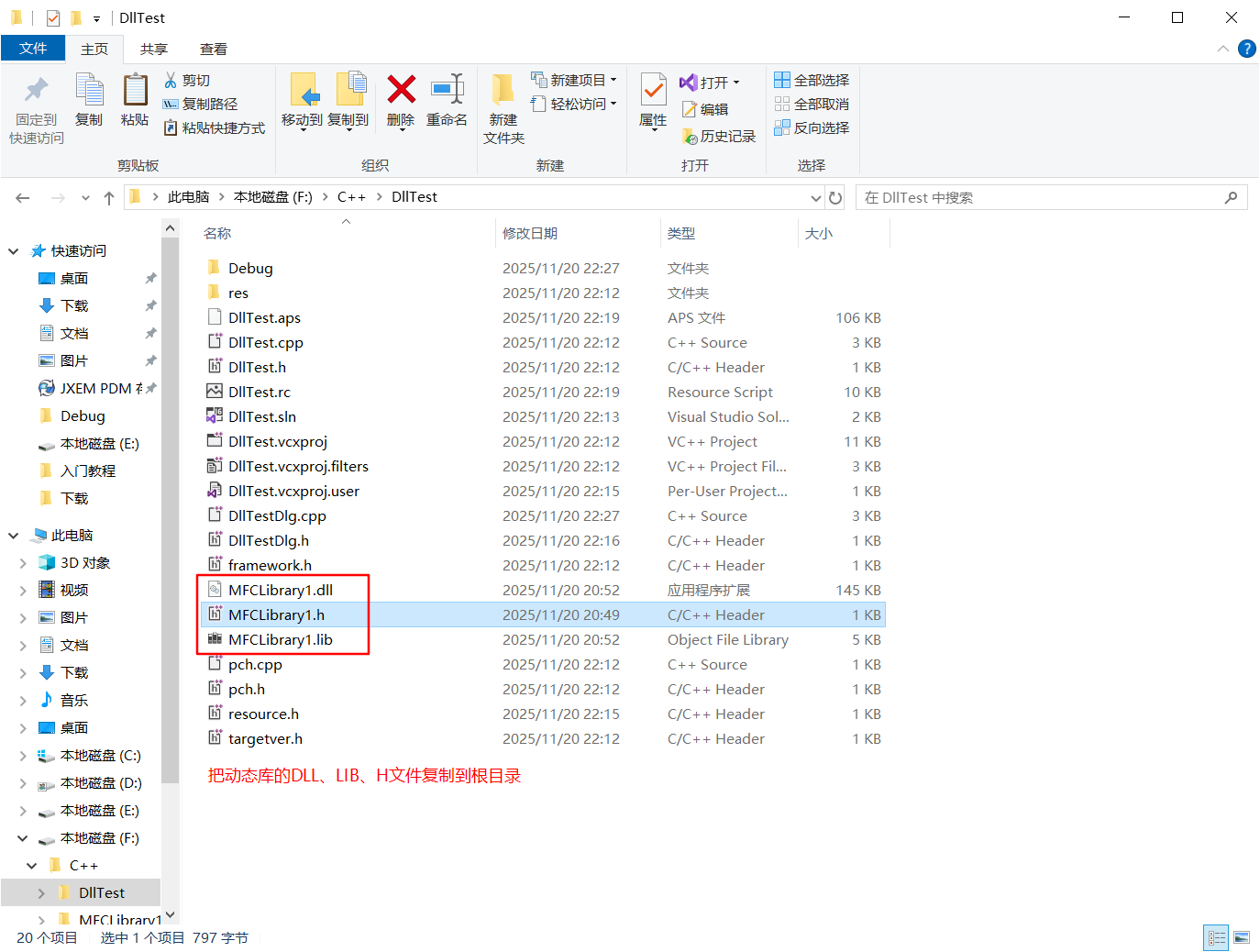
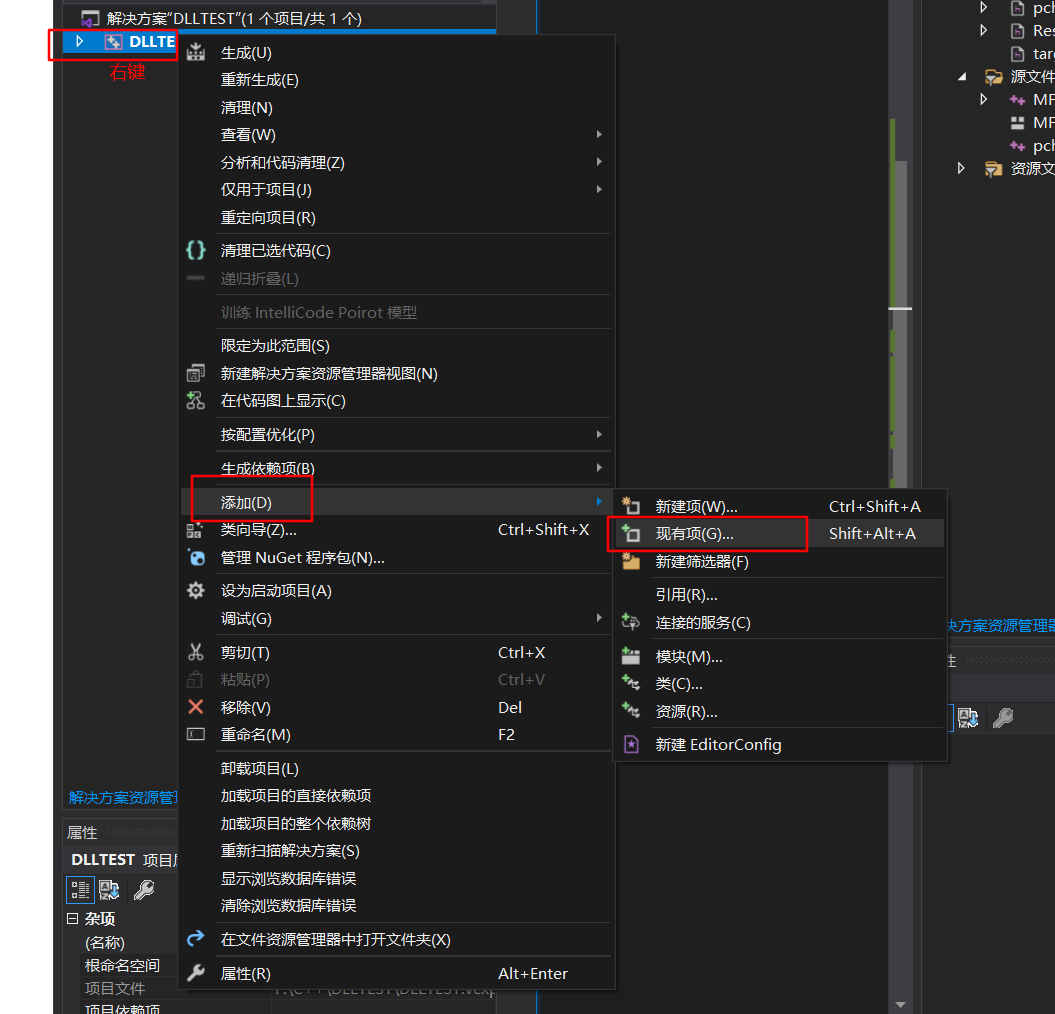

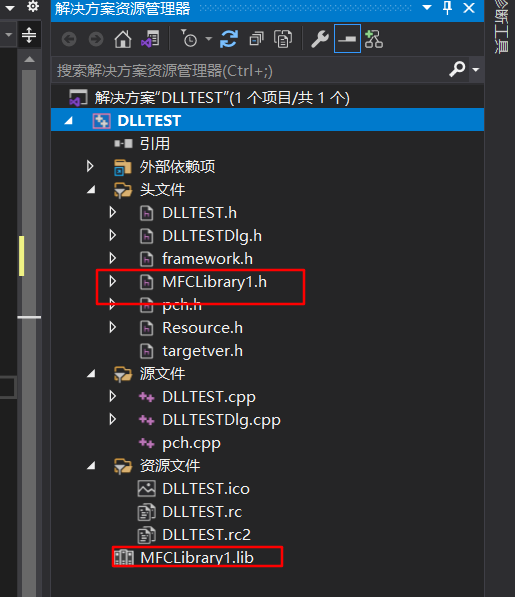
2)在使用处的cpp文件中添加头文件引用
cpp
#include "MFCLibrary1.h"3)调用DLL中的函数
cpp
void CDllTestDlg::OnBnClickedButton1()
{
	edit1 = "OnBnClickedButton1()";
	//AfxMessageBox(_T("OnBnClickedButton1()"));
	DefTest1();
	UpdateData(false);
}


void CDllTestDlg::OnBnClickedButton2()
{
	edit1 = "OnBnClickedButton2()";
	DefTest2();
	UpdateData(false);
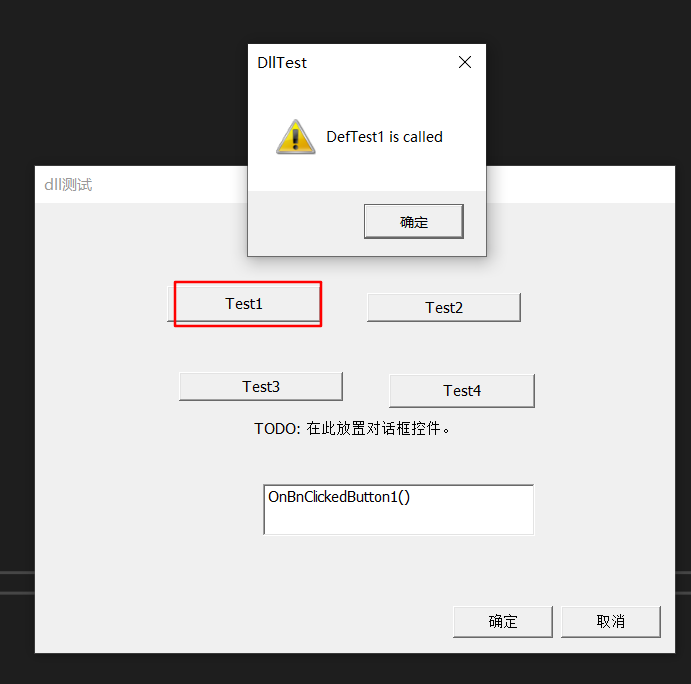
}
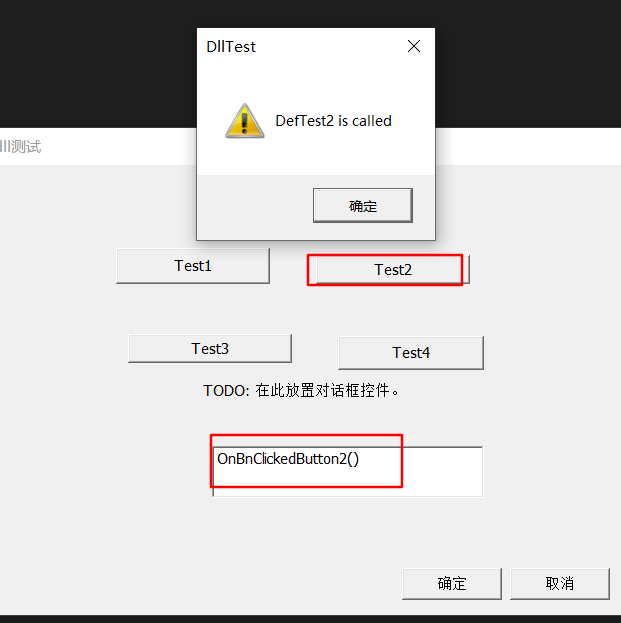
B.使用.LIB文件和 __declspec(dllimport)导入语句
1)加载lib文件
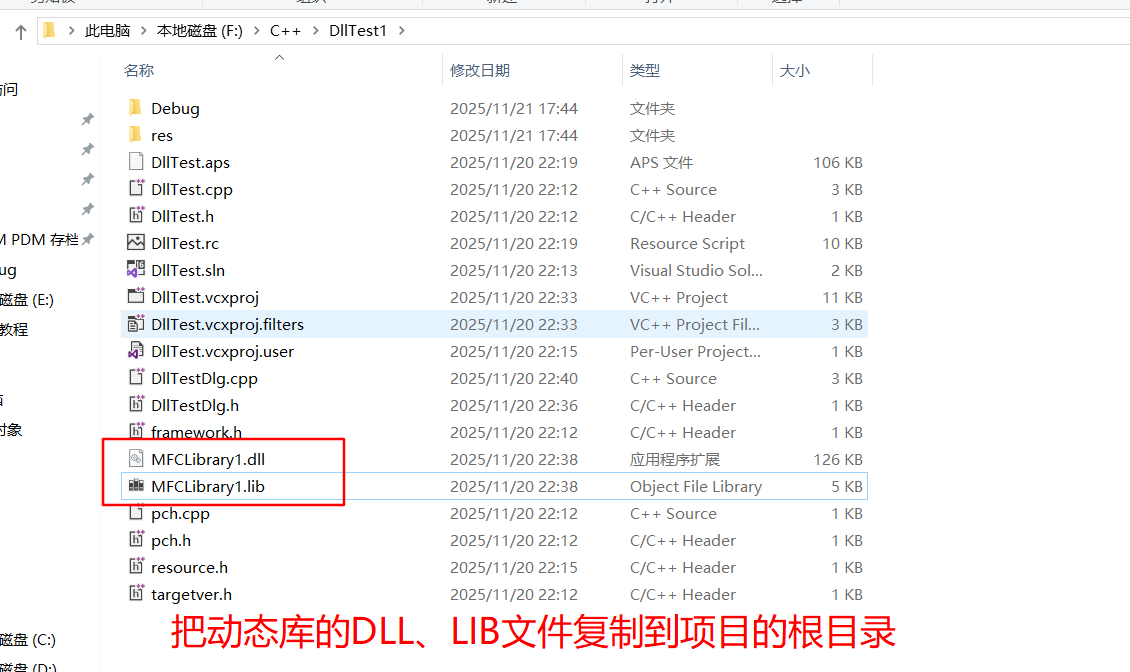
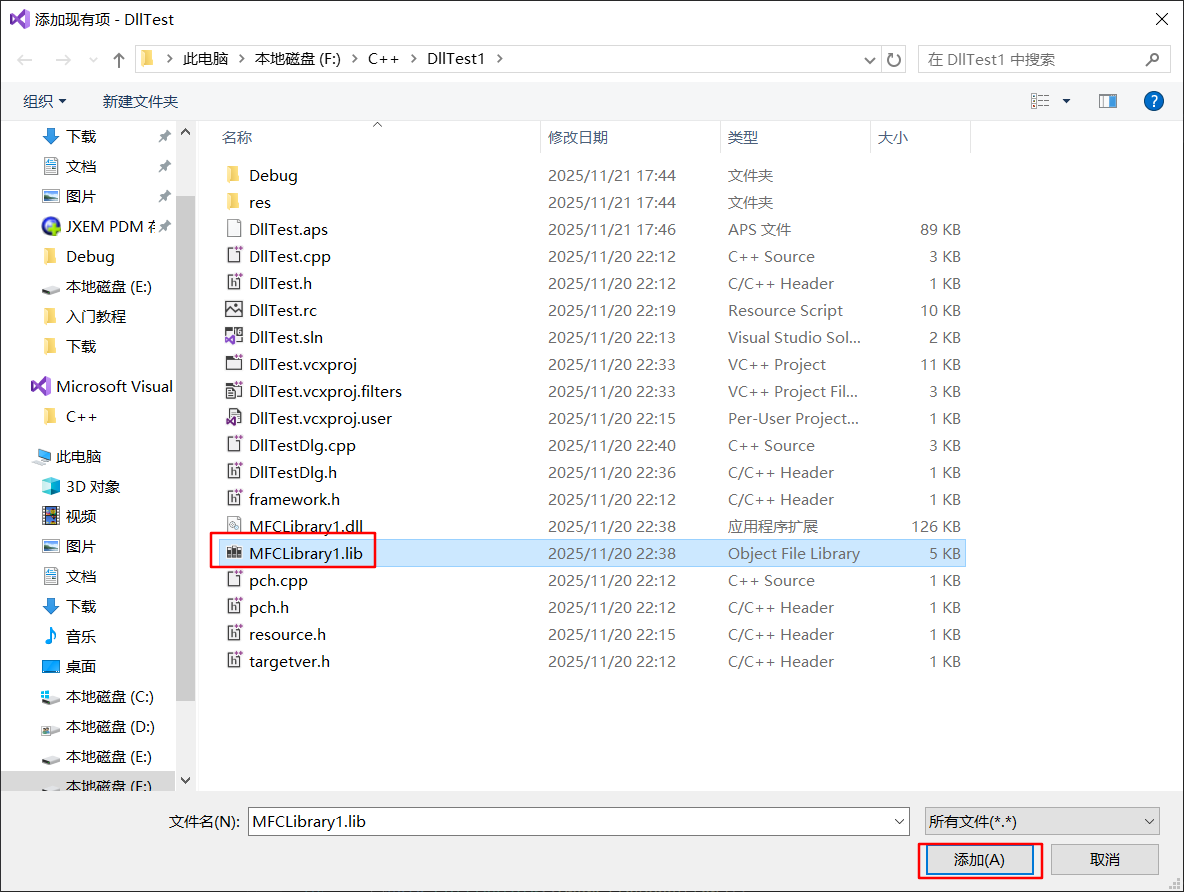
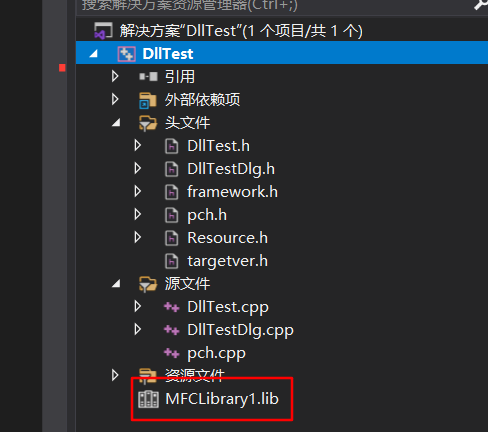
2)在使用处的cpp文件中添加函数导入语句
cpp
extern "C" __declspec(dllimport) void DefTest1();
extern "C" __declspec(dllimport) void DefTest2();
extern "C" __declspec(dllimport) void dllExportTest3();
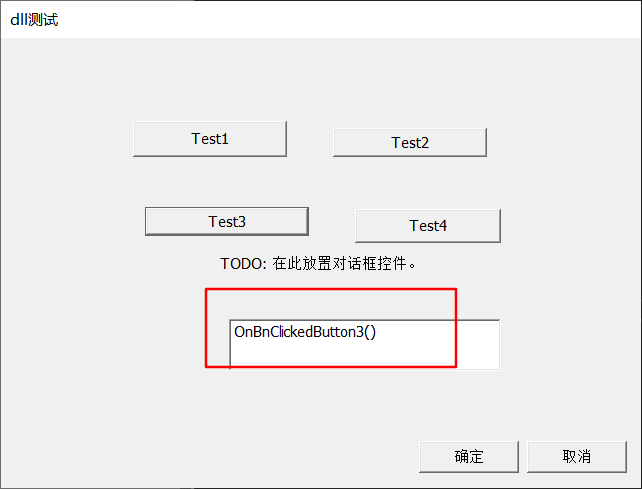
3)调用DLL中的函数
cpp
void CDllTestDlg::OnBnClickedButton1()
{
	edit1 = "OnBnClickedButton1()";
	//AfxMessageBox(_T("OnBnClickedButton1()"));
	DefTest1();
	UpdateData(false);
}


void CDllTestDlg::OnBnClickedButton2()
{
	edit1 = "OnBnClickedButton2()";
	DefTest2();
	UpdateData(false);
}


void CDllTestDlg::OnBnClickedButton3()
{
	edit1 = "OnBnClickedButton3()";
	dllExportTest3();
	UpdateData(false);
}


C.使用.LIB文件和#pragma comment(lib, "***.lib")加载语句
#pragma comment(lib, "***.lib")加载语句 效果等同于通过添加现有文件方式添加lib文件
1)加载h文件
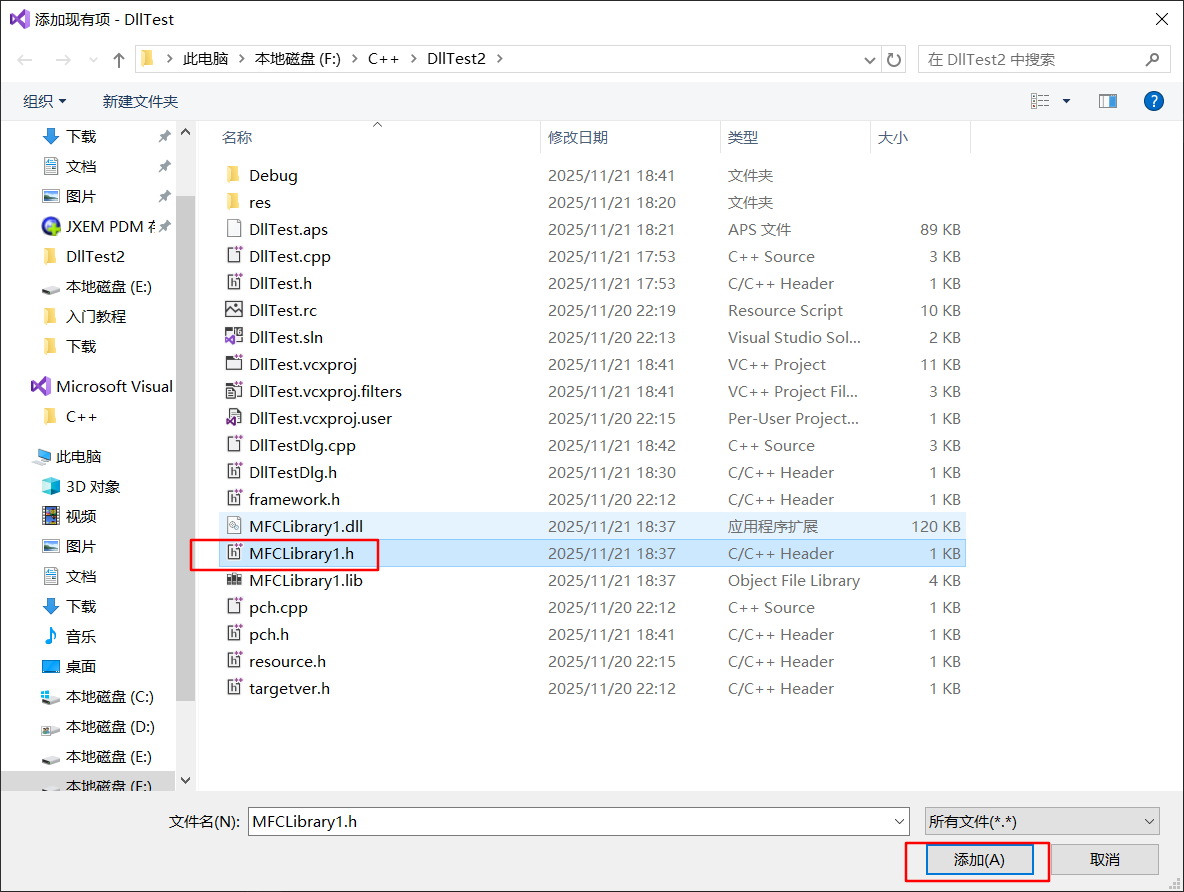

2)在pch.h文件中添加lib加载语句
cpp
#pragma comment(lib, "MFCLibrary1.lib")3)在CPP文件中引用头文件
cpp
#include "MFCLibrary1.h"4)调用DLL中的函数
cpp
void CDllTestDlg::OnBnClickedButton4()
{
	UpdateData();
	CMFCLibrary1 lib{};
	edit1 = "OnBnClickedButton4()";
	UpdateData(false);
	lib.show();
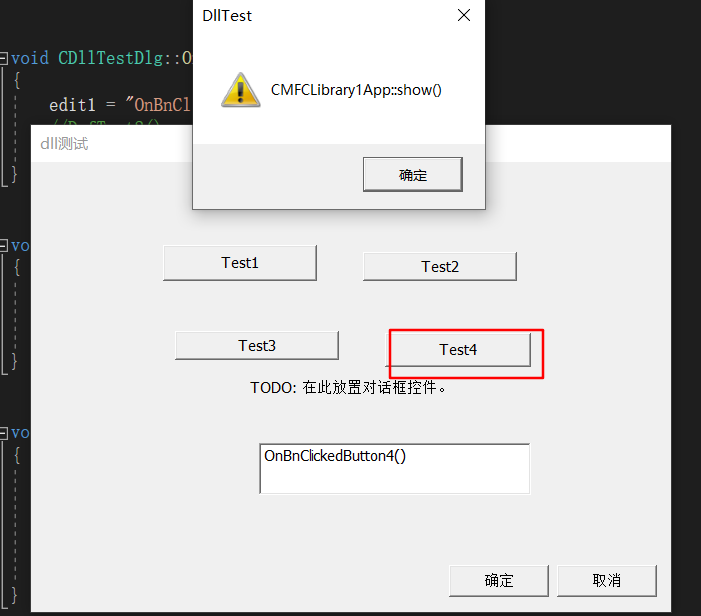
}
二、使用显示链接
动态又称动态加载,必须在代码中动态地加载所使用的DLL,并使用指针调用DLL中的导出函数,在使用完毕后,必须卸载所使用的DLL。
加载DLL,LoadLibrary()、AfxLoadLibrary()
获取函数地址,GetProcAddress()、AfxGetProcAddress()
释放DLL,FreeLibrary()、AfxFreeLibrary()
A.动态加载函数
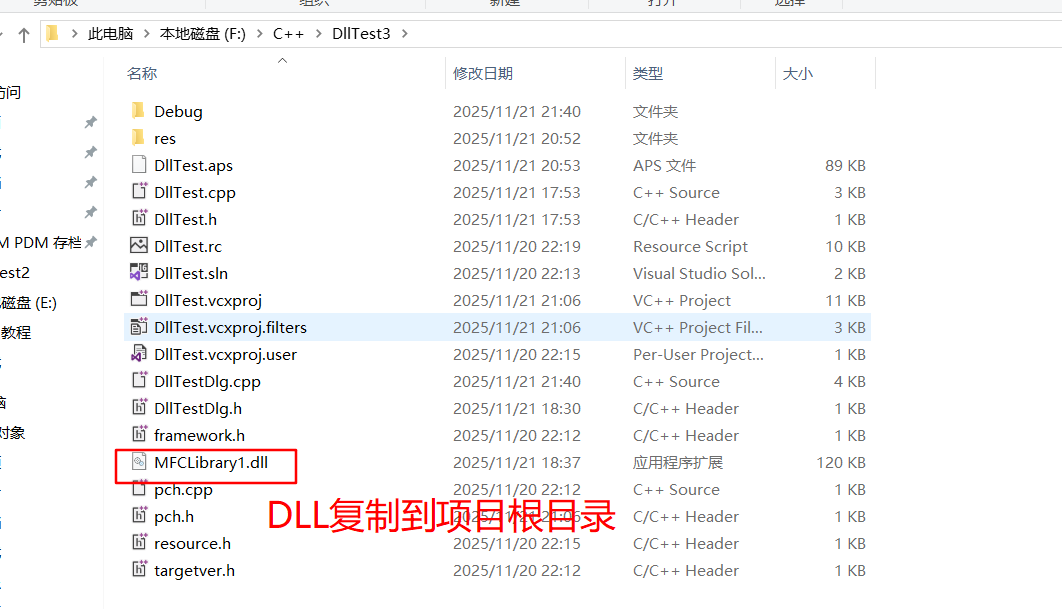
cpp
void CDllTestDlg::OnBnClickedButton3()
{
	UpdateData();
	edit1 = "OnBnClickedButton3()";
	UpdateData(false);

	//显式链接到 DLL,并返回该 DLL 的句柄
	HINSTANCE hinst = NULL;
	hinst = LoadLibrary(_T("MFCLibrary1.dll"));
	if (hinst == NULL)
	{
		return;
	}

	//从指定的动态链接库 (DLL) 检索导出函数 (也称为过程) 或变量的地址。
	FARPROC lpfn = NULL;
	lpfn = GetProcAddress(hinst, "dllExportTest3");
	if (lpfn == NULL)
	{
		return;
	}

	typedef void(*Fun3)();//函数指针
	Fun3 fun3 = (Fun3)lpfn;
	if (fun3 == nullptr)
	{
		return;
	}
	lpfn();

	//释放加载的动态链接库 (DLL) 模块,并在必要时递减其引用计数
	FreeLibrary(hinst);
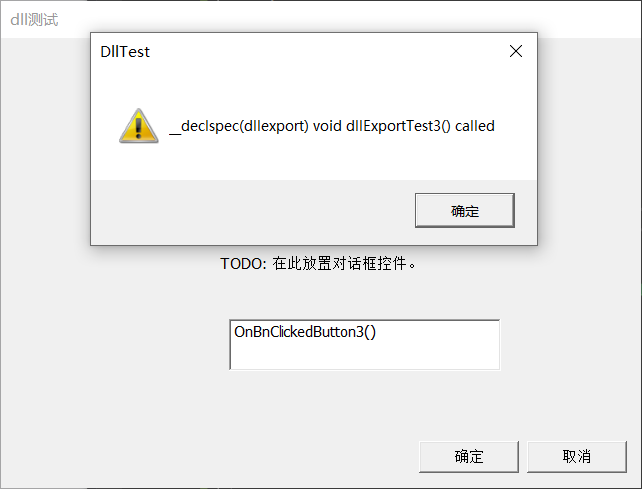
}
B.动态加载类
需要.h文件和dll文件,参考https://edu.51cto.com/article/note/12964.html
定义接口,通过接口派生类。
1.定义DLL库
cpp
// MFCLibrary1.h: MFCLibrary1 DLL 的主标头文件
//

#pragma once

#ifndef __AFXWIN_H__
	#error "在包含此文件之前包含 'pch.h' 以生成 PCH"
#endif

#include "resource.h"		// 主符号
#include <string>


//导出类
//class __declspec(dllexport)<导出类名>[:public <基类名>]{...}
class __declspec(dllexport) MyInterface
{
public:
	virtual void show() = 0;
	virtual void show(const CString& s)=0;
	virtual ~MyInterface() {}
};
cpp
// MFCLibrary1.cpp: 定义 DLL 的初始化例程。
//

#include "pch.h"
#include "framework.h"
#include "MFCLibrary1.h"

#ifdef _DEBUG
#define new DEBUG_NEW
#endif


class MyClass : public MyInterface
{
public:
	virtual void show() override
	{
		AfxMessageBox(_T("MyClass::show() called"));
	}

	virtual void show(const CString& s) override
	{
		AfxMessageBox(s);
	}

	~MyClass() {}
};


extern "C" __declspec(dllexport) MyInterface * createPrinter()
{
	return new MyClass();
}

extern "C" __declspec(dllexport) void deletePrinter(MyInterface * printer)
{
	delete printer;
}
2.复制必要文档到跟目录,把.H文件添加到库

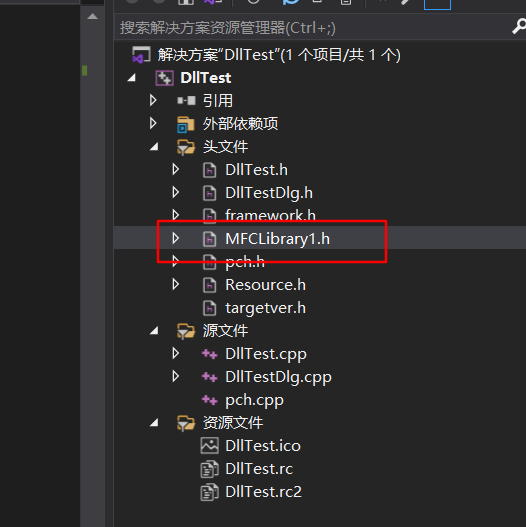
3.CPP中加载并获取类的创建函数指针,使用后回收资源并删除动态分配
cpp
void CDllTestDlg::OnBnClickedButton4()
{
	UpdateData();

	edit1 = "OnBnClickedButton4()";
	UpdateData(false);

	//显式链接到 DLL,并返回该 DLL 的句柄
	HINSTANCE hinst = NULL;
	hinst = LoadLibrary(TEXT("MFCLibrary1.dll"));
	if (hinst == NULL)
	{
		return;
	}

	//从指定的动态链接库 (DLL) 检索导出类的地址。
	typedef MyInterface* (*CreatePrinter)();
	CreatePrinter createPrinter = (CreatePrinter)GetProcAddress(hinst, "createPrinter");
	if (createPrinter == nullptr)
	{
		return;
	}

	MyInterface* myClass = createPrinter();//实例化类

	//测试类的功能
	if (myClass)
	{
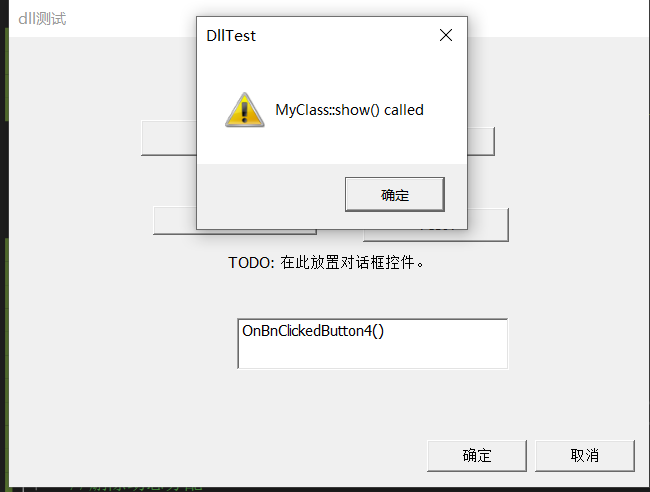
		myClass->show();
		CString s = {TEXT("OnBnClickedButton4() called")};
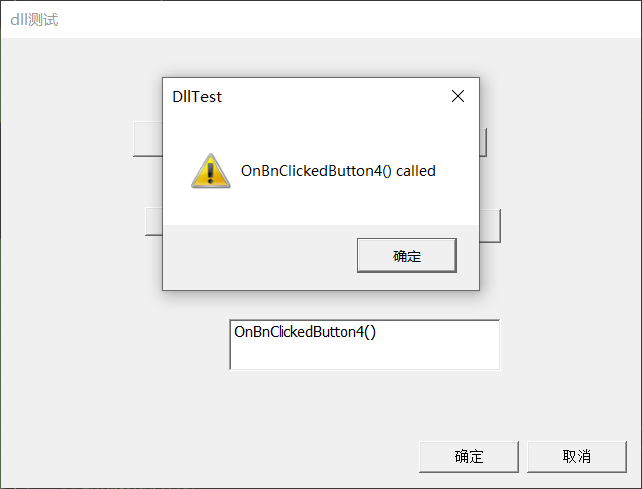
		myClass->show(s);
	}

	//删除动态分配
	typedef void (*DeletePrinter)(MyInterface*);
	DeletePrinter deletePrinter = (DeletePrinter)GetProcAddress(hinst, "deletePrinter");
	deletePrinter(myClass);

	//释放加载的动态链接库 (DLL) 模块,并在必要时递减其引用计数
	FreeLibrary(hinst);
}