@RestController
@RequestMapping("/blog")
public class BlogController {

    @Resource
    private IBlogService blogService;

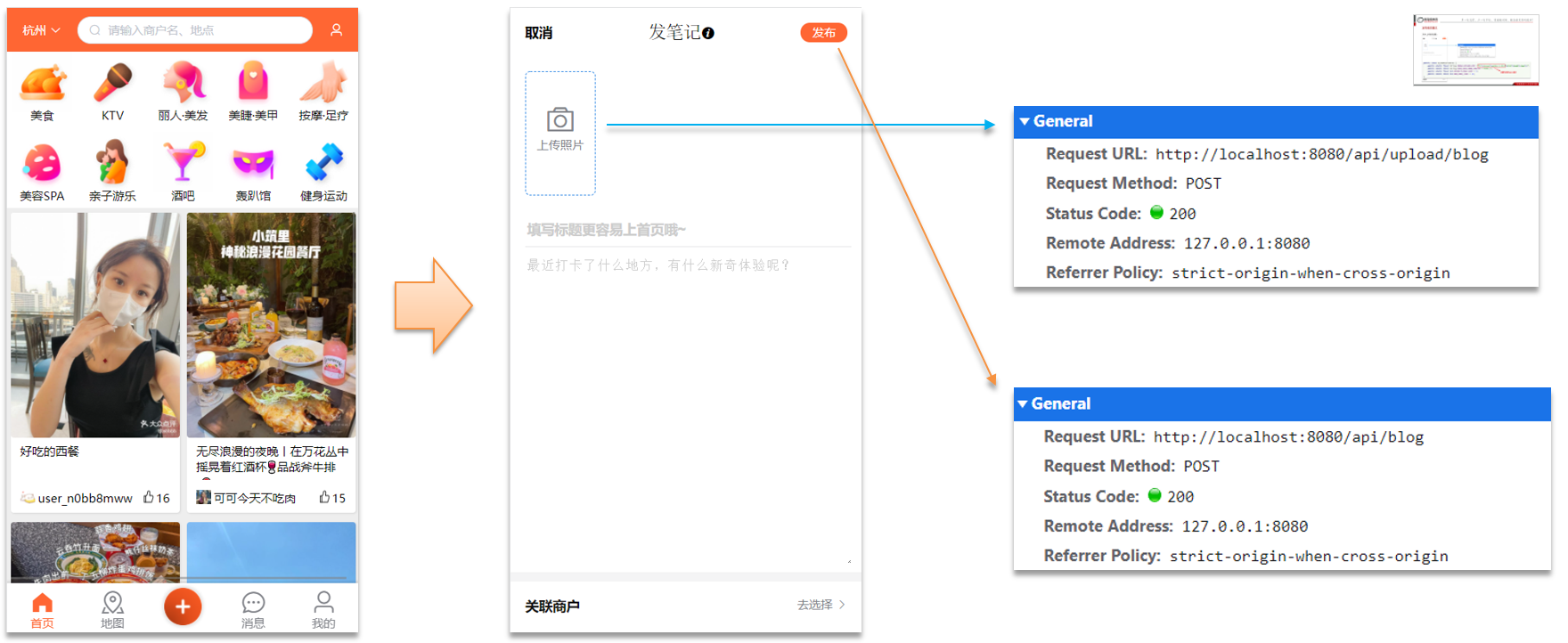
    @PostMapping
    public Result saveBlog(@RequestBody Blog blog) {
        //获取登录用户
        UserDTO user = UserHolder.getUser();
        blog.setUpdateTime(user.getId());
        //保存探店博文
        blogService.saveBlog(blog);
        //返回id
        return Result.ok(blog.getId());
    }
}
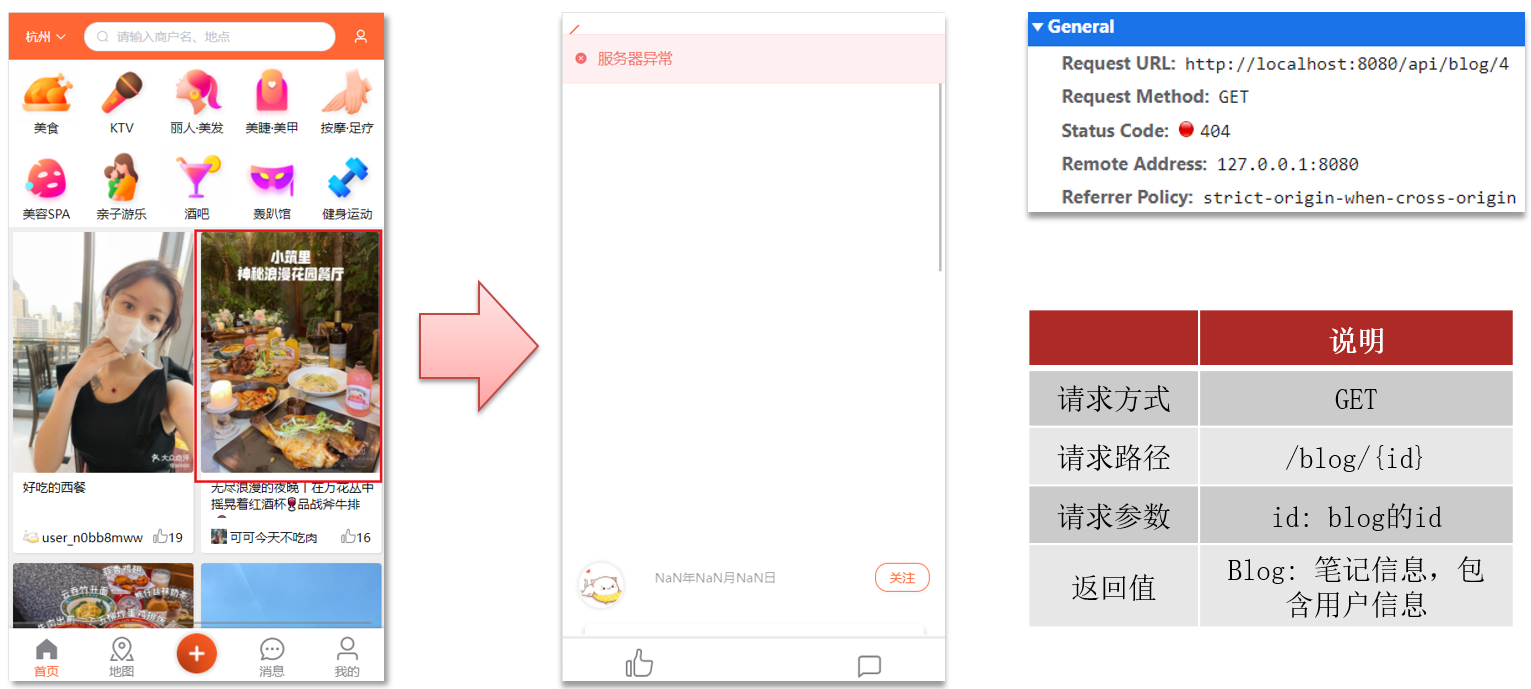
2、查看探店笔记
(1)操作流程
需求:点击首页的探店笔记,会进入详情页面,实现该页面的查询接口:
(2)代码实现
BlogServiceImpl
java复制代码
@Override
public Result queryBlogById(Long id) {
    // 1.查询blog
    Blog blog = getById(id);
    if (blog == null) {
        return Result.fail("笔记不存在!");
    }
    // 2.查询blog有关的用户
    queryBlogUser(blog);

    return Result.ok(blog);
}
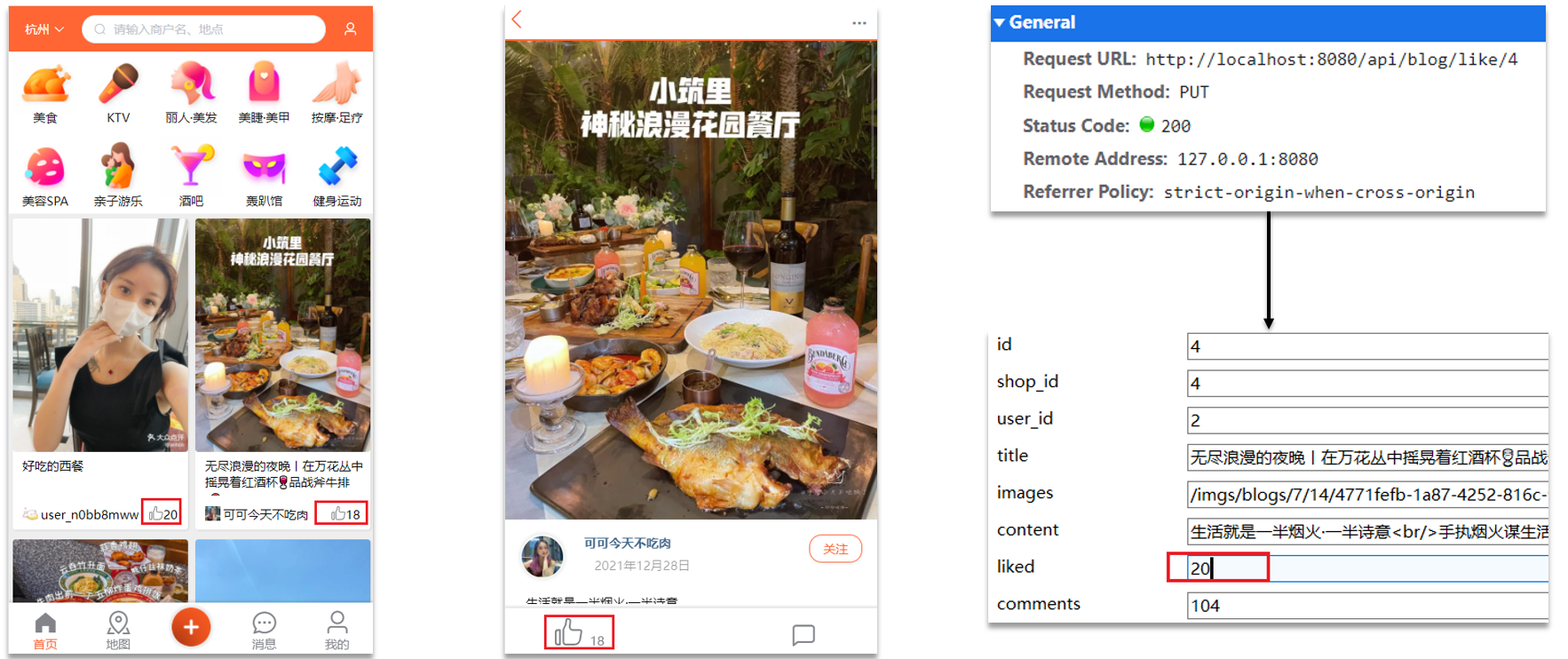
3、点赞功能
(1)操作流程
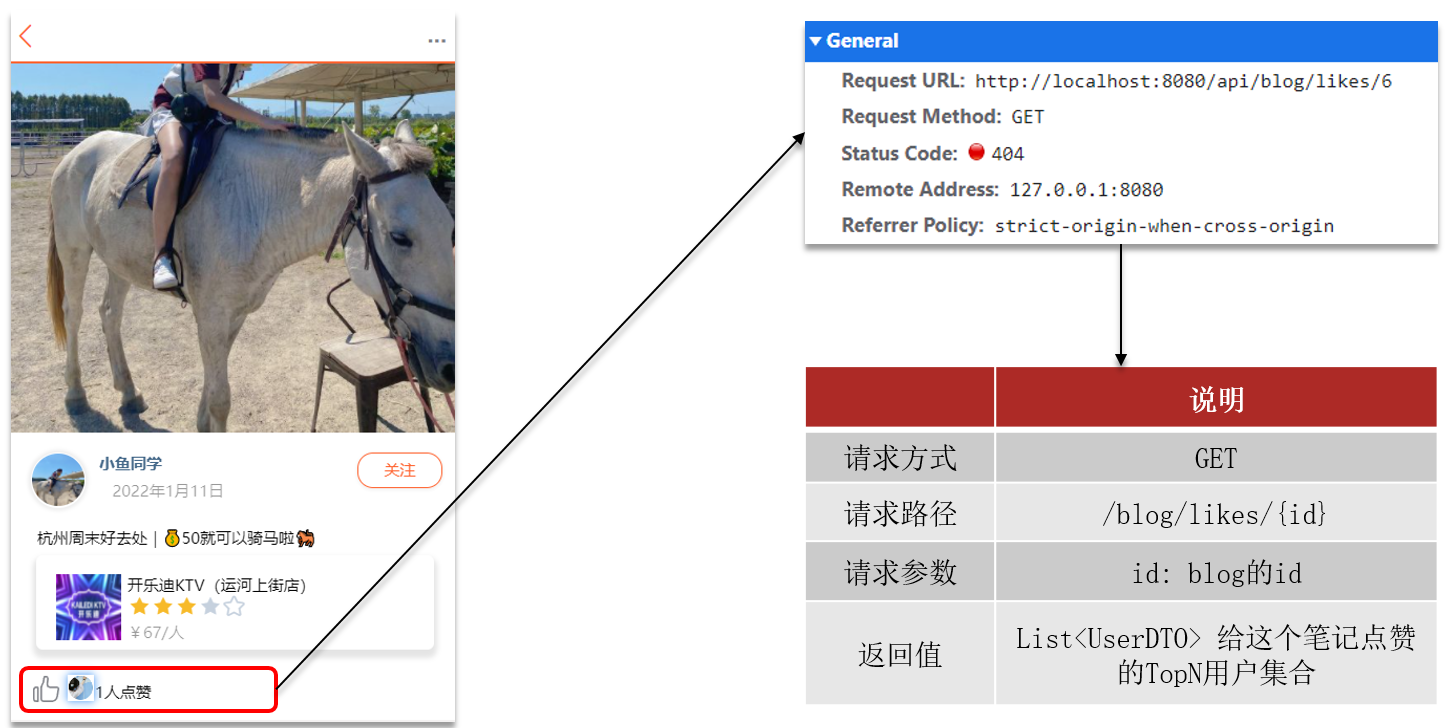
在首页的探店笔记排行榜和探店图文详情页面都有点赞的功能:
(2)代码实现
java复制代码
@GetMapping("/likes/{id}")
public Result queryBlogLikes(@PathVariable("id") Long id) {
    //修改点赞数量
    blogService.update().setSql("liked = liked +1 ").eq("id",id).update();
    return Result.ok();
}
@GetMapping("/likes/{id}")
public Result queryBlogLikes(@PathVariable("id") Long id) {

    return blogService.queryBlogLikes(id);
}
BlogService
java复制代码
@Override
public Result queryBlogLikes(Long id) {
    String key = BLOG_LIKED_KEY + id;
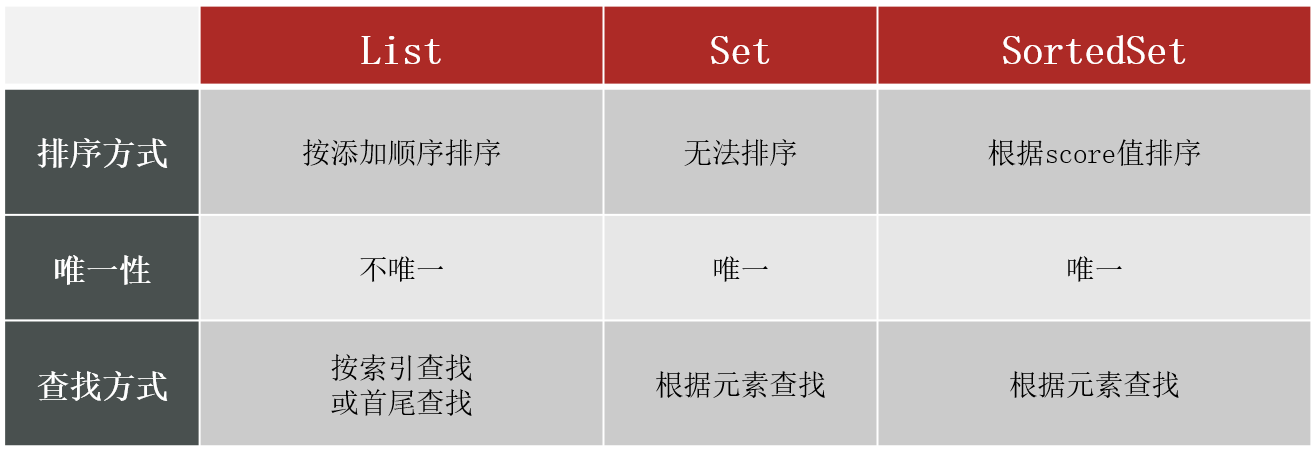
    // 1.查询top5的点赞用户 zrange key 0 4
    Set<String> top5 = stringRedisTemplate.opsForZSet().range(key, 0, 4);
    if (top5 == null || top5.isEmpty()) {
        return Result.ok(Collections.emptyList());
    }
    // 2.解析出其中的用户id
    List<Long> ids = top5.stream().map(Long::valueOf).collect(Collectors.toList());
    String idStr = StrUtil.join(",", ids);
    // 3.根据用户id查询用户 WHERE id IN ( 5 , 1 ) ORDER BY FIELD(id, 5, 1)
    List<UserDTO> userDTOS = userService.query()
            .in("id", ids).last("ORDER BY FIELD(id," + idStr + ")").list()
            .stream()
            .map(user -> BeanUtil.copyProperties(user, UserDTO.class))
            .collect(Collectors.toList());
    // 4.返回
    return Result.ok(userDTOS);
}
二、好友关注
1、关注和取消关注
(1)操作流程
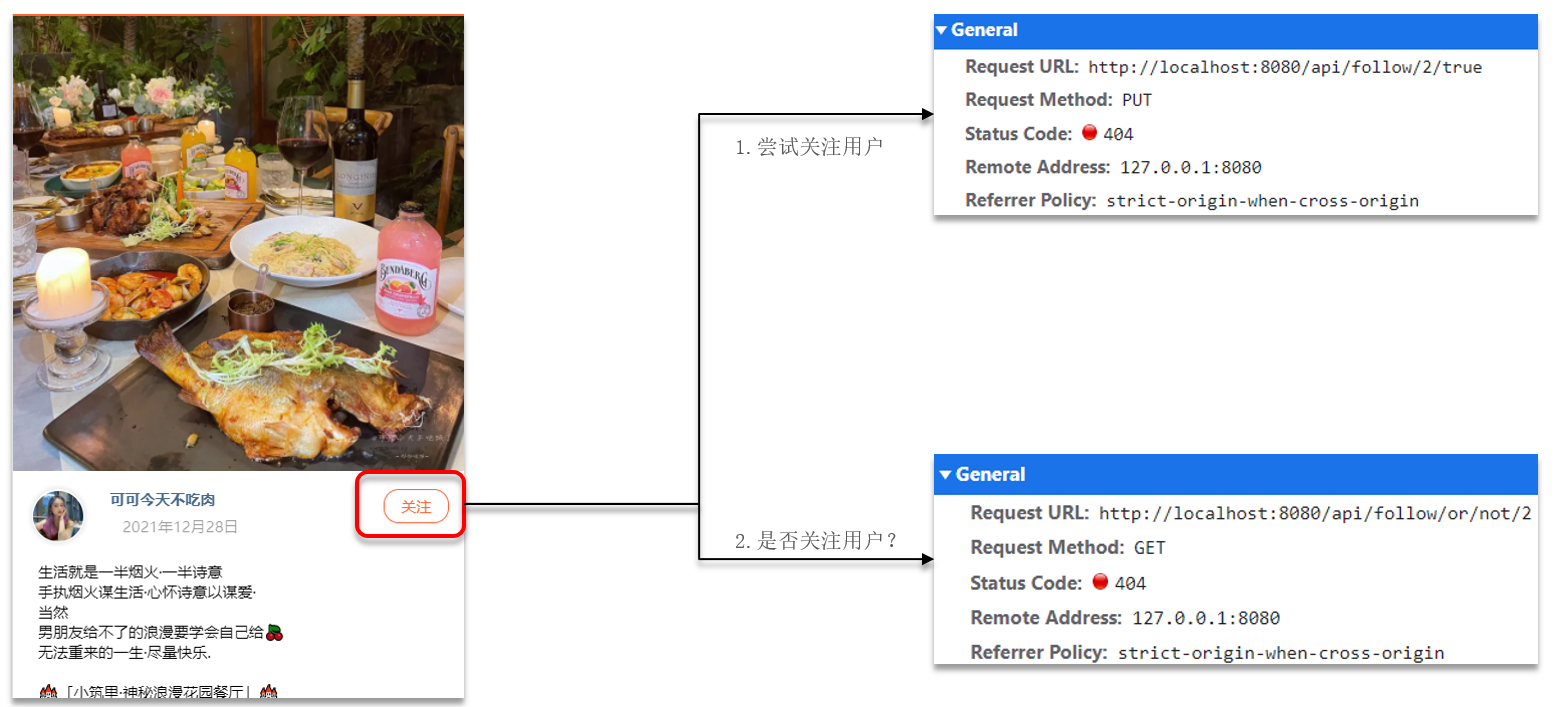
在探店图文的详情页面中,可以关注发布笔记的作者:
(2)表结构
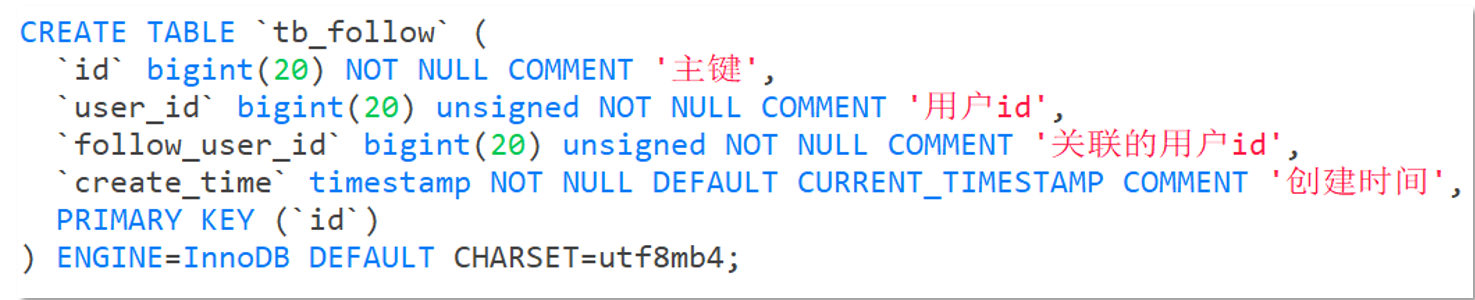
关注是User之间的关系,是博主与粉丝的关系,数据库中有一张tb_follow表来标示:
注意: 这里需要把主键修改为自增长,简化开发。
(3)代码实现
需求:基于该表数据结构,实现两个接口:
关注和取关接口
判断是否关注的接口
FollowController
java复制代码
//关注
@PutMapping("/{id}/{isFollow}")
public Result follow(@PathVariable("id") Long followUserId, @PathVariable("isFollow") Boolean isFollow) {
    return followService.follow(followUserId, isFollow);
}
//取消关注
@GetMapping("/or/not/{id}")
public Result isFollow(@PathVariable("id") Long followUserId) {
      return followService.isFollow(followUserId);
}
FollowService
java复制代码
取消关注service
@Override
public Result isFollow(Long followUserId) {
        // 1.获取登录用户
        Long userId = UserHolder.getUser().getId();
        // 2.查询是否关注 select count(*) from tb_follow where user_id = ? and follow_user_id = ?
        Integer count = query().eq("user_id", userId).eq("follow_user_id", followUserId).count();
        // 3.判断
        return Result.ok(count > 0);
    }

 关注service
 @Override
    public Result follow(Long followUserId, Boolean isFollow) {
        // 1.获取登录用户
        Long userId = UserHolder.getUser().getId();
        String key = "follows:" + userId;
        // 1.判断到底是关注还是取关
        if (isFollow) {
            // 2.关注,新增数据
            Follow follow = new Follow();
            follow.setUserId(userId);
            follow.setFollowUserId(followUserId);
            boolean isSuccess = save(follow);

        } else {
            // 3.取关,删除 delete from tb_follow where user_id = ? and follow_user_id = ?
            remove(new QueryWrapper<Follow>()
                    .eq("user_id", userId).eq("follow_user_id", followUserId));

        }
        return Result.ok();
    }
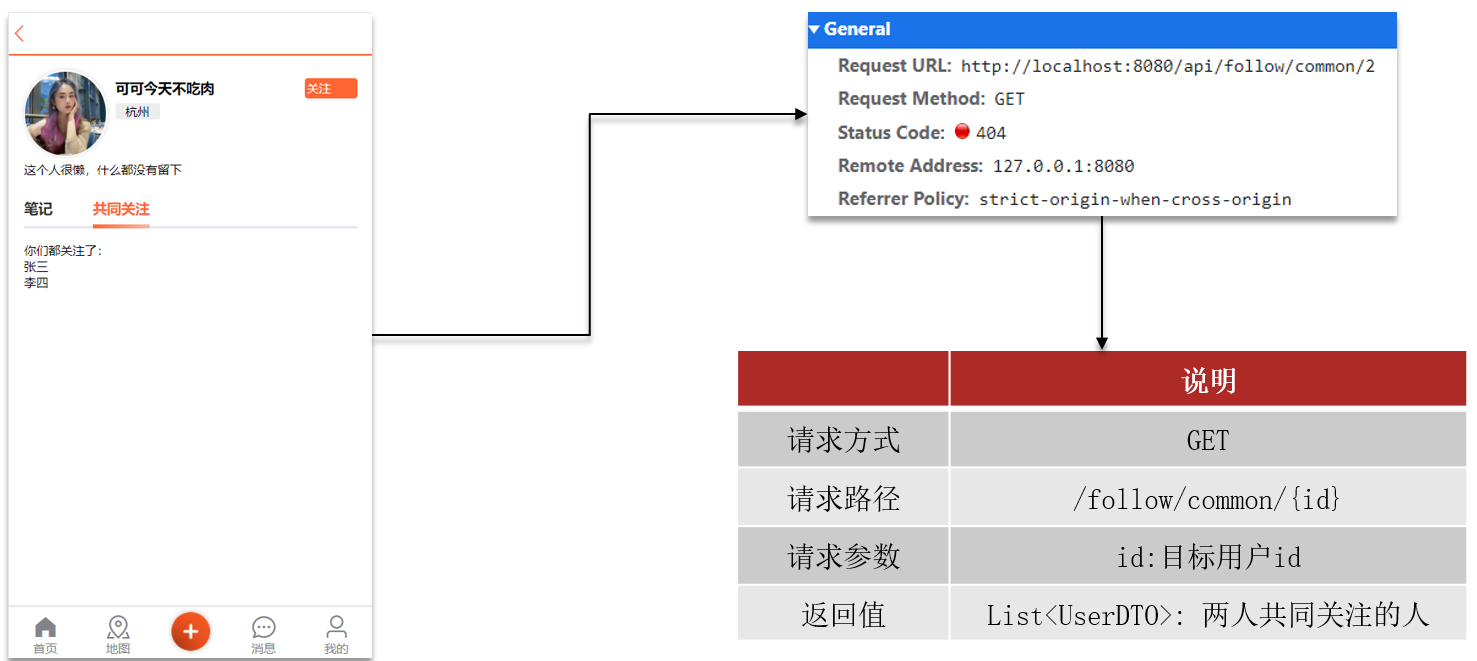
2、共同关注
(1)操作流程
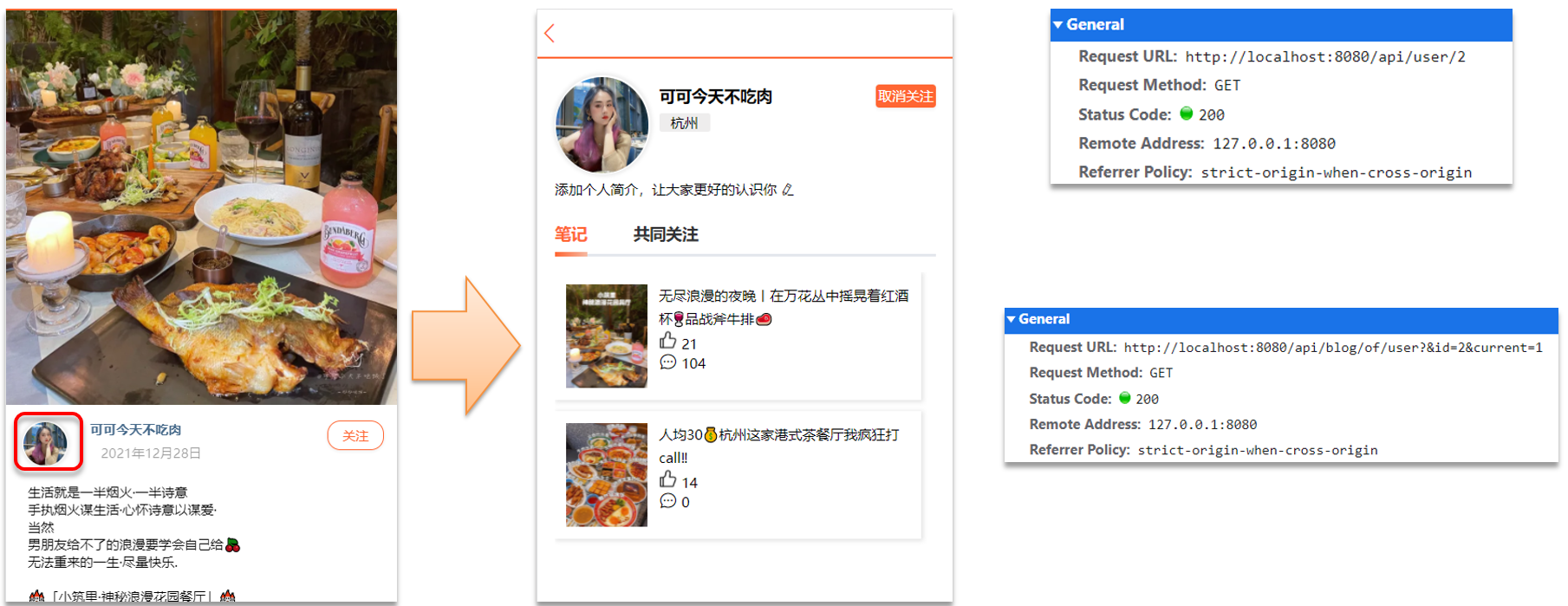
点击博主头像,可以进入博主首页
(2)主页详情
想要去看共同关注的好友,需要首先进入到这个页面,这个页面会发起两个请求
去查询用户的详情
去查询用户的笔记
java复制代码
// UserController 根据id查询用户
@GetMapping("/{id}")
public Result queryUserById(@PathVariable("id") Long userId){
    // 查询详情
    User user = userService.getById(userId);
    if (user == null) {
        return Result.ok();
    }
    UserDTO userDTO = BeanUtil.copyProperties(user, UserDTO.class);
    // 返回
    return Result.ok(userDTO);
}

// BlogController  根据id查询博主的探店笔记
@GetMapping("/of/user")
public Result queryBlogByUserId(
        @RequestParam(value = "current", defaultValue = "1") Integer current,
        @RequestParam("id") Long id) {
    // 根据用户查询
    Page<Blog> page = blogService.query()
            .eq("user_id", id).page(new Page<>(current, SystemConstants.MAX_PAGE_SIZE));
    // 获取当前页数据
    List<Blog> records = page.getRecords();
    return Result.ok(records);
}