1、防火墙配置
# 开放HTTP和HTTPS服务(永久生效)
firewall-cmd --permanent --add-service=http
firewall-cmd --permanent --add-service=https
# 重新加载规则
firewall-cmd --reload
# 验证开放状态
firewall-cmd --list-services
2、配置账户验证
# 安装认证工具
yum install httpd-tools -y
# 创建认证文件
htpasswd -c /etc/nginx/.htpasswd admin
# 设置文件权限(仅Nginx可读)
chmod 600 /etc/nginx/.htpasswd
chown nginx:nginx /etc/nginx/.htpasswd
3、启用https
# 生成自签名证书
mkdir -p /etc/ssl/private
openssl req -x509 -nodes -days 365 -newkey rsa:2048 \
-keyout /etc/ssl/private/nginx.key \
-out /etc/ssl/certs/nginx.crt \
  -subj "/C=CN/ST=Beijing/L=Beijing/O=Test/CN=your_domain.com"
4、nginx配置文件
server {
    listen 80;
    server_name your_domain.com;
    return 301 https://$server_name$request_uri; # HTTP跳转HTTPS
}

server {
    listen 443 ssl;
    server_name your_domain.com;

    # SSL配置
    ssl_certificate /etc/ssl/certs/nginx.crt;
    ssl_certificate_key /etc/ssl/private/nginx.key;
    ssl_protocols TLSv1.2 TLSv1.3; # 禁用旧协议
    ssl_ciphers HIGH:!aNULL:!MD5;

    # 账户验证
    auth_basic "Restricted Area";
    auth_basic_user_file /etc/nginx/.htpasswd;

    root /usr/share/nginx/html;
    index index.html;
}
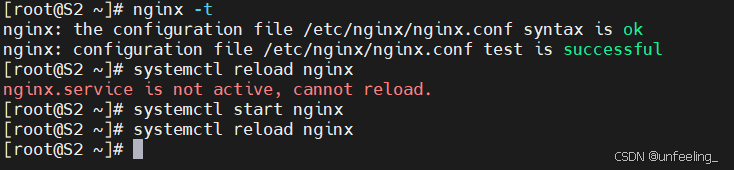
5、验证与重启
# 检查配置语法
nginx -t
# 重启Nginx
systemctl reload nginx