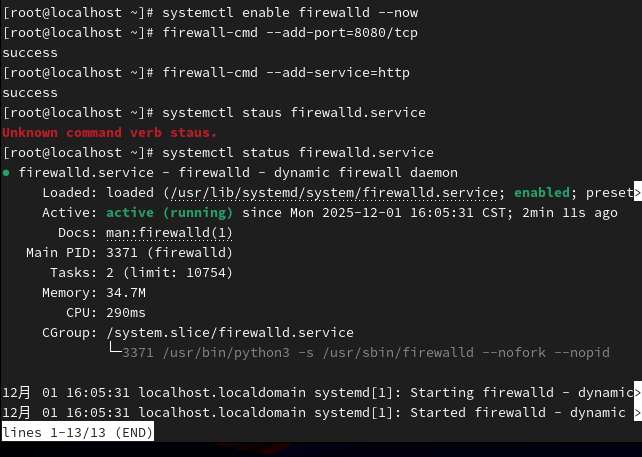
1.防火墙不能关闭,让其开放http协议https协议
2.该网站具备账户验证
3.http
1.Server和Client下载ngnix服务
dnf install ngnix --y
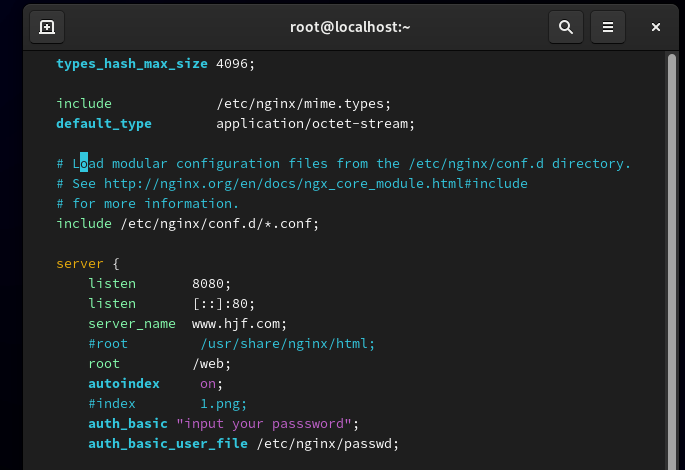
修改ngnix配置文件 ,如图 etc/ngnix/ngnix.conf
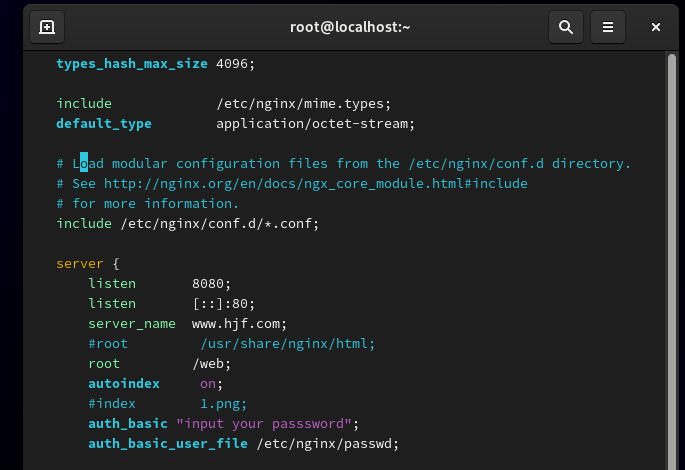
- 检查并重启ngnix
ngnix-t
ngnix -是reload(systemctl restart ngnix)
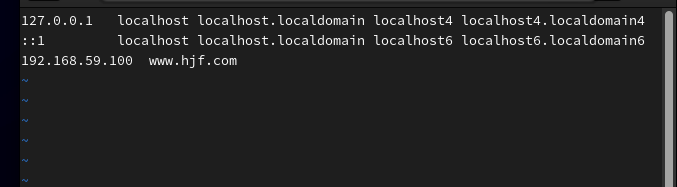
3.添加域名解析,并将Client指向Server,如图
4.确认Server默认发布目录
root /usr/ahsre/ngnix/html;
访问www.hjf.com/image/1.png时,本质是访问/usr/share/ngnix/html/image/1.png
所以我们创建目录,并复制图片
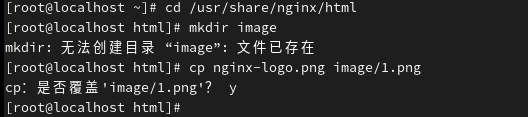
cd /usr/share/ngnix/html
mkdir image
cp ngnix-logo.png image/1.png,如图(已创建)
5.安装工具
dnf install httpd-tools --y
6.新建用户,密码,使用htpasswd将网站和账户关联,并修改配置文件
htpasswd -c /etc/ngnix/passwd dsb
New password:
Re-type new password:
Adding password for user dsb
vim /etc/ngnix/ngnix.conf
auth_basic "please input your passwd"
auth_basic_user_file /etc/ngnix/password
如图
7.,检查,并重启ngnix
ngnix -t
ngnix -s reload
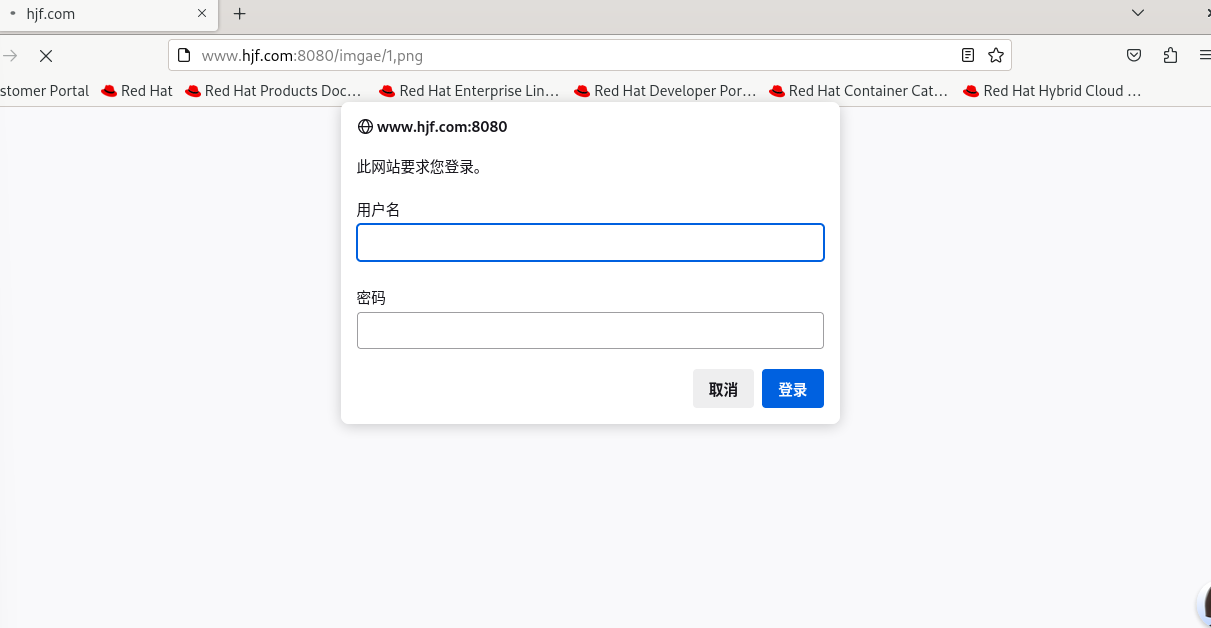
8.在Client浏览器访问www.hjf.com:8080/image/1.png测试,如图
9.开启防火墙,允许http服务通过
systemctl enable firewalld --now (重启防火墙)
firewall-cmd --add-port=8080/tcp
firewall-cmd --add-service=http
systemctl status firewalld.service (查看)