需要外网环境下载代码(https://github.com/TelegramMessenger/Telegram-iOS)
-
下载代码: git clone --recursive -j8 https://github.com/TelegramMessenger/Telegram-iOS.git
-
设置build-system/template_minimal_development_configuration.json文件
{
"bundle_id": "com.yishuihuayuan.TelegraphPro", // 设置成自己项目的bundleid
"api_id": "27520296",
"api_hash": "2fce9ab4fe9a73225ee7b7e4b4f4625c", // api_id和api_hash 登录网站生成(https://core.telegram.org/api/obtaining_api_id)
"team_id": "W394K7A46S", // 苹果开发者账号的teamid
"app_center_id": "0",
"is_internal_build": "true",
"is_appstore_build": "false",
"appstore_id": "0",
"app_specific_url_scheme": "tg",
"premium_iap_product_id": "",
"enable_siri": false,
"enable_icloud": false
}
-
拷贝Telegram-iOS下的build-system部分内容到Home路径下,并且创建对应的profile文件,需要和权限和官方保持一致
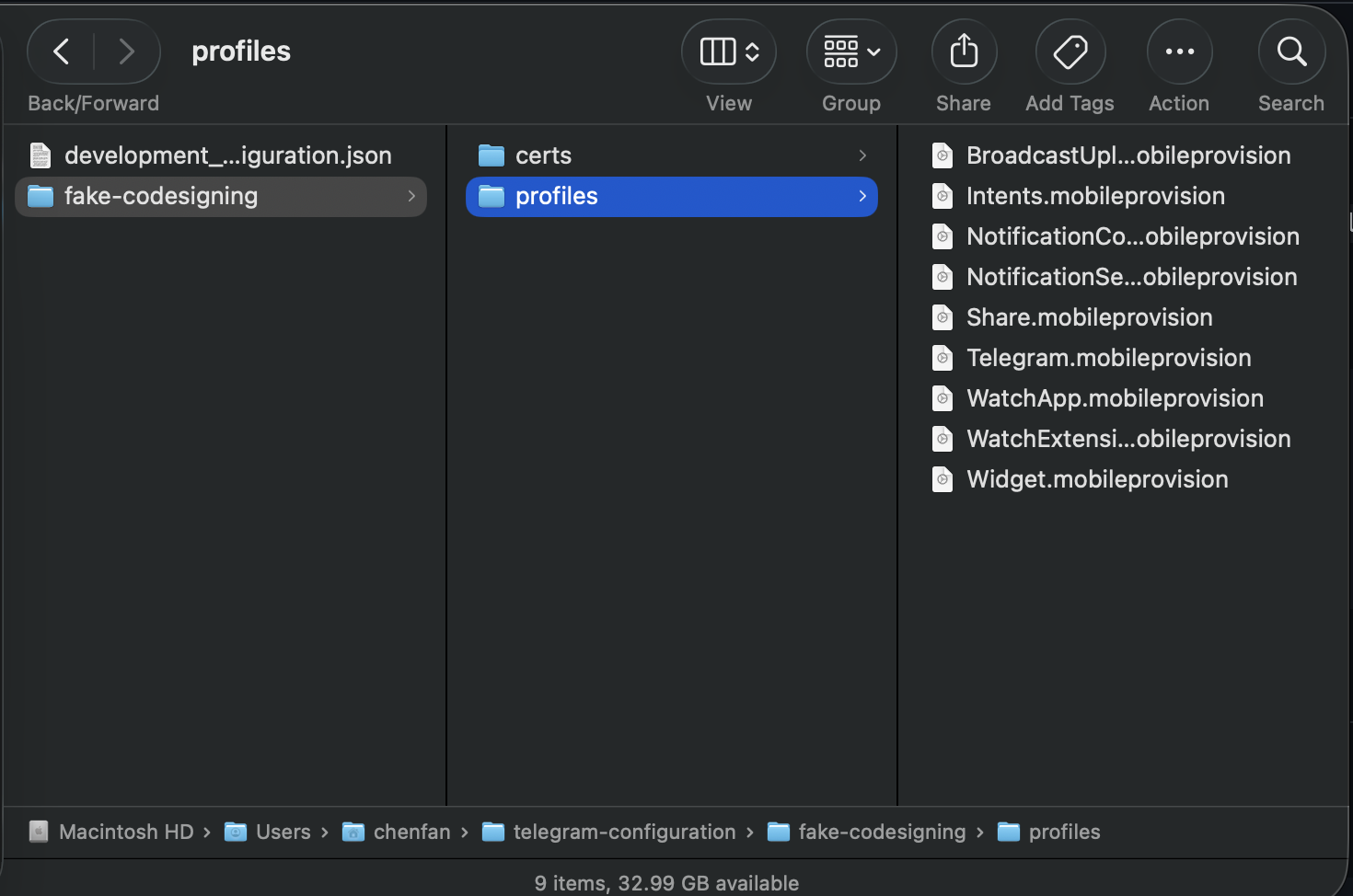
-
生成自己环境的工程项目(执行完后,会自动打开Xcode)
python3 build-system/Make/Make.py \
--cacheDir="$HOME/telegram-bazel-cache" \ generateProject \ --configurationPath="$HOME/telegram-configuration/development_configuration.json" \ --codesigningInformationPath="$HOME/telegram-configuration/fake-codesigning" -
生成ipa文件
python3 build-system/Make/Make.py \
 --cacheDir="$HOME/telegram-bazel-cache" \

 build \

 --configurationPath="$HOME/telegram-configuration/development_configuration.json" \

 --codesigningInformationPath="$HOME/telegram-configuration/fake-codesigning" \

 --buildNumber=100001 \

 --configuration=debug_arm64
choose from debug_universal, debug_arm64, debug_armv7, debug_sim_arm64, release_sim_arm64, release_arm64, release_armv7, release_universal
编译成功

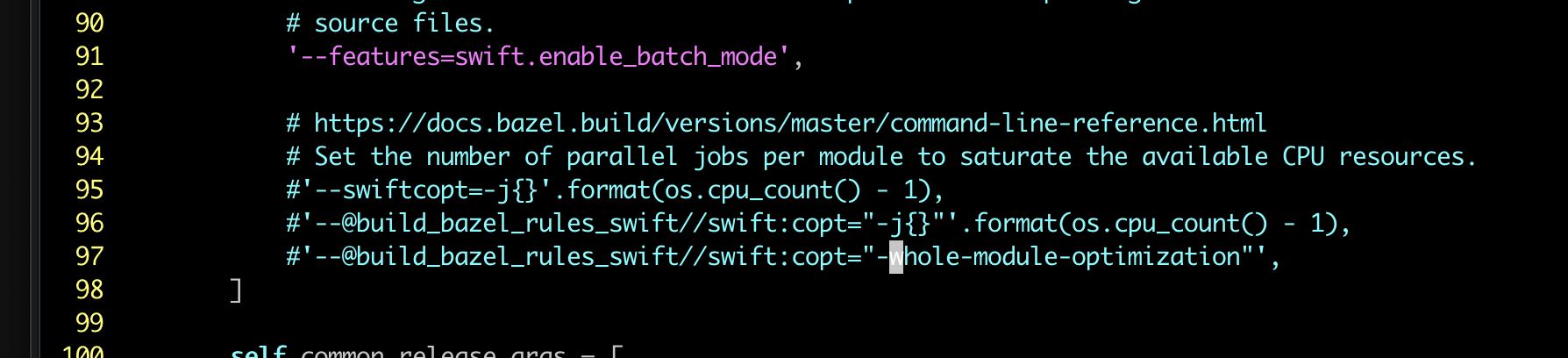
问题1: error: unexpected input file: "-j7",error: unexpected input file: "-whole-module-optimization"
解决办法:vim build-system/Make/Make.py 注释对应的代码(96,97行)