一、基本概念
Shell 控件作为应用程序的主要容器。这是一个比较旧但功能强大的布局控件,用于创建企业级应用程序的壳(Shell)结构。
二、练习
相同操作,先新建文件夹12,复制上一步骤UI5_Walkthrough_Step 11: Pages and Panels
内容到12文件夹
2.1 App.view.xml
XML
<mvc:View
   controllerName="sap.ui5.walkthrough.controller.App"
	xmlns="sap.m"
	xmlns:mvc="sap.ui.core.mvc"
   displayBlock="true">
 <Shell>
      <App>
         <pages>
            <Page title="{i18n>homePageTitle}">
               <content>
                  <Panel
                     headerText="{i18n>panelTitle1}">
                     <content>
                        <Button
                        text="{i18n>ButtonText}"
                        press="onPress"
                        class="sapUiSmallMarginEnd"/>
                        <Input
                        id="input2"
                        value="{/recipient/name}"
                        valueLiveUpdate="true"
                        width="60%"/>
                        <Text
                        text="{i18n>textDesc} {/recipient/name}"
                        class="sapUiSmallMargin"/>
                     </content>
                  </Panel>
               </content>
            </Page>
         </pages>
      </App>
   </Shell>
</mvc:View>
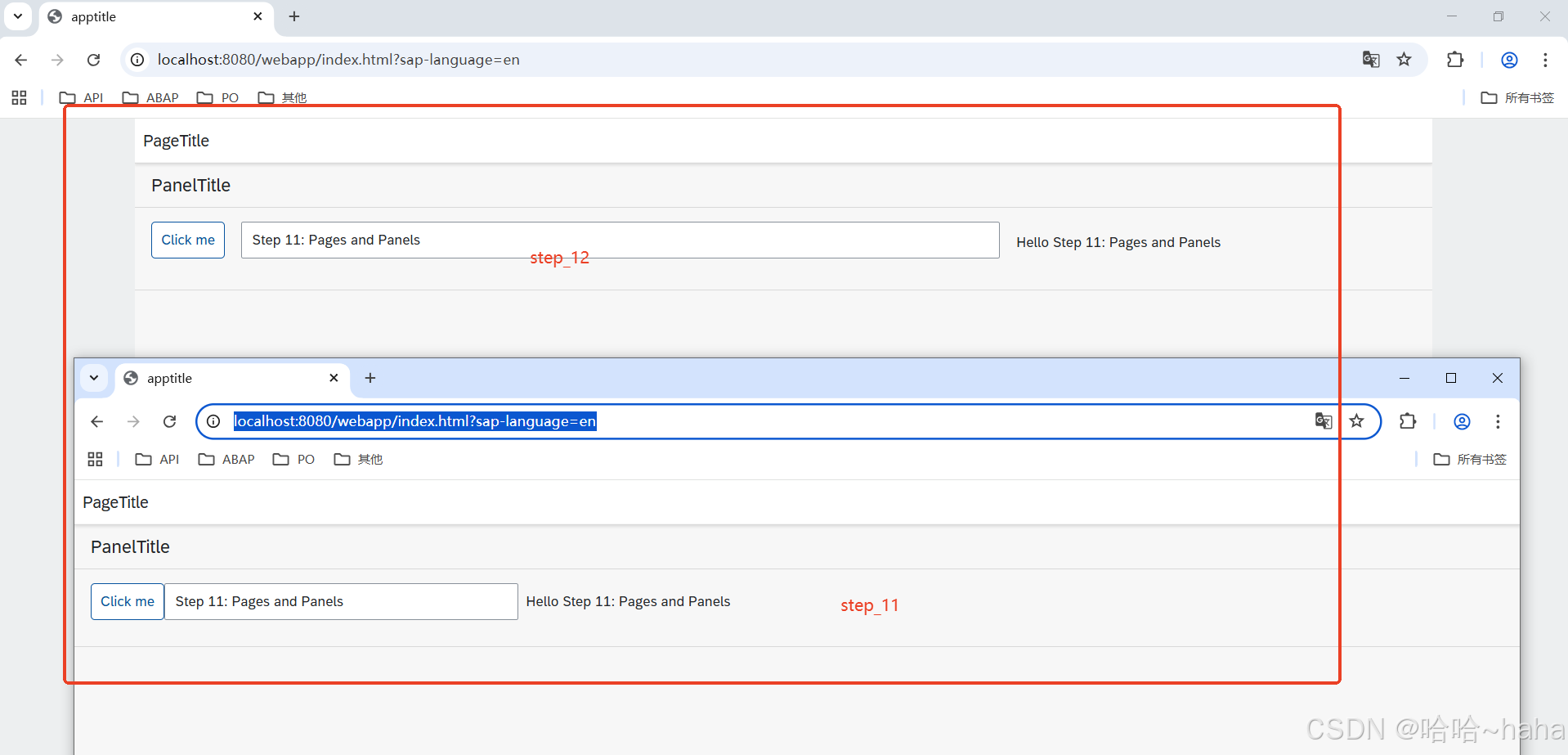
与Step_11相比,
2.1.1 新增了根标签 <Shell>
2.2.2 Button标签新增class="sapUiSmallMarginEnd",的主要作用是在元素的右侧(结束方向)添加一个标准的小间距。
2.2.3 Input标签去掉了 description属性,
2.2.4新增Text标签显示内容即上一练习中的 description,且新增 class="sapUiSmallMargin"
作用是文本框四方添加统一的小间距。
2.2 运行结果