功能介绍:使用nacos的网关来转发服务
使用场景:例如,在安卓壳中只有后端网关接口有做映射可以正常访问,其余地址都无法访问,所以minio的预览,消息模块websocket都需通过网关来转发。
1-minio通过后端接口调用,然后返回二进制来实现预览
2-websocket是通过将服务注册到nacos中,走网关转发来实现
pom配置
java
        <dependency>
            <groupId>com.alibaba.nacos</groupId>
            <artifactId>nacos-client</artifactId>
        </dependency>
        <dependency>
            <groupId>com.alibaba.cloud</groupId>
            <artifactId>spring-cloud-starter-alibaba-nacos-discovery</artifactId>
        </dependency>
nacos配置
java
#v2.3.4_1
im:
  tcpsocket:
    port: 31111
  websocket:
    port: 31112
  application:
    # Netty应用名称
    name: mall-im-netty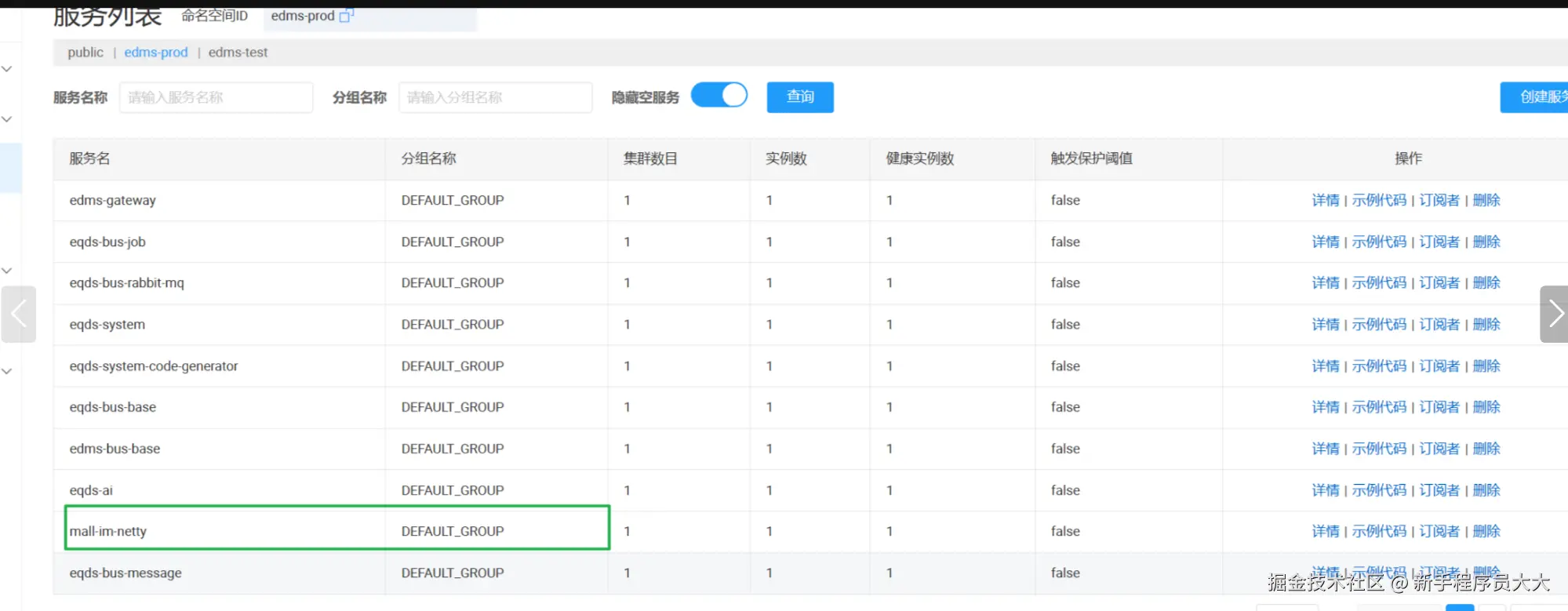
3-java代码如下
开头配置
java
/**
* Netty应用名称
*/
@Value("${im.application.name}")
private String nettyName;
@Resource
private NacosDiscoveryProperties nacosDiscoveryProperties;
@Value("${spring.cloud.nacos.config.username}")
private String nacosUsername;
@Value("${spring.cloud.nacos.config.password}")
private String nacosPassword;
private Channel channel;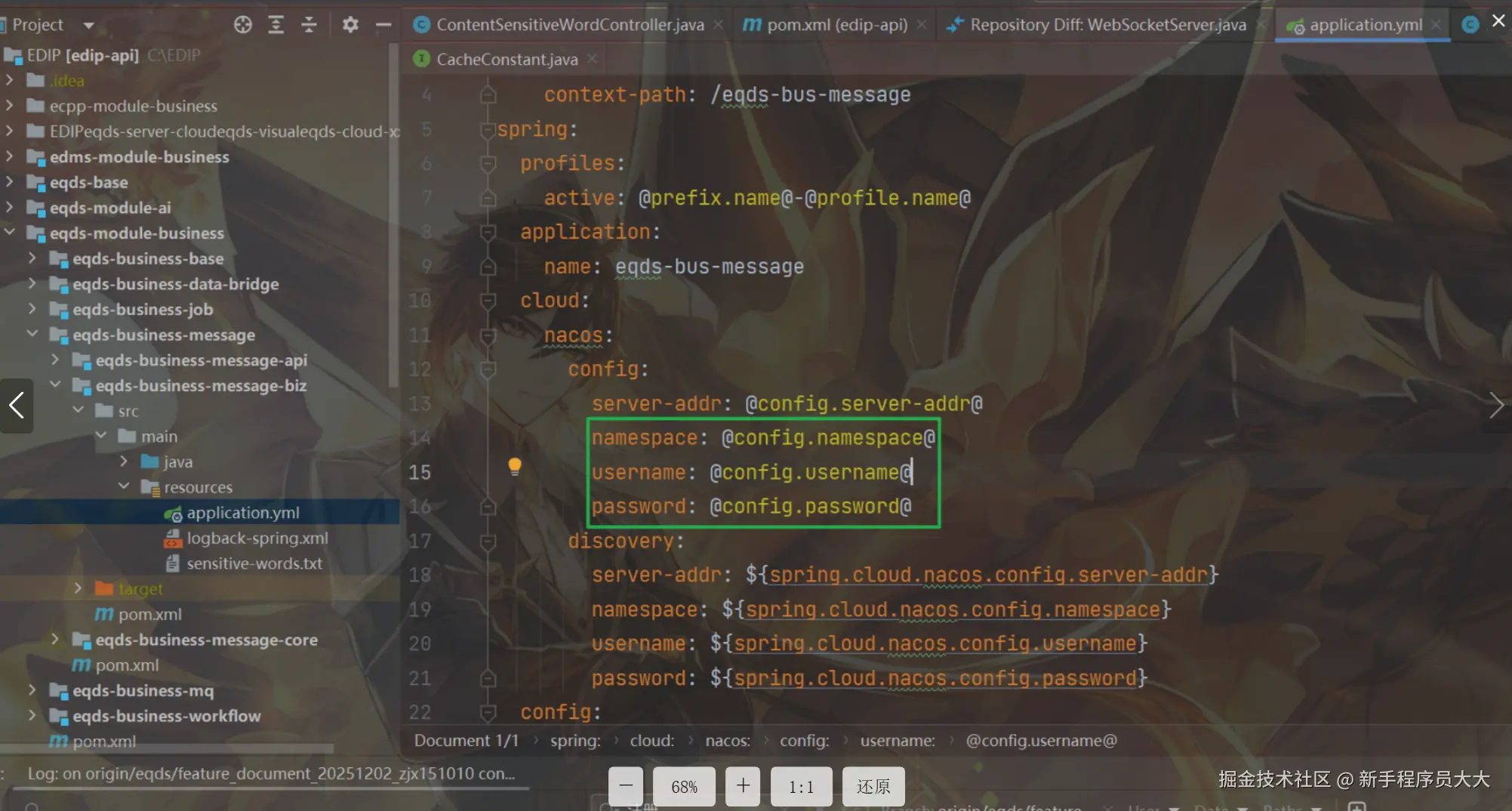 服务注册核心代码
java
  /**
     * 将Netty服务注册进Nacos
     *
     * @param nettyName 服务名称
     * @param nettyPort 服务端口号
     */
    private void registerNamingService(String nettyName, Integer nettyPort) {
        try {
            Properties properties = new Properties();
            properties.setProperty(PropertyKeyConst.SERVER_ADDR, nacosDiscoveryProperties.getServerAddr());
            properties.setProperty(PropertyKeyConst.NAMESPACE, nacosDiscoveryProperties.getNamespace());
            properties.setProperty(PropertyKeyConst.USERNAME, nacosUsername);
            properties.setProperty(PropertyKeyConst.PASSWORD, nacosPassword);
            NamingService namingService = NamingFactory.createNamingService(properties);
            InetAddress address = InetAddress.getLocalHost();
            namingService.registerInstance(nettyName, nacosDiscoveryProperties.getGroup(), address.getHostAddress(), nettyPort);
        } catch (Exception e) {
            throw new RuntimeException(e);
        }
    }
完整的websorcet注册到nacos的代码如下
java
package com.fjean.modules.imserver.netty.ws;

import com.alibaba.cloud.nacos.NacosDiscoveryProperties;
import com.alibaba.nacos.api.PropertyKeyConst;
import com.alibaba.nacos.api.naming.NamingFactory;
import com.alibaba.nacos.api.naming.NamingService;
import com.fjean.modules.imserver.netty.IMChannelHandler;
import com.fjean.modules.imserver.netty.IMServer;
import com.fjean.modules.imserver.netty.ws.endecode.MessageProtocolDecoder;
import com.fjean.modules.imserver.netty.ws.endecode.MessageProtocolEncoder;
import io.netty.bootstrap.ServerBootstrap;
import io.netty.channel.*;
import io.netty.channel.nio.NioEventLoopGroup;
import io.netty.channel.socket.nio.NioServerSocketChannel;
import io.netty.handler.codec.http.HttpObjectAggregator;
import io.netty.handler.codec.http.HttpServerCodec;
import io.netty.handler.codec.http.websocketx.WebSocketServerProtocolHandler;
import io.netty.handler.ssl.SslContext;
import io.netty.handler.ssl.SslContextBuilder;
import io.netty.handler.ssl.util.SelfSignedCertificate;
import io.netty.handler.stream.ChunkedWriteHandler;
import io.netty.handler.timeout.IdleStateHandler;
import lombok.extern.slf4j.Slf4j;
import org.springframework.beans.factory.annotation.Value;
import org.springframework.boot.autoconfigure.condition.ConditionalOnProperty;
import org.springframework.scheduling.annotation.Async;
import org.springframework.stereotype.Component;

import javax.annotation.PreDestroy;
import javax.annotation.Resource;
import javax.net.ssl.SSLException;
import java.net.InetAddress;
import java.security.cert.CertificateException;
import java.util.Properties;
import java.util.concurrent.TimeUnit;

/**
 * WS服务器,用于连接网页的客户端,协议格式: 直接IMSendInfo的JSON序列化
 *
 * @author Blue
 * @date 2022-11-20
 */
@Slf4j
@Component
@ConditionalOnProperty(prefix = "websocket", value = "enable", havingValue = "true", matchIfMissing = true)
public class WebSocketServer implements IMServer {

    @Value("${im.websocket.port:8878}")
    private int port;
    /**
     * Netty应用名称
     */
    @Value("${im.application.name}")
    private String nettyName;

    @Value("${spring.cloud.nacos.config.username}")
    private String nacosUsername;
    @Value("${spring.cloud.nacos.config.password}")
    private String nacosPassword;
    private volatile boolean ready = false;

    private EventLoopGroup bossGroup;
    private EventLoopGroup workGroup;

    @Resource
    private NacosDiscoveryProperties nacosDiscoveryProperties;

    private Channel channel;


    @Override
    public boolean isReady() {
        return ready;
    }

    @Async
    @Override
    public void start() {
        ServerBootstrap bootstrap = new ServerBootstrap();
        bossGroup = new NioEventLoopGroup();
        workGroup = new NioEventLoopGroup();
        // 设置为主从线程模型
        bootstrap.group(bossGroup, workGroup)
                // 设置服务端NIO通信类型
                .channel(NioServerSocketChannel.class)
                // 使用本地地址,绑定端口号
                .localAddress(port)
                // 设置ChannelPipeline,也就是业务职责链,由处理的Handler串联而成,由从线程池处理
                .childHandler(new ChannelInitializer<Channel>() {
                    // 添加处理的Handler,通常包括消息编解码、业务处理,也可以是日志、权限、过滤等
                    @Override
                    protected void initChannel(Channel ch) throws CertificateException, SSLException {
                        // 获取职责链
                        ChannelPipeline pipeline = ch.pipeline();
                        pipeline.addLast(new IdleStateHandler(60, 0, 0, TimeUnit.SECONDS));
                        pipeline.addLast("http-codec", new HttpServerCodec());
                        pipeline.addLast("aggregator", new HttpObjectAggregator(65535));
                        pipeline.addLast("http-chunked", new ChunkedWriteHandler());
                        pipeline.addLast(new WebSocketServerProtocolHandler("/im"));
                        pipeline.addLast("encode", new MessageProtocolEncoder());
                        pipeline.addLast("decode", new MessageProtocolDecoder());
                        pipeline.addLast("handler", new IMChannelHandler());
                    }
                })
                // bootstrap 还可以设置TCP参数,根据需要可以分别设置主线程池和从线程池参数,来优化服务端性能。
                // 其中主线程池使用option方法来设置,从线程池使用childOption方法设置。
                // backlog表示主线程池中在套接口排队的最大数量,队列由未连接队列(三次握手未完成的)和已连接队列
                .option(ChannelOption.SO_BACKLOG, 5)
                // 表示连接保活,相当于心跳机制,默认为7200s
                .childOption(ChannelOption.SO_KEEPALIVE, true);
        // 把netty注册到nacos服务中
        registerNamingService(nettyName, port);

        try {
            // 绑定端口,启动select线程,轮询监听channel事件,监听到事件之后就会交给从线程池处理
            channel = bootstrap.bind(port).sync().channel();
            // 就绪标志
            this.ready = true;
            log.info("websocket server 初始化完成,端口:{}", port);
            // 等待服务端口关闭
            //channel.closeFuture().sync();
        } catch (InterruptedException e) {
            log.info("websocket server 初始化异常", e);
        }
    }

    @PreDestroy
    @Override
    public void stop() {
        if (bossGroup != null && !bossGroup.isShuttingDown() && !bossGroup.isShutdown()) {
            bossGroup.shutdownGracefully();
        }
        if (workGroup != null && !workGroup.isShuttingDown() && !workGroup.isShutdown()) {
            workGroup.shutdownGracefully();
        }
        this.ready = false;
        if (channel != null) {
            channel.close();
        }
        log.info("websocket server 停止");
    }

    /**
     * 将Netty服务注册进Nacos
     *
     * @param nettyName 服务名称
     * @param nettyPort 服务端口号
     */
    private void registerNamingService(String nettyName, Integer nettyPort) {
        try {
            Properties properties = new Properties();
            properties.setProperty(PropertyKeyConst.SERVER_ADDR, nacosDiscoveryProperties.getServerAddr());
            properties.setProperty(PropertyKeyConst.NAMESPACE, nacosDiscoveryProperties.getNamespace());
            properties.setProperty(PropertyKeyConst.USERNAME, nacosUsername);
            properties.setProperty(PropertyKeyConst.PASSWORD, nacosPassword);
            NamingService namingService = NamingFactory.createNamingService(properties);
            InetAddress address = InetAddress.getLocalHost();
            namingService.registerInstance(nettyName, nacosDiscoveryProperties.getGroup(), address.getHostAddress(), nettyPort);
        } catch (Exception e) {
            throw new RuntimeException(e);
        }
    }

}
需要维护的sql如下:
java
-- 更新内容
-- 1.新增im的网关路由名为:eqds-im
-- 2.通过网关转发netty,实现零信任平台的websocket连接
-- 新增网关路由,备注:网关路由从数据库新增,需要登录管理员账号-在后端-运维中心-运行监控-路由网关,找到路由名为eqds-im,然后重新保存
-- 注意,一定要eqds-im一定要点击编辑,然后重新保存,才能生效!!!
INSERT INTO `sys_gateway_route` (`id`, `router_id`, `name`, `uri`, `predicates`, `filters`, `retryable`, `strip_prefix`, `persistable`, `show_api`, `status`, `create_by`, `create_time`, `update_by`, `update_time`, `sys_org_code`, `module_name`) VALUES ('1899728591772602370', 'eqds-im', 'eqds-im', 'lb:ws://mall-im-netty', '[{\"args\":[\"/im/**\"],\"name\":\"Path\"}]', '[]', NULL, 1, NULL, NULL, 1, 'owner', '2025-03-12 15:46:06', NULL, NULL, NULL, NULL);参考网站:springCloudGateway+Nacos注册与转发Netty+WebSocket_netty注册到nacos-CSDN博客