完整的后端课程 | NodeJS、ExpressJS、JWT、Prisma、PostgreSQL
视频地址:Complete Backend Course | NodeJS, ExpressJS, JWT, Prisma, PostgreSQL
Github源代码地址:https://github.com/machadop1407/NodeJS-ExpressJS-BackendCourse
Complete Backend Course | NodeJS, ExpressJS, JWT, Prisma, PostgreSQL
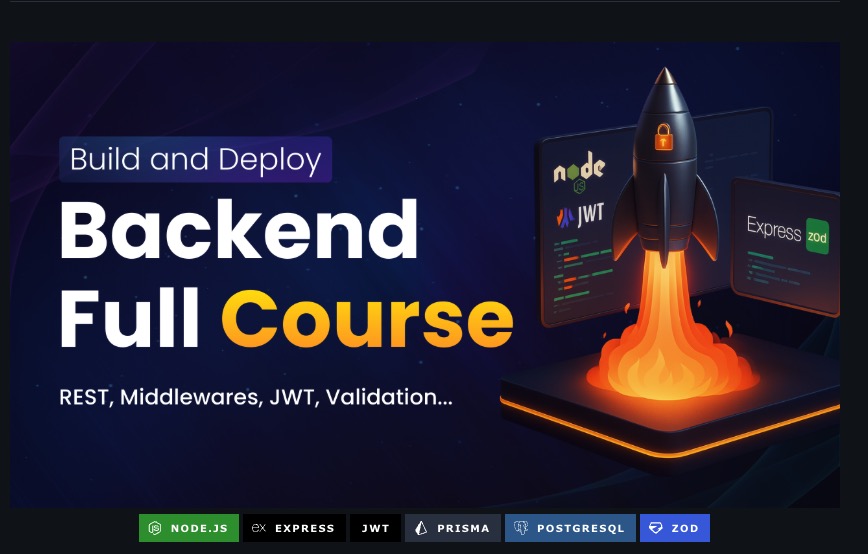
Build a Complete Backend API with Authentication, Movie Management & Watchlist Features
Follow the full video tutorial on YouTube
📋 Table of Contents
-
[Tech Stack](#Tech Stack)
-
[Quick Start](#Quick Start)
-
[API Endpoints](#API Endpoints)
-
[Database Schema](#Database Schema)
-
[Course & Channel](#Course & Channel)
🚀 Introduction
In this comprehensive backend course, you'll learn how to build a complete RESTful API from scratch using Node.js , Express.js, and modern backend development practices. This video walks you through building:
-
User Authentication System - Secure registration, login, and JWT-based authentication
-
Movie Management API - Full CRUD operations for movie data
-
Watchlist Feature - Personal watchlist with status tracking and ratings
Perfect for developers looking to master backend development, learn API design, implement authentication, work with databases using Prisma ORM, and build production-ready backend applications.
🎥 Watch the full tutorial : YouTube
⚙️ Tech Stack
-
Node.js -- JavaScript runtime for server-side development
-
Express.js -- Fast, minimalist web framework for Node.js
-
JWT (JSON Web Tokens) -- Secure authentication and authorization
-
Prisma -- Next-generation ORM for database management
-
PostgreSQL -- Powerful, open-source relational database
-
Zod -- TypeScript-first schema validation library
-
bcryptjs -- Password hashing for secure user authentication
-
dotenv -- Environment variable management
⚡️ Features
🔐 Authentication System
-
📝 User Registration - Secure user signup with email validation
-
🔑 User Login - JWT-based authentication with token generation
-
🚪 User Logout - Token invalidation and session management
-
🔒 Password Hashing - Secure password storage using bcryptjs
-
🛡️ Protected Routes - Middleware-based route protection
🎬 Movie Management
-
📋 CRUD Operations - Create, read, update, and delete movies
-
🎯 Movie Details - Store title, overview, release year, genres, runtime, and poster URLs
-
👤 User Association - Track which user created each movie
-
🔍 Query Support - Filter and search movie data
📺 Watchlist System
-
➕ Add to Watchlist - Save movies to personal watchlist
-
📊 Status Tracking - Track watch status (Planned, Watching, Completed, Dropped)
-
⭐ Rating System - Rate movies with optional notes
-
🗑️ Remove Items - Delete movies from watchlist
-
✏️ Update Items - Modify watchlist item status and ratings
🛠️ Additional Features
-
✅ Request Validation - Zod schema validation for all endpoints
-
🚨 Error Handling - Centralized error handling middleware
-
🔐 JWT Middleware - Automatic token verification for protected routes
-
🗄️ Database Migrations - Prisma migrations for schema management
-
🌱 Database Seeding - Seed script for initial data
👌 Quick Start
Prerequisites
-
Node.js (v18 or higher)
-
PostgreSQL (v14 or higher)
⚠️ Upgrading This Project to Prisma ORM v7
Prisma ORM v7 introduces breaking changes that affect how this backend project works.
If you want to use Prisma v7 instead of v6 (used in the original tutorial), you must apply all changes below.
🔧 1. Install Prisma v7 Packages
bash
npm install @prisma/client@7
npm install -D prisma@7
npm install @prisma/adapter-pg dotenv
🔧 2. Enable ESM in package.json (Required)
Prisma v7 is ESM-only.
json
{
  "type": "module"
}
🔧 3. Update Your Prisma Schema
Replace the old generator:
prisma
generator client {
  provider = "prisma-client-js"
  engineType = "binary"
}
With the new v7 version:
prisma
generator client {
  provider = "prisma-client"
}
🔧 4. Create prisma.config.ts (Required in v7)
Create this file at the project root:
ts
import 'dotenv/config'
import { defineConfig, env } from 'prisma/config'

export default defineConfig({
  schema: 'prisma/schema.prisma',
  migrations: {
    path: 'prisma/migrations',
    seed: 'tsx prisma/seed.ts',
  },
  datasource: {
    url: env('DATABASE_URL'),
  },
})
Prisma v7 no longer reads connection URLs from the schema.
🔧 5. Update Prisma Client Instantiation
Old (v4--v6):
js
import { PrismaClient } from '@prisma/client';
export const prisma = new PrismaClient();
New (Prisma v7):
js
import { PrismaClient } from './generated/prisma/client.js';
import { PrismaPg } from '@prisma/adapter-pg';

const adapter = new PrismaPg({
  connectionString: process.env.DATABASE_URL
});

export const prisma = new PrismaClient({ adapter });
This is required across your project wherever Prisma Client is created.
🔧 6. Load .env Manually
Prisma v7 does not automatically load .env.
Install dotenv:
bash
npm install dotenvAdd to your entry file (e.g., server.js):
js
import "dotenv/config";🔧 7. Update Node.js Version
| Requirement | Recommended |
|---|---|
| Node 20.19.0+ | Node 22.x |
Prisma v7 will not run on older Node versions.
🔧 8. Removed APIs You Might Be Using
❌ prisma.$use() middleware
→ Replace with client extensions:
js
const prisma = new PrismaClient().$extends({
  query: {
    user: {
      async findMany({ args, query }) {
        return query(args);
      }
    }
  }
});
❌ Metrics API removed
If you used $metrics, it no longer exists.
✔️ Summary of Required Changes
| Change | Required |
|---|---|
| Update dependencies | ✅ |
| ESM mode | ✅ |
| New Prisma generator | ✅ |
| Add driver adapter | ✅ |
Create prisma.config.ts |
✅ |
Load .env manually |
✅ |
| Update client instantiation | ✅ |
| Replace middleware (if used) | As needed |
| Update Node version | Yes |
Installation
- Clone the repository
bash
git clone https://github.com/yourusername/backend-course.git
cd backend-course- Install dependencies
bash
npm install- Set up environment variables
Create a .env file in the root directory:
env
DATABASE_URL="postgresql://username:password@localhost:5432/database_name"
JWT_SECRET="your-super-secret-jwt-key"
PORT=5001- Set up the database
bash
# Run Prisma migrations
npx prisma migrate dev

# (Optional) Seed the database with sample data
npm run seed:movies- Start the development server
bash
npm run devThe API will be available at: http://localhost:5001
🔌 API Endpoints
Authentication Routes
POST /auth/register- Register a new userPOST /auth/login- Login and receive JWT tokenPOST /auth/logout- Logout (invalidate token)
Movie Routes
GET /movies- Get all moviesPOST /movies- Create a new moviePUT /movies/:id- Update a movieDELETE /movies/:id- Delete a movie
Watchlist Routes (Protected)
POST /watchlist- Add movie to watchlistPUT /watchlist/:id- Update watchlist itemDELETE /watchlist/:id- Remove movie from watchlist
🗄️ Database Schema
User Model
id- Unique identifier (UUID)name- User's full nameemail- Unique email addresspassword- Hashed passwordcreatedAt- Account creation timestamp
Movie Model
id- Unique identifier (UUID)title- Movie titleoverview- Movie descriptionreleaseYear- Year of releasegenres- Array of genre stringsruntime- Movie duration in minutesposterUrl- URL to movie poster imagecreatedBy- User ID of creatorcreatedAt- Creation timestamp
WatchlistItem Model
id- Unique identifier (UUID)userId- Reference to UsermovieId- Reference to Moviestatus- Watch status (PLANNED, WATCHING, COMPLETED, DROPPED)rating- Optional rating (1-10)notes- Optional personal notescreatedAt- Creation timestampupdatedAt- Last update timestamp
☁️ Deployment
Deploy on Railway
-
Push your code to GitHub
-
Go to railway.app
-
Create a new project and import your repository
-
Add PostgreSQL service
-
Set environment variables:
DATABASE_URL(automatically provided by Railway)JWT_SECRET(generate a secure random string)PORT(Railway will set this automatically)
-
Deploy your application
Your API will be live on a custom Railway subdomain!
Alternative Deployment Options
-
Render - Full-stack deployment with PostgreSQL
-
Heroku - Platform-as-a-service deployment
-
DigitalOcean App Platform - Simple app deployment
-
AWS - Enterprise-grade cloud hosting
🎓 Course & Channel
Learn More with Pedro Technologies
-
🌐 Course Website : www.webdevultra.com
-
📺 YouTube Channel : @pedrotechnologies
Follow along for more backend tutorials, full-stack development, and practical coding projects!
🔗 Useful Links
-
JWT.io - JWT token decoder and debugger
📝 License
This project is open source and available under the MIT License.
注意事项
运行后台程序
-
从Github仓库中下载源代码
先git clone https://github.com/machadop1407/NodeJS-ExpressJS-BackendCourse.git下载源代码git clone https://github.com/machadop1407/NodeJS-ExpressJS-BackendCourse.git
可以看到对应的package.json文件如下所示:
javascript
{
  "name": "backend-course",
  "version": "1.0.0",
  "description": "",
  "main": "index.js",
  "scripts": {
    "test": "echo \"Error: no test specified\" && exit 1",
    "dev": "nodemon src/server.js",
    "seed:movies": "node prisma/seed.js"
  },
  "keywords": [],
  "author": "",
  "license": "ISC",
  "type": "module",
  "dependencies": {
    "@prisma/client": "^6.19.0",
    "bcryptjs": "^3.0.3",
    "dotenv": "^17.2.3",
    "express": "^5.1.0",
    "jsonwebtoken": "^9.0.2",
    "zod": "^4.1.12"
  },
  "devDependencies": {
    "nodemon": "^3.1.11",
    "prisma": "^6.19.0"
  }
}-
cd NodeJS-ExpressJS-BackendCourse 即进入到代码根目录,执行
npm install安装相关依赖比如express、bcryptjs、dotenv、jsonwebtoken、zod、@prisma/client等 -
创建环境变量
在代码根目录首先创建一个.env的文件,内容如下:
env
DATABASE_URL="postgresql://username:password@localhost:5432/database_name"
JWT_SECRET="your-super-secret-jwt-key"
PORT=5001
这里的数据库URL地址需要根据自己实际的用户名和密码,还有数据库名称进行对应配置
JWT密钥可以根据需要自行设置,端口号也可以自行更改
- 启动数据库
bash
# Run Prisma migrations
npx prisma migrate dev

# (Optional) Seed the database with sample data
npm run seed:movies- 启动开发环境
bash
npm run devHttp Server服务器运行地址:http://localhost:5001