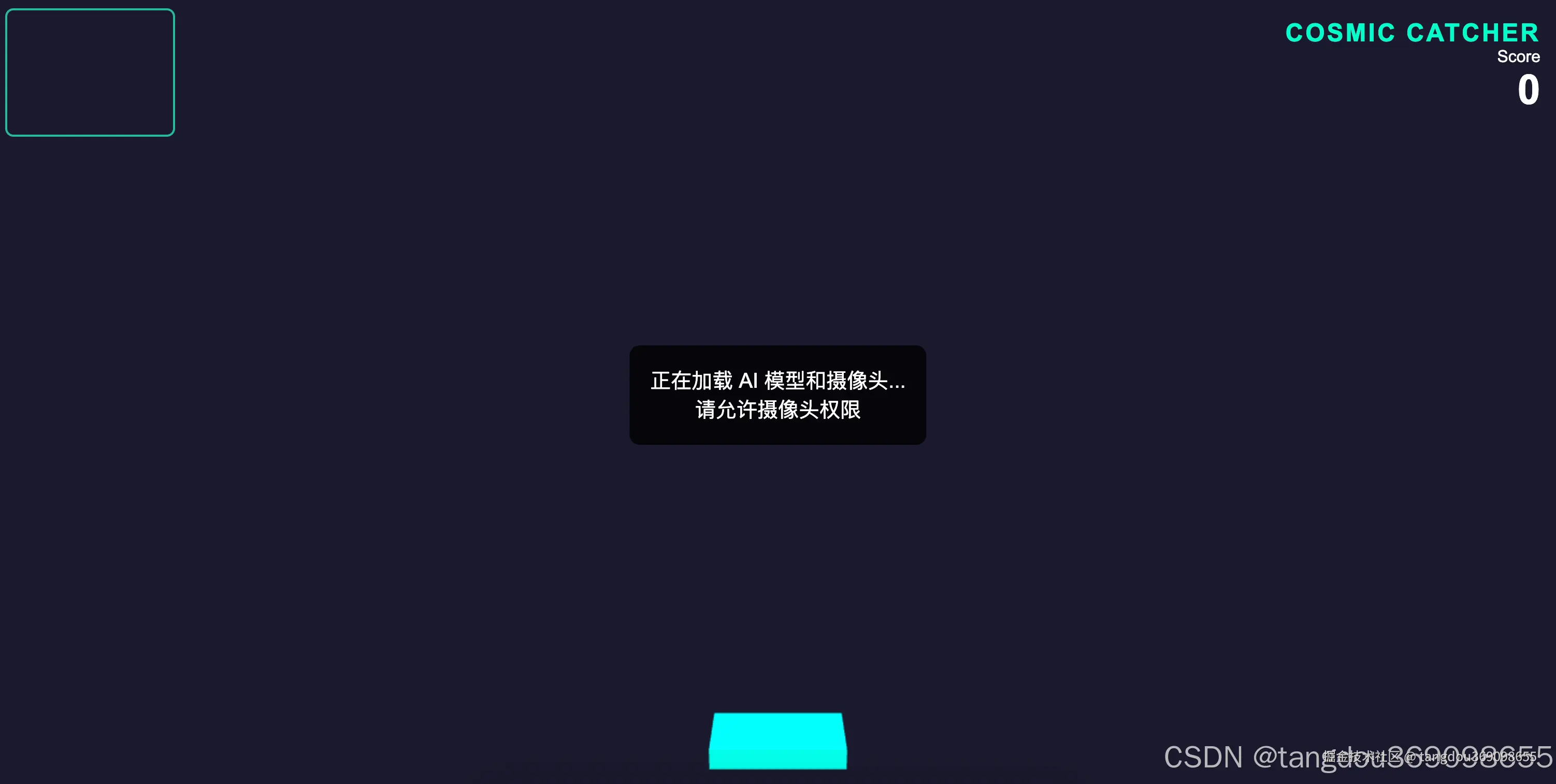
周末的深夜,睡不着觉,闲来无事,打开Gemini哈基米玩一把,废话不多说,先上图看最终效果~
碎碎念:我很想上传视频,但是好像有的博客不支持,这里先放个图片
视频地址:www.bilibili.com/video/BV1Pt...
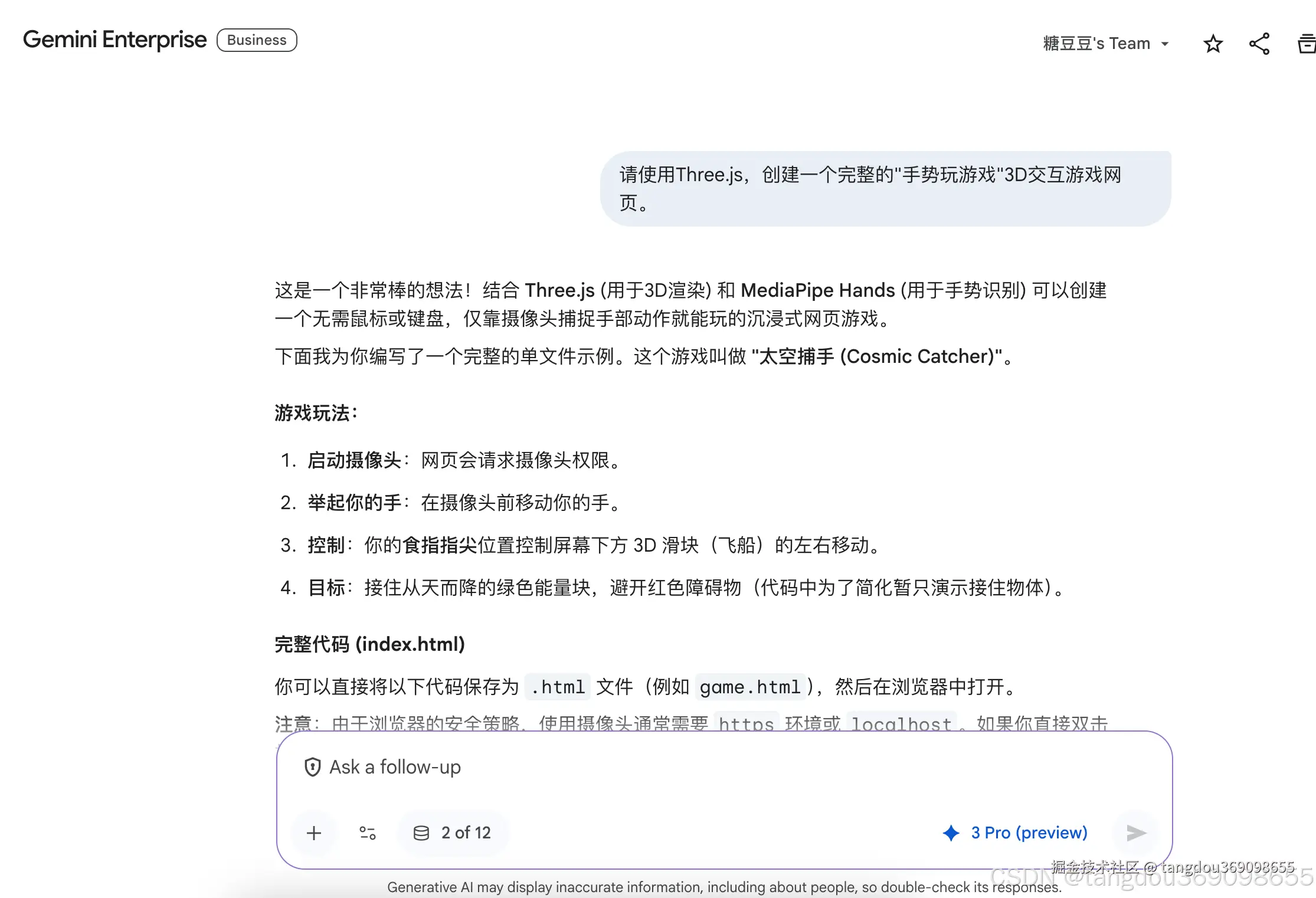
💖 提示词
arduino
请使用Three.js,创建一个完整的"手势玩游戏"3D交互游戏网页。📚 项目代码(项目剖析和简介都在下面哦)
xml
<!DOCTYPE html>
<html lang="zh">
<head>
    <meta charset="UTF-8">
    <title>Three.js 手势控制游戏 - 太空捕手</title>
    <style>
        body { margin: 0; overflow: hidden; background-color: #000; font-family: 'Arial', sans-serif; }
        #canvas-container { width: 100%; height: 100vh; display: block; }
        #video-container {
            position: absolute;
            top: 10px;
            left: 10px;
            width: 160px;
            height: 120px;
            z-index: 100;
            border: 2px solid #00ffcc;
            border-radius: 8px;
            overflow: hidden;
            opacity: 0.7;
        }
        #input-video {
            width: 100%;
            height: 100%;
            transform: scaleX(-1); /* 镜像翻转,让操作更直观 */
            object-fit: cover;
        }
        #ui-layer {
            position: absolute;
            top: 20px;
            right: 20px;
            color: #fff;
            text-align: right;
            pointer-events: none;
        }
        h1 { margin: 0; font-size: 24px; text-transform: uppercase; letter-spacing: 2px; color: #00ffcc; }
        #score-board { font-size: 40px; font-weight: bold; }
        #loading {
            position: absolute;
            top: 50%; left: 50%;
            transform: translate(-50%, -50%);
            color: white;
            font-size: 20px;
            background: rgba(0,0,0,0.8);
            padding: 20px;
            border-radius: 10px;
            text-align: center;
        }
    </style>

    <!-- 引入 Three.js -->
    <script src="https://cdnjs.cloudflare.com/ajax/libs/three.js/r128/three.min.js"></script>
    <!-- 引入 MediaPipe Hands -->
    <script src="https://cdn.jsdelivr.net/npm/@mediapipe/camera_utils/camera_utils.js" crossorigin="anonymous"></script>
    <script src="https://cdn.jsdelivr.net/npm/@mediapipe/control_utils/control_utils.js" crossorigin="anonymous"></script>
    <script src="https://cdn.jsdelivr.net/npm/@mediapipe/drawing_utils/drawing_utils.js" crossorigin="anonymous"></script>
    <script src="https://cdn.jsdelivr.net/npm/@mediapipe/hands/hands.js" crossorigin="anonymous"></script>
</head>
<body>

    <!-- 3D 场景容器 -->
    <div id="canvas-container"></div>

    <!-- 摄像头预览 (用于确认手势) -->
    <div id="video-container">
        <video id="input-video"></video>
    </div>

    <!-- UI 界面 -->
    <div id="ui-layer">
        <h1>Cosmic Catcher</h1>
        <div>Score</div>
        <div id="score-board">0</div>
    </div>

    <div id="loading">正在加载 AI 模型和摄像头...<br>请允许摄像头权限</div>

    <script>
        // --- 游戏状态 ---
        let score = 0;
        let gameRunning = false;
        const sceneWidth = 20; // 游戏世界的宽度范围
        const playerY = -8;

        // --- 1. Three.js 场景设置 ---
        const scene = new THREE.Scene();
        scene.background = new THREE.Color(0x1a1a2e);
        // 添加一些迷雾增加深邃感
        scene.fog = new THREE.FogExp2(0x1a1a2e, 0.03);

        const camera = new THREE.PerspectiveCamera(75, window.innerWidth / window.innerHeight, 0.1, 1000);
        camera.position.z = 10;
        camera.position.y = 2;
        camera.lookAt(0, 0, 0);

        const renderer = new THREE.WebGLRenderer({ antialias: true });
        renderer.setSize(window.innerWidth, window.innerHeight);
        document.getElementById('canvas-container').appendChild(renderer.domElement);

        // 灯光
        const ambientLight = new THREE.AmbientLight(0xffffff, 0.5);
        scene.add(ambientLight);

        const dirLight = new THREE.DirectionalLight(0xffffff, 0.8);
        dirLight.position.set(5, 10, 7);
        scene.add(dirLight);

        // --- 2. 创建游戏对象 ---

        // 玩家 (滑块)
        const playerGeometry = new THREE.BoxGeometry(3, 0.5, 1);
        const playerMaterial = new THREE.MeshPhongMaterial({ color: 0x00ffcc, emissive: 0x004444 });
        const player = new THREE.Mesh(playerGeometry, playerMaterial);
        player.position.y = playerY;
        scene.add(player);

        // 掉落物管理器
        const fallingObjects = [];
        const objectGeometry = new THREE.IcosahedronGeometry(0.6, 0);
        const objectMaterial = new THREE.MeshPhongMaterial({ color: 0xff0055, shininess: 100 });

        function spawnObject() {
            if (!gameRunning) return;
            const obj = new THREE.Mesh(objectGeometry, objectMaterial.clone());
            // 随机颜色
            obj.material.color.setHSL(Math.random(), 1.0, 0.5);

            // 随机 X 位置
            obj.position.x = (Math.random() - 0.5) * sceneWidth;
            obj.position.y = 10; // 从上方掉落
            obj.position.z = 0;

            // 随机旋转速度
            obj.userData = {
                rotSpeed: {
                    x: Math.random() * 0.1,
                    y: Math.random() * 0.1
                },
                speed: 0.1 + Math.random() * 0.1 // 掉落速度
            };

            scene.add(obj);
            fallingObjects.push(obj);
        }

        // --- 3. MediaPipe Hands 设置 (手势识别) ---
        const videoElement = document.getElementById('input-video');
        const loadingElement = document.getElementById('loading');

        // 映射函数:将视频中的坐标 (0-1) 映射到 3D 场景坐标 (-10 到 10)
        function mapRange(value, inMin, inMax, outMin, outMax) {
            return (value - inMin) * (outMax - outMin) / (inMax - inMin) + outMin;
        }

        function onResults(results) {
            loadingElement.style.display = 'none';
            if (!gameRunning) gameRunning = true;

            if (results.multiHandLandmarks && results.multiHandLandmarks.length > 0) {
                // 获取第一只手
                const landmarks = results.multiHandLandmarks[0];

                // 获取食指指尖 (索引为 8)
                const indexFingerTip = landmarks[8];

                // MediaPipe 的 x 坐标是 0(左) 到 1(右)。
                // 注意:我们在 CSS 里镜像翻转了视频,但数据本身没有翻转。
                // 在游戏里,为了直观,如果你向右移手,我们希望 x 变大。
                // 原生数据:屏幕左边是0,右边是1。
                // 映射到 3D 场景:x 从 -10 到 10。

                // 平滑移动 (Lerp) 以减少抖动
                const targetX = mapRange(1 - indexFingerTip.x, 0, 1, -sceneWidth/2, sceneWidth/2); // 1-x 因为自拍模式通常是镜像
                player.position.x += (targetX - player.position.x) * 0.2;
            }
        }

        const hands = new Hands({locateFile: (file) => {
            return `https://cdn.jsdelivr.net/npm/@mediapipe/hands/${file}`;
        }});

        hands.setOptions({
            maxNumHands: 1,
            modelComplexity: 1,
            minDetectionConfidence: 0.5,
            minTrackingConfidence: 0.5
        });
        hands.onResults(onResults);

        const cameraUtils = new Camera(videoElement, {
            onFrame: async () => {
                await hands.send({image: videoElement});
            },
            width: 320,
            height: 240
        });
        cameraUtils.start();

        // --- 4. 游戏主循环 ---
        const scoreEl = document.getElementById('score-board');
        let frameCount = 0;

        function animate() {
            requestAnimationFrame(animate);

            if (gameRunning) {
                frameCount++;
                // 每 60 帧生成一个新物体
                if (frameCount % 60 === 0) {
                    spawnObject();
                }

                // 更新掉落物
                for (let i = fallingObjects.length - 1; i >= 0; i--) {
                    const obj = fallingObjects[i];
                    obj.position.y -= obj.userData.speed;
                    obj.rotation.x += obj.userData.rotSpeed.x;
                    obj.rotation.y += obj.userData.rotSpeed.y;

                    // 碰撞检测 (简单的 AABB 或 距离检测)
                    // 检查 Y 轴高度是否到达玩家高度
                    if (obj.position.y < playerY + 1 && obj.position.y > playerY - 1) {
                        // 检查 X 轴距离
                        if (Math.abs(obj.position.x - player.position.x) < 2.0) {
                            // 接住了!
                            score += 10;
                            scoreEl.innerText = score;

                            // 特效:玩家发光一下
                            player.material.emissive.setHex(0xffffff);
                            setTimeout(() => player.material.emissive.setHex(0x004444), 100);

                            // 移除物体
                            scene.remove(obj);
                            fallingObjects.splice(i, 1);
                            continue;
                        }
                    }

                    // 掉出屏幕
                    if (obj.position.y < -10) {
                        scene.remove(obj);
                        fallingObjects.splice(i, 1);
                    }
                }
            }

            renderer.render(scene, camera);
        }

        // 窗口大小调整适配
        window.addEventListener('resize', () => {
            camera.aspect = window.innerWidth / window.innerHeight;
            camera.updateProjectionMatrix();
            renderer.setSize(window.innerWidth, window.innerHeight);
        });

        animate();

    </script>
</body>
</html>
🌟 项目简介 | Project Introduction
这是一个基于 Three.js 和 MediaPipe Hands 构建的前端交互式游戏项目。通过摄像头捕捉你的手势,你可以直接用食指控制屏幕上的太空飞船,接住从天而降的能量球来得分。整个游戏过程无需任何物理控制器,只需要你的手就可以完成所有操作,带来前所未有的沉浸式体验!🚀
📌 前提条件 | Prerequisites
- 现代浏览器: Chrome/Firefox/Safari 最新版
- 摄像头设备: 内置或外接摄像头
- 基础 HTML/CSS/JS 知识: 有助于理解代码结构
🚀 核心技术栈 | Core Technologies
| 技术 | 用途 | 链接 |
|---|---|---|
| Three.js | WebGL 3D 渲染引擎 | threejs.org |
| MediaPipe | 手部关键点识别 | mediapipe.dev |
| HTML5 Canvas | 3D场景渲染容器 | - |
👐 手势控制原理 | Hand Control Principle
通过 MediaPipe 获取手部 21 个关键点坐标,我们重点关注食指指尖(索引8)的位置信息,将其映射到3D场景坐标系中,实现精准控制。
- 食指指尖(Index Finger Tip): 索引 8
- 坐标映射: 将摄像头画面坐标(0-1)映射到游戏世界坐标(-10至10)
🧩 核心代码片段 | Core Code Snippets
1. 游戏场景初始化 | Scene Initialization
javascript
const scene = new THREE.Scene();
scene.background = new THREE.Color(0x1a1a2e);
// 添加一些迷雾增加深邃感
scene.fog = new THREE.FogExp2(0x1a1a2e, 0.03);

const camera = new THREE.PerspectiveCamera(75, window.innerWidth / window.innerHeight, 0.1, 1000);
camera.position.z = 10;
camera.position.y = 2;
camera.lookAt(0, 0, 0);
2. 手势识别配置 | Hand Detection Configuration
javascript
const hands = new Hands({locateFile: (file) => {
    return `https://cdn.jsdelivr.net/npm/@mediapipe/hands/${file}`;
}});

hands.setOptions({
    maxNumHands: 1,
    modelComplexity: 1,
    minDetectionConfidence: 0.5,
    minTrackingConfidence: 0.5
});
hands.onResults(onResults);
3. 手势控制逻辑 | Hand Control Logic
javascript
function onResults(results) {
    loadingElement.style.display = 'none';
    if (!gameRunning) gameRunning = true;

    if (results.multiHandLandmarks && results.multiHandLandmarks.length > 0) {
        // 获取第一只手
        const landmarks = results.multiHandLandmarks[0];

        // 获取食指指尖 (索引为 8)
        const indexFingerTip = landmarks[8];

        // MediaPipe 的 x 坐标是 0(左) 到 1(右)。
        // 注意:我们在 CSS 里镜像翻转了视频,但数据本身没有翻转。
        // 在游戏里,为了直观,如果你向右移手,我们希望 x 变大。
        // 原生数据:屏幕左边是0,右边是1。
        // 映射到 3D 场景:x 从 -10 到 10。

        // 平滑移动 (Lerp) 以减少抖动
        const targetX = mapRange(1 - indexFingerTip.x, 0, 1, -sceneWidth/2, sceneWidth/2); // 1-x 因为自拍模式通常是镜像
        player.position.x += (targetX - player.position.x) * 0.2;
    }
}
4. 游戏主循环 | Main Game Loop
javascript
function animate() {
    requestAnimationFrame(animate);

    if (gameRunning) {
        frameCount++;
        // 每 60 帧生成一个新物体
        if (frameCount % 60 === 0) {
            spawnObject();
        }

        // 更新掉落物
        for (let i = fallingObjects.length - 1; i >= 0; i--) {
            const obj = fallingObjects[i];
            obj.position.y -= obj.userData.speed;
            obj.rotation.x += obj.userData.rotSpeed.x;
            obj.rotation.y += obj.userData.rotSpeed.y;

            // 碰撞检测 (简单的 AABB 或 距离检测)
            // 检查 Y 轴高度是否到达玩家高度
            if (obj.position.y < playerY + 1 && obj.position.y > playerY - 1) {
                // 检查 X 轴距离
                if (Math.abs(obj.position.x - player.position.x) < 2.0) {
                    // 接住了!
                    score += 10;
                    scoreEl.innerText = score;

                    // 特效:玩家发光一下
                    player.material.emissive.setHex(0xffffff);
                    setTimeout(() => player.material.emissive.setHex(0x004444), 100);

                    // 移除物体
                    scene.remove(obj);
                    fallingObjects.splice(i, 1);
                    continue;
                }
            }

            // 掉出屏幕
            if (obj.position.y < -10) {
                scene.remove(obj);
                fallingObjects.splice(i, 1);
            }
        }
    }

    renderer.render(scene, camera);
}
🎮 游戏机制 | Game Mechanics
- 手势控制: 使用食指控制底部的太空飞船左右移动
- 物品收集: 接住从天而降的能量球获得分数
- 视觉反馈: 成功接住物品时飞船会发出光芒
- 实时计分: 右上角显示当前得分
🛠️ 使用指南 | Run Guide
本地运行 | Local Run
- 将代码保存为 demo02.html
- 用现代浏览器直接打开即可(需允许摄像头权限)
🔧 定制项 | Customization Options
| 项目 | 修改方法 | 效果预览 |
|---|---|---|
| 飞船颜色 | 更改 color: 0x00ffcc |
🟢 青色飞船 → 🟣 紫色飞船 |
| 掉落物样式 | 修改 IcosahedronGeometry |
🔺 正二十面体 → 🎈 球体 |
| 游戏难度 | 调整 frameCount % 60 |
🐌 慢速 → ⚡ 快速 |
| 场景主题 | 更改 scene.background |
🌃 深蓝 → 🌌 黑色 |
🐛 常见问题 | Troubleshooting
- 摄像头无法启动?
- 检查浏览器权限设置
- 确保没有其他程序占用摄像头
- 手势识别不准确?
- 保持手部在摄像头清晰可见范围内
- 调整环境光线避免过暗或过曝
- 游戏运行卡顿?
- 降低掉落物生成频率
- 关闭其他占用资源的程序
📚 扩展学习资源 | Extended Resources
Conclusion | 结语
-
That's all for today~ - | 今天就写到这里啦~
-
Guys, ( ̄ω ̄( ̄ω ̄〃 ( ̄ω ̄〃)ゝ See you tomorrow~~ | 小伙伴们,( ̄ω ̄( ̄ω ̄〃 ( ̄ω ̄〃)ゝ我们明天再见啦~~
-
Everyone, be happy every day! 大家要天天开心哦
-
Welcome everyone to point out any mistakes in the article~ | 欢迎大家指出文章需要改正之处~
-
Learning has no end; win-win cooperation | 学无止境,合作共赢
-
Welcome all the passers-by, boys and girls, to offer better suggestions! ~~~ | 欢迎路过的小哥哥小姐姐们提出更好的意见哇~~