包装类
html
<!DOCTYPE html>
<html lang="zh-CN">

<head>
    <meta charset="UTF-8">
    <meta name="viewport" content="width=device-width, initial-scale=1.0">
</head>

<body>
    <script>

        //基本数据类型:

        //String Numnber Boolean Null Undefined

        //引用数据类型:

        //Object

        //在JS中为我们提供了三个包装类,通过这是三个包装类科银酱基本数据类型转换为对象

        //String()
        var str = new String("hello");
        console.log(str);

        //可以将基本类型的字符串转换为String对象
        //Number()
        var num = new Number(3);
        var num2=new Number(3);
        console.log(num);
        console.log(num==num2);
        //可以将基本数据类型的数字转换为Number对象
        //Boolean()
        var bool = new Boolean(true);
        console.log(typeof bool);

        //可以将基本数据类型的布尔值转换为Boolean对象


    </script>
</body>

</html>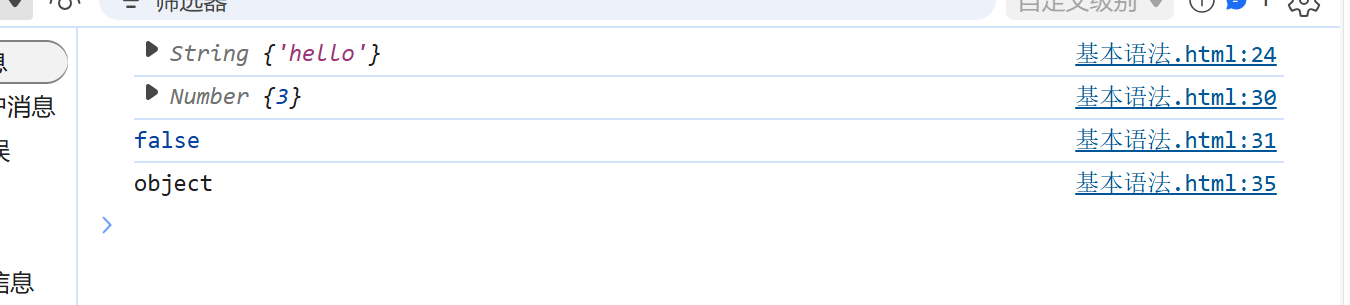
字符串的方法
在底层字符串是以字符数组的形式保存的
可以通过索引获取某个字符
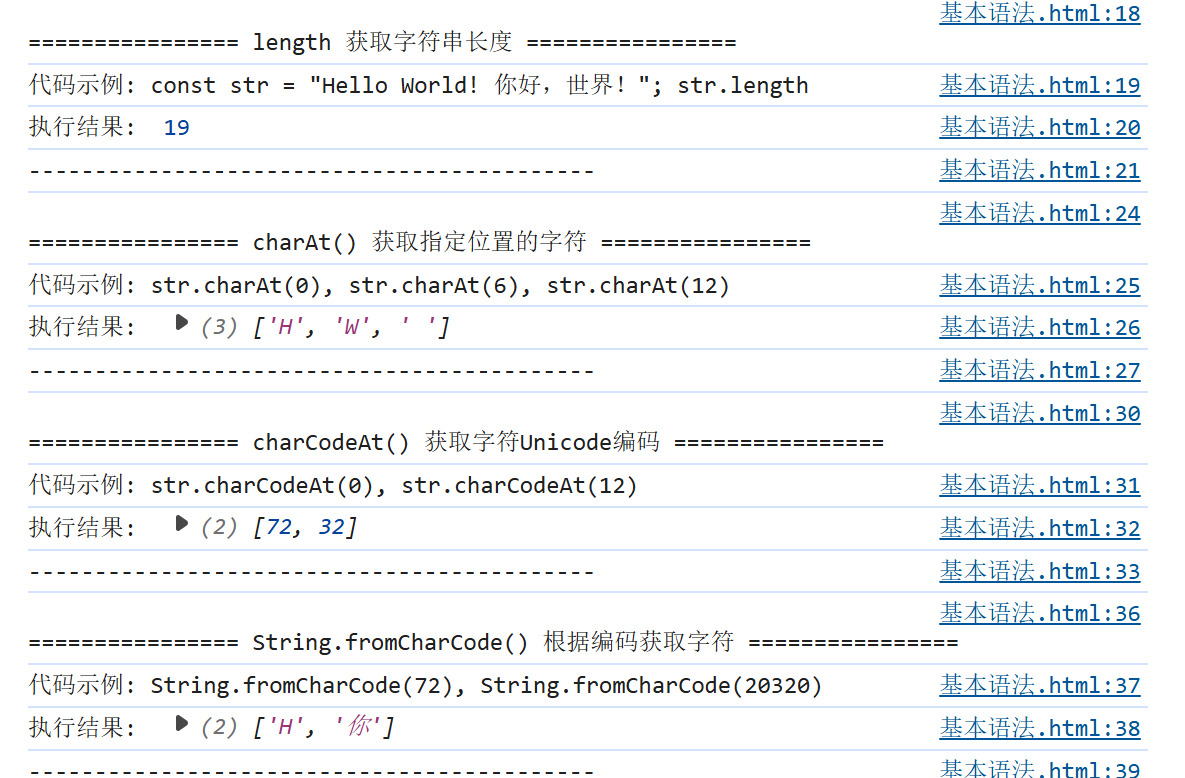
length 获取字符串长度
charAt() 可以返回字符串中指定位置的字符
charCodeAt() 返回字符串中指定位置的字符的Unicode编码
String.fromCharCode() 可以根据字符编码去获取字符
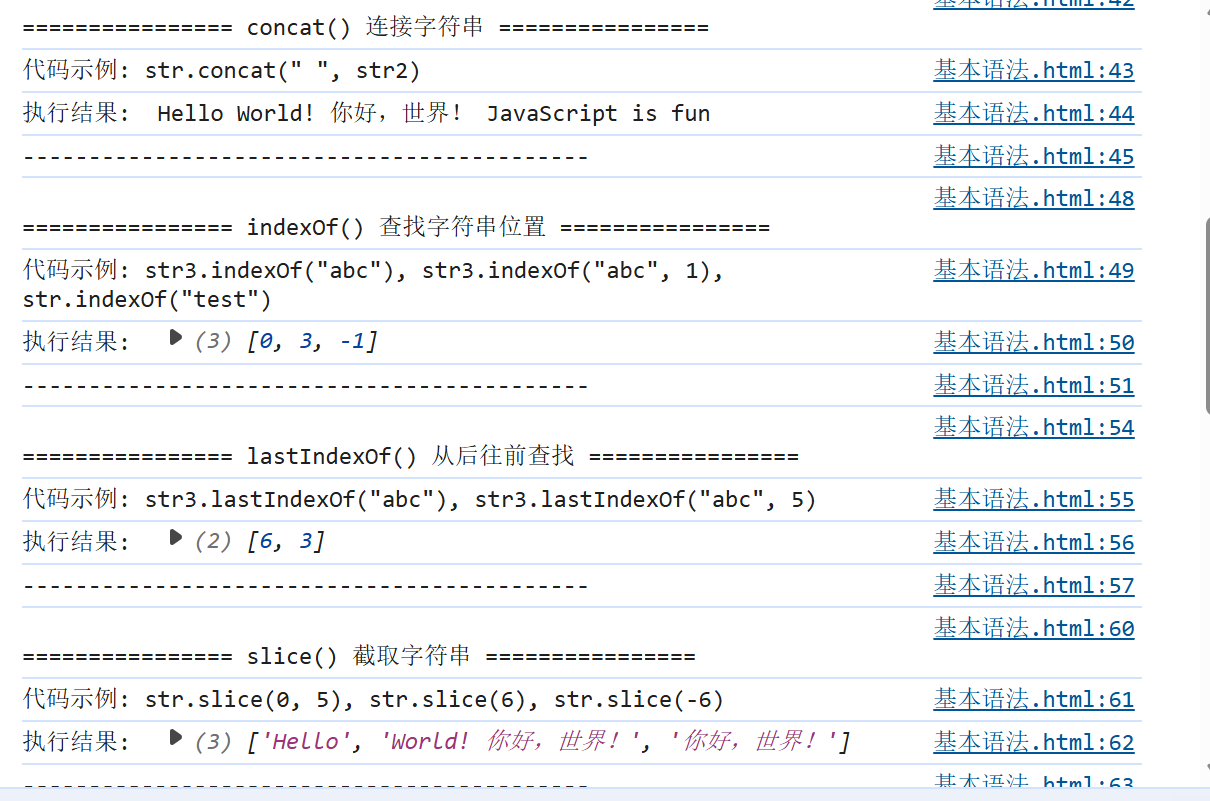
concat() 可以用来连接两个或多个字符串
作用和+一样
indexOf() 该方法可以检索一个字符串中是否含有指定内容
如果字符串中含有该内容,则会返回其第一次出现的索引
如果没有找到指定的内容,则会返回-1
可以指定第二个参数,指定开始查找的位置
lastIndexOf() 该方法的用法和indexOf()一样
不同的是indexOf是从前往后找
而lastIndexOf()是从后往前找
slice() 可以从字符串中截取指定的内容
不会影响原字符串,而是将截取到的内容返回
参数:
第一个:开始位置的索引(包括开始位置)
第二个:结束位置的索引(不包括结束位置)
如果省略第二个参数,则会截取到后边所有的元素
也可以传递一个负数作为参数,负数的话则从后边开始计算
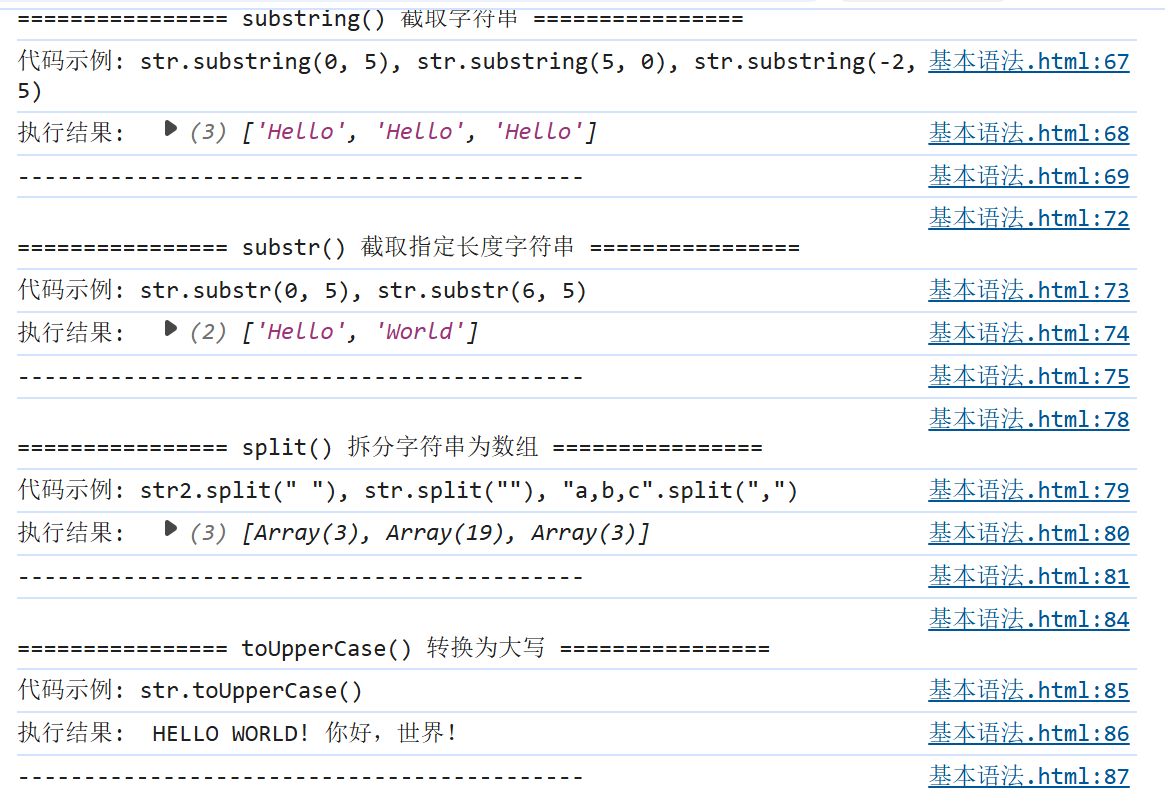
substring() 可以用来截取一个字符串,和slice()类似
参数:
第一个:开始截取位置的索引(包括开始位置)
第二个:结束位置的索引(不包括结束位置)
不同的是substring不接受负值作为参数
如果传递了一个负值,则默认使用0
而且它还自动调整参数的位置,如果第二个参数小于第一个,则自动交换
substr() 用来截取字符串
参数:
1.截取开始位置的索引
2.截取的长度
split() 可以将一个字符串拆分为一个数组
参数:
需要一个字符串作为参数,根据该字符串去拆分数组
如果传递一个空串作为参数,则会将每个字符都拆分为数组中的一个元素
toUpperCase() 将字符串转换为大写并返回
toLowerCase() 将一个字符串转换为小写并返回
html
<!DOCTYPE html>
<html lang="zh-CN">
<head>
    <meta charset="UTF-8">
    <meta name="viewport" content="width=device-width, initial-scale=1.0">
    <title>JavaScript字符串方法 - 原生Console输出版</title>
</head>
<body>
    <h1>请打开浏览器控制台查看输出(F12)</h1>

    <script>
        // 定义基础字符串
        const str = "Hello World! 你好,世界!";
        const str2 = "JavaScript is fun";
        const str3 = "abcabcabc";

        // 1. length - 获取字符串长度
        console.log(`\n================ length 获取字符串长度 ================`);
        console.log(`代码示例: const str = "Hello World! 你好,世界!"; str.length`);
        console.log(`执行结果: `, str.length);
        console.log(`-------------------------------------------`);

        // 2. charAt() - 获取指定位置的字符
        console.log(`\n================ charAt() 获取指定位置的字符 ================`);
        console.log(`代码示例: str.charAt(0), str.charAt(6), str.charAt(12)`);
        console.log(`执行结果: `, [str.charAt(0), str.charAt(6), str.charAt(12)]);
        console.log(`-------------------------------------------`);

        // 3. charCodeAt() - 获取指定位置字符的Unicode编码
        console.log(`\n================ charCodeAt() 获取字符Unicode编码 ================`);
        console.log(`代码示例: str.charCodeAt(0), str.charCodeAt(12)`);
        console.log(`执行结果: `, [str.charCodeAt(0), str.charCodeAt(12)]);
        console.log(`-------------------------------------------`);

        // 4. String.fromCharCode() - 根据编码获取字符
        console.log(`\n================ String.fromCharCode() 根据编码获取字符 ================`);
        console.log(`代码示例: String.fromCharCode(72), String.fromCharCode(20320)`);
        console.log(`执行结果: `, [String.fromCharCode(72), String.fromCharCode(20320)]);
        console.log(`-------------------------------------------`);

        // 5. concat() - 连接字符串
        console.log(`\n================ concat() 连接字符串 ================`);
        console.log(`代码示例: str.concat(" ", str2)`);
        console.log(`执行结果: `, str.concat(" ", str2));
        console.log(`-------------------------------------------`);

        // 6. indexOf() - 查找字符串首次出现的位置
        console.log(`\n================ indexOf() 查找字符串位置 ================`);
        console.log(`代码示例: str3.indexOf("abc"), str3.indexOf("abc", 1), str.indexOf("test")`);
        console.log(`执行结果: `, [str3.indexOf("abc"), str3.indexOf("abc", 1), str.indexOf("test")]);
        console.log(`-------------------------------------------`);

        // 7. lastIndexOf() - 从后往前查找字符串位置
        console.log(`\n================ lastIndexOf() 从后往前查找 ================`);
        console.log(`代码示例: str3.lastIndexOf("abc"), str3.lastIndexOf("abc", 5)`);
        console.log(`执行结果: `, [str3.lastIndexOf("abc"), str3.lastIndexOf("abc", 5)]);
        console.log(`-------------------------------------------`);

        // 8. slice() - 截取字符串
        console.log(`\n================ slice() 截取字符串 ================`);
        console.log(`代码示例: str.slice(0, 5), str.slice(6), str.slice(-6)`);
        console.log(`执行结果: `, [str.slice(0, 5), str.slice(6), str.slice(-6)]);
        console.log(`-------------------------------------------`);

        // 9. substring() - 截取字符串
        console.log(`\n================ substring() 截取字符串 ================`);
        console.log(`代码示例: str.substring(0, 5), str.substring(5, 0), str.substring(-2, 5)`);
        console.log(`执行结果: `, [str.substring(0, 5), str.substring(5, 0), str.substring(-2, 5)]);
        console.log(`-------------------------------------------`);

        // 10. substr() - 截取指定长度的字符串
        console.log(`\n================ substr() 截取指定长度字符串 ================`);
        console.log(`代码示例: str.substr(0, 5), str.substr(6, 5)`);
        console.log(`执行结果: `, [str.substr(0, 5), str.substr(6, 5)]);
        console.log(`-------------------------------------------`);

        // 11. split() - 将字符串拆分为数组
        console.log(`\n================ split() 拆分字符串为数组 ================`);
        console.log(`代码示例: str2.split(" "), str.split(""), "a,b,c".split(",")`);
        console.log(`执行结果: `, [str2.split(" "), str.split(""), "a,b,c".split(",")]);
        console.log(`-------------------------------------------`);

        // 12. toUpperCase() - 转换为大写
        console.log(`\n================ toUpperCase() 转换为大写 ================`);
        console.log(`代码示例: str.toUpperCase()`);
        console.log(`执行结果: `, str.toUpperCase());
        console.log(`-------------------------------------------`);

        // 13. toLowerCase() - 转换为小写
        console.log(`\n================ toLowerCase() 转换为小写 ================`);
        console.log(`代码示例: str2.toLowerCase()`);
        console.log(`执行结果: `, str2.toLowerCase());
        console.log(`-------------------------------------------`);

        // 14. 通过索引获取字符
        console.log(`\n================ 通过索引获取字符 ================`);
        console.log(`代码示例: str[0], str[6], str[12]`);
        console.log(`执行结果: `, [str[0], str[6], str[12]]);
        console.log(`-------------------------------------------`);

    </script>
</body>
</html>