我们网站中用到最多的就是文字,那么对于文字的样式设置就显得尤为重要。今天我们就来讲一些文字设置相关的css。
字体设置
<html>
    <head>
        <title>css</title>
    </head>
    <body>
        <div style="font-family: 'Times New Roman',Times, serif;">字体1</div>
        <div style="font-family:Arial,Helvetica,sans-serif;">字体2</div>
        <div style="font-style:italic">斜体</div>
        <div style="font-size: 50px;">字体大小</div>
        <div style="font-weight: bold;">粗体</div>
        <div style="font-weight: lighter;">细体</div>
        <div style="font-weight: normal;">正常大小</div>
    </body>
</html>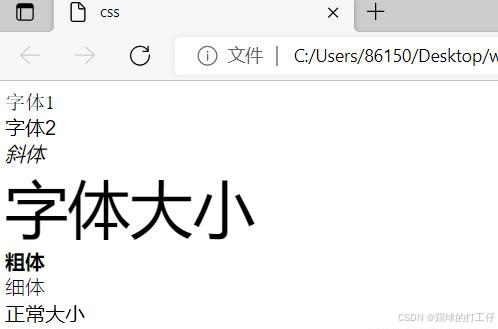
注:
font-family:用来设置字体,后面可以写多个字体,当第一个不支持的时候会使用第二个;
font-style:指定字体的样式,斜体或正常体;
font-size:设置字体的大小;
font-weight:设置字体的粗细;
颜色设置
<html>
    <head>
        <title>css</title>
    </head>
    <body>
        <div style="color: red;">颜色1</div>
        <div style="color: rgb(155,111,98);">颜色2</div>
    </body>
</html>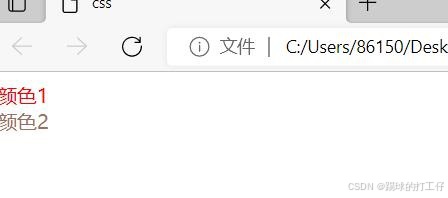
注:字体颜色使用color进行设置,后面可以写对应的颜色的英语;或者使用rgb或rgba来进行设置。
字体对齐
<html>
    <head>
        <title>css</title>
    </head>
    <body>
        <div style="text-align: left;">左对齐</div>
        <div style="text-align: center;">居中对齐</div>
        <div style="text-align: right;">右对齐</div>
    </body>
</html>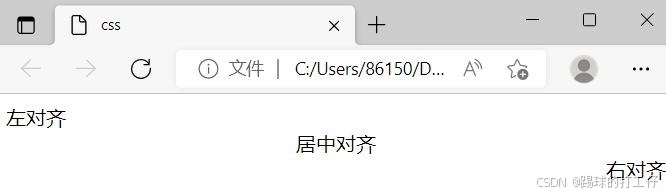
注:字体的对齐使用text-align:left;center,right来进行设置。
行高设置
<html>
    <head>
        <title>css</title>
    </head>
    <body>
        <div style="line-height: 50px;">行高1</div>
        <div style="line-height: 20px;">行高2</div>
        <div style="line-height: 5px;">行高3</div>
    </body>
</html>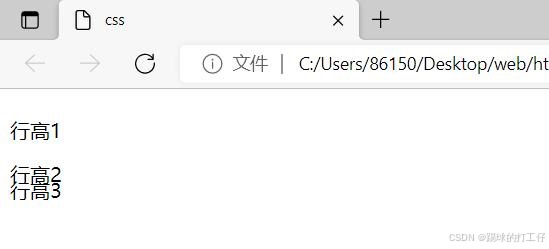
注:行高line-height用来设置文本的高度。