文章目录
- 一、鼠标经过、离开事件
-
- [1、mouseover、mouseout 事件](#1、mouseover、mouseout 事件)
- [2、mouseenter、mouseleave 事件](#2、mouseenter、mouseleave 事件)
- 二、代码示例
-
- [1、代码示例 - mouseenter、mouseleave 事件](#1、代码示例 - mouseenter、mouseleave 事件)
- [2、代码示例 - mouseover、mouseout 事件](#2、代码示例 - mouseover、mouseout 事件)
一、鼠标经过、离开事件
1、mouseover、mouseout 事件
mouseover 事件 : 鼠标指针 从 元素外部 移入元素本身 , 或 从 元素本身 移入其 子元素 时触发 , 支持 事件冒泡 ;
mouseout 事件 : 鼠标指针 从 元素本身 移出到外部 , 或 从 元素子元素 移出到 本身时触发 , 支持 事件冒泡 ;
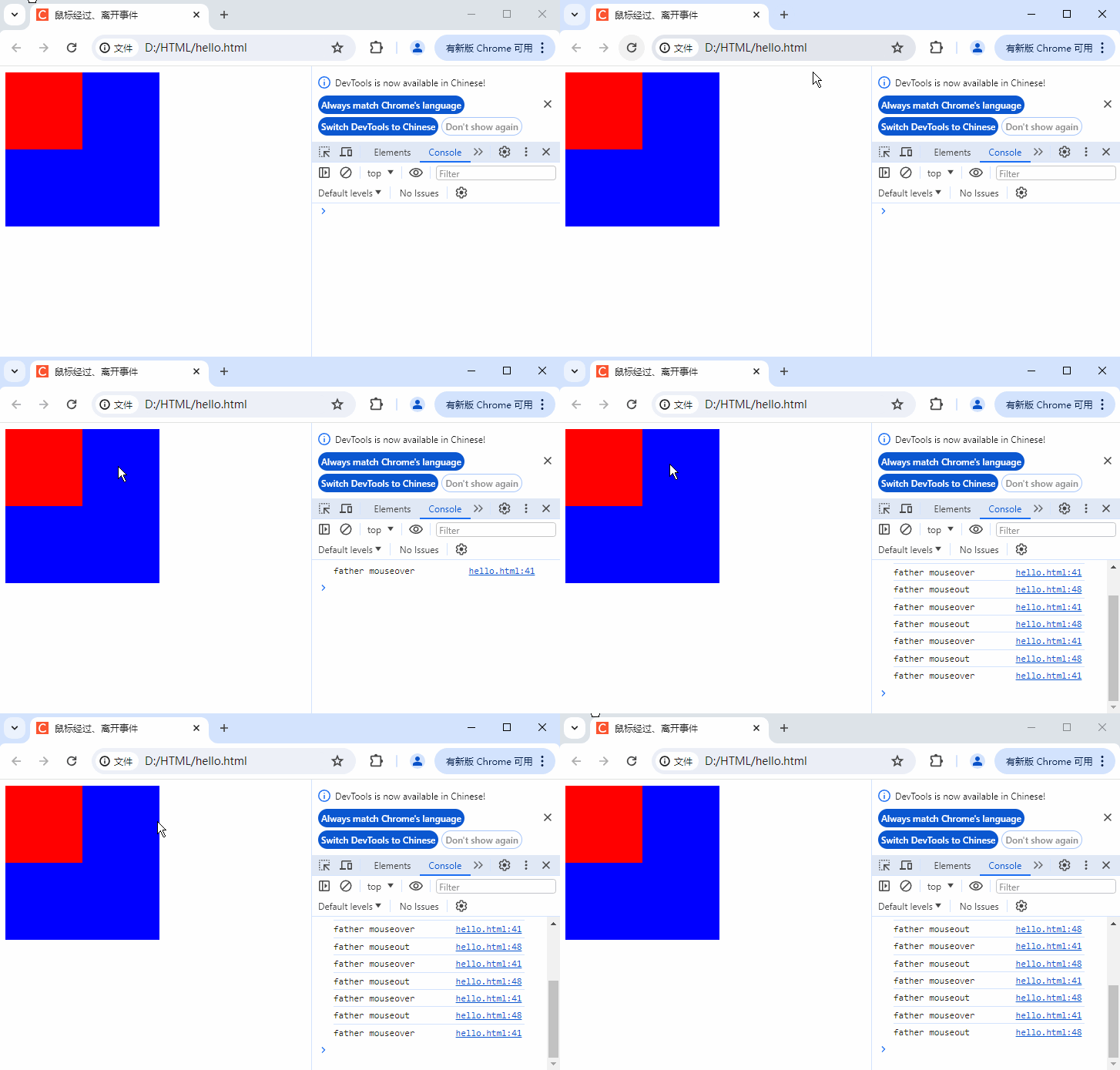
鼠标 在 元素 和 其子元素 间移动 会 频繁触发 mouseover、mouseout 事件 ;
2、mouseenter、mouseleave 事件
mouseenter 事件 : 鼠标指针 仅 从 外部 移入 元素本身 时触发 , 不支持事件冒泡 , 子元素的 鼠标移动 不会触发父元素的该事件 ;
mouseleave 事件 : 鼠标指针 仅 从元素本身移出到外部时触发 , 不支持事件冒泡 , 从子元素移回父元素不会触发 ;
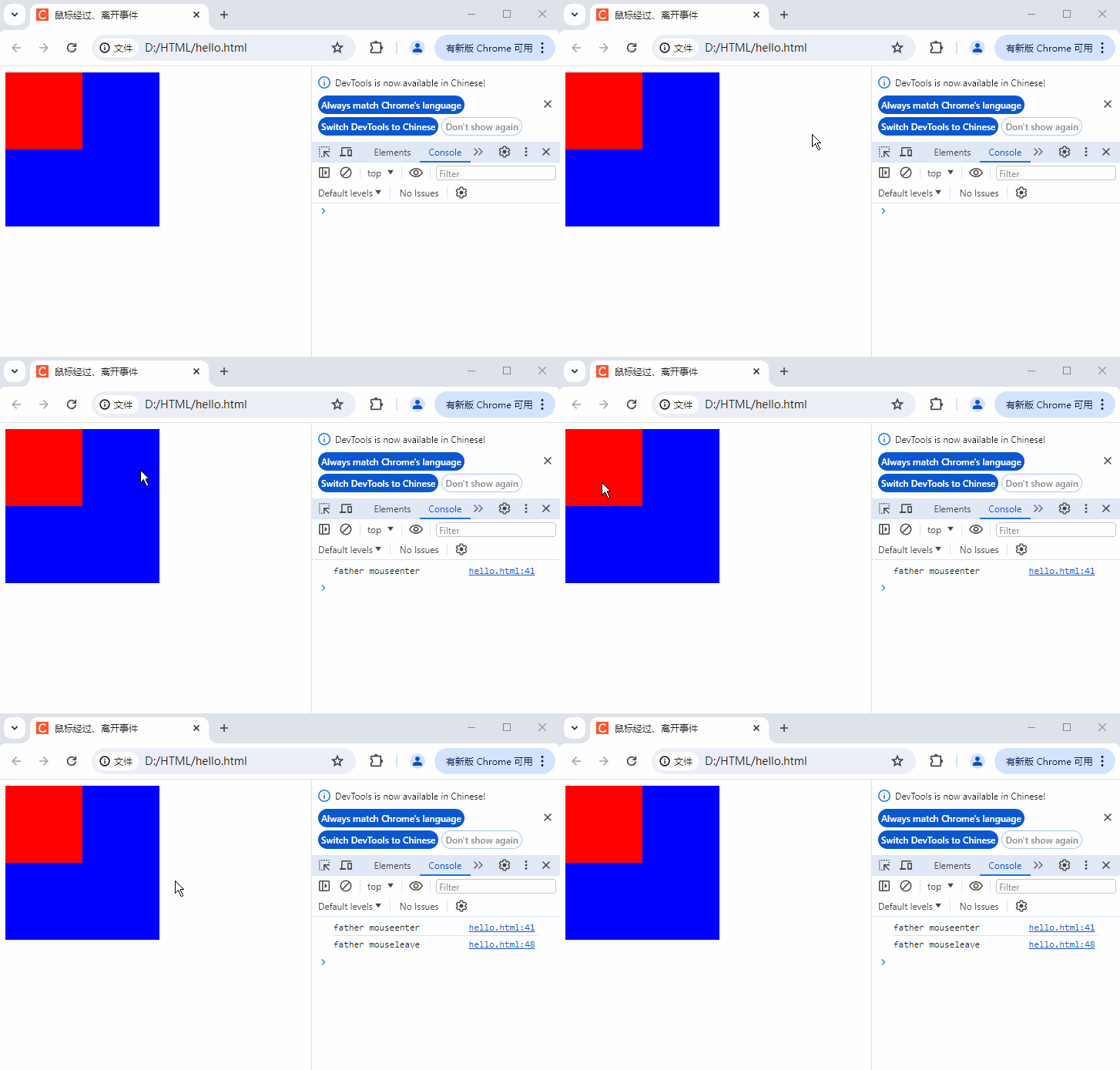
mouseenter、mouseleave 事件 只关注 元素自身 的 鼠标进出 , 触发 更精准、频率更低 ;
二、代码示例
1、代码示例 - mouseenter、mouseleave 事件
代码示例 :
html
<!DOCTYPE html>
<html lang="en">

<head>
    <meta charset="UTF-8">
    <meta name="viewport" content="width=device-width, initial-scale=1.0">
    <meta http-equiv="X-UA-Compatible" content="ie=edge">
    <title>鼠标经过、离开事件</title>
    <style>
        .father {
            width: 200px;
            height: 200px;
            background-color: blue;
        }

        .son {
            width: 100px;
            height: 100px;
            background-color: red;
        }
    </style>
</head>

<body>
    <!-- 父容器元素 : 包含子元素son,形成DOM父子层级关系 -->
    <div class="father">
        <!-- 子元素 : 嵌套在father容器内部 -->
        <div class="son"></div>
    </div>

    <script>
        // 1. 获取页面中第一个类名为 "father" 的 DOM 元素 ( 父元素 )
        var father = document.querySelector('.father');
        // 2. 获取页面中第一个类名为 "son" 的 DOM 元素 ( 子元素 )
        var son = document.querySelector('.son');

        // 3. 为父元素绑定 mouseenter 事件 ( 不冒泡事件 )
        // mouseenter 特性 : 仅鼠标从外部移入 father 自身区域时触发,移入子元素不会触发
        father.addEventListener('mouseenter', function() {
            // 事件触发时,在浏览器控制台打印指定文字
            console.log('father mouseenter');
        });

        // 4. 为子元素绑定 mouseleave 事件 ( 不冒泡事件 )
        // mouseleave特性 : 仅鼠标从son自身区域移出到外部时触发 ( 移到father区域也算 )
        father.addEventListener('mouseleave', function() {
            // 【修正错误】原代码写的是son.log(),DOM元素无log方法,需用console.log
            console.log('father mouseleave');
        });
    </script>
</body>

</html>
执行结果 : mouseenter、mouseleave 事件 只关注 元素自身 的 鼠标进出 , 触发 更精准、频率更低 ; 进出 子元素 不会触发 ;
2、代码示例 - mouseover、mouseout 事件
代码示例 :
html
<!DOCTYPE html>
<html lang="en">

<head>
    <meta charset="UTF-8">
    <meta name="viewport" content="width=device-width, initial-scale=1.0">
    <meta http-equiv="X-UA-Compatible" content="ie=edge">
    <title>鼠标经过、离开事件</title>
    <style>
        .father {
            width: 200px;
            height: 200px;
            background-color: blue;
        }

        .son {
            width: 100px;
            height: 100px;
            background-color: red;
        }
    </style>
</head>

<body>
    <!-- 父容器元素 : 包含子元素son , 形成DOM父子层级关系 -->
    <div class="father">
        <!-- 子元素 : 嵌套在father容器内部 -->
        <div class="son"></div>
    </div>

    <script>
        // 1. 获取页面中第一个类名为 "father" 的 DOM 元素 ( 父元素 )
        var father = document.querySelector('.father');
        // 2. 获取页面中第一个类名为 "son" 的 DOM 元素 ( 子元素 )
        var son = document.querySelector('.son');

        // 3. 为父元素 father 绑定 mouseover事件 ( 支持事件冒泡 )
        // mouseover特性 : 鼠标从外部移入 father 自身 , 或从 father 移入其子元素 son 时 , 都会触发该事件
        father.addEventListener('mouseover', function() {
            // 事件触发时 , 在浏览器控制台打印 "father mouseover"
            console.log('father mouseover');
        });

        // 4. 为父元素 father 绑定 mouseout 事件
        // mouseout 特性 : 鼠标从father自身移出到外部 , 或从其子元素 son 移回 father 时 , 都会触发该事件
        father.addEventListener('mouseout', function() {
            // 事件触发时 , 在浏览器控制台打印 "father mouseout"
            console.log('father mouseout');
        });
    </script>
</body>

</html>
执行结果 : 鼠标 在 元素 和 其子元素 间移动 会 频繁触发 mouseover、mouseout 事件 ;