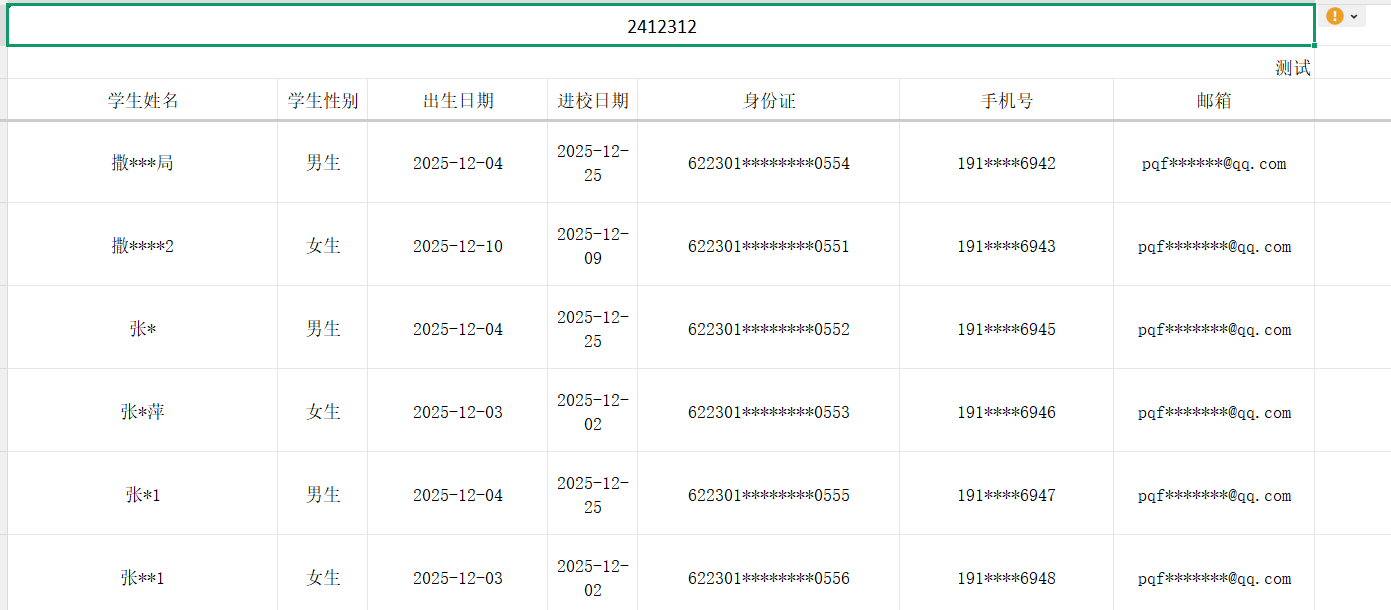
结果
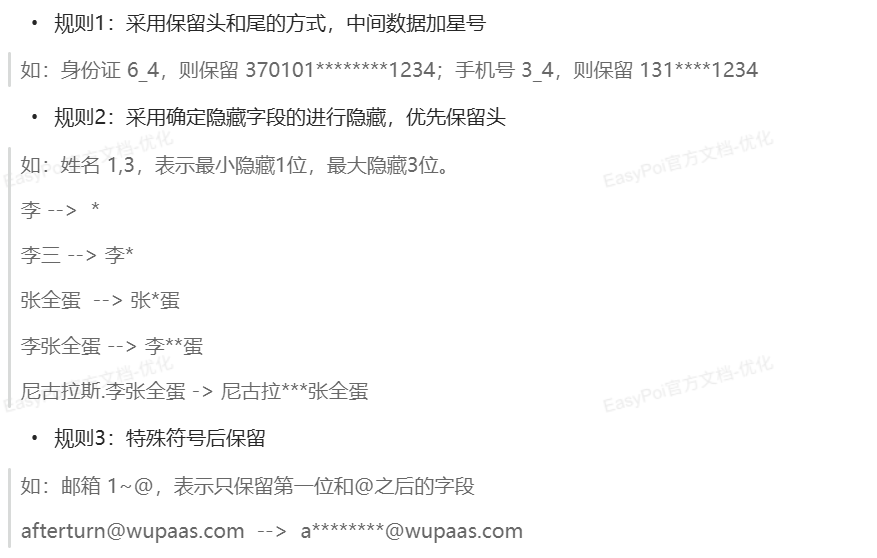
规则
Controller层
java
@CrossOrigin
    @GetMapping("/exportStudentsDesensitization")
    public void exportStudentsDesensitization(HttpServletResponse response) throws IOException {

        List<Student> studentList = studentService.list();

        List<StudentExportDesensitization> desensitizations = studentList.stream().map(e -> {

            StudentExportDesensitization studentExportDesensitization = new StudentExportDesensitization();
            BeanUtil.copyProperties(e, studentExportDesensitization, false);
            return studentExportDesensitization;

        }).collect(Collectors.toList());

        // 设置响应输出的头类型
        response.setHeader("content-Type", "application/vnd.ms-excel");
        // 设计导出文件的名称,尽量不要中文
        String fileName = new String("导出.xls".getBytes(), "ISO-8859-1");
        response.setHeader("Content-Disposition","attachment;filename="+fileName);
        //输出流。
        ServletOutputStream out = response.getOutputStream();
        // 创建参数对象(用来设定excel得sheet的内容等信息)
        ExportParams params = new ExportParams() ; //sheet
        // title的参数为ExportParams类型,目前仅仅在ExportParams中设置了sheetName
        params.setSheetName("导出");
        Workbook workbook = ExcelExportUtil.exportExcel(new ExportParams("2412312", "测试", "测试"), StudentExportDesensitization.class, desensitizations);
        workbook.write(out);


    }
导出Entity
java
@Data
public class StudentExportDesensitization implements java.io.Serializable{


    /**
     * 学生姓名
     */
    @Excel(name = "学生姓名", height = 20, width = 30,desensitizationRule = "1,6")
    private String        name;
    /**
     * 学生性别
     */
    @Excel(name = "学生性别", replace = { "男_1", "女_0" }, suffix = "生")
    private int           sex;

    @Excel(name = "出生日期", databaseFormat = "yyyy-MM-dd HH:mm:ss", format = "yyyy-MM-dd",  width = 20)
    private LocalDateTime birthDay;

    @Excel(name = "进校日期", databaseFormat = "yyyy-MM-dd HH:mm:ss", format = "yyyy-MM-dd")
    private LocalDateTime registrationDate;

    @Excel(name = "身份证", desensitizationRule = "6_4")
    private String card;
    @Excel(name = "手机号", desensitizationRule = "3_4")
    private String phone;
    @Excel(name = "邮箱", desensitizationRule = "3~@")
    private String email;

}
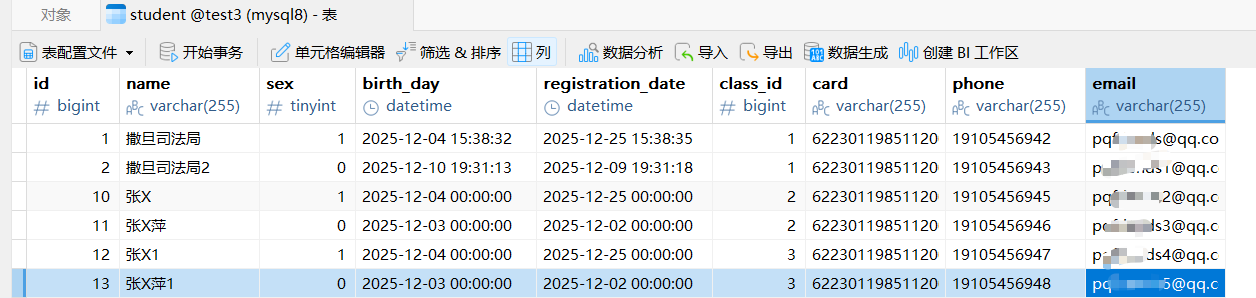
数据库
导入pom
java
<dependency>
    <groupId>cn.afterturn</groupId>
    <artifactId>easypoi-spring-boot-starter</artifactId>
    <version>4.4.0</version>
</dependency>