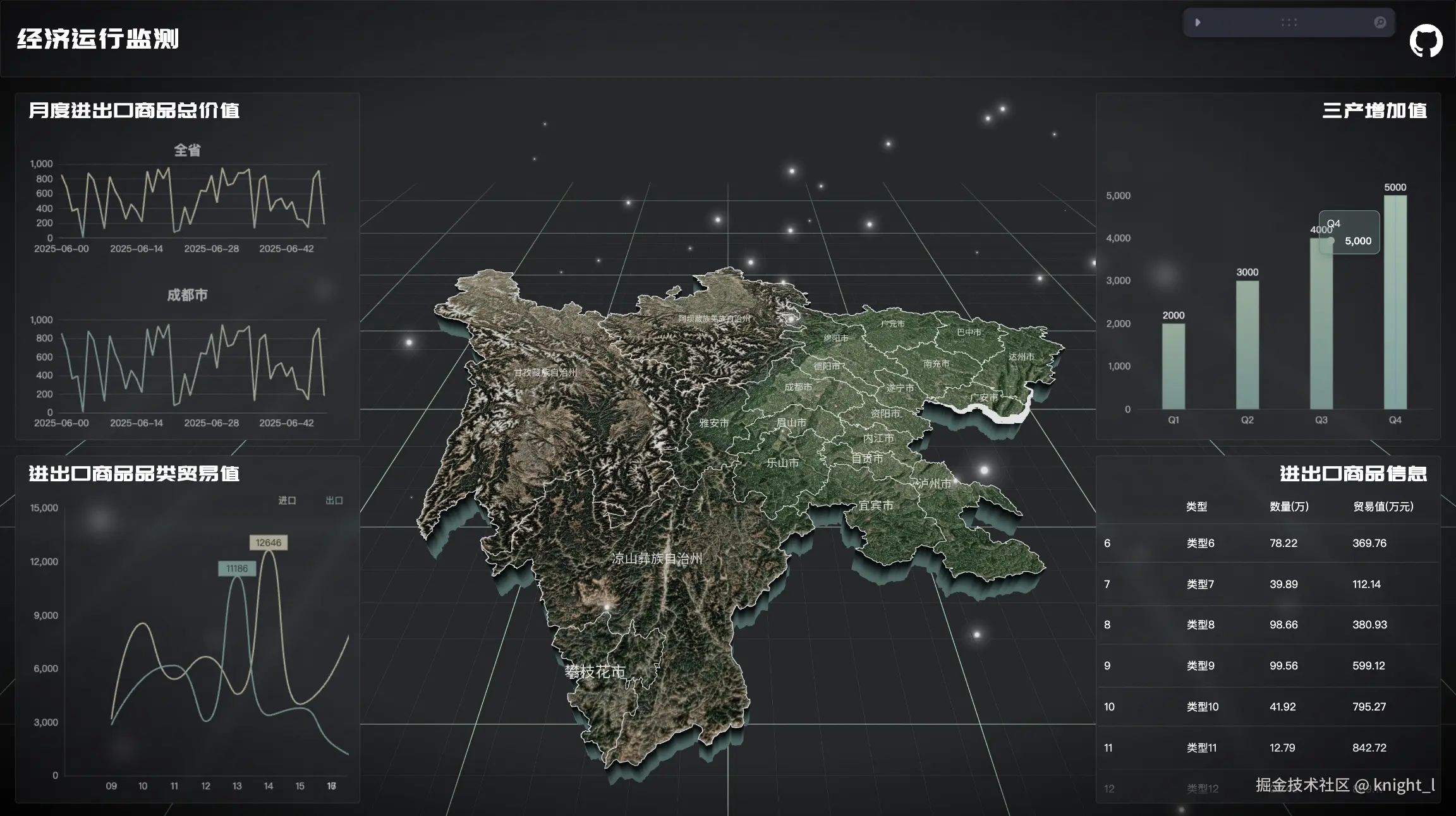
🎉实现效果图
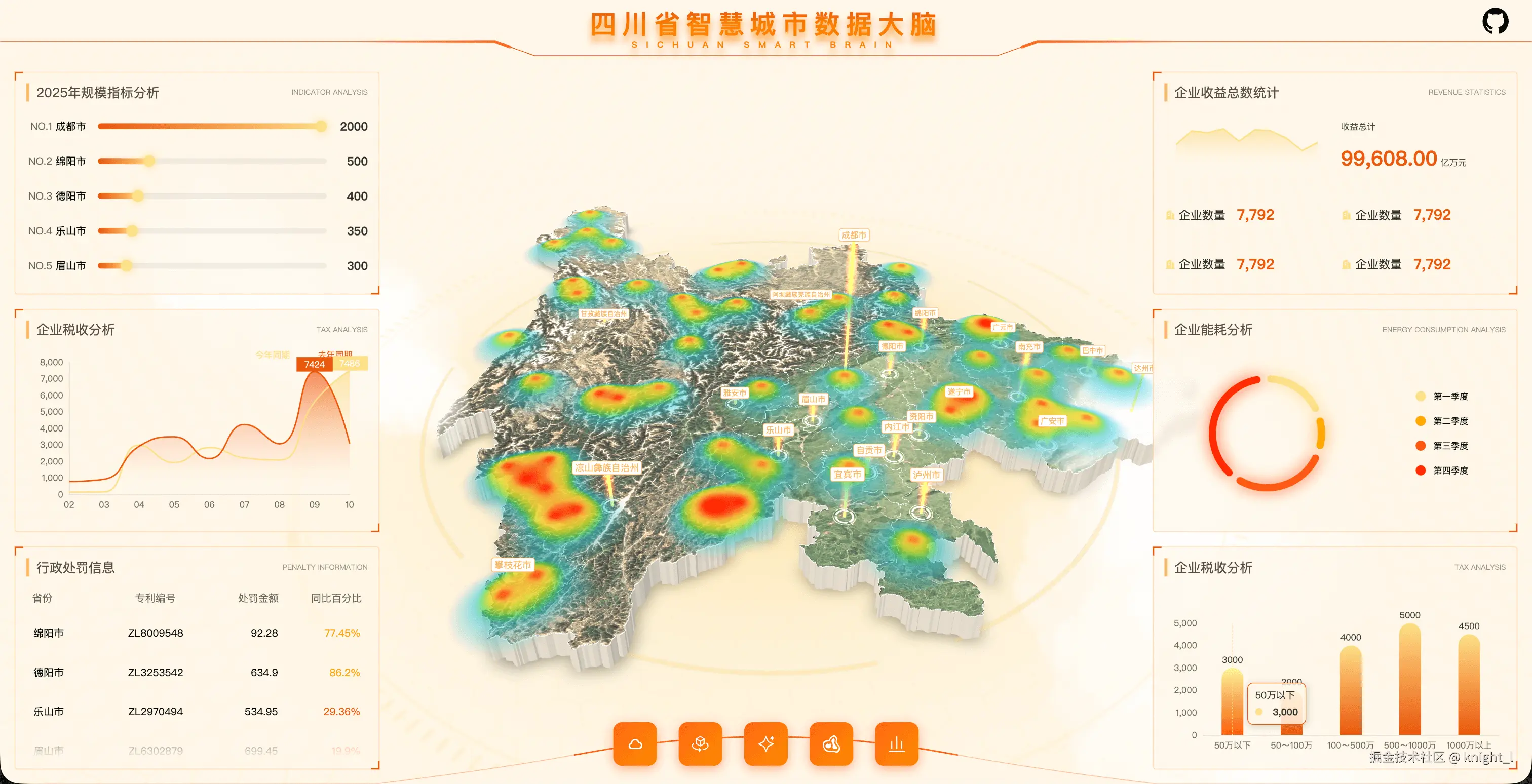
项目地址
如果你觉得不错的话,帮我点一个小小的star
访问需要魔法。👉点击访问👈
在线预览
👉点击访问效果图2👈
精确贴图实现
精确贴图是将2D纹理准确地映射到3D几何体表面的技术。在我们的项目中,通过以下步骤实现了精确贴图:
1. UV坐标计算
为了确保纹理能够正确地映射到几何体上,我们需要计算每个顶点的UV坐标:
javascript
useLayoutEffect(() => {
  const { geometry } = meshRef.current;
  const pos = geometry.attributes.position;
  const width = bbox.max.x - bbox.min.x;
  const height = bbox.max.y - bbox.min.y;

  const uv: number[] = [];
  let x = 0, y = 0, u = 0, v = 0;
  for (let i = 0; i < pos.count; i++) {
    x = pos.getX(i);
    y = pos.getY(i);
    u = (x - bbox.min.x) / width;
    v = (y - bbox.min.y) / height;
    uv.push(u, v);
  }
  geometry.setAttribute("uv", new Float32BufferAttribute(uv, 2));
});
这段代码通过遍历几何体的所有顶点,根据包围盒(bbox)计算出每个顶点对应的UV坐标,确保纹理能按照正确的比例映射到几何体表面。
2. 纹理加载与配置
在项目中,我们使用 useTexture钩子加载纹理,并进行必要的配置:
javascript
const [texture1, texture2, texture3] = useTexture(
  [textureMap, scNormalMap, scDisplacementMap],
  (tex) =>
    tex.forEach((el) => {
      el.wrapS = el.wrapT = RepeatWrapping;
    })
);
3. 材质应用
最后,我们将纹理应用到材质上:
jsx
<meshStandardMaterial
  map={texture1}
  normalMap={texture2}
  displacementMap={texture3}
  metalness={0.2}
  roughness={0.5}
  side={DoubleSide}
/>
通过这种方式,我们可以为3D对象添加漫反射贴图、法线贴图和置换贴图,从而创造出更加真实和细节丰富的视觉效果。
热力图实现
热力图是一种用颜色编码来表示数据密度或强度的可视化技术。在我们的项目中,使用了 heatmap.js库来实现热力图功能。
1. 热力图数据准备
首先,我们需要准备热力图的数据点:
javascript
const points = data.features.map((el) => {
  const [x = 0, y = 0] =
    projection(el.geometry.coordinates as [number, number]) ?? [];
  return {
    x: Math.floor(x + size / 2),
    y: Math.floor(y + size / 2),
    value: el.properties.value,
  };
});
这些数据点包含了位置信息(x,y)和数值(value),用于生成热力图。
2. 热力图生成
使用 heatmap.js创建热力图:
javascript
const heatmap = heatmapJs.create({
  container: heatmapContainer,
  gradient: {
    0.5: "#1fc2e1",
    0.6: "#24d560",
    0.7: "#9cd522",
    0.8: "#f1e12a",
    0.9: "#ffbf3a",
    1.0: "#ff0000",
  },
  blur: 1,
  radius: radius,
  maxOpacity: 1,
  width: size,
  height: size,
});
javascript
const greymap = heatmapJs.create({
  container: heatmapContainer,
  gradient: {
    0.0: "black",
    1.0: "white",
  },
  radius: radius,
  maxOpacity: 1,
  width: size,
  height: size,
});
这里定义了颜色渐变,不同的数值范围对应不同的颜色,从而形成热力图的视觉效果。
3. 与Three.js集成
将生成的热力图作为纹理应用到Three.js的网格上:
javascript
const texture = new CanvasTexture(heatmap._renderer.canvas);
texture.needsUpdate = true;

// 在着色器中使用该纹理
uniforms: {
  heatMap: { value: texture },
  // 其他uniforms...
}
通过这种方式,我们将2D热力图转换为可以在3D场景中使用的纹理。
4. 着色器实现
在片段着色器中使用热力图纹理:
glsl
varying vec2 vUv;
uniform sampler2D heatMap;
uniform vec3 u_color;
uniform float u_opacity;

void main() {
    gl_FragColor = vec4(u_color, u_opacity) * texture2D(heatMap, vUv);
}
这样就完成了热力图在3D场景中的渲染。