首先参考下面安装的文章,然后其中的问题和解决方法写在后文中了。
问题
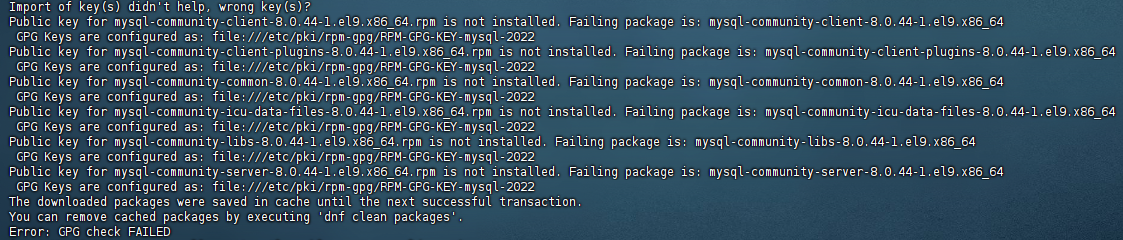
借鉴其中步骤,然后上面有个报错的地方,如下:
bash
Import of key(s) didn't help, wrong key(s)?
Public key for mysql-community-client-8.0.44-1.el9.x86_64.rpm is not installed. Failing package is: mysql-community-client-8.0.44-1.el9.x86_64
 GPG Keys are configured as: file:///etc/pki/rpm-gpg/RPM-GPG-KEY-mysql-2022
Public key for mysql-community-client-plugins-8.0.44-1.el9.x86_64.rpm is not installed. Failing package is: mysql-community-client-plugins-8.0.44-1.el9.x86_64
 GPG Keys are configured as: file:///etc/pki/rpm-gpg/RPM-GPG-KEY-mysql-2022
Public key for mysql-community-common-8.0.44-1.el9.x86_64.rpm is not installed. Failing package is: mysql-community-common-8.0.44-1.el9.x86_64
 GPG Keys are configured as: file:///etc/pki/rpm-gpg/RPM-GPG-KEY-mysql-2022
Public key for mysql-community-icu-data-files-8.0.44-1.el9.x86_64.rpm is not installed. Failing package is: mysql-community-icu-data-files-8.0.44-1.el9.x86_64
 GPG Keys are configured as: file:///etc/pki/rpm-gpg/RPM-GPG-KEY-mysql-2022
Public key for mysql-community-libs-8.0.44-1.el9.x86_64.rpm is not installed. Failing package is: mysql-community-libs-8.0.44-1.el9.x86_64
 GPG Keys are configured as: file:///etc/pki/rpm-gpg/RPM-GPG-KEY-mysql-2022
Public key for mysql-community-server-8.0.44-1.el9.x86_64.rpm is not installed. Failing package is: mysql-community-server-8.0.44-1.el9.x86_64
 GPG Keys are configured as: file:///etc/pki/rpm-gpg/RPM-GPG-KEY-mysql-2022
The downloaded packages were saved in cache until the next successful transaction.
You can remove cached packages by executing 'dnf clean packages'.
Error: GPG check FAILED
核心问题是MySQL 安装包的 GPG 公钥验证失败
解决方法
安装新的MySQL版本,去到官网 https://dev.mysql.com/downloads/repo/yum/
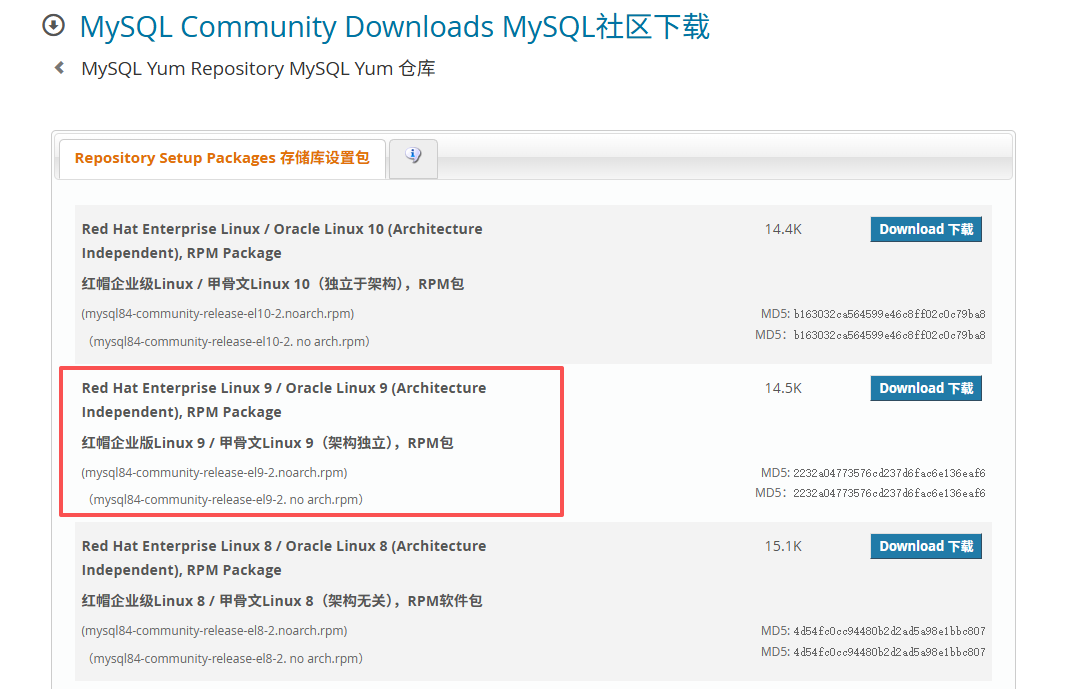
选择适合的版本,然后执行命令:
bash
wget https://repo.mysql.com/mysql84-community-release-el9-2.noarch.rpm这里说明一下命令里面的各个不同数字代表含义:
- mysql80 和 mysql84 的区别
mysql80:表示 MySQL 社区版的 8.0.x 系列,但可能是较早的小版本(例如 8.0.20 之前)。
mysql84(或更高):表示 MySQL 社区版的 8.0.x 的更新版本(例如 8.0.30 或更高)。
通常,数字越大,版本越新,包含的 bug 修复和功能改进越多。
建议:
如果你的系统是新安装的,建议选择 mysql84(即 MySQL 8.0 的较新版本),因为它包含更多的更新和修复。 - el9 和 el10 的区别
el9:对应 RHEL 9 或兼容系统(如 CentOS Stream 9)。
el10:对应 RHEL 10 或兼容系统(目前 RHEL 10 尚未发布,可能是未来的版本)。
系统是 CentOS Stream 9,所以应该选择 el9 的 RPM 包。 - -2、-3 是什么意思
这是 RPM 包的 发布版本号(release number),表示该 RPM 包的第几次构建或更新。
例如,mysql84-community-release-el9-3.noarch 中的 -3 表示这是该包的第 3 次构建。
通常,数字越大,表示该包越新,可能包含一些修复或改进。
建议:
选择最新的发布版本(即数字最大的包),例如 -3 比 -2 更新。
接着执行命令
bash
dnf install mysql-community-server -y其他的如第一个链接一样。