打包教程
1,前提条件
需要确保已经有一个 在具备python环境的电脑上 可以运行的xxx.py文件,
打包为可执行文件的目的是 方便在没有python环境的电脑上运行该脚本
2,运行命令窗口
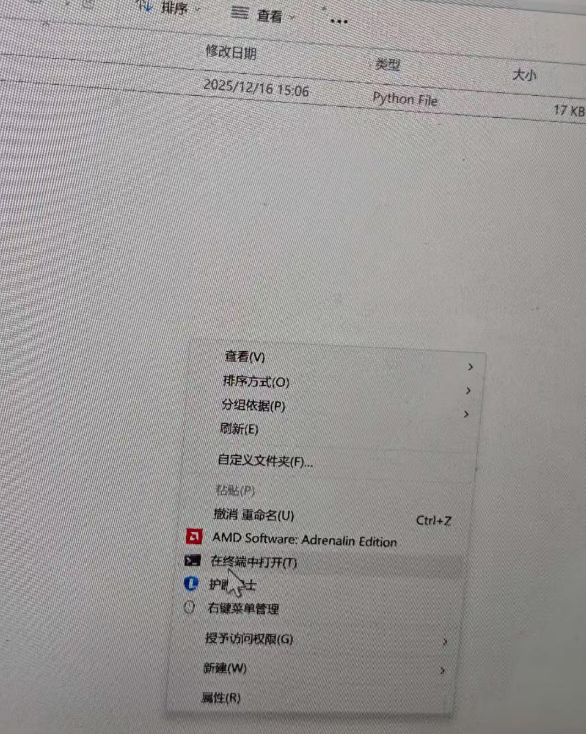
在这个xxx.py文件所在的文件夹里面,鼠标右键,注意不是选中文件右键,就是在文件夹空白处右键 ,点击在终端中打开(T),快捷键是鼠标右键后,按T
3,运行以下命令,确认已经具备pyinstaller工具
python
python -m PyInstaller --version通常情况下直接运行
python
pyinstaller --version也可以查询到pyinstaller版本,但是因为我的电脑上Python的Scripts目录没有在系统的PATH环境变量里。
因此直接运行pyinstaller会报错,可以通过Python解释器直接调用PyInstaller模块
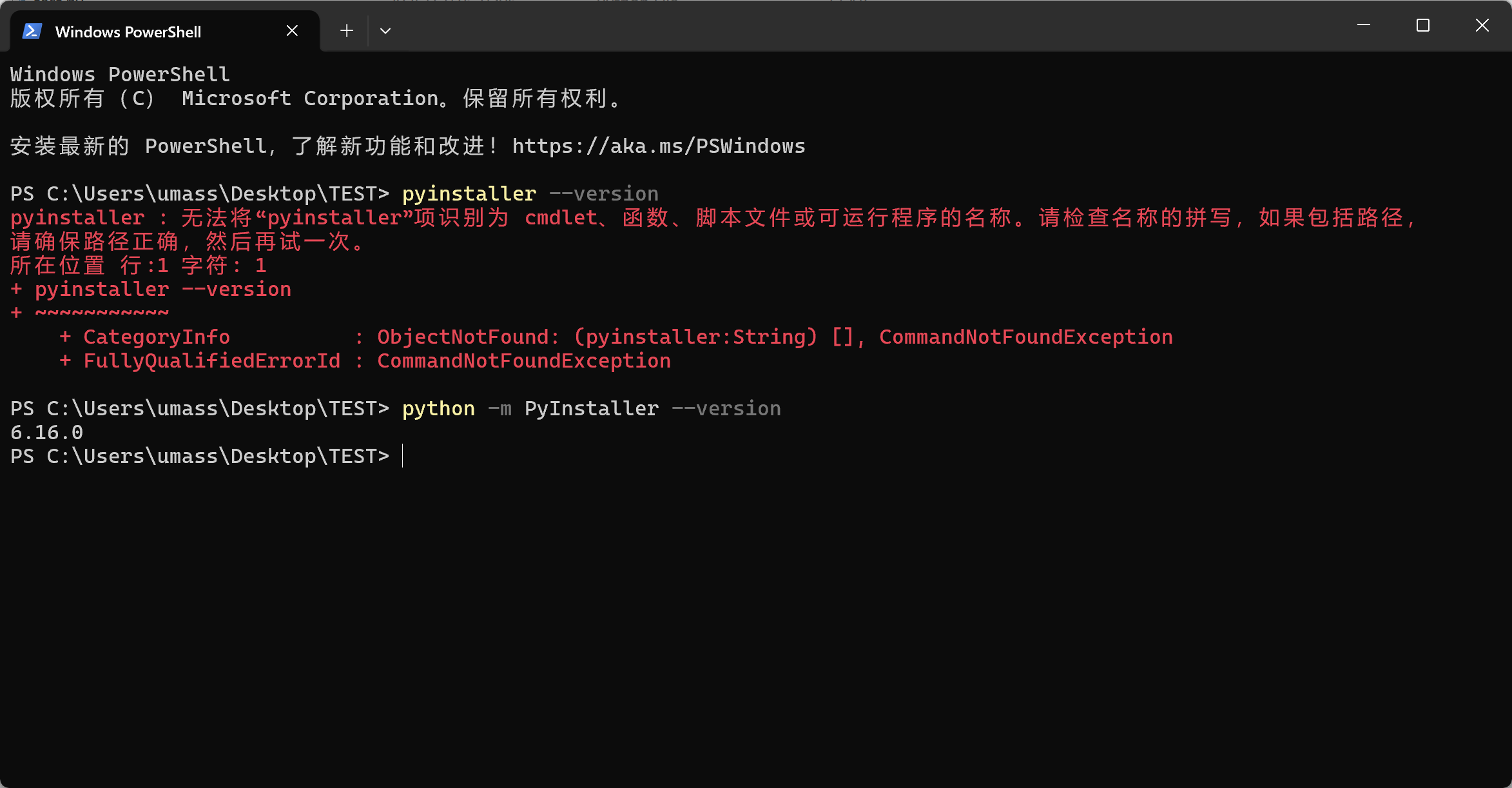
确认可以正常查询到PyInstaller模块的版本,表示PyInstaller模块是正常的
然后就可以开始打包了
如果无法正常查询到版本,表示没有安装PyInstaller依赖,需要单独再安装
基础安装命令(直接从Python官方的PyPI仓库安装,适合网络连接顺畅的情况)
python
pip install pyinstaller使用国内镜像源(国内镜像源能显著提升下载速度。除清华源外,还有多个常用镜像)
python
pip install pyinstaller -i https://pypi.tuna.tsinghua.edu.cn/simple/如果某个镜像源暂时不可用,可以尝试换用其他镜像源。国内常用的镜像源包括:
清华镜像源:https://pypi.tuna.tsinghua.edu.cn/simple/
阿里云镜像源:http://mirrors.aliyun.com/pypi/simple/
豆瓣镜像源:http://pypi.douban.com/simple/
中国科学技术大学镜像源:https://pypi.mirrors.ustc.edu.cn/simple/
4,运行以下打包命令
python
python -m PyInstaller --onefile main.py通常情况下,直接运行
python
pyinstaller main.py也可以,但是由于我的电脑上没有环境变量,因此需要使用第一种打包命令
5,开始打包
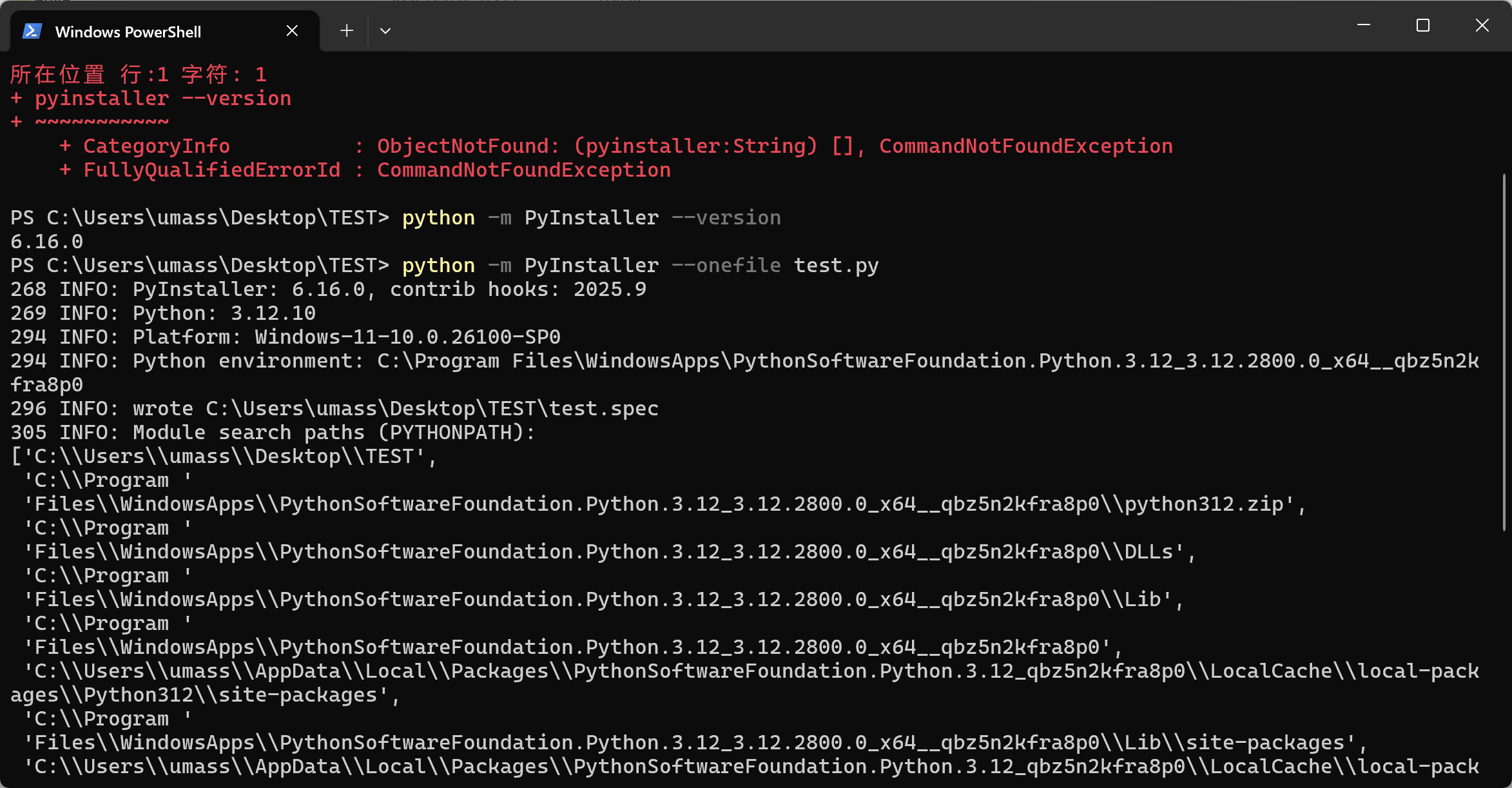
6,打包成功
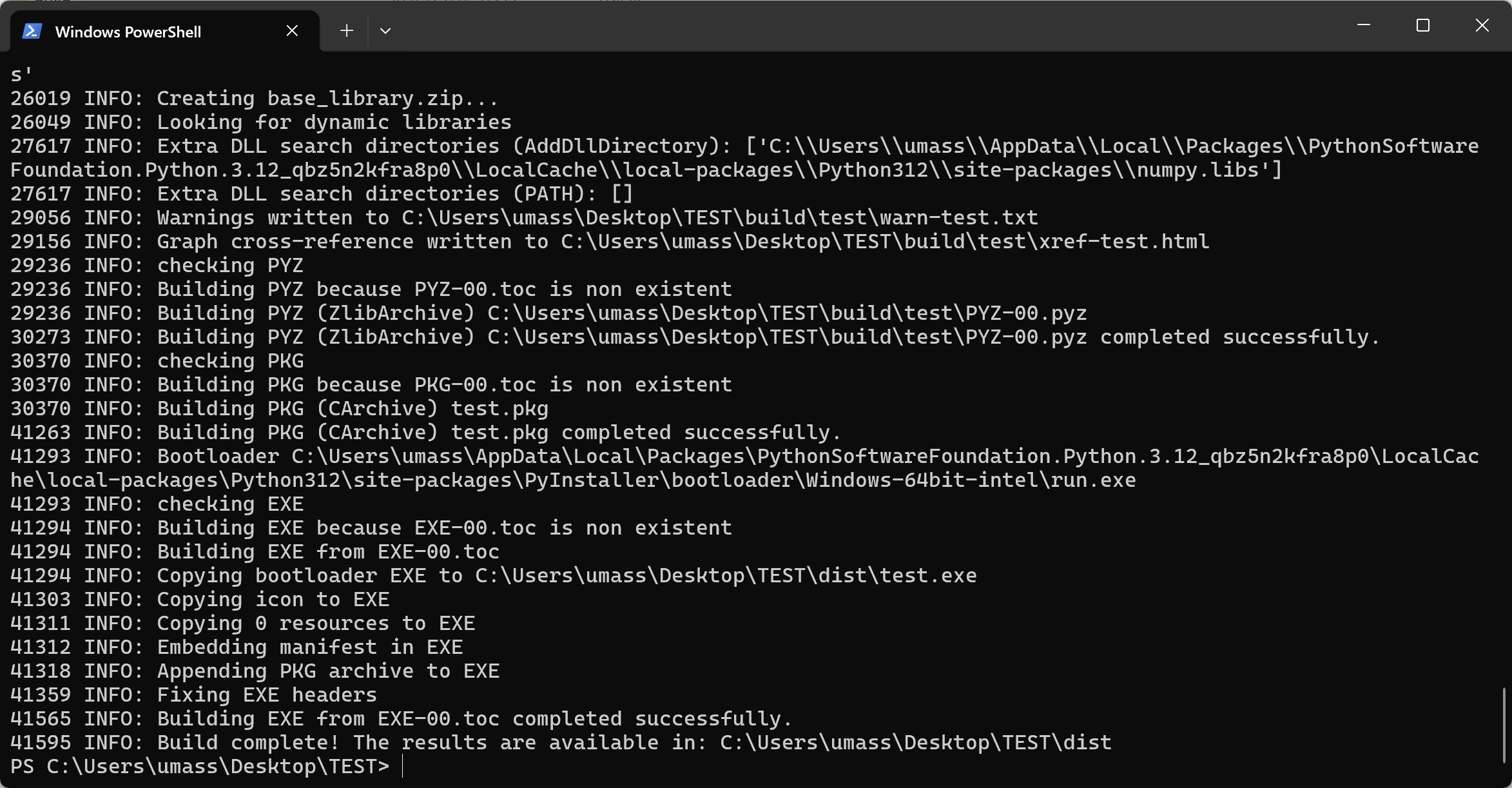
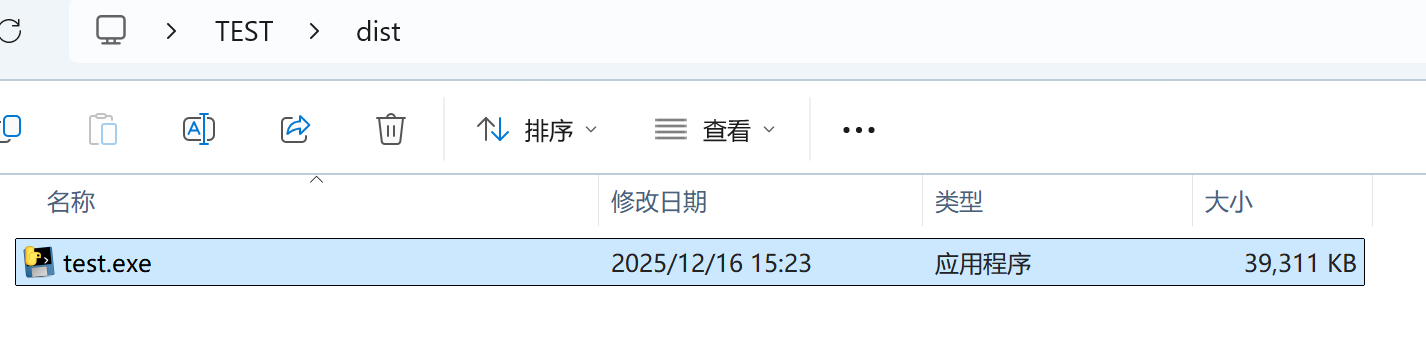
7,打包好的可执行文件就在 dist文件夹中
常用打包选项
PyInstaller提供了许多参数来定制打包过程,以下是一些最常用的选项,可以让你的可执行文件更便于分发和使用
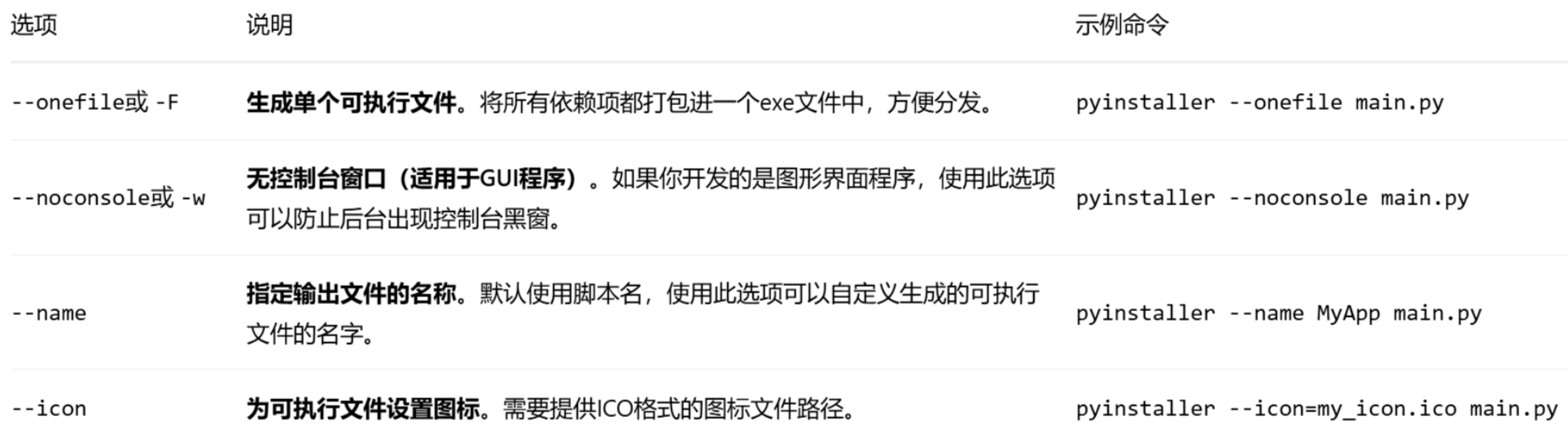
你可以根据需要组合这些选项。例如,要生成一个名为"MyApp"、没有控制台窗口的独立exe文件,可以这样写:
python
pyinstaller --onefile --noconsole --name MyApp main.py或
python
python -m pyinstaller --onefile --noconsole --name MyApp main.py如果程序运行时提示找不到某些模块(如 missing_module),可能是因为PyInstaller没有自动分析到这些依赖。这时可以使用 --hidden-import参数手动指定,例如:
python
pyinstaller --hidden-import=missing_module --onefile main.py或
python
python -m pyinstaller --hidden-import=missing_module --onefile main.py