目录
[1.1 AI4J简介](#1.1 AI4J简介)
[1.2 支持接入的大模型](#1.2 支持接入的大模型)
[1.3 示例](#1.3 示例)
[1.4 AI4J 源代码](#1.4 AI4J 源代码)
[1.5 更多代码示例(调用openapi大模型)](#1.5 更多代码示例(调用openapi大模型))
[1.6 调用deepseek并实现流式输出(类似打字效果)](#1.6 调用deepseek并实现流式输出(类似打字效果))
[1.7 函数调用(调用第三方服务或接口,或自定义逻辑)](#1.7 函数调用(调用第三方服务或接口,或自定义逻辑))
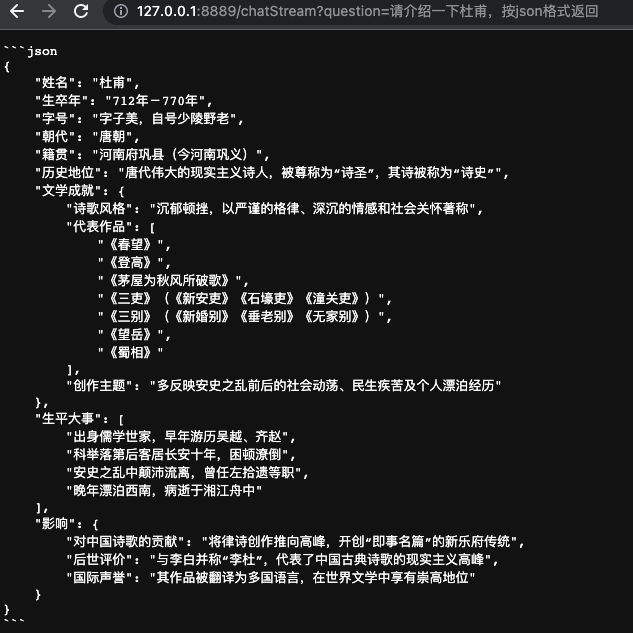
[1.8 测试结果,按格式输出](#1.8 测试结果,按格式输出)
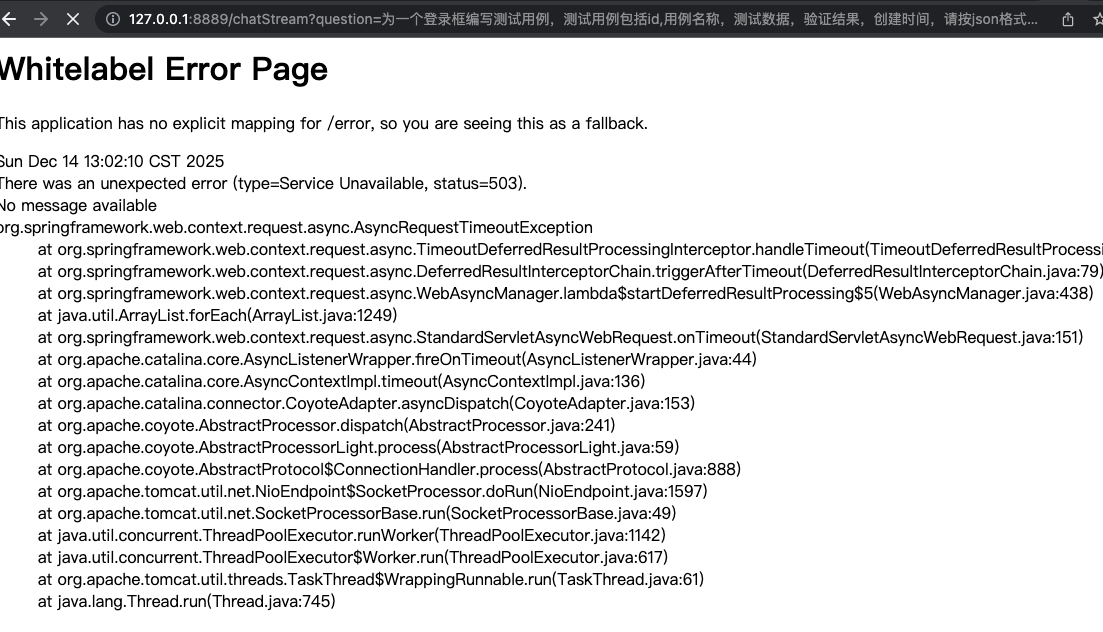
[1.8 调用超时的情况](#1.8 调用超时的情况)
JDK8环境(无需强制使用JDK17),可以使用AI4J集成多种AI大模型。
注: 由于很多大模型平台提供API,也可以自行封装使用http(s)调用这些api
1.1 AI4J简介
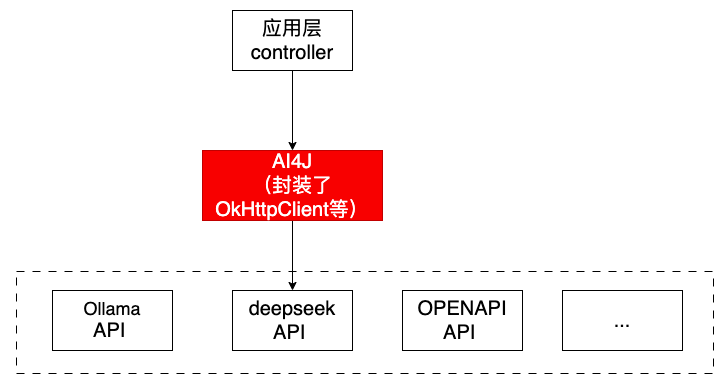
使用AI4J快速接入多种大模型,支持流式与非流式的输出,以及对函数调用等等(注:AI4J本质上是对集成多种大语言模型的封装调用)
1.2 支持接入的大模型
PlatformType枚举值来表示用于标识集成的大模型平台。
PlatformType的常见取值包括:
OPENAI:对应OpenAI平台(如GPT-4o)。OLLAMA:对应Ollama本地大模型服务。ZHIPU:对应智谱AI的ChatGLM系列模型。DEEPSEEK:对应深度求索的DeepSeek模型。MOONSHOT:对应月之暗面的Kimi模型。HUNYUAN:对应腾讯混元模型。ZEROONE:对应零一万物(01)的模型
1.3 示例
在AI4J的应用中,PlatformType通常用于获取特定平台的服务实例
例如, getChatService获取聊天服务(用于生成回复)
IChatService chatService = aiService.getChatService(PlatformType.ZHIPU);
IChatService chatService = aiService.getChatService(PlatformType.DEEPSEEK);
下面示例使用DEEPSEEK实现聊天对话服务:
步骤一:去deepseek平台对应大模型平台申请app key ,申请地址:https://api-docs.deepseek.com/zh-cn/
使用curl测试一下appkey(调用deepseek的api接口测试一下):
curl -X POST -H "Content-Type: application/json" -H "Authorization: Bearer sk-xxx" -d '{"model": "deepseek-chat","messages": {"role": "system", "content": "You are a helpful assistant."},{"role": "user", "content": "Hello!"},"stream":false}' https://api.deepseek.com/chat/completions
ps, 余额不足返回: {"error":{"message":"Insufficient Balance","type":"unknown_error","param":null,"code":"invalid_request_error"}}
注: 想申请哪个大模型的对话服务,就去对应平台申请即可。 比如,想使用openapi平台的GPT,需要去openapi官网平台申请key.
注: 需要是在本地搭建大模型。URL换成本地的即可。
步骤二: 添加pom
XML
        <dependency>
            <groupId>io.github.lnyo-cly</groupId>
            <artifactId>ai4j-spring-boot-stater</artifactId>
            <version>0.5.2</version>
        </dependency>
步骤二: 编写一个简单的聊天文字回复
java
import io.github.lnyocly.ai4j.platform.openai.chat.entity.ChatCompletion;
import io.github.lnyocly.ai4j.platform.openai.chat.entity.ChatCompletionResponse;
import io.github.lnyocly.ai4j.platform.openai.chat.entity.ChatMessage;
import io.github.lnyocly.ai4j.service.IChatService;
import io.github.lnyocly.ai4j.service.PlatformType;
import io.github.lnyocly.ai4j.service.factor.AiService;
import org.springframework.beans.factory.annotation.Autowired;
import org.springframework.web.bind.annotation.GetMapping;
import org.springframework.web.bind.annotation.RequestParam;
import org.springframework.web.bind.annotation.RestController;

@RestController
public class AiController {
    @Autowired
    private AiService aiService;
    @GetMapping("/chat")
    public String getChatMessage(@RequestParam String question) throws Exception {
        // 获取对应大模型的聊天服务
        IChatService chatService = aiService.getChatService(PlatformType.DEEPSEEK);
        // 创建请求参数
        ChatCompletion chatCompletion = ChatCompletion.builder()
//                .model("gpt-4o-mini")//对应模型PlatformType.OPENAI
                .model("deepseek-chat")
                .message(ChatMessage.withUser(question))
                .build();
        System.out.println("请求参数 : "+chatCompletion);

        // 发送chat请求
        ChatCompletionResponse chatCompletionResponse = chatService.chatCompletion("https://api.deepseek.com/","sk-xxx",chatCompletion);

        // 获取聊天内容和token消耗
        String content = chatCompletionResponse.getChoices().get(0).getMessage().getContent();
        long totalTokens = chatCompletionResponse.getUsage().getTotalTokens();
        System.out.println("总token消耗: " + totalTokens);
        return content;
    }
}
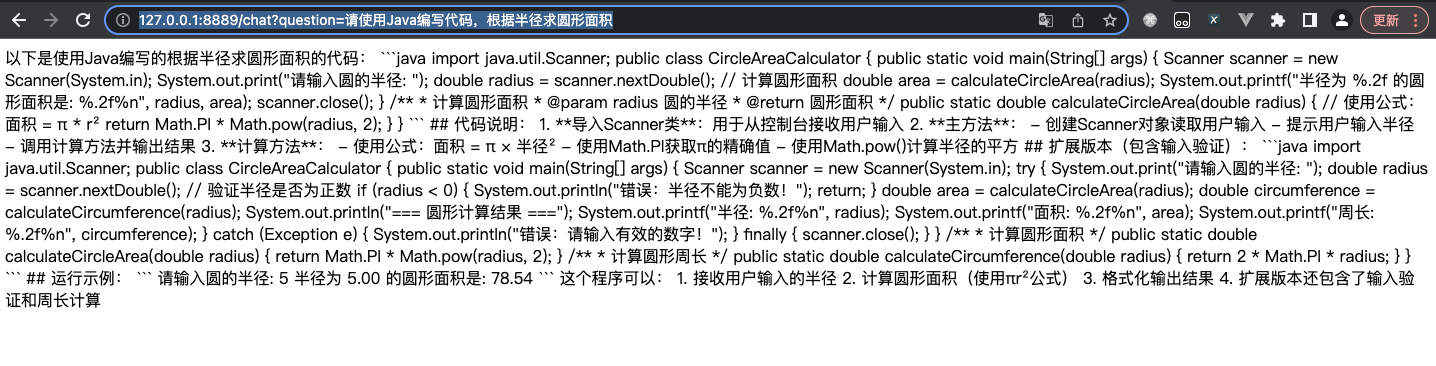
例子1:
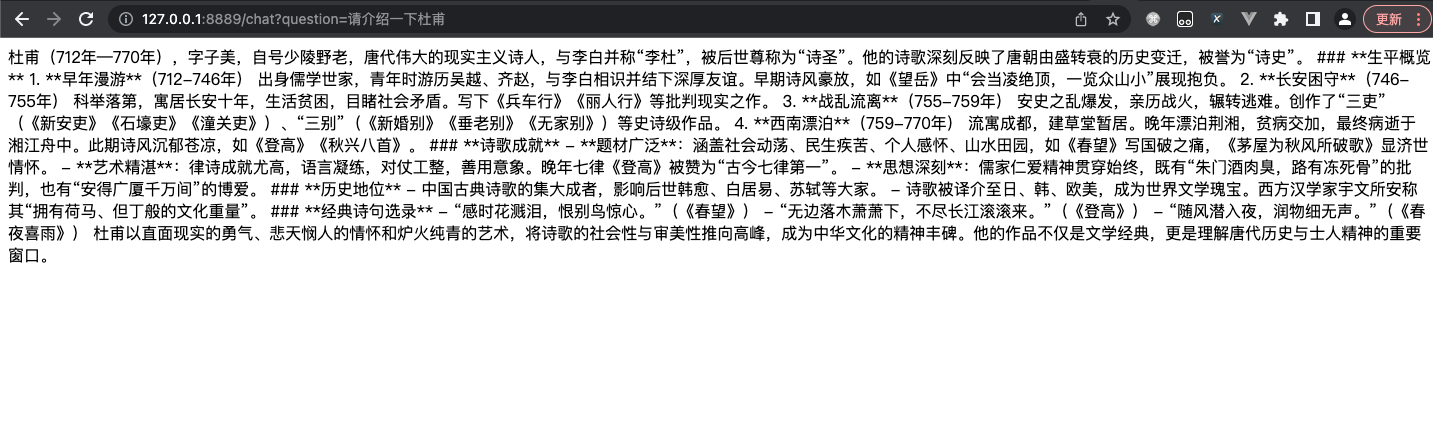
例子2:
注意: 如果想使用openapi大模型中的聊天服务,需要做如下传参:
// 获取对应大模型的聊天服务
       IChatService chatService =                 aiService.getChatService(PlatformType.OPENAI);
        // 创建请求参数
        ChatCompletion chatCompletion = ChatCompletion.builder()
                .model("gpt-4o-mini")//对应模型PlatformType.OPENAI
                .message(ChatMessage.withUser(question))
                .build();
1.4 AI4J 源代码
1.5 更多代码示例(调用openapi大模型)
https://www.cnblogs.com/murmansk/p/18726102
https://blog.csdn.net/qq_35650513/article/details/142177544
Ollama
- Ollama 是一个开源的跨平台大模型工具,专注于在本地设备或服务器上便捷地部署和运行大型语言模型(LLM),无需依赖云端服务
- 提供了一个简单的方式来加载和使用各种预训练的语言模型,支持文本生成、翻译、代码编写、问答等多种自然语言处理任务。
- 支持多种操作系统,包括Windows、macOS和Linux,并提供命令行和图形界面操作方式
- 核心功能包括本地数据处理、支持超过1700个开源模型(如Llama、DeepSeek、Gemma等),以及通过量化技术降低硬件需求,使7B模型可在8GB内存设备上运行
- 与其他 NLP 框架不同,Ollama 旨在简化用户的工作流程,使得机器学习不再是只有深度技术背景的开发者才能触及的领域
1.6 调用deepseek并实现流式输出(类似打字效果)
deepseek流式输出
java
//流调用
    @GetMapping("/chatStream")
    public ResponseBodyEmitter getChatMessageStream(@RequestParam String question,HttpServletResponse response) {
        response.setContentType("application/json;charset=UTF-8");

        ResponseBodyEmitter emitter = new ResponseBodyEmitter();
       // 获取对应大模型的聊天服务
        IChatService chatService = aiService.getChatService(PlatformType.DEEPSEEK);
        // 创建请求参数
        ChatCompletion chatCompletion = ChatCompletion.builder()
                .model("deepseek-chat")
                .message(ChatMessage.withUser(question))
                .build();

        Executors.newSingleThreadExecutor().submit(() -> {
            try {
                SseListener sseListener = new SseListener() {
                    @Override
                    protected void send() {
                        try {
                            emitter.send(this.getCurrStr());
                            System.out.println(this.getCurrStr());  // 打印当前发送的内容
                        } catch (IOException e) {
                            emitter.completeWithError(e);
                        }
                    }
                };

                // 发送流式数据
                chatService.chatCompletionStream(env.getProperty("ai4j.api.url"),env.getProperty("ai4j.api.key"),chatCompletion, sseListener);
                // 完成后关闭连接
                emitter.complete();
            } catch (Exception e) {
                emitter.completeWithError(e);
            }
        });
        return emitter;
    }
1.7 函数调用(调用第三方服务或接口,或自定义逻辑)
java
//函数调用
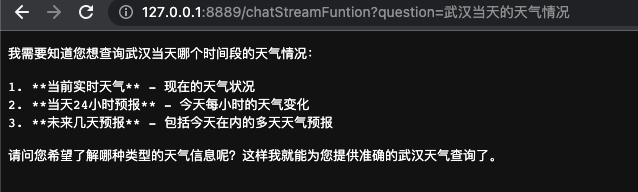
    @GetMapping("/chatStreamFuntion")
    public void chatStreamFuntion(@RequestParam String question, HttpServletResponse response) throws Exception {
        response.setContentType("application/json;charset=UTF-8");

        // 获取对应大模型的聊天服务
        IChatService chatService = aiService.getChatService(PlatformType.DEEPSEEK);
        // 创建请求参数
        ChatCompletion chatCompletion = ChatCompletion.builder()
                .model("deepseek-chat")
                .message(ChatMessage.withUser(question))
                .functions("queryWeather") // 这里传入刚刚我们定义的函数名称即可
                .build();

        PrintWriter writer = response.getWriter();
        // 发送chat请求
        SseListener sseListener = new SseListener() {
            @Override
            protected void send() {
                writer.write(this.getCurrStr());
                writer.flush();
                System.out.println(this.getCurrStr());
            }
        };
        chatService.chatCompletionStream(env.getProperty("ai4j.api.url"),env.getProperty("ai4j.api.key"),chatCompletion, sseListener);
        writer.close();
        System.out.println( sseListener.getOutput());

    }


/**
 * 函数调用: 调用第三方接口获取信息
 */
@FunctionCall(name = "queryWeather", description = "查询目标地点的天气预报")
public class QueryWeatherFunction implements Function<QueryWeatherFunction.Request, String> {

//调用第三方服务或接口

}
运行:
注意: 本人在调试阶段,发现需要添加一些额外依赖和操作:
1、 添加依赖(不添加项目报错)
java
<dependency>
<groupId>org.reflections</groupId>
<artifactId>reflections</artifactId>
<!-- <version>0.9.12</version> <!– 请检查是否有更新的版本 –>-->
<version>0.10.2</version>
</dependency>
<dependency>
<groupId>org.javassist</groupId>
<artifactId>javassist</artifactId>
<!-- <version>3.12.1.GA</version>-->
<version>1</version>
<scope>system</scope>
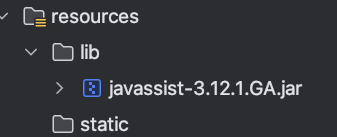
<systemPath>${project.basedir}/src/main/resources/lib/javassist-3.12.1.GA.jar</systemPath>
</dependency>
<plugin>
<groupId>org.springframework.boot</groupId>
<artifactId>spring-boot-maven-plugin</artifactId>
<configuration>
<includeSystemScope>true</includeSystemScope>
</configuration>
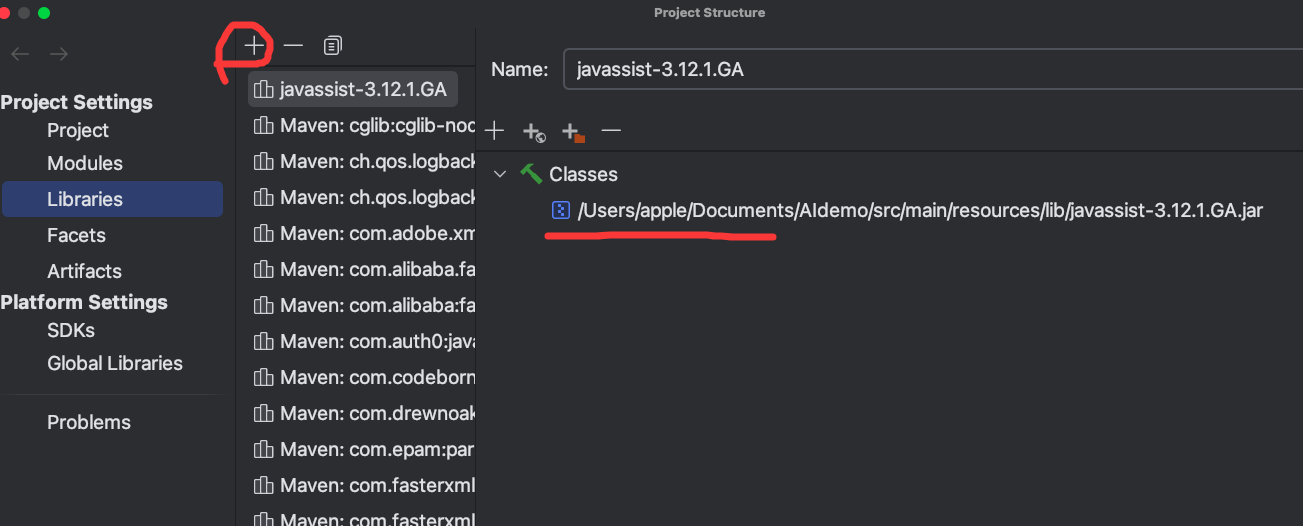
</plugin>2、本地添加jar包
1.8 测试结果,按格式输出
1.8 调用超时的情况