waveterm (全称 Wave Term )是一款 跨平台、基于 Web 的现代终端 ,核心采用 Go 编写的后端服务 + React + TypeScript 的前端渲染。它的目标是把传统的本地终端提升为 多会话、多标签、可共享、可自定义 的交互式工作台,让开发者在浏览器或任何支持 WebSocket 的环境中获得和本地 ssh/bash 相近甚至更好的使用体验。
源码:wavetermdev/waveterm: An open-source, cross-platform terminal for seamless workflows
Windows下安装使用
下载:
https://kkgithub.com/wavetermdev/waveterm/releases/
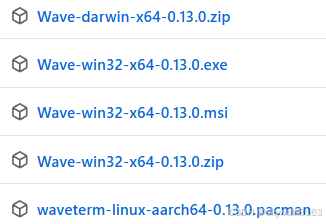
直接下载了Wave-win32-x64-0.13.0.exe
好像exe是直接运行的。
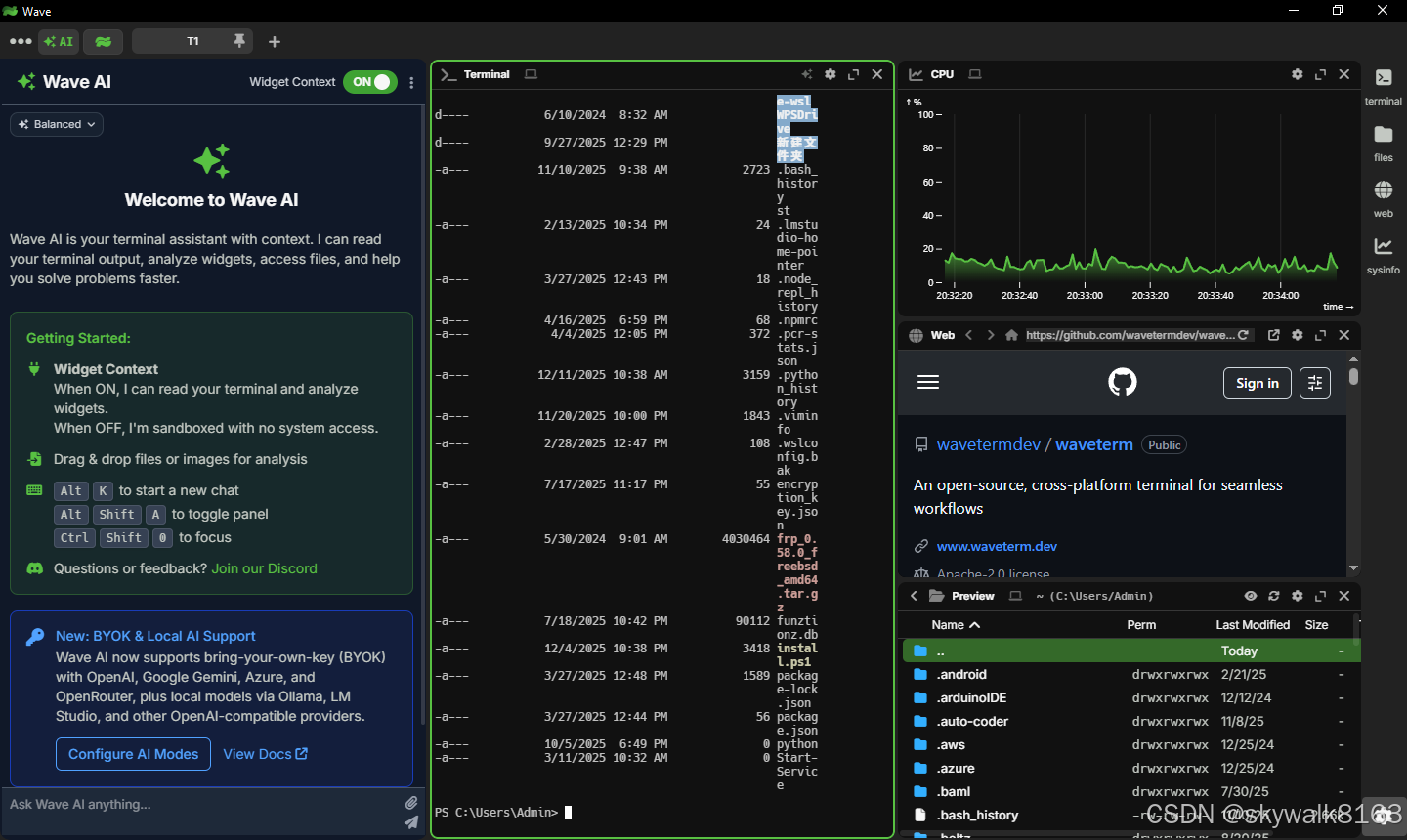
直接运行
这个界面真的好漂亮:
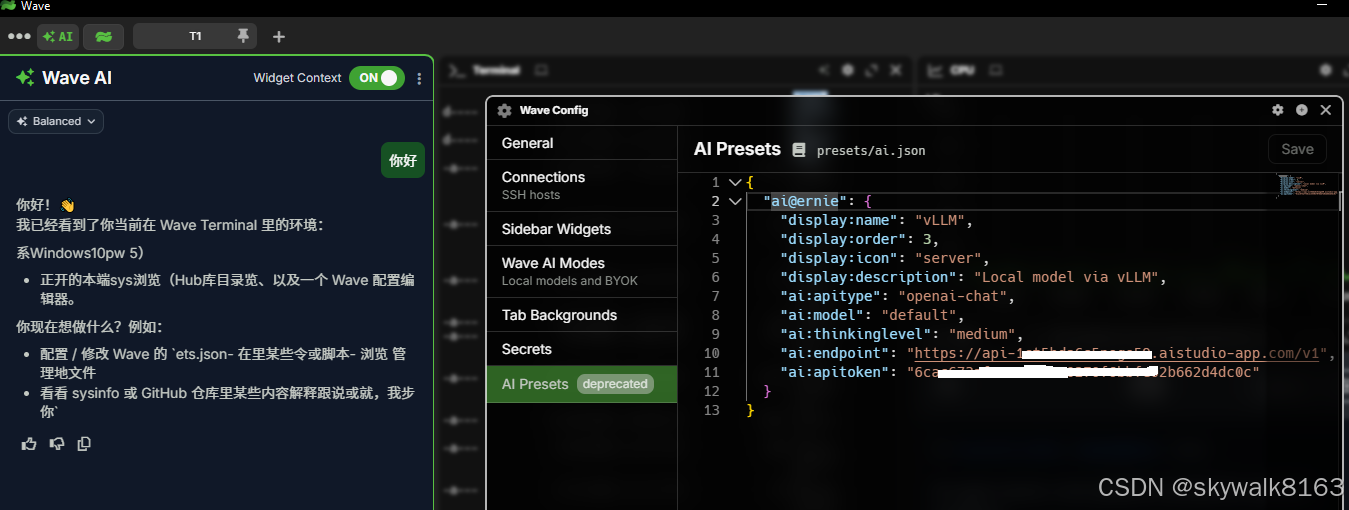
配置好AI
使用这个模型:PaddlePaddle/ERNIE-4.5-21B-A3B-Thinking
配置如下
{
  "ai@ernie": {
    "display:name": "vLLM",
    "display:order": 3,
    "display:icon": "server",
    "display:description": "Local model via vLLM",
    "ai:apitype": "openai-chat",
    "ai:model": "default",
    "ai:thinkinglevel": "medium",
    "ai:endpoint": "https://api-****.aistudio-app.com/v1",
    "ai:apitoken": "****"
  }
}
Ubuntu下安装使用
先下载deb文件
wget https://github.com/wavetermdev/waveterm/releases/download/v0.13.0/waveterm-linux-amd64-0.13.0.debapt安装
sudo apt install ./waveterm-linux-amd64-0.13.0.deb看看效果
我是在FreeBSD的Ubuntu仿真环境下安装的,一直报libffmpeg.so的报错,后来报错:
Failed to read /proc/sys/fs/inotify/max_user_watches
所以还没有调通。
调试
Ubuntu下报错error while loading shared libraries: libgbm.so.1: cannot open shared object file
waveterm
waveterm: error while loading shared libraries: libgbm.so.1: cannot open shared object file: No such file or directory
安装libgbm库
sudo apt install libgbm1报错:waveterm: error while loading shared libraries: libasound.so.2: cannot open shared object file: No such file or directory
安装库
sudo apt install libasound2解决问题,出现新的报错
报错:error while loading shared libraries: libffmpeg.so: cannot open shared object file
/opt/Wave/waveterm: error while loading shared libraries: libffmpeg.so: cannot open shared object file: No such file or directory
44381:1215/125716.615089:FATAL:content/browser/zygote_host/zygote_host_impl_linux.cc:211 Check failed: . : Invalid argument (22)
Trace/breakpoint trap
skywalk@ubjail1:~/download$ 44383:1215/125716.683587:ERROR:base/files/file_path_watcher_inotify.cc:923 Failed to read /proc/sys/fs/inotify/max_user_watches
44383:0100/000000.688642:ERROR:content/zygote/zygote_linux.cc:660 write: Broken pipe (32)
到这里就卡住了。libffmpeg.so这里过不了,以前也碰到过,windows下安装成了,linux下还没成功。
后来发现libffmpeg.so在这里:/opt/Wave
而环境变量LD_LIBRARY_PATH是:
LD_LIBRARY_PATH=/opt/Wave/lib:
增加lib路径:
export LD_LIBRARY_PATH=/opt/Wave:$/LD_LIBRARY_PATH还是有报错,这就不太明白了
学了一招,这样配置:
export LD_LIBRARY_PATH=/opt/Wave/libffmpeg.so:$LD_LIBRARY_PATH还是不行,这样,把libffmpeg.so文件cp到/lib/x86_64-linux-gnu目录:
skywalk@ubjail1:/lib/x86_64-linux-gnu$ sudo cp /opt/Wave/libffmpeg.so .可以了。出现了新的报错
报错:Failed to read /proc/sys/fs/inotify/max_user_watches
[90247:1217/141120.174618:ERROR:base/files/file_path_watcher_inotify.cc:923] Failed to read /proc/sys/fs/inotify/max_user_watches
[90249:1217/141120.178064:ERROR:base/files/file_path_watcher_inotify.cc:923] Failed to read /proc/sys/fs/inotify/max_user_watches
[90245:1217/141120.185954:FATAL:content/browser/zygote_host/zygote_host_impl_linux.cc:225] Check failed: . : Invalid argument (22)
Trace/breakpoint trap
linux下应该这样写:
sudo sysctl fs.inotify.max_user_watches=524288因为是FreeBSD虚拟的Ubuntu,应该这样写:
rctl -a jail:ubjail1:resource:inotify.max_user_watches=524288
rctl -a jail:ubjail1:inotify.max_user_watches=524288
freeBSD宿主机碰到报错:rctl: RACCT/RCTL present, but disabled; enable using kern.racct.enable=1 tunable
白搭,没有搞定,先搁置。