本案例仅供学习和参考,不做商用
声明一下,因为瑞数主要是对网站的cookie或者url后缀进行加密,所以我们就需要分析了
这里我们现分析cookie是如何生成的,分析cookie的话,需要开一个无痕模式
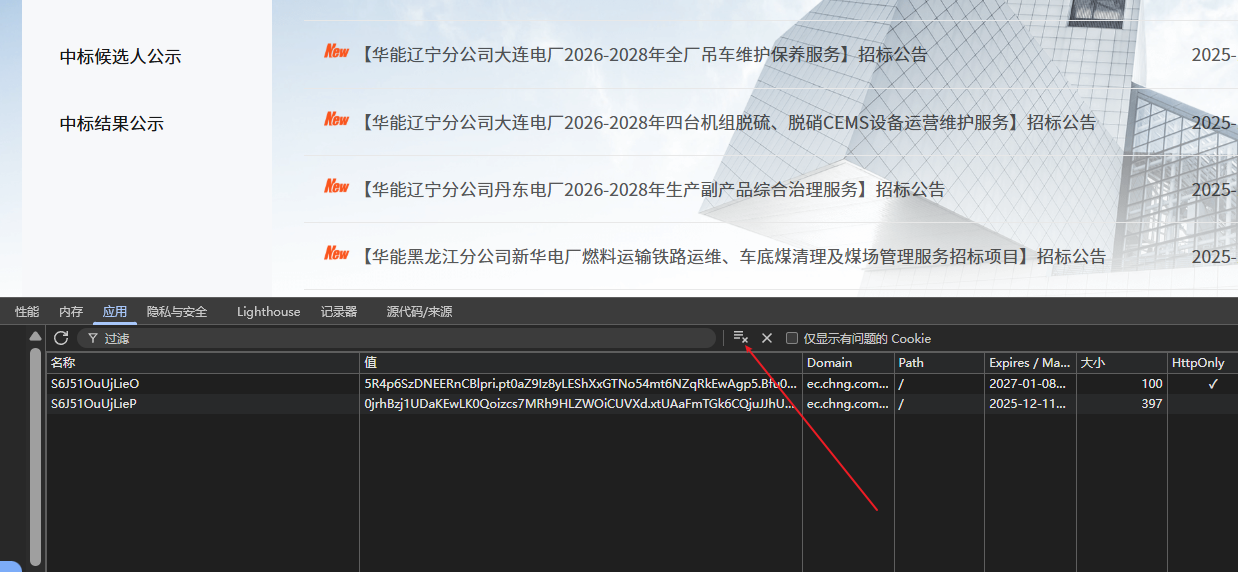
1,清空应用里面的cookie
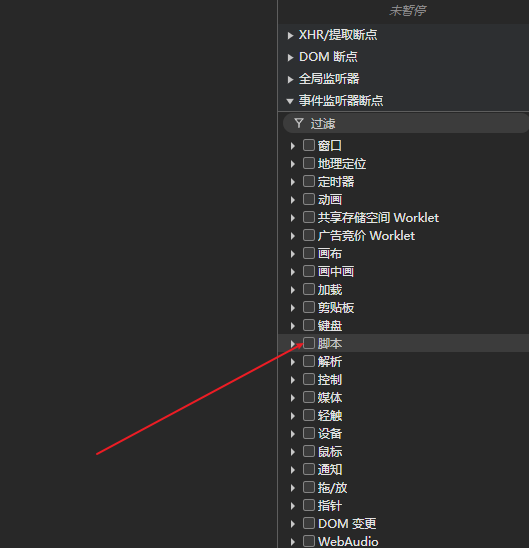
2,打开事件监听的脚本断点
3,刷新页面
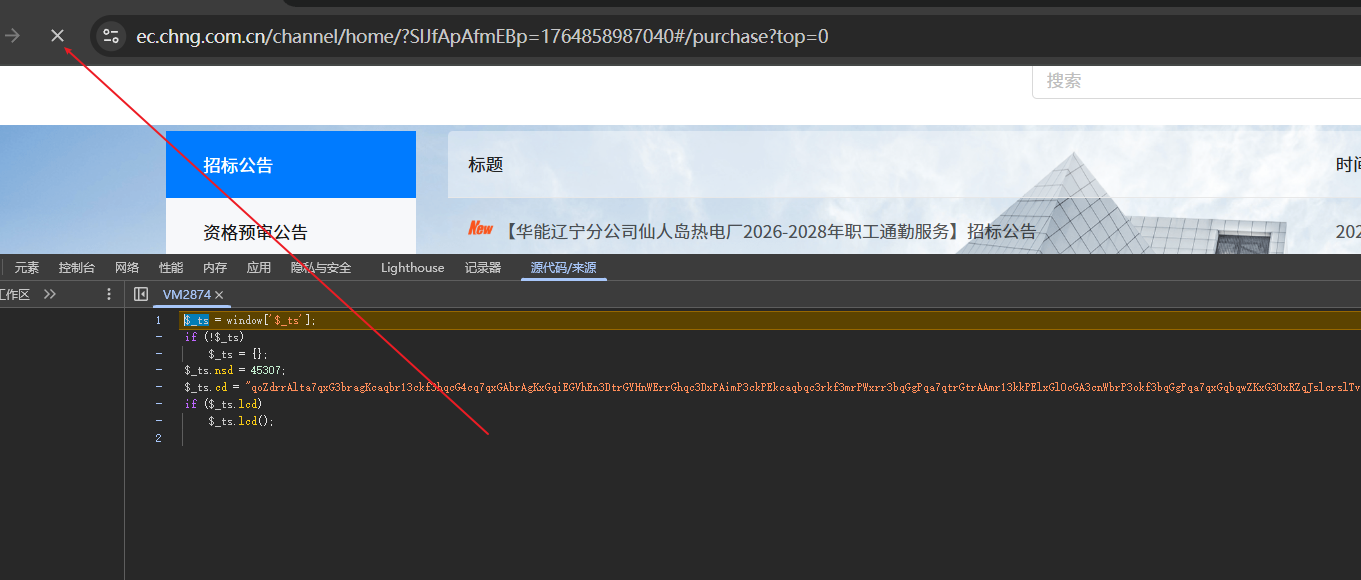
4,这里有一个VM说明是在某一个文件读取并运行,可以理解为虚拟机并没有保存在我们的磁盘
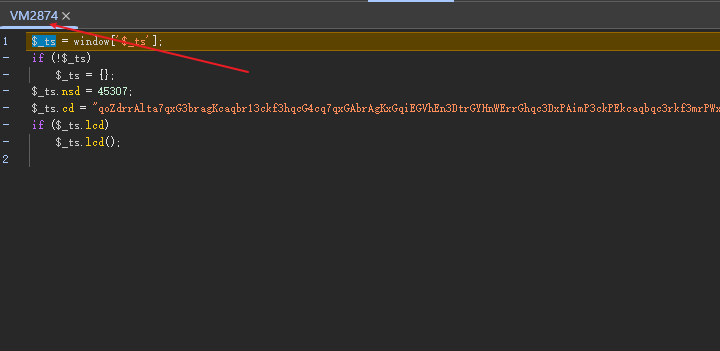
5,继续往后调
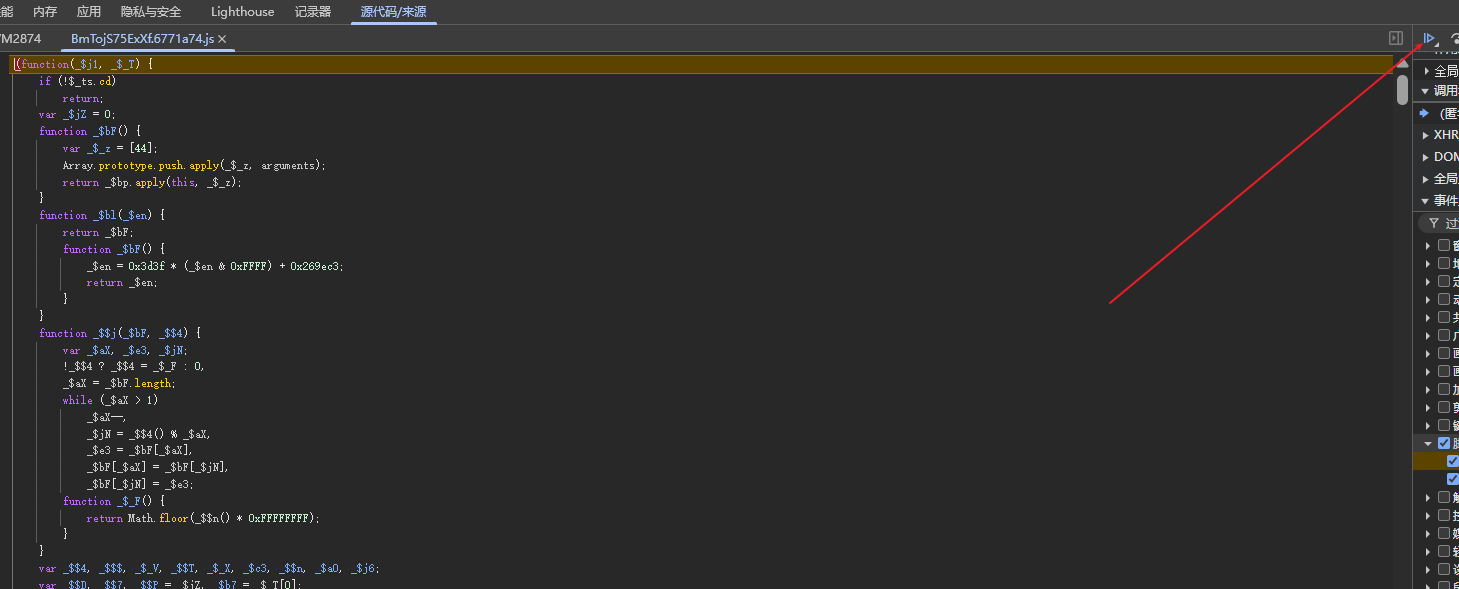
6,继续往后面调
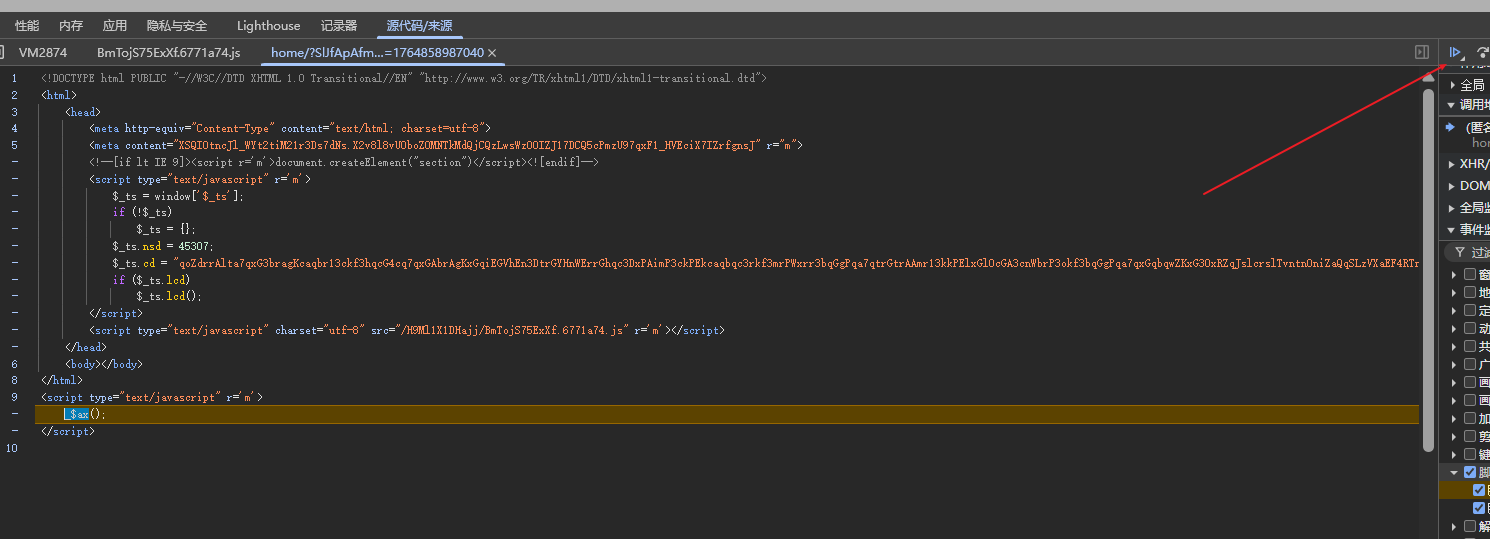
7,第一次虚拟机里面的代码就是这里所写的,第二次加载的代码也是通过这里的外链调用的
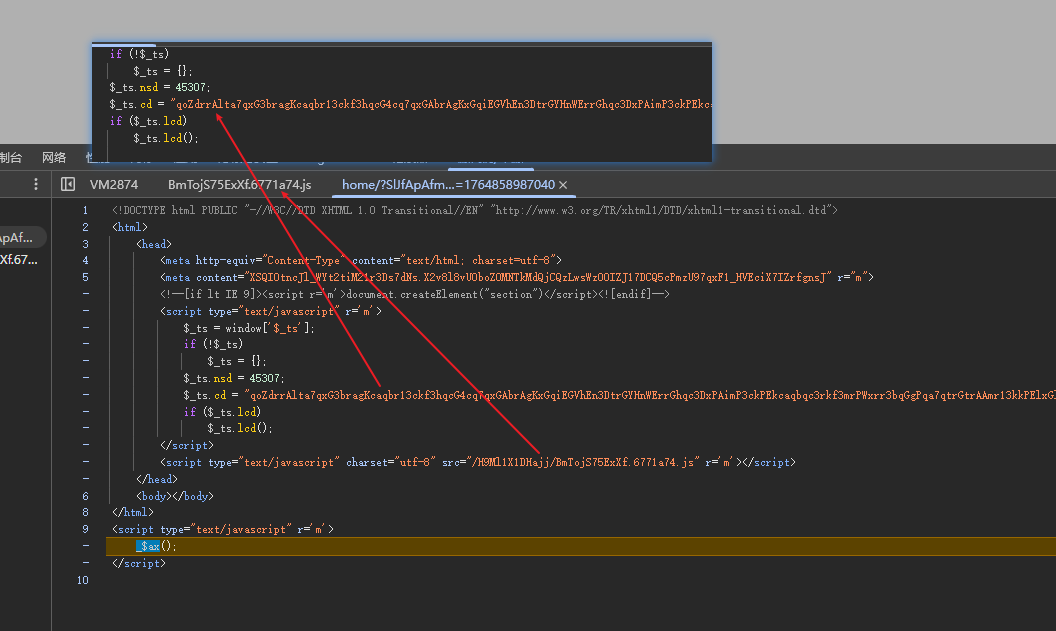
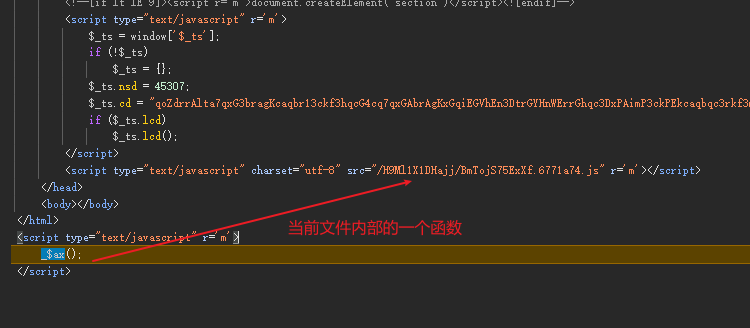
8,继续往后走又会走到这里来,执行这里的文件代码,第一次虚拟机的代码也就是cd后面的值其实是jsvmp位移混淆的,现在这个代码会将这个jsvmp位移混淆的代码变成可以执行的js文件也就是这个BmTo这个文件的eval去执行
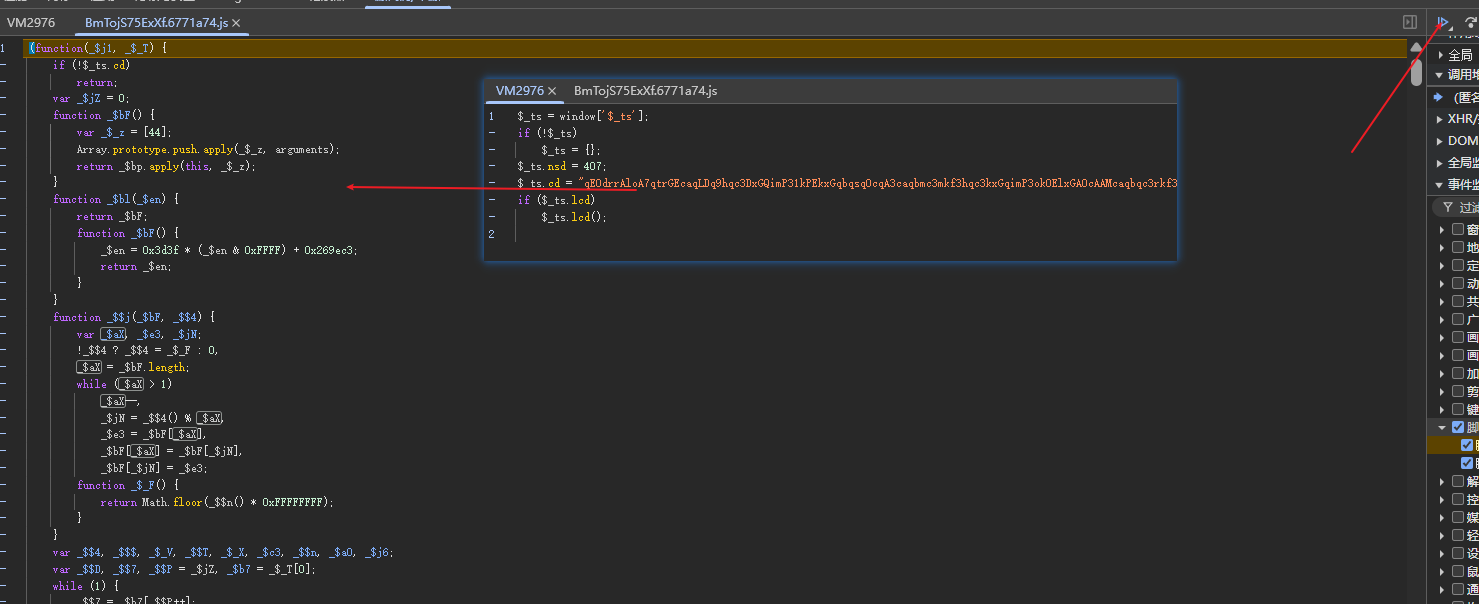
9,先将第一次虚拟机的代码还原成可以执行的js代码,然后再通过eval执行
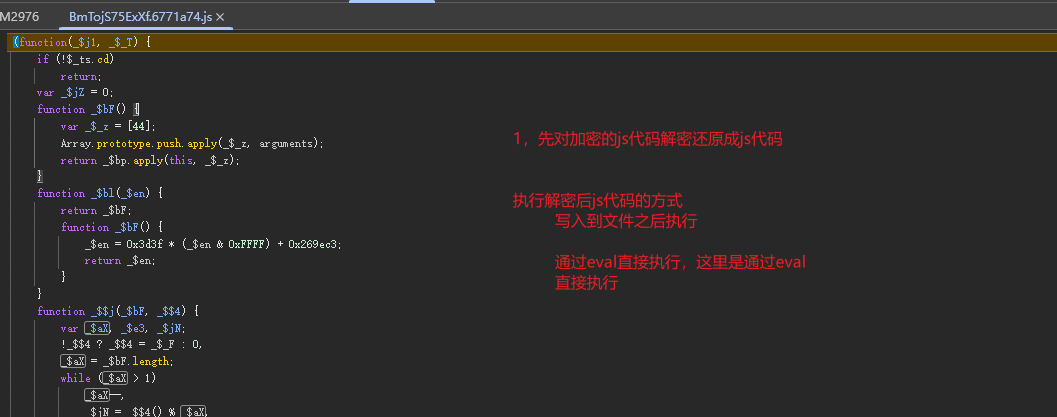
10,通用的方法就是搜.call,在BmTo里面搜.call
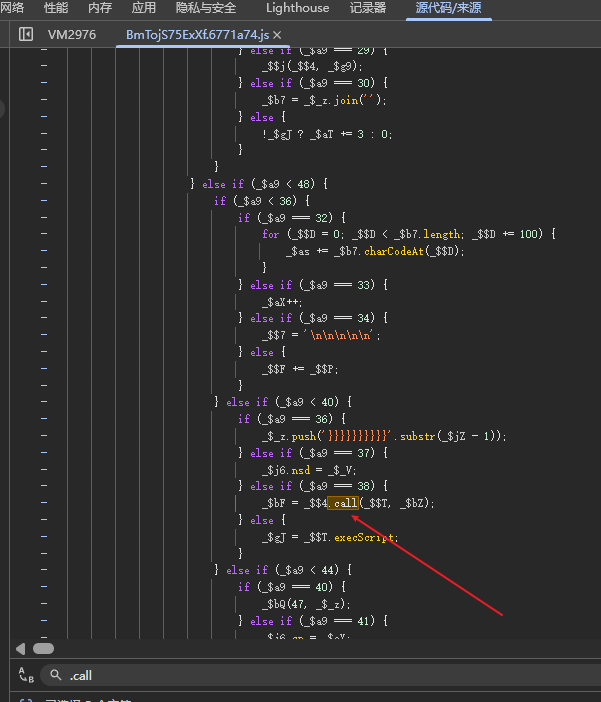
11,鼠标悬浮在这个参数上面,可以看到解密之后js代码

12,点击右侧的单步执行就可以跳到里面去,就可以看到解密之后的js文件
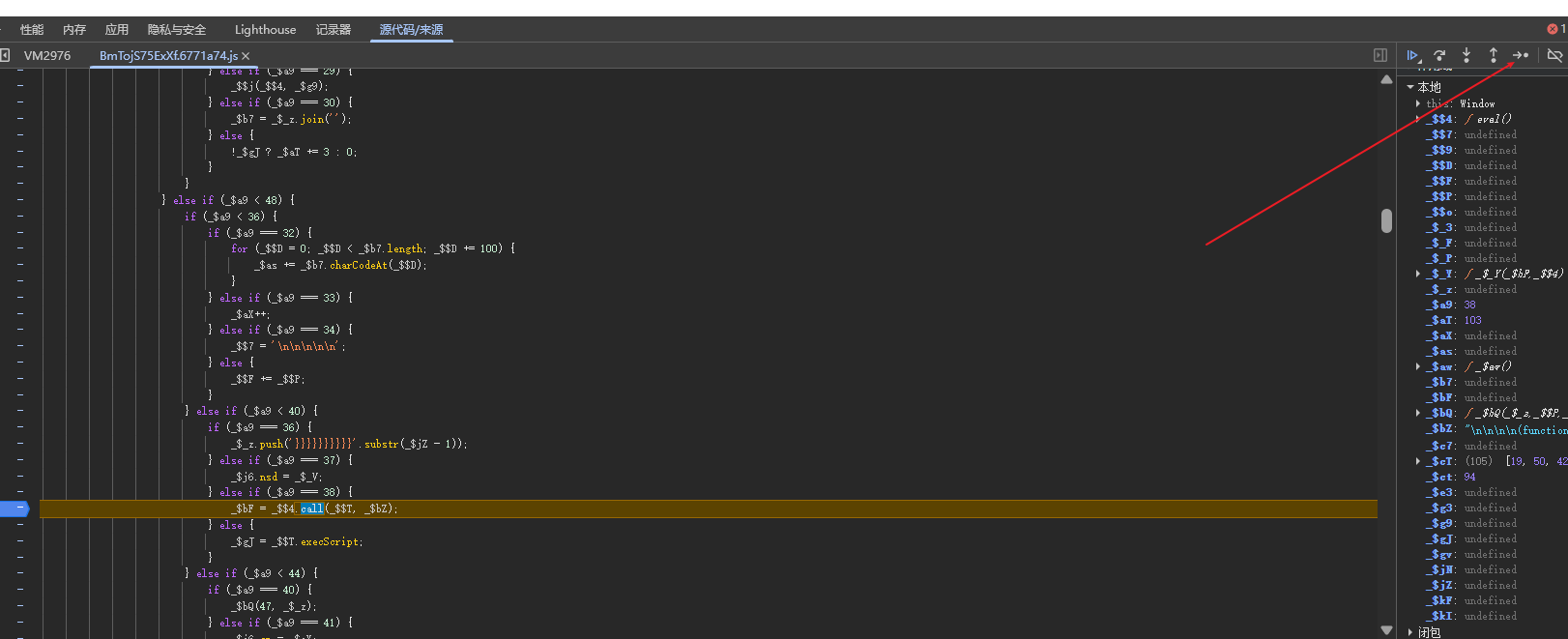
13,
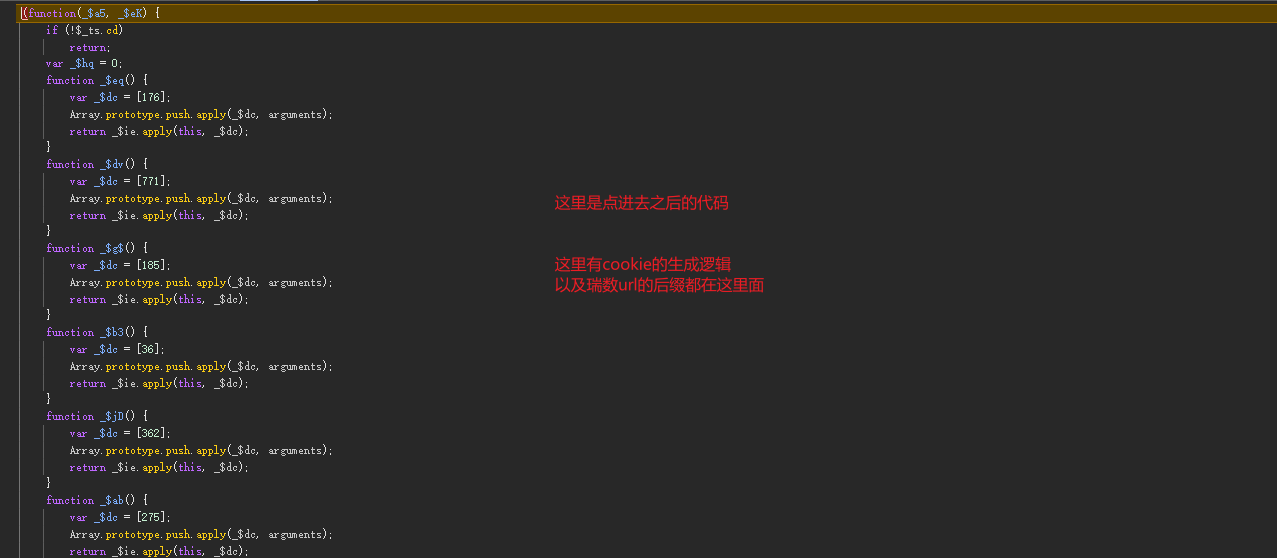
14,除了用脚本来定位,还可以用hook,用hook是最稳的一种方式
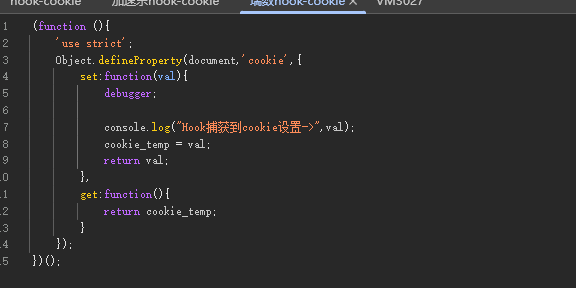
hook之后点击调用第一个调用堆栈,可以看到这个结构是一样的,而且很快很准
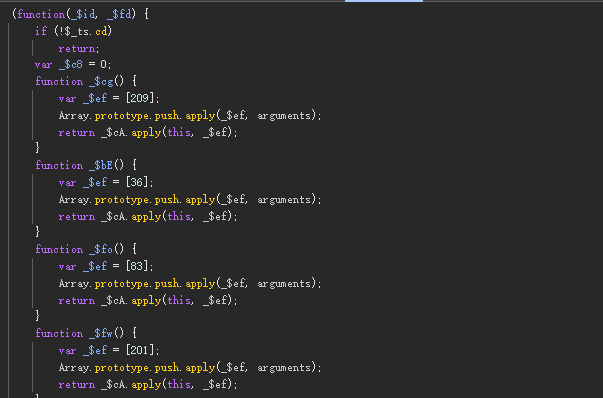
15,分析完以后就可以开始逆向
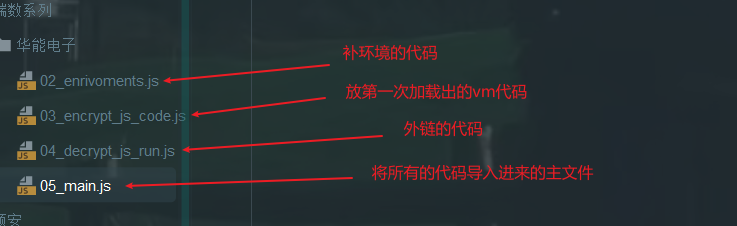
16,先拿虚拟机的代码,哈哈哈

再拿外链的代码

然后一步一步补环境,打印信息也是出来了

这里完整的代码
javascript
/*环境代理*/
function get_enviroment(proxy_array) {
    for (let i = 0; i < proxy_array.length; i++) {
        handler = `{
            get: function(target, property, receiver) {
                   console.log('方法:get','    对象:${proxy_array[i]}','    属性:',property,'    属性类型:',typeof property,'    属性值类型:',typeof target[property]);
                   return target[property];
            },
            set: function(target, property, value, receiver){
                    console.log('方法:set','    对象:${proxy_array[i]}','    属性:',property,'    属性类型:',typeof property,'    属性值类型:',typeof target[property]);
                    return Reflect.set(...arguments);
            }
        }`;
        eval(`
            try {
                ${proxy_array[i]};
                ${proxy_array[i]} = new Proxy(${proxy_array[i]}, ${handler});
            } catch (e) {
                ${proxy_array[i]} = {};
                ${proxy_array[i]} = new Proxy(${proxy_array[i]}, ${handler});
            }
        `);
    }
}

/*补环境*/
window = global
top = self =  window
window.ActiveXObject =  undefined
window.addEventListener = function(){};
window.attachEvent = undefined
div = {
    getElementsByTagName:function(tag_name){
        console.log("div getElementsByTagName ->",tag_name)
        return []
    }
}
head = {
    removeChild:function(child){
        console.log("head removeChild ->",child)
    }
}
script = {
    getAttribute:function(attr){
        console.log("script getAttribute ->", attr)
        if (attr === "r"){
            return "m"
        }
    },
    parentElement:head
}
meta = {
    getAttribute:function(attr){
        console.log("meta getAttribute ->", attr)
        if (attr === "r"){
            return "m"
        }
    },
    parentNode:head
}

document = {
    createElement:function(tag_name){
        console.log("document createElement ->",tag_name)
        if(tag_name === "div"){
            return  div
        }
    },
    removeChild:function(child){
        console.log("document removeChild ->",child)
    },
    getElementsByTagName:function(tag_name){
        console.log("document getElementsByTagName ->",tag_name)
        if (tag_name === "script"){
            return [script,script,script,script,script,script]
        }
        if(tag_name === 'meta'){
            return [meta,meta]
        }
        if(tag_name === 'base'){
            return []
        }
    },
    appendChild:function(child){
        console.log("document appendChild ->",child)
    }
}
location = {
    "ancestorOrigins": {},
    "href": "https://ec.chng.com.cn/channel/home/#/purchase?top=0",
    "origin": "https://ec.chng.com.cn",
    "protocol": "https:",
    "host": "ec.chng.com.cn",
    "hostname": "ec.chng.com.cn",
    "port": "",
    "pathname": "/channel/home/",
    "search": "",
    "hash": "#/purchase?top=0"
}
navigator = {
  "vendorSub": "",
  "productSub": "20030107",
  "vendor": "Google Inc.",
  "maxTouchPoints": 0,
  "scheduling": {},
  "userActivation": {},
  "geolocation": {},
  "doNotTrack": null,
  "plugins": {
    "0": {
      "0": {},
      "1": {}
    },
    "1": {
      "0": {},
      "1": {}
    },
    "2": {
      "0": {},
      "1": {}
    },
    "3": {
      "0": {},
      "1": {}
    },
    "4": {
      "0": {},
      "1": {}
    }
  },
  "mimeTypes": {
    "0": {},
    "1": {}
  },
  "pdfViewerEnabled": true,
  "webkitTemporaryStorage": {},
  "webkitPersistentStorage": {},
  "hardwareConcurrency": 16,
  "cookieEnabled": true,
  "appCodeName": "Mozilla",
  "appName": "Netscape",
  "appVersion": "5.0 (Windows NT 10.0; Win64; x64) AppleWebKit/537.36 (KHTML, like Gecko) Chrome/143.0.0.0 Safari/537.36",
  "platform": "Win32",
  "product": "Gecko",
  "userAgent": "Mozilla/5.0 (Windows NT 10.0; Win64; x64) AppleWebKit/537.36 (KHTML, like Gecko) Chrome/143.0.0.0 Safari/537.36",
  "language": "zh-CN",
  "languages": [
    "zh-CN"
  ],
  "onLine": true,
  "webdriver": false,
  "connection": {},
  "windowControlsOverlay": {},
  "deprecatedRunAdAuctionEnforcesKAnonymity": false,
  "protectedAudience": {},
  "bluetooth": {},
  "clipboard": {},
  "credentials": {},
  "keyboard": {},
  "managed": {},
  "mediaDevices": {},
  "storage": {},
  "serviceWorker": {},
  "virtualKeyboard": {},
  "wakeLock": {},
  "deviceMemory": 8,
  "userAgentData": {
    "brands": [
      {
        "brand": "Google Chrome",
        "version": "143"
      },
      {
        "brand": "Chromium",
        "version": "143"
      },
      {
        "brand": "Not A(Brand",
        "version": "24"
      }
    ],
    "mobile": false,
    "platform": "Windows"
  },
  "locks": {},
  "login": {},
  "ink": {},
  "mediaCapabilities": {},
  "devicePosture": {},
  "hid": {},
  "mediaSession": {},
  "permissions": {},
  "presentation": {},
  "serial": {},
  "gpu": {},
  "usb": {},
  "xr": {},
  "storageBuckets": {}
}
setInterval = function(){};
setTimeout = function(){};
/*代理检测*/
proxy_array = ['window', 'document','location','navigator','div','script','meta','script.parentElement','base']


get_enviroment(proxy_array);