文章目录
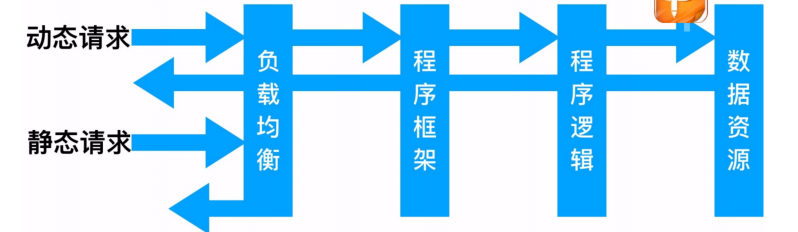
访问流程
实验环境
| 系统 | 服务 | 服务 | 内网地址 |
|---|---|---|---|
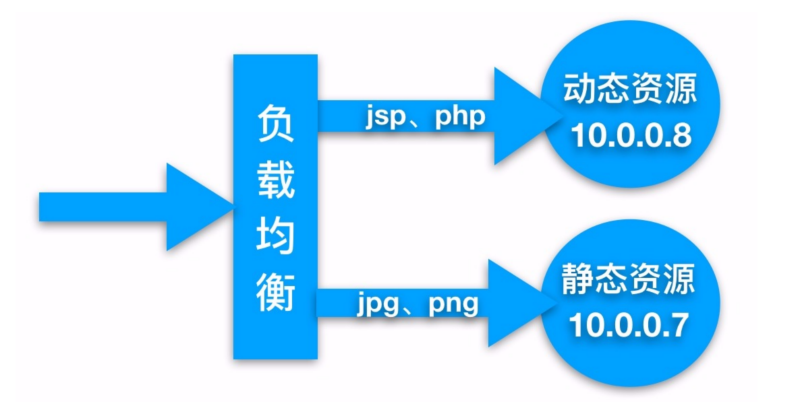
| CentOS7.7 | 负载均衡 | Nginx Proxy | 10.0.0.5 |
| CentOS7.7 | 静态资源 | Nginx Static | 10.0.0.7 |
| CentOS7.7 | 动态资源 | Tomcat Server | 10.0.0.8 |
实验需求
动静分离,通过中间件将动态请求和静态请求进行分离, 分离资源, 减少不必要的请求消耗, 减少请求延时。
好处: 动静分离后, 即使动态服务不可用, 但静态资源不会受到影响,通过中间件将动态请求和静态请求分离
实验步骤
1、搭建web01的静态资源
php
#安装nginx
[root@web01 ~]# yum -y localinstall nginx-1.20.2-1.el7.ngx.x86_64.rpm


#编辑配置文件
[root@web01 ~]# cat /etc/nginx/conf.d/www.conf
server{
    listen 80;
    server_name www.jy.com;
}
    location / {
        root /code/www;
        index index.html;
        location ~* \.(png|jpg|gif)$ {
    root /code/www/images;
    }
}

#创建目录,上传图片
[root@web01 ~]# mkdir  /code/www/images
[root@web01 images]# ls
1.png


#启动服务
[root@web01 ~]# systemctl restart nginx
[root@web01 ~]# systemctl enable nginx
Created symlink from /etc/systemd/system/multi-user.target.wants/nginx.service to /usr/lib/systemd/system/nginx.service.
2、搭建web02的动态资源
php
#安装tomcat
[root@web02 ~]# yum install -y tomcat
#启动tomcat
[root@web02 ~]# systemctl start tomcat

#编写默认页面
[root@web02 ~]# mkdir /usr/share/tomcat/webapps/ROOT
[root@web02 ~]# vi /usr/share/tomcat/webapps/ROOT/java_test.jsp
<%@ page language="java" import="java.util.*" pageEncoding="utf-8"%>
<HTML>
    <HEAD>
        <TITLE>JSP Test Page</TITLE>

    </HEAD>

    <BODY>
      <%
        Random rand = new Random();
        out.println("<h1>Random number:</h1>");
        out.println(rand.nextInt(99)+100);
      %>
    </BODY>

</HTML>
3、部署lb01
php
#安装nginx
[root@lb01 ~]# yum -y localinstall nginx-1.20.2-1.el7.ngx.x86_64.rpm

#编写配置文件
vim /etc/nginx/proxy_params
proxy_set_header Host $http_host;
proxy_set_header X-Real-IP $remote_addr;
proxy_set_header X-Forwarded-For $proxy_add_x_forwarded_for;

proxy_connect_timeout 30;
proxy_send_timeout 60;
proxy_read_timeout 60;

proxy_buffering on;
proxy_buffer_size 32k;
proxy_buffers 4 128k;


#编写反向代理配置文件
[root@lb01 ~]# vim /etc/nginx/conf.d/proxy.conf
upstream static {
    server 10.0.0.7:80;
}
upstream java {
    server 10.0.0.8:8080;
}
server {
    listen 80;
    server_name www.jy.com;
    location / {
        root /web/www;
        index index.html;
    }
    location ~ .*\.(png|jpg|gif)$ {
        proxy_pass http://static;
        include proxy_params;
    }
    location  ~ .*\.jsp$ {
        proxy_pass http://java;
        include proxy_params;
    }
}


## 编写页面文件
[root@lb01 ~]# mkdir -p /web/www
[root@lb01 ~]# vi /web/www/index.html
<html lang="en">
<head>
        <meta charset="UTF-8" />
        <title>测试ajax和跨域访问</title>

        <script src="http://libs.baidu.com/jquery/2.1.4/jquery.min.js"></script>

</head>

<script type="text/javascript">
$(document).ready(function(){
        $.ajax({
        type: "GET",
        url: "http://www.jy.com/java_test.jsp",   #域名可以修改自己的,后面是Tomcat创建的路径
        success: function(data) {
                $("#get_data").html(data)
        },
        error: function() {
                alert("fail!!,请刷新再试!");
        }
        });
});
</script>

        <body>
                <h1>测试动静分离</h1>

                <img src="http://www.jy.com/1.png">   #修改为存放静态图片的 文件名字
                <div id="get_data"></div>

        </body>

</html>

#重启nginx
[root@lb01 ~]# systemctl restart nginx


#修改hosts文件
172.16.1.5   www.jy.com
4、验证
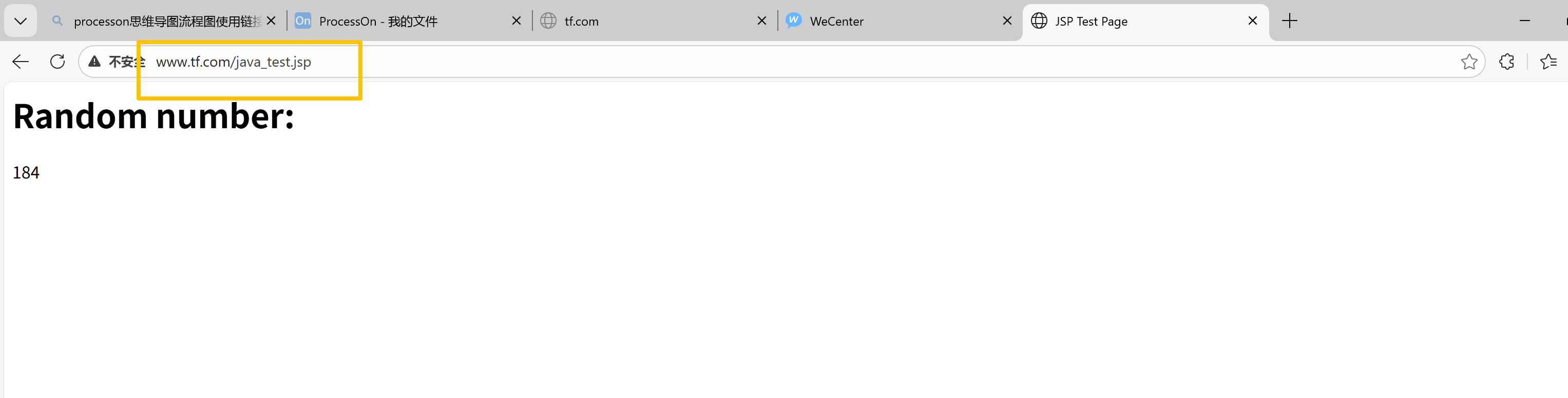
动态网页