目录

在微服务架构体系中,负载均衡、远程调用以及熔断降级是保障系统高可用性、稳定性和可扩展性的三大核心机制,它们各自发挥着不可替代的作用。
负载均衡
自 Spring Cloud 2020 版本起,Ribbon 被弃用,转而使用 Spring Cloud LoadBalancer。Spring Cloud LoadBalancer 不仅能够支持 RestTemplate,还支持 WebClient,提供了更好的集成和更现代的编程模型支持。
Spring Cloud LoadBalancer 是 Spring Cloud 官方提供的新一代客户端负载均衡解决方案,它为微服务架构提供了简单而强大的客户端负载均衡能力,与 Spring Cloud 生态系统紧密集成。
在项目的 pom.xml 文件中添加 Spring Cloud LoadBalancer 依赖:
<dependency>
    <groupId>org.springframework.cloud</groupId>
    <artifactId>spring-cloud-loadbalancer</artifactId>
</dependency>
在 application.yml 文件中进行配置:
spring:
  cloud:
    loadbalancer:
      retry:
        enabled: true # 启用重试机制
        retryable-status-codes: # 可重试的HTTP状态码
          - 500
          - 502
          - 503
        backoff:
          enabled: true  # 启用退避策略
          min-backoff: 1000ms  # 最小重试延迟
          max-backoff: 5000ms  # 最大重试延迟
      # 负载均衡策略配置
      config:
        strategy: round-robin  # 负载均衡策略:round-robin(轮询)、random(随机)、weight(权重)
启用负载均衡
在启动类上添加 @EnableDiscoveryClient 注解以启用服务发现:
@SpringBootApplication
@EnableDiscoveryClient
public class Application {
    public static void main(String[] args) {
        SpringApplication.run(Application.class, args);
    }
}
实现服务调用的负载均衡
使用 RestTemplate 结合 @LoadBalanced 注解来实现服务调用的负载均衡:
@Configuration
public class RestTemplateConfig {

    @Bean
    @LoadBalanced
    public RestTemplate restTemplate() {
        return new RestTemplate();
    }
}
在服务调用类中使用:
@Service
@Slf4j
public class OrderService {

    @Autowired
    private RestTemplate restTemplate;

    /**
     * 使用RestTemplate调用用户服务
     */
    public String getUserInfoWithRestTemplate(Long userId) {
        try {
            String url = "http://user-service/api/users/" + userId;
            log.info("调用用户服务URL: {}", url);
            return restTemplate.getForObject(url, String.class);
        } catch (Exception e) {
            log.error("调用用户服务失败: ", e);
            return "error";
        }
    }
}
远程调用
OpenFeign 是 Spring Cloud 生态系统中的一个关键组件,它是一个声明式的 Web 服务客户端 1官网。通过 OpenFeign,开发者可以像调用本地方法一样调用远程服务,极大地简化了微服务之间的通信。
依赖引入
        <dependency>
            <groupId>org.springframework.cloud</groupId>
            <artifactId>spring-cloud-starter-openfeign</artifactId>
        </dependency>
启用 Feign
@SpringBootApplication
@EnableDiscoveryClient
@EnableFeignClients
public class GatewayApplication {
    public static void main(String[] args) {
        SpringApplication.run(GatewayApplication.class, args);
    }
}
Feign 接口示例
@FeignClient(name = "demo-service")
public interface DemoServiceClient {

    @GetMapping("/demo/test")
    String callDemoService();
}
OpenFeign 天然支持 Spring Cloud LoadBalancer,只需确保依赖和注解配置正确。
无需手动添加 @LoadBalancer 注解,Feign 会自动处理负载均衡逻辑。
如需自定义策略,可通过扩展 ReactorLoadBalancer 实现。
import org.springframework.cloud.client.ServiceInstance;
import org.springframework.cloud.client.loadbalancer.DefaultResponse;
import org.springframework.cloud.client.loadbalancer.Request;
import org.springframework.cloud.client.loadbalancer.Response;
import org.springframework.cloud.loadbalancer.core.ReactorLoadBalancer;
import org.springframework.cloud.loadbalancer.core.ServiceInstanceListSupplier;
import org.springframework.cloud.loadbalancer.support.LoadBalancerClientFactory;
import org.springframework.context.annotation.Bean;
import org.springframework.core.env.Environment;
import reactor.core.publisher.Mono;

import java.util.concurrent.ThreadLocalRandom;

/**
 * 自定义负载均衡策略
 *
 * @author admin
 * @date 2026/2/6 22:56
 */
public class LoadBalancerConfig {

    /**
     * 配置随机负载均衡策略的Bean
     *
     * @param environment               环境配置,用于获取服务名称
     * @param loadBalancerClientFactory 负载均衡客户端工厂,用于创建服务实例列表供应商
     * @return 返回一个基于随机算法的ReactorLoadBalancer实例
     */
    @Bean
    public ReactorLoadBalancer<ServiceInstance> randomLoadBalancer(Environment environment,
                                                                   LoadBalancerClientFactory loadBalancerClientFactory) {
        // 从环境配置中获取当前服务的名称
        String name = environment.getProperty(LoadBalancerClientFactory.PROPERTY_NAME);
        // 创建并返回一个随机负载均衡器实例
        // return new RandomLoadBalancer(loadBalancerClientFactory.getLazyProvider(name, ServiceInstanceListSupplier.class), name);

        // 创建并返回一个轮询负载均衡器实例,按顺序依次选择服务实例
        //return new RoundRobinLoadBalancer(loadBalancerClientFactory.getLazyProvider(name, ServiceInstanceListSupplier.class), name);

        return new WeightLoadBalancer(loadBalancerClientFactory.getLazyProvider(name, ServiceInstanceListSupplier.class).getObject());
    }

    /**
     * 自定义按权重负载均衡器
     */
    static class WeightLoadBalancer implements ReactorLoadBalancer<ServiceInstance> {
        private final ServiceInstanceListSupplier serviceInstanceListSupplier;

        public WeightLoadBalancer(ServiceInstanceListSupplier serviceInstanceListSupplier) {
            this.serviceInstanceListSupplier = serviceInstanceListSupplier;
        }

        @Override
        public Mono<Response<ServiceInstance>> choose(Request request) {
            return serviceInstanceListSupplier.get().next()
                    .flatMap(serviceInstances -> {
                        if (serviceInstances.isEmpty()) {
                            return Mono.empty(); // 没有可用实例时返回空
                        }

                        // 计算总权重
                        int totalWeight = serviceInstances.stream()
                                .mapToInt(instance -> Integer.parseInt(
                                        instance.getMetadata().getOrDefault("weight", "1")))
                                .sum();

                        // 生成随机数
                        int random = ThreadLocalRandom.current().nextInt(totalWeight);

                        // 按权重选择实例
                        int currentWeight = 0;
                        for (ServiceInstance instance : serviceInstances) {
                            int weight = Integer.parseInt(instance.getMetadata().getOrDefault("weight", "1"));
                            currentWeight += weight;
                            if (random < currentWeight) {
                                return Mono.just(new DefaultResponse(instance)); // 返回选中的实例
                            }
                        }

                        return Mono.empty(); // 理论上不会执行到这里
                    });
        }

    }
}
Yaml
# 服务实例1
metadata:
  weight: "40"

# 服务实例2
metadata:
  weight: "60"
熔断降级
Sentinel 是阿里巴巴开源的流量防护组件,支持熔断、限流、降级等功能。与 Spring Cloud Alibaba 集成无缝,生态成熟。
        <!-- Sentinel 熔断限流 -->
        <dependency>
            <groupId>com.alibaba.cloud</groupId>
            <artifactId>spring-cloud-starter-alibaba-sentinel</artifactId>
        </dependency>
配置示例
spring:
  cloud:
    sentinel:
      transport:
        dashboard: localhost:8080 # Sentinel 控制台地址
      eager: true # 启动时立即加载规则
代码示例
  @FeignClient(name = "demo-service")
  public interface DemoServiceClient {
      @SentinelResource(
          value = "callDemoService",
          fallback = "fallbackMethod"
      )
      @GetMapping("/demo/test")
      String callDemoService();

      default String fallbackMethod(Throwable ex) {
          return "服务降级返回";
      }
  }
限流示例
@RestController
public class DemoController {

    @RequestMapping("/test")
    @SentinelResource(value = "test", blockHandler = "handleException")
    public String test() {
        return "ok1";
    }

    // 限流后的处理方法
    public String handleException(BlockException ex) {
        return "请求被限流了!";
    }
}
自定义异常处理器
/**
 * 自定义异常处理器
 *
 * @author admin
 * @date 2026/2/8 17:57
 */
@Component
public class CustomBlockExceptionHandler implements BlockExceptionHandler {
    @Override
    public void handle(HttpServletRequest request, HttpServletResponse response, BlockException e) throws Exception {
        response.setStatus(429);
        response.getWriter().write("请求过于频繁,请稍后再试!");
    }
}
下载控制台
Sentinel 需要一个控制台来管理规则和监控流量。以下是启动步骤:
https://github.com/alibaba/Sentinel/releases
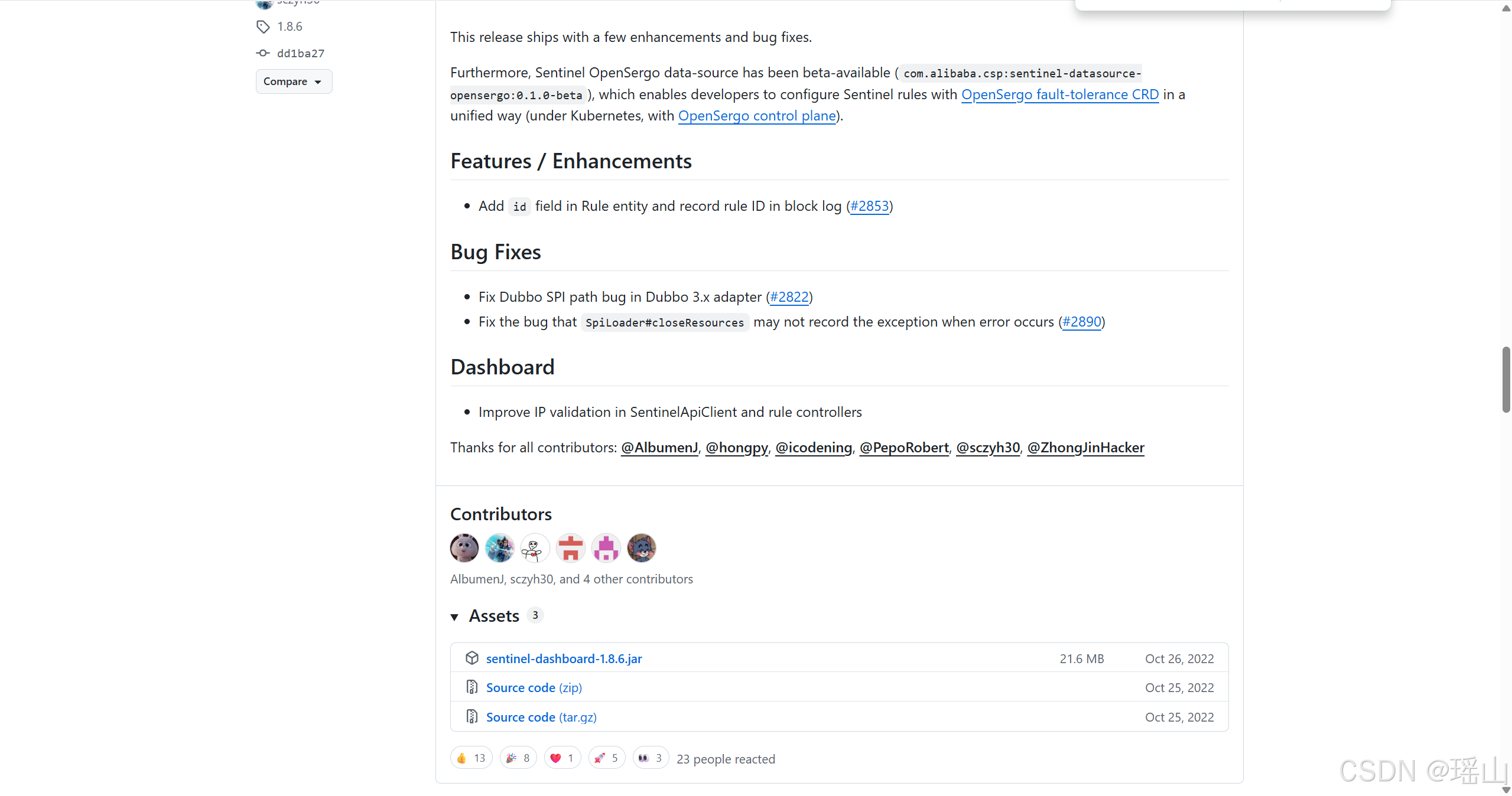
选择:sentinel-dashboard-1.8.6.jar
java -Dserver.port=8080 -Dcsp.sentinel.dashboard.server=localhost:8080 -Dproject.name=sentinel-dashboard -jar sentinel-dashboard-1.8.6.jar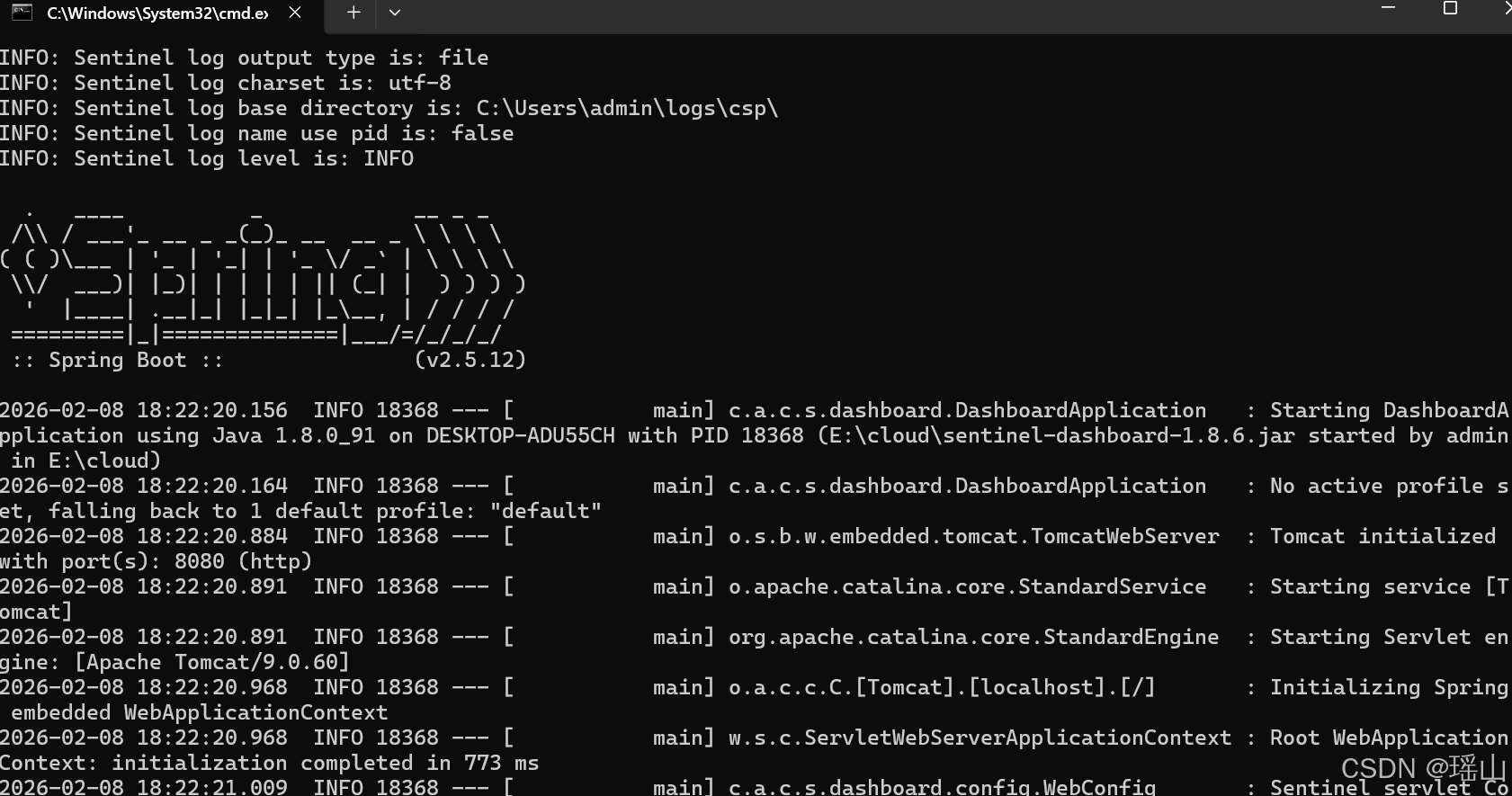
访问:http://localhost:8080/#/login,默认登录账号和密码均为:sentinel
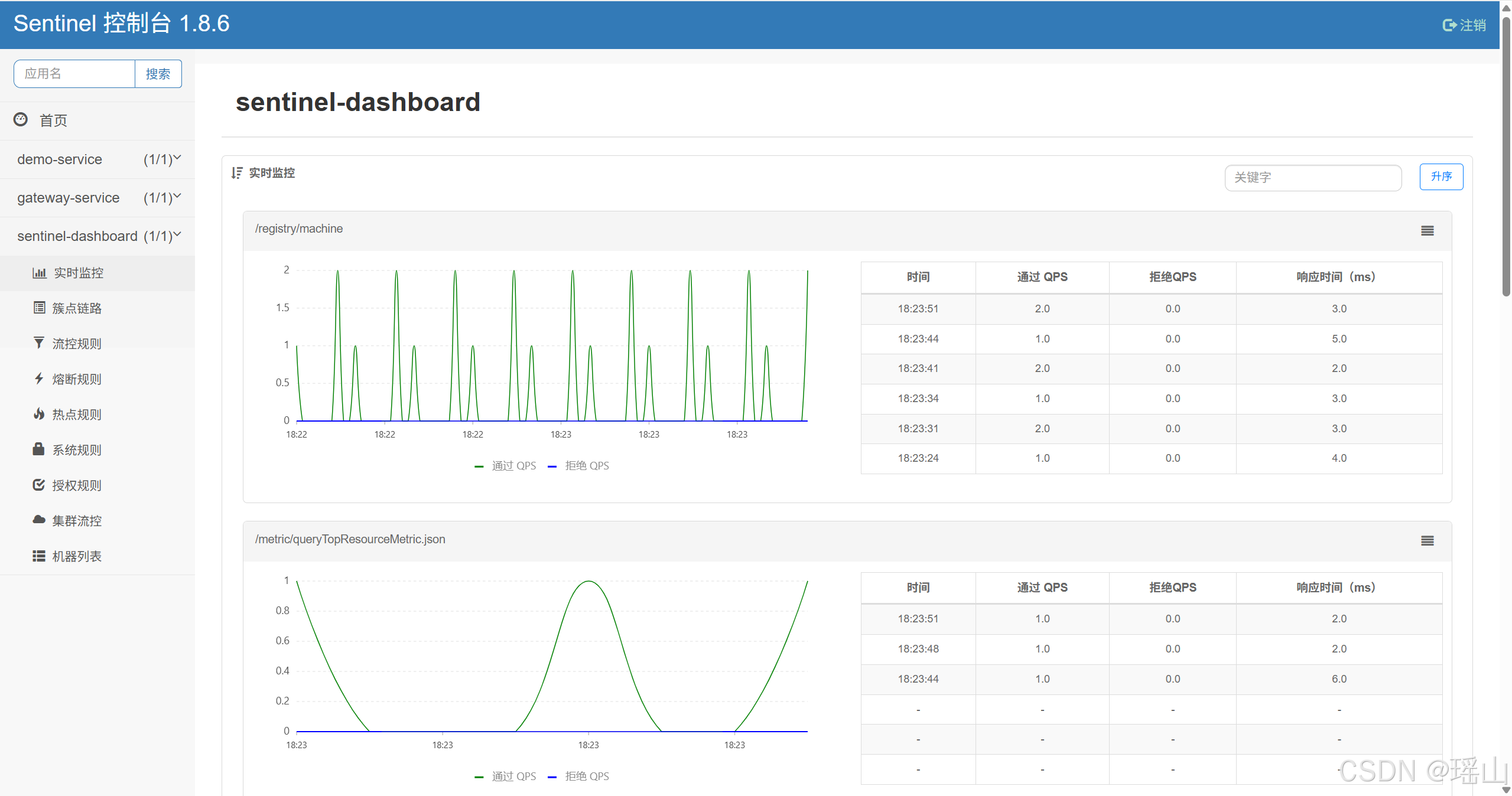
Sentinel 规则的持久化
spring:
  cloud:
    sentinel:
      datasource:
        ds1:
          nacos:
            server-addr: 127.0.0.1:8848
            data-id: ${spring.application.name}-sentinel-rules
            group-id: DEFAULT_GROUP
            rule-type: flow
组件版本清单
当前Spring Cloud 微服务组件版本清单
- JDK: 1.8
- MySQL: 8.0.33
- Nacos 2.2
- Spring Boot2.7.18
- Spring Cloud2021.0.9
- Spring Cloud Alibaba 2021.0.5.0
- Hutool5.8.25
- Lombok 1.18.26
- XxlJob2.5.0
- Hutool5.8.25
- Lombok 1.18.26
- RocketMQ 5.1.4
- Sentinel 1.8.6
- OpenFeign 3.1.9
- LoadBalancer 3.1.8
到此,Spring Cloud微服务的主要组件已经集成完毕,后续会再集成redis,mysql,监控,等常用组件。