QtWeatherApp - 简单天气预报软件
一个使用 Qt 6 + C++ 开发的桌面天气预报应用。从零开始实现,支持输入城市名称查询当前天气和未来7天预报。
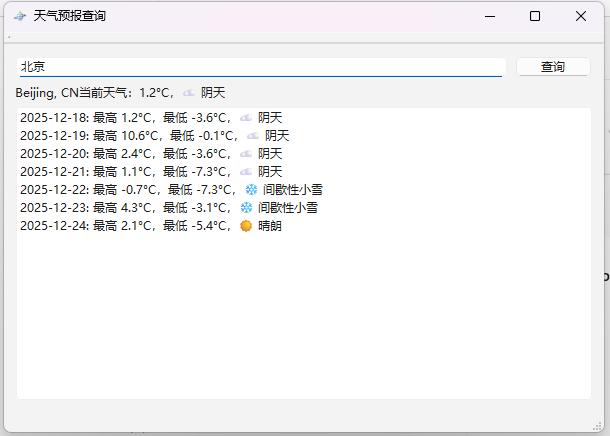
(以上截图为 Qt 天气应用,实际界面为简洁的 Qt 布局,包括城市输入框、查询按钮、当前天气标签和预报列表)
前提条件
第一步
我们使用 Open-Meteo 免费天气 API(无需 API Key,非商业免费使用,数据准确):
第二步
注册 OpenWeatherMap 获取免费 API Key:https://openweathermap.org/api (只需邮箱注册,立即可用)
首先需要通过城市名获取经纬度,我们使用另一个免费 API:OpenWeatherMap 的 Geocoding API(免费注册后获取 API Key,支持每天 1000 次调用):
http://api.openweathermap.org/geo/1.0/direct?q=城市名\&limit=1\&appid=你的KEY
大体思路
我们共同第二步获取的api可以在该网站获取到城市坐标,而第一步中的免费天气正只需要经纬度坐标输入来获取天气输出
功能特点
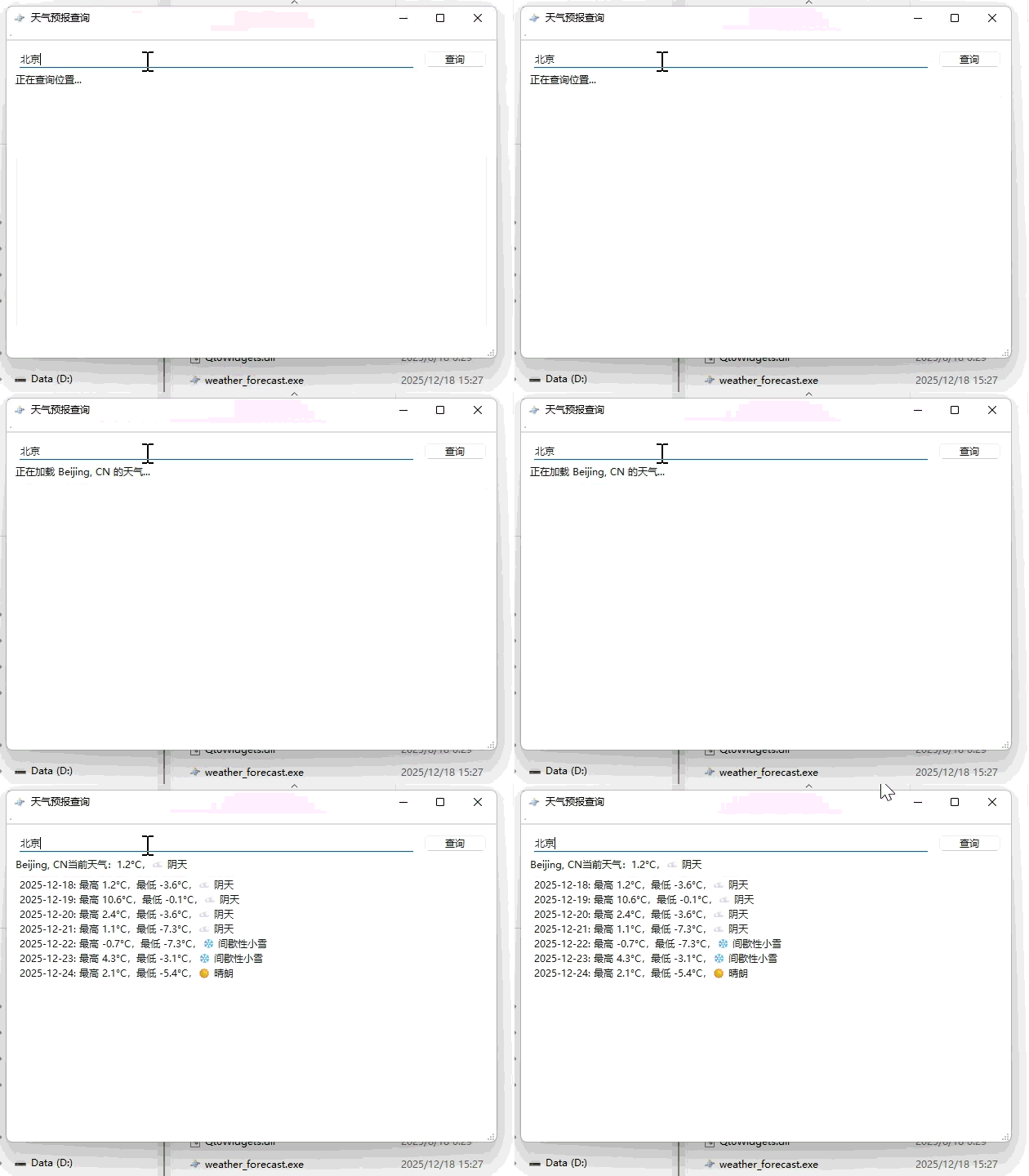
- 输入城市名称(支持中文或英文,如 "Beijing" 或 "Shanghai,CN")
- 以下为获取地理数据返回 经纬度
cpp
void MainWindow::onGeoReplyFinished(QNetworkReply *reply)
{
if (reply->error() != QNetworkReply::NoError) {
QMessageBox::critical(this, "错误", "位置查询失败: " + reply->errorString());
reply->deleteLater();
return;
}
QByteArray data = reply->readAll();
QJsonDocument doc = QJsonDocument::fromJson(data);
QJsonArray array = doc.array();
if (array.isEmpty()) {
QMessageBox::warning(this, "错误", "未找到该城市!");
reply->deleteLater();
return;
}
QJsonObject obj = array.first().toObject();
double lat = obj["lat"].toDouble();
double lon = obj["lon"].toDouble();
QString cityName = obj["name"].toString() + ", " + obj["country"].toString();
reply->deleteLater();
QString weatherUrl = QString("https://api.open-meteo.com/v1/forecast?"
"latitude=%1&longitude=%2"
"¤t=temperature_2m,weather_code"
"&daily=temperature_2m_max,temperature_2m_min,weather_code"
"&timezone=auto")
.arg(lat).arg(lon);
weatherManager->get(QNetworkRequest(QUrl(weatherUrl)));
ui->currentWeatherLabel->setText(QString("正在加载 %1 的天气...").arg(cityName));
}- 以下为通过经纬度获取该地天气(会有误差,上面的城市搜索智能返回一个经纬度,而下面的天气查询是通过上面的一个坐标来获取温度,所以会有误差)
- 有点全球所有城市都能查询天气
cpp
void MainWindow::onWeatherReplyFinished(QNetworkReply *reply)
{
    if (reply->error() != QNetworkReply::NoError) {
        QMessageBox::critical(this, "错误", "天气查询失败: " + reply->errorString());
        reply->deleteLater();
        return;
    }

    QByteArray data = reply->readAll();
    QJsonDocument doc = QJsonDocument::fromJson(data);
    QJsonObject root = doc.object();

    // 当前天气
    QJsonObject current = root["current"].toObject();
    double temp = current["temperature_2m"].toDouble();
    int code = current["weather_code"].toInt();
    ui->currentWeatherLabel->setText(QString("当前天气:%1°C,%2")
                                     .arg(temp, 0, 'f', 1)
                                     .arg(weatherDescription(code)));

    // 预报
    ui->forecastList->clear();
    QJsonObject daily = root["daily"].toObject();
    QJsonArray dates = daily["time"].toArray();
    QJsonArray maxT = daily["temperature_2m_max"].toArray();
    QJsonArray minT = daily["temperature_2m_min"].toArray();
    QJsonArray codes = daily["weather_code"].toArray();

    for (int i = 0; i < dates.size(); ++i) {
        QString date = dates[i].toString();
        double max = maxT[i].toDouble();
        double min = minT[i].toDouble();
        int c = codes[i].toInt();
        ui->forecastList->addItem(QString("%1: 最高 %2°C,最低 %3°C,%4")
                                  .arg(date).arg(max, 0, 'f', 1).arg(min, 0, 'f', 1).arg(weatherDescription(c)));
    }

    reply->deleteLater();
}- 显示当前温度和天气描述
- 显示未来7天每日最高/最低温度及天气描述
- 使用免费天气 API,无广告
- 纯 C++ 实现,学习 Qt 网络请求、JSON 解析的优秀示例
技术栈
- Qt 6.x (Widgets 模块 + Network 模块)
- C++17
- 天气数据来源:
- 经纬度查询:OpenWeatherMap Geocoding API(需免费 API Key)
- 天气预报:Open-Meteo API(完全免费,无需 Key)
环境要求
- Qt 6.x(推荐使用 Qt Creator)
- 支持 Windows / macOS / Linux
构建与运行
-
打开 Qt Creator,加载项目(
WeatherApp.pro) -
在
mainwindow.cpp中替换 API Key:cppQString apiKey = "你的OpenWeatherMap_API_Key"; // 替换成你的Key -
编译并运行(Ctrl + R)
使用方法
- 启动程序
- 在输入框中输入城市名称(如
Beijing) - 点击"查询天气"按钮
- 查看当前天气和未来预报列表
项目结构
WeatherApp/
├── main.cpp
├── mainwindow.h
├── mainwindow.cpp
├── mainwindow.ui
扩展建议
- 添加天气图标显示(下载 WMO 天气代码对应图标)
- 支持自动定位(集成 Qt Positioning 模块)
- 添加缓存机制,避免重复请求
- 美化界面(使用样式表或 QSS)
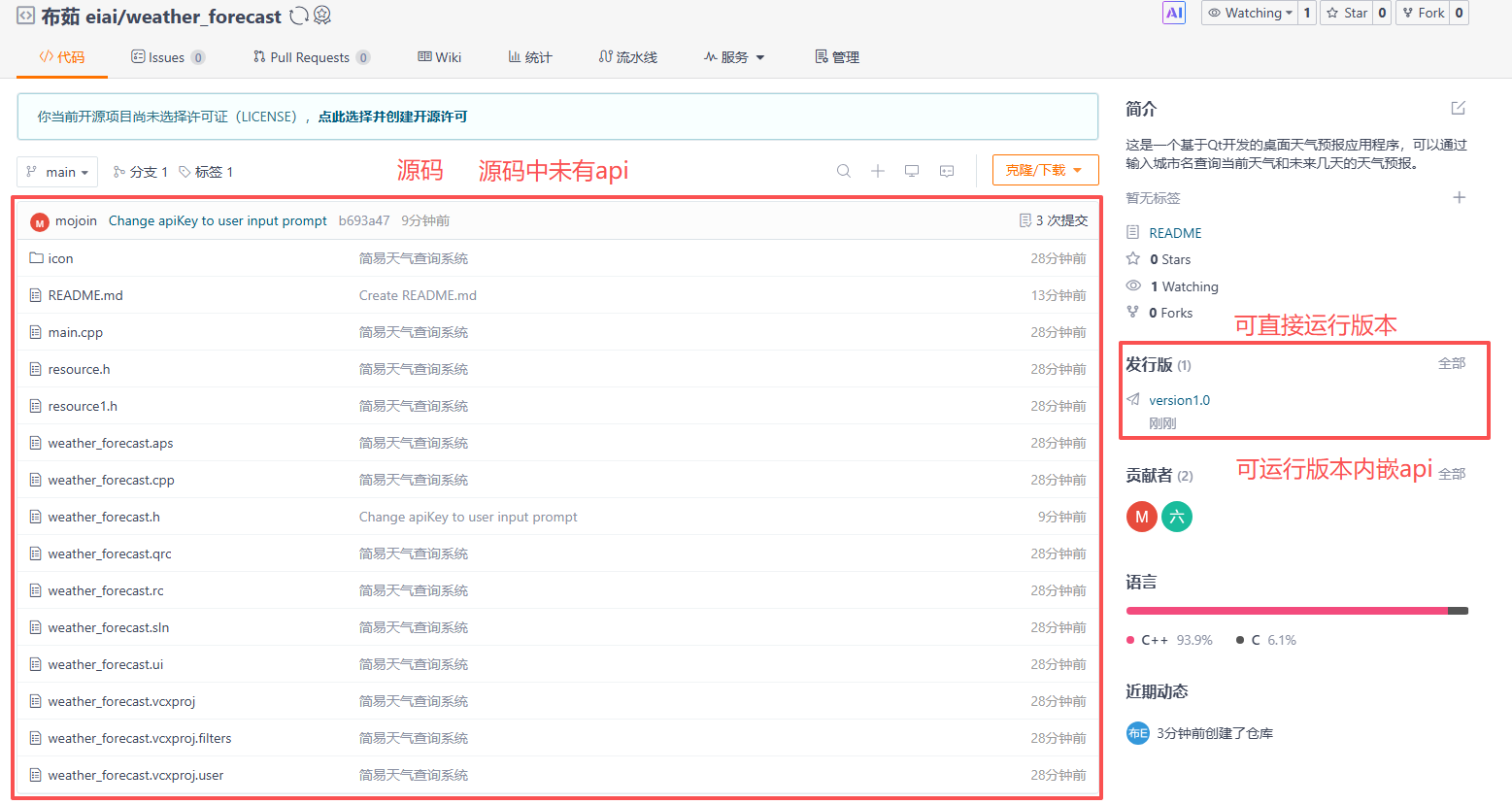
github源码下载
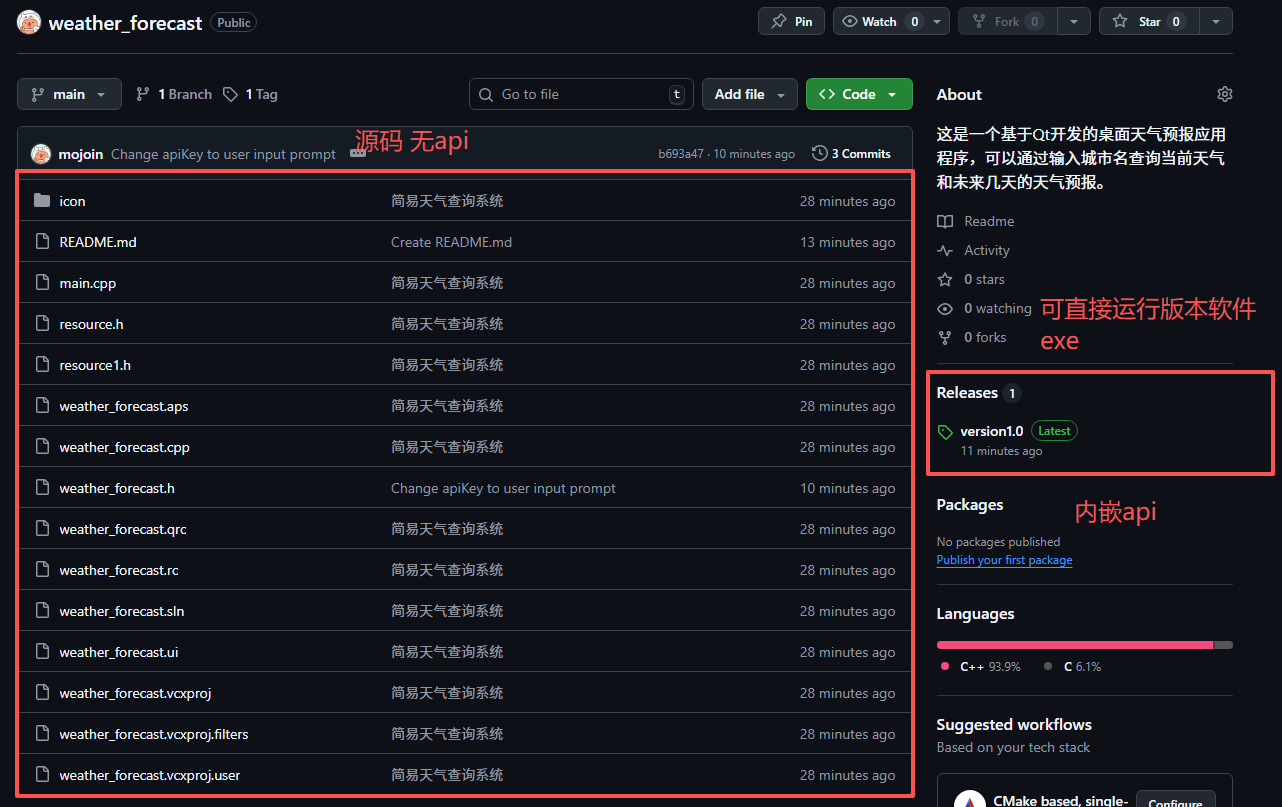
github源码下载:https://github.com/mojoin/weather_forecast