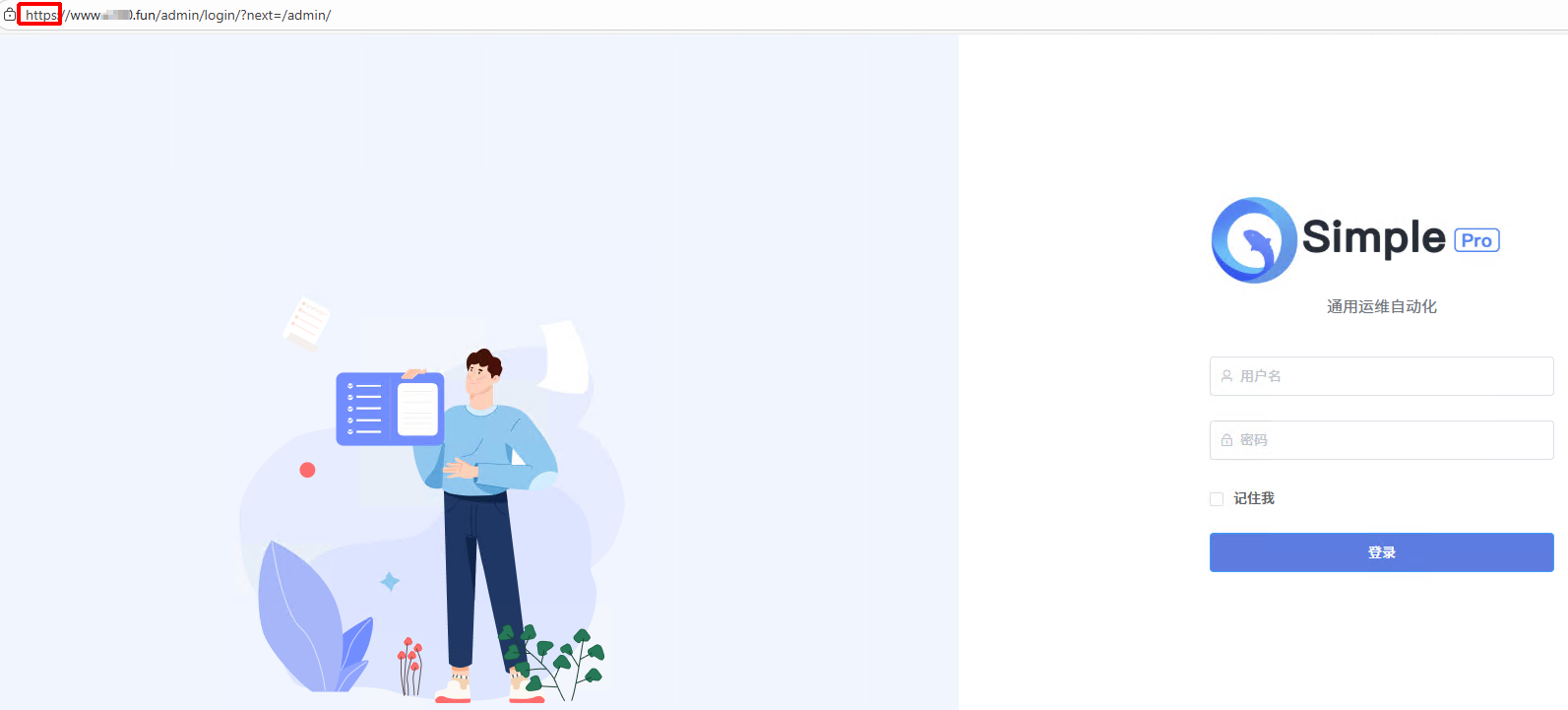
因主流的浏览器都要求以https的方式访问网站,现有一些在用的网站架构是python django的,故以此为例进行配置说明。用Nginx + Gunicorn模式进行部署,用acme.sh制作免费的ssl证书,实现以https方式访问。
1、django gunicorn
1.1、安装gunicorn
bash
source ~/venv/bin/activate
pip install gunicorn1.2、用到的wsgi.py
bash
[run@ygremoteserver GOAMAS]$  cat goamas/wsgi.py
"""
WSGI config for goamas project.

It exposes the WSGI callable as a module-level variable named ``application``.

For more information on this file, see
https://docs.djangoproject.com/en/5.2/howto/deployment/wsgi/
"""

import os

from django.core.wsgi import get_wsgi_application

os.environ.setdefault('DJANGO_SETTINGS_MODULE', 'goamas.settings')

application = get_wsgi_application()
1.3、启动gunicorn
bash
$ cd proj/GOAMAS
$ gunicorn goamas.wsgi:application \
          --bind unix:/opt/GOAMAS/gunicorn.sock \
          --workers 3 \
          --timeout 120
1.4、查看gunicorn服务情况
bash
[root@ygremoteserver ~]# ps aux | grep gunicorn | grep -v grep
run       704739  0.0  1.3  32244 23648 pts/2    S+   12:07   0:00 /app/run/venv/bin/python3.13 /app/run/venv/bin/gunicorn goamas.wsgi:application --bind 0.0.0.0:8000
run       704818  0.0  4.1 238584 70608 pts/2    Sl+  13:02   0:01 /app/run/venv/bin/python3.13 /app/run/venv/bin/gunicorn goamas.wsgi:application --bind 0.0.0.0:8000
[
root@ygremoteserver ~]# ps -ef|grep gunicorn
run       704739  704418  0 12:07 pts/2    00:00:00 /app/run/venv/bin/python3.13 /app/run/venv/bin/gunicorn goamas.wsgi:application --bind 0.0.0.0:8000
run       704818  704739  0 13:02 pts/2    00:00:01 /app/run/venv/bin/python3.13 /app/run/venv/bin/gunicorn goamas.wsgi:application --bind 0.0.0.0:8000
2、acme.sh安装
2.1、下载acme.sh
bash
[root@ygremoteserver ~]# wget https://get.acme.sh
--2025-12-16 21:51:34--  https://get.acme.sh/
Resolving get.acme.sh (get.acme.sh)... 104.21.34.62, 172.67.199.16, 2606:4700:3031::ac43:c710, ...
Connecting to get.acme.sh (get.acme.sh)|104.21.34.62|:443... connected.
HTTP request sent, awaiting response... 200 OK
Length: unspecified [text/html]
Saving to: 'index.html'

index.html                                            [ <=>                                                                                                         ]   1.01K  --.-KB/s    in 0s

2025-12-16 21:51:36 (21.0 MB/s) - 'index.html' saved [1032]

[root@ygremoteserver ~]#
[root@ygremoteserver ~]# mv index.html acme.sh
2.2、acme.sh的内容
bash
[root@ygremoteserver ~]#      cat acme.sh
#!/usr/bin/env sh

#https://github.com/acmesh-official/get.acme.sh

_exists() {
  cmd="$1"
  if [ -z "$cmd" ] ; then
    echo "Usage: _exists cmd"
    return 1
  fi
  if type command >/dev/null 2>&1 ; then
    command -v $cmd >/dev/null 2>&1
  else
    type $cmd >/dev/null 2>&1
  fi
  ret="$?"
  return $ret
}

if [ -z "$BRANCH" ]; then
  BRANCH="master"
fi

#format "email=my@example.com"
_email="$1"

if [ "$_email" ]; then
  shift
  _email="--$(echo "$_email" | tr '=' ' ')"
fi


_url="https://raw.githubusercontent.com/acmesh-official/acme.sh/$BRANCH/acme.sh"


_get=""

if _exists curl && [ "${ACME_USE_WGET:-0}" = "0" ]; then
  _get="curl -L"
elif _exists wget ; then
  _get="wget -O -"
else
  echo "Sorry, you must have curl or wget installed first."
  echo "Please install either of them and try again."
  exit 1
fi


if ! $_get "$_url" | sh -s -- --install-online $_email "$@"; then
  echo "Install error"
  echo "中国大陆用户请参考:"
  echo "https://github.com/acmesh-official/acme.sh/wiki/Install-in-China"
fi
2.3、执行acme.sh进行安装
bash
[root@ygremoteserver ~]# sh acme.sh
  % Total    % Received % Xferd  Average Speed   Time    Time     Time  Current
                                 Dload  Upload   Total   Spent    Left  Speed
100  226k  100  226k    0     0  12132      0  0:00:19  0:00:19 --:--:--  2973
[Tue Dec 16 09:52:51 PM CST 2025] Installing from online archive.
[Tue Dec 16 09:52:51 PM CST 2025] Downloading https://github.com/acmesh-official/acme.sh/archive/master.tar.gz
[Tue Dec 16 09:52:52 PM CST 2025] Extracting master.tar.gz
[Tue Dec 16 09:52:52 PM CST 2025] It is recommended to install socat first.
[Tue Dec 16 09:52:52 PM CST 2025] We use socat for the standalone server, which is used for standalone mode.
[Tue Dec 16 09:52:52 PM CST 2025] If you don't want to use standalone mode, you may ignore this warning.
[Tue Dec 16 09:52:52 PM CST 2025] Installing to /root/.acme.sh
[Tue Dec 16 09:52:52 PM CST 2025] Installed to /root/.acme.sh/acme.sh
[Tue Dec 16 09:52:52 PM CST 2025] Installing alias to '/root/.bashrc'
[Tue Dec 16 09:52:52 PM CST 2025] Close and reopen your terminal to start using acme.sh
[Tue Dec 16 09:52:53 PM CST 2025] Installing alias to '/root/.cshrc'
[Tue Dec 16 09:52:53 PM CST 2025] Installing alias to '/root/.tcshrc'
[Tue Dec 16 09:52:53 PM CST 2025] Installing cron job
no crontab for root
no crontab for root
[Tue Dec 16 09:52:53 PM CST 2025] bash has been found. Changing the shebang to use bash as preferred.
[Tue Dec 16 09:52:55 PM CST 2025] OK
[Tue Dec 16 09:52:55 PM CST 2025] Install success!
[root@ygremoteserver ~]# source ~/.bashrc
2.4、acme.sh初始化
bash
[root@ygremoteserver ~]# acme.sh --remove -d www.a100.fun
[Tue Dec 16 10:00:42 PM CST 2025] The domain 'www.a100.fun' seems to already have an ECC cert, let's use it.
[Tue Dec 16 10:00:42 PM CST 2025] www.a100.fun has been removed. The key and cert files are in /root/.acme.sh/www.a100.fun_ecc
[Tue Dec 16 10:00:42 PM CST 2025] You can remove them by yourself.
[root@ygremoteserver ~]#

[root@ygremoteserver ~]# acme.sh --register-account -m test@foxmail.com
[Tue Dec 16 10:03:17 PM CST 2025] Registering account: https://acme.zerossl.com/v2/DV90
[Tue Dec 16 10:03:20 PM CST 2025] Already registered
[Tue Dec 16 10:03:20 PM CST 2025] ACCOUNT_THUMBPRINT='ZojJOwit7T11111111111111111ODMohhxr60dZc'
[root@ygremoteserver ~]#

[root@ygremoteserver ~]# acme.sh --set-default-ca --server letsencrypt
[Tue Dec 16 10:03:45 PM CST 2025] Changed default CA to: https://acme-v02.api.letsencrypt.org/directory
[root@ygremoteserver ~]#
2.5、用acme.sh生成https要用到的证书文件
bash
[root@ygremoteserver ~]# acme.sh --issue -d www.a100.fun --nginx
[Tue Dec 16 10:08:10 PM CST 2025] Using CA: https://acme-v02.api.letsencrypt.org/directory
[Tue Dec 16 10:08:10 PM CST 2025] Single domain='www.a100.fun'
[Tue Dec 16 10:08:14 PM CST 2025] Getting webroot for domain='www.a100.fun'
[Tue Dec 16 10:08:14 PM CST 2025] Verifying: www.a100.fun
[Tue Dec 16 10:08:14 PM CST 2025] Nginx mode for domain: www.a100.fun
[Tue Dec 16 10:08:14 PM CST 2025] Found config file: /etc/nginx/conf.d/goamas.conf
[Tue Dec 16 10:08:14 PM CST 2025] Backing /etc/nginx/conf.d/goamas.conf up to /root/.acme.sh/www.a100.fun_ecc/backup/www.a100.fun.nginx.conf
[Tue Dec 16 10:08:14 PM CST 2025] Checking the nginx config before setting up.
[Tue Dec 16 10:08:14 PM CST 2025] OK, setting up the nginx config file
[Tue Dec 16 10:08:14 PM CST 2025] nginx config has been written, let's check it again.
[Tue Dec 16 10:08:15 PM CST 2025] Reloading nginx
[Tue Dec 16 10:08:18 PM CST 2025] Pending. The CA is processing your order, please wait. (1/30)
[Tue Dec 16 10:08:25 PM CST 2025] Pending. The CA is processing your order, please wait. (2/30)
[Tue Dec 16 10:08:31 PM CST 2025] Pending. The CA is processing your order, please wait. (3/30)
[Tue Dec 16 10:08:35 PM CST 2025] Success
[Tue Dec 16 10:08:35 PM CST 2025] Restoring from /root/.acme.sh/www.a100.fun_ecc/backup/www.a100.fun.nginx.conf to /etc/nginx/conf.d/goamas.conf
[Tue Dec 16 10:08:35 PM CST 2025] Reloading nginx
[Tue Dec 16 10:08:35 PM CST 2025] Verification finished, beginning signing.
[Tue Dec 16 10:08:35 PM CST 2025] Let's finalize the order.
[Tue Dec 16 10:08:35 PM CST 2025] Le_OrderFinalize='https://acme-v02.api.letsencrypt.org/acme/finalize/2883432376/459431990706'
[Tue Dec 16 10:08:37 PM CST 2025] Downloading cert.
[Tue Dec 16 10:08:37 PM CST 2025] Le_LinkCert='https://acme-v02.api.letsencrypt.org/acme/cert/058b24d3ef579b9998c09d7a4d80689668f6'
[Tue Dec 16 10:08:41 PM CST 2025] Cert success.
-----BEGIN CERTIFICATE-----
MIIDhjCCAwygAwIBAg555555555555555555555555555555555555555AMDMDIx
CzAJBgNVBAYTAlVTMRYwFAYDVQQKEw1MZXQncyBFbmNyeXB0MQswCQYDVQQDEwJF
NzAeFw0yNTEyMTY6666666666666666666666666666666666666666VBAMTDHd3
dy5hMTAwLmZ1bjBZMBMGByqGSM49AgEGCCqGSM49AwEHA0IABK1h9IzkfXeq2tbf
MQ2WwHzP7Arm6DgCyMbmkuH1WB4+lb3nNmkmbEFVVjgmli+VRB47izK06wCbRtgV
WA3cj3ijggIbMIICFzAOBgNVHQ8BAf8EBAMCB4AwHQYDVR0lBBYwFAYIKwYBBQUH
AwEGC1111111111111111111111111111111111111111111111111idiji13ygn
CT004d72azLEMB8GA1UdIwQYMBaAFK5IntyHHUSgb9qi5WB0BHjCnACAMDIGCCsG
AQUFBwEBBCYwJDAiBggrBgEFBQcwAoYWaHR0cDovL2U3LmkubGVuY3Iub3JnLzAX
BgNVHREEEDAOggx3d3cuYTEwMC5mdW4wEwYDVR0gBAwwCjAIBgZngQwBAgEwLgYD
VR0fBCcwJTAjoCGgH4YdaHR0cDovL2U3LmMubGVuY3Iub3JnLzExOS5jcmwwggEE
BgorBgEEAdZ5AgQCBIH12222222222222222222222222222222222221B41J6vq
/tUDyX3N8AAAAZsnfdYVAAAEAwBGMEQCIAhsSuck0sLduJ1cKj2zdc0UUBcSejrX
B1sI2ZMIwAcnAiAqmY55bDiTNQ9VKE6LphaqEO+kXmy8Q47QAkYV/jfpPQB3AMs4
9xWJ333333333333333333333333333333333333333333333jMAAAQDAEgwRgIh
AP8IMDrILJF+lan3aswcmI2xZgiwLTXdvD6Lj0Hbu6HtAiEAzxIKOUJXFpW6ljCW
fSDHwcJemaxBZQIq62zH+AVg1sIwCgYIKoZIzj0EAwMDaAAwZQIxALk4c+oLk1PZ
8C+w6MQyjOozTPVC0aHBB9613Dcly2QJnDL3FIASe+EAKRvzmYNHfwIwYF5sENGE
pRtF+Bj46nlfHv0RiF8OIGud+Qq+3tTEXBK5KxnwemXU7eV3dAfmI9NJ
-----END CERTIFICATE-----
[Tue Dec 16 10:08:41 PM CST 2025] Your cert is in: /root/.acme.sh/www.a100.fun_ecc/www.a100.fun.cer
[Tue Dec 16 10:08:41 PM CST 2025] Your cert key is in: /root/.acme.sh/www.a100.fun_ecc/www.a100.fun.key
[Tue Dec 16 10:08:41 PM CST 2025] The intermediate CA cert is in: /root/.acme.sh/www.a100.fun_ecc/ca.cer
[Tue Dec 16 10:08:41 PM CST 2025] And the full-chain cert is in: /root/.acme.sh/www.a100.fun_ecc/fullchain.cer


[root@ygremoteserver ~]# ls /root/.acme.sh/www.a100.fun_ecc/fullchain.cer
/root/.acme.sh/www.a100.fun_ecc/fullchain.cer
[root@ygremoteserver ~]#
[root@ygremoteserver ~]# mkdir -p /etc/nginx/ssl/www.a100.fun
[root@ygremoteserver ~]#
[root@ygremoteserver ~]#
[root@ygremoteserver ~]# acme.sh --install-cert -d www.a100.fun \
>   --key-file       /etc/nginx/ssl/www.a100.fun/privkey.pem \
>   --fullchain-file /etc/nginx/ssl/www.a100.fun/fullchain.pem \
>   --reloadcmd     "systemctl reload nginx"
[Wed Dec 17 12:03:43 PM CST 2025] The domain 'www.a100.fun' seems to already have an ECC cert, let's use it.
[Wed Dec 17 12:03:43 PM CST 2025] Installing key to: /etc/nginx/ssl/www.a100.fun/privkey.pem
[Wed Dec 17 12:03:43 PM CST 2025] Installing full chain to: /etc/nginx/ssl/www.a100.fun/fullchain.pem
[Wed Dec 17 12:03:43 PM CST 2025] Running reload cmd: systemctl reload nginx

[root@ygremoteserver ~]# ls -lh /etc/nginx/ssl/www.a100.fun/
total 8.0K
-rw-r--r-- 1 root root 2.8K Dec 17 12:03 fullchain.pem
-rw------- 1 root root  227 Dec 17 12:03 privkey.pem
3、nginx
3.1、nginx调gunicorn.sock文件目录创建
有用到proxy_pass http://unix:/opt/GOAMAS/gunicorn.sock;所以
mkdir -p /opt/GOAMAS
chown run:nginx /opt/GOAMAS
3.2、授予访问static的权限
改web工程所放用户的700为755即可。
chmod 755 /app/run
3.3、nginx配置文件 /etc/nginx/conf.d/goamas.conf
bash
# HTTP:统一跳转到 HTTPS
server {
    listen 80;
    server_name www.a100.fun a100.fun;

    return 301 https://www.a100.fun$request_uri;
}

# HTTPS 主站
server {
    listen 443 ssl http2;
    server_name www.a100.fun;

    ssl_certificate     /etc/nginx/ssl/www.a100.fun/fullchain.pem;
    ssl_certificate_key /etc/nginx/ssl/www.a100.fun/privkey.pem;

    ssl_protocols TLSv1.2 TLSv1.3;
    ssl_prefer_server_ciphers on;

    # Django 静态文件
    location /static/ {
        alias /app/run/proj/GOAMAS/staticfiles/;
        access_log off;
        expires 30d;
    }

    # Django 反向代理
    location / {
        proxy_pass http://unix:/opt/GOAMAS/gunicorn.sock;

        proxy_set_header Host $host;
        proxy_set_header X-Real-IP $remote_addr;
        proxy_set_header X-Forwarded-For $proxy_add_x_forwarded_for;
        proxy_set_header X-Forwarded-Proto https;

        proxy_redirect off;
    }
}
3.4、nginx启动
bash
[root@ygremoteserver ~]# nginx -t
nginx: the configuration file /etc/nginx/nginx.conf syntax is ok
nginx: configuration file /etc/nginx/nginx.conf test is successful
[root@ygremoteserver ~]# systemctl reload ngin
3.5、查看nginx运行情况
bash
[root@ygremoteserver app]# netstat -an|grep 443
tcp        0      0 0.0.0.0:443             0.0.0.0:*               LISTEN

[root@ygremoteserver opt]# tail -f /var/log/nginx/error.log
2025/12/18 03:04:36 [crit] 704724#704724: *667 SSL_do_handshake() failed (SSL: error:0A00006C:SSL routines::bad key share) while SSL handshaking, client: 206.168.34.39, server: 0.0.0.0:443
2025/12/18 06:18:19 [crit] 704724#704724: *748 SSL_do_handshake() failed (SSL: error:0A00006C:SSL routines::bad key share) while SSL handshaking, client: 156.229.21.54, server: 0.0.0.0:443
2025/12/18 09:12:57 [crit] 704724#704724: *823 SSL_do_handshake() failed (SSL: error:0A00006C:SSL routines::bad key share) while SSL handshaking, client: 185.242.226.119, server: 0.0.0.0:443
3.6、效果
https能正常打开网站: