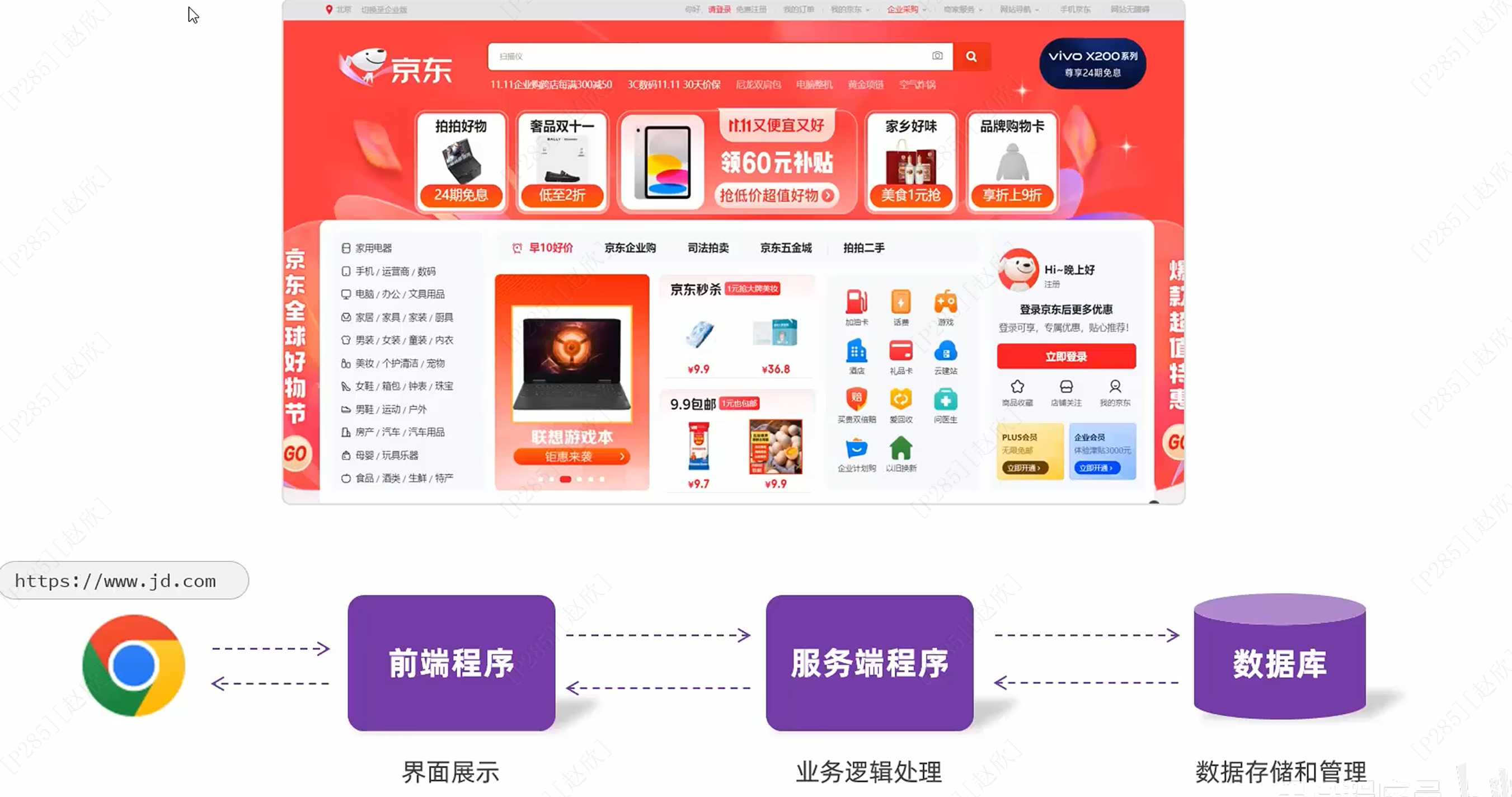
1、Web

2、前端网页开发
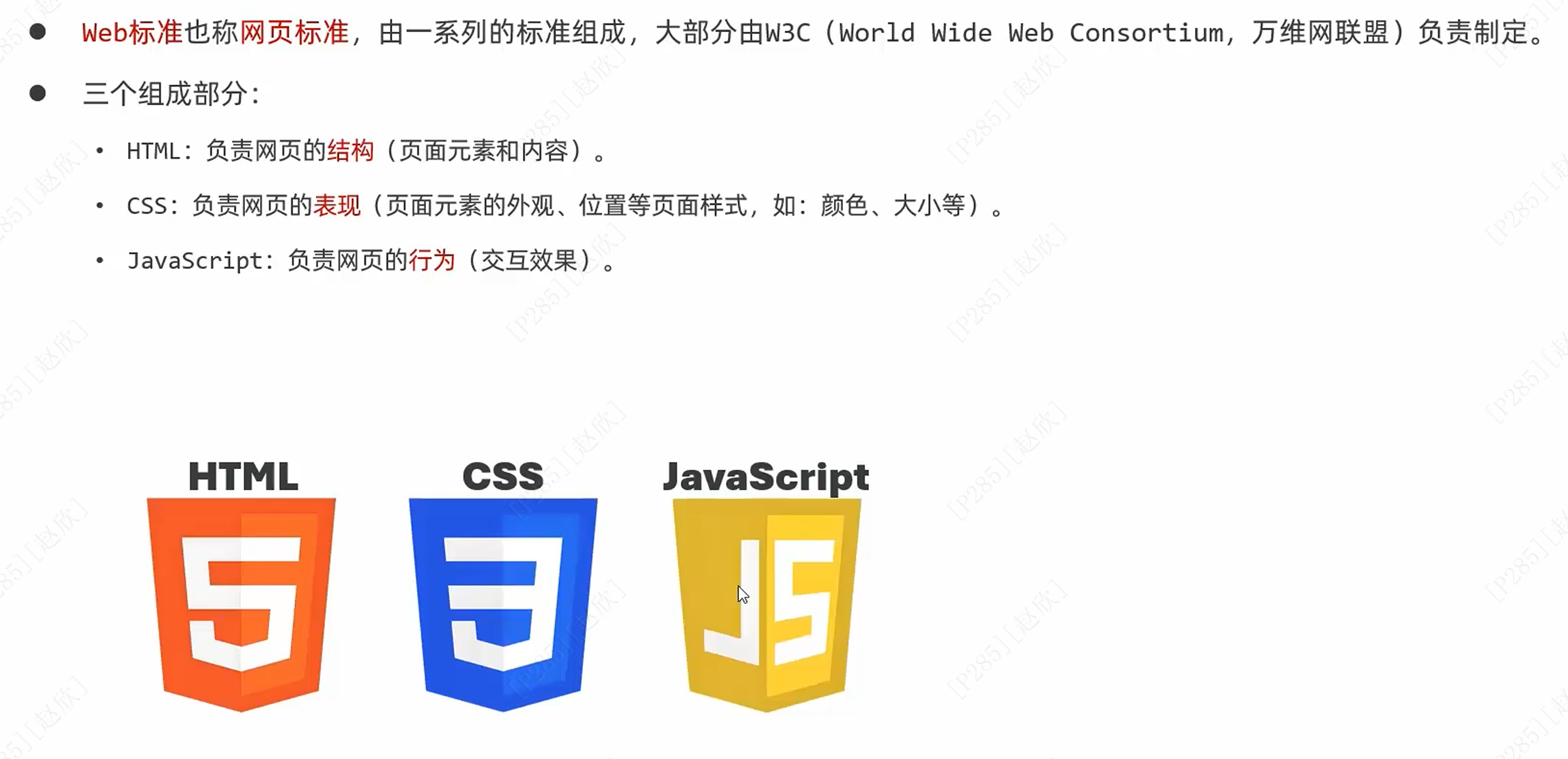
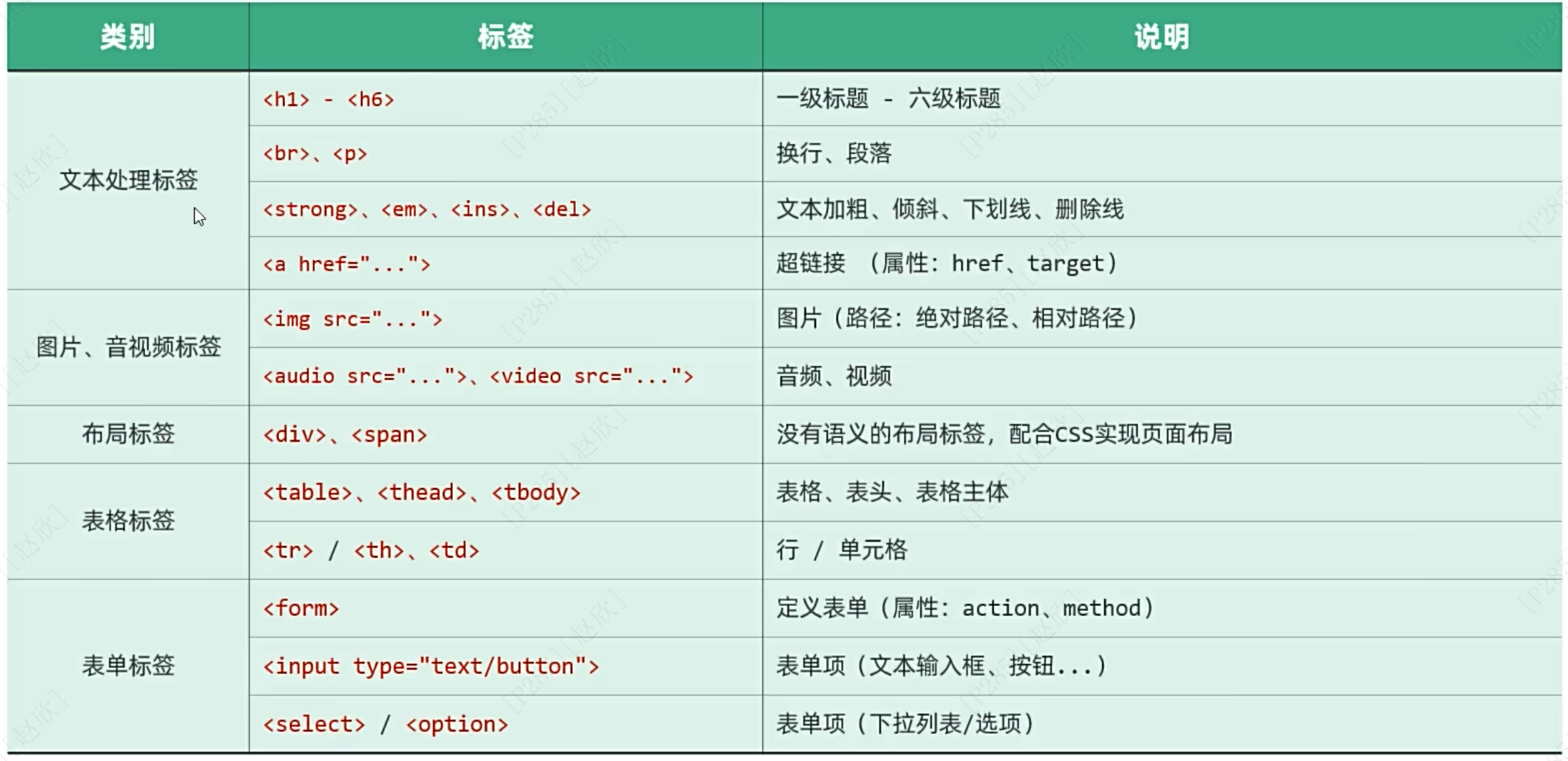
(1)HTML
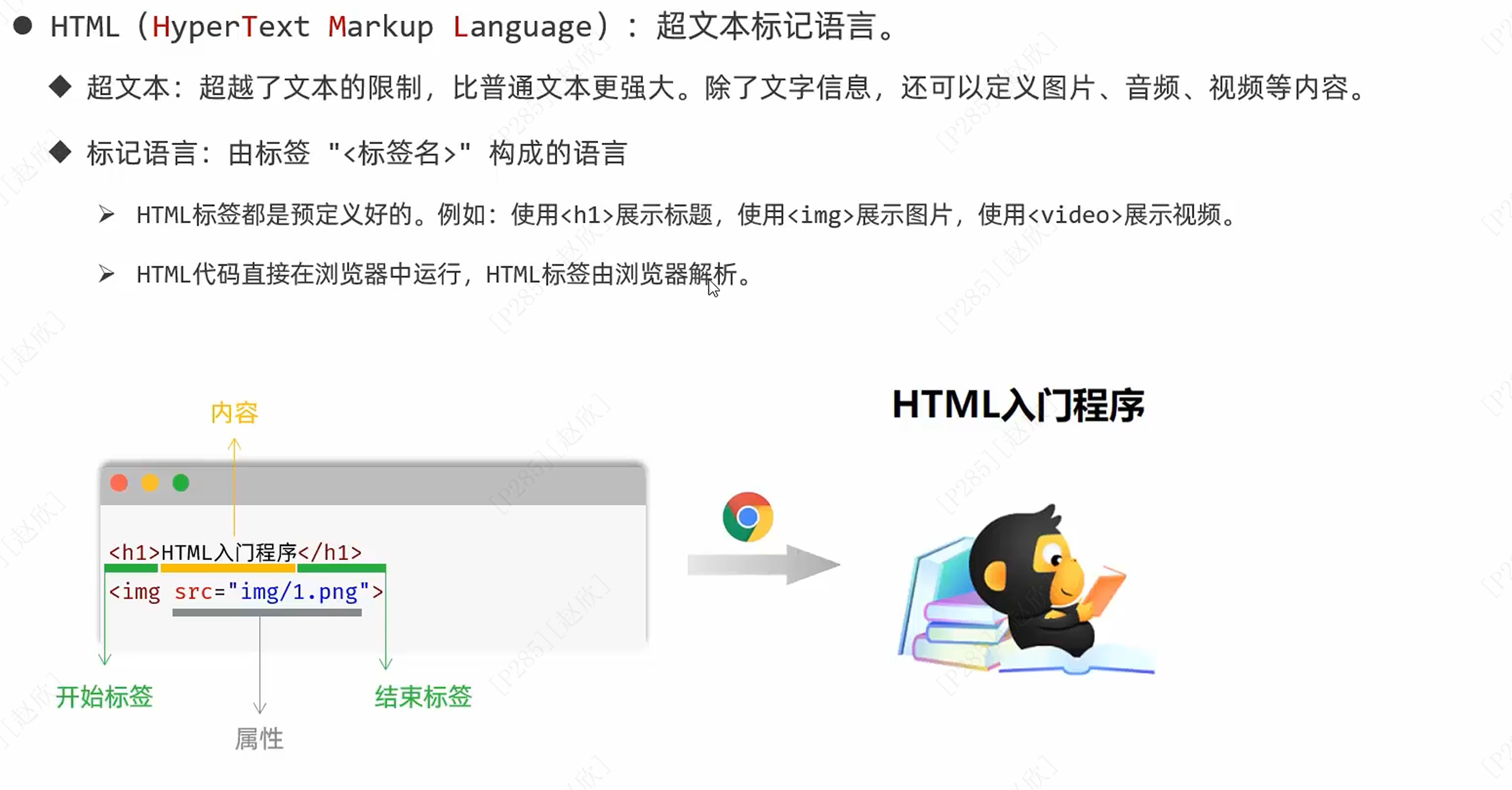
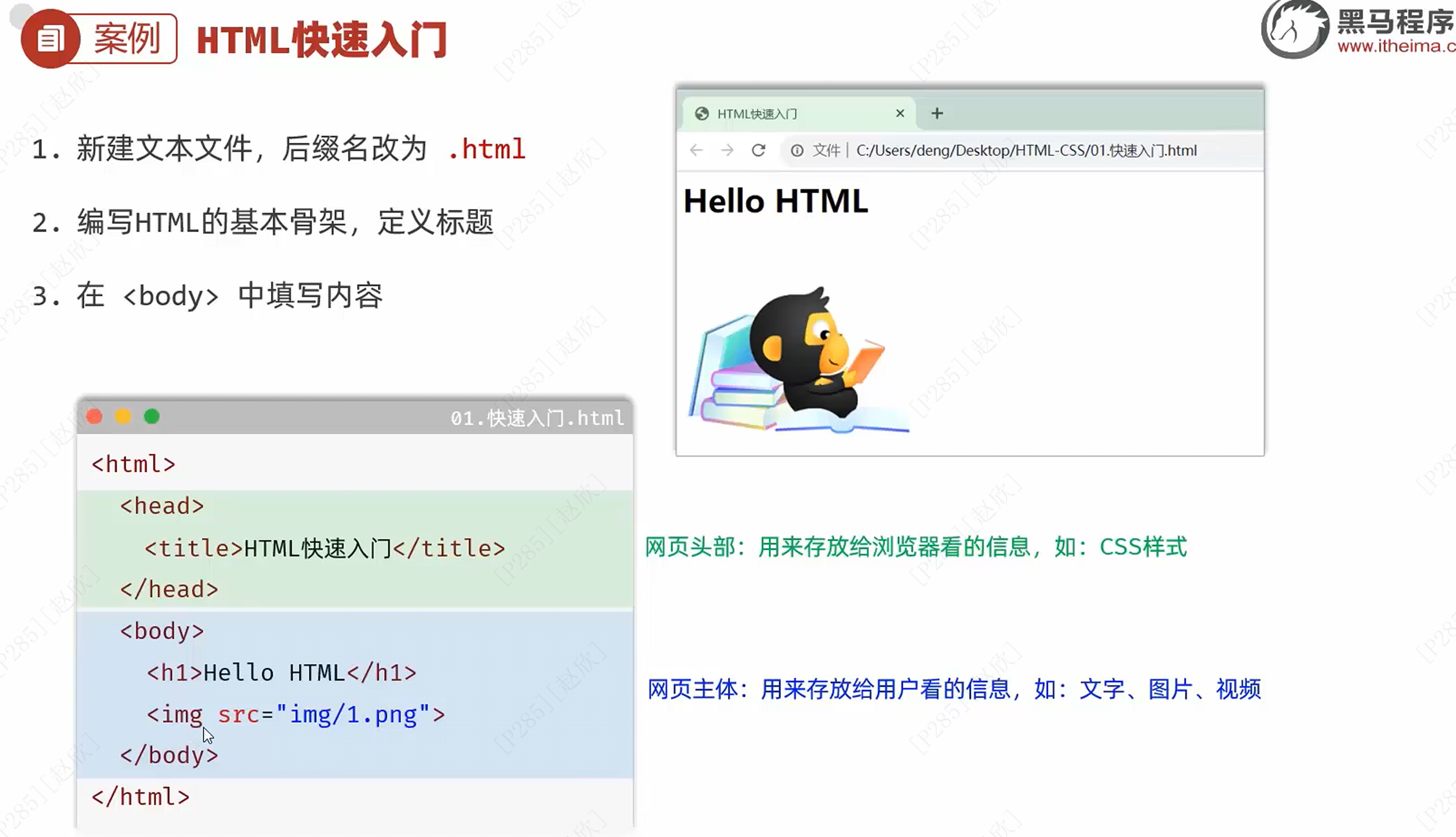
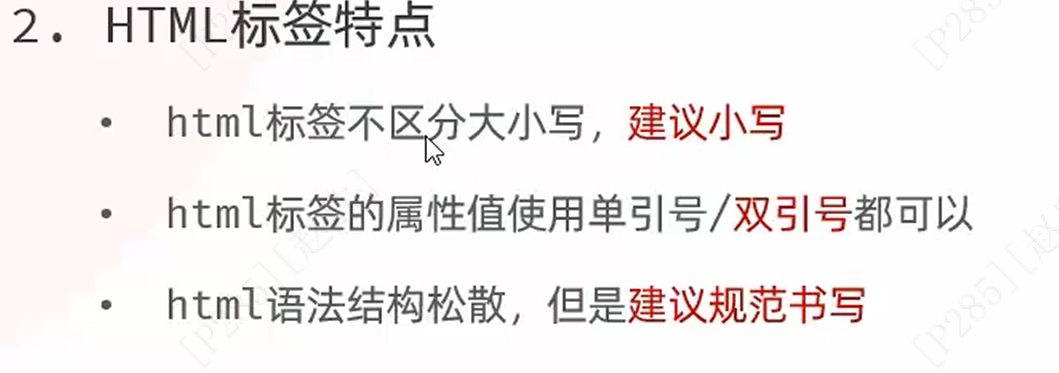
新建文本框,更改后缀名为html,如果更改之后还是文本,可以选择:查看------显示------文件扩展名
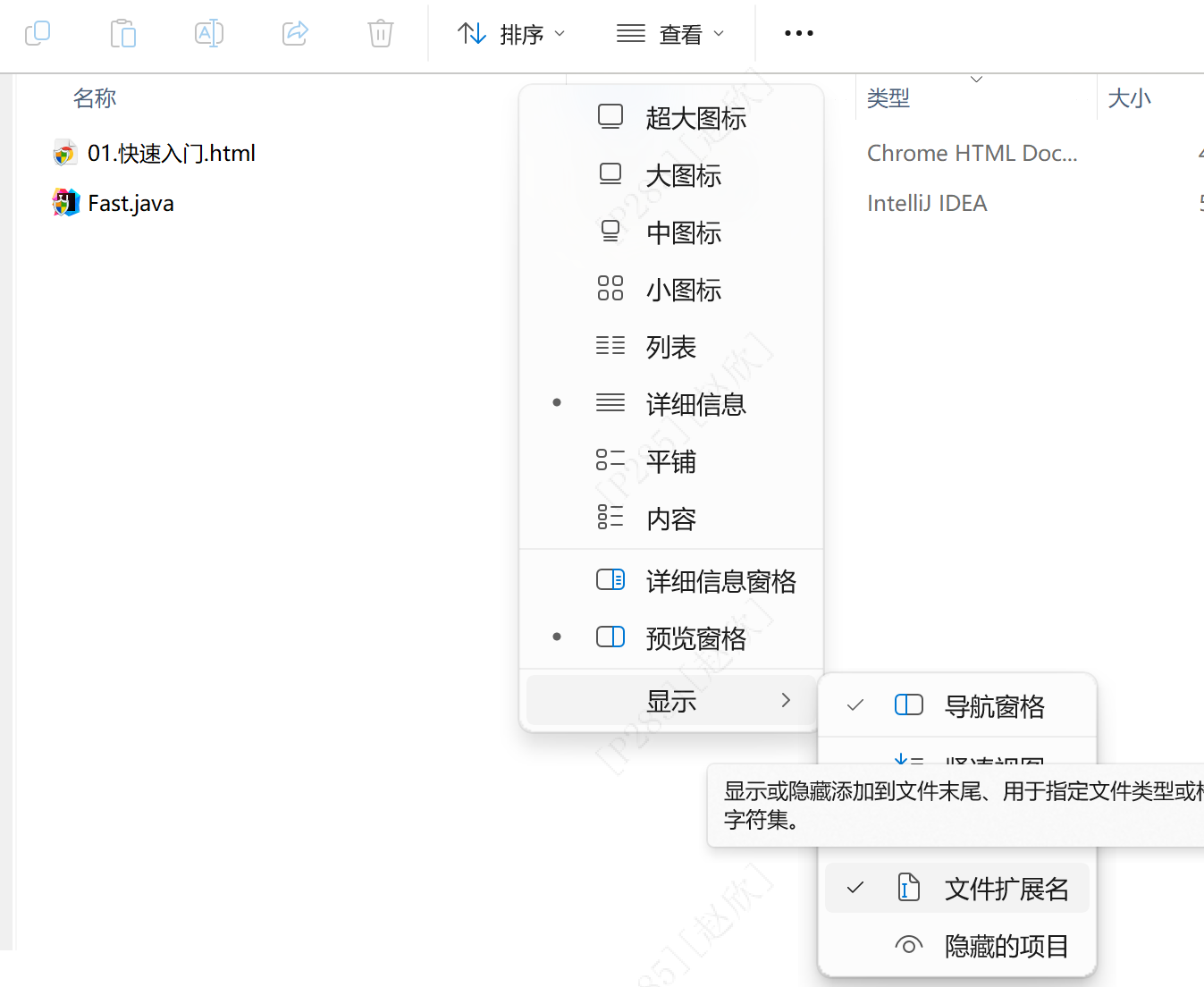
h1:一级标题;img:图片;vedio:视频
<html>
<head>
<title>HTML快速入门</title>
</head>
<body>
<h1>Hello HTML</h1>
<img src="1.png">
</body>
</html>
我选择IDEA打开文件
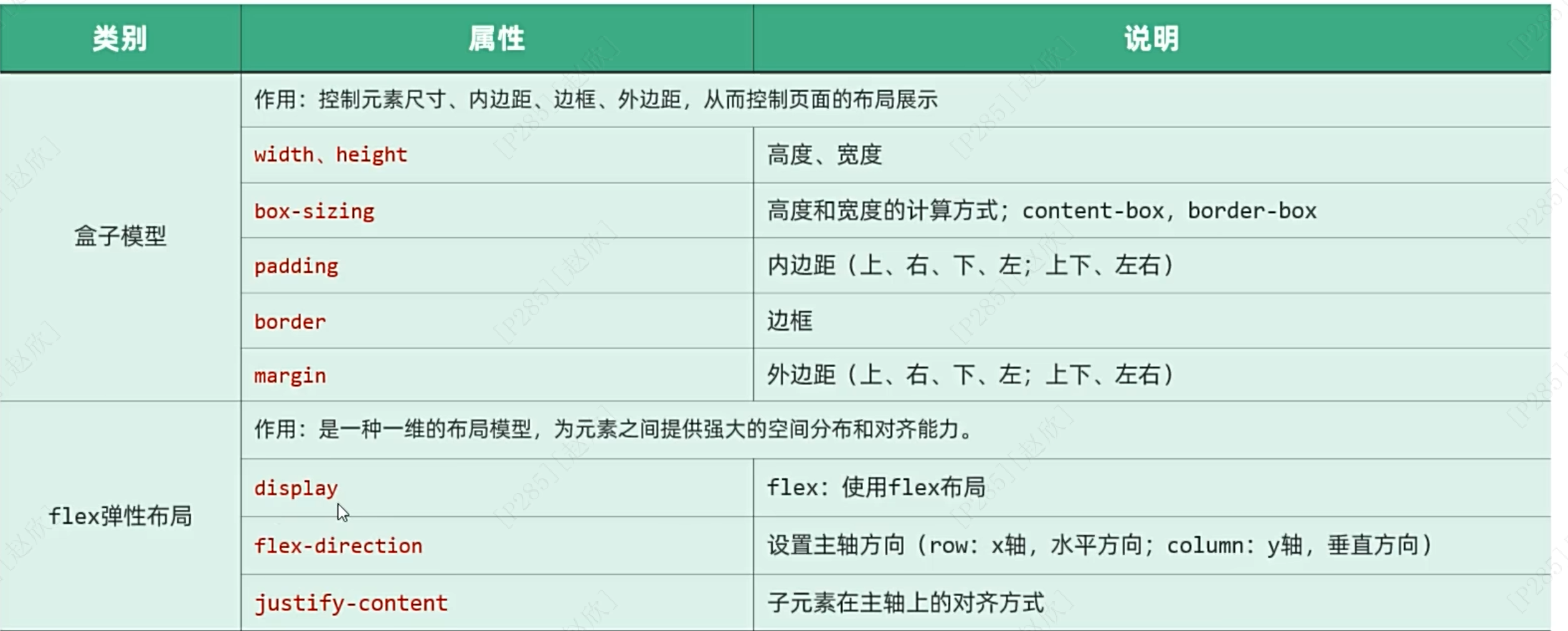
(2)CSS
习题:绘制网页
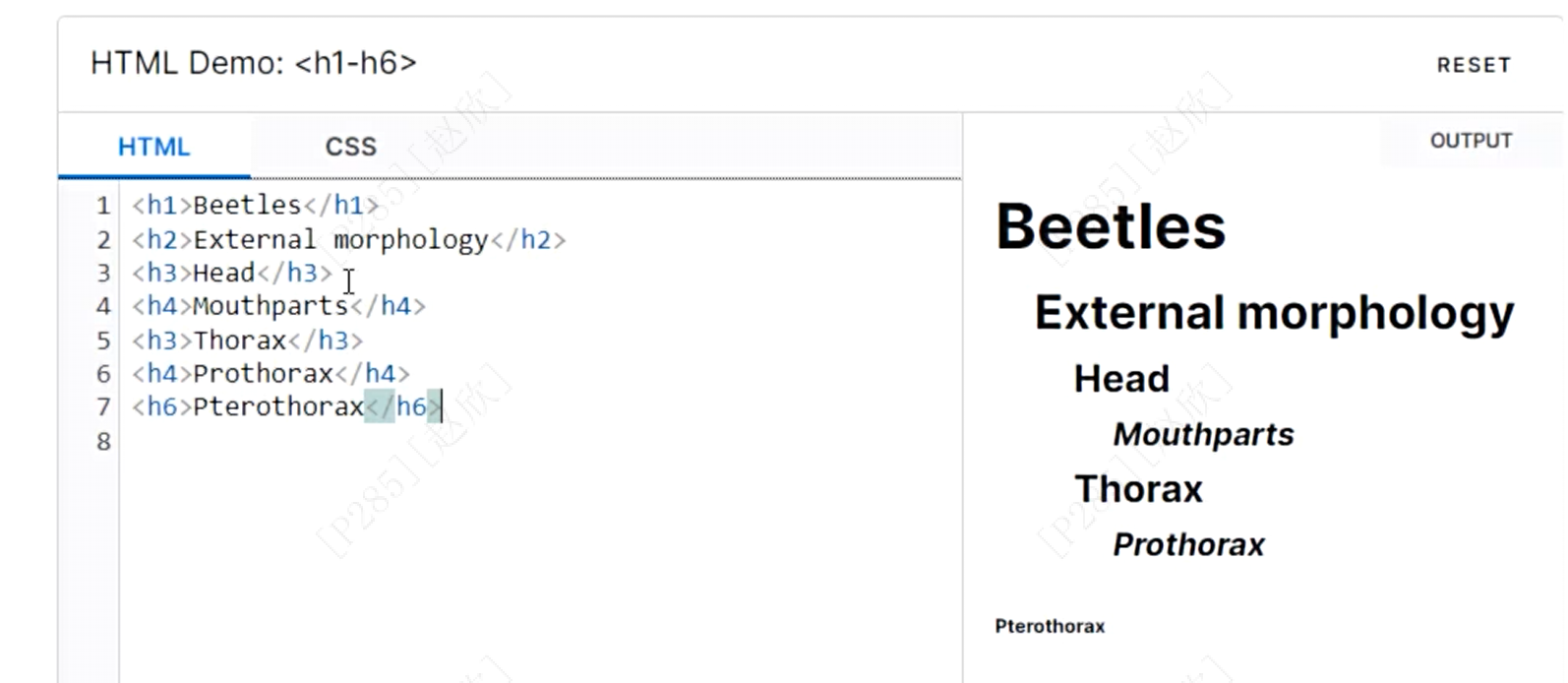
(a)标题的排版
标题只有6种类型,如下所示,从大到小排序
(b)标题的样式
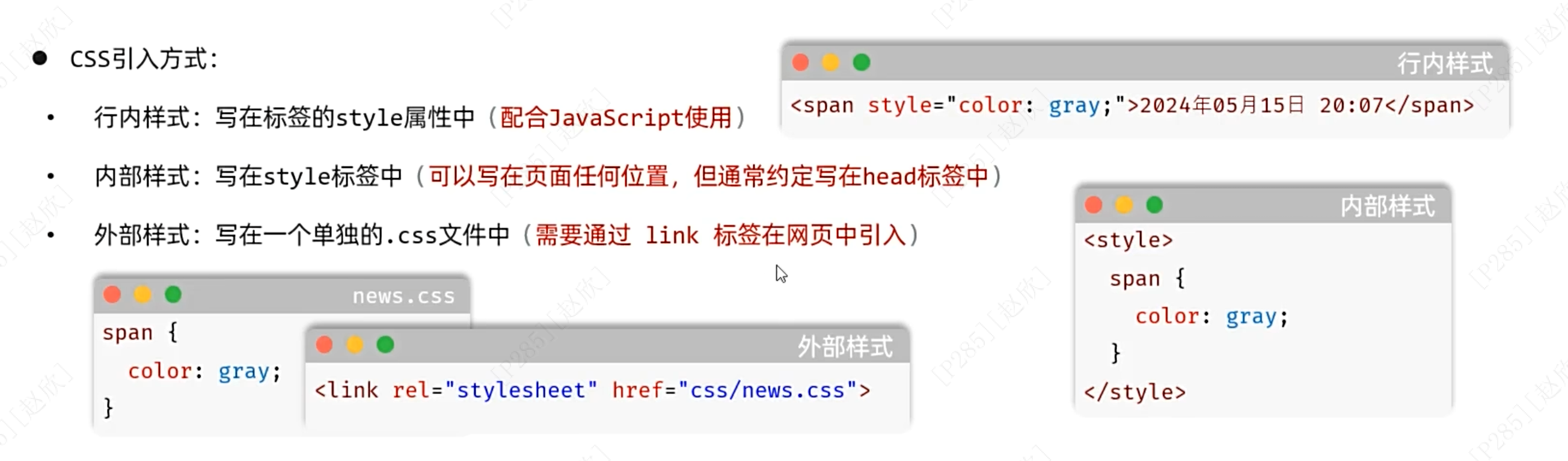
第一种方式复用性差,只针对一个标签有效
第二种则适用于同一个页面的样式复用
第三种适用于不同页面之间的样式复用
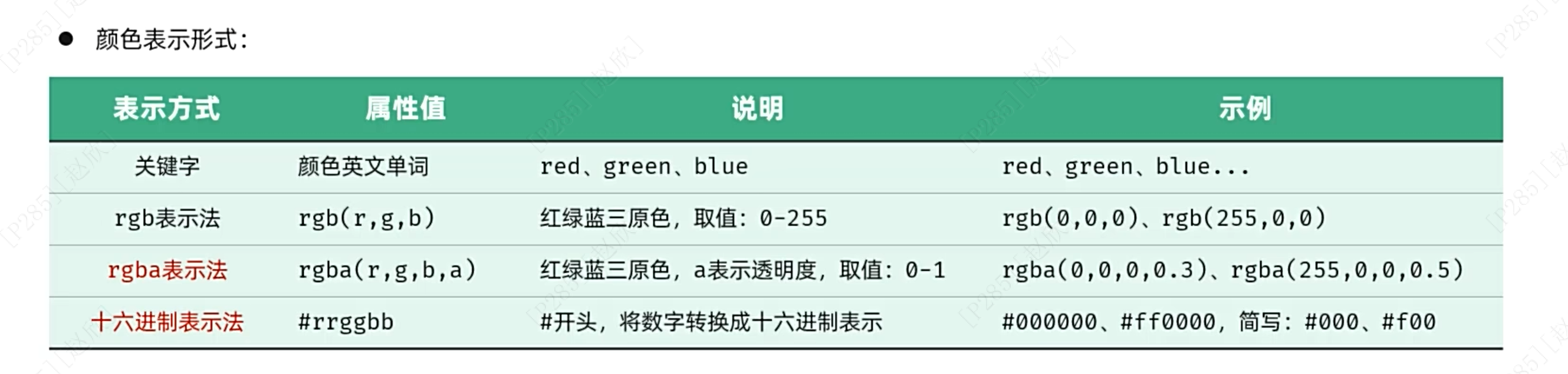
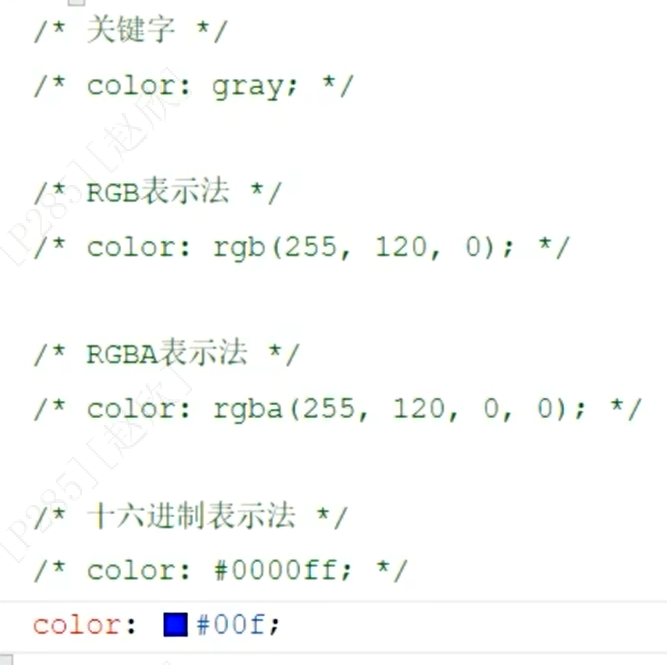
文字的颜色除了上述的元素选择器,所有span标签所对应的颜色都一样;
还有类选择器
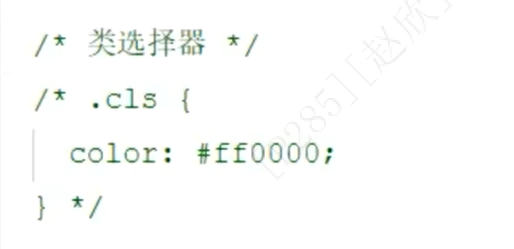

和id选择器,id是唯一的
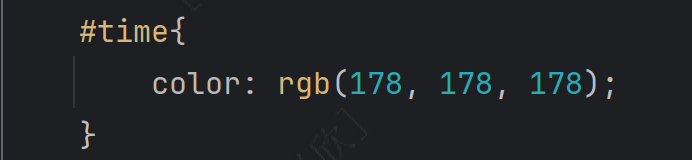
<span id="time">2024年05月15日 20:07</span>如果以上三类对同一个标签内的文字进行样式选择时:优先级:id>类>元素。
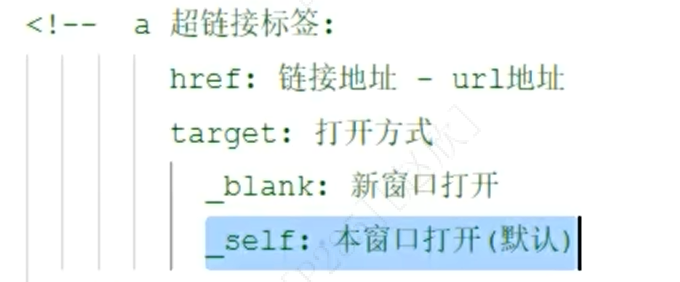
去除超链接中的下划线,在head中在style中使用元素选择器a,使用文本描述:text-decoration: none;
(c)正文排版
首先插入视频:百分比的父元素是body,相当于宽度是整个屏幕的80%
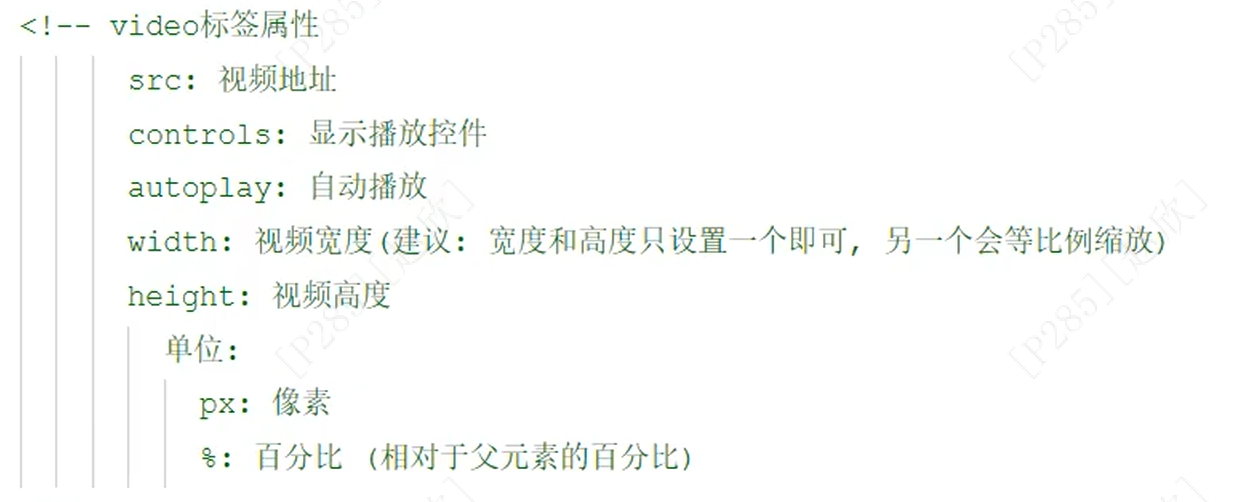
<video src="video\news.mp4" controls autoplay width="640"></video>一个<br>表示换一行,两个则是换两行
音频引用:
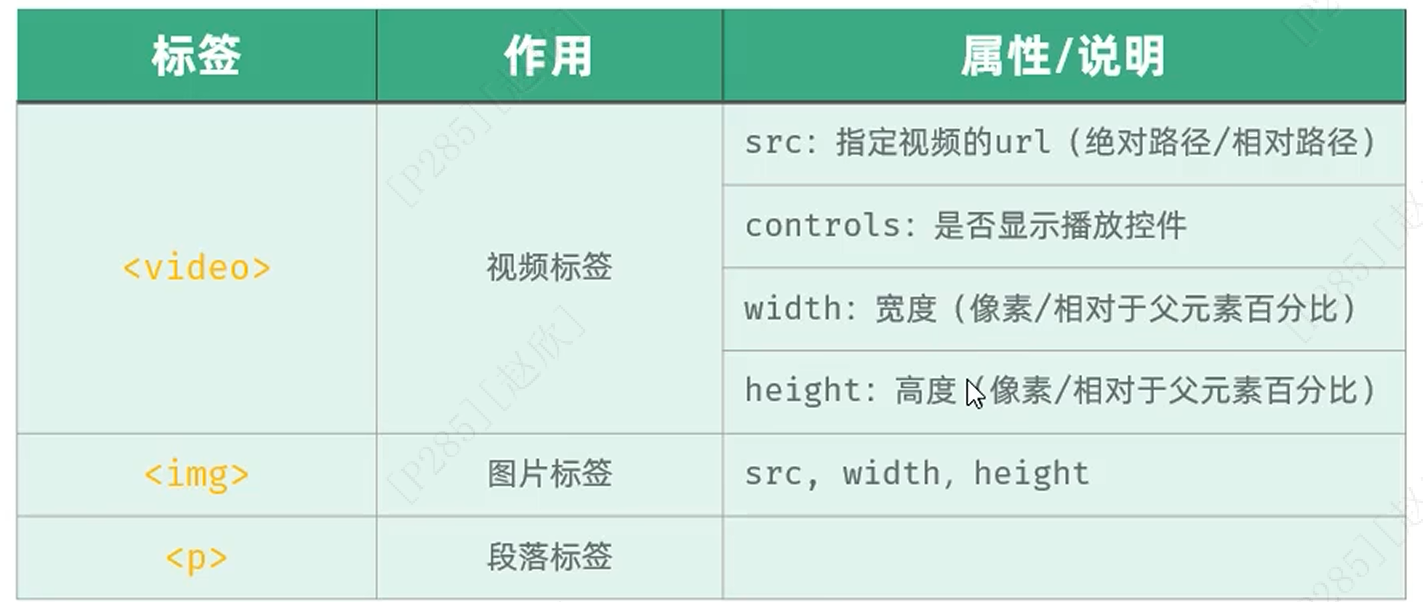
使用段落标签,表示文字分段:<p></p>
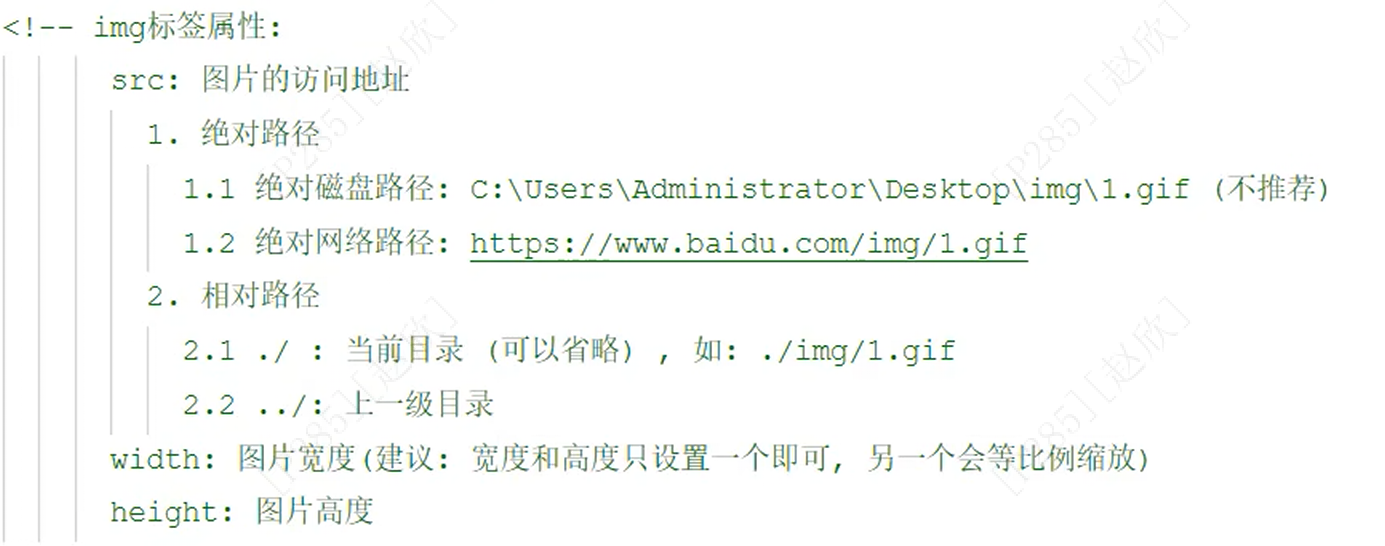
<image src="img\1.gif" ></image>总结:
(d)正文样式
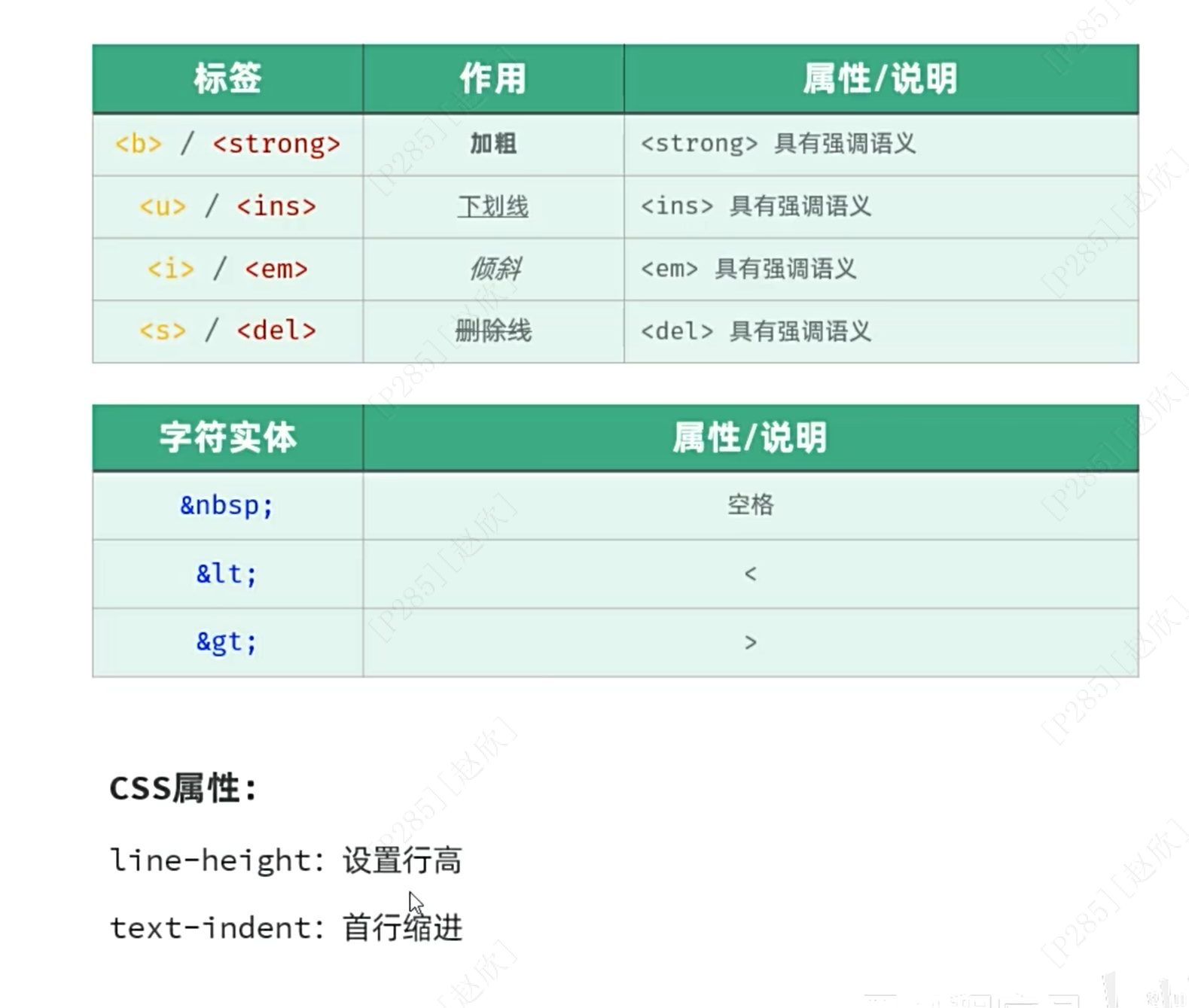
<b></b>:加粗展示文本内容
<strong></strong>:强调的作用,两者都可以用于字体加粗
可以在style中设置p的样式,line-heigth:2表示行高为2倍的行间距
text-indent: 2em:表示首行缩进2字符总结:
(e)整体布局
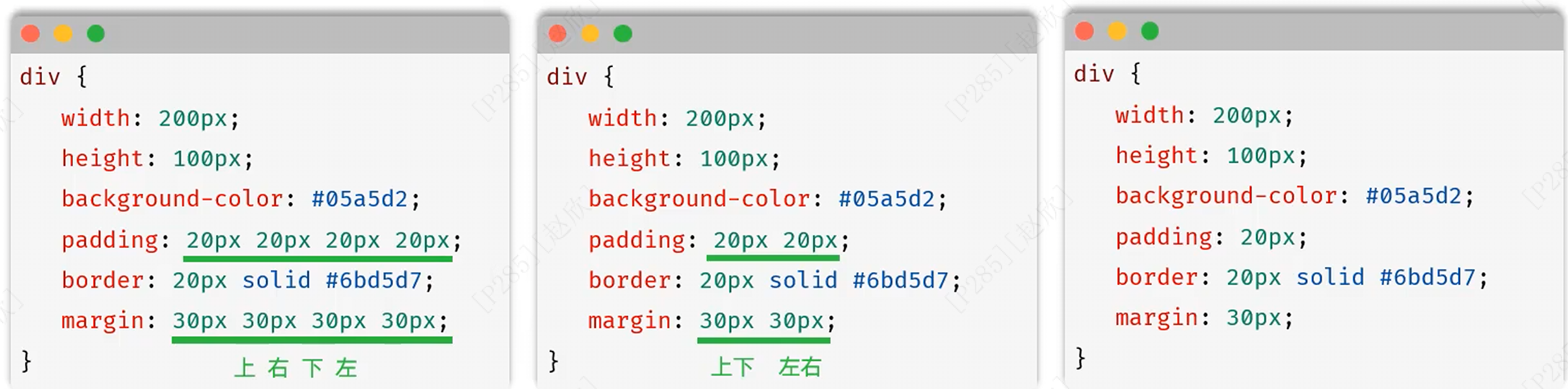
首先在body中采用div,表示是包裹新闻内容的容器并起一个id名,之后在head中定义这个id的样式为水平居中(相当于外边距区域输入两个值,一个是0代表上下,另一个是auto代表右左,表示居中),宽度为70%
width:70%;
margin:0 auto;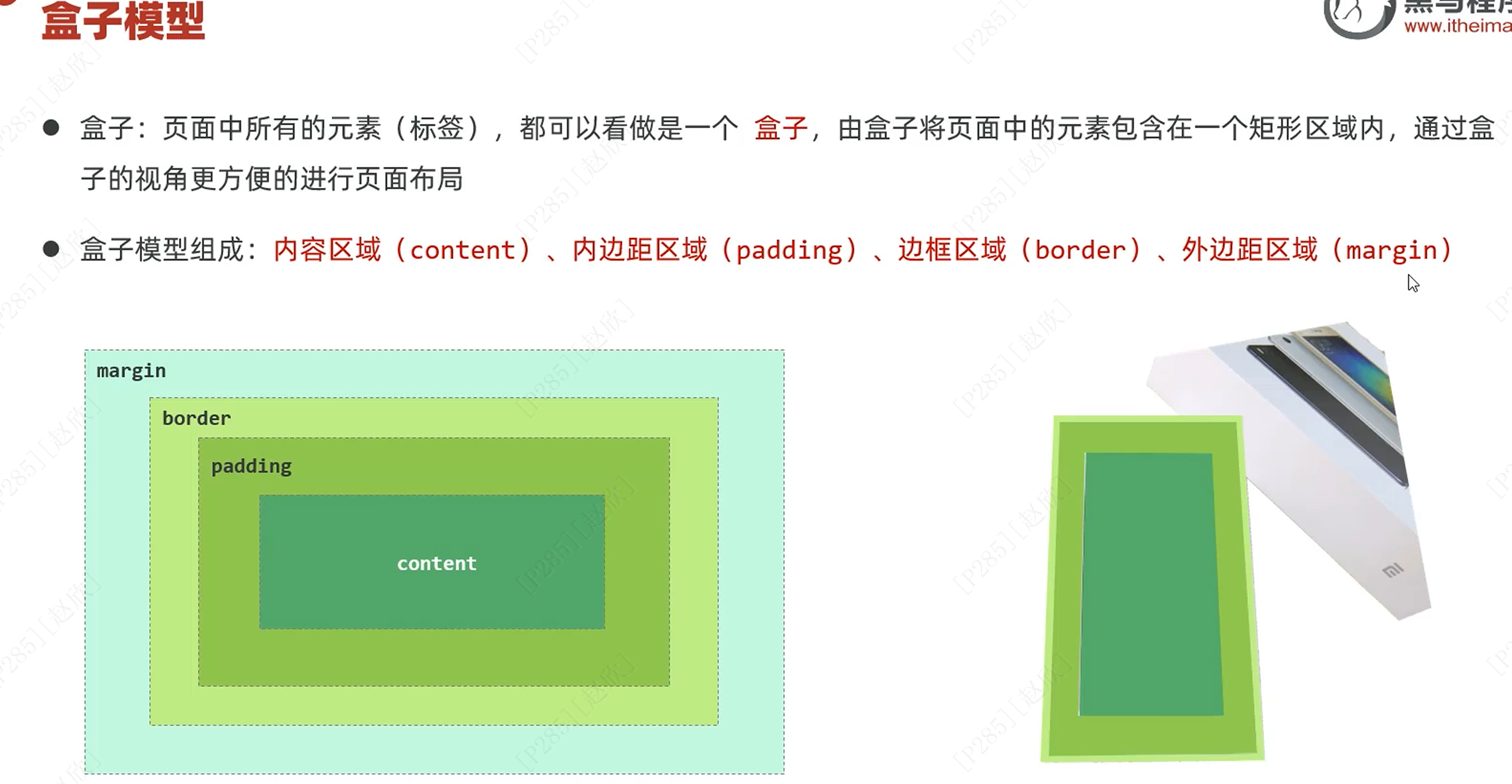
(f)习题
绘制页面原型:主要分为以下四步
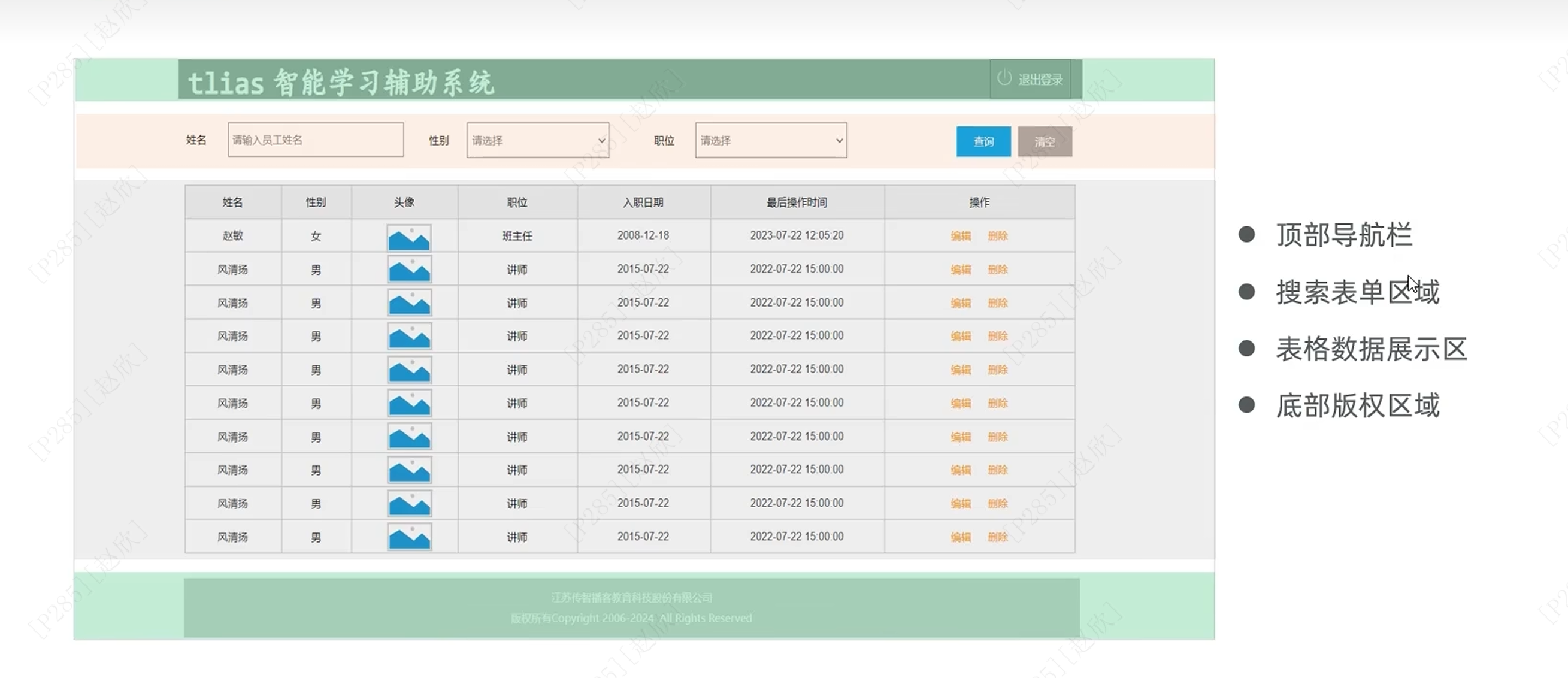
顶部导航栏:
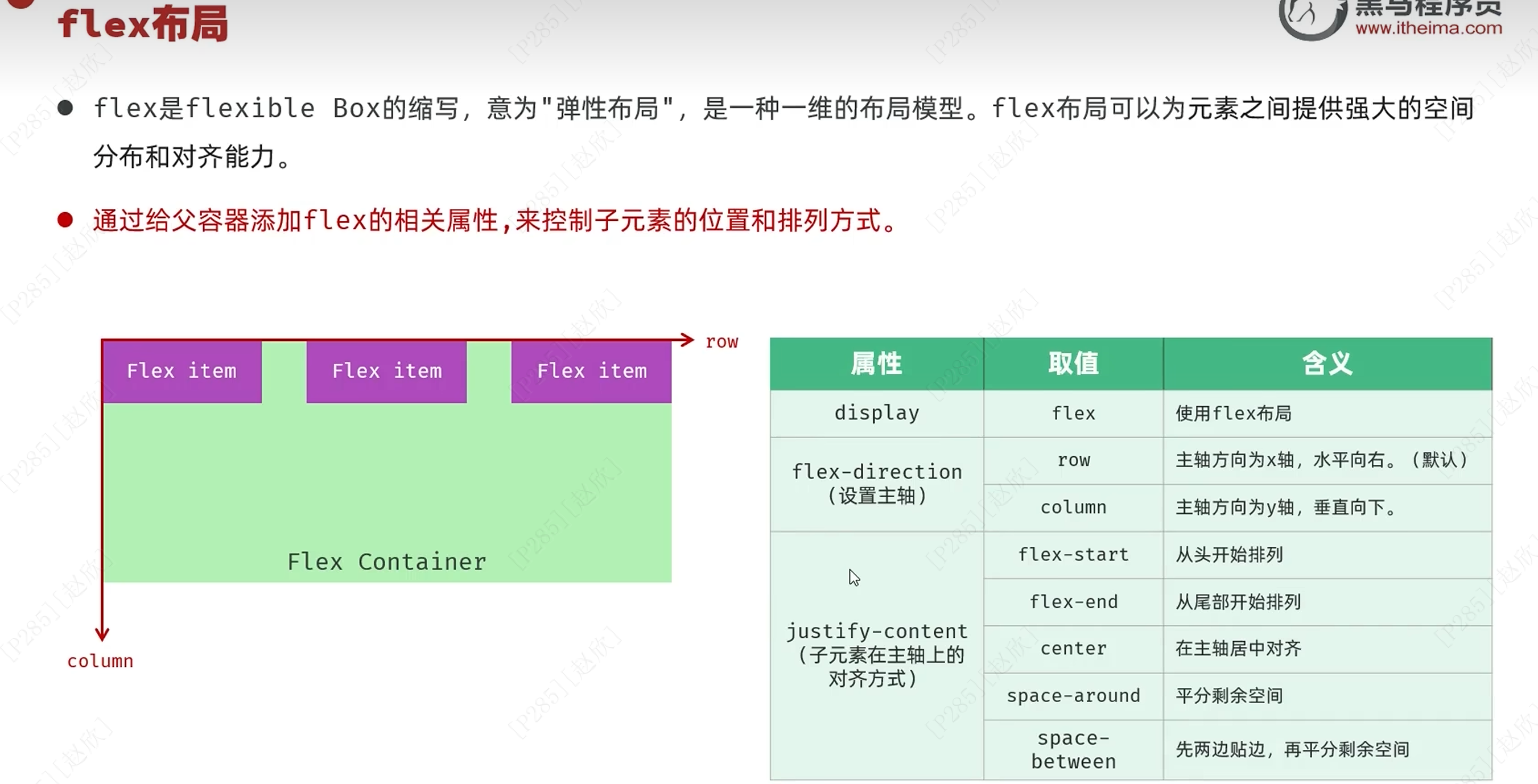
代码如下:
<!DOCTYPE html>
<html lang="zh-CN">
<head>
    <meta charset="UTF-8">
    <meta name="viewport" content="width=device-width, initial-scale=1.0">
    <title>Tlias智能学习辅助系统</title>
    <style>
        body {
            margin: 0;
        }

        /* 顶栏样式 */
        .header {
            display: flex;
            justify-content: space-between;
            align-items: center;
            background-color: #9d9a9a;
            padding: 10px 20px;
            box-shadow: 0 2px 5px rgba(0,0,0,0.1);
        }

        /* 加大加粗标题 */
        .header h1 {
            margin: 0;
            font-size: 24px;
            font-weight: bold;
            color:white;
            font-family: "楷体";
        }

        /* 文本链接样式 */
        .header a {
            text-decoration: none;
            color: white;
            font-size: 16px;
        }
    </style>
</head>
<body>
<!-- 顶栏 -->
<div class="header">
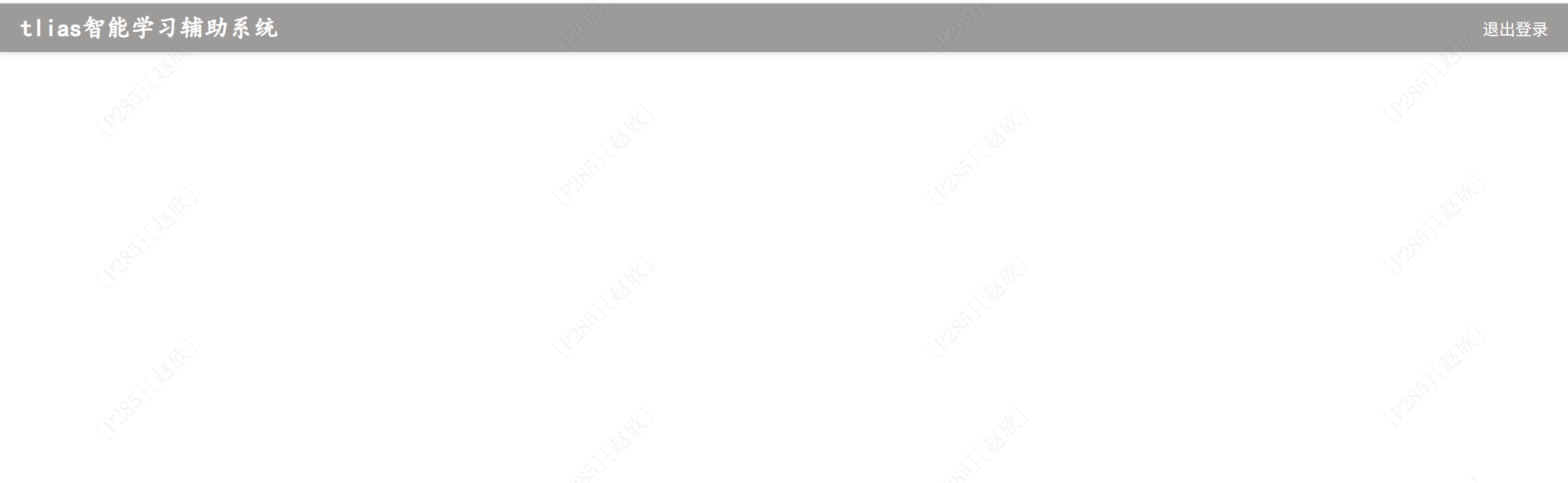
    <h1>tlias智能学习辅助系统</h1>
    <a href="#">退出登录</a>
</div>


</body>
</html>
结果如下:
搜索表单区域:
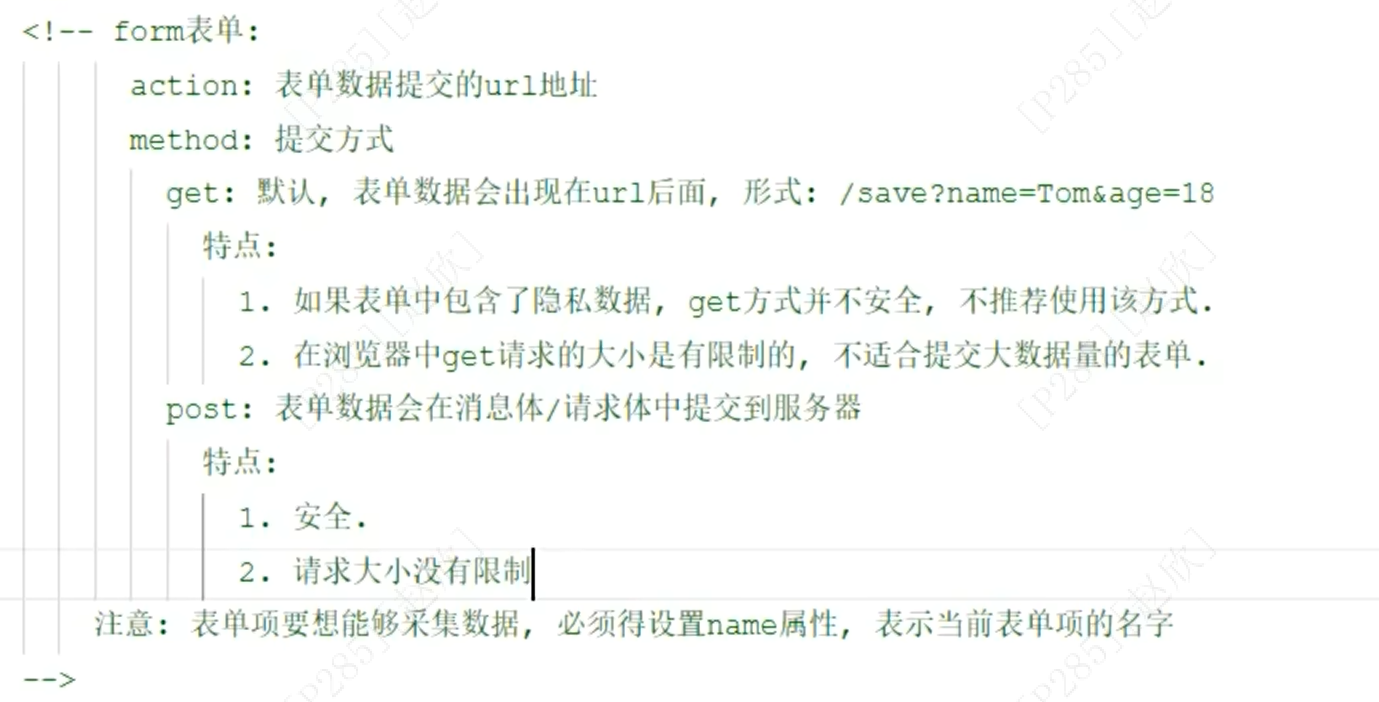
<form action="/save" method="post">
    姓名:<input type="text" name="name">
    性别:<input type="text" name="gender">
    职位:<input type="text" name="position">

    <input type="submit" value="查询">
    <input type="reset" value="清空">
</form>
表单项必须有name属性才能提交数据!!!
input:单选项的name命名要一致!!!不然难以满足单选项!!!
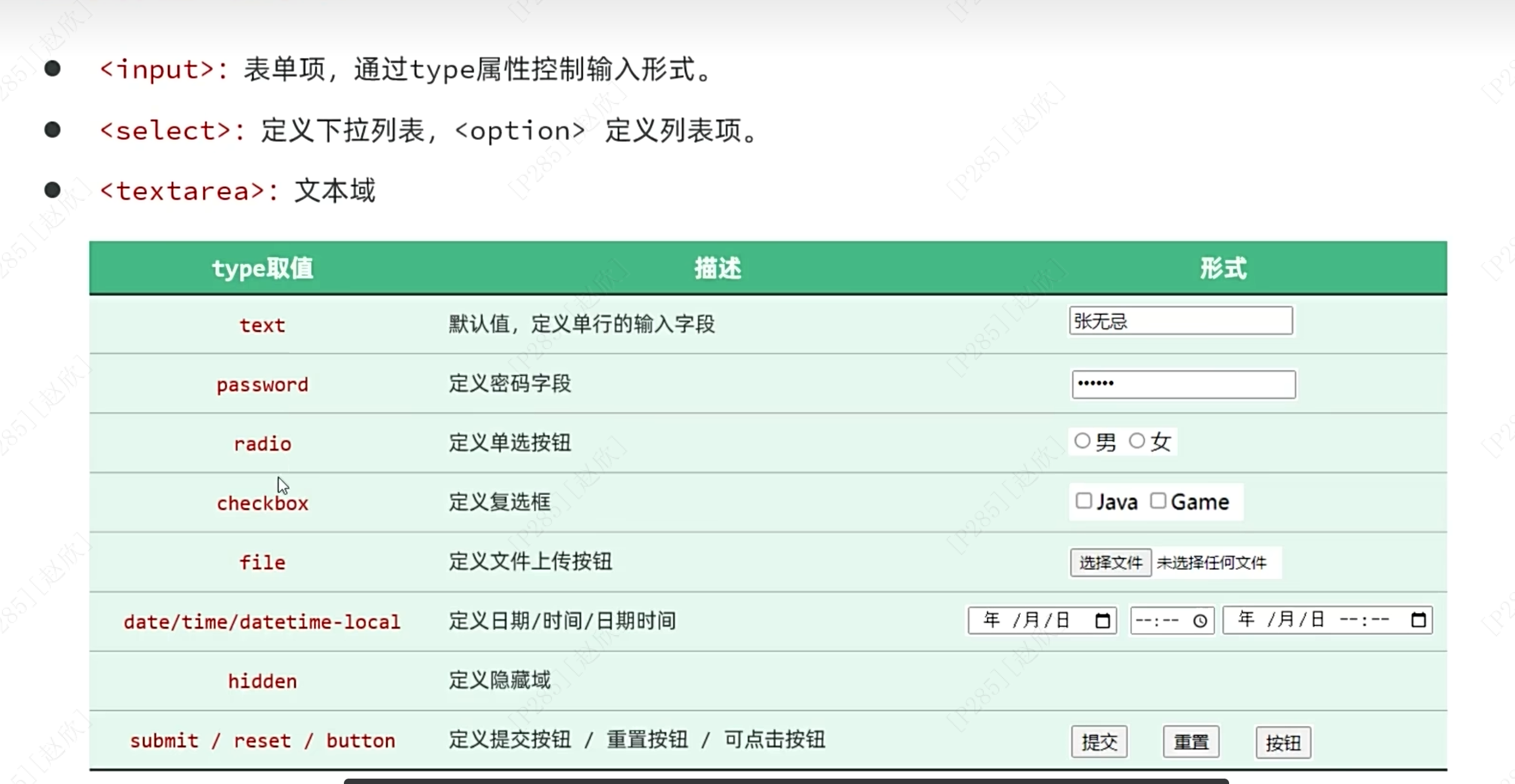
select:下拉列表
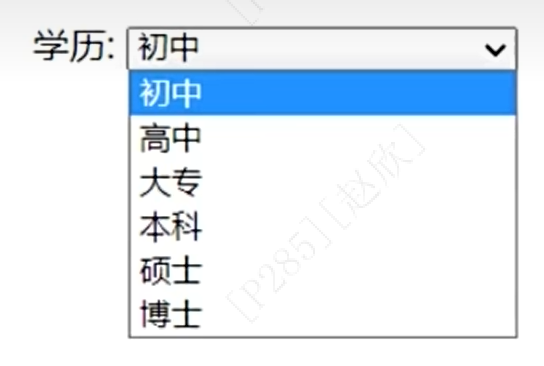
textarea:
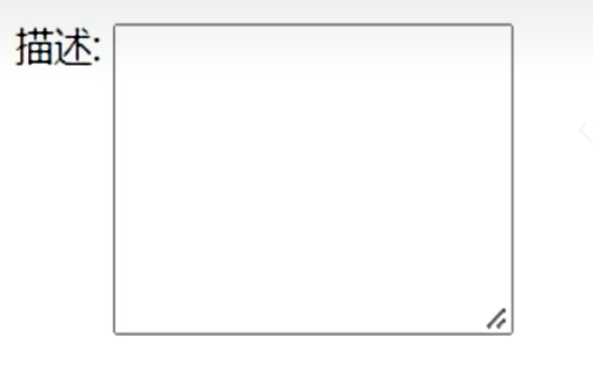
代码如下:首先在head中新增样式:
/* 搜索表单区域 */
.search-form {
    display: flex;
    align-items: center;
    background-color: #f9f9f9;
    gap:10px;
    margin:20px 0;
}

/* 表单控件样式 */
.search-form input[type="text"], .search-form select {
    margin-right: 10px;
    padding: 5px 10px;
    border: 1px solid #ccc;
    border-radius: 4px;
    width: 200px;
}

/* 按钮样式 */
.search-form button {
    padding: 5px 15px;
    margin-left: 10px;
    background-color: #007bff;
    color: white;
    border: none;
    border-radius: 4px;
    cursor: pointer;
}

/* 清空按钮样式 */
.search-form button.clear {
    background-color: #6c757d;
}
之后在body中新增:
<!-- 搜索表单区域 -->
<form class="search-form" action="/search" method="post">
    <label for="name">姓名:</label>
    <input type="text" id="name" name="name" placeholder="请输入姓名" />

    <label for="gender">性别:</label>
    <select id="gender" name="gender">
        <option value="">请选择性别</option>
        <option value="1">男</option>
        <option value="2">女</option>
    </select>

    <label for="job">职位:</label>
    <select id="job" name="job">
        <option value="">请选择职位</option>
        <option value="1">班主任</option>
        <option value="2">讲师</option>
        <option value="3">学工主管</option>
        <option value="4">教研主管</option>
        <option value="5">咨询师</option>
    </select>
    <button type="submit">查询</button>
    <button type="reset" class="clear">清空</button>
</form>
结果如下:

接下来要进行表格展示:
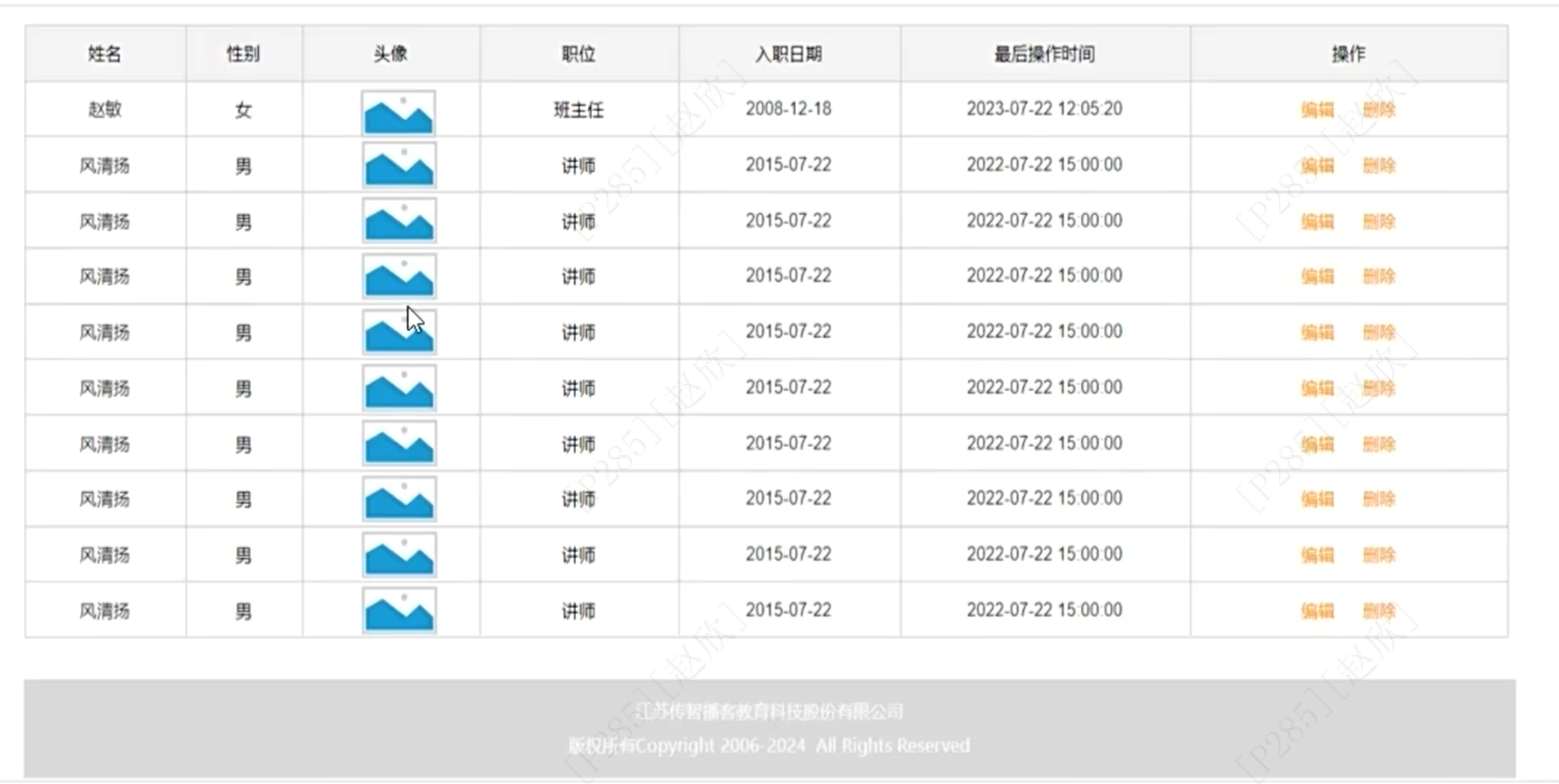
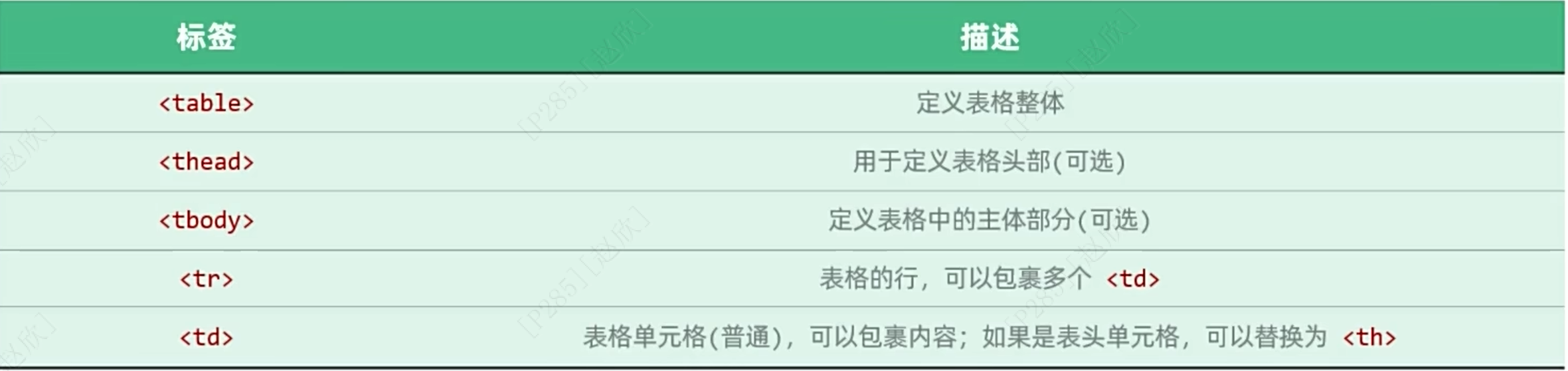
首先声明table,表明是表格,之后先将表头放在thead中,之后<tr>表示行,一对tr表示一行,如上述的姓名、性别、头像、职位、入职日期、最后操作时间和操作,其中一个<th>就分别表示上述具体的内容,定义表头单元格,如姓名等,如下所示:
<thead>
<tr>
    <th>姓名</th>
    <th>性别</th>
    <th>头像</th>
    <th>职位</th>
    <th>入职日期</th>
    <th>最后操作时间</th>
    <th>操作</th>
</tr>
</thead>
结果:

之后放在tbody中,td表示普通单元格的内容,举例如下所示:
<tbody>
<tr><td>令狐冲</td>
<td>男</td>
<td><img src="https://gips1.baidu.com/it/u=991496030,1206326542&fm=3074&app=3074&f=PNG?w=2048&h=2048" alt="令狐冲" class="avatar"></td>
<td>讲师</td>
<td>2021-03-15</td>
<td>2023-07-30T12:00:00Z</td>
<td class="btn-group">
<button>编辑</button>
<button>删除</button>
</tr><tbody>
如下所示:

以下是样式代码:
.table {
    min-width: 100%;
    border-collapse: collapse;
    margin: 0 20px;
}

/* 设置表格单元格边框 */
.table td, .table th {
    border: 1px solid #ddd;
    padding: 8px;
    text-align: center;
}

.avatar {
    width: 50px;
    height: 50px;
    object-fit: cover;
    border-radius: 50%;
}
整体代码如下:
<!DOCTYPE html>
<html lang="zh-CN">
<head>
    <meta charset="UTF-8">
    <meta name="viewport" content="width=device-width, initial-scale=1.0">
    <title>Tlias智能学习辅助系统</title>
    <style>

        /* 顶栏样式 */
        .header {
            display: flex;
            justify-content: space-between;
            align-items: center;
            background-color: #9d9a9a;
            padding: 10px 20px;
            box-shadow: 0 2px 5px rgba(0,0,0,0.1);
        }

        /* 加大加粗标题 */
        .header h1 {
            margin: 0;
            font-size: 30px;
            font-weight: bold;
            color:white;
            font-family: "楷体";
        }

        /* 文本链接样式 */
        .header a {
            text-decoration: none;
            color: white;
            font-size: 16px;
        }
        /* 搜索表单区域 */
        .search-form {
            display: flex;
            align-items: center;
            background-color: #f9f9f9;
            gap:10px;
            margin:20px 0;
        }

        /* 表单控件样式 */
        .search-form input[type="text"], .search-form select {
            margin-right: 10px;
            padding: 5px 10px;
            border: 1px solid #ccc;
            border-radius: 4px;
            width: 200px;
        }

        /* 按钮样式 */
        .search-form button {
            padding: 5px 15px;
            margin-left: 10px;
            background-color: #007bff;
            color: white;
            border: none;
            border-radius: 4px;
            cursor: pointer;
        }

        /* 清空按钮样式 */
        .search-form button.clear {
            background-color: #6c757d;
        }

        .table {
            min-width: 100%;
            border-collapse: collapse;
            margin: 0 20px;
        }

        /* 设置表格单元格边框 */
        .table td, .table th {
            border: 1px solid #ddd;
            padding: 8px;
            text-align: center;
        }

        .avatar {
            width: 50px;
            height: 50px;
            object-fit: cover;
            border-radius: 50%;
        }

    </style>
</head>
<body>
<!-- 顶栏 -->
<div class="header">
    <h1>tlias智能学习辅助系统</h1>
    <a href="#">退出登录</a>
</div>

    <!-- 搜索表单区域 -->
    <form class="search-form" action="/search" method="post">
        <label for="name">姓名:</label>
        <input type="text" id="name" name="name" placeholder="请输入姓名" />

        <label for="gender">性别:</label>
        <select id="gender" name="gender">
            <option value="">请选择性别</option>
            <option value="1">男</option>
            <option value="2">女</option>
        </select>

        <label for="job">职位:</label>
        <select id="job" name="job">
            <option value="">请选择职位</option>
            <option value="1">班主任</option>
            <option value="2">讲师</option>
            <option value="3">学工主管</option>
            <option value="4">教研主管</option>
            <option value="5">咨询师</option>
        </select>
        <button type="submit">查询</button>
        <button type="reset" class="clear">清空</button>
    </form>

<table class="table table-striped table-bordered">
    <thead>
    <tr>
        <th>姓名</th>
        <th>性别</th>
        <th>头像</th>
        <th>职位</th>
        <th>入职日期</th>
        <th>最后操作时间</th>
        <th>操作</th>
    </tr>
    </thead>
    <tbody>
    <tr>
        <td>令狐冲</td>
        <td>男</td>
        <td><img src="https://gips1.baidu.com/it/u=991496030,1206326542&fm=3074&app=3074&f=PNG?w=2048&h=2048" alt="令狐冲" class="avatar"></td>
        <td>讲师</td>
        <td>2021-03-15</td>
        <td>2023-07-30T12:00:00Z</td>
        <td class="btn-group">
            <button>编辑</button>
            <button>删除</button>
        </td>
    </tr>
    <tr>
        <td>任盈盈</td>
        <td>女</td>
        <td><img src="https://q9.itc.cn/q_70/images03/20250730/7e535ac6918d44c4a0ab740ed9aa349d.jpeg" alt="任盈盈" class="avatar"></td>
        <td>学工主管</td>
        <td>2020-04-10</td>
        <td>2023-07-29T15:00:00Z</td>
        <td class="btn-group">
            <button>编辑</button>
            <button>删除</button>
        </td>
    </tr>
    <tr>
        <td>岳不群</td>
        <td>男</td>
        <td><img src="https://q6.itc.cn/q_70/images03/20250306/355fba6a5cb049f5b98c2ed9f03cc5e1.jpeg" alt="岳不群" class="avatar"></td>
        <td>教研主管</td>
        <td>2019-01-01</td>
        <td>2023-07-30T10:00:00Z</td>
        <td class="btn-group">
            <button>编辑</button>
            <button>删除</button>
        </td>
    </tr>
    <tr>
        <td>宁中则</td>
        <td>女</td>
        <td><img src="https://q1.itc.cn/q_70/images03/20250630/626562426e484fe2bca62f3938d3840a.jpeg" alt="宁中则" class="avatar"></td>
        <td>班主任</td>
        <td>2018-06-01</td>
        <td>2023-07-29T09:00:00Z</td>
        <td class="btn-group">
            <button>编辑</button>
            <button>删除</button>
        </td>
    </tr>
    </tbody>
</table>

</body>
</html>
结果如下:
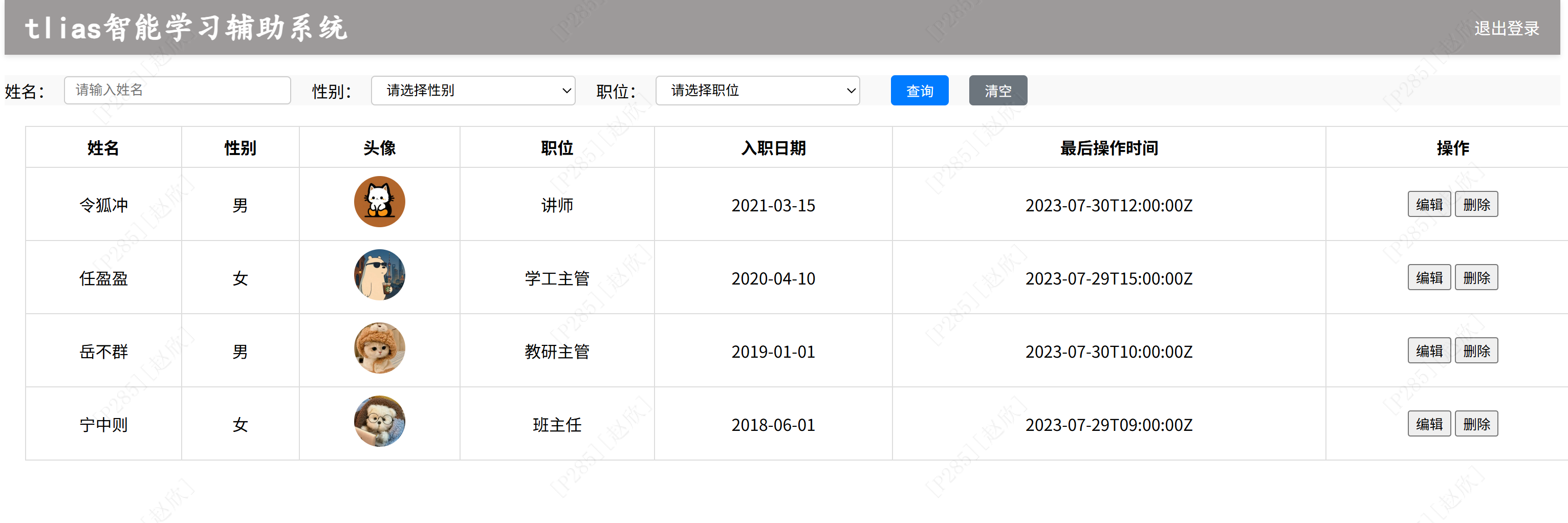
最后底部版权制作:

整体代码如下:
<!DOCTYPE html>
<html lang="zh-CN">
<head>
    <meta charset="UTF-8">
    <meta name="viewport" content="width=device-width, initial-scale=1.0">
    <title>Tlias智能学习辅助系统</title>
    <style>

        #container{
            width:80%;
            margin: 0 auto;
        }

        /* 顶栏样式 */
        .header {
            display: flex;
            justify-content: space-between;
            align-items: center;
            background-color: #9d9a9a;
            padding: 10px 20px;
            box-shadow: 0 2px 5px rgba(0,0,0,0.1);
        }

        /* 加大加粗标题 */
        .header h1 {
            margin: 0;
            font-size: 30px;
            font-weight: bold;
            color:white;
            font-family: "楷体";
        }

        /* 文本链接样式 */
        .header a {
            text-decoration: none;
            color: white;
            font-size: 16px;
        }
        /* 搜索表单区域 */
        .search-form {
            display: flex;
            align-items: center;
            background-color: #f9f9f9;
            gap:10px;
            margin:20px 0;
        }

        /* 表单控件样式 */
        .search-form input[type="text"], .search-form select {
            margin-right: 10px;
            padding: 5px 10px;
            border: 1px solid #ccc;
            border-radius: 4px;
            width: 200px;
        }

        /* 按钮样式 */
        .search-form button {
            padding: 5px 15px;
            margin-left: 10px;
            background-color: #007bff;
            color: white;
            border: none;
            border-radius: 4px;
            cursor: pointer;
        }

        /* 清空按钮样式 */
        .search-form button.clear {
            background-color: #6c757d;
        }

        .table {
            min-width: 100%;
            border-collapse: collapse;
            margin: 0 auto;
        }

        /* 设置表格单元格边框 */
        .table td, .table th {
            border: 1px solid #ddd;
            padding: 8px;
            text-align: center;
        }

        .avatar {
            width: 50px;
            height: 50px;
            object-fit: cover;
            border-radius: 50%;
        }

        /* 页脚版权区域 */
        .footer {
            background-color: #8f8c8c;
            color: white;
            text-align: center;
            padding: 20px 0;
            margin-top: 30px;
        }

        .footer .company-name {
            font-size: 1.1em;
            font-weight: bold;
        }

        .footer .copyright {
            font-size: 0.9em;
        }

    </style>
</head>
<body id="container">
<!-- 顶栏 -->
<div class="header">
    <h1>tlias智能学习辅助系统</h1>
    <a href="#">退出登录</a>
</div>

    <!-- 搜索表单区域 -->
    <form class="search-form" action="/search" method="post">
        <label for="name">姓名:</label>
        <input type="text" id="name" name="name" placeholder="请输入姓名" />

        <label for="gender">性别:</label>
        <select id="gender" name="gender">
            <option value="">请选择性别</option>
            <option value="1">男</option>
            <option value="2">女</option>
        </select>

        <label for="job">职位:</label>
        <select id="job" name="job">
            <option value="">请选择职位</option>
            <option value="1">班主任</option>
            <option value="2">讲师</option>
            <option value="3">学工主管</option>
            <option value="4">教研主管</option>
            <option value="5">咨询师</option>
        </select>
        <button type="submit">查询</button>
        <button type="reset" class="clear">清空</button>
    </form>

<table class="table table-striped table-bordered">
    <thead>
    <tr>
        <th>姓名</th>
        <th>性别</th>
        <th>头像</th>
        <th>职位</th>
        <th>入职日期</th>
        <th>最后操作时间</th>
        <th>操作</th>
    </tr>
    </thead>
    <tbody>
    <tr>
        <td>令狐冲</td>
        <td>男</td>
        <td><img src="https://gips1.baidu.com/it/u=991496030,1206326542&fm=3074&app=3074&f=PNG?w=2048&h=2048" alt="令狐冲" class="avatar"></td>
        <td>讲师</td>
        <td>2021-03-15</td>
        <td>2023-07-30T12:00:00Z</td>
        <td class="btn-group">
            <button>编辑</button>
            <button>删除</button>
        </td>
    </tr>
    <tr>
        <td>任盈盈</td>
        <td>女</td>
        <td><img src="https://q9.itc.cn/q_70/images03/20250730/7e535ac6918d44c4a0ab740ed9aa349d.jpeg" alt="任盈盈" class="avatar"></td>
        <td>学工主管</td>
        <td>2020-04-10</td>
        <td>2023-07-29T15:00:00Z</td>
        <td class="btn-group">
            <button>编辑</button>
            <button>删除</button>
        </td>
    </tr>
    <tr>
        <td>岳不群</td>
        <td>男</td>
        <td><img src="https://q6.itc.cn/q_70/images03/20250306/355fba6a5cb049f5b98c2ed9f03cc5e1.jpeg" alt="岳不群" class="avatar"></td>
        <td>教研主管</td>
        <td>2019-01-01</td>
        <td>2023-07-30T10:00:00Z</td>
        <td class="btn-group">
            <button>编辑</button>
            <button>删除</button>
        </td>
    </tr>
    <tr>
        <td>宁中则</td>
        <td>女</td>
        <td><img src="https://q1.itc.cn/q_70/images03/20250630/626562426e484fe2bca62f3938d3840a.jpeg" alt="宁中则" class="avatar"></td>
        <td>班主任</td>
        <td>2018-06-01</td>
        <td>2023-07-29T09:00:00Z</td>
        <td class="btn-group">
            <button>编辑</button>
            <button>删除</button>
        </td>
    </tr>
    </tbody>
</table>
<!-- 页脚版权区域 -->
<footer class="footer">
    <p class="company-name">江苏传智播客教育科技股份有限公司</p>
    <p class="copyright">版权所有 Copyright 2006-2024 All Rights Reserved</p>
</footer>


</body>
</html>
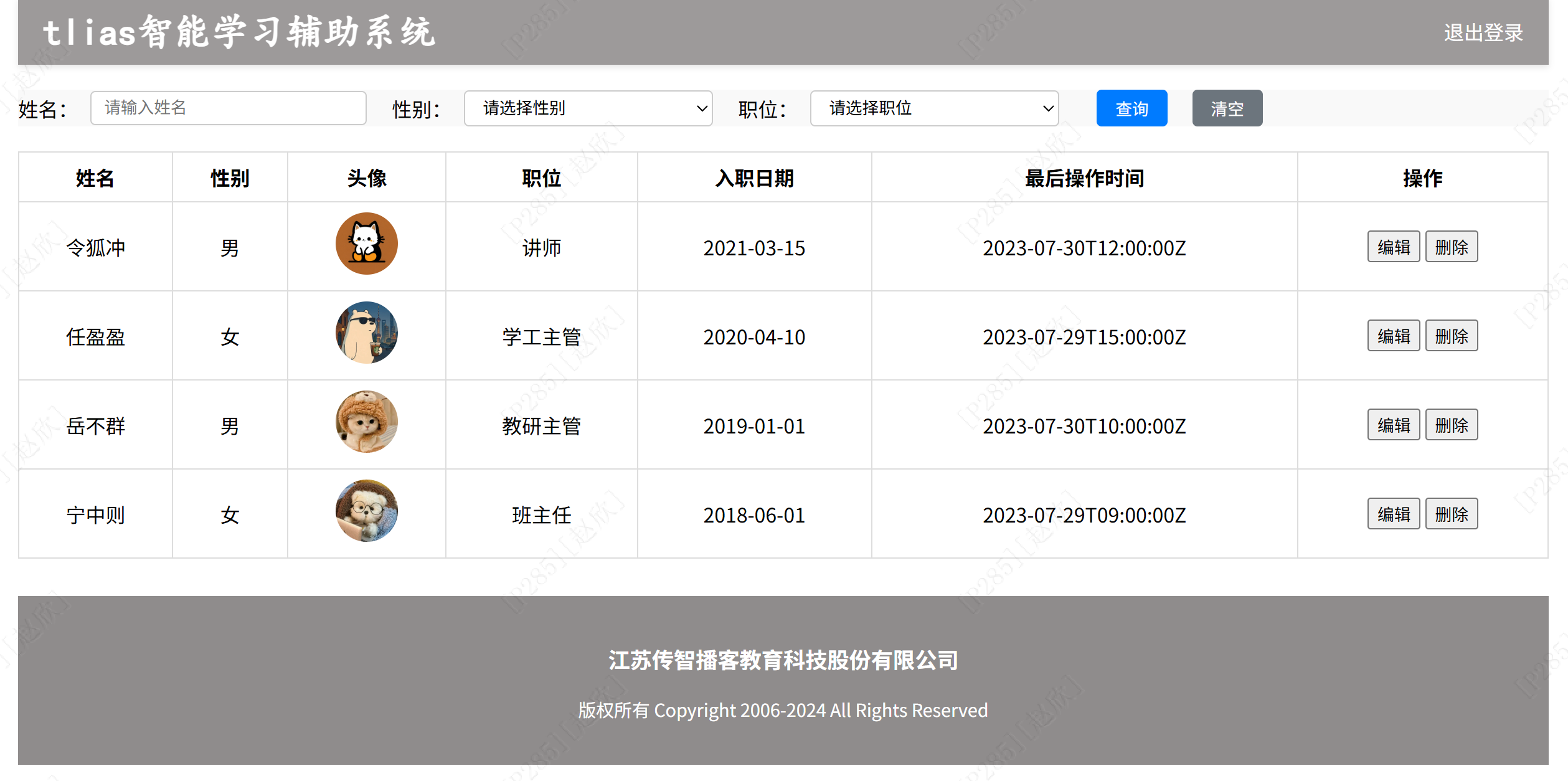
最终结果如下:
总结: