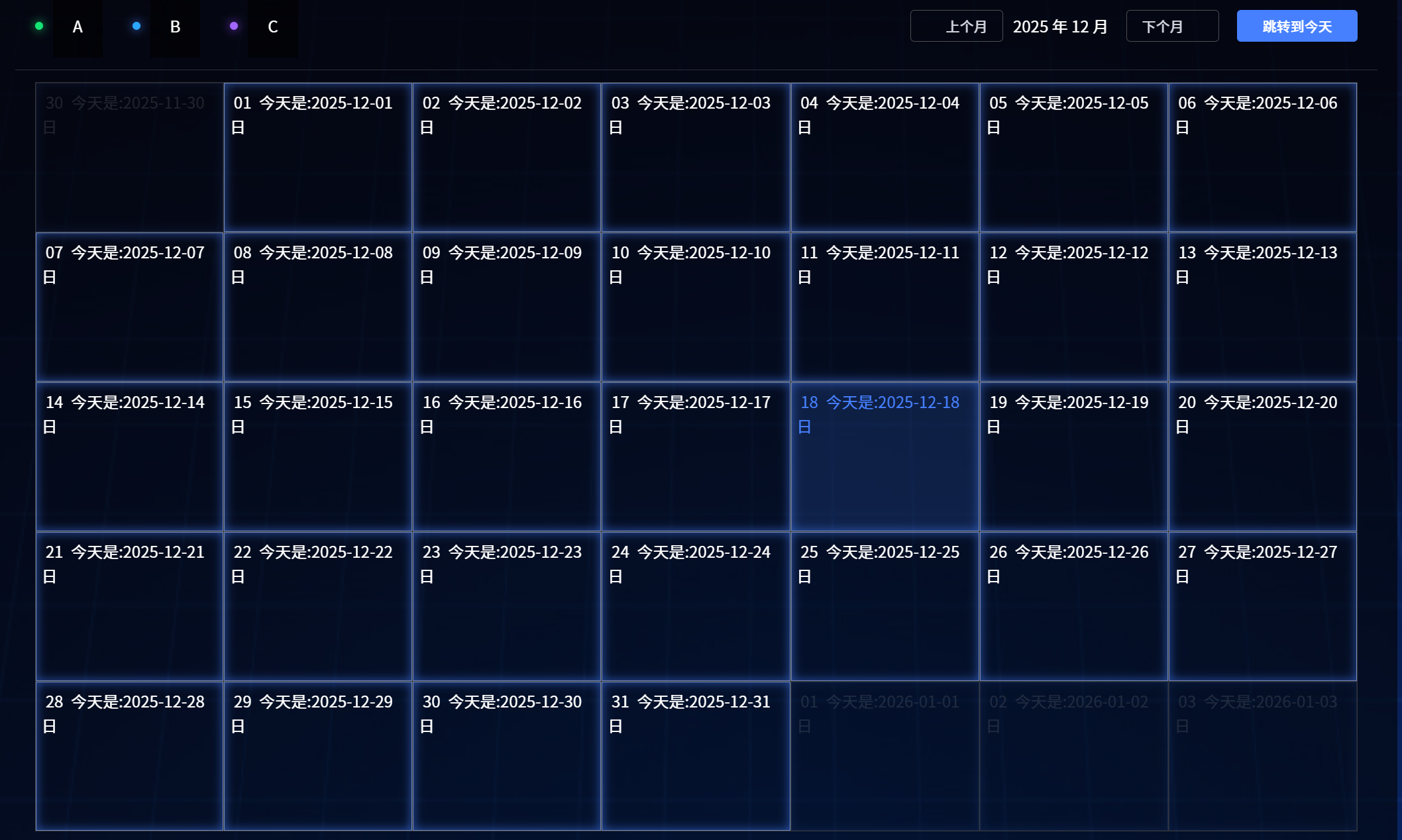
.calendarLegend {
  display: flex;
  justify-content: flex-start;
  gap: 30px;
  .item {
    display: flex;
    justify-content: flex-start;
    gap: 10px;
    align-items: center;
    .flag {
      width: 8px;
      height: 8px;
      border-radius: 50%;
    }
    &.niandu {
      .flag {
        background: #15e474;
        box-shadow: 0px 0px 10px 0px #15e474;
      }
    }
    &.xianhuo {
      .flag {
        background: #a366ff;
        box-shadow: 0px 0px 10px 0px #9046ff;
      }
    }
    &.guncuo {
      .flag {
        background: #2ca7ff;
        box-shadow: 0px 0px 10px 0px #4680ff;
      }
    }
  }
}

.button-group {
  ::v-deep(.el-button:not(:first-child)) {
    margin-left: 8px;
  }
  display: flex;
  justify-content: flex-start;
  align-items: center;
  gap: 10px;
}
::v-deep(.el-calendar-day) {
  // height: 175px !important;
  height: 150px !important;
  // overflow: hidden;
  .custom-date-cell {
    width: 100%;
    height: 100%;
    .date-day {
      display: inline-block;
      width: 26px;
      height: 26px;
      line-height: 26px;
      text-align: center;
      border-radius: 50%;
      background-color: transparent;
      // color: #fff;
      font-size: 16px;
    }
    // 今天的日历单元格,相关样式。is-today为动态添加的类名
    .is-today {
      background-color: #4680ff;
      color: #fff;
    }

    .dealDetail {
      display: flex;
      flex-direction: column;
      gap: 3px;
      margin-top: 3px;
      // height: 110px !important;
      height: 105px !important;
      overflow-y: auto !important;
      .item {
        display: flex;
        justify-content: flex-start;
        align-items: center;
        gap: 5px;
        height: 24px;
        line-height: 24px;
        font-size: 12px;
        border-radius: 4px;
        padding-left: 5px;
        // 日期单元格的信息,超出显示省略号
        .content {
          overflow: hidden;
          white-space: nowrap;
          text-overflow: ellipsis;
        }
        .flag {
          width: 8px;
          height: 8px;
          border-radius: 50%;
          flex-shrink: 0; // 阻止弹性容器在空间不足时被压缩,保留原始尺寸
        }
        &.xianhuo {
          color: #bfa2ff;
          background: rgba(142, 78, 255, 0.3);
          border: 1px solid #a682f7;
          .flag {
            background: #a366ff;
            box-shadow: 0px 0px 10px 0px #9046ff;
          }
        }
        &.guncuo {
          color: #7ab8fa;
          background: rgba(23, 150, 255, 0.3);
          border: 1px solid #459fff;
          .flag {
            background: #2ca7ff;
            box-shadow: 0px 0px 10px 0px #6d9bff;
          }
        }
        &.niandu {
          color: #1bd871;
          background: rgba(30, 178, 89, 0.3);
          border: 1px solid #0bb552;
          .flag {
            background: #15e474;
            box-shadow: 0px 0px 10px 0px #15e474;
          }
        }
      }
    }
  }
  // 经过单元格时样式
  &:hover {
    // border: 3px solid #229fff;
    background: rgba(70, 128, 255, 0.16) !important;
    box-shadow: inset 0px 0px 10px 0px rgba(70, 128, 255, 0.6);
  }
}

.calendarContent {
  display: flex;
  justify-content: flex-start;
  .right {
    width: 119px;
  }
}

::v-deep(.el-calendar) {
  --el-calendar-selected-bg-color: rgba(70, 128, 255, 0.16) !important;
  thead {
    display: none;
  }
}

::v-deep(.el-calendar__header) {
  // border-top: 1px solid rgba(255, 255, 255, 0.16);
  border-bottom: 1px solid rgba(255, 255, 255, 0.16);
}
// 日期单元格样式
::v-deep(.el-calendar-day) {
  border: 1px solid #748ab8;
  box-shadow: inset 0px 0px 10px 0px rgba(70, 128, 255, 0.6);
  opacity: 0.2 !important;
  padding: 0;
}
// 当月单元格
::v-deep(.el-calendar-table__row td.current .el-calendar-day) {
  border: 1px solid #748ab8;
  box-shadow: inset 0px 0px 10px 0px rgba(70, 128, 255, 0.6);
  opacity: 1 !important;
}