javascript
{
  "name": "GPT-4o识图",
  "nodes": [
    {
      "parameters": {
        "options": {
          "allowFileUploads": true
        }
      },
      "type": "@n8n/n8n-nodes-langchain.chatTrigger",
      "typeVersion": 1.4,
      "position": [
        16,
        -32
      ],
      "id": "96716511-0e3b-4b29-9154-8da836ec4907",
      "name": "When chat message received",
      "webhookId": "572da347-91ff-4fe5-8f83-add5f3f8c4ab",
      "alwaysOutputData": false,
      "executeOnce": false,
      "retryOnFail": false
    },
    {
      "parameters": {
        "resource": "image",
        "operation": "analyze",
        "modelId": {
          "__rl": true,
          "value": "gpt-4o-mini",
          "mode": "list",
          "cachedResultName": "GPT-4O-MINI"
        },
        "text": "={{ $json.chatInput }}",
        "inputType": "base64",
        "options": {}
      },
      "type": "@n8n/n8n-nodes-langchain.openAi",
      "typeVersion": 2.1,
      "position": [
        464,
        -32
      ],
      "id": "f27c56da-4941-4ac6-9b07-8a06b62051c4",
      "name": "Analyze image",
      "credentials": {
        "openAiApi": {
          "id": "2NGP0rW0STRYkHov",
          "name": "OpenAi account"
        }
      }
    },
    {
      "parameters": {
        "jsCode": "let arr = []\n\nfor (const item of $input.all()) {\n  if (Array.isArray(item.json.files) && item.json.files.length > 0) {\n    for(let i = 0; i < item.json.files.length; i++) {\n      arr.push({\n        json: { ...item.json }, \n        binary:  { data: item.binary['data'+ i] } \n      })\n    }\n  }\n}\nreturn arr\n"
      },
      "type": "n8n-nodes-base.code",
      "typeVersion": 2,
      "position": [
        240,
        -32
      ],
      "id": "bff438f2-9fc4-4798-bd66-d1e4ffe6a514",
      "name": "文件转换格式"
    },
    {
      "parameters": {
        "jsCode": "let arr = []\n\nfor (const item of $input.all()) {\n  item.json.myNewField = 1;\n  console.log('第二个', item)\n  arr.push({\n    text: item.json[0].content[0].text \n  })\n  \n}\nreturn [{\n  json: {\n    result: arr\n  }\n}]\n"
      },
      "type": "n8n-nodes-base.code",
      "typeVersion": 2,
      "position": [
        656,
        -32
      ],
      "id": "a3940550-f170-44ef-a7c4-c3e41f0c1549",
      "name": "输出结果聚合"
    }
  ],
  "pinData": {},
  "connections": {
    "When chat message received": {
      "main": [
        [
          {
            "node": "文件转换格式",
            "type": "main",
            "index": 0
          }
        ]
      ]
    },
    "Analyze image": {
      "main": [
        [
          {
            "node": "输出结果聚合",
            "type": "main",
            "index": 0
          }
        ]
      ]
    },
    "文件转换格式": {
      "main": [
        [
          {
            "node": "Analyze image",
            "type": "main",
            "index": 0
          }
        ]
      ]
    }
  },
  "active": false,
  "settings": {
    "executionOrder": "v1"
  },
  "versionId": "442998d4-038b-4f21-90f7-97c7754145d3",
  "meta": {
    "templateCredsSetupCompleted": true,
    "instanceId": "e6d562a11669b4d2f353eafef58b0a2d41d2839326a8b4201a24f4610bf43de1"
  },
  "id": "10ceEDPo4QyCYKcg",
  "tags": []
}
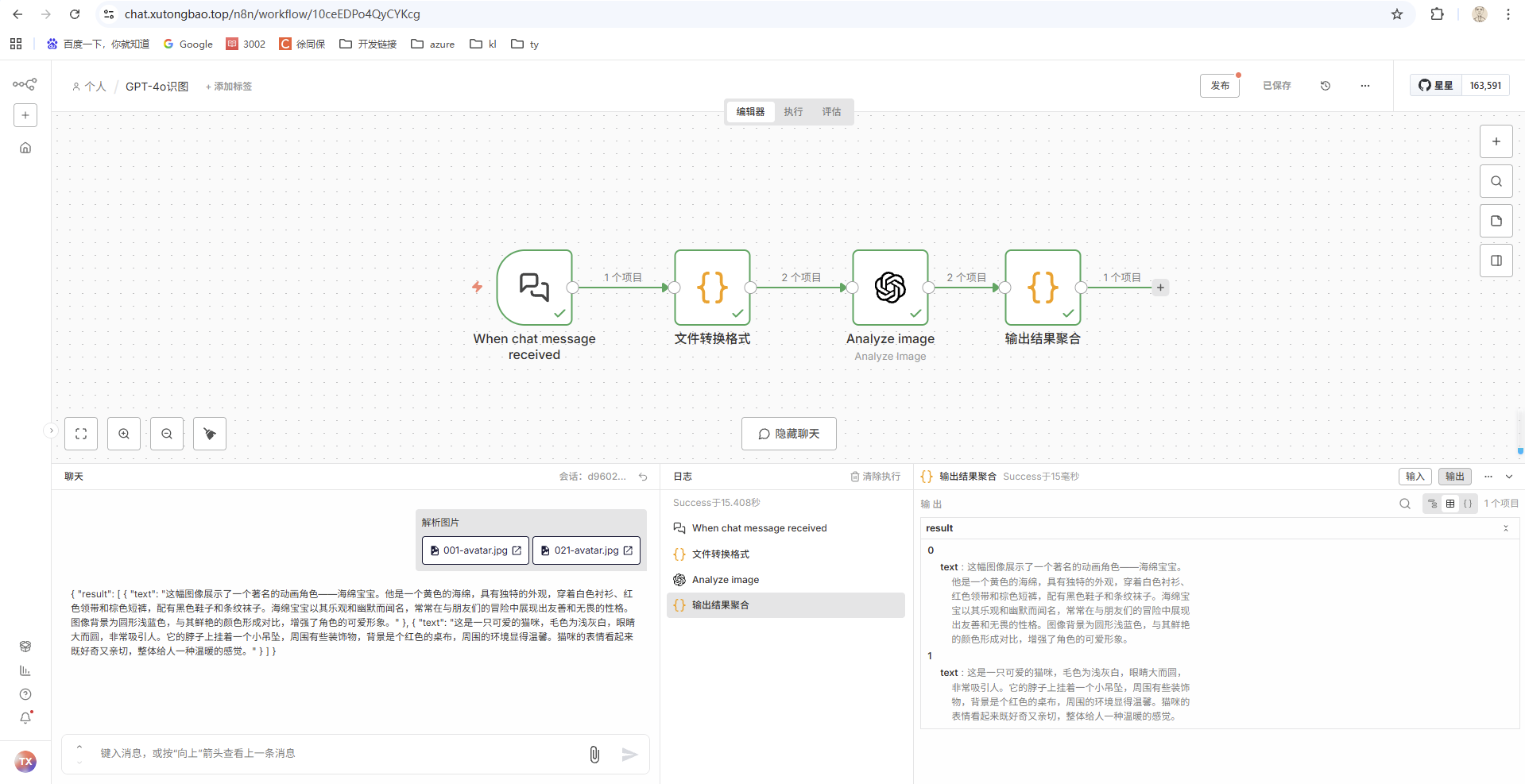
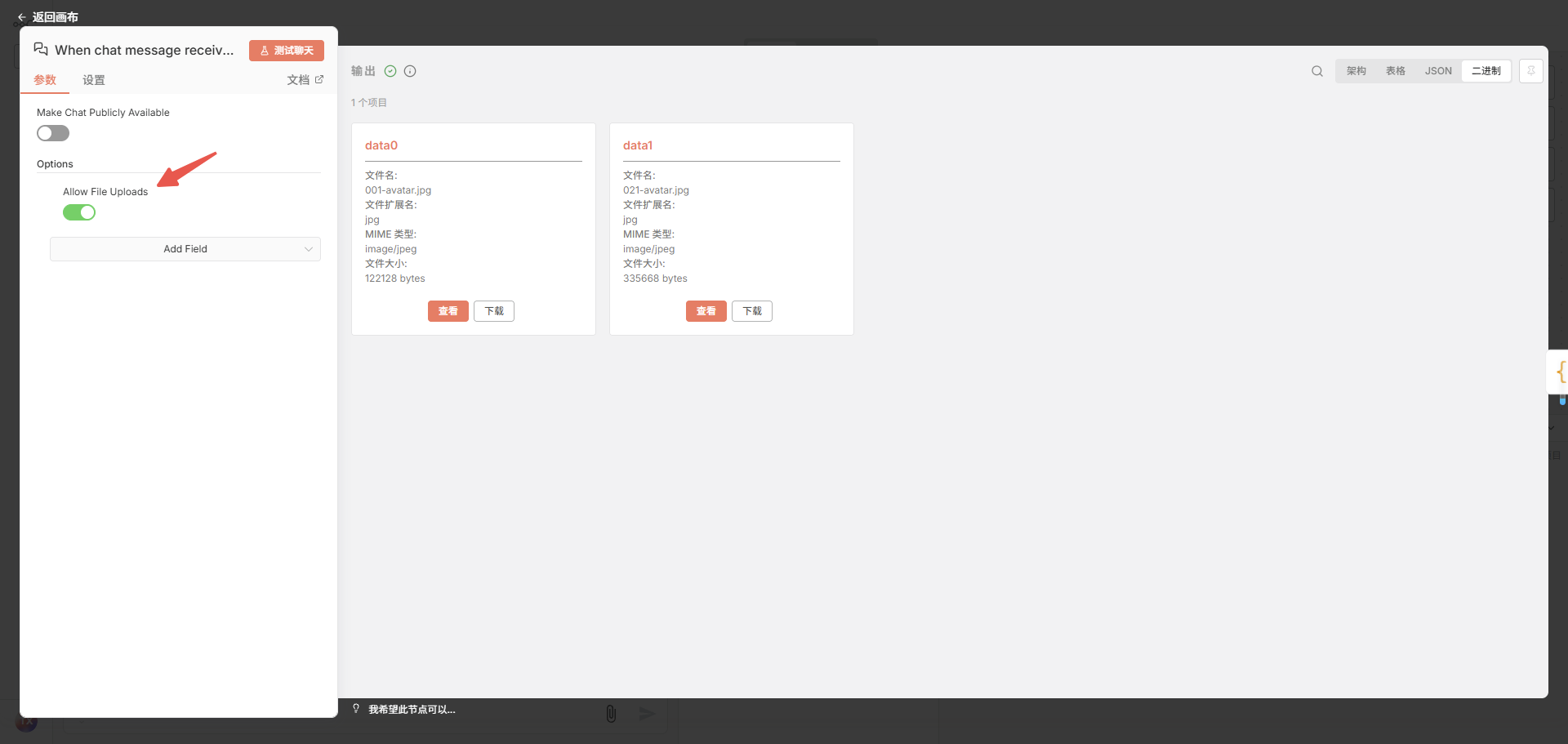
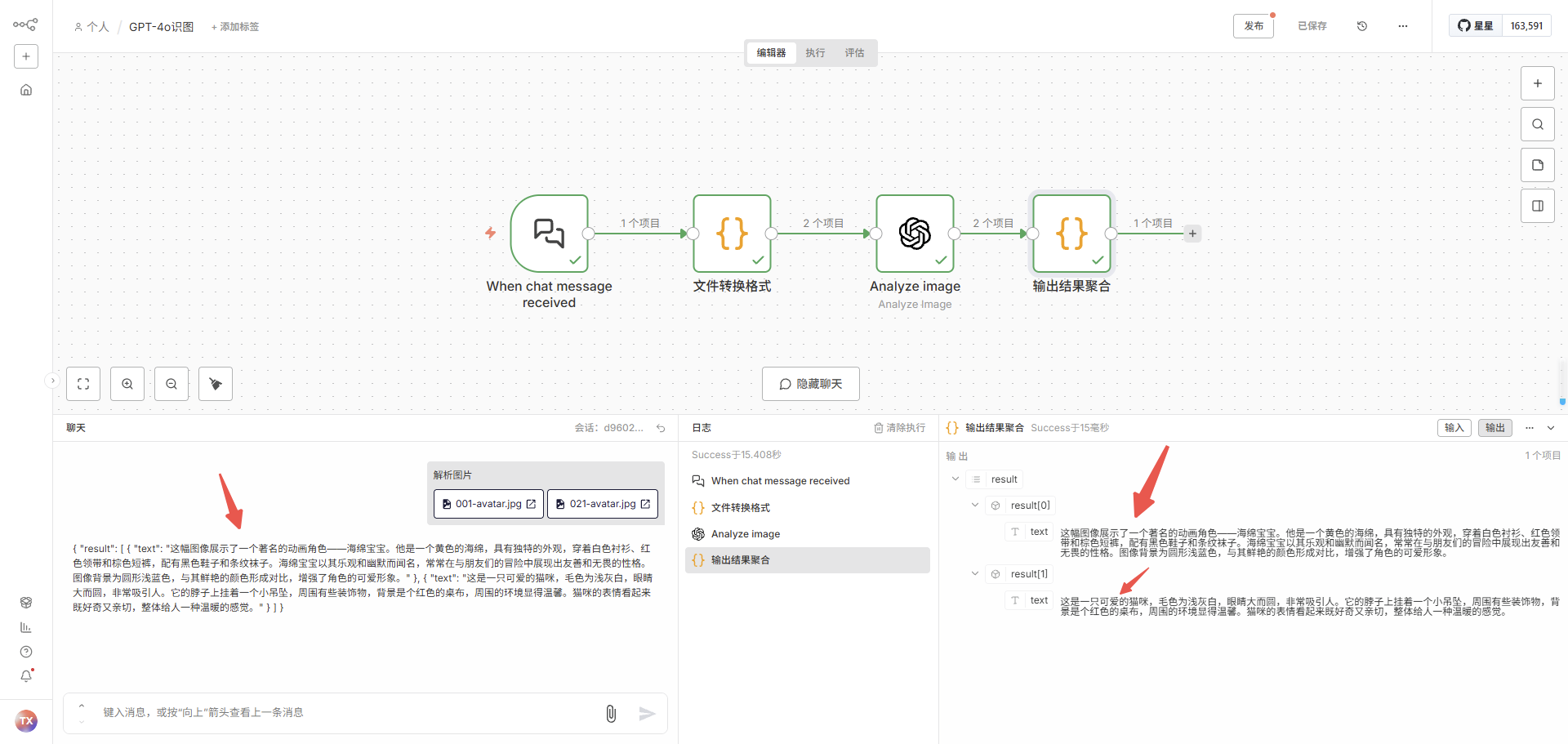
聊天窗口支持上传图片
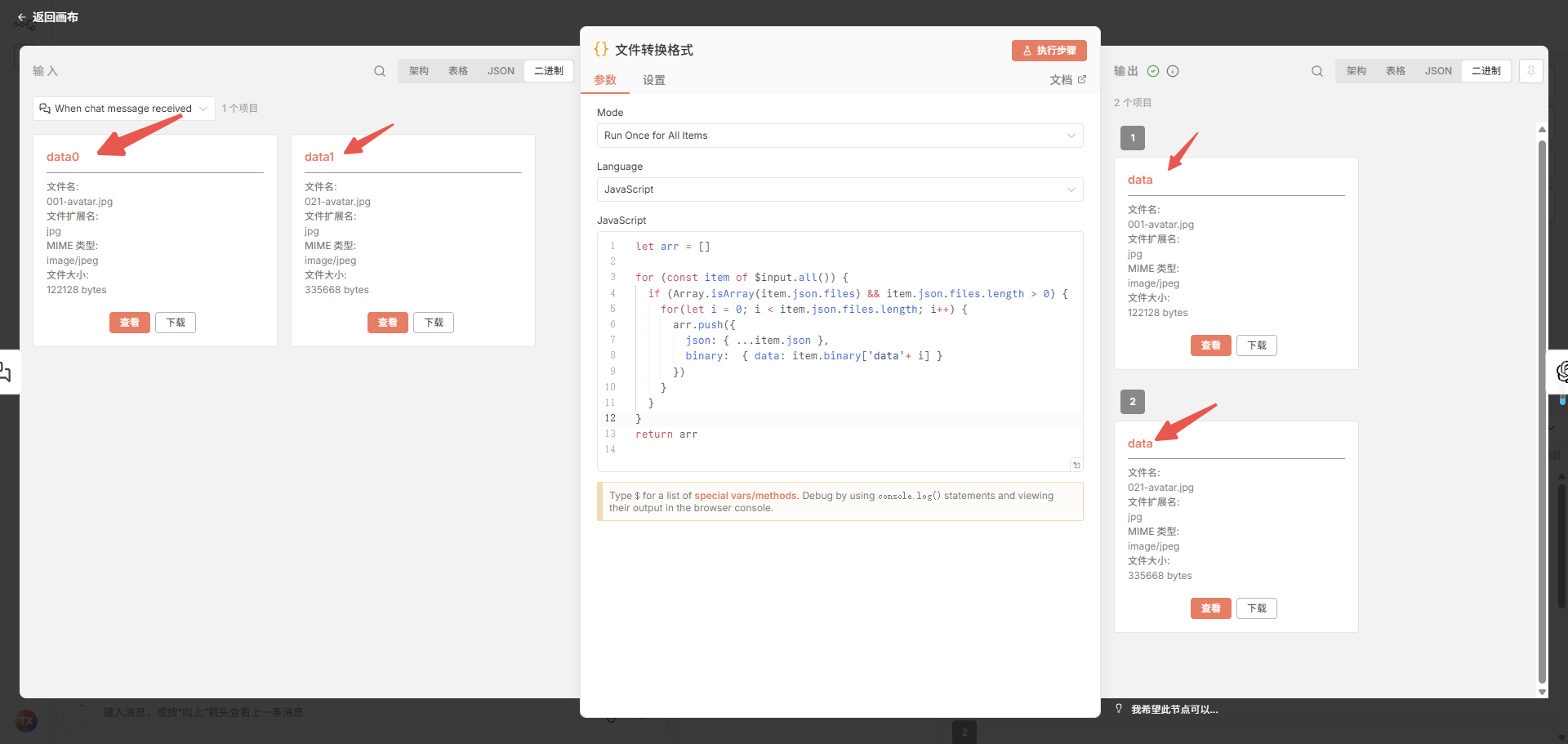
文件转换格式节点
chat节点上传多个图片时,默认只有一个item,多张图片使用不同的key挂载到这个item上
使用这个节点,把一个item转换成多个item
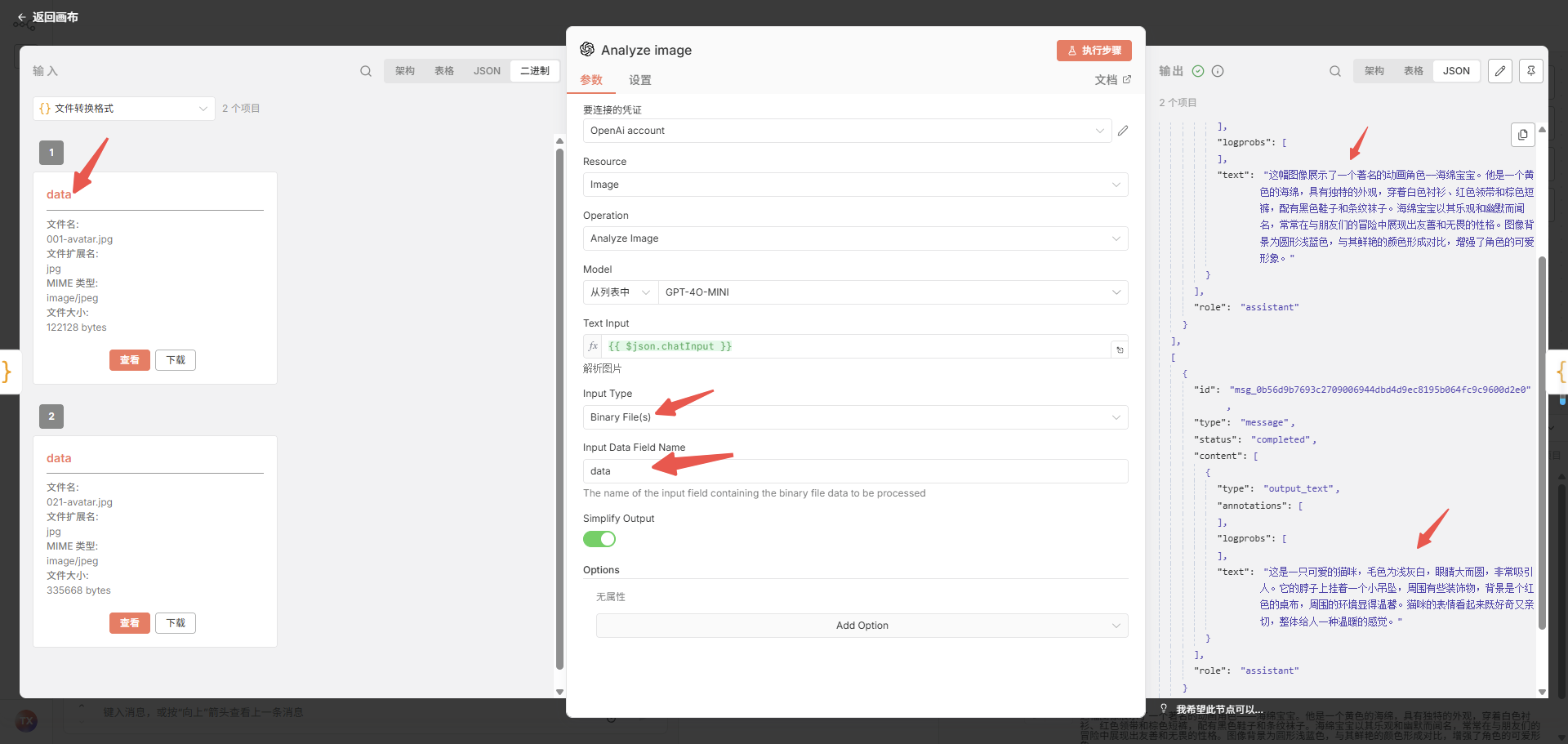
多个图片解析生成多个结果
javascript
let arr = []

for (const item of $input.all()) {
  if (Array.isArray(item.json.files) && item.json.files.length > 0) {
    for(let i = 0; i < item.json.files.length; i++) {
      arr.push({
        json: { ...item.json },
        binary:  { data: item.binary['data'+ i] }
      })
    }
  }
}
return arr
Analyze image节点
输出结果聚合
把多个item合并到一个item,聊天窗口仅支持一个item
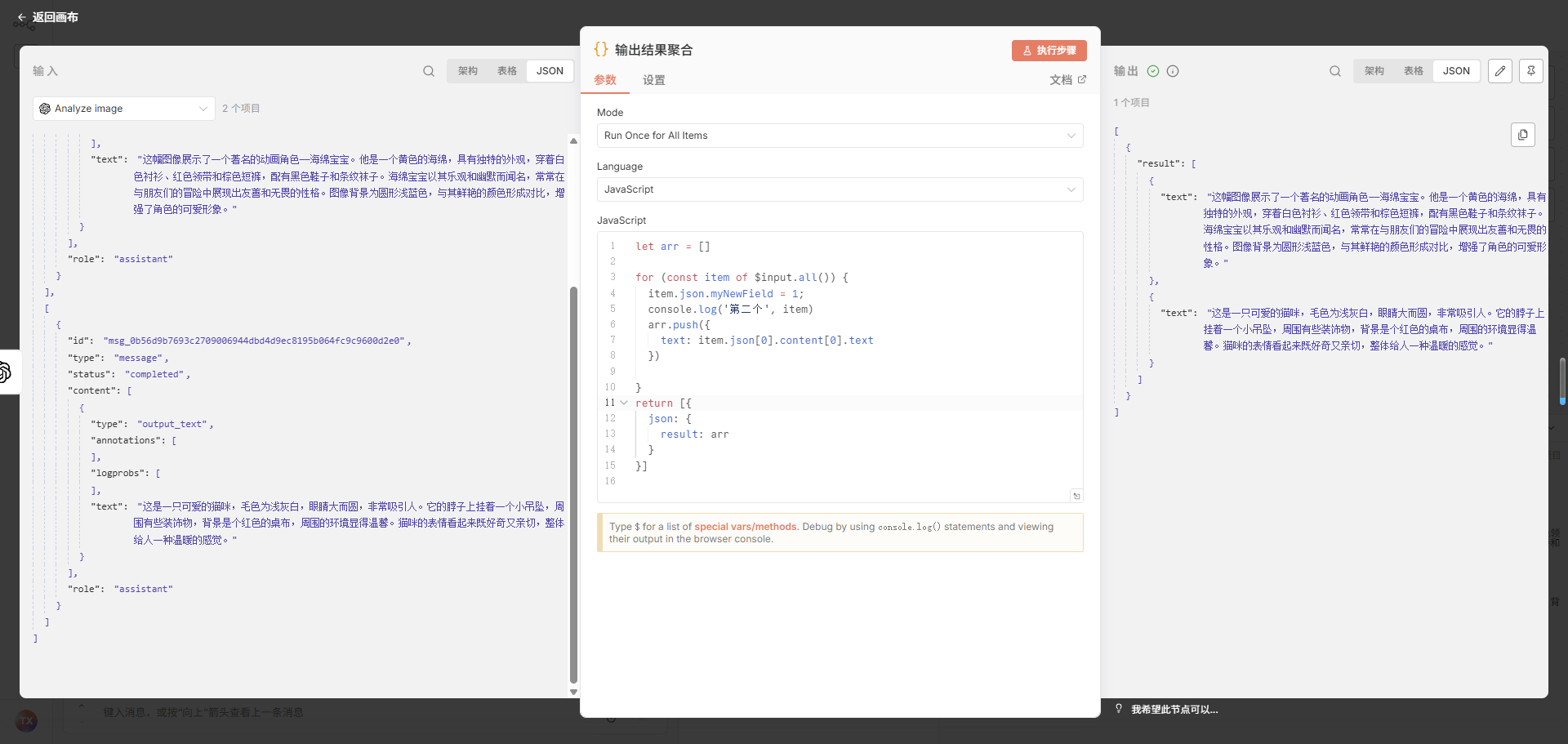
javascript
let arr = []

for (const item of $input.all()) {
  item.json.myNewField = 1;
  console.log('第二个', item)
  arr.push({
    text: item.json[0].content[0].text
  })

}
return [{
  json: {
    result: arr
  }
}]


参考链接