文章目录
-
-
- Rewrite配置语法
-
- 匹配过程中可以引用一些Nginx的全局变量
- [Rewrite 匹配优先级](#Rewrite 匹配优先级)
- 开启Nginx的Rewrite模块
- 案例练习
-
- [练习1:www.jy.com-\>www.baidu.com(http://www.jy.com->www.baidu.com) 域名跳转](#练习1:www.jy.com->www.baidu.com 域名跳转)
- [练习2:用户访问jy.com跳转到www.jy.com(http://www.jy.com) 域名跳转](#练习2:用户访问jy.com跳转到www.jy.com 域名跳转)
- [练习4:用户访问www.jy.com/blog跳转到blog.jy.com(http://www.jy.com/blog跳转到blog.jy.com) 域名跳转](#练习4:用户访问www.jy.com/blog跳转到blog.jy.com 域名跳转)
- 练习5:用户访问http://www.jy.com/2023/sport.html实际上真实访问是http://www.jy.com/20231024/sport/2.html(http://www.jy.com/2023/sport.html实际上真实访问是http://www.jy.com/20231024/sport/2.html)
- 练习5.1:扩展需求
- 练习6:用户访问nba-2023-10-24.html实际上真实访问是/nba/2023/10/24/nba_02.html
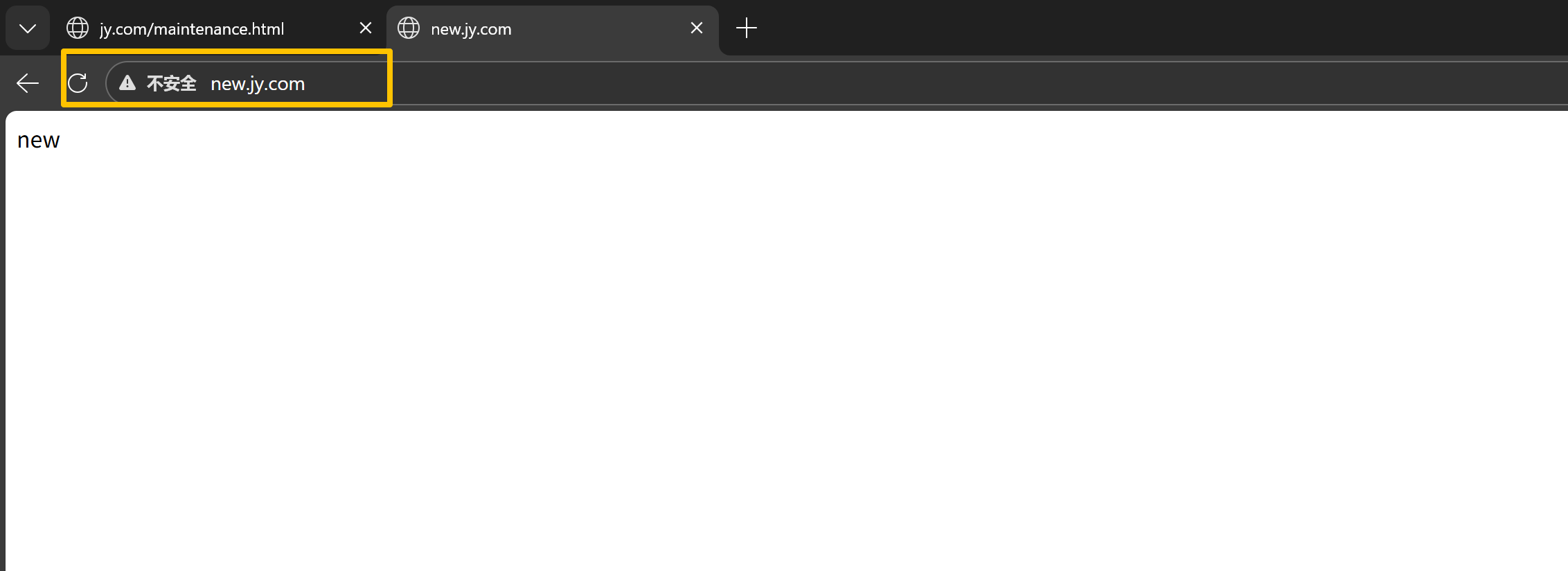
- 练习7:分别使用临时重定向和永久重定向实现访问web1.jy.com跳转至web2.jy.com
- 4、Rewrite标记Flag
- last和break的区别
- redirect和permanent区别
-
1、什么是rewrit
rewrite是URL重写,主要实现 url 地址重写, 以及重定向, 就是把传入 Web 的请求重定向到其他 URL
的过程,是Nginx的一个模块,ngx_http_rewrite_module模块
2、Rewrite 使用场景
1、URL 地址跳转 :
1)用户访问 tf_old.com 将其跳转到 tf.com
2)用户通过 http 的方式访问 tf.com 时,将其跳转至 https 的方式访问 tf.com
2、URL 伪静态, 将动态页面显示为静态页面方式的一种技术, 便于搜索引擎的录入, 同时减少动态 URL
地址对外暴露过多的参数, 提升更高的安全性
3、搜索引擎 SEO 优化依赖于 URL 路径, 以便支持搜索引擎录入
4、可以调整用户浏览的 URL ,看起来更规范,合乎开发及产品人员的需求
3、怎么判断rewrite模块定义运用在哪个服务层面
负载服务:
全局的、面向客户端的统一处理,放在负载层可以统一管控所有请求,避免在每个 Web 节点重复配置,减少维护成本;(1)全局协议 / 域名跳转(最常见的负载层 rewrite 场景)(2)全局的 API 路径转发(比如统一的接口前缀重写)
提供web网页服务
和业务相关、关联本地文件系统 / PHP 业务的,只有 Web 层 Nginx 知道本地的文件路径、PHP 业务路径,负载层无法处理(负载层只负责转发,不接触本地文件)(1)业务相关的 URL 重写(静态 URL 转动态 PHP)(2)关联$document_root的本地文件路径重写 (3)静态资源的路径重写
负载层只做全局的、面向客户端的 rewrite(跳转、域名统一、全局路径转发);Web 层只做业务的、面向本地文件的 rewrite(伪静态、本地路径重写)。 负载层的 rewrite 尽量用permanent/redirect( 301/302 重定向),Web 层用last/break
Rewrite配置语法
Rewrite示例
Syntax: rewrite regex replacement flag;
Default: --
Context: server, location, if
匹配过程中可以引用一些Nginx的全局变量
全局变量说明
php
$args	用于获取请求中的参数。例如:http://www.jy.com/test?name=tom&age=18,$args的值就为name=tom&age=18
$host	用于获取请求中的主机部分的值。例如:http://www.jy.com/test?name=tom&age=18,$host的值为www.jy.com。
$http_user_agent	用于获取请求中的User-Agent字段值
$remote_addr	用于获取客户端的IP地址
$remote_port	用于获取客户端与服务器建立连接的端口号
$request_method	用于获取客户端的请求方式,例如GET、POST等
$request_uri	用于获取当前请求的URI。例如:http://www.jy.com/test?name=tom&age=18,$request_uri的值就为/test?name=tom&age=18
$query_string	与$args作用相同
$scheme	用于获取客户端请求使用的协议,例如http、https等
$server_addr	用于获取服务端的IP地址
$server_name	用于获取虚拟主机的名称
$server_port	用于获取虚拟主机的监听的端口
$document_uri	用于获取请求中的当前URI。例如:http://www.jy.com/test?name=tom&age=18,$document_uri的值为/test
$uri	与$document_uri作用相同
$http_user_agent	用于获取请求头中User-Agent字段的值
$request_filename	当前请求的文件路径
$document_root:请求对应的root指令所配置的网站根目录
Rewrite 匹配优先级
1.执行server块的rewrite指令
2.执行location匹配
3.执行选定的location中的rewrite
开启Nginx的Rewrite模块
bash
是在Nginx的主配置文件中进行开启
vim /etc/nginx/nginx.conf
#1.设置nginx的错误日志级别为notice
error_log /var/log/nginx/error.log notice;
#2.在http模块层,增加一行rewrite_log日志
http {
......
rewrite_log on;
......
}
注意事项
php
尽量开启rewrite_log
在http{} server{} location{} 中都可以配置 rewrtie_log on;
通过访问error.log查看匹配的rewrite的记录
案例练习
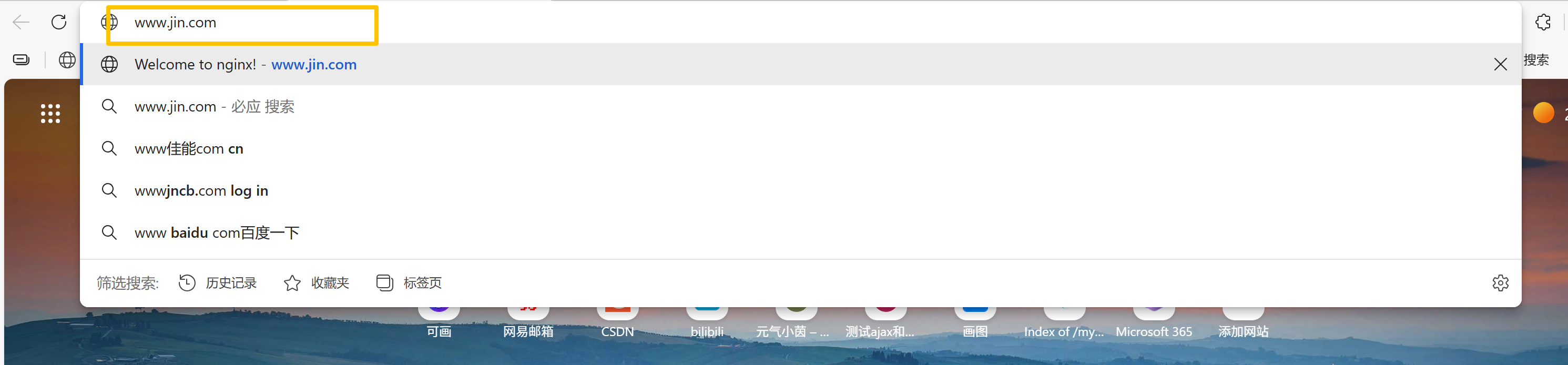
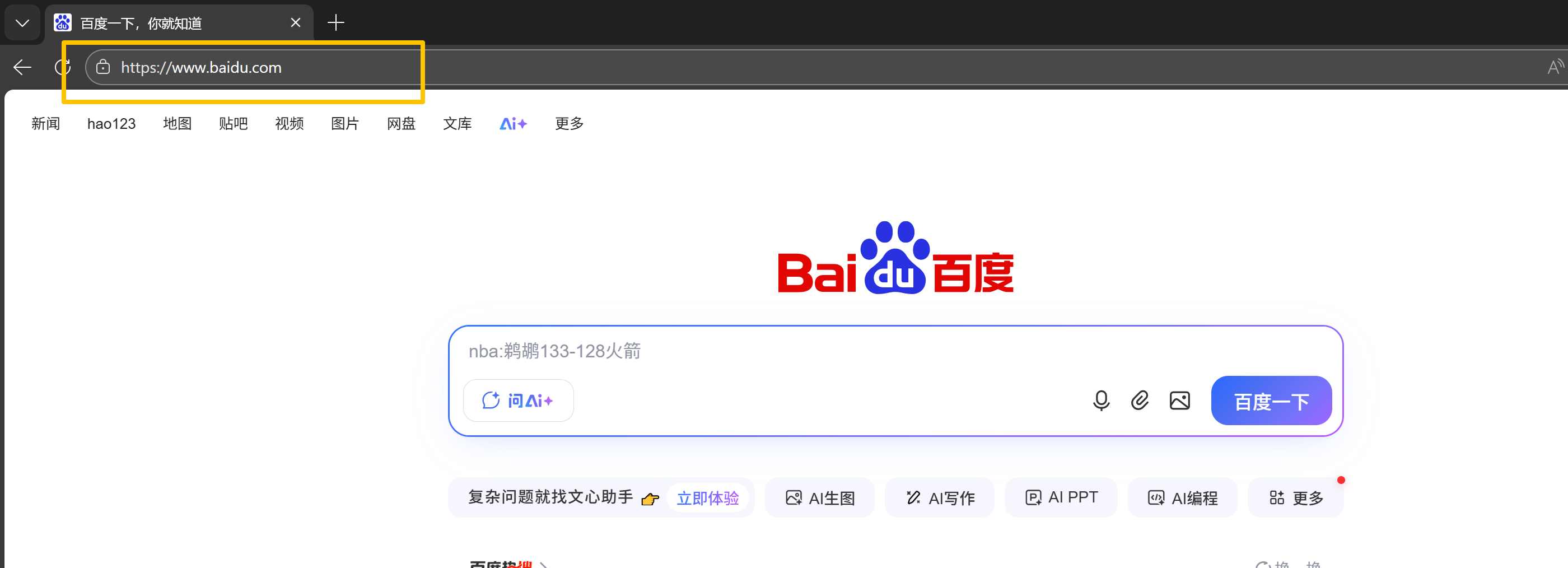
练习1:www.jy.com->www.baidu.com 域名跳转
php
[root@web01 conf.d]# cat re.conf
server{
      listen 80;
      server_name www.jin.com;
      root /test;
      index index.html;

      location / {
      rewrite .* http://www.baidu.com;  #不管匹配所有连接跳转到百度
}

}

本地和Windows都需要配置hosts文件   10.0.0.7  www.jin.com
测试
练习2:用户访问jy.com跳转到www.jy.com 域名跳转
php
实现思路:
http://jy.com  -->  http://www.jy.com

1.客户端本地hosts解析
2.创建jy.com的站点配置文件
# vim /etc/nginx/conf.d/rewrite.conf
server {
        listen 80;
        server_name jy.com;
#       rewrite ^/ http://www.jy.com;
        location / {
                rewrite ^/ http://www.jy.com;
        }
}

server {
        listen 80;
        #正则匹配jy.com的所有域名,最后生效;
        server_name ~^.*\.jy\.com;
        location / {
                rewrite .* http://www.jy.com;
        }
}

实现了,访问game.jy.com时,到指定站点目录访问页面,其他的.jy.com的域名都跳转至www.jy.com
证明server_name字段常规优于正则

3.重启nginx,验证
systemctl restart nginx
浏览器访问http://jy.com
1)通过chrome浏览的http_status插件可以看到现象
2)通过访问/var/log/nginx/error.log查看是否匹配rewrite

练习3:用户访问以sql js css结尾的文件时,都跳首页
        # 当你访问的是png jgp gif时,跳首页
        location ~* \.(sql|js|css)$ {
                rewrite .* http://$host;
                #rewrite .* http://$host$request_uri;
}练习4:用户访问www.jy.com/blog跳转到blog.jy.com 域名跳转
php
实现思路:
http://www.jy.com/blog  -->  http://blog.jy.com

1.确保blog.jy.com可以访问
2.增加rewrite的配置
vim /etc/nginx/conf.d/www.conf
server {
    listen 80;
    server_name www.jy.com;

    location / {
            root /web/www;
            index index.html;
    }

    location /blog {
            rewrite .* http://blog.jy.com;
#            return 302 http://blog.jy.com;
    }
}练习5:用户访问http://www.jy.com/2023/sport.html实际上真实访问是http://www.jy.com/20231024/sport/2.html
php
http://www.jy.com/2023/sport.html -->  http://www.jy.com/20231024/sport/2.html

1.先确保 http://www.jy.com/20231024/sport/2.html可以访问
mkdir -p /web/www/20231024/sport
echo "20231024-sport" >/web/www/20231024/sport/2.html

2.增加rewrite的配置
# cat www.conf
server {
    listen 80;
    server_name www.jy.com;

    location / {
        root /web/www;
        index index.html;
    }

    location /blog {
#		rewrite ^/blog http://blog.jy.com;
        rewrite .* http://blog.jy.com;
        return 302 http://blog.jy.com;
    }

    http://www.jy.com/2023/sport.html

    location /2023 {
        root /web/www;
        rewrite sport.html /20231024/sport/2.html redirect;
    }
#	location /2023/sport.html {
#		root /web/www;
#		return 302 http://www.jy.com/20231024/sport/2.html
#	}
}
练习5.1:扩展需求
http://www.jy.com/2023/sport-1.html --> http://www.jy.com/20231024/sport/sport-1.html
http://www.jy.com/2023/sport-2.html --> http://www.jy.com/20231024/sport/sport-2.html
php
cat www.conf
server {
......
    location /2023 {
        rewrite /2023/(.*) /20220302/sport/$1;
    }
}
练习6:用户访问nba-2023-10-24.html实际上真实访问是/nba/2023/10/24/nba_02.html
php
实现思路:
http://www.jy.com/nba-2023-10-24.html --> http://www.jy.com/nba/2023/10/24/nba_24.html

    location / {
        #固定匹配
        rewrite nba-2023-10-24.html /nba/2023/10/24/nba_24.html redirect;
        #灵活匹配
        rewrite ^/(.*)-(.*)-(.*)-(.*)\.html /$1/$2/$3/$4/$1_$4.html redirect;
    }
#另一种写法
    location ~ ^/(.*)-(.*)-(.*)-(.*).html {
        return 302 http://$server_name/$1/$2/$3/$4/$1_$4.html;
    }


测试

mkdir -p /web/www/nba/202{2,3}/{01..12}/{01..31}/
tree /web/www/nba/
echo nba_2023_01_01 > /web/www/nba/2023/01/01/nba_01.html
echo nba_2023_01_02 > /web/www/nba/2023/01/02/nba_02.html
echo nba_2023_04_11 > /web/www/nba/2023/04/11/nba_11.html
echo nba_2023_04_12 > /web/www/nba/2023/04/12/nba_12.html

http://www.jy.com/nba-2023-01-01.html
http://www.jy.com/nba-2023-01-02.html
http://www.jy.com/nba-2023-04-11.html
http://www.jy.com/nba-2023-04-12.html


注释:
rewrite 标记

last本条规则匹配完成后,停止匹配,不在匹配后面的规则
break本条规则匹配完成后,停止匹配,不在匹配后面的规则
redirect返回302临时重定向, 地址栏会显示跳转后的地址
permanent返回301永久重定向, 地址栏会显示跳转后的地址


redirect和permanent的区别:
    redirect每次访问都会请求重定向之前的URL
    permanent第一次重定向之后,浏览器会记录重定向的流程,之后每次的请求直接跳转至目标URL
当浏览器收到去往该页面的请求时,优先查看自己记录的流程,匹配了web1.jy.com ->web2.jy.com练习7:分别使用临时重定向和永久重定向实现访问web1.jy.com跳转至web2.jy.com
练习环境
plain
web01		10.0.0.7	web1.jy.com
web02		10.0.0.8	web2.jy.com
步骤
php
web1的配置:
cat /etc/nginx/conf.d/www.conf
server {
    listen 80;
    server_name web1.jy.com;

    location / {
        root /web/www;
        index index.html;
#		rewrite .* http://web2.jy.com permanent;	#临时跳转301
        rewrite .* http://web2.jy.com redirect;		#临时跳转302
    }
}

echo web01 > /web/www/index.html

~~~~~~~~~~~~~~~~~~~~~~~~~~~~~~~
web2的配置
cat /etc/nginx/conf.d/www.conf
server {
    listen 80;
    server_name web2.jy.com;

    location / {
        root /web/www;
        index index.html;
    }
}

echo web02 > /web/www/index.html


验证:关闭web01的nginx服务,访问http://web1.jy.com

备注:
redirect针对域内和域外重定向效果不一样
域内:相同域名的不同路径跳转
    写redirect,url变成跳转后的url
    不写redirect,url不会跳转,内容会跳转
域外:不同域名跳转,写不写redirect效果一样
4、Rewrite标记Flag
rewrite 指令根据表达式来重定向 URI , 或者修改字符串。 可以应用于 server,location, if 环境下,
每行 rewrite 指令最后跟一个 flag 标记,支持的 flag 标记有如下表格所示:
| flag参数 | 核心说明 | 地址栏表现 | 适用场景 |
|---|---|---|---|
| last | 本条规则匹配完成后,停止当前location块内的rewrite规则,根据新URI重新匹配全局的location块 | 地址栏不变化(内部重写) | Nginx内部URI重写(如伪静态) |
| break | 本条规则匹配完成后,停止所有rewrite规则,使用当前location块处理新URI,不重新匹配location | 地址栏不变化(内部重写) | 终止后续rewrite规则执行 |
| redirect | 返回到客户端302临时重定向,基于新URI重新发起请求 | 地址栏显示跳转后的地址 | 临时的URL跳转(测试/短期调整) |
| permanent | 返回到客户端301永久重定向,浏览器会缓存该跳转规则 | 地址栏显示跳转后的地址 | 永久的URL跳转(域名更换/SEO) |
last和break的区别
plain
last和break的区别
last满足后,只会停止对当前location的后续规则匹配,会继续读取后续location的规则
break满足后,后续所有规则都不匹配, break 不重新匹配 location,执行当前块的 return
last和break的最大区别是是否重新匹配 location
案例:
环境:
php
web01  www.jy.com 10.0.0.7
要求:
创建三个路径,目录结构如下
[root@web01 data]# tree /data/
/data/
├── first
│   └── 1.html   1
├── second
│   └── 2.html   2
└── third
    └── 3.html   3

3 directories, 3 files
步骤
php
创建web1.jy.com的内部跳转,配置如下:
vim /etc/nginx/conf.d/www.conf
server {
        listen 80;
        server_name www.jy.com;
        root /web/www/;
        index index.html;

        location /first {
                rewrite /first(.*) /second$1 [last|break]];
                default_type text/html;
                return 200 'first';
        }
    #	location ~* ^/first(.*) {
    #			rewrite /second$1 last;
    #			return 302 /second$1;
    #	}
        location /second {
                rewrite /second(.*) /third$1 break;
                default_type text/html;
                return 200 'second';
        }
    #	location ~* ^/second(.*) {
    #			rewrite /third$1 break;
    #			return 301 /third$1;
    #	}
        location /third {
                default_type text/html;
                return 200 'third';
        }
}

当标签为last时,匹配后,会将rewrite之后的url重新发请http请求
当标签会break时,匹配后,直接检测rwrite后的url是否能访问,能访问就显示页面,不能访问就404

#last:
http://www.jy.com/frist/1.html -> http://www.jy.com/second/1.html -> http://www.jy.com/third/1.html  404
http://www.jy.com/frist/2.html -> http://www.jy.com/second/2.html -> http://www.jy.com/third/2.html  404
http://www.jy.com/frist/3.html -> http://www.jy.com/second/3.html -> http://www.jy.com/third/3.html  3

#break:
http://www.jy.com/first/1.html -> http://www.jy.com/second/1.html 404
http://www.jy.com/first/2.html -> http://www.jy.com/second/2.html 2
http://www.jy.com/first/3.html -> http://www.jy.com/second/3.html 404
redirect和permanent区别
核心区别:redirect是 302 临时重定向,无缓存,适合短期场景;permanent是 301 永久重定向,有缓存,利于 SEO,适合长期场景。
使用原则:
○ 不确定跳转是否永久 → 先用redirect(避免缓存坑);
○ 确定跳转是永久的(域名更换、路径优化)→ 用permanent(减轻服务器压力 + SEO 友好)。
案例
(302)------ 页面临时维护,跳转到维护提示页
业务场景:你的网站www.jy.com/article板块需要临时维护 2 小时,期间访问该板块的用户需要跳转到www.jy.com/maintenance.html,维护完成后要恢复原路径,这种短期、临时的跳转适合用redirect。
bash
1、编写配置文件
[root@web01 conf.d]# cat 302.conf
server {
    listen 80;
    server_name www.jy.com;
    root /data;
    charset utf-8;  #全局编码格式
    index index.html;

    # 访问/article路径,临时跳转到维护页面(302)
    location /article {
        rewrite ^/article(.*)$ http://www.jy.com/maintenance.html redirect;
    }

    # 维护提示页的配置
    location /maintenance.html {
        default_type text/html;
        return 200 '页面正在维护,2小时后恢复,请稍后访问!';
    }
}

2、访问http://www.jy.com/article,观察现象是否会进行跳转到maintenance.html,是否会显示页面正在维护,2小时后恢复,请稍后访问!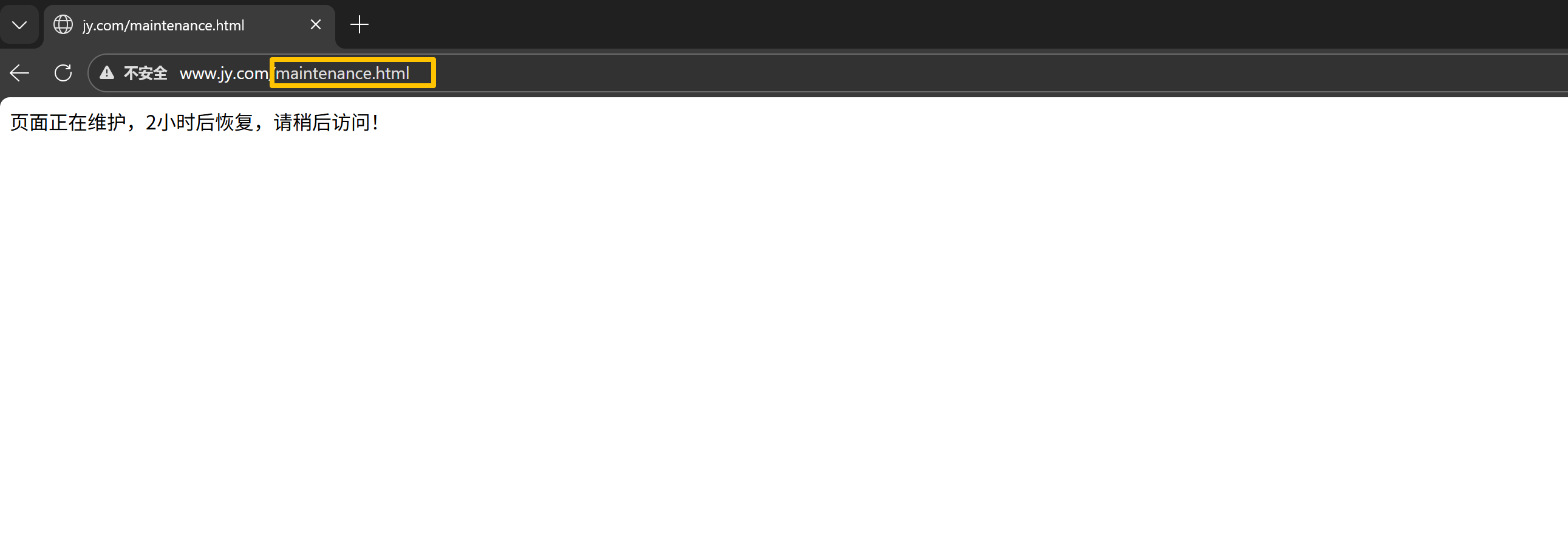
(301)------ 旧域名更换为新域名(永久跳转)
业务场景:你的旧域名是old.jy.com,新域名是new.jy.com,需要让所有访问旧域名的用户跳转到新域名,且希望搜索引擎将旧域名的权重传递到新域名,这种永久的域名更换适合用permanent。
bash
1、写好主机和Windows的hosts解析文件   old.jy.com  new.jy.com
编辑配置文件
[root@web01 conf.d]# cat 301.conf
# 处理旧域名的请求,永久跳转到新域名
server {
    listen 80;
    server_name old.jy.com;

    location / {
        # 保留用户的请求路径(比如old.jy.com/article/123跳转到new.jy.com/article/123)
        rewrite ^/(.*)$ http://new.jy.com/$1 permanent;
    }
}

# 新域名的配置
server {
    listen 80;
    server_name new.jy.com;
    root /data/new;
    index index.html;
}

重启服务
systemctl  restart Nginx

访问http://old.jy.com/