文章目录
- 一、创建用例集
-
- [1.1 创建 collections](#1.1 创建 collections)
- [1.2 创建用例集的子目录和请求](#1.2 创建用例集的子目录和请求)
- 二、批量执行测试用例(重点)
- 三、管理用例集
-
- [3.1 用例集-导出](#3.1 用例集-导出)
- [3.2 用例集-导入](#3.2 用例集-导入)
- 四、导出环境变量文件
- 五、newman生成测试报告
-
- [5.1 命令语法](#5.1 命令语法)
- [5.2 步骤](#5.2 步骤)
一、创建用例集
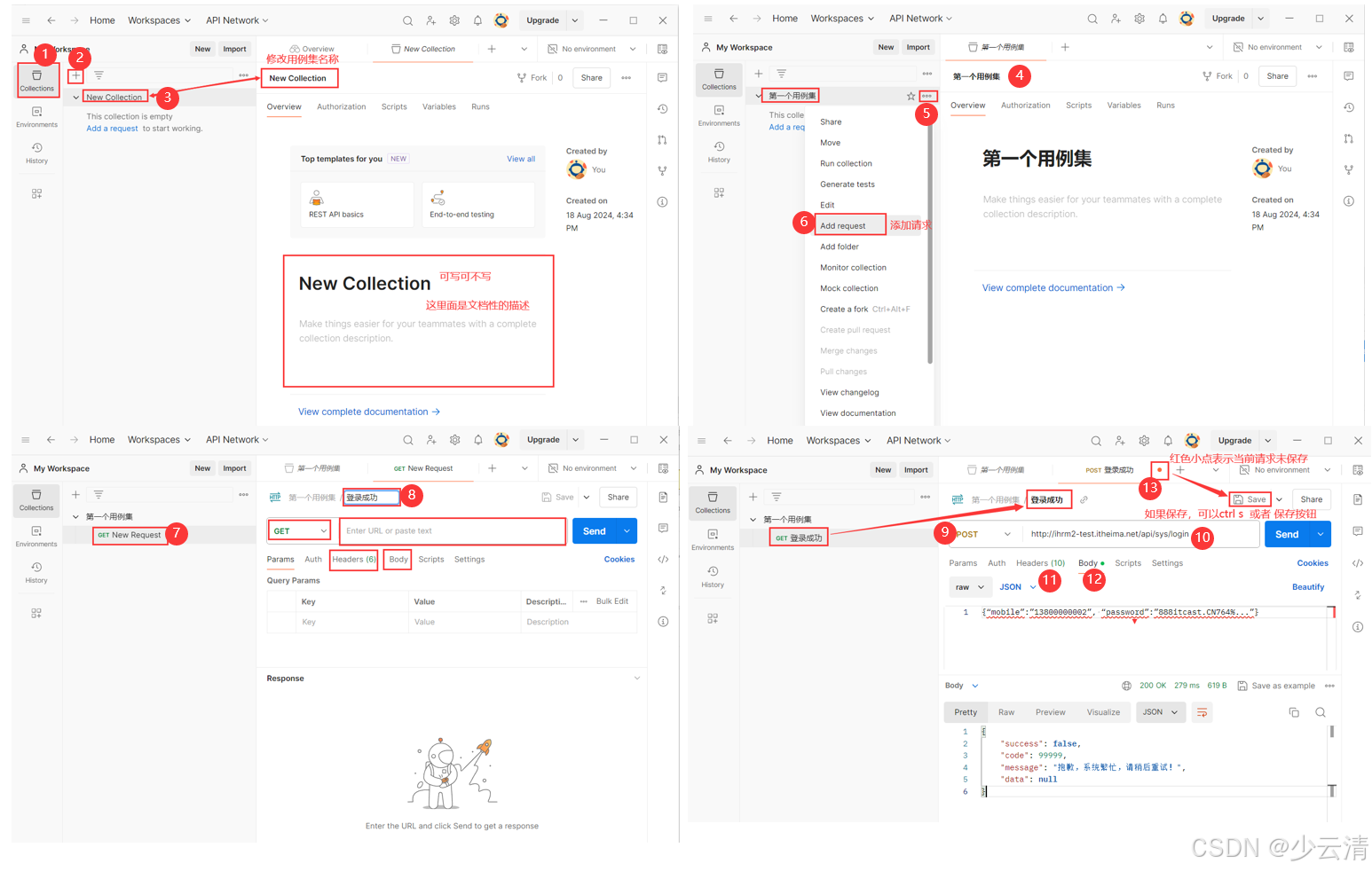
1.1 创建 collections
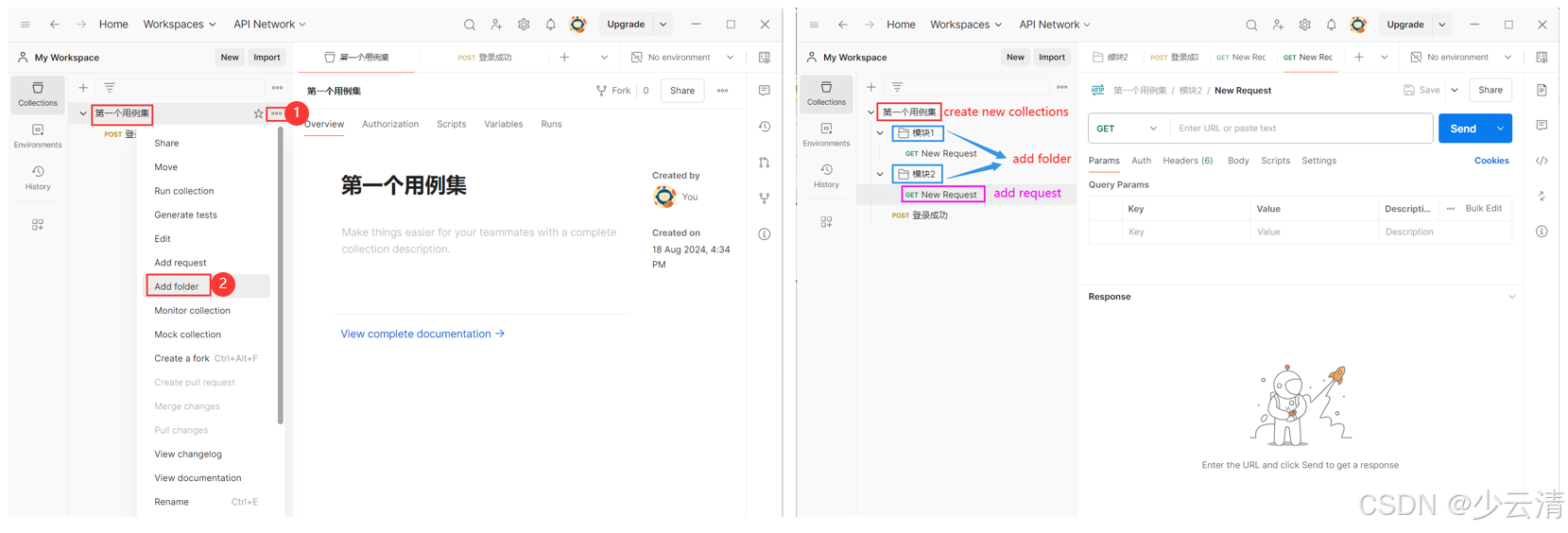
1.2 创建用例集的子目录和请求
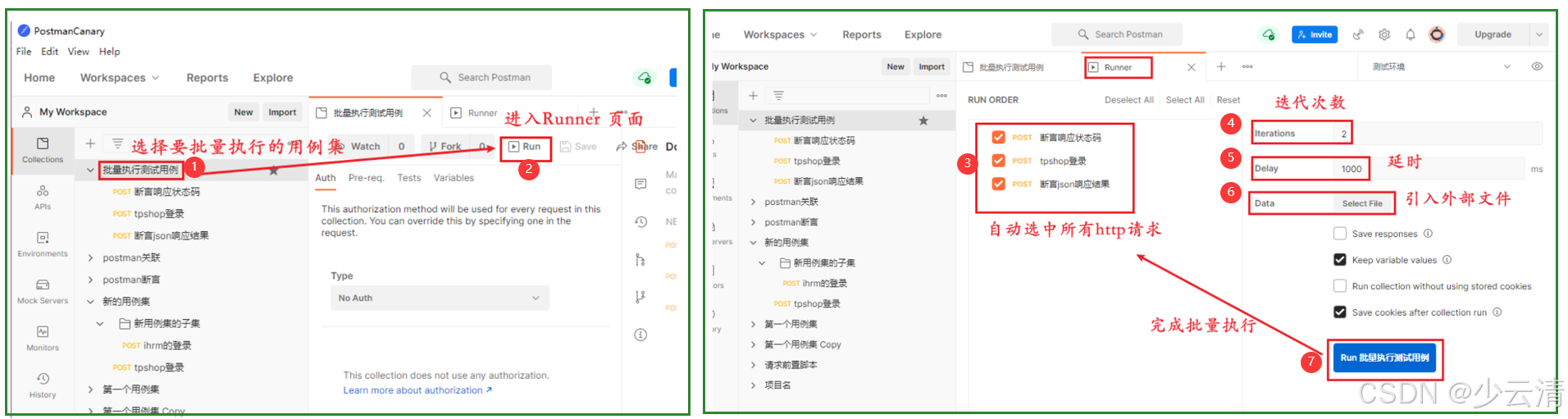
二、批量执行测试用例(重点)
批量执行测试用例:就是要执行的一个个用例集。
导出用例集之前:确认用例集中的每一个用例执行都无误,之后才可以批量执行。
三、管理用例集
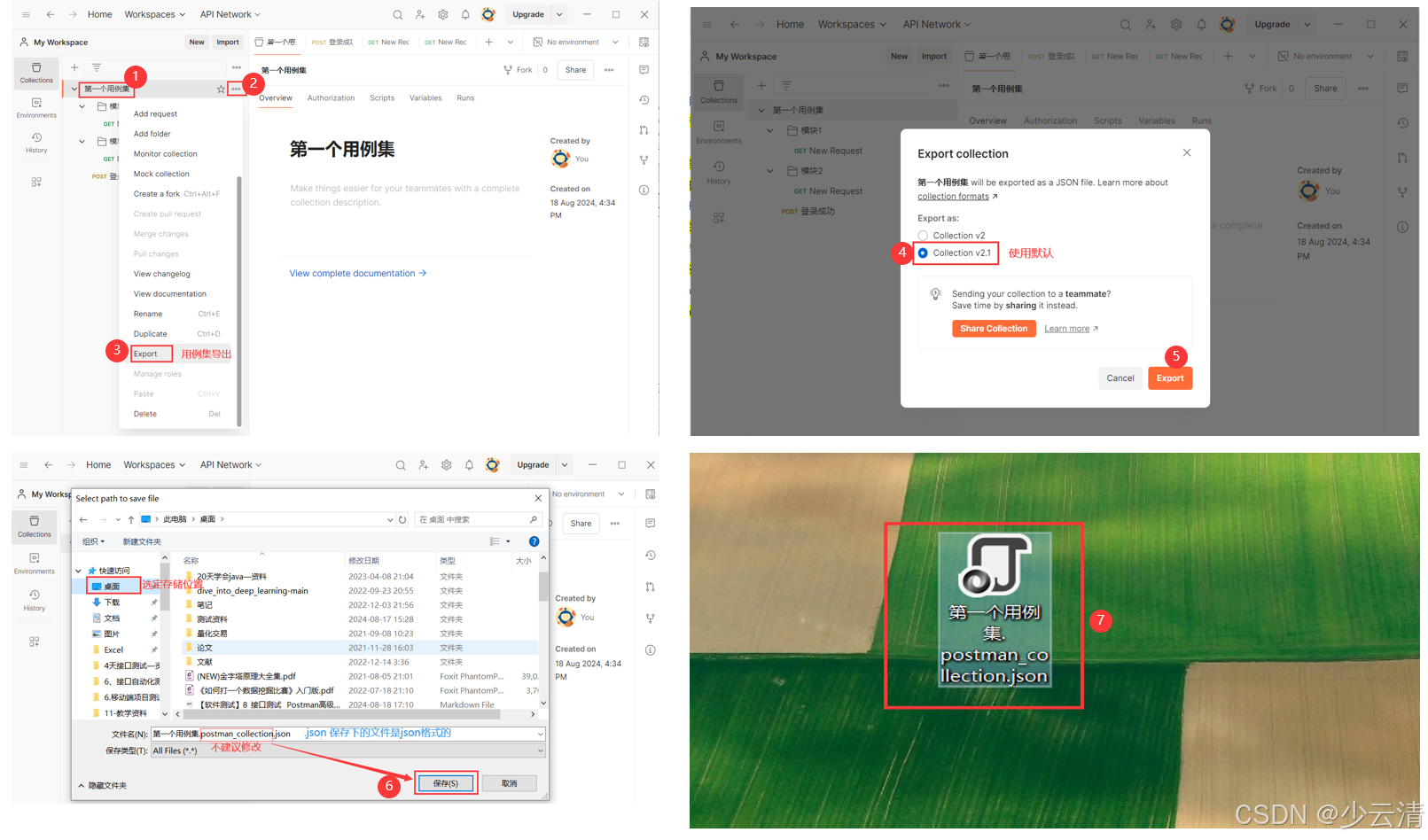
3.1 用例集-导出
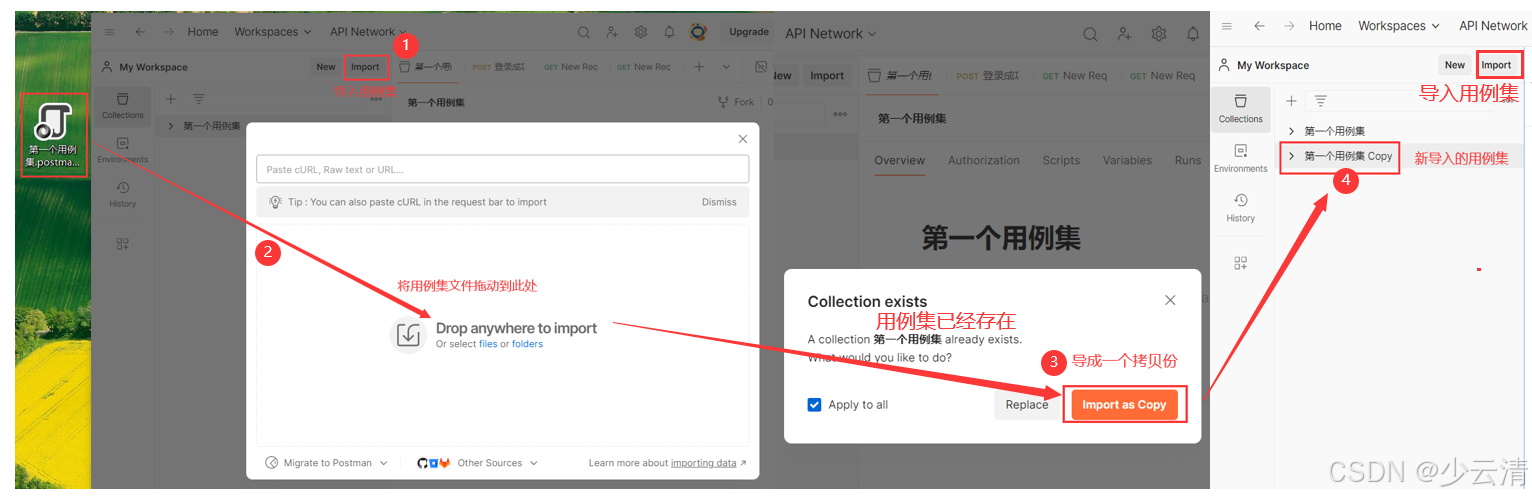
3.2 用例集-导入
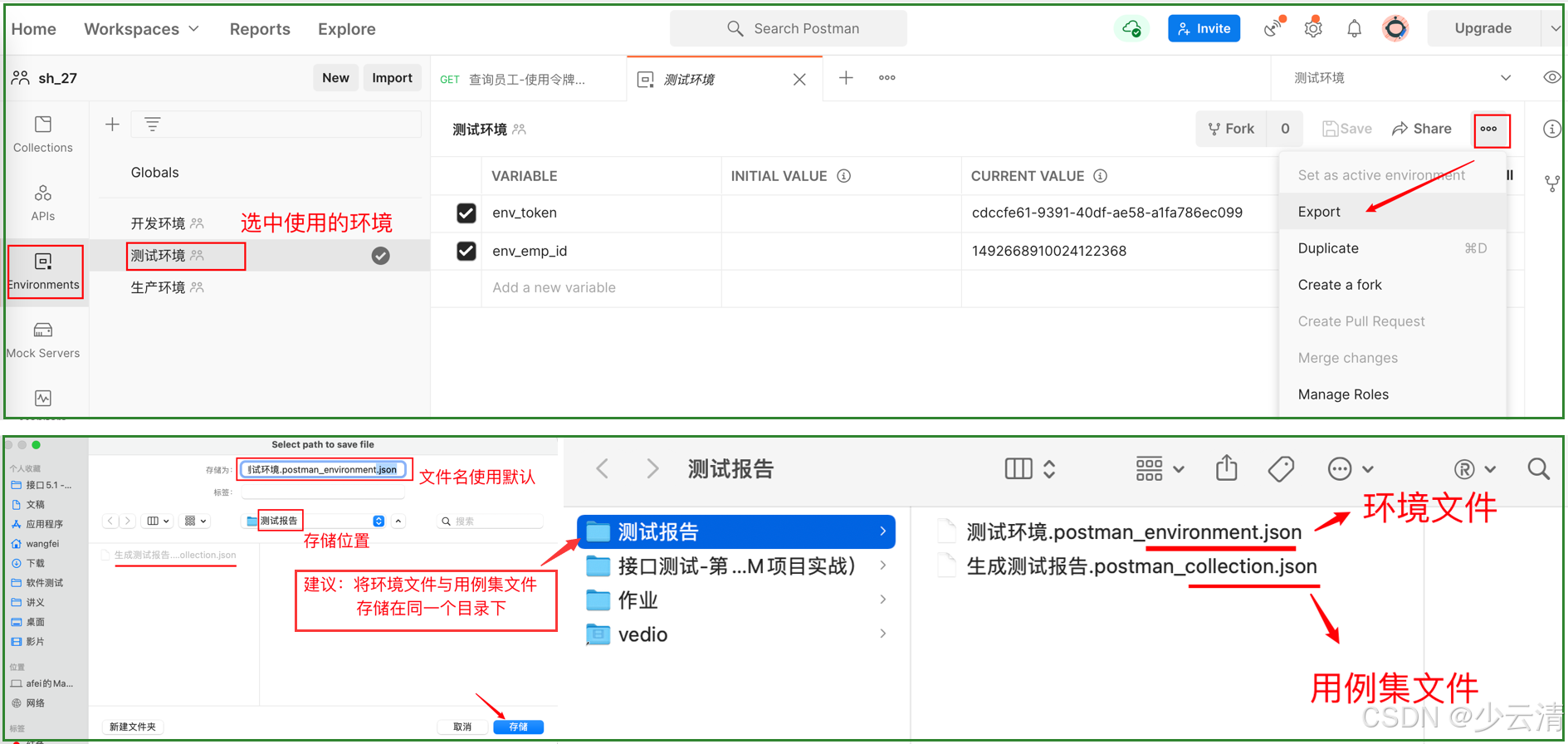
四、导出环境变量文件
http请求中,使用到环境变量,除了要导出用例集以外,还要导出环境变量文件。
五、newman生成测试报告
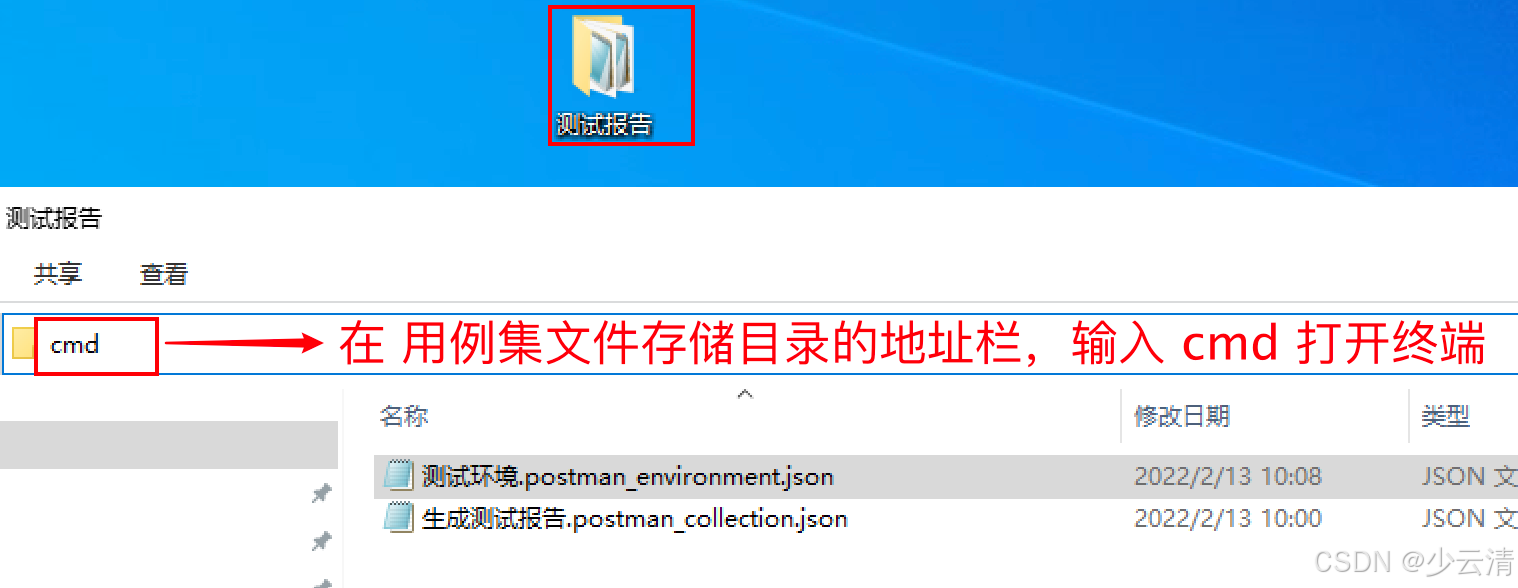
使用newman命令,运行导出的测试集脚本,打开cmd输入。
5.1 命令语法
shell
# 完整命令
newman run 用例集文件.json -e 环境变量文件.json -d 数据文件.csv/.json -r htmlextra --reporter-htmlextra-export 测试报告名.html

newman run 用例集文件.json -e 环境变量文件.json -d 数据文件.csv/.json -r html --reporter-html-export 测试报告名.html

newman 生成报告的命令【必须】
run 用例集文件.json:表示要执行的postman脚本,即导出的测试集数据。【必须】
-e source:用来指定环境变量文件的路径。【可选】
-d source:用来指定测试数据文件的路径。【可选】
-r htmlextra --reporter-htmlextra-export  【固定写法】
如果 使用 htmlextra 报错。修改使用 html
-r html --reporter-html-export  【固定写法】

-r:可选,指定测试报告的类型,如果想生成对应的报告类型,需要添加这个参数,典型的有 HTML、JSON、cli,若不添加,默认为 cli。
5.2 步骤
- 执行测试用例集。(确认无误)
- 导出 Export 用例集。(得到 xxxx.json文件,数据文件 放在一起)
- 若有环境变量,导出环境变量文件。
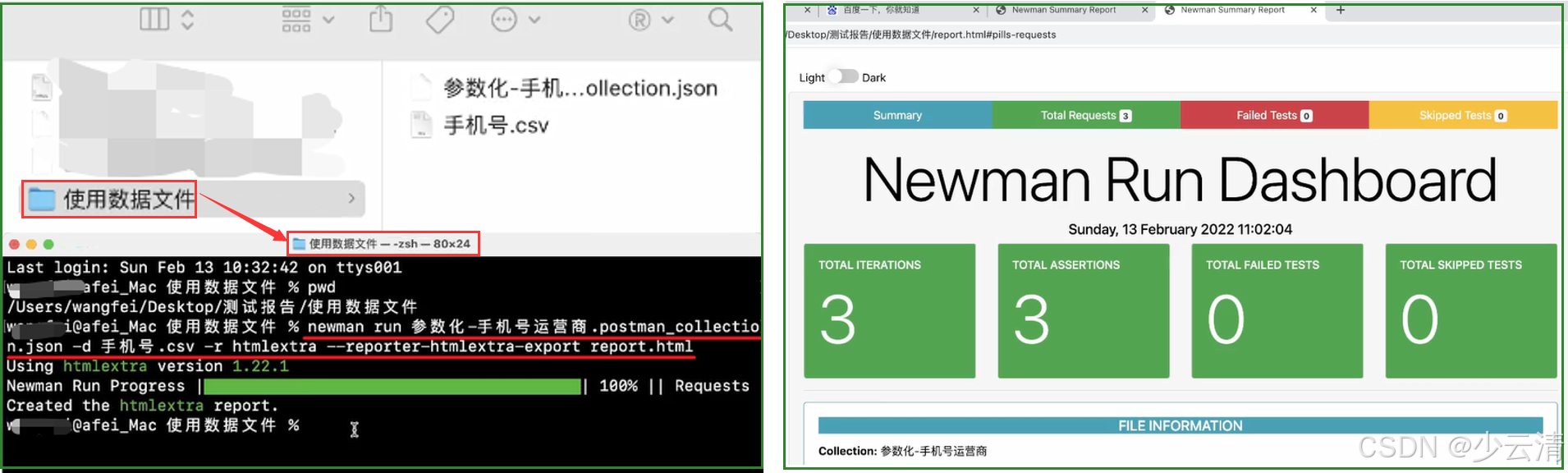
- 在 终端 中 执行命令,生成测试报告
shell
# 在 终端中,测试一下。所有内容打在终端中,不会生成报告。(xxxx.json--测试脚本文件)
newman run xxxx.json
# 完整的命令
newman run xxxx.json -e 环境变量文件 -d 外部数据文件 -r html --reporter-html-export 测试报告名.html


# 参考命令1 - 使用 htmlextra
newman run 生成测试报告.postman_collection.json -e 测试环境.postman_environment.json -r htmlextra --reporter-htmlextra-export 测试报告1.html

# 参考命令2 - 使用 html
newman run 生成测试报告.postman_collection.json -e 测试环境.postman_environment.json -r html --reporter-html-export 测试报告2.html

# 参数命令3 - 使用数据文件 生成测试报告
newman run 参数化-手机号运营商.postman_collection.json -d 手机号.csv -r htmlextra --reporter-htmlextra-export report2.html
------------------------------------------------------------------------------------------------------------------------------------------------------------------------------------------------------------------------------------------------------------------------------------------------------------------


# 示例:
newman run 批量执行测试用例.postman_collection.json -r html
newman run 批量执行测试用例.postman_collection.json -r html --reporter-html-export 我的第一个测试报告.html

#输出测试报告到C:\Users\ggk\Desktop\pp\指定路径
newman run "C:\Users\ggk\Desktop\pp\Ihrm.postman_collection.json" -r html --reporter-html-export C:\Users\ggk\Desktop\pp\report.html

# 如果添加 -r html 就报错!说明: newman-reporter-html 安装失败!