WPF JSON转换
一款轻基于 WPF 桌面应用程序,旨在将复杂的 JSON 字符串转换为直观、可交互的树形结构。
核心特性
即时转换:一键将原始 JSON 文本转换为结构化的 TreeView。
格式校验:内置实时语法检查,确保在解析前 JSON 格式合法。
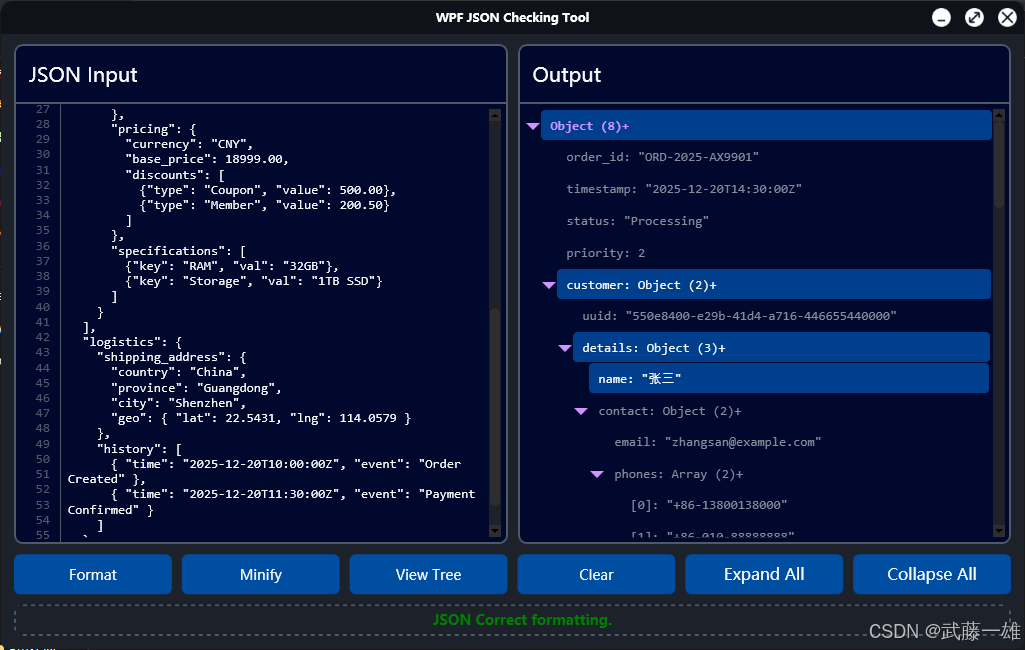
状态控制:支持全局 全部展开 和 全部折叠。
节点交互:节点可选中,便于深入查看细节数据。
功能预览
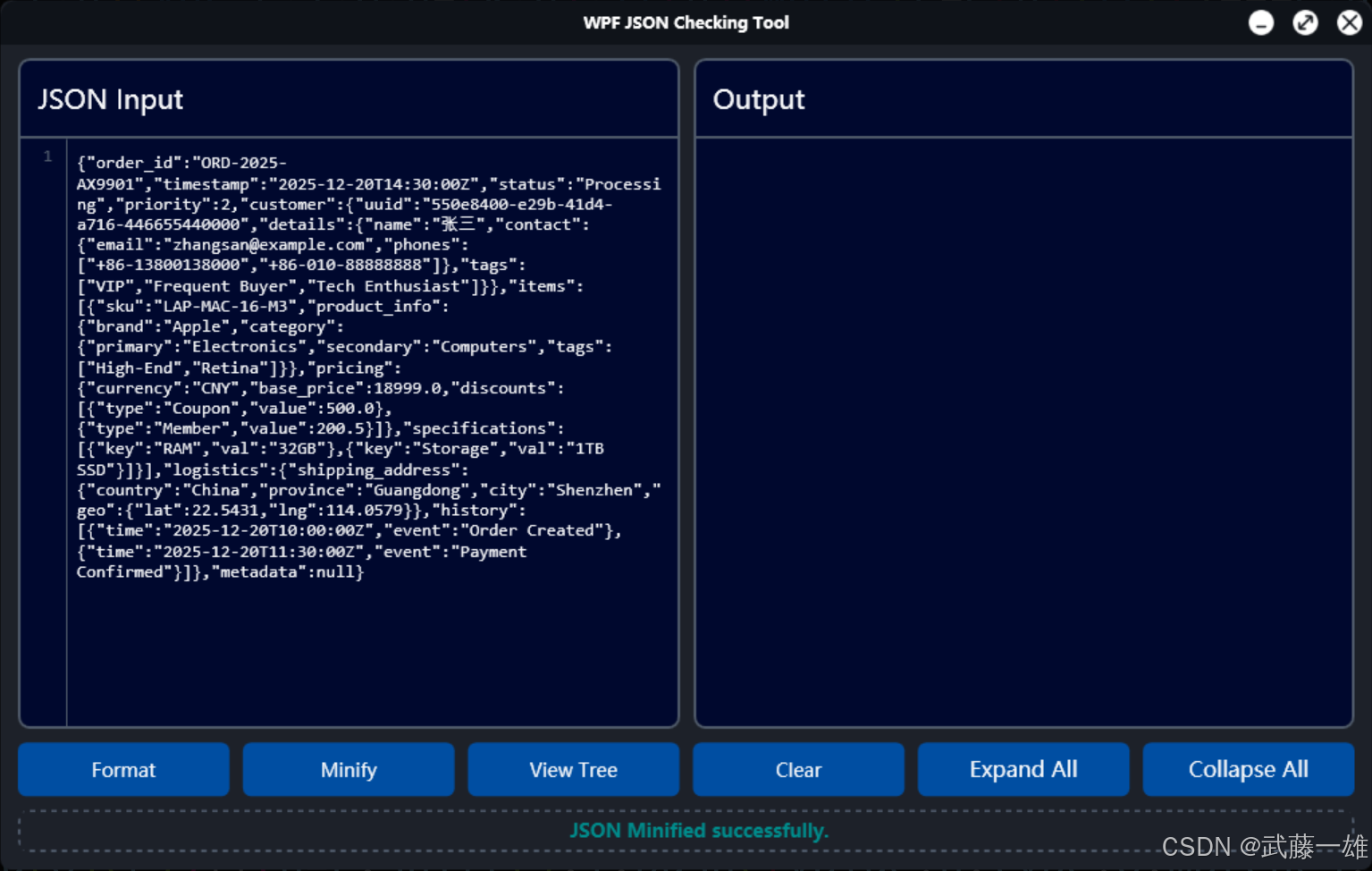
放入JSON数据,Minify进行压缩
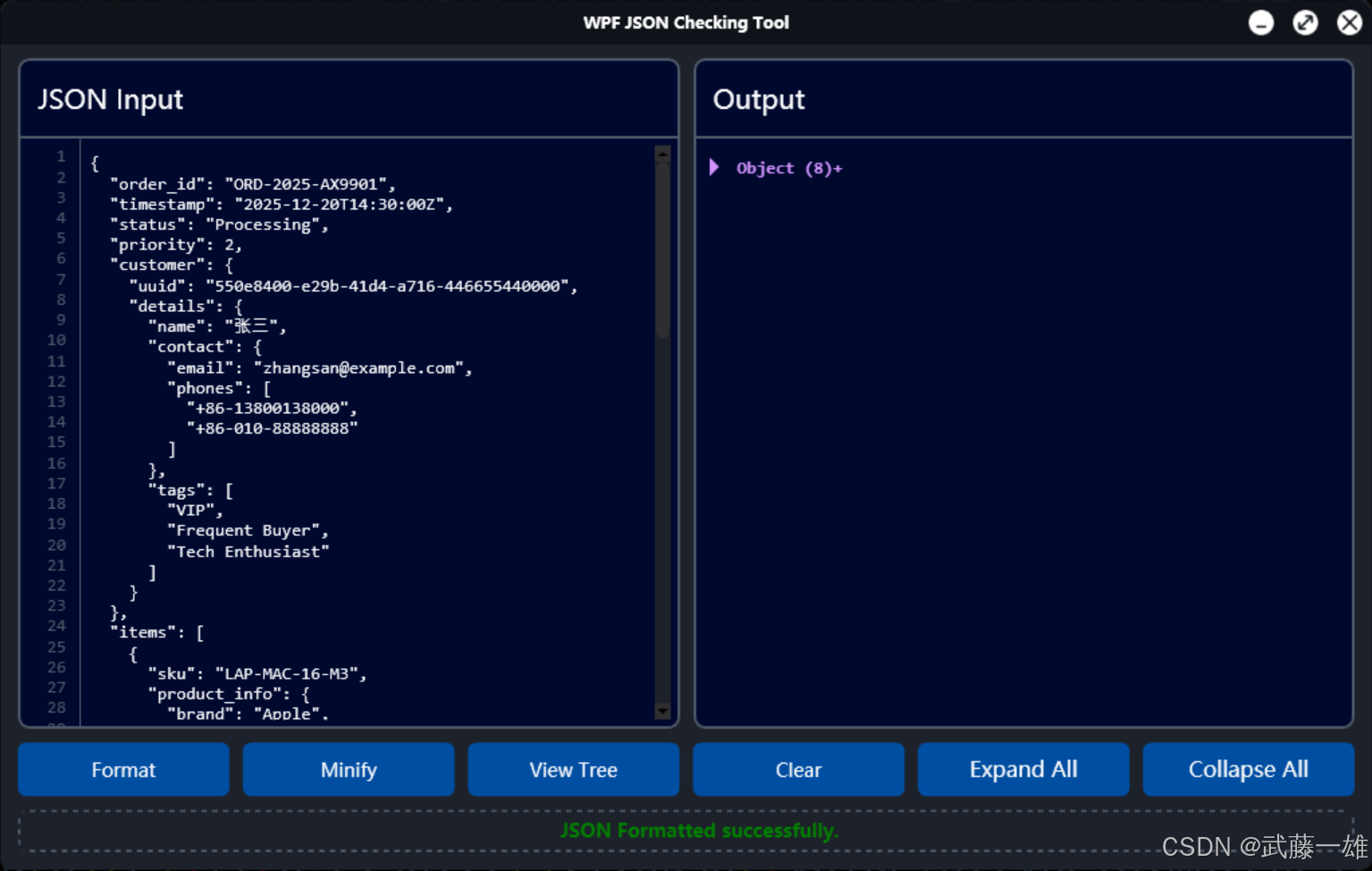
View Tree进行树结构转换,节点处可查看子节点数量
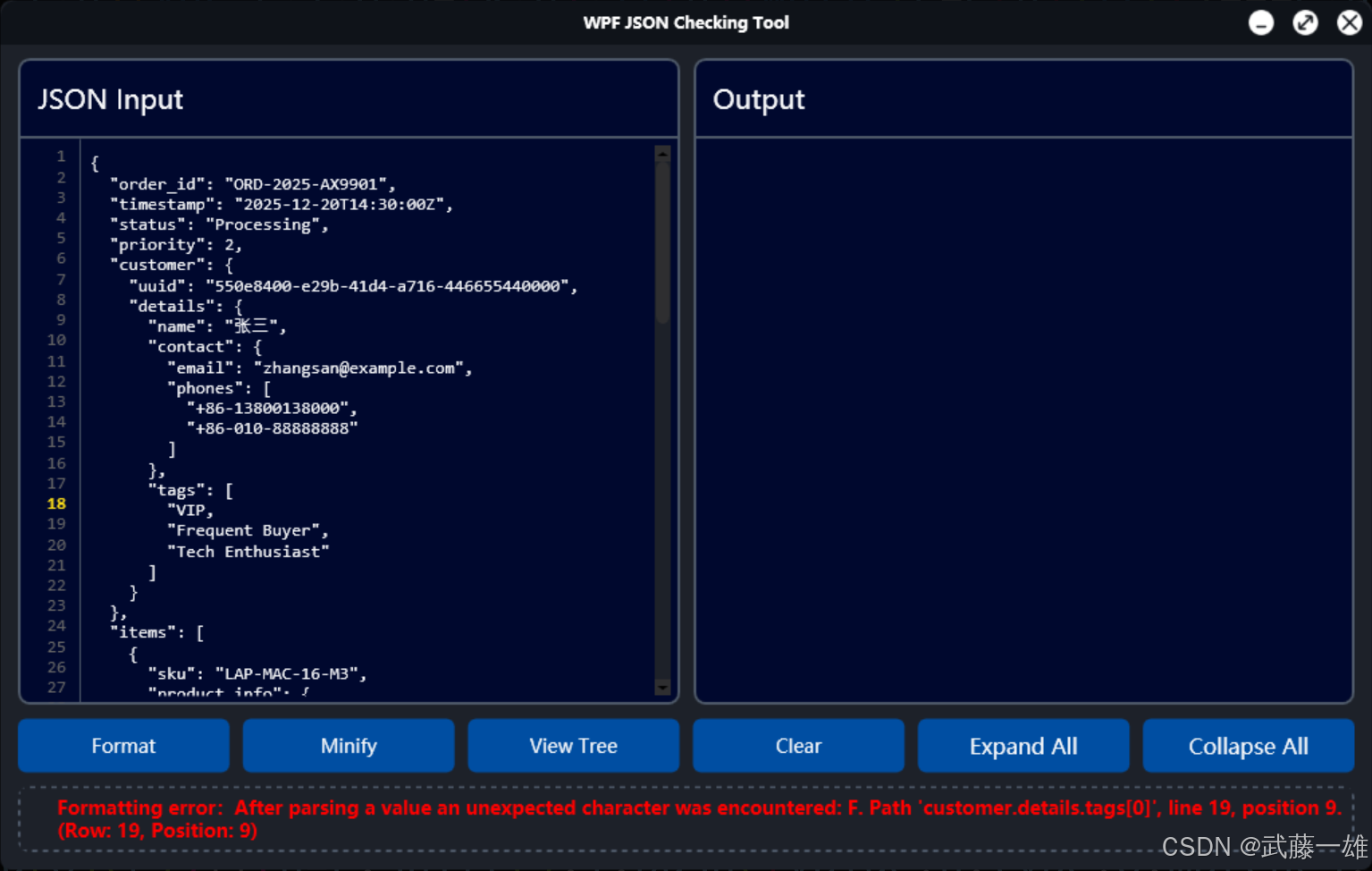
对错误格式处进行报错
Expand All展开浏览对应节点
csharp
private void FormatValidate_Click(object sender, RoutedEventArgs e)
        {
            string rawJson = JsonInputTextBox.Text;
            StatusTextBlock.Text = string.Empty;
            JsonTreeView.ItemsSource = null;

            if (string.IsNullOrWhiteSpace(rawJson))
            {
                StatusTextBlock.Text = "please input JSON.";
                StatusTextBlock.Foreground = Brushes.Orange;
                return;
            }

            try
            {
                JToken rootToken = JToken.Parse(rawJson);
                JsonNode rootNode = ConvertTokenToNode(rootToken);
                JsonTreeView.ItemsSource = new List<JsonNode> { rootNode };

                StatusTextBlock.Text = "JSON Correct formatting.";
                StatusTextBlock.Foreground = Brushes.Green;
            }
            catch (JsonReaderException ex)
            {
                StatusTextBlock.Text = $"Formatting error:{ex.Message} (Row: {ex.LineNumber}, Position: {ex.LinePosition})";
                StatusTextBlock.Foreground = Brushes.Red;
            }
            catch (Exception ex)
            {
                StatusTextBlock.Text = $"Unknow:{ex.Message}";
                StatusTextBlock.Foreground = Brushes.Red;
            }
        }
对应Github地址,欢迎大家关注并指正学习