安卓在开机后,会加载一个开机动画,本文将介绍开机动画是如何被加载的
| 安卓版本 | API版本 |
|---|---|
| Android 8.1 | API 27 |
Init 初始化
众所周知,一个软件总归是有一个入口的,基于AOSP的架构,Android系统的启动入口一定也是Linux系统的启动入口。在 Linux 内核加载完成后,会启动用户空间的第一个进程 ------ init 进程(PID 为 1),该进程的启动位置为 system/core/init/init.cpp中的main方法。
 在上一文中,我们认识了
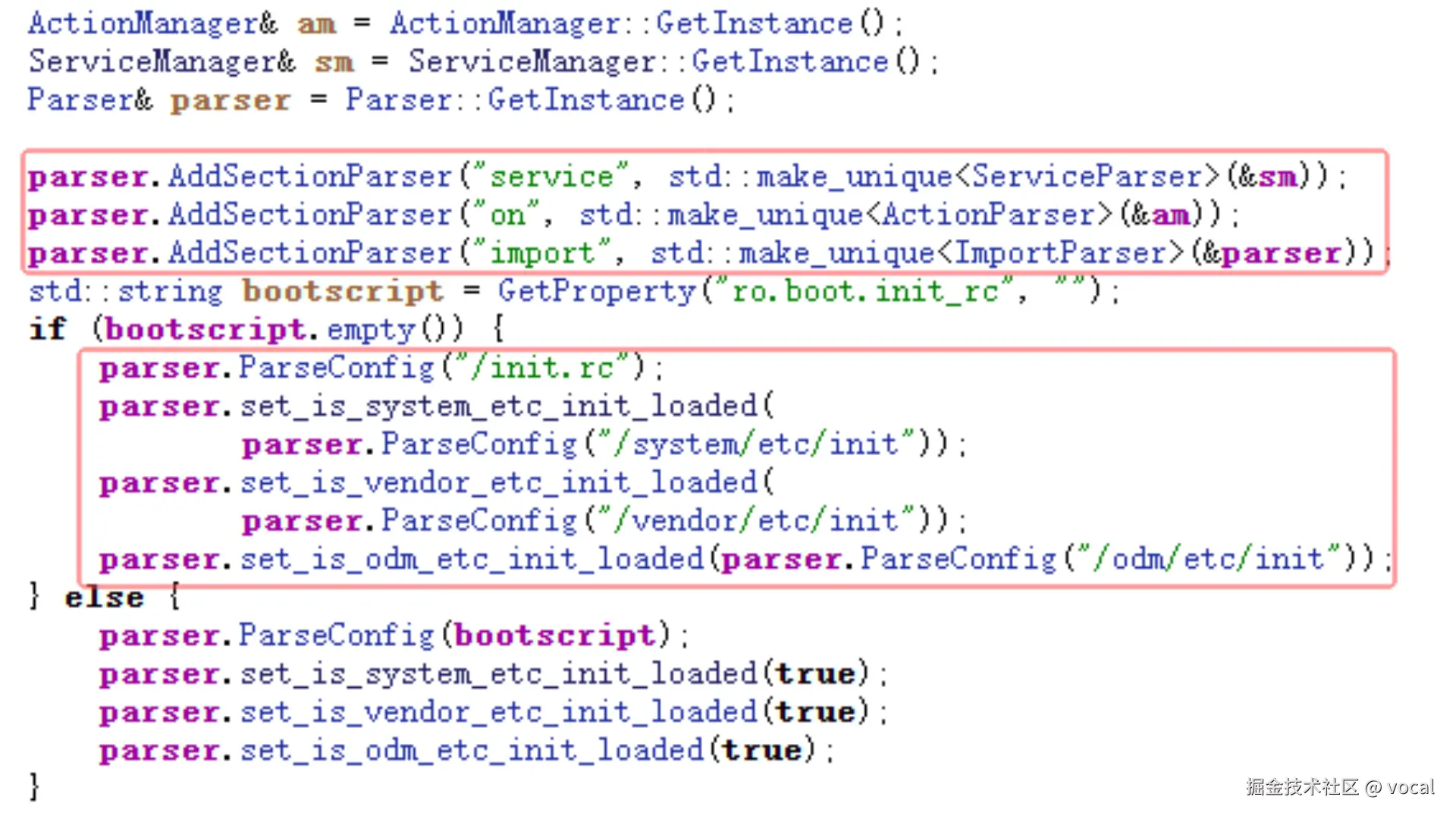
rc文件的主要构成,图中可以看到,main函数创建了Service、Action以及Import的解析器,并加载了init.rc、system/ect/init/*、vendor/ect/init/*、odm/etc/init/*下的 rc文件。
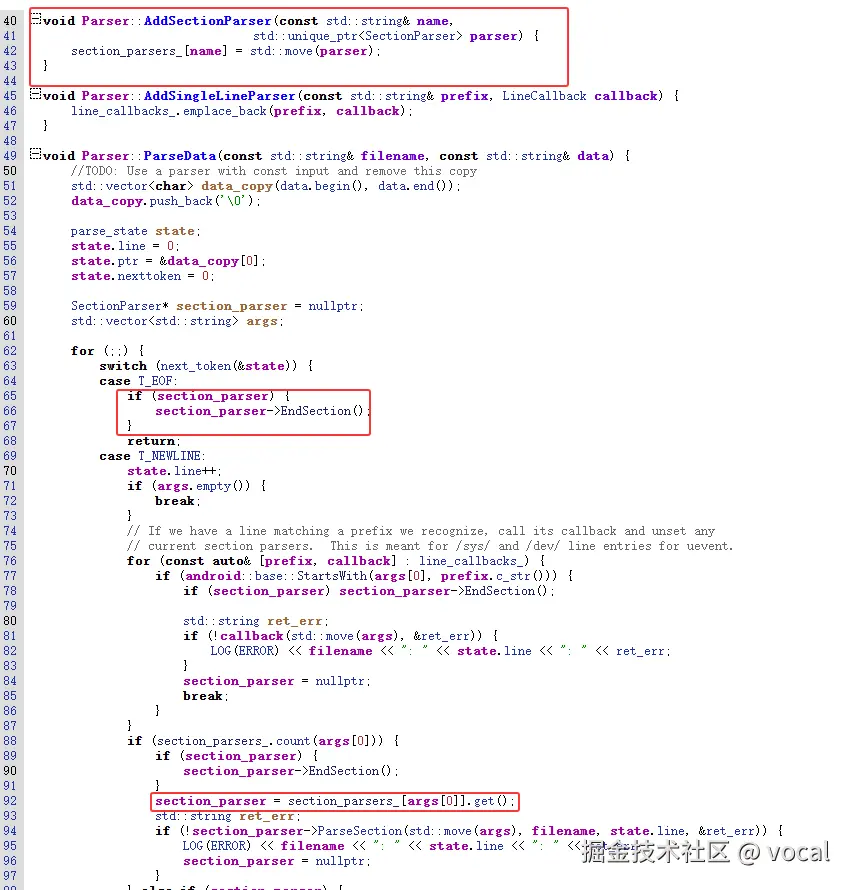
如果解析到Action会将其加入ActionManager,解析到Service会将其加入ServiceManager。

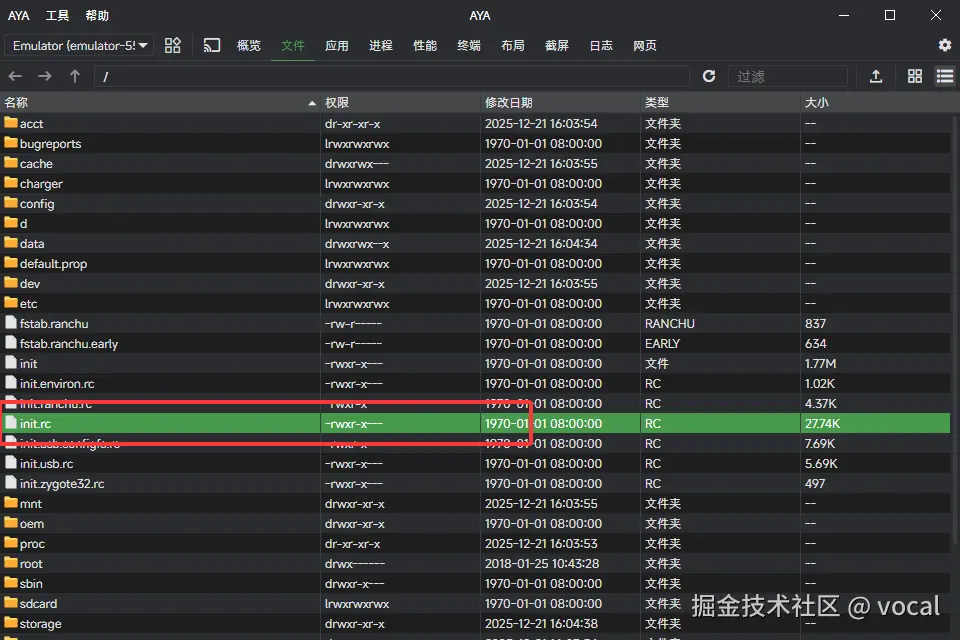
其中,init.rc的位置:
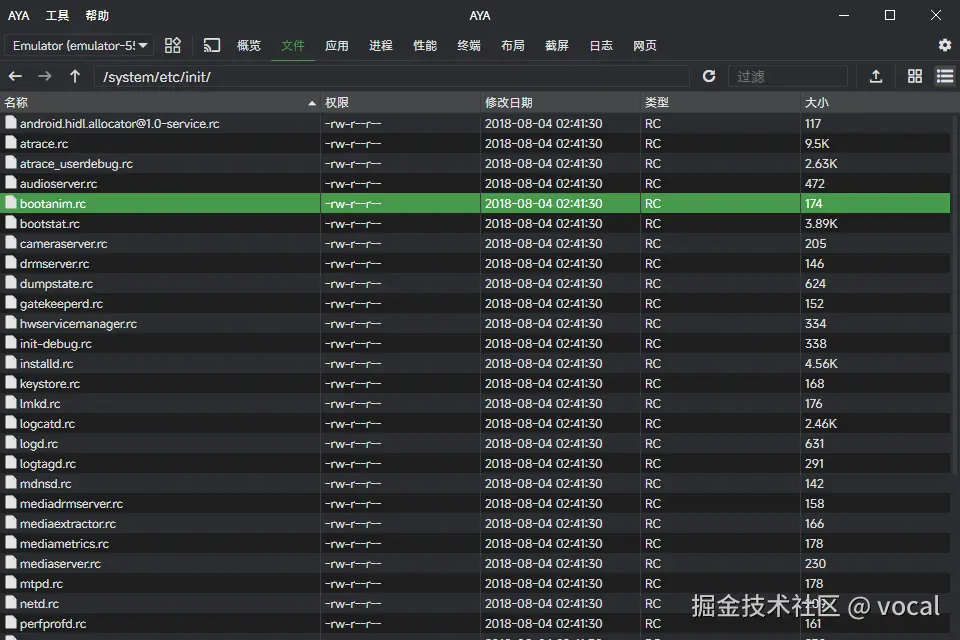
其中,和开机动画有关的rc文件就位于system/ect/init/下
rc
service bootanim /system/bin/bootanimation
    class core animation
    user graphics
    group graphics audio
    disabled
    oneshot
    writepid /dev/stune/top-app/tasks
根据上一文的内容,我们可以这样描述该文件:
| 指令 | 说明 |
|---|---|
service bootanim /system/bin/bootanimation |
定义bootanim服务,对应程序为/system/bin/bootanimation |
class core animation |
该服务归类为 core 和 animation 两个类。当系统启动这些类时,会尝试启动该服务 |
user graphics |
指定运行该服务的用户为graphics,该用户拥有访问图形缓冲区的权限 |
group graphics audio |
指定运行该服务的用户组。除了图形权限,还赋予了 audio 权限 |
disabled |
非常关键 。表示该服务不会在类启动时自动运行。它必须由其他进程手动启动 |
oneshot |
表示该服务只运行一次 |
writepid /dev/stune/top-app/tasks |
将该进程的 PID 写入文件/dev/stune/top-app/tasks |
所以说,此时开机动画相关的服务已经定义好了,但处于禁用状态,需要重新启用 ;根据前文的内容,我们已经了解到了两种启用方式enable (解除禁用,但不一定立即执行,除非该服务的class已经执行完毕)与start (启动服务)。不过除了用rc文件的方式再启用,还有一种使用系统属性的方式ctl.start bootanim,可以在代码中的ServiceManager中看到。
cpp
// The length of a service name should not exceed SERVICE_NAME_MAX. Starting
// a service is done by writing its name to the "ctl.start" system property
// and stopping a service is done by writing its name to "ctl.stop". If a
// service name is too long to fit in a property, you won't be able to start
// or stop it.
propertyService 初始化
在安卓中,system property 的修改也是靠对应的服务来完成的;比如,在解析rc文件前,可以看到 start_property_service();。
cpp
void start_property_service() {
    property_set("ro.property_service.version", "2");

    property_set_fd = CreateSocket(PROP_SERVICE_NAME, SOCK_STREAM | SOCK_CLOEXEC | SOCK_NONBLOCK,
                                   false, 0666, 0, 0, nullptr, sehandle);
    if (property_set_fd == -1) {
        PLOG(ERROR) << "start_property_service socket creation failed";
        exit(1);
    }

    listen(property_set_fd, 8);

    register_epoll_handler(property_set_fd, handle_property_set_fd);
}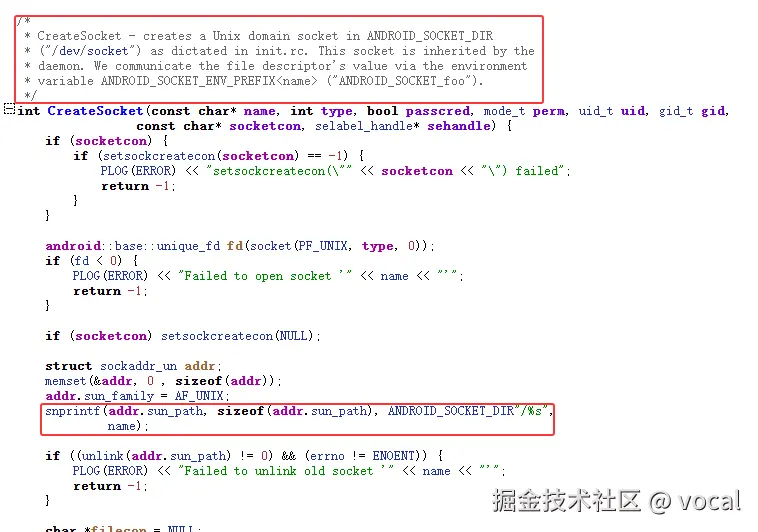
在这段代码中,我们创建了一个Unix Domain Socket,以供外部进程使用,其监听/dev/socket/property_service,其使用handle_property_set_fd处理请求
cpp
static void handle_property_set_fd() {
    static constexpr uint32_t kDefaultSocketTimeout = 2000; /* ms */

    int s = accept4(property_set_fd, nullptr, nullptr, SOCK_CLOEXEC);
    if (s == -1) {
        return;
    }

    struct ucred cr;
    socklen_t cr_size = sizeof(cr);
    if (getsockopt(s, SOL_SOCKET, SO_PEERCRED, &cr, &cr_size) < 0) {
        close(s);
        PLOG(ERROR) << "sys_prop: unable to get SO_PEERCRED";
        return;
    }

    SocketConnection socket(s, cr);
    uint32_t timeout_ms = kDefaultSocketTimeout;

    uint32_t cmd = 0;
    if (!socket.RecvUint32(&cmd, &timeout_ms)) {
        PLOG(ERROR) << "sys_prop: error while reading command from the socket";
        socket.SendUint32(PROP_ERROR_READ_CMD);
        return;
    }

    switch (cmd) {
    case PROP_MSG_SETPROP: {
        char prop_name[PROP_NAME_MAX];
        char prop_value[PROP_VALUE_MAX];

        if (!socket.RecvChars(prop_name, PROP_NAME_MAX, &timeout_ms) ||
            !socket.RecvChars(prop_value, PROP_VALUE_MAX, &timeout_ms)) {
          PLOG(ERROR) << "sys_prop(PROP_MSG_SETPROP): error while reading name/value from the socket";
          return;
        }

        prop_name[PROP_NAME_MAX-1] = 0;
        prop_value[PROP_VALUE_MAX-1] = 0;

        handle_property_set(socket, prop_value, prop_value, true);
        break;
      }

    case PROP_MSG_SETPROP2: {
        std::string name;
        std::string value;
        if (!socket.RecvString(&name, &timeout_ms) ||
            !socket.RecvString(&value, &timeout_ms)) {
          PLOG(ERROR) << "sys_prop(PROP_MSG_SETPROP2): error while reading name/value from the socket";
          socket.SendUint32(PROP_ERROR_READ_DATA);
          return;
        }

        handle_property_set(socket, name, value, false);
        break;
      }

    default:
        LOG(ERROR) << "sys_prop: invalid command " << cmd;
        socket.SendUint32(PROP_ERROR_INVALID_CMD);
        break;
    }
}
最终真正执行处理的是下面的函数
cpp
static void handle_property_set(SocketConnection& socket,
                                const std::string& name,
                                const std::string& value,
                                bool legacy_protocol) {
  const char* cmd_name = legacy_protocol ? "PROP_MSG_SETPROP" : "PROP_MSG_SETPROP2";
  if (!is_legal_property_name(name)) {
    LOG(ERROR) << "sys_prop(" << cmd_name << "): illegal property name "" << name << """;
    socket.SendUint32(PROP_ERROR_INVALID_NAME);
    return;
  }

  struct ucred cr = socket.cred();
  char* source_ctx = nullptr;
  getpeercon(socket.socket(), &source_ctx);

  if (android::base::StartsWith(name, "ctl.")) {
    if (check_control_mac_perms(value.c_str(), source_ctx, &cr)) {
      handle_control_message(name.c_str() + 4, value.c_str());
      if (!legacy_protocol) {
        socket.SendUint32(PROP_SUCCESS);
      }
    } else {
      LOG(ERROR) << "sys_prop(" << cmd_name << "): Unable to " << (name.c_str() + 4)
                 << " service ctl [" << value << "]"
                 << " uid:" << cr.uid
                 << " gid:" << cr.gid
                 << " pid:" << cr.pid;
      if (!legacy_protocol) {
        socket.SendUint32(PROP_ERROR_HANDLE_CONTROL_MESSAGE);
      }
    }
  } else {
    if (check_mac_perms(name, source_ctx, &cr)) {
      uint32_t result = property_set(name, value);
      if (!legacy_protocol) {
        socket.SendUint32(result);
      }
    } else {
      LOG(ERROR) << "sys_prop(" << cmd_name << "): permission denied uid:" << cr.uid << " name:" << name;
      if (!legacy_protocol) {
        socket.SendUint32(PROP_ERROR_PERMISSION_DENIED);
      }
    }
  }

  freecon(source_ctx);
}
该方法中,主要的逻辑如红框下所示: 
最终,会去根据name (name为service的名称,比如 bootanim),从ServiceManager 中查找对应的Service,根据 ctl.后的内容执行 start,stop或restart。
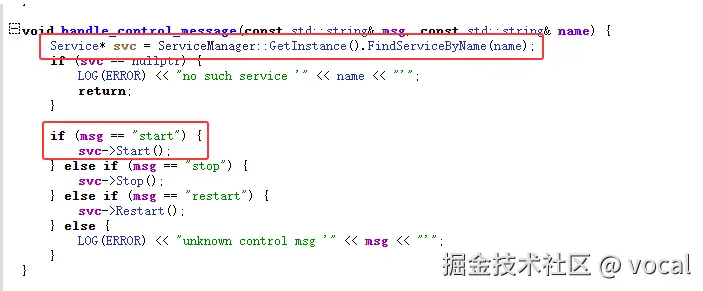
至此,/system/bin/bootanimation 正式开始执行。我们也可以使用setprop ctl.start bootanim,直接查看效果。
property_set
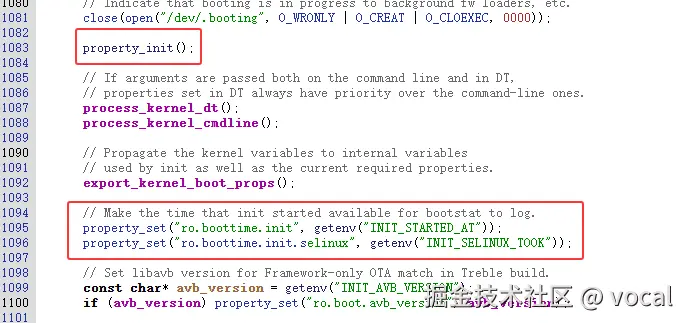
根据前面的介绍,我们得知,想要执行开机动画,一定有一个地方设置了系统属性 ctl.start bootanim。所以我们现在需要在 propertyService 里找到用于设置系统属性的方法,不过观察 init.cpp 中的 main 已经可以发现对应的方法了
搜索一下property_set("ctl.start", "bootanim"),发现在存在于frameworks/native/services/surfaceflinger/StartPropertySetThread.cpp
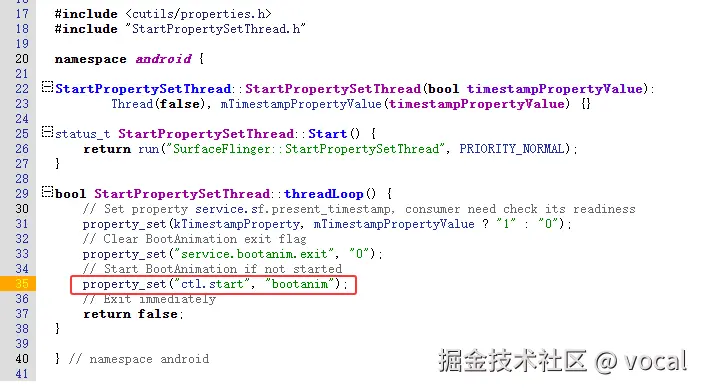
所以说,很明显,surfaceflinger启动后,此时系统具备了图像渲染能力,随后由surfaceflinger修改系统属性,来触发bootanim的启动