一. 实现效果:
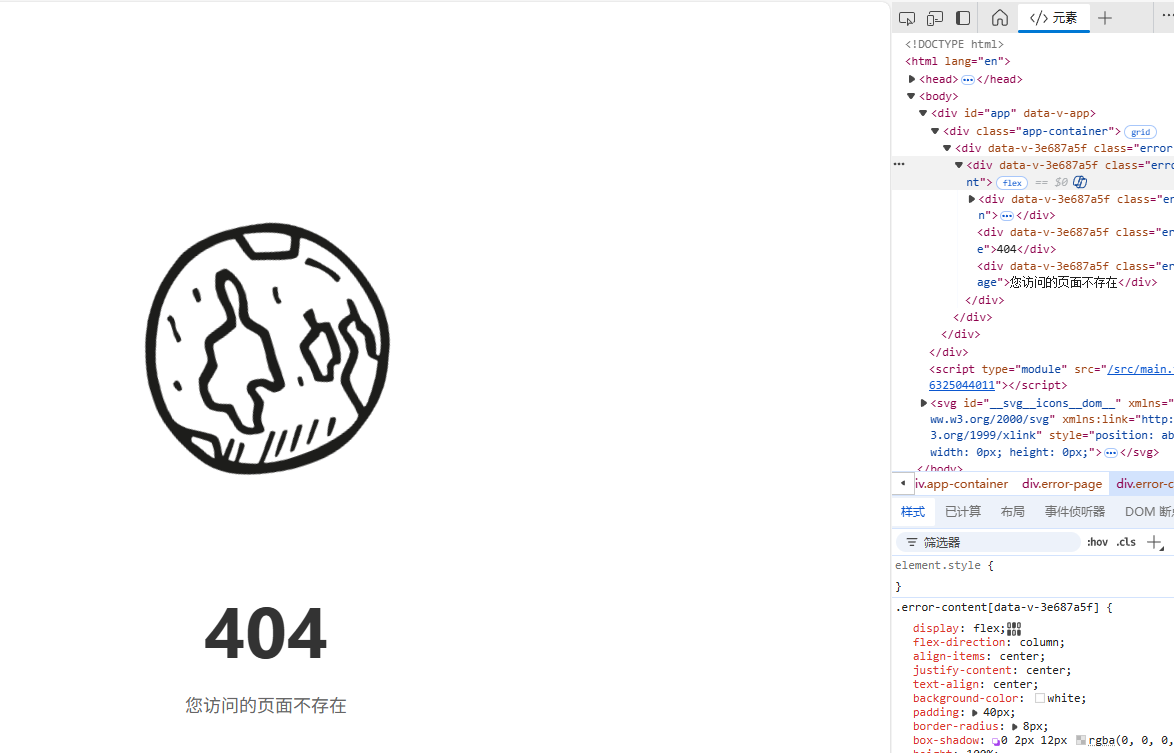
组件使用:
html
<SvgIcon class="icon" name="SpaceIcons-pluto" />二. 环境
json
{
	"vite": "npm:rolldown-vite@7.2.5",
	"vue": "^3.5.24",
	"vite-plugin-svg-icons": "^2.0.1",
}
三. 实现
1. 下载 vite-plugin-svg-icons
bash
# 使用npm
npm install vite-plugin-svg-icons -D

# 使用yarn
yarn add vite-plugin-svg-icons -D

# 使用pnpm
pnpm install vite-plugin-svg-icons -D
2. 配置 vite.config.ts
ts
import { defineConfig } from 'vite'
import vue from '@vitejs/plugin-vue'
import { createSvgIconsPlugin } from 'vite-plugin-svg-icons';
import * as path from "node:path";

// https://vite.dev/config/
export default defineConfig({
  plugins: [
    vue(),
    createSvgIconsPlugin({
      // 指定需要缓存的图标文件夹
      iconDirs: [path.resolve(process.cwd(), 'src/assets/svgs')],
      // 指定symbolId格式,与组件内的 computed 逻辑对应
       symbolId: 'icon-[dir]-[name]', // 例如:icon-home
      // 图标存在指定目录的子目录下 使用下面这行 👇👇👇
      // symbolId: 'icon-[dir]-[name]', // 例如:icon-menu-home
    }),
  ],
})
3. main.ts 中引入
ts
import { createApp } from 'vue'
// ↓↓↓ 加入下面这两行, @ts-ignore 这个用来忽略ts校验, @ts-ignore可省略
// @ts-ignore
import 'virtual:svg-icons-register'
// ↑↑↑
import App from './App.vue'

const app = createApp(App)
3. 封装 SvgIcon
组件位置:components\SvgIcon\index.vue
↑ ↑ ↑ 组件位置看自己喜好
html
<template>
  <svg
    aria-hidden="true"
    class="svg-icon"
    :class="className"
    :style="style"
  >
    <use :xlink:href="symbolId" />
  </svg>
</template>

<script setup lang="ts">
import { computed } from 'vue'

const props = defineProps({
  // 图标名称,对应SVG文件名
  name: {
    type: String,
    required: true
  },
  // 图标前缀,需与vite.config.ts中的symbolId配置对应
  prefix: {
    type: String,
    default: 'icon'
  },
  // 图标颜色
  color: {
    type: String,
    default: ''
  },
  // 图标尺寸,支持字符串和数字类型
  size: {
    type: [String, Number],
    default: ''
  },
  // 自定义类名
  className: {
    type: String,
    default: ''
  }
})

// 计算symbolId,格式为"#前缀-图标名"
const symbolId = computed(() => `#${props.prefix}-${props.name}`)

// 计算样式类名
const className = computed(() => {
  return {
    [`svg-icon-${props.name}`]: !!props.name,
    [props.className]: !!props.className
  }
})

// 计算内联样式
const style = computed(() => {
  const style: Record<string, string> = {}

  if (props.size) {
    style.width = `${props.size}px`
    style.height = style.width
  }

  if (props.color) {
    style.color = props.color
    style.fill = props.color
  }

  return style
})
</script>

<style scoped>
.svg-icon {
  width: 1em;
  height: 1em;
  vertical-align: -0.15em;
  fill: currentColor;
  overflow: hidden;
}
</style>
4. 使用
按需引入
html
<template>
   <SvgIcon class="icon" name="SpaceIcons-pluto" />
</template>

<script lang="ts" setup>
import  SvgIcon from "@/components/SvgIcon/index.vue";
</script>
全局注册
文件位置: components\SvgIcon\index.ts ←← 按照自己喜好
ts
import SvgIcon from './index.vue'
export default {
	install(app){
		 app.component('SvgIcon', SvgIcon)
	}
}
main.ts 中引入
ts
import { createApp } from 'vue'
// ↓↓↓ 加入下面这两行, @ts-ignore 这个用来忽略ts校验, @ts-ignore可省略
// @ts-ignore
import 'virtual:svg-icons-register'
// ↑↑↑
import App from './App.vue'
import SvgIcon form '@/components/SvgIcon/index.ts'

const app = createApp(App)
使用过程中如果有什么疑问可以私信,评论也行