正则表达式测试 在线工具核心JS实现
正则表达式是开发者日常工作中不可或缺的工具,但编写和调试正则往往比较繁琐。本文介绍正则表达式测试工具的核心JavaScript实现。
在线工具网址:see-tool.com/regex-teste...
工具截图:
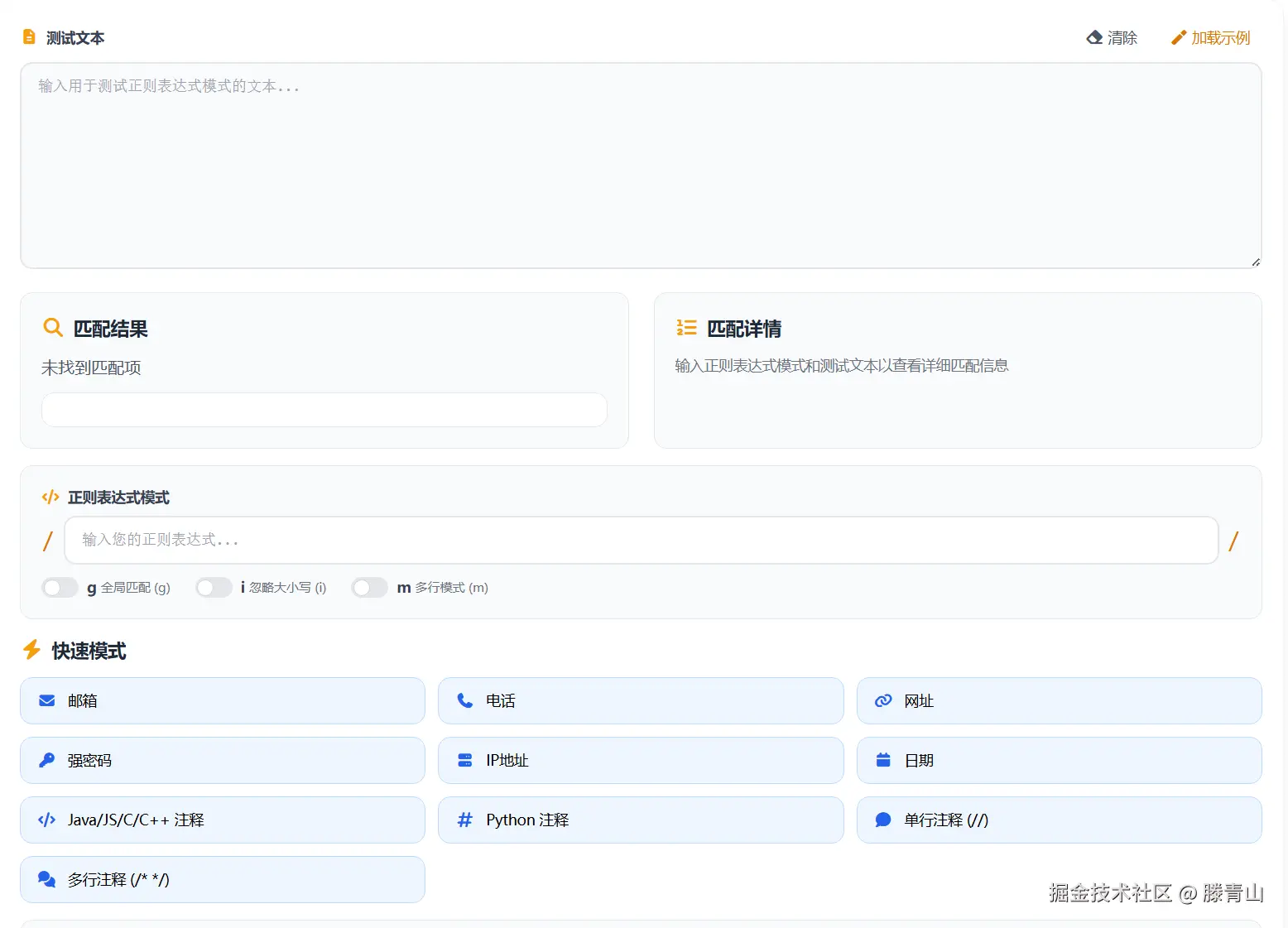
整体架构
工具采用前后端分离架构,前端页面使用Vue开发,核心正则处理逻辑封装在独立的JavaScript类中。这种设计将业务逻辑与UI解耦,便于维护和复用。
核心类设计
整个工具的核心是 RegexHelper 类,所有功能都通过这个类暴露。主要包含以下几个核心方法:
1. 正则表达式测试
testRegex 方法负责执行正则匹配:
javascript
testRegex(pattern, testText, flags = {}) {
  const regex = new RegExp(pattern, flagsStr)

  if (flags.global) {
    matches = Array.from(testText.matchAll(regex))
  } else {
    const match = testText.match(regex)
    if (match) matches = [match]
  }

  return { regex, matches, isValid: true, error: null }
}
这里使用 JavaScript 内置的 RegExp 对象执行匹配。当启用全局标志 g 时,使用 matchAll 获取所有匹配;否则使用 match 获取第一个匹配。
2. 匹配结果高亮
highlightMatches 方法将匹配文本用HTML标签包裹,实现高亮效果:
javascript
highlightMatches(text, matches) {
  let result = ''
  let lastIndex = 0

  matches.forEach((match) => {
    result += this.escapeHtml(text.slice(lastIndex, match.index))
    result += `<span class="match-highlight">${this.escapeHtml(match[0])}</span>`
    lastIndex = match.index + match[0].length
  })

  result += this.escapeHtml(text.slice(lastIndex))
  return result
}通过记录每次匹配的位置和长度,依次拼接非匹配文本和高亮后的匹配文本。escapeHtml 方法防止XSS攻击。
3. 匹配详情生成
generateMatchDetails 方法展示每个匹配的详细信息:
javascript
generateMatchDetails(matches) {
  matches.forEach((match, index) => {
    html += `<div>Match ${index + 1}:</div>`
    html += `<div>Full Match: ${match[0]}</div>`
    html += `<div>Position: ${match.index} - ${match.index + match[0].length - 1}</div>`

    if (match.length > 1) {
      for (let i = 1; i < match.length; i++) {
        html += `<div>Group $${i}: ${match[i]}</div>`
      }
    }
  })
}
包括完整匹配内容、位置索引、捕获组等信息。
4. 替换功能
performReplace 方法使用JavaScript原生的 String.replace 实现替换:
javascript
performReplace(regex, testText, replaceText) {
  return testText.replace(regex, replaceText)
}
支持 $1、$2 等反向引用语法。
5. sed命令生成
工具还提供转换为Linux sed命令的功能,generateSedCommand 方法:
javascript
generateSedCommand(pattern, replacement, flags) {
  const escapedPattern = this.escapeSedString(pattern)
  const escapedReplacement = this.escapeSedString(replacement)
  return `sed 's/${escapedPattern}/${escapedReplacement}/g' input.txt`
}
需要对特殊字符进行转义,包括 /、&、$ 等。
模板系统
工具内置常用正则模板,包括邮箱、手机号、URL、IP地址等。模板数据结构如下:
javascript
{
  name: 'email',
  pattern: '[a-zA-Z0-9._%+-]+@[a-zA-Z0-9.-]+\\.[a-zA-Z]{2,}',
  icon: 'fas fa-envelope',
  flags: ''
}
用户点击模板按钮即可快速填入对应正则。
动态加载
页面采用动态加载方式引入核心脚本:
javascript
const script = document.createElement('script')
script.src = '/js/regex-helper.js'
script.onload = initHelper
document.head.appendChild(script)
这种按需加载策略可以减少首屏加载时间。
总结
RegexHelper 类封装了正则表达式的核心功能,包括匹配测试、高亮显示、详情展示、替换操作和命令生成。通过清晰的方法划分和独立的类设计,实现了功能完整、易于维护的正则测试工具。