之前做限流, 我竟然没有用框架,用的redis令牌桶算法限流
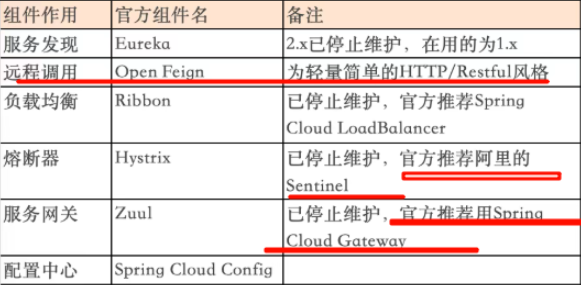
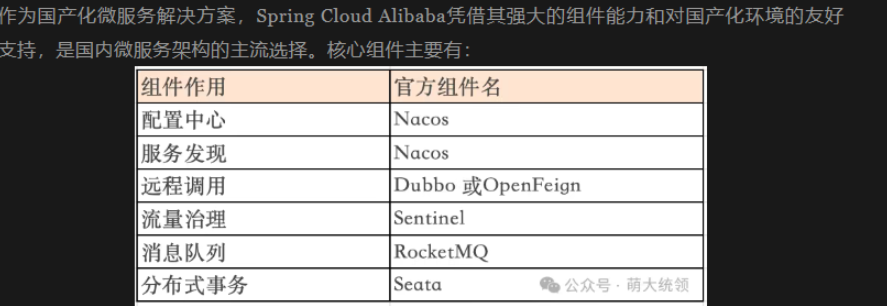
Sentinel 是阿里巴巴开源的流量控制、熔断降级的工具,主要用于分布式系统的稳定性保障
使用指南
https://www.cnblogs.com/ddcoder/p/18790693一、概要
在微服务的架构中,流控是一个重要的任务。sentinel是阿里开源的流量治理组件,针对访问的"资源"或服务路径进行流控,内置了限流、熔断及系统负载保护等功能。
sentinel分为系统库及控制面板(也称"控制台")两个部分。其中,控制台能运行于java 8及以上版本,不依赖于其它三方资源;而控制面板则是sentinel的管理中心,用户可通过图形化界面对限流/熔断规则进行管理和配置。
控制台 sentinel-dashboard-1.8.9.jar下载地址 : https://github.com/alibaba/Sentinel/releases
二、下载sentinel控制面板
Sentinel官网地址:https://sentinelguard.io/zh-cn/index.html
java
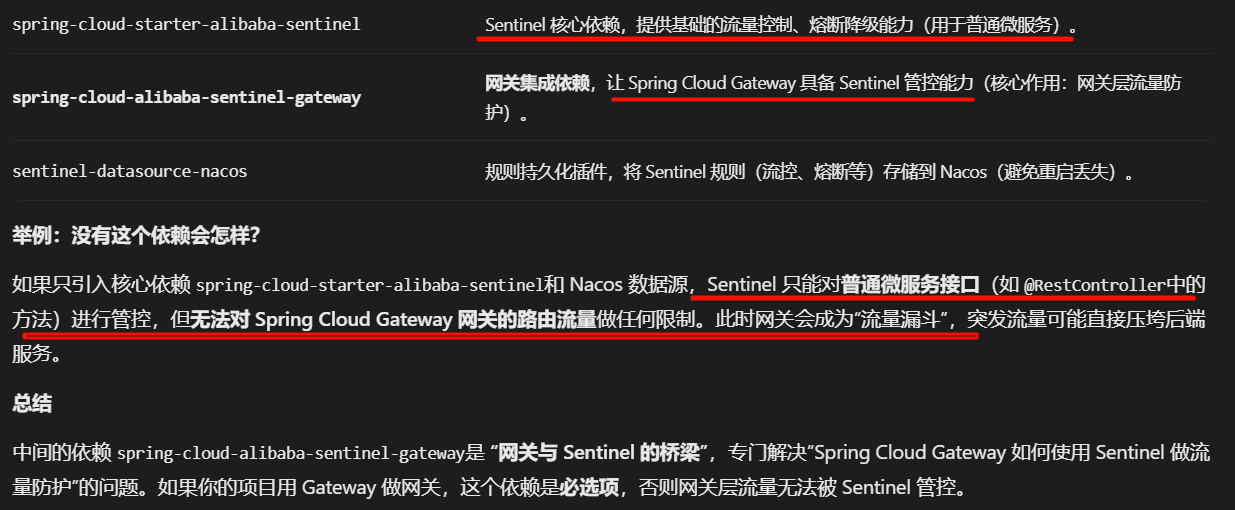
ruoyi-cloud项目gateway模块引入了2个依赖,一个是使此模块能够限流/熔断, 第三个是持久化到nacos里,当然你也可以替换为其他依赖,比如sentinel-datasource-apollo,规则存储到 Apollo 配置中心,在 Sentinel 中,规则(如流量控制、熔断降级等)默认存储在内存中,应用重启后规则会丢失。所以需要持久化到(Nacos/Apollo/ZooKeeper 等)
第二个spring-cloud-alibaba-sentinel-gateway这个依赖是啥?
作用是网关层流量防护 举例:没有这个依赖会怎样?
如果只引入核心依赖 spring-cloud-starter-alibaba-sentinel和 Nacos 数据源,Sentinel 只能对普通微服务接口(如 @RestController中的方法)进行管控,但无法对 Spring Cloud Gateway 网关的路由流量做任何限制。此时网关会成为"流量漏斗",突发流量可能直接压垮后端服务
网关层流量控制(限流)
对进入网关的全局流量或特定路由流量进行限流,避免突发流量压垮网关或后端服务。
支持策略:QPS 限流(每秒请求数)、线程数限流(同时处理的请求线程数)、关联限流(如"下单路由"异常时限制"查询路由"流量)、链路限流(针对特定调用链路)。
示例:大促时对网关的"秒杀路由"设置 QPS=10000,超出部分直接拒绝或排队,保护后端秒杀服务
它是 "网关与 Sentinel 的桥梁",专门解决"Spring Cloud Gateway 如何使用 Sentinel 做流量防护"的问题。如果你的项目用 Gateway 做网关,这个依赖是必选项,否则网关层流量无法被 Sentinel 管控
<!-- SpringCloud Alibaba Sentinel -->
<dependency>
<groupId>com.alibaba.cloud</groupId>
<artifactId>spring-cloud-starter-alibaba-sentinel</artifactId>
</dependency>
<!-- SpringCloud Alibaba Sentinel Gateway -->
<dependency>
<groupId>com.alibaba.cloud</groupId>
<artifactId>spring-cloud-alibaba-sentinel-gateway</artifactId>
</dependency>
<!-- Sentinel Datasource Nacos -->
<dependency>
<groupId>com.alibaba.csp</groupId>
<artifactId>sentinel-datasource-nacos</artifactId>
</dependency>
gateway项目配置了
spring:
cloud:
sentinel:
# 取消控制台懒加载
eager: true
transport:
# 控制台地址
dashboard: 127.0.0.1:8718
# nacos配置持久化
datasource:
ds1:
nacos:
server-addr: 127.0.0.1:8848
dataId: sentinel-ruoyi-gateway
groupId: DEFAULT_GROUP
data-type: json
rule-type: gw-flow
其他管理后台模块需要引入;
<!-- SpringCloud Alibaba Sentinel -->
<dependency>
<groupId>com.alibaba.cloud</groupId>
<artifactId>spring-cloud-starter-alibaba-sentinel</artifactId>
</dependency>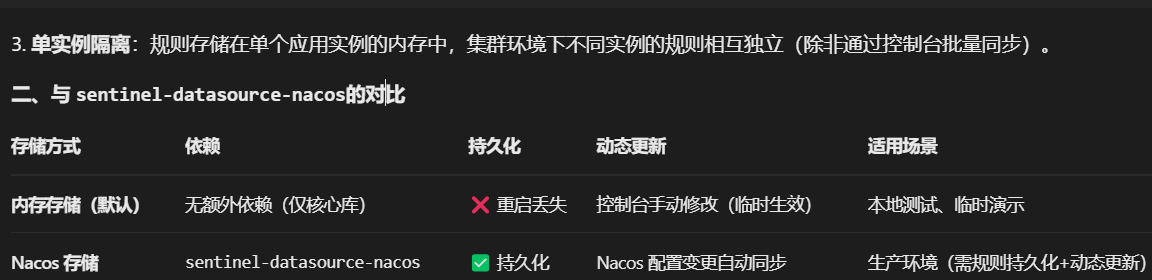
spring-cloud-starter-alibaba-sentinel 引入这个依赖 如何进行熔断设置?
1. 确认依赖与基础配置
确保已引入核心依赖(用户问题中已包含),并在 application.yml中配置 Sentinel 控制台地址(用于监控和动态配置):
spring: cloud: sentinel: transport: dashboard: localhost:8080 # Sentinel 控制台地址(默认端口 8080) port: 8719 # 客户端与控制台通信端口(默认 8719,冲突自动+1) eager: true # 饥饿加载(启动时立即注册到控制台,避免首次调用才显示)
2.方式一:通过 @SentinelResource注解配置熔断(代码侵入式) 不推荐
3. 方式二:通过 Sentinel 控制台动态配置熔断规则(无代码侵入) 推荐
无需修改代码,直接在 Sentinel 控制台为资源(如接口、方法)配置熔断规则,适合临时调整或生产环境动态管理。
步骤 1:启动应用并触发资源调用
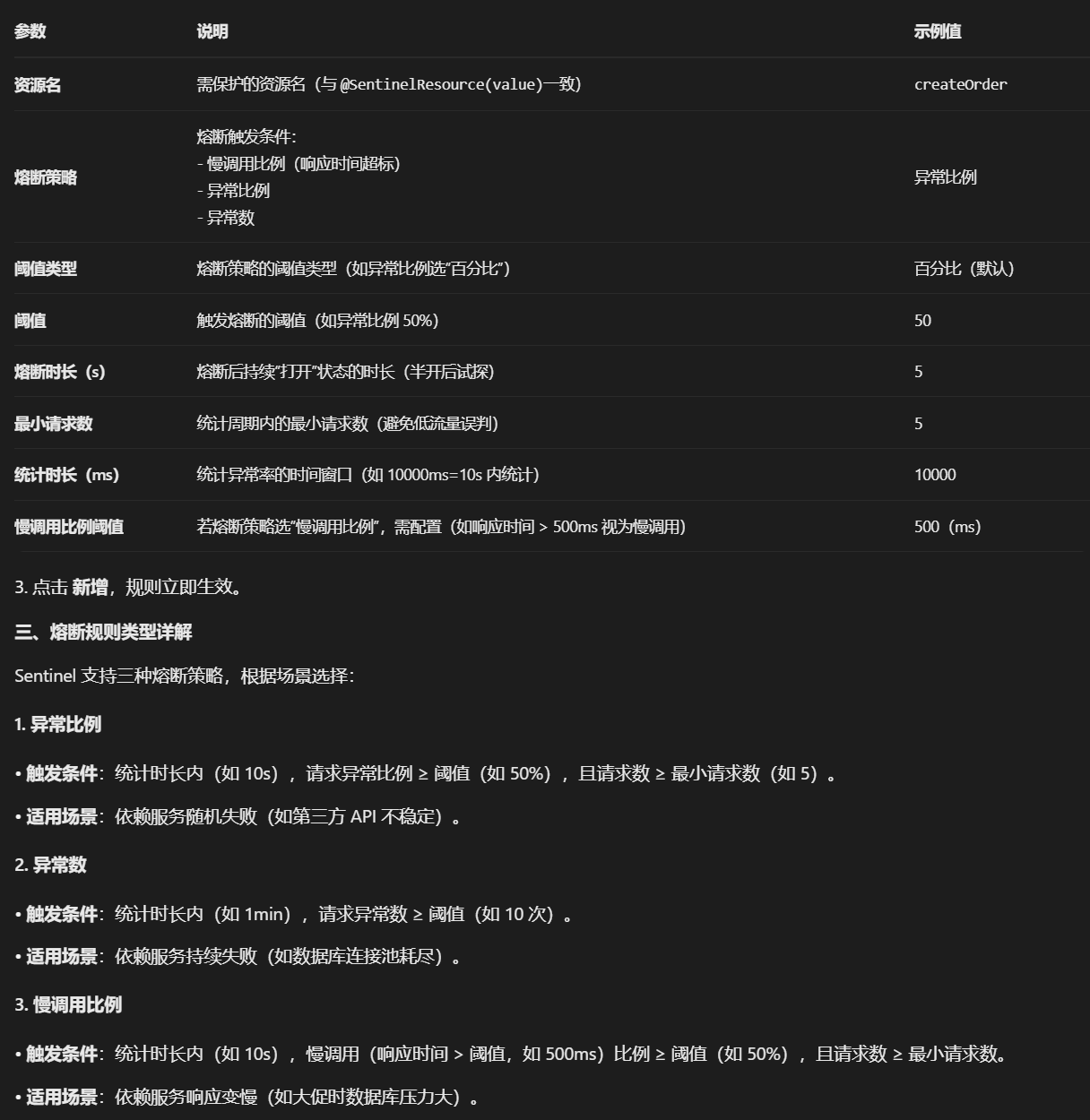
启动 Spring Boot 应用,访问 createOrder方法对应的接口(或通过单元测试调用 OrderService.createOrder),触发一次调用后,Sentinel 控制台会显示该资源(createOrder)。
步骤 2:在控制台配置熔断规则
在 Sentinel 中,规则(如流量控制、熔断降级等)默认存储在内存中,应用重启后规则会丢失。为了实现规则的持久化,通常需要将规则存储到外部存储介质中。常见的持久化方案主要分为两类:本地文件存储和分布式配置中心/中间件(如 Nacos、Apollo、ZooKeeper 等)
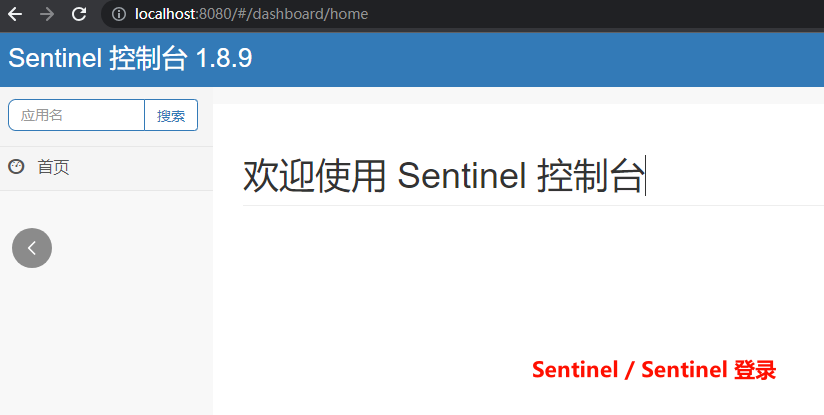
1.访问 Sentinel 控制台(需下载sentinel-dashboard-1.8.9.jar 并启动, 当然生产环境需要配置多节点部署 并使用持久化到nacos或applo里)(http://localhost:8080,账号密码 sentinel/sentinel);用单元测试访问一次你要限流的接口,就可以配置参数了
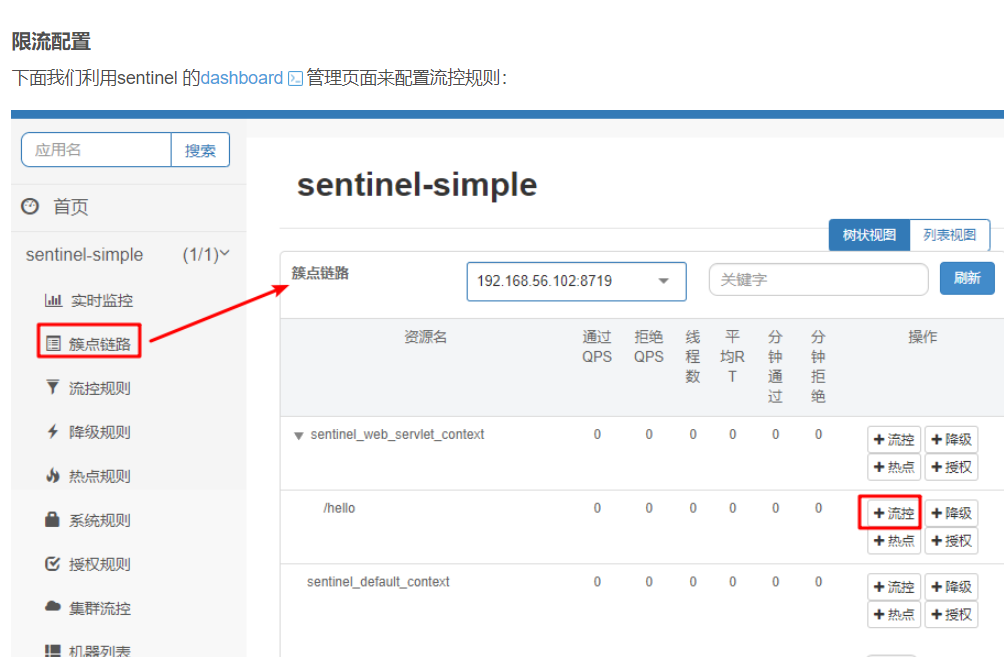
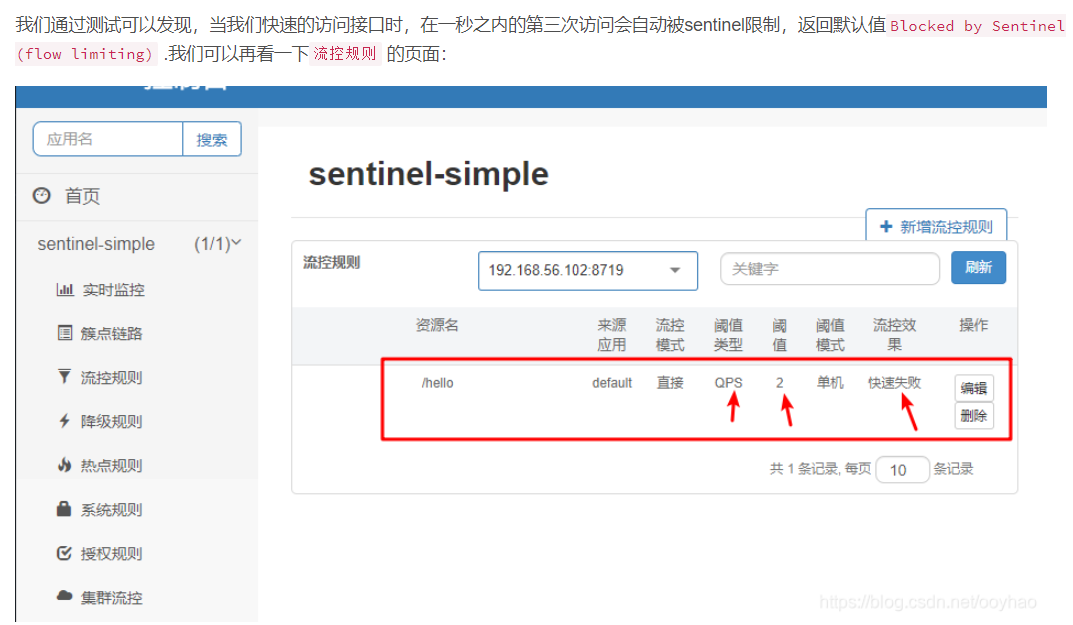
https://blog.csdn.net/ooyhao/article/details/102745764
2.左侧菜单选择 熔断规则 → 新增熔断规则 ,配置参数