前言
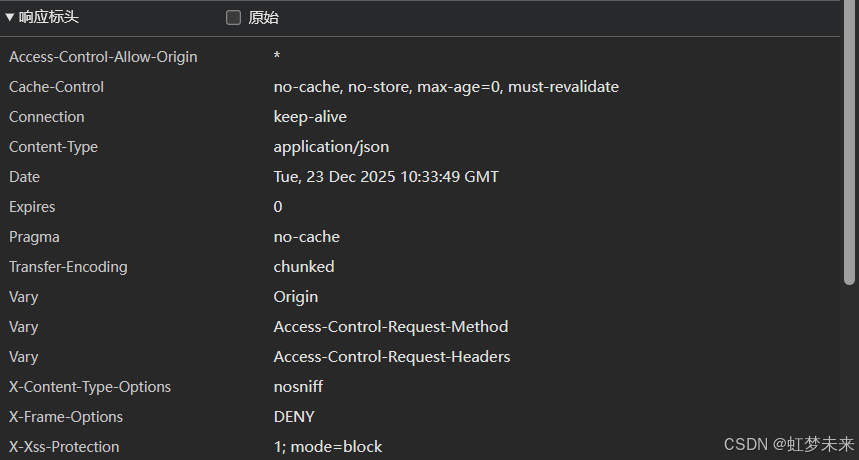
因客户安全要求,需要去掉请求中的服务信息,故而根据资料做了nginx隐藏Server字段,这里记录下完整过程,方便其他同志使用。
操作步骤
1.安装编译环境
bash
sudo apt update && sudo apt install -y build-essential devscripts debhelper dpkg-dev libpcre3-dev zlib1g-dev libssl-dev lintian2. 确保下镜像源
这里使用清华源
使用新推荐方式处理Ubuntu镜像源头
bash
sudo cp /etc/apt/sources.list.d/ubuntu.sources /etc/apt/sources.list.d/ubuntu.sources.bak

sudo vim /etc/apt/sources.list.d/ubuntu.sources
内容:
bash
# 清华大学 Ubuntu 24.04 (noble) 镜像 - deb822 格式

Types: deb

URIs: https://mirrors.tuna.tsinghua.edu.cn/ubuntu/

Suites: noble noble-security noble-updates noble-backports

Components: main restricted universe multiverse

Signed-By: /usr/share/keyrings/ubuntu-archive-keyring.gpg


# 源码

Types: deb-src

URIs: https://mirrors.tuna.tsinghua.edu.cn/ubuntu/

Suites: noble noble-security noble-updates noble-backports

Components: main restricted universe multiverse

Signed-By: /usr/share/keyrings/ubuntu-archive-keyring.gpg
bash
sudo apt clean

sudo apt update
3.创建编译目录
这里 /home/test为例
bash
mkdir ~/nginx-build
cd ~/nginx-build
apt source nginx
4. 安装自定义插件
bash
 wget https://github.com/openresty/headers-more-nginx-module/archive/refs/tags/v0.34.tar.gz -O headers-more-nginx-module-0.34.tar.gz
tar -xzf headers-more-nginx-module-0.34.tar.gz
5. 安装必要依赖
bash
cd nginx-*
sudo apt build-dep nginx
6.编辑deb包rule
bash
vim debian/rules
找到 basic_configure_flags
增加
--add-module=/home/test/nginx-build/headers-more-nginx-module-0.34 \
7.自定义头信息
bash
vim src/core/nginx.h
#define NGINX_VERSION      "httpServer"
#define NGINX_VER          "test/" NGINX_VERSION
8.免签名编译
bash
dpkg-buildpackage -us -uc -b9.获取安装包
bash
编译好的数据 在上层目录
cd ..
ll nginx*.deb

核心只需要
sudo dpkg -i nginx-common_1.24.0-2ubuntu7.5_all.deb
sudo dpkg -i nginx_1.24.0-2ubuntu7.5_amd64.deb
10.隐藏Server信息
bash
vim /etc/nginx/nginx.conf
在http或者server域
增加
server_tokens off;
more_clear_headers 'Server';  # 完全移除 Server 头