文章目录
-
- 1.设置网卡和固定IP
-
- [1.1 虚拟机网络设置](#1.1 虚拟机网络设置)
- [1.2 windows网卡设置](#1.2 windows网卡设置)
- [1.3 设置ubuntu固定IP](#1.3 设置ubuntu固定IP)
- 2.开启远程登录
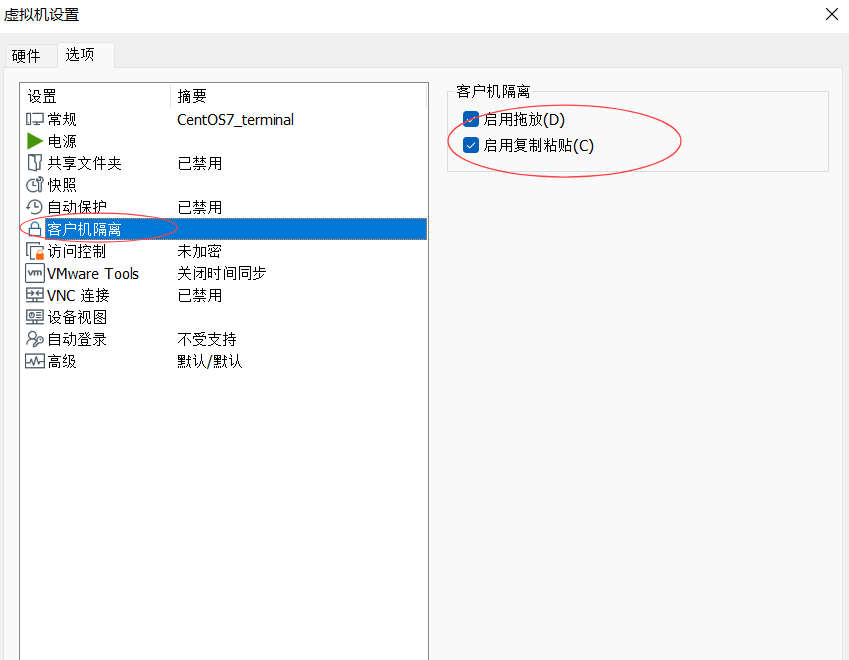
- 3.共享粘贴板以及共享文件
已按照虚拟机知道安装完桌面版ubuntu并设置了设置中文的语言和键盘
1.设置网卡和固定IP
1.1 虚拟机网络设置
1.选择VMnet8网卡,更改设置
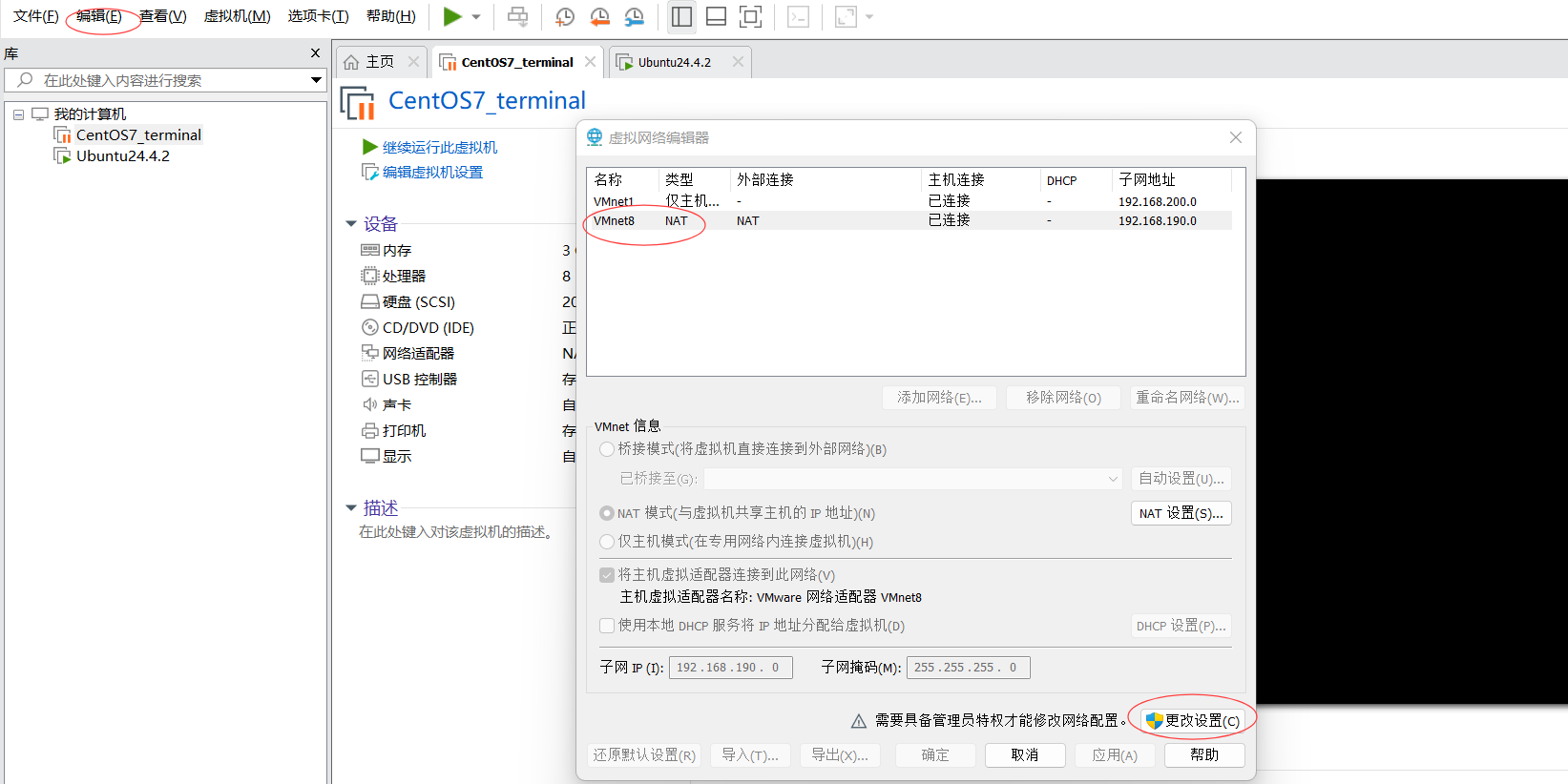
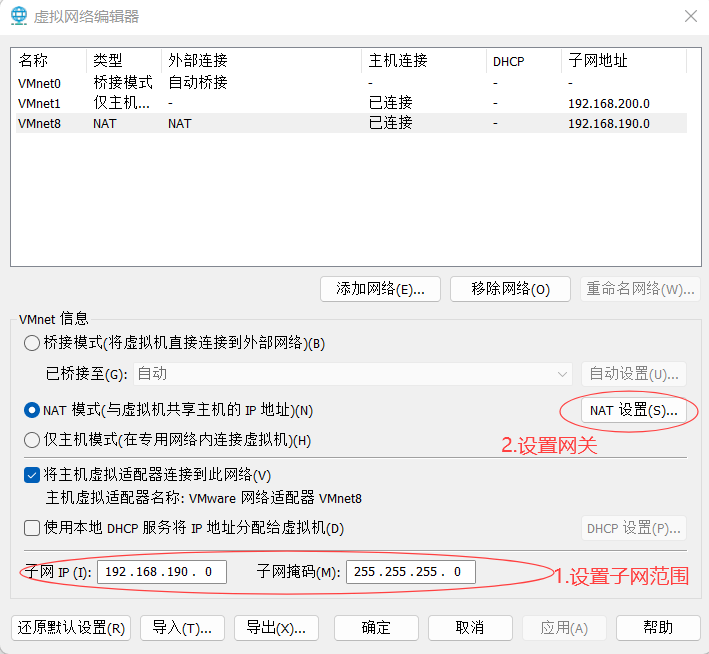
2.设置子网IP和NAT设置
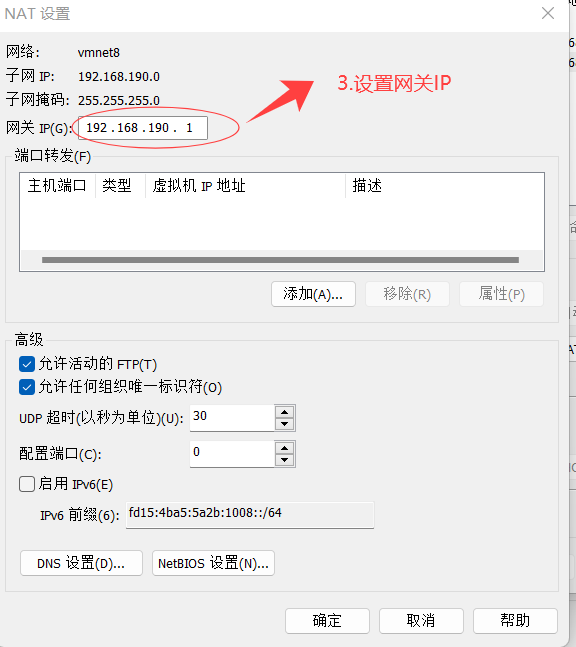
3.设置网关IP
1.2 windows网卡设置
4.设置VMware Virtual Ethernet Adapter for VMnet网卡
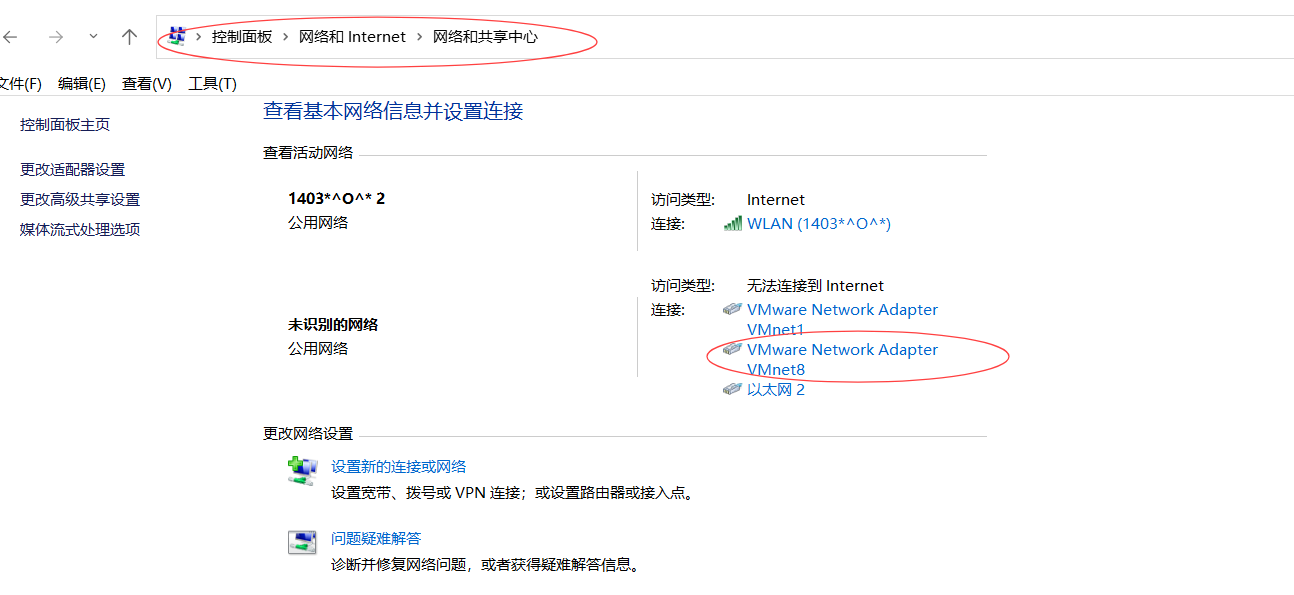
5.属性
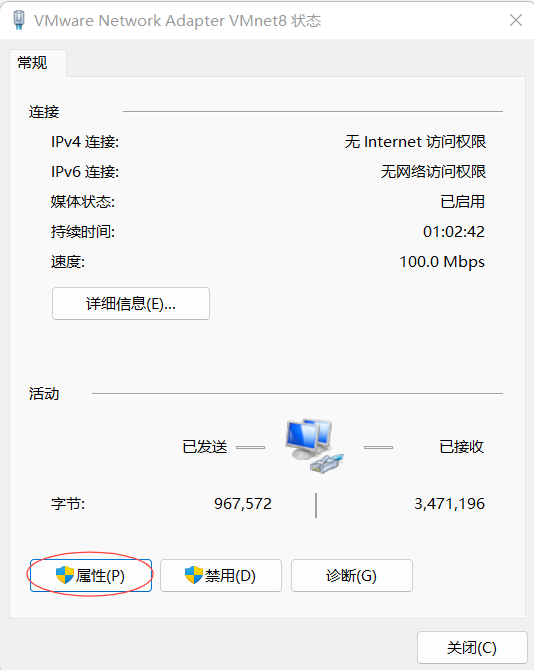
6.internet协议版本4
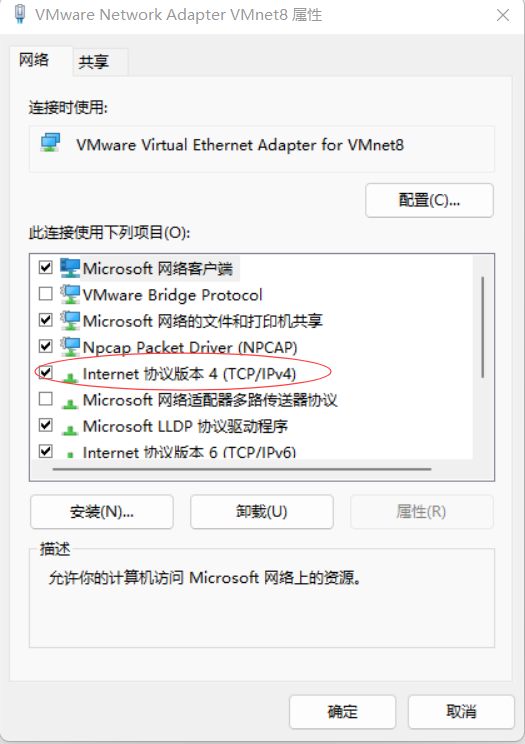
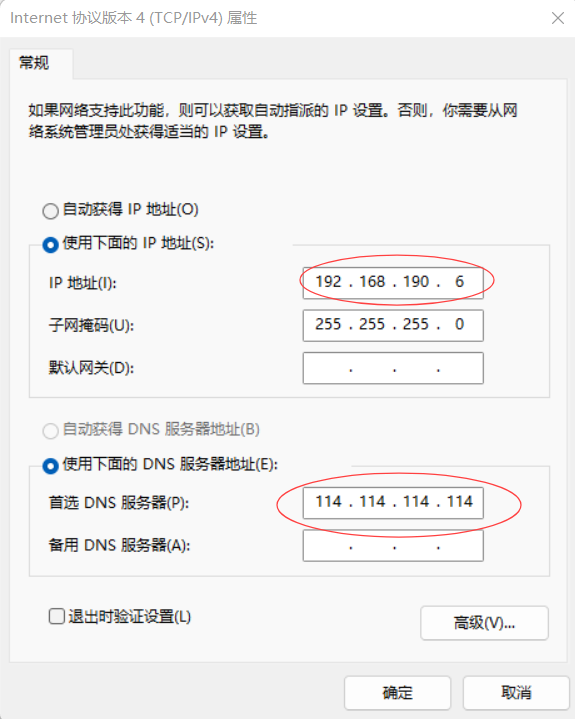
7.设置windows网卡VMware Virtual Ethernet Adapter for VMnet8的IP,IP必须与步骤二的子网ip在同一个网段,
且不能是网关和ubuntu的固定IP
1.3 设置ubuntu固定IP
8.进入网络设置界面
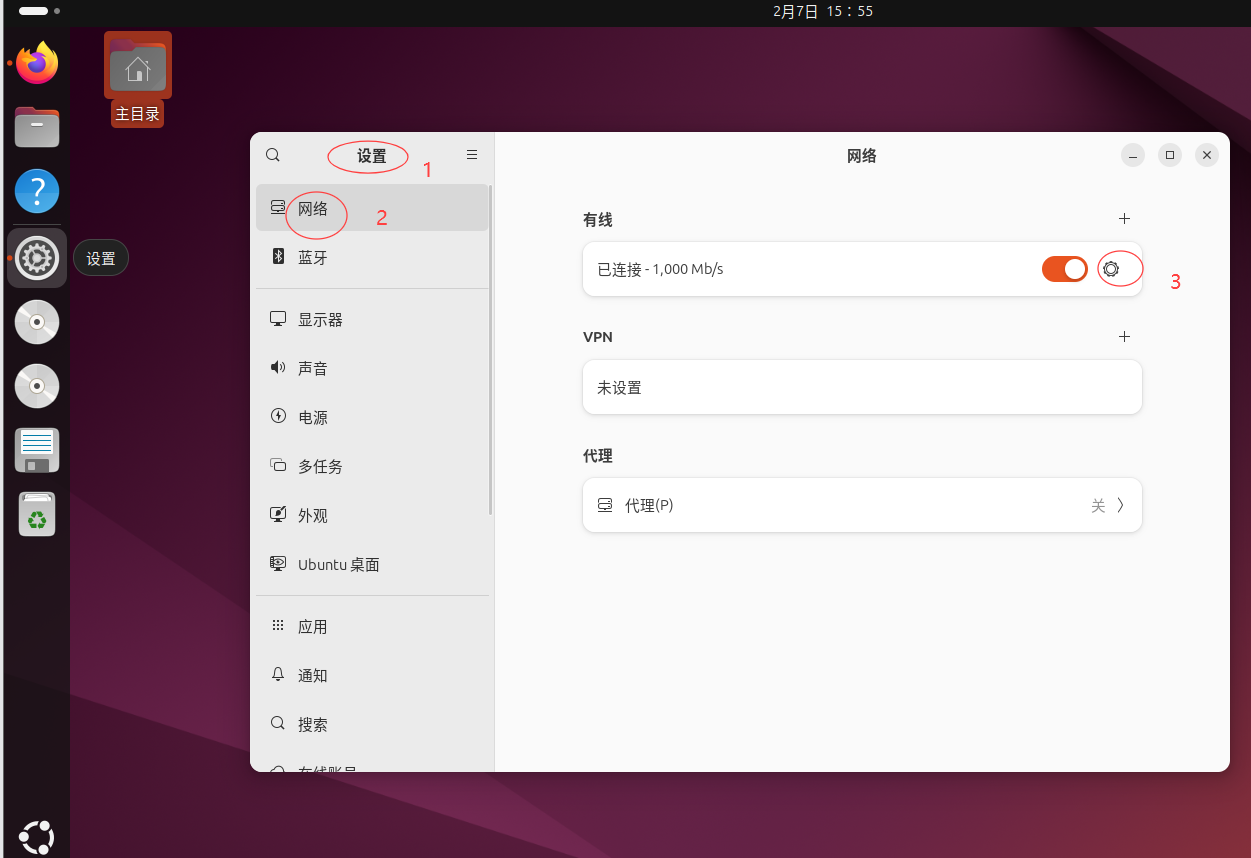
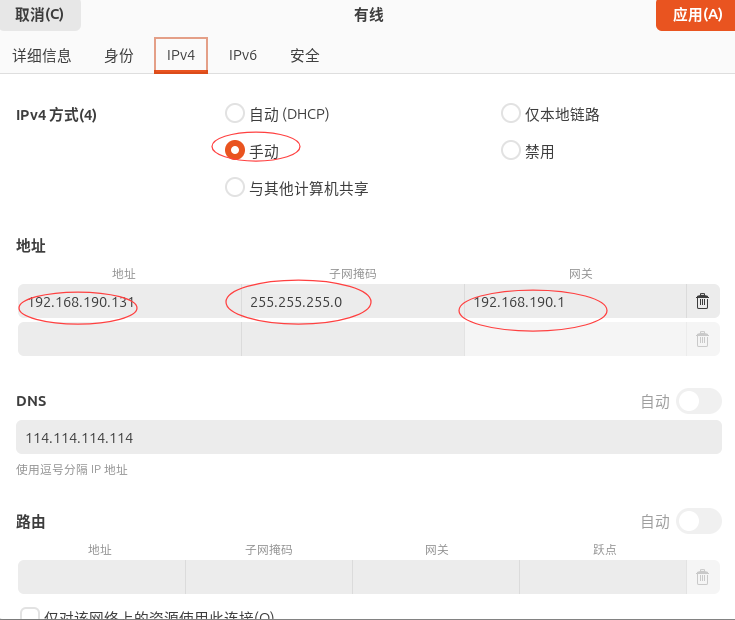
IP地址必须是步骤二的子网范围内的ip,但是不能和其他Ip相同,网关为第三步的网关
2.开启远程登录
shell
# 1.安装openssh-server
sudo apt update
sudo apt install openssh-server

#2.启动 SSH 服务
sudo systemctl start ssh

#3.设置开机自启
sudo systemctl enable ssh

# 4.查看状态(确认是否 active (running))
sudo systemctl status ssh

#5.检查监听端口监听情况
sudo ss -tuln | grep :22
3.共享粘贴板以及共享文件
方式一
shell
sudo apt install open-vm-tools open-vm-tools-desktop方式二