RabbitMQ
文章目录
- RabbitMQ
-
-
- 一、消息队列简介
-
- [为什么使用 MQ?](#为什么使用 MQ?)
- [二、RabbitMQ 安装](#二、RabbitMQ 安装)
-
- [1. 下载与安装](#1. 下载与安装)
- [2. 启用管理界面](#2. 启用管理界面)
- [3. 关键端口](#3. 关键端口)
- 三、核心概念与使用模式
-
- [1. 简单队列](#1. 简单队列)
- [2. 工作队列(Work Queue)](#2. 工作队列(Work Queue))
- [3. 订阅模式(Publish/Subscribe)](#3. 订阅模式(Publish/Subscribe))
- [4. 路由模式(Routing)](#4. 路由模式(Routing))
- [5. 主题模式(Topic)](#5. 主题模式(Topic))
- 四、消息确认与持久化
-
- [1. 消息应答](#1. 消息应答)
- [2. 消息持久化](#2. 消息持久化)
- 五、消息确认机制(生产者)
-
- [1. 事务机制](#1. 事务机制)
- [2. Confirm 模式](#2. Confirm 模式)
- 六、总结
-
一、消息队列简介
- 定义:消息队列(MQ)是一种 FIFO 队列,用于存放消息。
- 常见 MQ:RabbitMQ、ActiveMQ、ZeroMQ、Kafka、RocketMQ。
- 开发语言:Erlang(高并发语言)。
为什么使用 MQ?
- 解耦进程,避免直接依赖。
- 标准化消息格式,支持消息排队和处理。
二、RabbitMQ 安装
1. 下载与安装
- 官网:rabbitmq.com
- 需先安装 Erlang/OTP 环境,再安装 RabbitMQ。
2. 启用管理界面
rabbitmq-plugins enable rabbitmq_management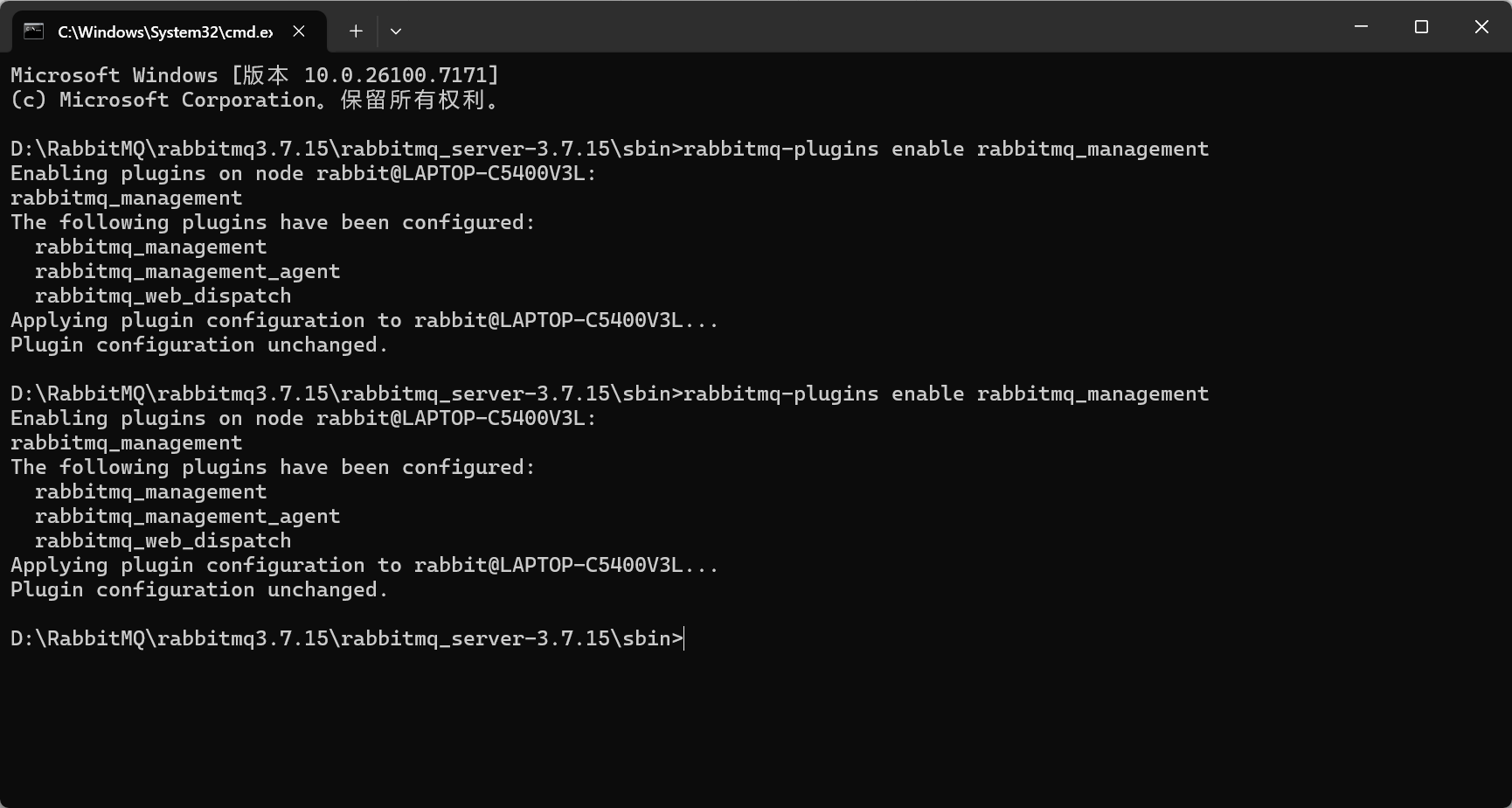
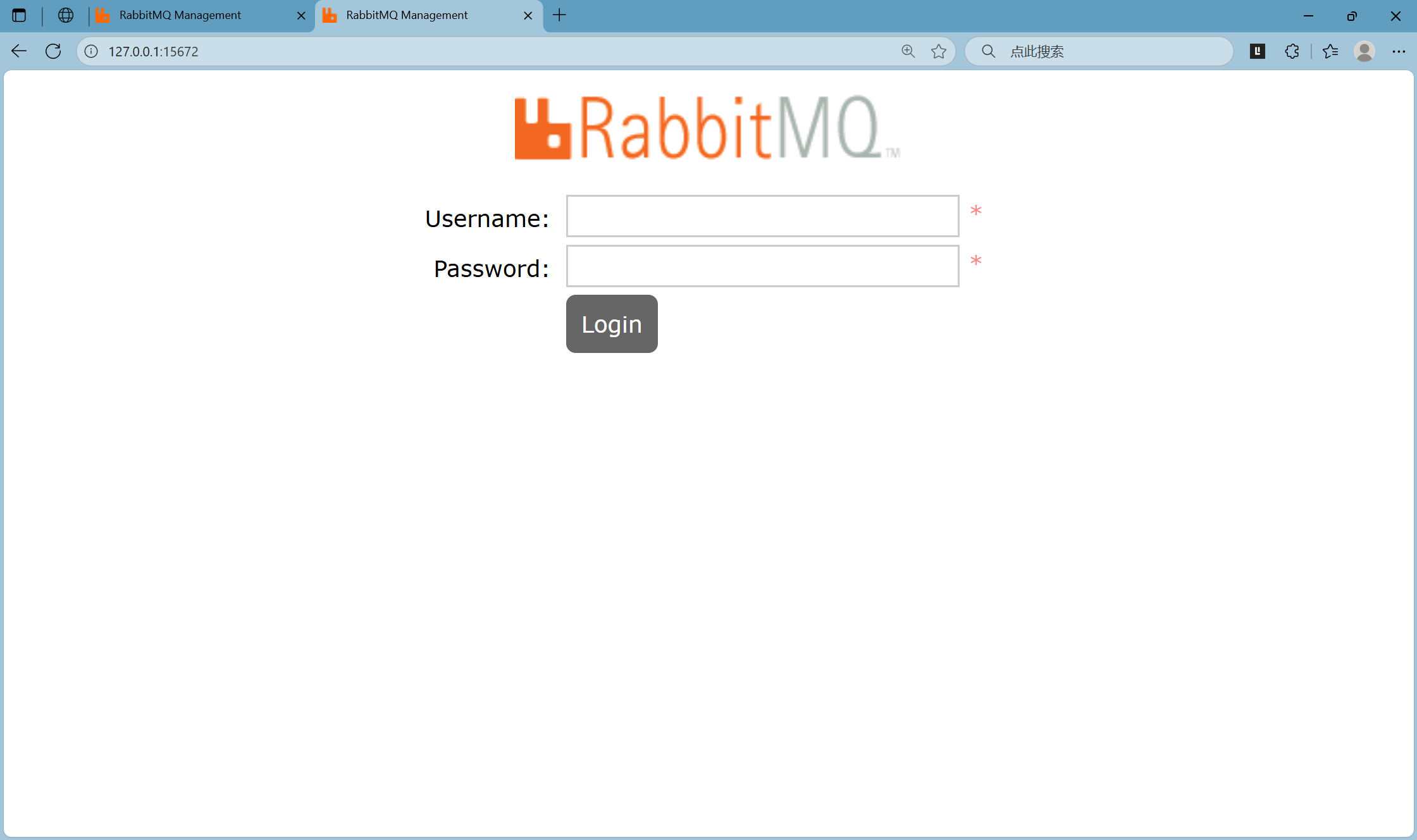
访问:http://127.0.0.1:15672
默认账号:guest / guest
3. 关键端口
- AMQP:5672
- 集群:25672
- 管理界面:15672
三、核心概念与使用模式
创建项目,导入jar包
xml
<!--  引入amqp-client依赖  -->
<dependency>
    <groupId>com.rabbitmq</groupId>
    <artifactId>amqp-client</artifactId>
    <version>5.7.1</version>
</dependency>
1. 简单队列
- 一个生产者 → 一个队列 → 一个消费者。
生产者
java
public class Provider01 {
    public static void main(String[] args)  {
        System.out.println("Provider01启动...");
        try {
            //1.创建连接
            Connection conn = ConnectionUtils.getConnection();
            //2.创建通道
            Channel channel = conn.createChannel();
            //3.创建队列 队列名称,是否持久化,是否排他,是否自动删除,其他参数
            channel.queueDeclare("queue01", false, false, false, null);
            //4.发送消息
            String msg = "爽爽爽";
            channel.basicPublish("","queue01",null,msg.getBytes());
            System.out.println("发送消息:" + msg);
            //5.关闭通道和连接
            channel.close();
            conn.close();
        } catch (Exception e) {
            e.printStackTrace();
        }

    }
}
消费者
java
public class Consumer01 {
    public static void main(String[] args) {
        System.out.println("Consumer01启动...");
        try {
            //1.创建连接
            Connection conn = com.hz.utils.ConnectionUtils.getConnection();
            //2.创建通道
            Channel channel = conn.createChannel();
            //3.创建队列
            channel.queueDeclare("queue01", false, false, false, null);
            DefaultConsumer consumer = new ListenerConsumer(channel);
            //4.监听队列
            channel.basicConsume("queue01", true, consumer);
        } catch (Exception e) {
            e.printStackTrace();
        }
    }
}
2. 工作队列(Work Queue)
- 一个生产者 → 一个队列 → 多个消费者。
- 轮询分发:每个消费者轮流接收消息。
生产者
java
public class Provider01 {
    public static void main(String[] args)  {
        System.out.println("Provider01启动...");
        try {
            //1.创建连接
            Connection conn = ConnectionUtils.getConnection();
            //2.创建通道
            Channel channel = conn.createChannel();
            channel.basicQos(1);  // 设置预取数量
            //3.创建队列 队列名称,是否持久化,是否排他,是否自动删除,其他参数
            channel.queueDeclare("queue01", true, false, false, null);
            //4.发送消息
            for (int i=1;i<=50;i++){
                String msg = "hello"+i;
                //持久化消息  MessageProperties.PERSISTENT_TEXT_PLAIN
                channel.basicPublish("","queue01",MessageProperties.PERSISTENT_TEXT_PLAIN,msg.getBytes());
                Thread.sleep(50);
            }
            System.out.println("消息发送完毕");
            //5.关闭通道和连接
            channel.close();
            conn.close();
        } catch (Exception e) {
            e.printStackTrace();
        }

    }
}
消费者1
java
public class Consumer02 {
    public static void main(String[] args) {
        System.out.println("Consumer01启动...");
        try {
            //1.创建连接
            Connection conn = com.hz.utils.ConnectionUtils.getConnection();
            //2.创建通道
            Channel channel = conn.createChannel();
            channel.basicQos(1);
            //3.创建队列
            channel.queueDeclare("queue01", true, false, false, null);
            DefaultConsumer consumer = new DefaultConsumer(channel) {
                public void handleDelivery(String consumerTag,
                                           Envelope envelope,
                                           AMQP.BasicProperties properties,
                                           byte[] body) throws IOException {
                    String s = new String(body);

                    System.out.println("msg==接收==" + s);

                }
            };
            //4.监听队列
            channel.basicConsume("queue01", true, consumer);
        } catch (Exception e) {
            e.printStackTrace();
        }
    }
}
消费者2
java
public class Consumer01 {
    public static void main(String[] args) {
        System.out.println("Consumer02启动...");
        try {
            //1.创建连接
            Connection conn = com.hz.utils.ConnectionUtils.getConnection();
            //2.创建通道
            Channel channel = conn.createChannel();
            channel.basicQos(1);
            //3.创建队列
            channel.queueDeclare("queue01", true, false, false, null);
            DefaultConsumer consumer = new DefaultConsumer(channel) {
                public void handleDelivery(String consumerTag,
                                           Envelope envelope,
                                           AMQP.BasicProperties properties,
                                           byte[] body) throws IOException {
                    String s = new String(body);
                    System.out.println("msg==接收==" + s);
                }
            };
            //4.监听队列
            channel.basicConsume("queue01", true, consumer);
        } catch (Exception e) {
            e.printStackTrace();
        }
    }
}
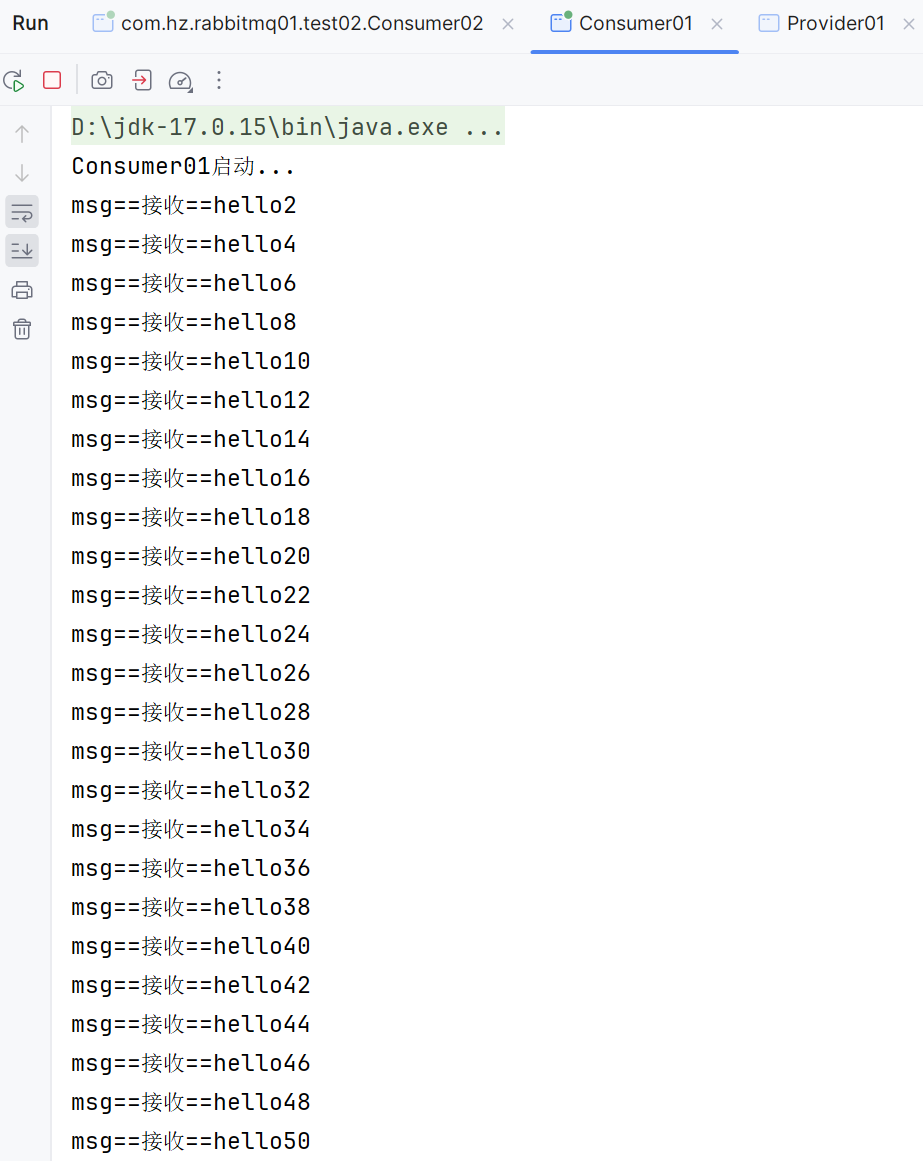
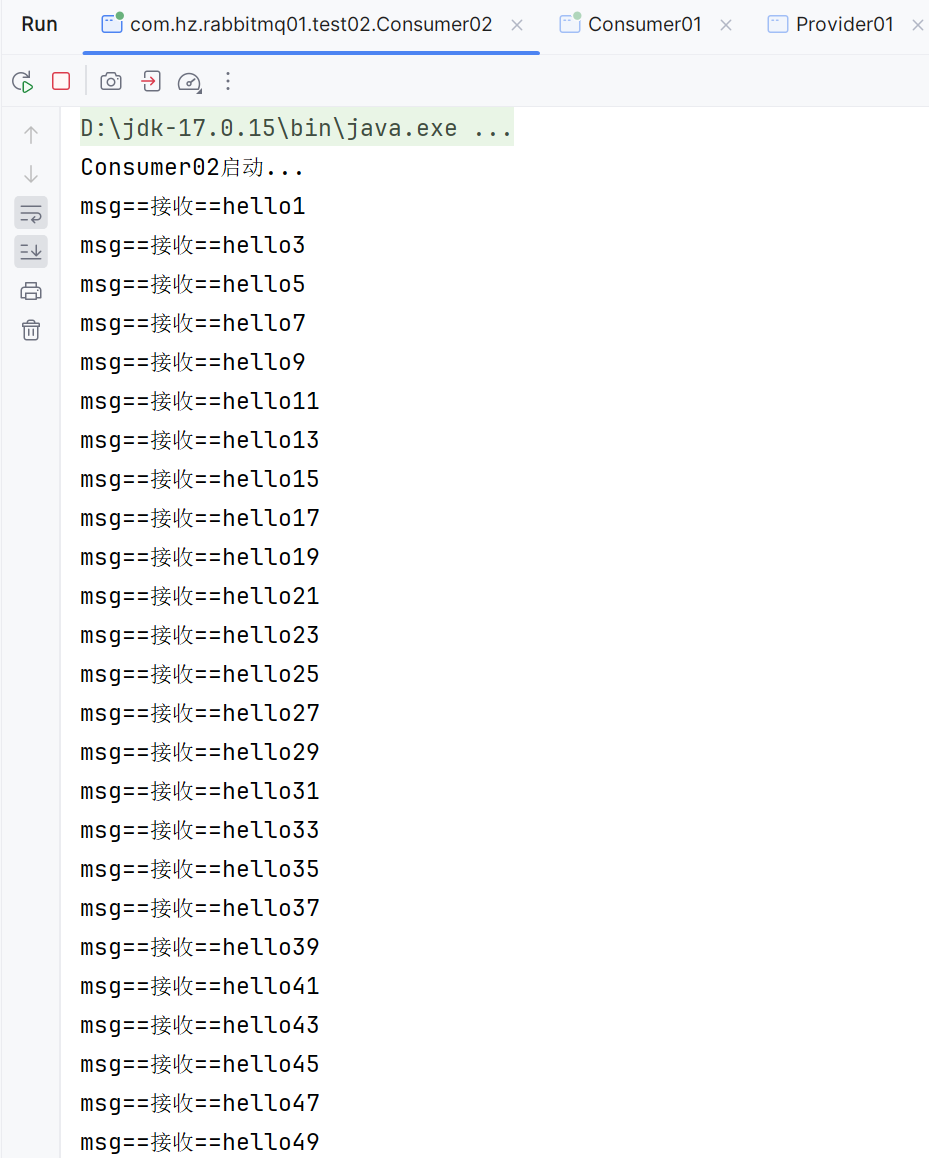
一共有50条消息,两个消费者一人一半
- 公平分发 :使用
basicQos(1)+ 手动确认,避免消费者忙闲不均。- 使用手动反馈 channel.basicConsume("queue01", false, consumer); 自动应答设为 false
生产者
java
public class Provider01 {
    public static void main(String[] args)  {
        System.out.println("Provider01启动...");
        try {
            //1.创建连接
            Connection conn = ConnectionUtils.getConnection();
            //2.创建通道
            Channel channel = conn.createChannel();
            channel.basicQos(1);  // 设置预取数量
            //3.创建队列 队列名称,是否持久化,是否排他,是否自动删除,其他参数
            channel.queueDeclare("queue01", true, false, false, null);
            //4.发送消息
            for (int i=1;i<=50;i++){
                String msg = "hello"+i;
                //持久化消息  MessageProperties.PERSISTENT_TEXT_PLAIN
                channel.basicPublish("","queue01",MessageProperties.PERSISTENT_TEXT_PLAIN,msg.getBytes());
                Thread.sleep(50);
            }
            System.out.println("消息发送完毕");
            //5.关闭通道和连接
            channel.close();
            conn.close();
        } catch (Exception e) {
            e.printStackTrace();
        }

    }
}
消费者1 模拟性能差
java
public class Consumer01 {
    public static void main(String[] args) {
        System.out.println("Consumer01启动...");
        try {
            //1.创建连接
            Connection conn = com.hz.utils.ConnectionUtils.getConnection();
            //2.创建通道
            Channel channel = conn.createChannel();
            channel.basicQos(1);
            //3.创建队列
            channel.queueDeclare("queue01", true, false, false, null);
            DefaultConsumer consumer = new DefaultConsumer(channel) {
                public void handleDelivery(String consumerTag,
                                           Envelope envelope,
                                           AMQP.BasicProperties properties,
                                           byte[] body) throws IOException {
                    String s = new String(body);
                    System.out.println("msg==接收==" + s);
                    try {
                        Thread.sleep(2000);
                        //手动反馈
                        channel.basicAck(envelope.getDeliveryTag(),false);
                    } catch (InterruptedException e) {
                        throw new RuntimeException(e);
                    }
                }
            };
            //4.监听队列  自动应答设为 false
            channel.basicConsume("queue01", false, consumer);
        } catch (Exception e) {
            e.printStackTrace();
        }
    }
}
消费者2 模拟性能好
java
public class Consumer02 {
    public static void main(String[] args) {
        System.out.println("Consumer02启动...");
        try {
            //1.创建连接
            Connection conn = com.hz.utils.ConnectionUtils.getConnection();
            //2.创建通道
            Channel channel = conn.createChannel();
            channel.basicQos(1);
            //3.创建队列
            channel.queueDeclare("queue01", true, false, false, null);
            DefaultConsumer consumer = new DefaultConsumer(channel) {
                public void handleDelivery(String consumerTag,
                                           Envelope envelope,
                                           AMQP.BasicProperties properties,
                                           byte[] body) throws IOException {
                    String s = new String(body);

                    System.out.println("msg==接收==" + s);
                    try {
                        Thread.sleep(200);
                        //手动反馈
                        channel.basicAck(envelope.getDeliveryTag(),false);
                    } catch (InterruptedException e) {
                        throw new RuntimeException(e);
                    }
                }
            };
            //4.监听队列  自动应答设为 false
            channel.basicConsume("queue01", false, consumer);
        } catch (Exception e) {
            e.printStackTrace();
        }
    }
}
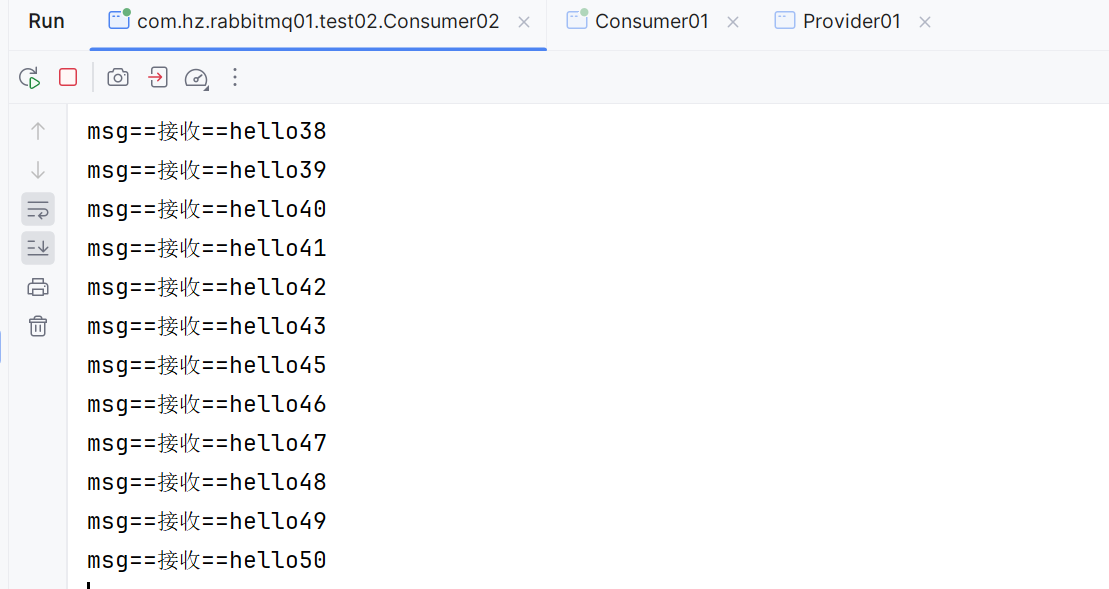
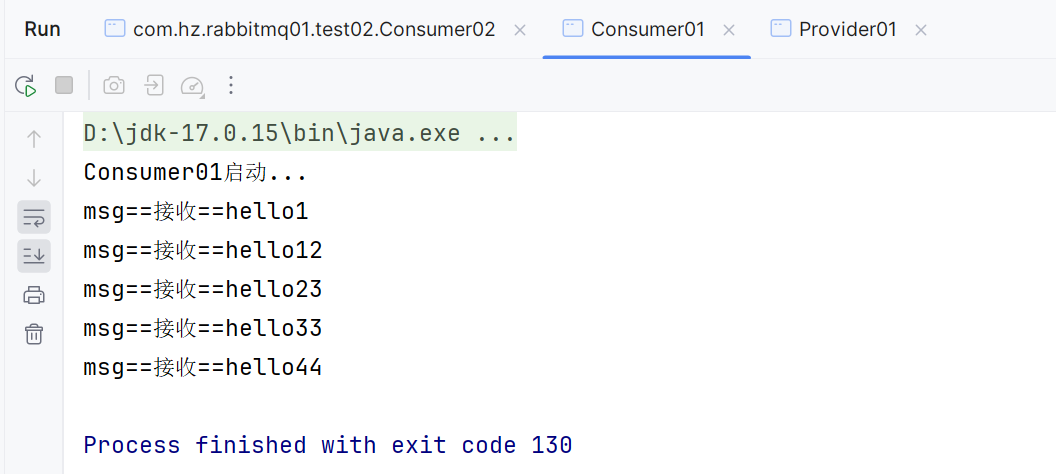
因为消费者2性能好,所以他会处理的消息多,消费者1处理消息少
3. 订阅模式(Publish/Subscribe)
- 生产者 → 交换机(Fanout)→ 多个队列 → 多个消费者。
- 消息会被所有绑定到交换机的队列接收。
- 交换机类型Fanout :不处理路由键
生产者
java
public class Provider01 {
    public static void main(String[] args)  {
        System.out.println("Provider01启动...");
        try {
            //创建连接
            Connection conn = ConnectionUtils.getConnection();
            //创建通道
            Channel channel = conn.createChannel();
            //创建交换机
           channel.exchangeDeclare("exchange01","fanout");
            //发送消息
            for (int i=1;i<=10;i++){
                String msg = "hello"+i;
                //持久化消息
                channel.basicPublish("exchange01","",null,msg.getBytes());
            }
            System.out.println("消息发送完毕");
            //关闭通道和连接
            channel.close();
            conn.close();
        } catch (Exception e) {
            e.printStackTrace();
        }

    }
}
消费者1
java
public class Consumer01 {
    public static void main(String[] args) {
        System.out.println("Consumer01启动...");
        try {
            //创建连接
            Connection conn = com.hz.utils.ConnectionUtils.getConnection();
            //创建通道
            Channel channel = conn.createChannel();
            channel.basicQos(1);
            //创建队列
            channel.queueDeclare("consumer01_queue", true, false, false, null);
            //绑定队列到交换机
            channel.queueBind("consumer01_queue","exchange01","");
            DefaultConsumer consumer = new DefaultConsumer(channel) {
                public void handleDelivery(String consumerTag,
                                           Envelope envelope,
                                           AMQP.BasicProperties properties,
                                           byte[] body) throws IOException {
                    String s = new String(body);
                    System.out.println("msg==接收==" + s);
                    try {
                        Thread.sleep(200);
                        channel.basicAck(envelope.getDeliveryTag(),false);
                    } catch (InterruptedException e) {
                        //拒绝消息,重新入队
                        channel.basicNack(envelope.getDeliveryTag(),false,true);
                        throw new RuntimeException(e);
                    }
                }
            };
            //4.监听队列
            channel.basicConsume("consumer01_queue", false, consumer);
        } catch (Exception e) {
            e.printStackTrace();
        }
    }
}
消费者2
java
public class Consumer02 {
    public static void main(String[] args) {
        System.out.println("Consumer02启动...");
        try {
            //创建连接
            Connection conn = com.hz.utils.ConnectionUtils.getConnection();
            //创建通道
            Channel channel = conn.createChannel();
            channel.basicQos(1);
            //创建队列
            channel.queueDeclare("consumer02_queue", true, false, false, null);
            //绑定队列到交换机
            channel.queueBind("consumer02_queue","exchange01","");
            DefaultConsumer consumer = new DefaultConsumer(channel) {
                public void handleDelivery(String consumerTag,
                                           Envelope envelope,
                                           AMQP.BasicProperties properties,
                                           byte[] body) throws IOException {
                    String s = new String(body);
                    System.out.println("msg==接收==" + s);
                    try {
                        Thread.sleep(200);
                        channel.basicAck(envelope.getDeliveryTag(),false);
                    } catch (InterruptedException e) {
                        throw new RuntimeException(e);
                    }
                }
            };
            //4.监听队列
            channel.basicConsume("consumer02_queue", false, consumer);
        } catch (Exception e) {
            e.printStackTrace();
        }
    }
}
注:消息发送到没有队列绑定的交换机时,消息将丢失,因为,交换机没有存储消息的能力,消息只能存在在队列中。
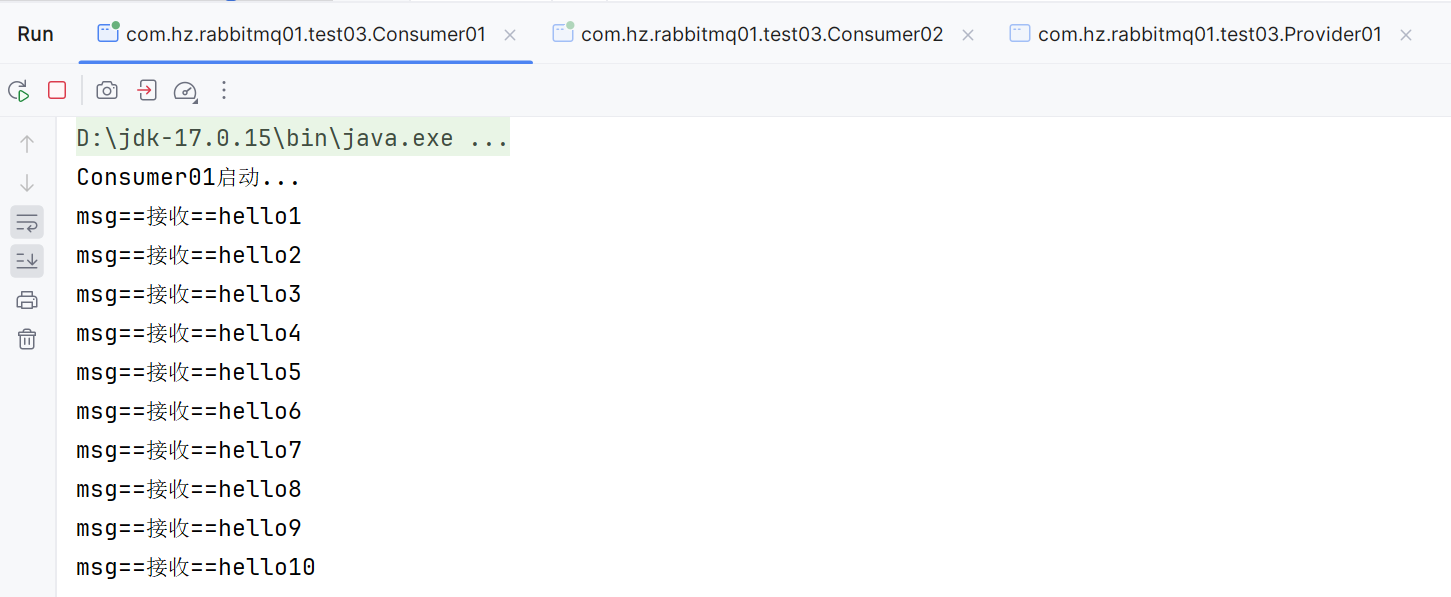
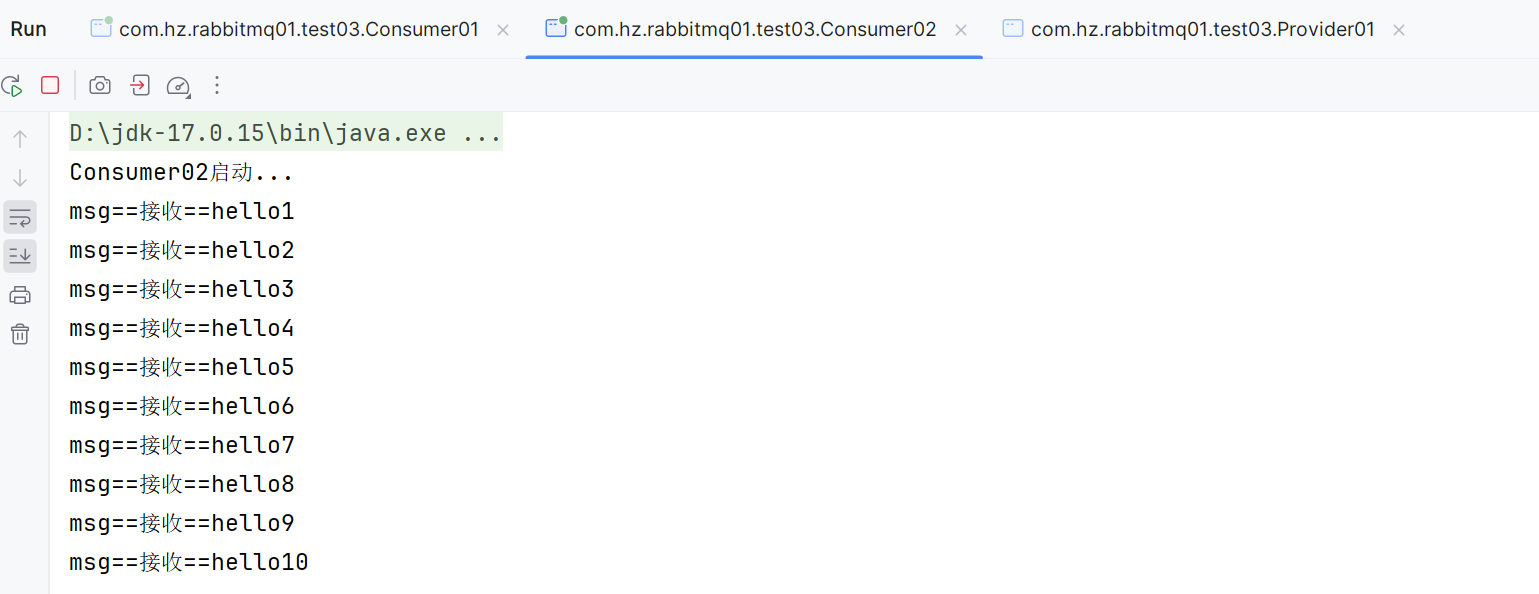
运行结果:
每一个消费者都会收到十条消息
4. 路由模式(Routing)
- 使用 Direct 交换机,根据 Routing Key 精确匹配分发消息。
生产者
java
public class Provider01 {
    public static void main(String[] args)  {
        System.out.println("Provider01启动...");
        try {
            //创建连接
            Connection conn = ConnectionUtils.getConnection();
            //创建通道
            Channel channel = conn.createChannel();
            //创建交换机 direct 类型
           channel.exchangeDeclare("exchange01","direct");
            //发送消息

                String msg = "hello ccs";
                //持久化消息
                channel.basicPublish("exchange01","ccs",null,msg.getBytes());
            System.out.println("消息发送完毕");
            //关闭通道和连接
            channel.close();
            conn.close();
        } catch (Exception e) {
            e.printStackTrace();
        }

    }
}
消费者1
java
public class Consumer01 {
    public static void main(String[] args) {
        System.out.println("Consumer01启动...");
        try {
            //创建连接
            Connection conn = com.hz.utils.ConnectionUtils.getConnection();
            //创建通道
            Channel channel = conn.createChannel();
            channel.basicQos(1);
            //创建队列
            channel.queueDeclare("consumer01_queue", true, false, false, null);
            //绑定队列到交换机
            channel.queueBind("consumer01_queue","exchange01","yy");
            DefaultConsumer consumer = new DefaultConsumer(channel) {
                public void handleDelivery(String consumerTag,
                                           Envelope envelope,
                                           AMQP.BasicProperties properties,
                                           byte[] body) throws IOException {
                    String s = new String(body);
                    System.out.println("msg==接收==" + s);
                    try {
                        Thread.sleep(200);
                        channel.basicAck(envelope.getDeliveryTag(),false);
                    } catch (InterruptedException e) {
                        //拒绝消息,重新入队
                        channel.basicNack(envelope.getDeliveryTag(),false,true);
                        throw new RuntimeException(e);
                    }
                }
            };
            //4.监听队列
            channel.basicConsume("consumer01_queue", false, consumer);
        } catch (Exception e) {
            e.printStackTrace();
        }
    }
}
消费者2
java
public class Consumer02 {
    public static void main(String[] args) {
        System.out.println("Consumer02启动...");
        try {
            //创建连接
            Connection conn = com.hz.utils.ConnectionUtils.getConnection();
            //创建通道
            Channel channel = conn.createChannel();
            channel.basicQos(1);
            //创建队列
            channel.queueDeclare("consumer02_queue", true, false, false, null);
            //绑定队列到交换机
            channel.queueBind("consumer02_queue","exchange01","yy");
            channel.queueBind("consumer02_queue","exchange01","ccs");
            DefaultConsumer consumer = new DefaultConsumer(channel) {
                public void handleDelivery(String consumerTag,
                                           Envelope envelope,
                                           AMQP.BasicProperties properties,
                                           byte[] body) throws IOException {
                    String s = new String(body);
                    System.out.println("msg==接收==" + s);
                    try {
                        Thread.sleep(200);
                        channel.basicAck(envelope.getDeliveryTag(),false);
                    } catch (InterruptedException e) {
                        throw new RuntimeException(e);
                    }
                }
            };
            //4.监听队列
            channel.basicConsume("consumer02_queue", false, consumer);
        } catch (Exception e) {
            e.printStackTrace();
        }
    }
}
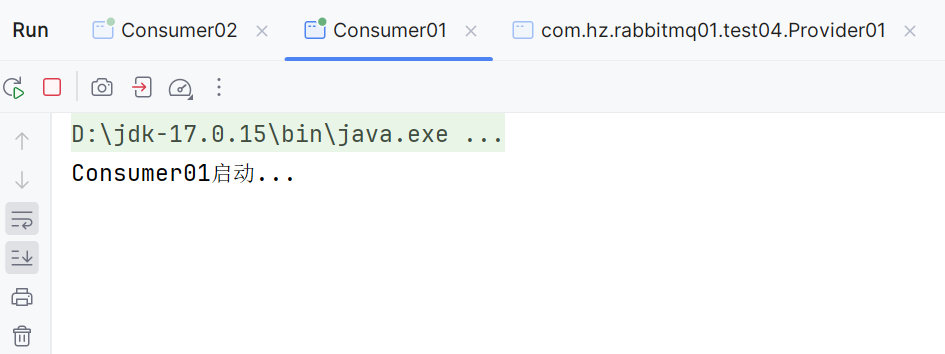
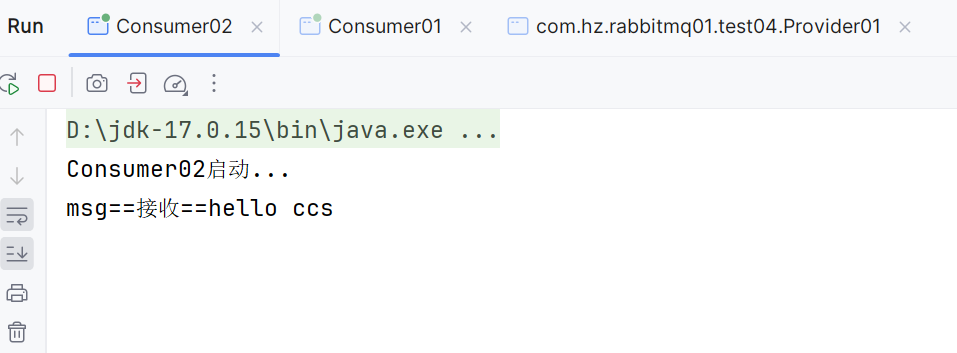
因为发送的消息路由键是ccs,所以只有消费者2能收到消息
5. 主题模式(Topic)
- 使用 Topic 交换机,支持通配符匹配
*:匹配一个 ccs.hjzz#:匹配多个 yy.dsj.frxxz ccs.music.bsz
生产者
java
public class Provider01 {
    public static void main(String[] args) {
        System.out.println("Provider01启动...");
        try {
            //创建连接
            Connection conn = ConnectionUtils.getConnection();
            //创建通道
            Channel channel = conn.createChannel();
            //创建交换机 direct 类型
            channel.exchangeDeclare("exchange01", "topic");
            //发送消息
            String msg = "hello yy.dsj.xfsn";
            //持久化消息
            channel.basicPublish("exchange01", "yy.dsj.xfsn", null, msg.getBytes());
            System.out.println("消息发送完毕");
            //关闭通道和连接
            channel.close();
            conn.close();
        } catch (Exception e) {
            e.printStackTrace();
        }

    }
}
消费者1
java
public class Consumer01 {
    public static void main(String[] args) {
        System.out.println("Consumer01启动...");
        try {
            //创建连接
            Connection conn = com.hz.utils.ConnectionUtils.getConnection();
            //创建通道
            Channel channel = conn.createChannel();
            channel.basicQos(1);
            //创建队列
            channel.queueDeclare("consumer01_queue", true, false, false, null);
            //绑定队列到交换机
            channel.queueBind("consumer01_queue","exchange01","yy.#");
            DefaultConsumer consumer = new DefaultConsumer(channel) {
                public void handleDelivery(String consumerTag,
                                           Envelope envelope,
                                           AMQP.BasicProperties properties,
                                           byte[] body) throws IOException {
                    String s = new String(body);
                    System.out.println("msg==接收==" + s);
                    try {
                        Thread.sleep(200);
                        channel.basicAck(envelope.getDeliveryTag(),false);
                    } catch (InterruptedException e) {
                        //拒绝消息,重新入队
                        channel.basicNack(envelope.getDeliveryTag(),false,true);
                        throw new RuntimeException(e);
                    }
                }
            };
            //4.监听队列
            channel.basicConsume("consumer01_queue", false, consumer);
        } catch (Exception e) {
            e.printStackTrace();
        }
    }
}
消费者2
java
public class Consumer02 {
    public static void main(String[] args) {
        System.out.println("Consumer02启动...");
        try {
            //创建连接
            Connection conn = com.hz.utils.ConnectionUtils.getConnection();
            //创建通道
            Channel channel = conn.createChannel();
            channel.basicQos(1);
            //创建队列
            channel.queueDeclare("consumer02_queue", true, false, false, null);
            //绑定队列到交换机
            channel.queueBind("consumer02_queue","exchange01","yy.*");
            channel.queueBind("consumer02_queue","exchange01","ccs.*");
            DefaultConsumer consumer = new DefaultConsumer(channel) {
                public void handleDelivery(String consumerTag,
                                           Envelope envelope,
                                           AMQP.BasicProperties properties,
                                           byte[] body) throws IOException {
                    String s = new String(body);
                    System.out.println("msg==接收==" + s);
                    try {
                        Thread.sleep(200);
                        channel.basicAck(envelope.getDeliveryTag(),false);
                    } catch (InterruptedException e) {
                        throw new RuntimeException(e);
                    }
                }
            };
            //4.监听队列
            channel.basicConsume("consumer02_queue", false, consumer);
        } catch (Exception e) {
            e.printStackTrace();
        }
    }
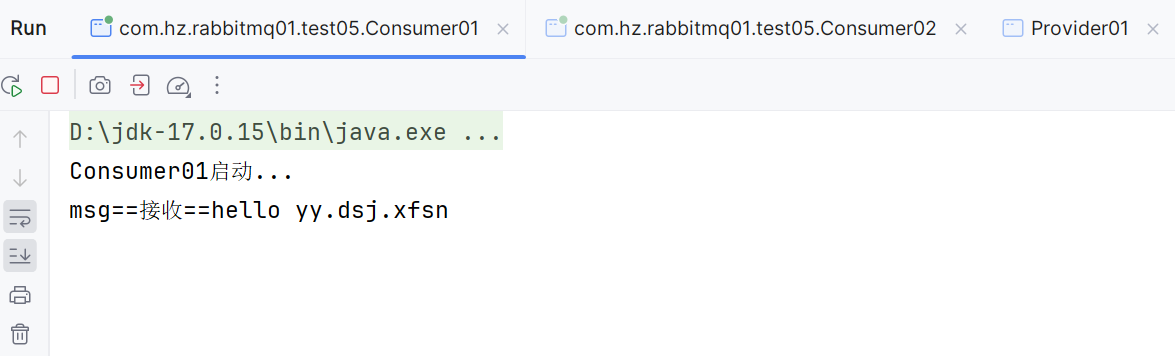
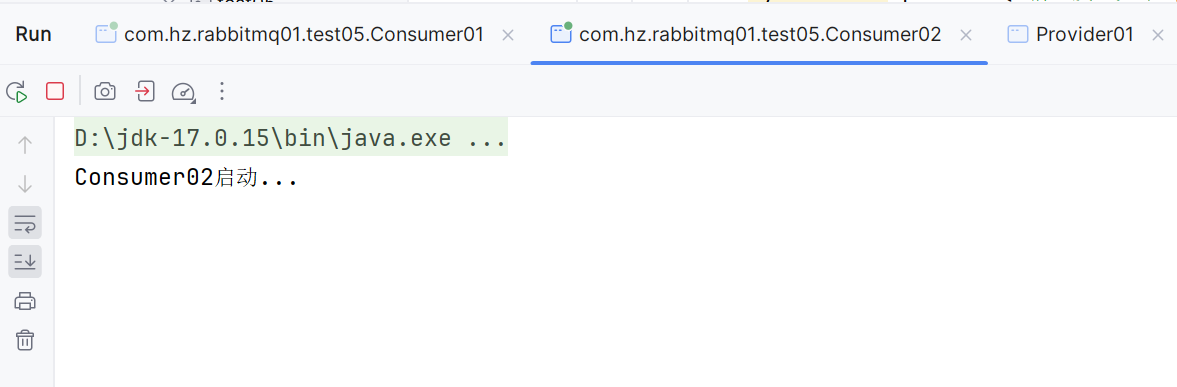
}因为发送的消息是yy.dsj.xfsn 这种模式,只有消费者1yy.*这种模式才能匹配上,所以只有消费者1能够接收到消息
四、消息确认与持久化
1. 消息应答
- 自动应答:消息被取出即视为成功(可能丢失)。
- 手动应答 :需显式调用
basicAck或basicNack。
2. 消息持久化
- 队列持久化:
queueDeclare(QUEUE_NAME,true,false, false, null) - 消息持久化:使用
MessageProperties.PERSISTENT_TEXT_PLAIN
五、消息确认机制(生产者)
1. 事务机制
java
public class Provider01 {
    public static void main(String[] args)  {
        System.out.println("Provider01启动...");
        try {
            //创建连接
            Connection conn = ConnectionUtils.getConnection();
            //创建通道
            Channel channel = conn.createChannel();
            //创建队列 队列名称,是否持久化,是否排他,是否自动删除,其他参数
            channel.queueDeclare("queue01", false, false, false, null);
            //发送消息
            String msg = "爽爽爽";
            //开启事务
            channel.txSelect();
            try {
                channel.basicPublish("","queue01",null,msg.getBytes());
                //模拟异常
                int i=1/0;
                //提交事务
                channel.txCommit();
            }catch (Exception e) {
                e.printStackTrace();
                //回滚事务
                channel.txRollback();
            }
            finally {
               //5.关闭通道和连接
                channel.close();
                conn.close();
            }
        } catch (Exception e) {
            e.printStackTrace();
        }

    }
}- 缺点:可靠但性能差。降低系统吞吐量
2. Confirm 模式
- 普通确认 :
waitForConfirms()
java
public class Provider02 {
    public static void main(String[] args) {
        System.out.println("Provider01启动...");
        try {
            //创建连接
            Connection conn = ConnectionUtils.getConnection();
            //创建通道
            Channel channel = conn.createChannel();
            //创建队列 队列名称,是否持久化,是否排他,是否自动删除,其他参数
            channel.queueDeclare("queue01", false, false, false, null);
            //开启确认模式
            channel.confirmSelect();
            //发送消息
            for (int i = 1; i <= 10; i++) {
                String msg = "消息" + i;
                channel.basicPublish("", "queue01", null, msg.getBytes());
            }
            //加入错误代码,模拟发送失败
            int i=1/0;
            //等待所有消息发送确认
            if(channel.waitForConfirms()){
                System.out.println("所有消息发送确认成功");
            }
            //关闭通道和连接
            channel.close();
            conn.close();
        } catch (Exception e) {
            e.printStackTrace();
        }

    }
}- 批量确认 :
waitForConfirmsOrDie()
java
public class Provider02 {
    public static void main(String[] args) {
        System.out.println("Provider01启动...");
        try {
            //创建连接
            Connection conn = ConnectionUtils.getConnection();
            //创建通道
            Channel channel = conn.createChannel();
            //创建队列 队列名称,是否持久化,是否排他,是否自动删除,其他参数
            channel.queueDeclare("queue01", false, false, false, null);
            //开启确认模式
            channel.confirmSelect();
            //发送消息
            for (int i = 1; i <= 10; i++) {
                String msg = "消息" + i;
                channel.basicPublish("", "queue01", null, msg.getBytes());
            }
            //直到所有信息都发布,只要有一个未确认就会抛出异常
            channel.waitForConfirmsOrDie();
            Thread.sleep(1000);
            System.out.println("所有消息发送完毕");
            //关闭通道和连接
            channel.close();
            conn.close();
        } catch (Exception e) {
            e.printStackTrace();
        }

    }
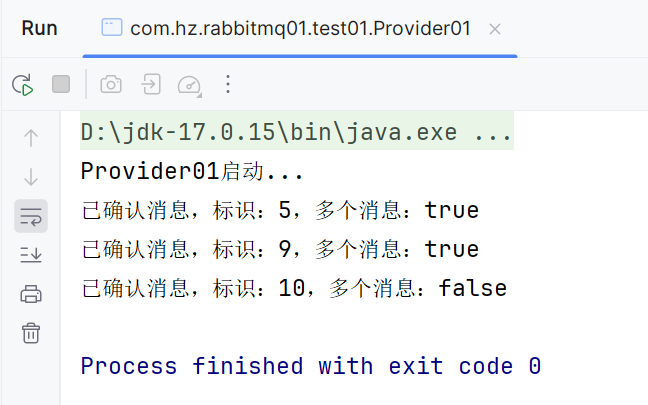
}- 异步确认 :
addConfirmListener()推荐
java
public class Provider01 {
    public static void main(String[] args) {
        System.out.println("Provider01启动...");
        try {
            //创建连接
            Connection conn = ConnectionUtils.getConnection();
            //创建通道
            Channel channel = conn.createChannel();
            //创建队列 队列名称,是否持久化,是否排他,是否自动删除,其他参数
            channel.queueDeclare("queue01", false, false, false, null);
            //开启确认模式
            channel.confirmSelect();
            //发送消息
            for (int i = 1; i <= 10; i++) {
                String msg = "消息" + i;
                channel.basicPublish("", "queue01", null, msg.getBytes());
            }
            channel.addConfirmListener(new ConfirmListener() {
                @Override
                public void handleAck(long l, boolean b) throws IOException {
                    System.out.println(String.format("已确认消息,标识:%d,多个消息:%b",
                            l, b));
                }

                @Override
                public void handleNack(long l, boolean b) throws IOException {
                    System.out.println(String.format("未确认消息,标识:%d,多个消息:%b",
                            l, b));
                }
            });
            Thread.sleep(1000);
            //关闭通道和连接
            channel.close();
            conn.close();
        } catch (Exception e) {
            e.printStackTrace();
        }

    }
}
六、总结
| 模式 | 交换机类型 | 特点 |
|---|---|---|
| 简单队列 | 默认 | 一对一 |
| 工作队列 | 默认 | 一对多,轮询/公平分发 |
| 订阅模式 | Fanout | 广播到所有队列 |
| 路由模式 | Direct | 精确匹配 Routing Key |
| 主题模式 | Topic | 通配符匹配 Routing Key |