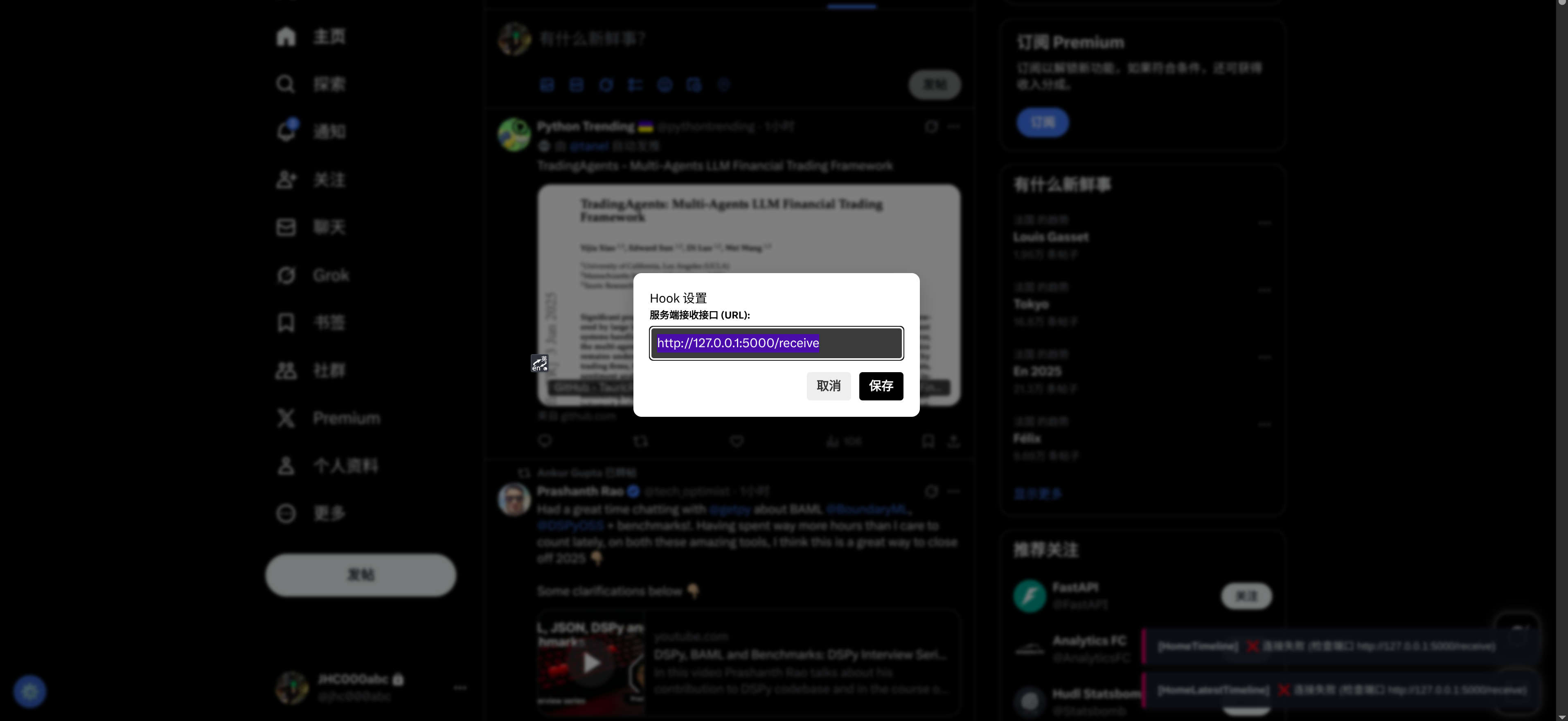
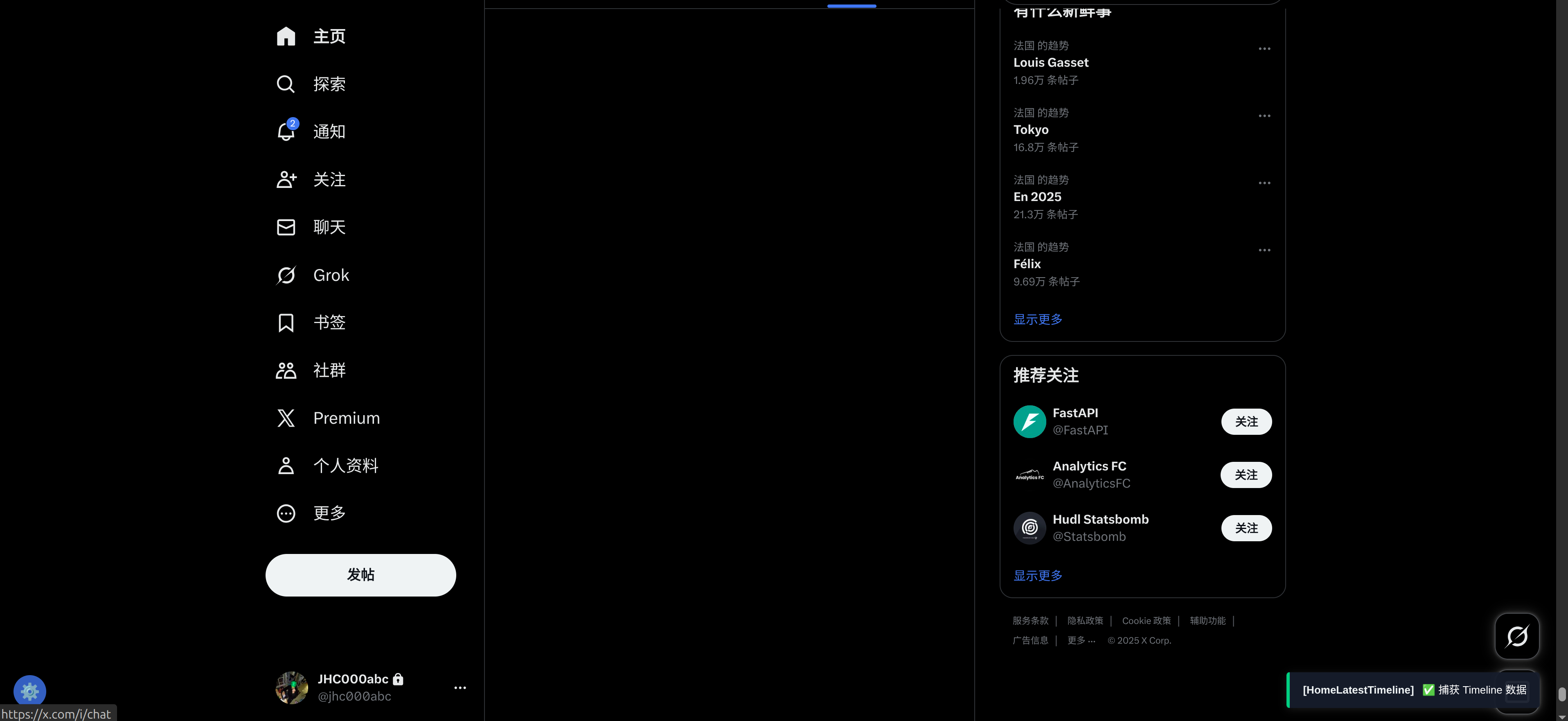
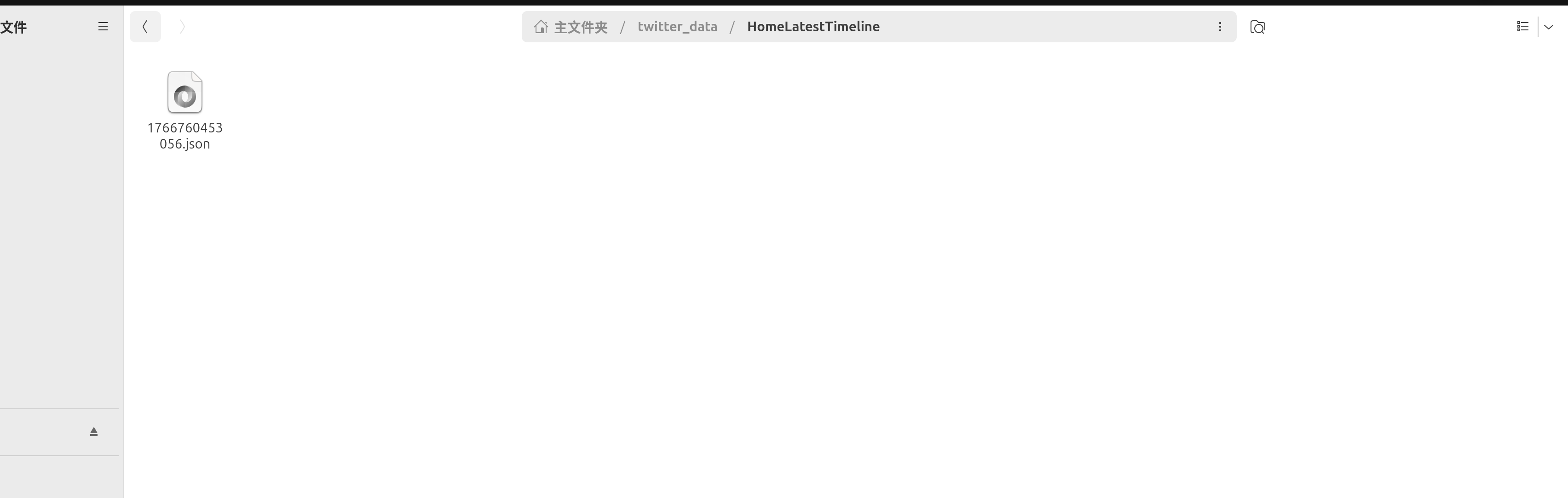
python
import uvicorn
from fastapi import FastAPI, Body, HTTPException
from fastapi.middleware.cors import CORSMiddleware
import json
import os
import time
from typing import Dict, Any

app = FastAPI(title="Twitter Multi-Interface Hook")

# CORS 配置
app.add_middleware(
    CORSMiddleware,
    allow_origins=["*"],
    allow_credentials=True,
    allow_methods=["*"],
    allow_headers=["*"],
)

# 基础数据目录
BASE_DATA_DIR = "twitter_data"

# 允许监听的接口类型列表
ALLOWED_TYPES = ["UserTweets", "HomeTimeline", "HomeLatestTimeline"]

@app.post("/receive")
async def receive_data(payload: Dict[str, Any] = Body(...)):
    """
    接收数据并根据 source_type 分类存储
    """
    try:
        # 1. 获取来源类型
        source_type = payload.get("source_type", "Unknown")

        # 2. 过滤我们不关心的类型
        if source_type not in ALLOWED_TYPES:
            return {"status": "ignored", "reason": f"Type {source_type} not targeted"}

        # 3. 创建对应的子文件夹 (例如: twitter_data/HomeLatestTimeline)
        target_dir = os.path.join(BASE_DATA_DIR, source_type)
        if not os.path.exists(target_dir):
            os.makedirs(target_dir)

        # 4. 生成文件名
        timestamp = int(time.time() * 1000)
        filename = f"{target_dir}/{timestamp}.json"

        # 5. 保存文件
        with open(filename, 'w', encoding='utf-8') as f:
            json.dump(payload, f, ensure_ascii=False, indent=2)

        print(f"✅ [{source_type}] 数据已保存: {filename}")

        # 6. 简单统计打印 (优化了解析逻辑)
        try:
            real_data = payload.get("data", {})
            instructions = []

            # 解析不同接口的数据结构
            if source_type == "UserTweets":
                # 用户主页
                if "user" in real_data.get("data", {}):
                    instructions = real_data['data']['user']['result']['timeline_v2']['timeline']['instructions']
            elif source_type in ["HomeTimeline", "HomeLatestTimeline"]:
                # 首页推荐 (HomeTimeline) 和 正在关注 (HomeLatestTimeline) 结构类似
                if "home" in real_data.get("data", {}):
                    instructions = real_data['data']['home']['home_timeline_urt']['instructions']

            # 统计推文数量
            count = 0
            for ins in instructions:
                if ins.get("type") == "TimelineAddEntries":
                    count = len(ins.get("entries", []))
                    break

            print(f"   -> 包含 {count} 条推文数据")
        except Exception:
            pass # 解析失败仅影响控制台打印,不影响保存

        return {"status": "success", "file": filename, "type": source_type}

    except Exception as e:
        print(f"❌ Error: {str(e)}")
        raise HTTPException(status_code=500, detail=str(e))

if __name__ == '__main__':
    print("🚀 服务已启动: http://127.0.0.1:5000")
    print(f"👀 监听目标: {', '.join(ALLOWED_TYPES)}")
    if not os.path.exists(BASE_DATA_DIR):
        os.makedirs(BASE_DATA_DIR)
    uvicorn.run(app, host="0.0.0.0", port=5000)
javascript
// ==UserScript==
// @name         X/Twitter 3-Way Hook (UI & Config Edition)
// @namespace    http://tampermonkey.net/
// @version      2.0
// @description  Hook User, Home, Latest with UI Toast and Configurable Server URL
// @author       You
// @match        https://x.com/*
// @match        https://twitter.com/*
// @connect      *
// @grant        GM_xmlhttpRequest
// @grant        GM_addStyle
// @grant        GM_setValue
// @grant        GM_getValue
// @grant        GM_registerMenuCommand
// @run-at       document-start
// @license MIT
// ==/UserScript==

(function() {
    'use strict';

    console.log('X-Hook: UI配置版脚本已加载...');

    // ==========================================
    // 1. 配置管理 (基于 GM_storage)
    // ==========================================
    const DEFAULT_URL = 'http://127.0.0.1:5000/receive';

    function getServerUrl() {
        return GM_getValue('server_url', DEFAULT_URL);
    }

    function setServerUrl(url) {
        GM_setValue('server_url', url);
        showToast('System', '配置已保存,下一次请求生效', false);
    }

    // ==========================================
    // 2. UI 样式注入
    // ==========================================
    const css = `
        /* 气泡容器 */
        #x-hook-toast-container {
            position: fixed;
            bottom: 20px;
            right: 20px;
            z-index: 99999;
            display: flex;
            flex-direction: column;
            gap: 10px;
            pointer-events: none;
        }
        /* 气泡本体 */
        .x-hook-toast {
            background: rgba(21, 32, 43, 0.95); /* Twitter Dark Blue */
            color: #fff;
            padding: 12px 16px;
            border-radius: 4px;
            font-family: -apple-system, BlinkMacSystemFont, "Segoe UI", Roboto, Helvetica, Arial, sans-serif;
            font-size: 13px;
            box-shadow: 0 2px 10px rgba(255,255,255,0.1);
            display: flex;
            align-items: center;
            opacity: 0;
            transform: translateX(20px);
            transition: all 0.3s ease-out;
            pointer-events: auto;
            border-left: 4px solid #1d9bf0;
            min-width: 250px;
        }
        .x-hook-toast.show { opacity: 1; transform: translateX(0); }
        .x-hook-success { border-left-color: #00ba7c; }
        .x-hook-error { border-left-color: #f91880; }
        .x-hook-title { font-weight: bold; margin-right: 10px; color: #eff3f4; }

        /* 设置按钮 (右下角悬浮) */
        #x-hook-settings-btn {
            position: fixed;
            bottom: 20px;
            left: 20px;
            width: 40px;
            height: 40px;
            background: rgba(29, 155, 240, 0.8);
            border-radius: 50%;
            color: white;
            font-size: 20px;
            display: flex;
            align-items: center;
            justify-content: center;
            cursor: pointer;
            z-index: 99998;
            transition: all 0.2s;
            box-shadow: 0 2px 5px rgba(0,0,0,0.3);
        }
        #x-hook-settings-btn:hover { transform: scale(1.1); background: #1d9bf0; }

        /* 设置模态框 */
        #x-hook-modal-overlay {
            position: fixed;
            top: 0; left: 0; width: 100%; height: 100%;
            background: rgba(0,0,0,0.5);
            z-index: 100000;
            display: none;
            align-items: center;
            justify-content: center;
            backdrop-filter: blur(2px);
        }
        #x-hook-modal {
            background: #fff;
            padding: 20px;
            border-radius: 10px;
            width: 350px;
            color: #000;
            box-shadow: 0 10px 25px rgba(0,0,0,0.2);
        }
        .x-hook-input-group { margin-bottom: 15px; }
        .x-hook-input-group label { display: block; margin-bottom: 5px; font-weight: bold; font-size: 12px; }
        .x-hook-input { width: 100%; padding: 8px; border: 1px solid #ccc; border-radius: 4px; box-sizing: border-box; }
        .x-hook-btn-row { display: flex; justify-content: flex-end; gap: 10px; }
        .x-hook-btn { padding: 6px 12px; border-radius: 4px; border: none; cursor: pointer; font-weight: bold; }
        .x-hook-btn-save { background: #000; color: #fff; }
        .x-hook-btn-cancel { background: #eee; color: #333; }
    `;

    if (typeof GM_addStyle !== 'undefined') {
        GM_addStyle(css);
    } else {
        const style = document.createElement('style');
        style.textContent = css;
        (document.head || document.documentElement).appendChild(style);
    }

    // ==========================================
    // 3. UI 元素构建
    // ==========================================

    // 3.1 气泡容器
    let toastContainer = document.createElement('div');
    toastContainer.id = 'x-hook-toast-container';
    document.body.appendChild(toastContainer);

    // 3.2 设置按钮
    let settingsBtn = document.createElement('div');
    settingsBtn.id = 'x-hook-settings-btn';
    settingsBtn.innerHTML = '⚙️';
    settingsBtn.title = '配置 Hook 服务端地址';
    settingsBtn.onclick = openSettings;
    document.body.appendChild(settingsBtn);

    // 3.3 设置模态框
    let modalOverlay = document.createElement('div');
    modalOverlay.id = 'x-hook-modal-overlay';
    modalOverlay.innerHTML = `
        <div id="x-hook-modal">
            <h3 style="margin-top:0">Hook 设置</h3>
            <div class="x-hook-input-group">
                <label>服务端接收接口 (URL):</label>
                <input type="text" id="x-hook-url-input" class="x-hook-input" placeholder="http://127.0.0.1:5000/receive">
            </div>
            <div class="x-hook-btn-row">
                <button id="x-hook-cancel" class="x-hook-btn x-hook-btn-cancel">取消</button>
                <button id="x-hook-save" class="x-hook-btn x-hook-btn-save">保存</button>
            </div>
        </div>
    `;
    document.body.appendChild(modalOverlay);

    // 绑定模态框事件
    document.getElementById('x-hook-cancel').onclick = closeSettings;
    document.getElementById('x-hook-save').onclick = function() {
        const val = document.getElementById('x-hook-url-input').value;
        if(val) {
            setServerUrl(val);
            closeSettings();
        } else {
            alert('地址不能为空');
        }
    };

    function openSettings() {
        document.getElementById('x-hook-url-input').value = getServerUrl();
        modalOverlay.style.display = 'flex';
    }

    function closeSettings() {
        modalOverlay.style.display = 'none';
    }

    // 也可以通过 Tampermonkey 菜单打开
    GM_registerMenuCommand("⚙️ 配置服务端地址", openSettings);

    // 3.4 气泡显示逻辑
    function showToast(type, message, isError = false) {
        const toast = document.createElement('div');
        toast.className = `x-hook-toast ${isError ? 'x-hook-error' : 'x-hook-success'}`;
        toast.innerHTML = `<span class="x-hook-title">[${type}]</span><span>${message}</span>`;

        toastContainer.appendChild(toast);

        // 动画
        requestAnimationFrame(() => toast.classList.add('show'));

        // 自动销毁
        setTimeout(() => {
            toast.classList.remove('show');
            setTimeout(() => { if(toast.parentNode) toast.parentNode.removeChild(toast); }, 300);
        }, 3500);
    }

    // ==========================================
    // 4. 网络劫持核心逻辑
    // ==========================================

    const originalOpen = XMLHttpRequest.prototype.open;
    const originalSend = XMLHttpRequest.prototype.send;

    XMLHttpRequest.prototype.open = function(method, url) {
        this._url = url;
        return originalOpen.apply(this, arguments);
    };

    XMLHttpRequest.prototype.send = function(body) {
        this.addEventListener('load', function() {
            if (!this._url) return;

            let sourceType = null;

            if (this._url.includes('UserTweets')) {
                sourceType = 'UserTweets';
            } else if (this._url.includes('HomeTimeline')) {
                sourceType = 'HomeTimeline';
            } else if (this._url.includes('HomeLatestTimeline')) {
                sourceType = 'HomeLatestTimeline';
            }

            if (sourceType) {
                console.log(`X-Hook: 捕获到 [${sourceType}]`);

                try {
                    const responseData = JSON.parse(this.responseText);

                    // 解析简单信息用于 UI 展示
                    let countMsg = "数据包已转发";
                    // 尝试简易统计
                    try {
                        const s = JSON.stringify(responseData);
                        const c = (s.match(/TimelineAddEntries/g) || []).length;
                        if(c > 0) countMsg = `捕获 Timeline 数据`;
                    } catch(e) {}

                    // 发送数据到 Python
                    forwardToLocal(responseData, this._url, sourceType, countMsg);

                } catch (e) {
                    console.error('X-Hook: JSON 解析失败', e);
                    showToast(sourceType, "JSON 格式错误,无法解析", true);
                }
            }
        });

        return originalSend.apply(this, arguments);
    };

    function forwardToLocal(data, sourceUrl, sourceType, uiMsg) {
        const targetUrl = getServerUrl(); // 动态获取配置的 URL

        GM_xmlhttpRequest({
            method: "POST",
            url: targetUrl,
            headers: { "Content-Type": "application/json" },
            data: JSON.stringify({
                source_type: sourceType,
                source_url: sourceUrl,
                timestamp: new Date().getTime(),
                data: data
            }),
            onload: function(response) {
                if (response.status === 200) {
                    showToast(sourceType, `✅ ${uiMsg}`, false);
                } else {
                    showToast(sourceType, `⚠️ 服务端返回 ${response.status}`, true);
                }
            },
            onerror: function(error) {
                console.error('X-Hook: 转发失败', error);
                showToast(sourceType, `❌ 连接失败 (检查端口 ${targetUrl})`, true);
            }
        });
    }

})();