欢迎大家加入开源鸿蒙跨平台开发者社区,一起共建开源鸿蒙跨平台生态。
概述
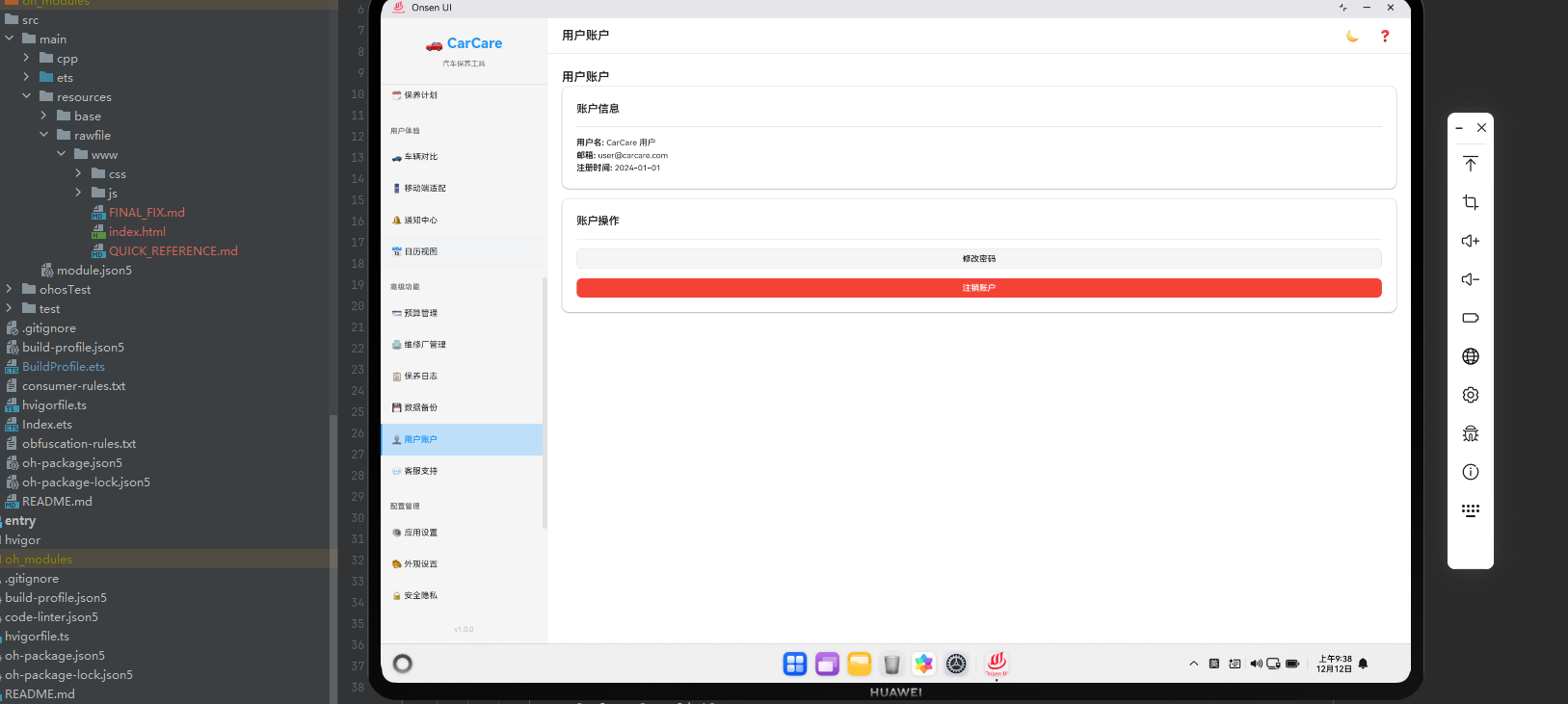
用户账户管理功能允许用户管理其个人信息和账户设置。本文将详细讲解如何在Cordova&OpenHarmony框架中实现用户账户管理系统。
用户数据结构
用户账户包含个人信息。
javascript
const userAccount = {
    id: 1,
    username: 'user123',
    email: 'user@example.com',
    phone: '13800138000',
    avatar: '/images/avatar.jpg',
    createdDate: '2024-01-01',
    lastLoginDate: '2024-02-15'
};
这个数据结构定义了用户账户的基本属性。username是用户名,email是邮箱,phone是电话,avatar是头像,createdDate是创建日期,lastLoginDate是最后登录日期。
账户信息展示
账户管理页面需要展示用户信息。
javascript
async renderAccount() {
    const user = await this.getCurrentUser();

    return `
        <div class="account-container">
            <div class="page-header"><h2 class="page-title">用户账户</h2></div>
            <div class="card">
                <div class="card-header"><h3 class="card-title">账户信息</h3></div>
                <div class="card-body">
                    <div class="account-info">
                        <img src="\${user.avatar}" alt="头像" class="avatar">
                        <div class="user-info">
                            <p><strong>用户名:</strong> \${user.username}</p>
                            <p><strong>邮箱:</strong> \${user.email}</p>
                            <p><strong>电话:</strong> \${user.phone}</p>
                            <p><strong>注册日期:</strong> \${Utils.formatDate(user.createdDate)}</p>
                            <p><strong>最后登录:</strong> \${Utils.formatDate(user.lastLoginDate)}</p>
                        </div>
                    </div>
                    <button class="btn btn-primary" onclick="app.showEditAccountModal()">编辑信息</button>
                </div>
            </div>
        </div>
    `;
}
这段代码展示了如何展示用户账户信息。我们显示用户的头像、用户名、邮箱、电话和日期信息。
编辑账户信息
用户可以编辑其账户信息。
javascript
async updateAccountInfo(formData) {
    const user = await this.getCurrentUser();

    user.username = formData.username;
    user.email = formData.email;
    user.phone = formData.phone;

    await db.update('users', user);

    alert('账户信息已更新');
    this.renderPage('account');
}
这段代码展示了如何更新账户信息。用户可以修改用户名、邮箱和电话。
修改密码
用户可以修改账户密码。
javascript
async changePassword(oldPassword, newPassword) {
    const user = await this.getCurrentUser();

    // 验证旧密码
    if (!this.verifyPassword(oldPassword, user.passwordHash)) {
        alert('旧密码错误');
        return false;
    }

    // 更新密码
    user.passwordHash = this.hashPassword(newPassword);
    await db.update('users', user);

    alert('密码已更改');
    return true;
}
这段代码展示了如何修改密码。我们首先验证旧密码,然后更新为新密码。
账户安全
系统可以提供账户安全相关的功能。
javascript
async getAccountSecurity() {
    const user = await this.getCurrentUser();

    const security = {
        passwordLastChanged: user.passwordLastChanged,
        twoFactorEnabled: user.twoFactorEnabled,
        loginHistory: await this.getLoginHistory(),
        activeDevices: await this.getActiveDevices()
    };

    return security;
}
这段代码展示了如何获取账户安全信息。我们可以查看密码修改时间、两步验证状态、登录历史和活跃设备。
登出账户
用户可以登出账户。
javascript
async logout() {
    if (confirm('确定要登出吗?')) {
        // 清除本地存储的用户信息
        localStorage.removeItem('currentUser');
        sessionStorage.clear();

        // 重定向到登录页面
        window.location.href = '/login.html';
    }
}
这段代码展示了如何登出账户。我们清除本地存储的用户信息,然后重定向到登录页面。
账户删除
用户可以删除其账户。
javascript
async deleteAccount(password) {
    const user = await this.getCurrentUser();

    // 验证密码
    if (!this.verifyPassword(password, user.passwordHash)) {
        alert('密码错误');
        return false;
    }

    // 删除用户数据
    await db.delete('users', user.id);

    // 清除本地存储
    localStorage.removeItem('currentUser');

    alert('账户已删除');
    window.location.href = '/login.html';
}
这段代码展示了如何删除账户。我们首先验证密码,然后删除用户数据。
OpenHarmony中的账户管理
在OpenHarmony系统中,账户管理需要通过Cordova插件与原生系统进行交互。
typescript
export function postMessage(id:string, value:string) {
  let result: ArkTsAttribute = {content:"postMessage", result:[id, value]};
  cordova.onArkTsResult(JSON.stringify(result), "CoreHarmony", "");
}
这段ArkTS代码展示了如何在OpenHarmony系统中发送消息。
总结
用户账户管理系统是Cordova&OpenHarmony应用的重要功能。通过合理的账户管理和安全措施,我们可以保护用户的个人信息和账户安全。