文章目录
- [基于sprinboot 4的 WebMVC如何集成sentinel?](#基于sprinboot 4的 WebMVC如何集成sentinel?)
- 配置
Sentinel 通过 拦截器 + 资源埋点 + 规则配置 三步完成对 Servlet 6.x 的限流适配。核心优势在于:
- 无侵入性:通过配置自动拦截请求,无需修改业务代码。
- 灵活性:支持自定义资源名、调用方解析和阻断响应。【自定义资源名通过UrlCleaner实现】
- 异步兼容:适配 Servlet 6.x 的异步处理模型,保障高并发稳定性。
与 Spring MVC 的 HandlerInterceptor 集成,SentinelWebInterceptor 实现了 Spring 的 AsyncHandlerInterceptor 接口,同时支持同步、异步服务
基于sprinboot 4的 WebMVC如何集成sentinel?
本次采用sentinel-spring-webmvc-v6x-adapter方式集成 Sentinel
添加依赖
xml
        <dependency>
            <groupId>com.alibaba.csp</groupId>
            <artifactId>sentinel-spring-webmvc-v6x-adapter</artifactId>
            <version>1.8.9</version>
        </dependency>
编写相关的测试代码
在WebMvcConfig中添加Sentinel拦截器
java
@Configuration
public class WebMvcConfig implements WebMvcConfigurer {
    @Resource
    private AuthorizationInterceptor authorizationInterceptor;
    @Override
    public void addInterceptors(InterceptorRegistry registry) {
        registry.addInterceptor(authorizationInterceptor).addPathPatterns("/api/**");

        SentinelWebMvcConfig config = new SentinelWebMvcConfig();
        // Enable the HTTP method prefix. 如 POST:/foo
        config.setHttpMethodSpecify(true);
        config.setBlockExceptionHandler(new DefaultBlockExceptionHandler());
        // Add to the interceptor list.
        registry.addInterceptor(new SentinelWebInterceptor(config)).addPathPatterns("/api/**");
    }
    ......
}
配置服务被拦截或降级的处理动作
有两种配置方式
- 在SentinelWebMvcConfig 中设置setBlockExceptionHandler
- 通过RestControllerAdvice处理,代码类似如下:
java
import com.alibaba.csp.sentinel.slots.block.AbstractRule;
import com.alibaba.csp.sentinel.slots.block.BlockException;
import lombok.extern.slf4j.Slf4j;
import org.springframework.core.annotation.Order;
import org.springframework.web.bind.annotation.ExceptionHandler;
import org.springframework.web.bind.annotation.RestControllerAdvice;

@RestControllerAdvice
@Order(0)
@Slf4j
public class SentinelBlockExceptionHandlerConfig {
    @ExceptionHandler(BlockException.class)
    public String sentinelBlockHandler(BlockException e) {
        AbstractRule rule = e.getRule();
        log.info("Blocked by Sentinel: {}", rule.toString());
        return "Blocked by Sentinel";
    }
}
启动程序
启动sentinel-dashboard
python
java -Dserver.port=8858 -Dcsp.sentinel.dashboard.server=localhost:8858 -Dproject.name=sentinel-dashboard -Dsentinel.dashboard.auth.username=sentinel -Dsentinel.dashboard.auth.password=123456 -Dserver.servlet.session.timeout=7200 -jar sentinel-dashboard-1.8.9.jar启动Springboot
注意在启动时需要添加VM参数
bash
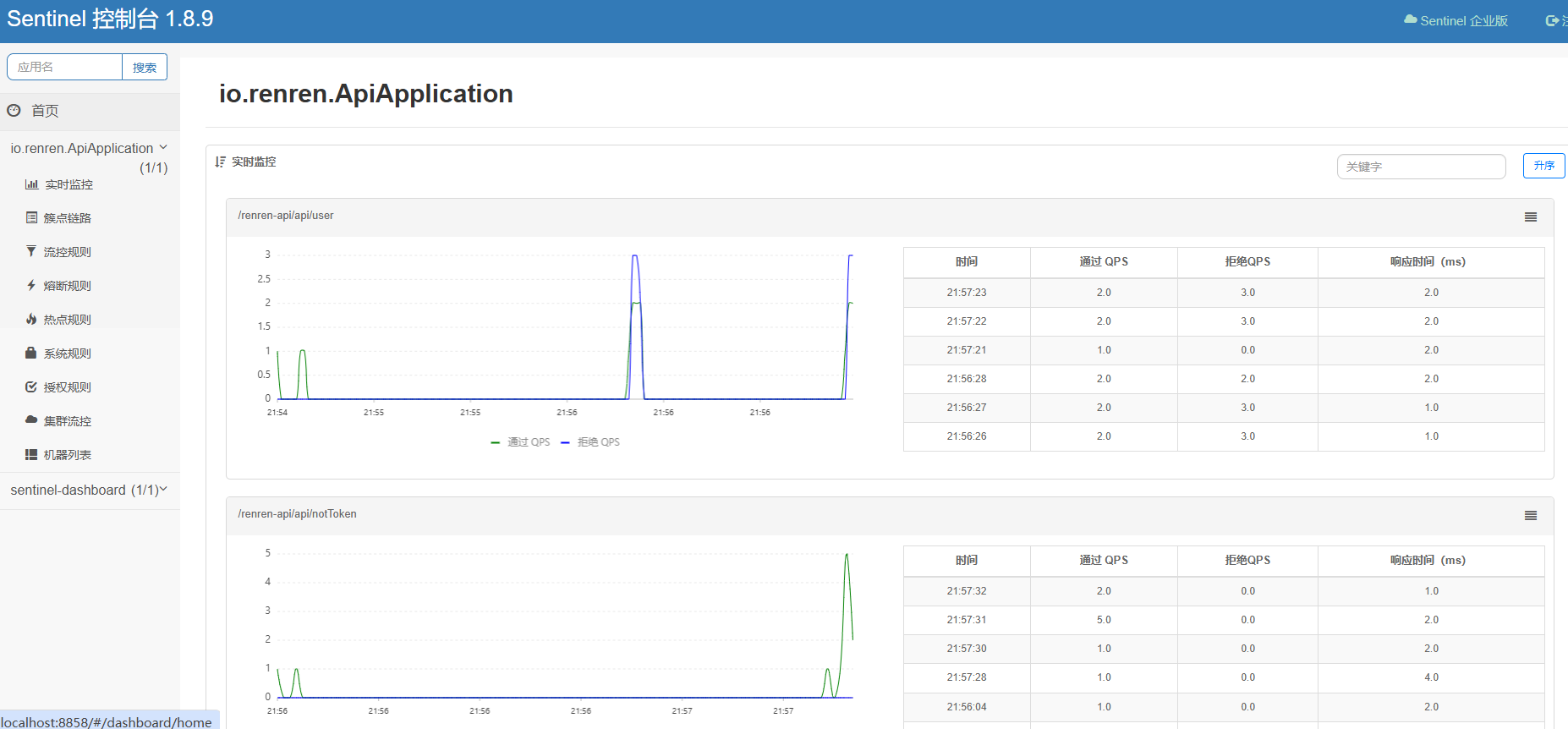
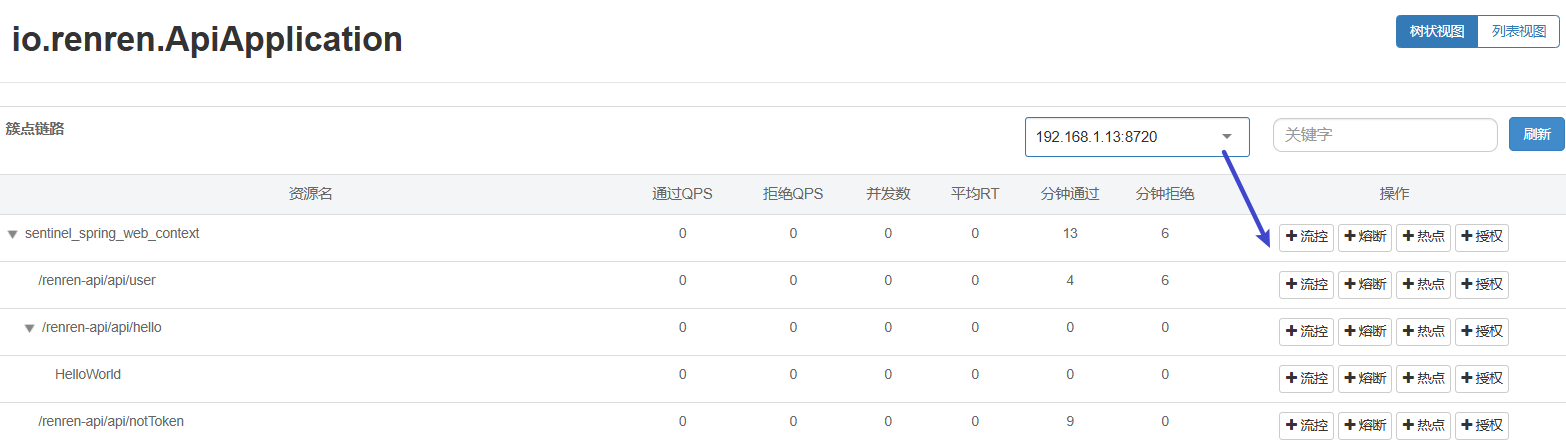
-Dcsp.sentinel.dashboard.server=localhost:8858界面展示
通过界面 或 postman请求 如下服务:
可以通过界面配置各种规则,配置后立即生效
配置
高级配置项
| 配置项 | 作用 | 默认值 |
|---|---|---|
httpMethodSpecify |
资源名是否包含 HTTP 方法前缀 | false |
urlCleaner |
自定义 URL 清洗逻辑(如参数脱敏) | null |
webContextUnify |
是否统一 Web 上下文(使用默认上下文名) | true |
originParser |
从请求头提取调用方(如 IP、AppName) | 必须实现 |