📌 模块概述
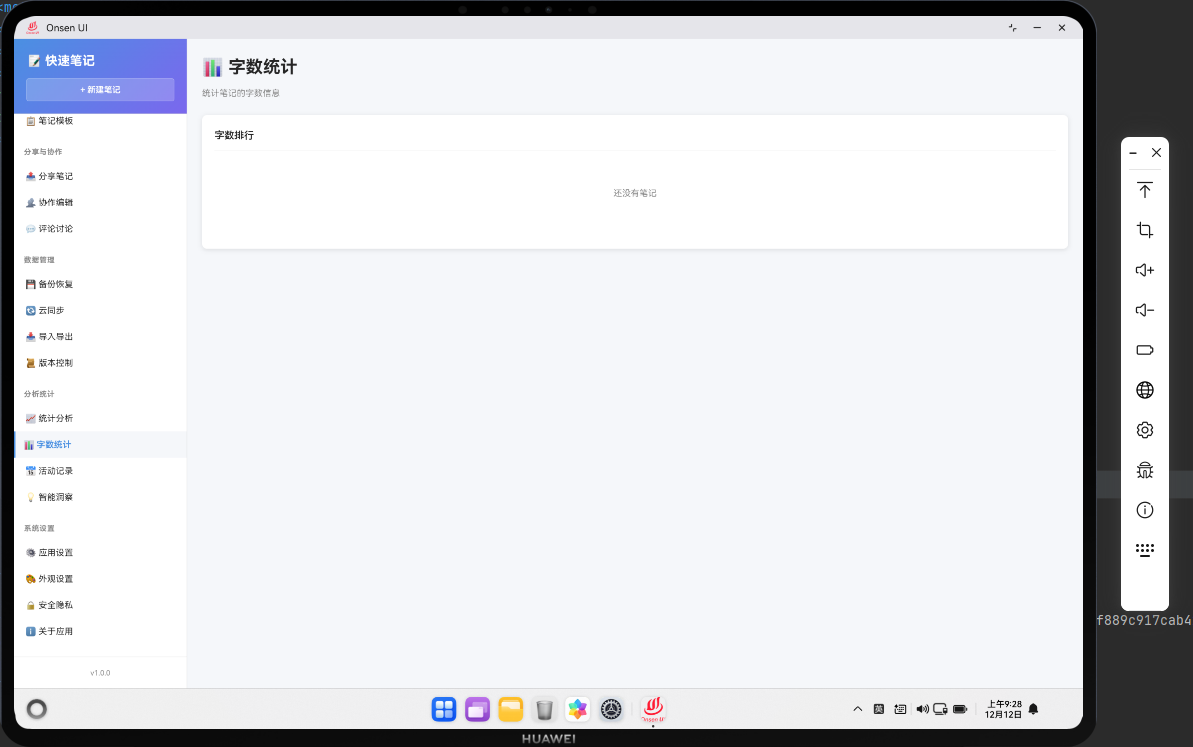
字数统计功能统计笔记的字数,并显示字数排行榜。用户可以看到哪些笔记字数最多,了解自己的写作量。
🔗 完整流程
第一步:计算字数
计算每个笔记的字数。
第二步:排序
按字数从多到少排序。
第三步:显示排行
显示字数排行榜。
🔧 Web代码实现
javascript
async renderWordCount() {
  const allNotes = await noteDB.getAllNotes();
  const sortedNotes = allNotes.sort((a, b) => (b.wordCount || 0) - (a.wordCount || 0));

  return `
    <div class="page active">
      <div class="page-header">
        <h1 class="page-title">📊 字数统计</h1>
      </div>
      <div class="word-count-list">
        ${sortedNotes.map((note, index) => `
          <div class="word-count-item">
            <span class="rank">#${index + 1}</span>
            <span class="title">${Utils.escapeHtml(note.title)}</span>
            <span class="count">${note.wordCount || 0} 字</span>
          </div>
        `).join('')}
      </div>
    </div>
  `;
}
🔌 OpenHarmony 原生代码
typescript
// WordCountPlugin.ets - 字数统计插件
import { webview } from '@kit.ArkWeb';
import { common } from '@kit.AbilityKit';
import { fileIo } from '@kit.CoreFileKit';

@NativeComponent
export class WordCountPlugin {
  private context: common.UIAbilityContext;

  constructor(context: common.UIAbilityContext) {
    this.context = context;
  }

  // 初始化插件
  public init(webviewController: webview.WebviewController): void {
    webviewController.registerJavaScriptProxy(
      new WordCountJSProxy(this),
      'wordCountPlugin',
      ['getWordCountRanking']
    );
  }

  // 获取字数排行
  public getWordCountRanking(): Promise<Array<any>> {
    return new Promise((resolve) => {
      try {
        const notesPath = this.context.cacheDir + '/notes.json';
        const content = fileIo.readTextSync(notesPath);
        const notes = JSON.parse(content);

        const ranking = notes.sort((a: any, b: any) => (b.wordCount || 0) - (a.wordCount || 0));
        resolve(ranking);
      } catch (error) {
        console.error('Failed to get word count ranking:', error);
        resolve([]);
      }
    });
  }
}

// WordCountJSProxy.ets - JavaScript代理类
class WordCountJSProxy {
  private plugin: WordCountPlugin;

  constructor(plugin: WordCountPlugin) {
    this.plugin = plugin;
  }

  getWordCountRanking(): void {
    this.plugin.getWordCountRanking().then(ranking => {
      console.log('Word count ranking:', ranking.length);
    });
  }
}
📝 总结
字数统计功能展示了如何在Cordova与OpenHarmony混合开发中实现简单的数据排序和展示。
欢迎加入开源鸿蒙跨平台社区:https://openharmonycrossplatform.csdn.net